Sandro Begashvili
Sandro Begashvili
  • 情報
2 年
経験
5
製品
53
デモバージョン
3
ジョブ
0
シグナル
0
購読者
Sandro Begashvili - MQL5、MQL4、Python、Pine Script 開発者

MetaTrader 4 と MetaTrader 5 向けの取引プログラムを開発しています。エキスパートアドバイザー、カスタムインジケーター、グラフィカルな取引パネルが対象です。ご要望をお伝えいただければ、動作するコードとドキュメントの形に仕上げます。


開発できるもの

エキスパートアドバイザー(EA)- MT4 および MT5 向けの自動売買戦略
インジケーター - アラートやマルチタイムフレームに対応した独自の分析ツール
取引パネル(GUI)- ワンクリック発注とリスク管理のインターフェース
スクリプトとユーティリティ - 注文処理、レポート作成、データ出力


取り扱う手法

Smart Money Concept とプライスアクション
相場データに適用する機械学習アルゴリズム
パラメータ調整と戦略設計のための数理最適化


使用言語

MQL5、MQL4、Python、Pine Script


進め方

ご要望は、文章でも、スクリーンショットでも、既存のスクリプトでも構いません。着手前に、作業範囲、納期、費用をお返しします。納品時にはロジックの説明と簡単なマニュアルを添えますので、その後のご自身での保守や機能追加にも対応できます。


依頼する

フリーランス注文: https://www.mql5.com/en/job/new?prefered=sandrobegashvil


製品

Trading Simulator in Strategy Tester MT5 版: https://www.mql5.com/en/market/product/107411
Trading Simulator in Strategy Tester MT4 版: https://www.mql5.com/en/market/product/132410
MT5 向け無料デモ版: https://www.mql5.com/en/blogs/post/762473


連絡先

Telegram: https://t.me/MrMQL5Developer
Sandro Begashvili
パブリッシュされたコードSwing Detector by Pullback (Smart Money Concepts)
SMC Pullback marks swing highs and lows using the pullback definition instead of the usual 3-candle pattern. A high is confirmed only when price trades back through the low of the candle that made it — so every marked point is an actual rejection, and highs and lows always alternate. It evaluates closed bars only and never moves a marker once drawn, so it does not repaint. Two buffers expose the confirmed swing prices to an EA via iCustom.
240
Sandro Begashvili パブリッシュされたプロダクト

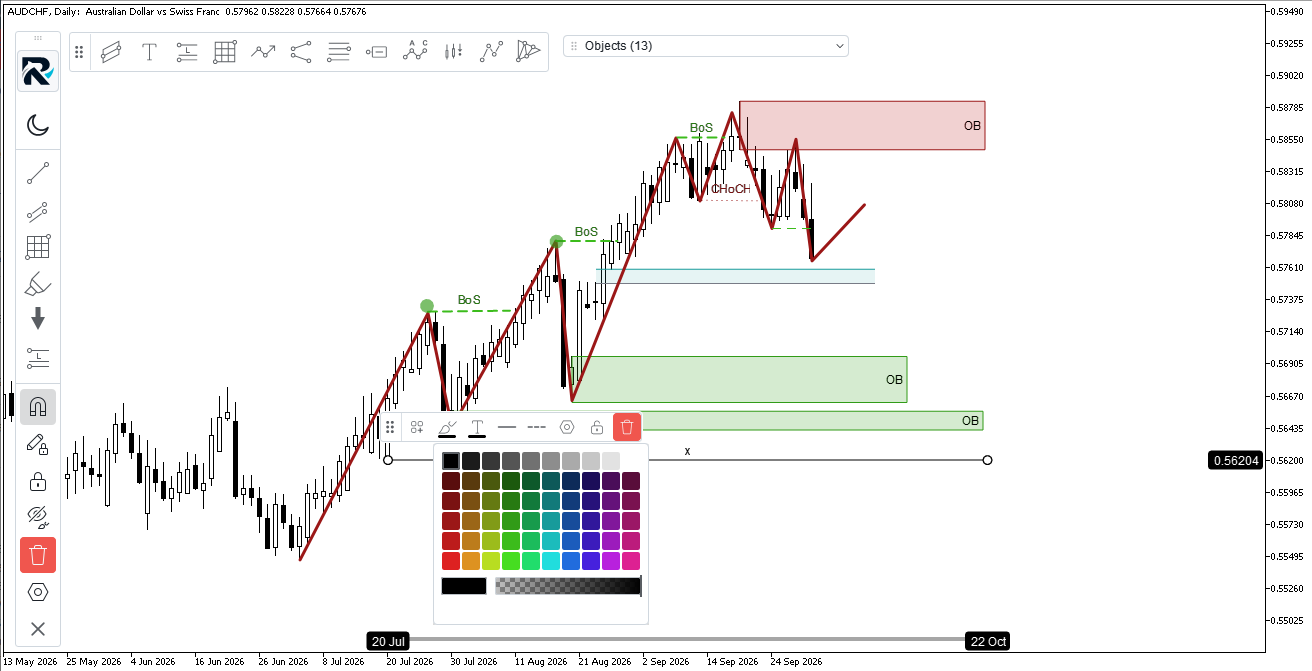
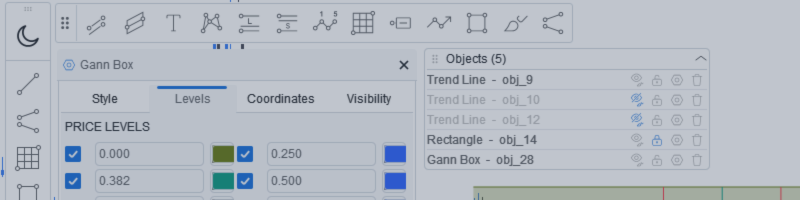
Rhino Chart Drawing Tools — MetaTrader 5用のTradingViewスタイル描画ツール 54個の描画ツール 、適切なツールバー、お気に入りストリップ、クイックスタイリングバー、各オブジェクトの設定パネル、オブジェクトマネージャー — MetaTraderの組み込みオブジェクトではなく、 ベクターエンジン で描画されています。MT5チャートがTradingViewのように描画されることを願ったことがあれば、これが正にそれです。 ツール ライン — トレンドライン、レイ、拡張線、水平線と垂直線、水平レイ、クロスライン、トレンド角、矢印、パス、ポリライン、情報ライン チャネル — 平行、回帰、フラット、分離、ピッチフォーク フィボナッチ — リトレースメント、エクステンション、チャネル、スピードファン、タイムゾーン ガン — ガンボックスとガンファン シェイプ — 矩形、回転矩形、楕円、円、三角形、ポリライン アノテーション — テキスト、ノート、コールアウト、価格ラベル、ポスト、フラグ、矢印マーク パターン —

Sandro Begashvili
Sandro Begashvili
One click turns your whole trading history into a clean, investor-ready PDF. 📄

Tired of screenshots and spreadsheets when someone asks for your track record? Rhino PDF Trade Report exports your full MetaTrader account history to a print-ready PDF — in one click.

✅ Performance overview: net result, win rate, profit factor, expectancy
✅ Equity curve + win/loss and buy/sell breakdown
✅ Results by weekday and by symbol — see what actually makes you money
✅ Full trade register: every closed trade, entry/exit, SL/TP, swap, commission, net profit
✅ True vector output — razor-sharp, selectable text, tiny file size

Filter by date range, number of trades, or a single symbol. Works on any broker, live or demo, hedging or netting. Perfect for investors, prop-firm applications, your accountant, or your own trading journal.

And it's completely FREE.

📥 MT5 version: https://www.mql5.com/en/market/product/189458
📥 MT4 version: https://www.mql5.com/en/market/product/189468

If it saves you time, a review helps more than you'd think. 🙏

#MetaTrader #MT4 #MT5 #Forex #TradingTools #AlgoTrading #TradingJournal #PropFirm
Sandro Begashvili
Rhino PDF Trade Report turns your MetaTrader account history into a clean, print-ready PDF report in one click. It is free , and it is available for both MetaTrader 4 and MetaTrader 5...
Sandro Begashvili パブリッシュされたプロダクト

Rhino PDF Trade Report — MT4 の取引履歴を PDF に出力 MetaTrader 4 の口座履歴を、ワンクリックで印刷にそのまま使える PDF 取引  レポート  に変換します。スクリプトを実行し、期間または取引数を選ぶだけで、投資家への提出、プロップファーム申請への添付、税理士への提出、あるいは売買記録としての保管に使える書類が手に入ります。 内容 1 ページ目 — パフォーマンス概要 純損益、取引数、 勝率 、 プロフィットファクター 、期待値、合計ロット数 対象取引の累積損益を示す 資産曲線 勝ち / 負け  および 買い / 売り  の内訳 曜日別の成績  — 実際に利益が出ている曜日が一目で分かります 銘柄別の成績  — 得意な銘柄と苦手な銘柄をランキング表示 2 ページ目以降 — 取引明細一覧 決済済みの取引を 1 件 1 行で表示します: ポジションの チケット番号 約定時刻  と 決済時刻 銘柄と売買方向(BUY / SELL、色分けと上下マーカー付き) ロット数、

Sandro Begashvili パブリッシュされたプロダクト

Rhino PDF Trade Report — MT5 の取引履歴を PDF に出力 MetaTrader 5 の口座履歴を、ワンクリックで印刷にそのまま使える PDF 取引  レポート  に変換します。スクリプトを実行し、期間または取引数を選ぶだけで、投資家への提出、プロップファーム申請への添付、税理士への提出、あるいは売買記録としての保管に使える書類が手に入ります。 内容 1 ページ目 — パフォーマンス概要 純損益、取引数、 勝率 、 プロフィットファクター 、期待値、合計ロット数 対象取引の累積損益を示す 資産曲線 勝ち / 負け  および 買い / 売り  の内訳 曜日別の成績  — 実際に利益が出ている曜日が一目で分かります 銘柄別の成績  — 得意な銘柄と苦手な銘柄をランキング表示 2 ページ目以降 — 取引明細一覧 決済済みの取引を 1 件 1 行で表示します: ポジションの チケット番号 約定時刻  と 決済時刻 銘柄と売買方向(BUY / SELL、色分けと上下マーカー付き) ロット数、

Sandro Begashvili
Here is a Demo Version of Backtest Simulator in Strategy Tester MT5 , which allow you to test the Product. (I will update the demo version in small period of time) Step 1: Download the Demo Version Scroll to the bottom of this page...
Sandro Begashvili
Sandro Begashvili
Update Trading Simulators:

I added new features to Trade Manager (MT5 / MT4), which help you to handle your trading strategy better and better:


1) Add a new Advanced Risk Management Option. Using this feature, you can set Total SLs/TPs of Open Positions of Each Symbol with only one Click.

Let assume you have 4 open Position on EURUSD with different Entry Point and Volumes. Now you want set the Total SLs at level with Total Loss = $100, you can drag advanced tools and set it at $100 loss and Click OK. It automatically moves all the SLs to that level which cause $100 loss. Also same process for TPs.


Trading Simulator in StrategyTester MT5: https://www.mql5.com/en/market/product/107411
Trading Simulator in StrategyTester MT4: https://www.mql5.com/en/market/product/132410
2) Add an advanced Calendar which allow you to see at each day number of Trades and PNL with one click.

as you click on each day in Calendar you can see the Summary of Trades in that day.
Sandro Begashvili パブリッシュされたプロダクト

Rhino Backtest Manager - ライブ取引とストラテジーテスターのためのトレード管理パネル Rhino Backtest Manager は、ライブ取引と MetaTrader 4 のストラテジーテスターの両方で動作するトレード管理パネルです。ライブ口座と同じインターフェースのままテスター内で手動の発注と管理ができるため、ヒストリカルデータで手法を確認したあと、ツールを変えずにそのまま取引できます。 パネルは設定したリスク条件からロット数を計算し、発注前にストップロスとテイクプロフィットの金額を表示します。また、日次、週次、月次、および口座の全期間の成績を記録します。 ユーザーマニュアル: 製品の使い方 無料デモ版: デモ版をダウンロード MetaTrader 5 版: Rhino Backtest Manager MT5 版 初回起動の前に、マニュアルページで配布しているフォントをインストールしてください。フォントが無い場合、パネルは正しく表示されません。 機能 2つのモード。 同じパネルがライブ取引とストラテジーテスターモードで動作します。 注文の種類。

Sandro Begashvili
Sandro Begashvili
New Version of Backtest Simulator is Published


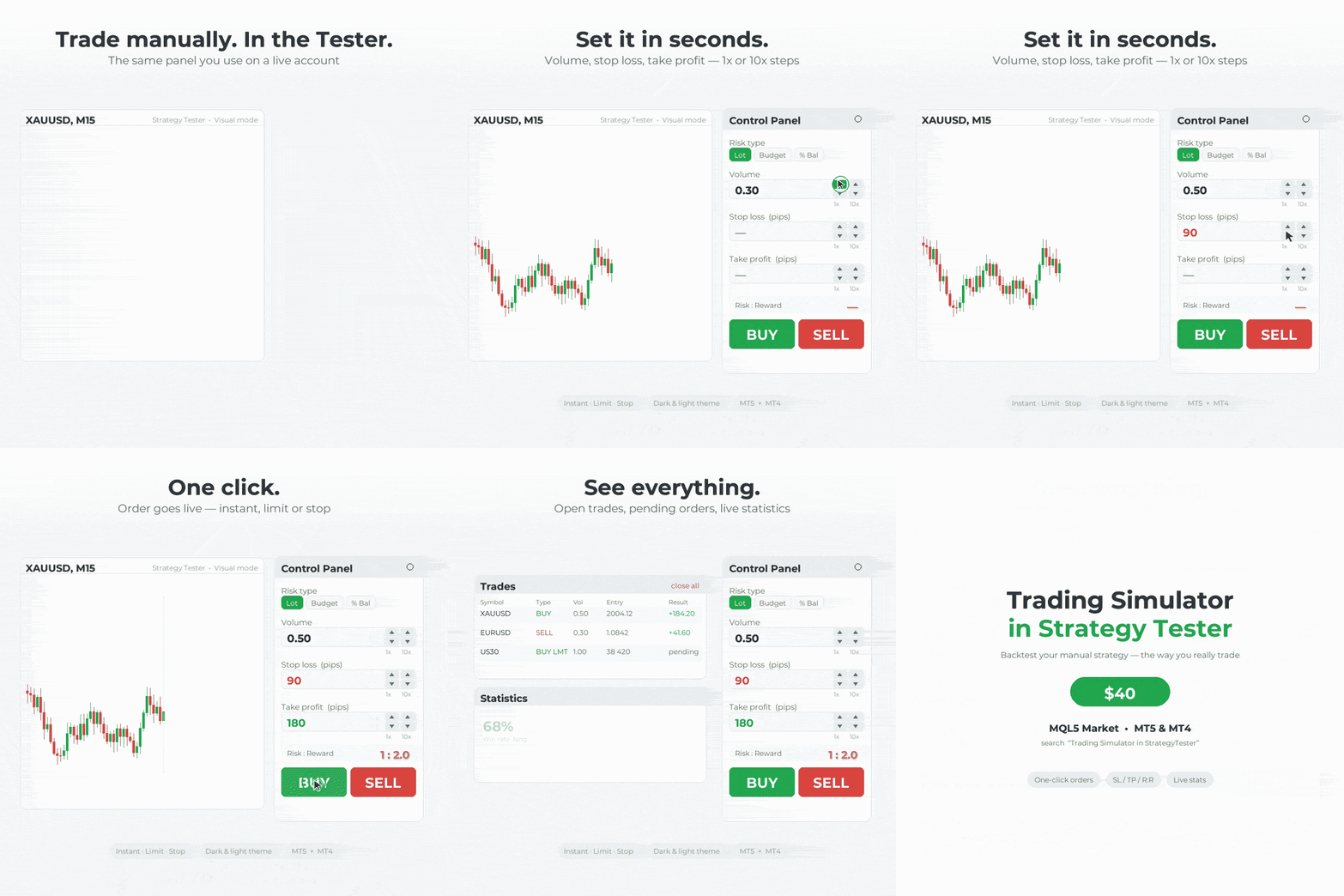
In this version I added many new features which allow you to do smooth trading in Live and Tester Mode. This Trade Manager works in Both Live and Tester mode. Simply you can run it in Tester mode and Test your Strategy manually.


MT5 available here: https://www.mql5.com/en/market/product/107411

MT4 available here: https://www.mql5.com/en/market/product/132410

What is New?!

✔️New User-Friendly Design
✔️Optimized for Live Trading (without Lag)
✔️Add more details to Trades Window
✔️Add Risk Reward Ratio Buttons
✔️Add Advanced Trade Box Manager
✔️Add Info to Orders and Positions
✔️Add Daily Profit/Loss Monitor
✔️Add Statistical report from trades
✔️Add Message Dialog Box
✔️Solve Bugs of previous Version
✔️Add Two Light and Dark Theme
✔️Create Sticky Label for Positions and Orders
✔️Add Watchlist to Live Trade
✔️Draggable TradeBox to set EntryPrice, Stoploss, Takeprofit In Live Mode
✔️Close/Open Windows


MT5 available here: https://www.mql5.com/en/market/product/107411
Sandro Begashvili
The Rhino Backtest Manager is a trade manager that works in both Live Mode and Strategy Tester Mode . Most trade managers run only on a live chart...
Sandro Begashvili
仕事「EA formula modification」に対する依頼者に残されたフィードバック
Sandro Begashvili
仕事「EA fomulas modifications」に対する依頼者に残されたフィードバック
Sandro Begashvili
仕事「Create a program according to my mathematical formulas」に対する依頼者に残されたフィードバック
Sandro Begashvili パブリッシュされたプロダクト
レビュー: 1
40.00 USD

Rhino Backtest Manager - ライブ取引とストラテジーテスターのためのトレード管理パネル Rhino Backtest Manager は、ライブ取引と MetaTrader 5 のストラテジーテスターの両方で動作するトレード管理パネルです。ライブ口座と同じインターフェースのままテスター内で手動の発注と管理ができるため、ヒストリカルデータで手法を確認したあと、ツールを変えずにそのまま取引できます。 パネルは設定したリスク条件からロット数を計算し、発注前にストップロスとテイクプロフィットの金額を表示します。また、日次、週次、月次、および口座の全期間の成績を記録します。 ユーザーマニュアル: 製品の使い方 無料デモ版: デモ版をダウンロード MetaTrader 4 版: Rhino Backtest Manager MT4 版 初回起動の前に、マニュアルページで配布しているフォントをインストールしてください。フォントが無い場合、パネルは正しく表示されません。 機能 2つのモード。 同じパネルがライブ取引とストラテジーテスターモードで動作します。 注文の種類。

sajjadha72
sajjadha72 2024.08.01
Very nice
Bob
Bob 2024.12.07
Hi, Sandro. I sent you a message regarding this Trading Simulator indicator.
Sandro Begashvili
MQL5.communityに登録されました