Sandro Begashvili / Profil
- Information
|
3 Jahre
Erfahrung
|
6
Produkte
|
47
Demoversionen
|
|
3
Jobs
|
0
Signale
|
0
Abonnenten
|
Ich entwickle Handelssoftware für MetaTrader 4 und MetaTrader 5: Expert Advisors, eigene Indikatoren und grafische Handelspanels. Beschreiben Sie Ihre Idee, und ich setze sie in lauffähigen, dokumentierten Code um.
WAS ICH ENTWICKLE
Expert Advisors (EA) - automatische Strategien für MT4 und MT5
Indikatoren - eigene Analysewerkzeuge mit Signalen und Unterstützung mehrerer Zeiteinheiten
Handelspanels (GUI) - Oberflächen für Handel per Klick und Risikosteuerung
Skripte und Hilfsprogramme - Orderverwaltung, Auswertungen und Datenexport
METHODEN, MIT DENEN ICH ARBEITE
Smart Money Concept und Price Action
Verfahren des maschinellen Lernens für Marktdaten
Mathematische Optimierung für Parameterwahl und Strategieentwurf
SPRACHEN
MQL5, MQL4, Python, Pine Script
ABLAUF
Sie schicken die Idee in eigenen Worten, als Screenshot oder als vorhandenes Skript. Ich antworte vor Arbeitsbeginn mit Umfang, Termin und Preis. Jede Arbeit wird mit erläuterter Logik und einer kurzen Anleitung übergeben, damit Sie sie später selbst pflegen und erweitern können.
AUFTRAG ERTEILEN
Freelance-Auftrag: https://www.mql5.com/en/job/new?prefered=sandrobegashvil
PRODUKTE
📥 Rhino Drawing Tools MT5: https://www.mql5.com/en/market/product/191269
📥 Rhino Drawing Tools MT4: https://www.mql5.com/en/market/product/197413
📥 Trading Simulator in Strategy Tester for MT5: https://www.mql5.com/en/market/product/107411
📥 Trading Simulator in Strategy Tester for MT4: https://www.mql5.com/en/market/product/132410
📥 Rhino PDF Trade Report MT5: https://www.mql5.com/en/market/product/189458
📥 Rhino PDF Trade Report MT4: https://www.mql5.com/en/market/product/189468
Kostenlose Demoversion für MT5: https://www.mql5.com/en/blogs/post/762473
KONTAKT
Telegram: https://t.me/MrMQL5Developer
🦏 Rhino Trade Manager v1.6: Free Demo (MT4 & MT5)
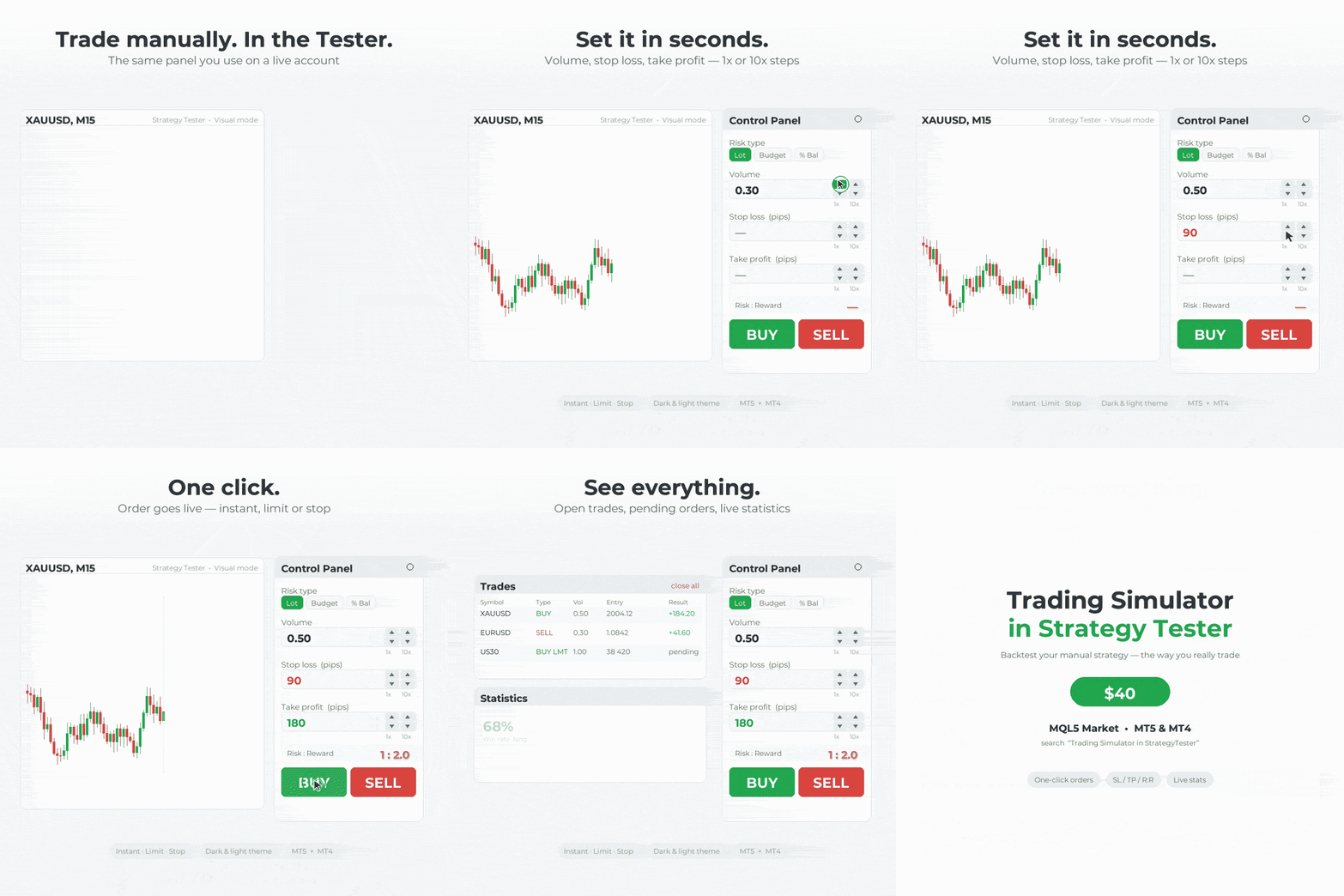
Practice trading in StrategyTester just like on a live chart! Rhino Trade Manager turns the MetaTrader Strategy Tester into a real trading simulator.
Get the demo in Telegram channel: https://t.me/rhinoquant/14
⏳ This demo works until 2026.10.21.
✨ What you get:
✅ One-click Buy/Sell and pending orders in the Strategy Tester
✅ Risk-based lot size (fixed lot, money or % of balance)
✅ Drag Entry/SL/TP on the chart
✅ Edit Mode: change SL/TP of open trades and move pending orders
✅ Trade tables, statistics and a P/L calendar
✅ Daily / Weekly / Monthly / Lifetime P/L box
✅ Light and dark themes with 5 accent colours
🛠 How to install:
1️⃣ In MetaTrader: File → Open Data Folder
2️⃣ Copy the file into MQL5/Experts (MT5) or MQL4/Experts (MT4)
3️⃣ Restart MetaTrader or refresh the Navigator
4️⃣ Open the Strategy Tester, select the EA, enable Visual mode and start
⚠️ This demo has a limited number of trades per test and stops working after 2026.10.21.
@rhinoquant
Fast and Robust drawing tools.
55 Items for drawing, Simple to Draw/Delete/Edit the different features.
No lag in drawing
Try for free:
MetaTrader 5 Demo: https://www.rhinoquant.com/en/free/rhino-drawing-tools-mt5-trial
MetaTrader 4 Demo: https://www.rhinoquant.com/en/free/rhino-drawing-tools-mt4-trial
Purchase Lifetime:
📥 Rhino Drawing Tools MT5: https://www.mql5.com/en/market/product/191269
📥 Rhino Drawing Tools MT4: https://www.mql5.com/en/market/product/197413
Open the Settings page, set your desired settings once, and save them as a Template.
After that, use the same settings anytime with just one click.
Try for free:
MetaTrader 5 Demo: https://www.rhinoquant.com/en/free/rhino-drawing-tools-mt5-trial
MetaTrader 4 Demo: https://www.rhinoquant.com/en/free/rhino-drawing-tools-mt4-trial
Purchase Lifetime:
📥 Rhino Drawing Tools MT5: https://www.mql5.com/en/market/product/191269
📥 Rhino Drawing Tools MT4: https://www.mql5.com/en/market/product/197413
I hope you are doing well.
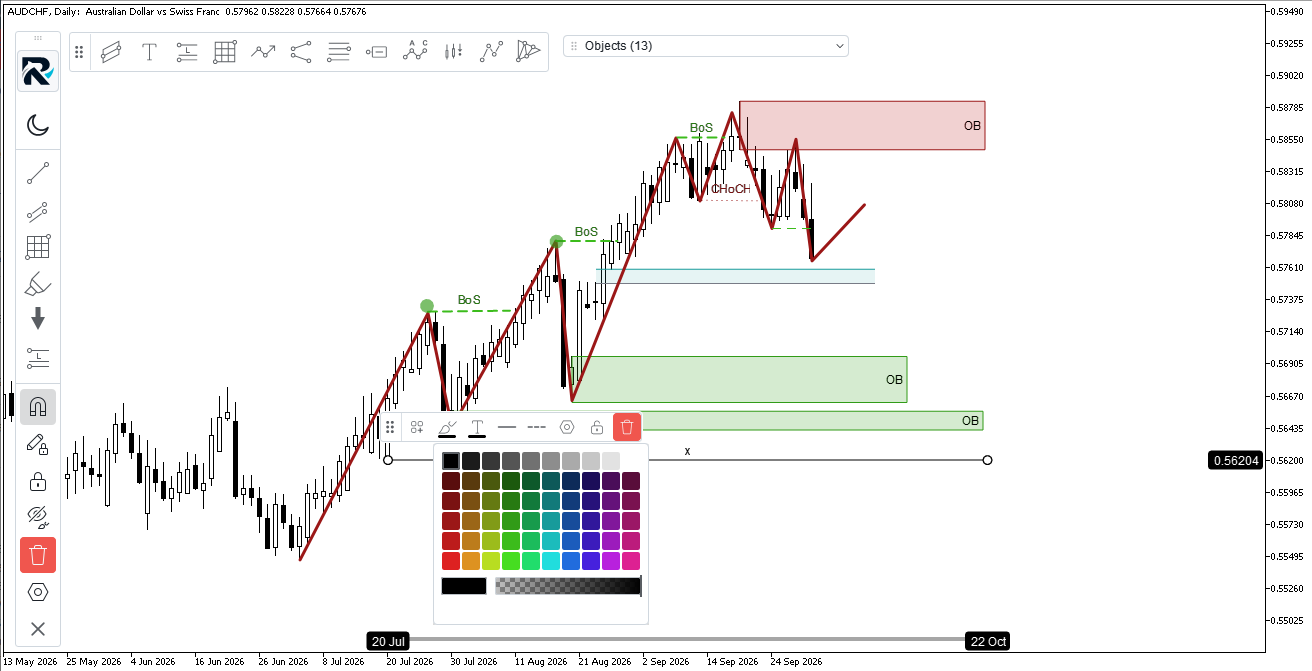
I recently published a new product called **Rhino Drawing Tools**, a chart-drawing tool for MetaTrader that provides a TradingView-style experience for creating and managing chart objects.
I would really appreciate it if you could try it. You can use the demo version **free for 10 days**:
MetaTrader 5 Demo: https://www.rhinoquant.com/en/free/rhino-drawing-tools-mt5-trial
MetaTrader 4 Demo: https://www.rhinoquant.com/en/free/rhino-drawing-tools-mt4-trial
If you find it useful and would like the lifetime version, you can purchase it here:
MT5: https://www.mql5.com/en/market/product/191269
MT4: https://www.mql5.com/en/market/product/197413
I would be very grateful if you could test it and let me know if you encounter any bugs or have any suggestions for improving the product.
Thank you for your time and feedback.
Best regards,
Sandro Begashvili
RhinoQuant
A TradingView-style chart drawing solution for managing chart objects in MetaTrader.
• Fast and optimized drawing engine
• One-click object drawing
• User-friendly GUI for customizing designs
• Templates to save and switch between your preferred designs
• Favorite objects for quick access
📥 MT5: https://www.mql5.com/en/market/product/191269
📥 MT4: https://www.mql5.com/en/market/product/197413
https://www.mql5.com/en/articles/23818

A TradingView-style chart drawing solution for managing chart objects in MetaTrader.
• Fast and optimized drawing engine
• One-click object drawing
• User-friendly GUI for customizing designs
• Templates to save and switch between your preferred designs
• Favorite objects for quick access
📥 **MT5:** https://www.mql5.com/en/market/product/191269
📥 **MT4:** https://www.mql5.com/en/market/product/197413
Part 5 adds a fill rule to the rasterizer and a stroke helper to the path. The engine now supports both non-zero and even-odd fills via a single enum parameter, enabling rings, true borders that do not repaint interiors, and glyph counters. AddThickLine() builds strokes from fills in one path and one pass, preserving uniform opacity at joints and showing why strokes require the non-zero rule.
The rasterizer now accumulates exact span coverage in X and sampled coverage in Y, and blends it via CairoBlendOver on straight ARGB. CairoAaSamples sets the number of vertical samples at runtime, making the cost nearly linear and localized to edges. Readers get smoother boundaries, correct compositing of translucent shapes, and controllable performance.
Part 3 implements a scanline rasterizer in pure MQL5. We convert path segments into top‑down edges, sweep each row, sort crossings, and apply the non‑zero winding rule to decide which pixels are inside. The result is a single Fill(path, color, buffer, w, h) routine that draws rectangles, stars, glyphs, or 2000‑edge shapes without per‑shape code, ready to integrate into your MQL5 projects.
🦏 Rhino Trade Manager v1.6: Free Demo (MT4 & MT5)
Practice trading on history just like on a live chart! Rhino Trade Manager turns the MetaTrader Strategy Tester into a real trading simulator.
⏳ This demo works until 2026.10.01.
✨ What you get:
✅ One-click Buy/Sell and pending orders in the Strategy Tester
✅ Risk-based lot size (fixed lot, money or % of balance)
✅ Drag Entry/SL/TP on the chart
✅ Edit Mode: change SL/TP of open trades and move pending orders
✅ Trade tables, statistics and a P/L calendar
✅ Daily / Weekly / Monthly / Lifetime P/L box
✅ Light and dark themes with 5 accent colours
🛠 How to install:
1️⃣ In MetaTrader: File → Open Data Folder
2️⃣ Copy the file into MQL5/Experts (MT5) or MQL4/Experts (MT4)
3️⃣ Restart MetaTrader or refresh the Navigator
4️⃣ Open the Strategy Tester, select the EA, enable Visual mode and start
⚠️ This demo has a limited number of trades per test and stops working after 2026.10.01.
@rhinoquant
This article shows how a PDF works as plain text by hand‑written two files: a 592‑byte page and an 885‑byte trade ticket. It explains the file structure (header, body, xref, trailer), the required page objects and resources, and the operators that draw text, then provides an MQL5 script to generate them. First part of a pure‑MQL5 PDF library series.
Drawing Tools Demo for MT4 and MT5 - Try TradingView-Style Chart Drawing Free
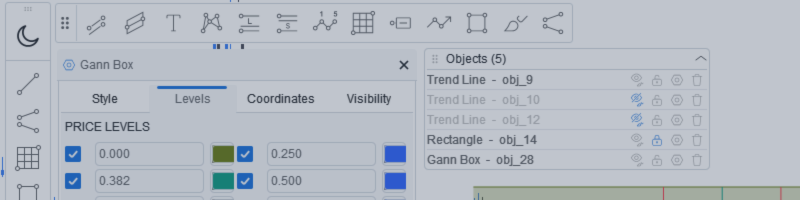
Rhino Chart Drawing Tools bietet einen TradingView-ähnlichen Zeichen-Workflow für MetaTrader 4. Es enthält 54 Zeichenwerkzeuge , eine anpassbare Werkzeugleiste, Favoriten, Schnellformatierung, Objekteinstellungen, Vorlagen und einen Objektmanager. Benutzerhandbuch: So verwenden Sie das Produkt Kostenlose Demoversion: Demo herunterladen MetaTrader 5-Version: Rhino Drawing Tools für MT5 Zeichenwerkzeuge Gruppe Objektliste Linien Trendlinie, Strahl, verlängerte Linie, horizontale Linie, vertikale
This second part adds the geometry layer to a Cairo‑inspired graphics library for MetaTrader 5. It defines a path of double‑precision points grouped into contours, records open/closed intent, and stores vertices in a flat array with start indices. We implement MoveTo, LineTo, Close, provide basic shape helpers, and include a demo that visualizes the built geometry for inspection and reuse.
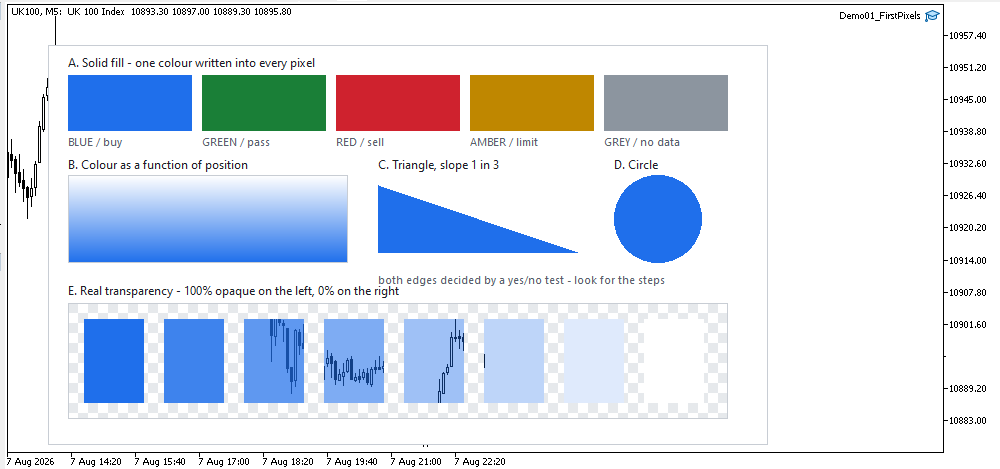
This article opens a step-by-step 2D graphics engine for MetaTrader. It standardizes ARGB colors and implements a reusable surface: a uint pixel buffer uploaded as a dynamic resource and shown via one OBJ_BITMAP_LABEL. You will draw rectangles and a vertical gradient, check real transparency, and learn an efficient update path with a single Flush call.