News Filter Guard

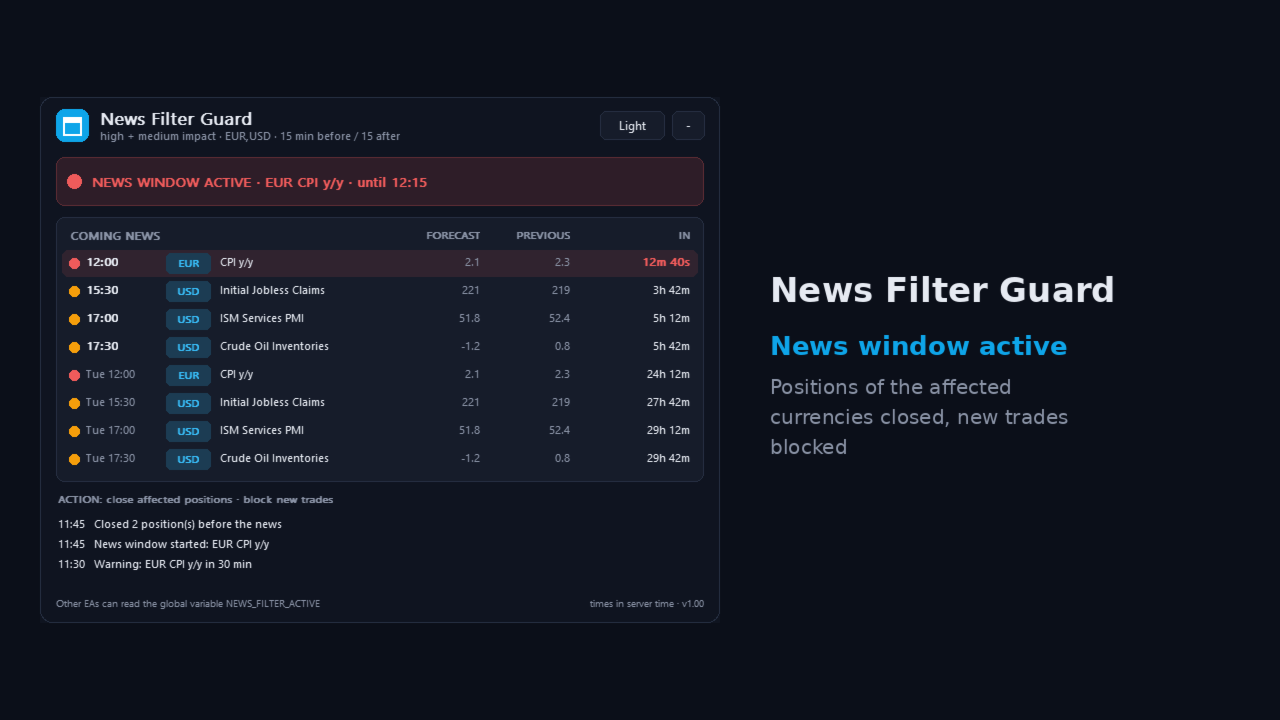
News Filter Guard protects your account during high impact news. It reads the economic calendar that is built into MetaTrader 5, warns you before important news and can close trades, delete pending orders and block new trades during the news window. It works next to any EA or manual trading.

Why

Big news like NFP, CPI or interest rate decisions can cause large spikes and slippage. Many prop firms also do not allow trading around high impact news. News Filter Guard watches the calendar for you.

Features

  • Uses the built-in MT5 economic calendar - no web request, no DLL, no extra setup
  • Choose high impact only, or high and medium impact news
  • Currencies: automatic (the currencies of the chart symbol), your own list, or all
  • Keyword filters: only news containing words (e.g. CPI, Payrolls, Rate) or ignore news containing words
  • News window: set minutes before and after the news
  • Action when the window starts: alert only, close trades of the affected currencies, or close all trades
  • Delete pending orders when the window starts
  • Block mode: trades opened during the news window are closed
  • Warning a set time before the news, as pop-up and/or push notification to your phone
  • Panel with a countdown to the next news and a list of the coming events
  • Sets the global variable NEWS_FILTER_ACTIVE = 1 during the window, so your own EAs can read it and pause
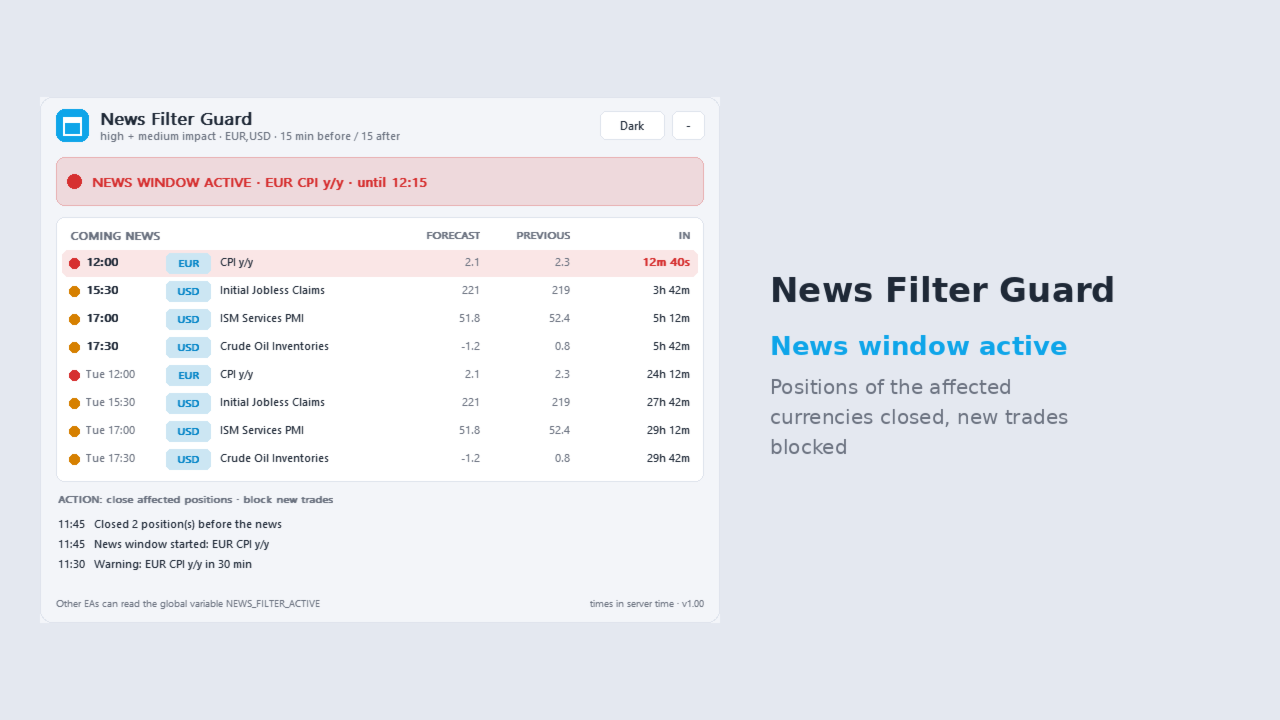
  • Dark and light theme, can be minimised

How to use

  • Attach the EA to one chart. It watches the whole account.
  • Choose the action. Start with "alert only" and check the list of events, then switch to closing if you want.
  • Enable Algo Trading if you use a closing action.

Important

  • The economic calendar is not available in the Strategy Tester. In the tester the EA uses sample events so you can see how it works.
  • Calendar times come from MetaQuotes. Please check that your terminal has an internet connection so the calendar is updated.

Questions or problems? Send me a private message, I am happy to help.

おすすめのプロダクト
OG2 Trading Assistant is a comprehensive trading panel for MetaTrader 5, designed to simplify the manual and semi-automated management of your positions directly from the chart. Key features: Risk management: automatic position size calculation based on a defined risk amount Automatic break-even: secures your positions once a specific risk/reward ratio is reached Partial Take Profit: closes part of the position at a first target while letting the remainder run to a second target Trai
Smart Money Guardian The Ultimate Trade Manager & Equity Protection Expert Transform your manual trading with professional-grade discipline. Smart Money Guardian is not just a tool; it is your "Digital CEO" that manages every trade with mathematical precision, protecting your capital from emotional decisions and unexpected market volatility. ️ Why Choose Smart Money Guardian? Most manual traders fail due to a lack of exit discipline and poor risk management. This EA solves that by automating
CQG Data Factory 由来のE-mini Nasdaq (ENQ) Level 1 先物データセットを販売します。本データセットにはENQ先物のみが含まれ、他の銘柄は含まれていません。 対象期間は2020年1月1日から2026年4月30日までで、圧縮後の総ファイルサイズは37.5GBです。これ以外の期間のデータはなく、2020年1月1日から2026年4月30日までのデータのみとなります。 CQG Data Factory公式サイトでの正規価格は2,081.70米ドルです。 本データセットにはLevel 1のティック単位(tick-by-tick)の気配値および出来高情報のみが含まれます。Level 2やLevel 3のデータ、およびOHLC(始値・高値・安値・終値)のローソク足データは含まれていません。 2026年4月分のデータは無料でダウンロード可能ですが、それ以外の部分は100米ドルで販売します。購入手続き完了後にご連絡いただければ、完全なデータのダウンロードリンクを提供いたします。 ex5ファイルには2026年4月1ヶ月分のデータセットが含まれており、無料
FREE
Introducing the   Elite Chart Navigator   — your ultimate MetaTrader 5 Expert Advisor designed to revolutionize multi-symbol trading with seamless chart navigation and superior usability. Product Overview The   Elite Chart Navigator EA   is a sophisticated trading utility enabling rapid switching between multiple trading pairs through an intuitive on-chart button interface. Built for professional traders managing numerous instruments, this EA dramatically improves workflow efficiency, ensuring
Managing Trades With Moving Average EA : Many Traders like using Moving Averages for trend confirmation , and timing Entry and Exits . ​ With Semi- Automatic Moving Average EA we provide effective way to manage open trades as per your Moving average strategy and uses MA as trailing stop loss.  ​ EA considers only closing price of candle therefore avoids stop outs caused by sudden  price fluctuations and helps to stay in trend longer.  ​ You can decide which MA to use and various settings of MA 
Quick start (2 minutes) Drag the utility onto the chart of the symbol you trade. "Allow Algo Trading" can stay off: it never sends orders. The mini HUD shows the live spread. Click Open for the full panel. Tabs on top: Session · Trades · News . Small pills below choose the view. News › Broker profile : how far your broker widens the spread on NFP, CPI and rate decisions, ready after about one minute. Details › HTML report : a one-page summary you can open in any browser. Unsure what a value mea
Bneu AI Sentinel Pro
Marvinson Salavia Caballero
``` Bneu AI Sentinel — AI Risk Enforcement for MetaTrader 5 Sentinel is a risk management utility for MetaTrader 5 that monitors all trades on your account from any EA or manual trading. The utility enforces configurable limits through a 6-layer protection system, uses cloud-based analysis to detect trading behavior patterns, and includes a kill switch that closes all positions when limits are breached. What It Does Sentinel runs alongside all your EAs and manual trading. It monitors every
QUANITION EA PERFORMANCE DASHBOARD PRO — あなたのトレードを一画面に。どの EA が口座を支えていて、どれが出血しているのか、そしてその裏側の月々が、チャートの上に描かれます。 残高は平均値です。そして平均は物事を隠します。このパネルは決済履歴を読み、その 1 つの数字をマジックナンバー単位に割り戻します。 無料版です。テスター内だけでなく、実口座の実チャート上で動作します。 最初の使い方 MT5の ツール → オプション → Community でMQL5アカウントにログインします。 ナビゲーター → Market でこの無料製品を探してダウンロードします。 ナビゲーター → インディケータ からオンライン端末のチャートへドラッグします。 パネルが開けばインストール完了です。行の表示には、MT5で利用可能な口座履歴または保有ポジションが必要です。 ALL または TODAY を選択してください。この無料製品の利用に購入は必要ありません。 問題 MetaTrader が見せてくれるのは口座全体の損益ひとつだけです。EA を 3 本動かしていても、
FREE
Professional Trade Panel — All-in-One Smart Trading Tool This is a professional visual trading panel designed for the MetaTrader platform. It consolidates the most frequently used trading operations into a single compact and draggable interface, significantly improving execution efficiency and reducing the risk of misoperations. Core Features One-Click Close All: Close all open positions on the current symbol with a single click. The button displays real-time total floating profit and loss s
GALAXY X [QUANTUM EDGE] is an advanced MetaTrader 5 automated trading robot designed around the Smart Money Concepts (SMC) strategy, using market structure, swing points, order blocks, Fair Value Gaps (FVG), liquidity/sweep confirmations, and trend analysis to identify potential high-quality trading opportunities. The robot is designed to adapt to changing market conditions by monitoring volatility and market regimes, adjusting its trading frequency and risk exposure accordingly, while incorpora
Max Lot Limiter with Auto Close MetaTrader 5 用自動リスク管理ツール Max Lot Limiter with Auto Close は、MetaTrader 5 用の自動リスク管理エキスパートアドバイザーです。 この EA は、取引口座内のすべての銘柄における未決済ポジションの合計ロット数を継続的に監視します。 設定された最大合計ロット数を超えると、EA は緊急決済処理を自動的に開始し、利益が出ているか損失が出ているかに関係なく、口座内のすべての未決済ポジションの決済を試みます。 ポジションサイズの無制限な拡大を防ぎ、過度な取引エクスポージャーのリスクを軽減することを目的としています。 主な機能 すべての取引銘柄の未決済ロット数を監視。 最大合計ロット数を自由に設定可能。 デフォルトの最大ロット数:0.70 ロット。 設定された上限を超えた場合、自動的に緊急決済処理を開始。 超過分だけでなく、すべての未決済ポジションの決済を試行。 保留注文を合計ロット数の計算に含めるオプション。 上限超過時に保留注文を削除するオプション。 取引イベントによ
SCALPZONE QUANTUM HUNTER EA v5.00 — ゴールド(XAUUSD)向け機関投資家レベルのブレイクアウト・ボラティリティエンジン ScalpZone Quantum Hunter v5.00は、ゴールド(XAUUSD)専用に設計された完全自動化の定量取引システムです。アダプティブM15ドンチャンレンジチャネルエンジン、機関投資家向けH1トレンドモメンタムフィルター、5段階精密利益ラチェット機構を組み合わせ、高速ブレイクアウトを捉えながら、市場ノイズやダマシから資金を強力に守ります。 ScalpZone Quantum Hunter v5.00を選ぶ理由 従来のグリッド、マーチンゲール、固定距離ストラドル戦略が保合い相場で大きなドローダウンを被るのとは異なり、ScalpZone v5.00は非対称リスク・リワード・フレームワークで動作します。早期に利益を確定してリスクをゼロにし、大きな機関投資家トレンドに沿って利益ポジションを何百ピップスも走らせ、インテリジェントなクールダウン機構でオーバートレードを防止します。 主要機能 アダプティブ・ドンチャン&ATRブ
Your model is only as good as your data — and in machine learning, data preparation is 80% of the work. The unglamorous, error-prone 80%: aligning timeframes, engineering features, building labels without leaking the future, flagging news events, measuring true spread. Most quant projects die here, quietly, before the first model ever trains. Multi-TF Data Grabber PRO does that 80% for you in one click — and exports it as a clean, deterministic, ML-ready CSV. This is the professional pipeline b
The Buffer Reader will help you to check and export the custom indicators buffers data for your current chart and timeframe. You can select the number of buffer and historical bars to read/export. The data can be exported in a CSV format and the files will be stored in the folder:   \MQL5\Files . How it works Put the number of buffers to read in the Buffers_Total input parameter. Put the number of rows to display in the Rows_Total. Choose the CSV separator in the parameter. Copy the correct nam
FREE
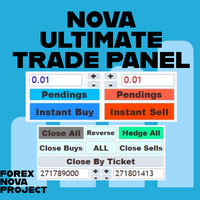
Metatraderプラットフォームの多くの美しい機能を1か所で見逃すことなく使用したいと思います。 私たちはあなたのためだけにトレーディングパネルをデザインしました。あなたが逃したすべての魔法の機能を満たしています。 Nova Ultimate Trade Panelは、最高の便利な取引体験を提供します。 これは非常に高速に動作する補助パネルであり、すべての要求を満たすようにコード化されています。 すべての貿易取引で簡単に使用でき、最高レベルですべての機能を利用できます。 ダイナミックパネルとして設計されたNovaUltimate Trade Panelは、ドラッグ、移動、サイズの最小化が可能です。 その組み込み機能について話しましょう。 矢印キーとデータ入力付きのボックスを使用して、すばやく取引し、必要に応じて取引のサイズ(ロット)を変更できます。 保留中のトランザクションを作成し、トランザクション設定を変更できます。 矢印キー、トグルボックス、動的な手動ドラッグレベルシフターラインを使用して、すべての取引と保留中の取引のTAKEPROFITとSTOPLOS
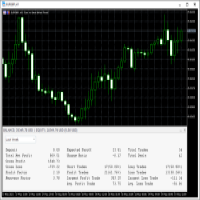
This   Trading Statistics Indicator   gives you an overview of your trade statistics for a selected period. You can set different periodsand filter for Symbols and magics to analyse your trading success. You can also create charts for Balance/Equity, MFE and MAE Periods: Total Time Today Yesterday This Week Last Week This Month Last Month This Year Last Year This Trading Statistics Indicator is still work in progress. In the next versions I will add telegram and email notifications and some more
Account PL Performance Dashboard Pro Know exactly where you stand — at a glance. Account PL Performance Dashboard Pro is a clean, professional on-chart performance panel that shows your closed trade results broken down by multiple time periods — all in one place, updated in real time on every tick. Stop switching to the History tab or running reports. Everything you need to track your daily, weekly, and long-term performance is right on your chart — always visible, always current. What It Sho
Professional MT5 to Telegram trade notifier with real-time trade alerts, partial/full close reports, scheduled performance statistics, multi-year monthly reports, quarterly/yearly summaries, Max Drawdown, Profit Factor, Win Rate, and transparent MT5/TWR-style calculations. Falqonea Telegram Trade Notifier MT5 is a professional MetaTrader 5 to Telegram notification and reporting utility. It helps traders, EA users, signal providers, PAMM managers, copy-trade providers, money managers, portfolio m
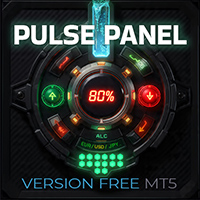
PulsePanel FREE – The exact same clean, professional and powerful dashboard as the Pro, completely free so you can test it thoroughly before upgrading. Limited to USDCHF and GBPNZD , this free edition gives you full, unrestricted access to every core feature: What You Get in the FREE Version One-click instant execution (buy/sell) Real-time currency strength meter Precise momentum scanner Watchlist with trend, momentum and conviction Live position tracking: net P&L, dynamic risk/reward ratio, sto
FREE
Custom Alerts:複数市場を監視し、重要なチャンスを見逃さない 概要 Custom Alerts は、複数の銘柄にまたがるトレードチャンスを一元的に監視したいトレーダーのためのダイナミックなソリューションです。FX Power、FX Volume、FX Dynamic、FX Levels、IX Power などの主要ツールと連携し、複数のチャートを切り替える手間なく、重要な市場変動を自動で通知します。ブローカーが提供するすべての資産クラスに対応しており、シンボルを入力する必要はありません。設定で資産クラスを選択するだけで、すぐにアラートを構成できます。 1. Custom Alerts がトレーダーにとって非常に有益な理由 オールインワンの市場監視 • Custom Alerts は、為替、金属、暗号資産、指数、株式(ブローカーが対応している場合)からのシグナルを収集・統合します。 • 複数のチャートを切り替える必要がなくなり、明確で一元化された通知が得られます。 戦略に合わせたアラート構成 • ボリューム急増、通貨強弱の閾値、極端な価格変動など、目的に応じたアラート
TrendSync MTF Dashboard displays the trend direction of up to 10 timeframes, chosen by the user, in a single panel on the chart. It helps the trader check whether the timeframes agree before making a decision. Each timeframe is shown as UP, DOWN or NEUTRAL, with its own color. A summary line called SYNC shows how many timeframes point in the same direction. The indicator can also send an alert when the timeframes align. Selecting the timeframes Up to 10 timeframes can be enabled, from M1 to MN1.
FREE
無料の Windows 用 Telegram Bridge が必要です SENDORIQ Telegram Signal Copier MT5 では、Bot API と MTProto のどちらを使用する場合も、無料の SENDORIQ Telegram Bridge v1.32 が必要です。 Bridge は Windows x64 に別途インストールし、Telegram メッセージを受信する間は起動しておく必要があります。MQL5 Market で提供される製品は MetaTrader 5 用 EA です。Bridge はアクセス許可のある Telegram ソースからメッセージを受け取り、処理したシグナルを EA に転送します。SENDORIQ Control Center は不要です。 インストールガイドと無料 Bridge のダウンロード: SENDORIQ Telegram Signal Copier MT5 - Installation and Setup Guide (MQL5 Blog) . ガイドには ZIP のリンク、SHA-256 チェックサム、画面例、およびセ
One Man Army Pro
Steven David Macswayne
Thank you for checking out One Man Army Pro USE THE DEMO FEATURE - Start with $10000 with 0.02 lots on any pair and any time frame and watch the profit come in. **PAIRS**      Look for ranging pairs Such as USD Pairs **Timeframe**   15 m (Recommended) **Lots**       0.05 for every $ 1000 in your account **LIVE SIGNAL COMING SOON** Come trade with us: https://discord.gg/KrZ8rqWEJ5 Variables: (See Screenshots for a recommended settings)  Mode_Of_Strategy: Use only Strategy_4 – This is the lat
トレーディングは不確実性に満ちています。トップトレーダーでさえも予期しない問題に直面することがあります。こうした状況では、戦略を再評価するための時間が重要ですが、多くの場合、その時間は確保できません。 私たちのソリューションがここにあります。ワンクリックのツールを使用することで、ポジションを簡単にヘッジし、損失を抱えた取引を閉じることなくドローダウンを抑えることができます。これにより、一時的に立ち止まって、情報に基づいた決定を下したり、専門家のアドバイスを求めたりする時間が確保できます。 機能には以下が含まれます: - ワンクリックで全ポジションをヘッジする。 - ドロップダウンメニューから選択した通貨をヘッジする。 - 現在アカウントに開いている通貨をヘッジする。 ツールの使い方は簡単です: 1. ツールをインストールして、取引チャートに追加します。 2. アルゴリズム取引と自動取引機能を有効にします。 3. 必要なアクションを選択し、ツールに残りを任せます。 4. ツールが行った取引を追跡するためのマジックナンバーフィールド。 私たちのツールはプロセスを効率化します
Product name BVCandleStream ##概要 スキャルピングおよびプライスアクション分析のために、カスタムのティックベースシンボル(等ティックバー)を自動生成するバックグラウンドサービスです。 標準シンボルの生ティックを、1本あたりのティック数が固定されたカスタムバーに変換し、これらの合成ティックチャートに対して任意の標準MT5インジケーターやEAを適用できるようにします。 主な特長 1. ティックベースのバー生成 開いているチャートのシンボルを監視し、ティックを指定本数( InpTicksPerBar )ごとにまとめたバーを自動生成 Bid / Ask / Mid いずれかの価格基準を選択可能 TickVolumeの表示で、バーの生成程度を目視判定可能 2. 履歴+リアルのシームレス連結 過去ティックをさかのぼってヒストリカルバーを構築。 ヒストリ生成完了後、リアルタイムティックへ即接続し、バーを継続更新。 3. カスタムシンボルによるチャート表示 標準のインジケータが適用可能。 4. マルチチャート対応 MT5 上で開いた複数チャートを自動スキャンし、対象シン
FREE
BreakoutMatrix Pro — 機関投資家レベルのブレイクアウトシステム BreakoutMatrix Pro は、市場のモメンタムを利用するように設計された、自動化された機関投資家レベルのブレイクアウト取引システムです。ゴールド (XAU/USD) 取引マシンとして高度に最適化されていますが、その普遍的なアーキテクチャにより、主要なすべてのシンボルに適応できます。 終わりのない最適化は忘れてください。コア戦略は、「ボラティリティ・スケール・ファクター (Volatility Scale Factor)」という単一のマスター入力に依存しています。 バックテストのハイライト (2025年1月 – 2026年3月) - XAUUSD 1H - スクリーンショット添付: $1,000 → ~$7,000 デフォルト設定 (ボラティリティファクター 1) — 最大ドローダウン: 9.5% — スムーズで一貫したエクイティカーブ。 $1,000 → ~$141,000 ボラティリティファクター 10 — 最大ドローダウン 28%。リアルティックデータ、変動スプレッド。 $1,0
NTS Investor Reader
Janitha Sandaruwan Amaradasa Wickramasingha Arachchilage
Read-only trade export tool for MT5 investor accounts NTS Investor Reader is a lightweight companion EA for NTS Local Copier . It runs on an read-only / investor login and writes your open positions to the shared file in the same format used by the NTS Local Copier Master. No trade execution. No OrderSend. No copying logic. It simply reads open positions and outputs them for the Slave EA to follow. What it does Reads all open MT5 positions safely from an investor account. Writes them to the shar
FREE
Easy Cal EA
Miss Supasiri Benjakunya
Hello :') I am a trader who trades many currency pairs: Forex, Metals, Indices. And I trade multiple timeframes using demand supply zones. As a result, each trade I have to recalculate lot sizes because my stop loss distance is not the same depending on the zone size. So I created this EA to help calculate each of my trades. By choosing whether to set the risk as a dollar amount or Percent Risk and then drag Entry line, SL line, TP line to the desired prices. The EA will automatically calculat
This tool has been designed for macroeconomic investors. It allows you to observe and operate currency indices that are more uncorrelated instruments than currencies, that do not share the same noise level as pairs and are totally uncorrelated with each other. CurrencyTrader is a tool that allows you to trade the DXY, EURX, JPYX, GBPX, CADX, AUDX, CHFX and NZDX currency indices Currently I use this tool for my swintrading in darwinex  MACRO for MetaTrader 5 - Antonio Renteria Arce I have left
Daily Trading Limiter
AL MOOSAWI ABDULLAH JAFFER BAQER
5 (8)
• Please test the product in the Strategy Tester before purchasing to understand how it works. • If you face any issues, contact me via private message—I’m always available to help. • After purchase, send me a screenshot of your order to receive a FREE EA as a gift. Daily Trading Limiter — the rule you cannot break Every trader knows the number. Three trades. Two percent. One bad day and stop. And every trader has watched themselves take the fourth trade anyway. The problem was never knowing th

このプロダクトを購入した人は以下も購入しています
Trade Assistant MT5
Evgeniy Kravchenko
4.43 (216)
取引 ごとのリスクの 計算、新規注文 の 簡単 な 設置、部分的 な 決済機能 を 持 つ 注文管理、 7 種類 のトレーリングストップなど 、便利 な 機能 を 備 えています 。 追加の資料と説明書 インストール手順   -   アプリケーションの手順   ライン機能 チャート上にオープニングライン、ストップロス、テイクプロフィットを表示します。この機能により、新規注文を簡単に設定することができ、注文を出す前にその特徴を確認することができます。   リスク計算 リスク計算機能は、設定されたリスクとストップロス注文のサイズを考慮して、新規注文のボリュームを計算します。ストップロスの大きさを自由に設定できると同時に、設定したリスクを守ることができます。 Lot calc ボタン - リスク 計算 を 有効 / 無効 にします 。 Risk フィールドでは 、必要 なリスクの 値 を 0 から 100 までのパーセンテージまたは 預金通貨 で 設定 します 。 設定」 タブで 、 リスク 計算 の 種類 を 選択 します :「 $ 通貨」、「 % 残高」、「 % エクイティ 」、「
Trade Manager EAへようこそ。これは、取引をより直感的、正確、そして効率的にするために設計された究極の リスク管理ツール です。これは単なるオーダー実行ツールではなく、包括的な取引計画、ポジション管理、リスク管理のためのソリューションです。初心者から上級者、迅速な実行を必要とするスキャルパーまで、Trade Manager EAはあらゆるニーズに対応し、為替、指数、商品、暗号通貨などさまざまな市場で柔軟に対応します。 Trade Manager EAを使用すると、複雑な計算が過去のものになります。市場を分析し、エントリーポイント、ストップロス、テイクプロフィットのレベルをチャート上のラインでマークし、リスクを設定するだけで、Trade Managerが最適なポジションサイズを即座に計算し、SLとTPをピップ、ポイント、口座通貨でリアルタイムに表示します。すべての取引が簡単かつ効果的に管理されます。 主な機能: ポジションサイズ計算機 :定義されたリスクに基づいて取引サイズを瞬時に決定します。 簡単な取引計画 :エントリー、ストップロス、テイクプロフィットを設定するためのド
Farmed Hedge Yield Farming | All Markets (Manual - Hybrid - Semi/Automated EA) VERIFIED TRADING RESULTS - Farmed Hedge Yield Axi Copy:  https://www.mql5.com/en/signals/2356376 - Farmed Hedge Yield Exn Copy:   https://www.mql5.com/en/signals/2356404 - Farmed Hedge Yield V Copy:  https://www.mql5.com/en/signals/2357156 IMPORTANT NOTICE: FarmedHedge is a MANUAL-FOCUSED TRADING UTILITY ,not a fully automated EA. Results shown on this Signal include manual trades and overall strategic management.
Telegram to MT5 Multi-Channel Copier   は、 Telegram と Discord チャンネルのトレードシグナルを MetaTrader 5 へ自動コピーします。ボット不要、ブラウザ拡張不要、手動コピー不要。Telegram や Discord にシグナルが届くと、EA が数秒であなたのターミナルに注文を出します。 さらに、チャンネルをコピーする前に、内蔵バックテスターでそのチャンネルがあなたの口座でどう動いたかを確認できます。 製品は 2 つのコンポーネントで構成されます:Telegram チャンネルを監視する Windows アプリと、MT5 ターミナルでシグナルを執行する本 EA です。MT4 版もあります   こちら . 購入前にお試しください:   アプリは無料でダウンロードできます。ご自身のチャンネルを接続し、各シグナルがどのように読み取られるかをご確認ください。Backtest タブと実際の取引には、購入またはレンタルした EA が必要です。このページの無料デモはストラテジーテスターでのみ動作し、テスターでは Telegram と D
Local Trade Copier EA MT5
Juvenille Emperor Limited
4.94 (150)
Local Trade Copier EA MT5 は、同一の Windows PC または Windows VPS 上で稼働する複数の MetaTrader 5 口座間で、取引をコピーおよび管理するための高速で柔軟なトレードコピーツールです。 ローカルでの取引同期に加え、Receiver 側でロットサイズ、リスク管理、取引フィルター、シンボルマッピング、取引管理、口座保護を個別に設定できます。 Transmitter と Receiver のターミナルは約 1分 で設定でき、同一ブローカーまたは異なるブローカーの口座間で、手動取引や EA による取引をコピーできます。適切な条件下では、ローカルの MetaTrader ターミナル間で取引情報を 0.5秒未満 で同期できます。実際の約定速度は、ブローカーのレイテンシー、ネットワーク状況、PC/VPS の性能、ターミナルの負荷によって異なります。 ご購入前に無料デモをお試しください Local Trade Copier EA MT5 の完全機能版無料デモ を、MT5 デモ口座で 1回につき4時間 テストできます。 Local Trad
TradePanel MT5
Alfiya Fazylova
4.88 (172)
Trade Panelは多機能なトレーディングアシスタントです。アプリには手動取引用の50以上のトレーディング機能が搭載されており、ほとんどの取引作業を自動化することができます。 アプリの説明書: https://www.mql5.com/en/blogs/post/756482 デモ口座用アプリの試用版: https://www.mql5.com/en/blogs/post/750865 アプリのインストール方法: https://www.mql5.com/en/blogs/post/756239 アプリをビジュアルモードでテストする方法: https://www.mql5.com/en/blogs/post/770277 VPSのMetaTraderにアプリをインストールする方法: https://www.mql5.com/en/blogs/post/770190 取引。 ワンクリックで取引操作を行うことができます: リスクを自動計算して指値注文やポジションを開く。 複数の注文やポジションをワンクリックで開く。 注文のグリッドを開く。 保留中の注文やポジションをグループごとに閉じる
News Trade EA MT5
Konstantin Kulikov
4.55 (11)
僕自身が数年間使っている便利なロボットをご紹介します。半自動モードでも完全自動モードでもお使いいただけます。 >>> Chat <<< 当プログラムは経済指標カレンダーで発表されるニュースをもとにした取引の柔軟な設定が可能です。戦略テスターでは確認不可です。実際の取引のみです。 最新の設定アーカイブをダウンロードしてください: https://www.mql5.com/en/blogs/post/747929 シグナルモニタリング: https://www.mql5.com/en/signals/author/test-standart 当該エキスパート・アドバイザーのためのカスタマイズ設定セットを作る場合は、ブログの全パラメータの説明を参照してください :   https://www.mql5.com/en/blogs/post/748545 。 基本的なデフォルト設定について 一つのチャートからGBPとの通貨ペア(GBPUSD、EURGBP、GBPJPY、GBPCAD、GBPAUD、GBPCHF)で取引をします。GBPは最もボラティリティの高い通貨のため、取引が成功するチ
自分の取引ルールで Telegram のシグナルをコピー Telegram to MT5 Signal Trader は、Telegram の公開・非公開チャンネルやグループから、テキスト形式の取引シグナルを MetaTrader 5 へ自動でコピーします。1つのデスクトップアプリで複数の配信者と MT5 口座を管理し、 配信者ごとにリスクと取引設定を個別に指定 できます。 シグナルのコピーに Telegram ボットや API 設定は必要ありません。 電話番号または QR コードでご自身の Telegram アカウントにログインし、すでに参加しているチャンネルやグループを選ぶだけです。ボットの作成や、Telegram API トークン、API ID、API hash の入力は不要です。 ポジションサイズを選び、複数の利確水準に分けて決済し、建値へのストップ移動やトレーリングストップを自動化できます。配信者のシグナルを受け取りながら、実際の取引方法は自分で管理できます。 本製品は、この MT5 エキスパートアドバイザ(EA)と、必須の Windows 連携アプリで構成されます。 インス
================================================================================ POC BREAKOUT - V20.72. Full Professional Grade Toolkit ================================================================================ POC Breakout is a full MetaTrader 5 trading dashboard for discretionary traders who want breakout signals, Point of Control (POC) context, volume profiles, order flow, market structure, news, alerts, and advanced trade planning in one professional workspace. Attached directly to you
Exp COPYLOT CLIENT for MT5
Vladislav Andruschenko
3.97 (35)
MetaTrader 5 用のプロフェッショナル取引コピー機 MetaTrader 向けの高速・高性能・信頼性の高い 取引コピー機 です。 COPYLOT は、MT4 と MT5 のターミナル間で Forex 取引をコピーでき、 Hedge 口座と Netting 口座の両方に対応しています。 COPYLOT MT5 版の対応構成: - MT5 Hedge → MT5 Hedge - MT5 Hedge → MT5 Netting - MT5 Netting → MT5 Hedge - MT5 Netting → MT5 Netting - MT4 → MT5 Hedge - MT4 → MT5 Netting MT4 版 完全な説明 + DEMO + PDF 購入方法 インストール方法 ログファイルの取得方法 テストと最適化の方法 Expforex のすべての製品 MT4 ターミナルへのコピーも可能です(MT4 → MT4、MT5 → MT4): COPYLOT CLIENT for MT4 COPYLOT は、2台、3台、さらには10台のターミナル間で同時に動作できる、プロフェッ
The product will copy all telegram signal to MT5 ( which you are member) , also it can work as remote copier.  Easy to set up, copy order instant, can work with almost signal formats, image signal,  s upport to translate other language to English Work with all type of channel or group, even channel have "Restrict Saving Content", work with  multi channel, multi MT5 Work as remote copier: with signal have ticket number, it will copy exactly via ticket number. Support to backtest signal. How to s
EA Overfitter
Stephen J Martret
5 (3)
That backtest looks great. But will it still be making money tomorrow, next week, next month? EA Overfitter re-runs your EA on 100 price histories it has never seen. One score tells you if the edge is real. A backtest tells you what an EA did on one price history — the one that happened to occur. What you cannot tell from it is how much of that result was the strategy and how much was the particular path. EA Overfitter answers that. It builds up to 100 synthetic price histories your EA has n
Power Candles Strategy Scanner - 自動最適化型マルチシンボル設定ファインダー パワーキャンドル・ストラテジー・スキャナーは 、パワーキャンドル・インジケーターを駆動するのと全く同じ自己最適化エンジンを、マーケットウォッチに登録されているすべての銘柄に対して並行して実行します。1つのパネルで、現在統計的に取引可能な銘柄、各銘柄で勝率の高い戦略、最適なストップロス/テイクプロフィットの組み合わせが表示され、新たなシグナルが発生した瞬間に通知が届きます。 このツールは、Stein Investmentsのエコシステムの一部です。  18種類以上のツールをすべて閲覧し、AIを活用したセットアップの推奨を受け取り、  https://stein.investments でコミュニティに参加しましょう 市場動向を網羅。銘柄ごとに3,000件以上の自動最適化。2種類のアラート。ワンクリックでチャートを切り替えて即座にアクション。 なぜこれが必要なのか 多くのマルチ銘柄スキャナーは、 価格の動き (ボラティリティ、変動率、銘柄ごとのRSI)を表示するだけです。それ
Timeless Charts
Samuel Manoel De Souza
5 (9)
Timeless Charts is an all-in-one trading utility for professional traders. It combines custom chart types such as Seconds Charts and Renko with advanced order flow analysis using Footprints , Clusters , Volume Profiles , VWAP studies, and anchored analysis tools for deeper market insight. Trading and position management are handled directly from the chart through an integrated trade management panel , while Market Replay and Virtual Accounts provide environments for practicing trading skills and
MetaTrader 5 用トレーディングパネル — チャートとキーボードから行うプロフェッショナルなワンクリック取引 アクティブトレーダーのために設計された高機能 Trading Panel。標準の MetaTrader 操作よりも、はるかに速く、直感的に、そして効率的に取引を実行できます。 本パネルは、ポジション管理、未決注文管理、利益コントロール、執行スピードをひとつのプロフェッショナルなワークスペースに集約した実践的なソリューションです。 これは単なる補助ツールではありません。MetaTrader 5 のための本格的な trading cockpit です。チャートから直接操作し、キーボードで素早くコマンドを実行し、自動計算や視覚的なガイドを活用することで、手動トレードをより速く、より明確に、より快適にします。 このパネルを使えば、チャート上からワンクリックで注文を実行でき、標準の MetaTrader コントロールと比べて最大 30 倍速く取引操作を行うことができます。 新しいプレミアム版が利用可能です: VirtualTradePad PRO SE で取引ワークフローを強
Your EAs cannot see each other, but Anchor can. Anchor gives you one place to coordinate your EAs, manage risk, and decide when trading is allowed. It works alongside the trading bots you already use without any changes to them. The Problem One EA opens a trade. Then another starts trading. The next thing you know, you wake up to multiple grids built across your account. Each EA may be doing exactly what it was designed to do, but together they can place far more risk on your account than you in
VirtualTradePad PRO SE MT5 — MetaTrader 5向けプロフェッショナル取引コントロールセンター VirtualTradePad PRO SE は、 MetaTrader 5 向けのプレミアムなチャートベースの取引パネルであり、トレード管理ワークスペースです。より速い執行、明確なポジション管理、構造化されたトレード管理、視覚的なレベル計画、そしてチャート上で完結するプロフェッショナルなワークフローを求めるトレーダー向けに設計されています。 これは単なる BUY / SELL パネルではありません。PRO SE は、手動取引、予約注文、ポジション管理、部分決済、バスケット損益管理、平均化レベル、ATMルール、シグナル監視、リアルタイム市場情報、ストラテジーテスター (Strategy Tester) ワークフロー、VPS向け運用を、1つの連携されたインターフェースに統合します。 MT4版 | 完全な説明とスクリーンショット | 購入方法 | インストール方法 | ログファイルの取得方法 | テストと最適化の方法 | Expforex のすべての製品 PRO
Trade Indicator Assistant   is a powerful MT5 utility designed to turn indicators into automated trading systems. Its main feature is the ability to automatically detect an indicator’s   BUY and SELL signal buffers , without requiring you to know the buffer numbers, search through indicator settings, or modify the indicator source code. Bonus Indicator:   After purchasing Trade Indicator Assistant, contact me to receive   Trade Signal Pro   completely free as a bonus indicator. [Download Demo V
Trade Manager は、リスクを自動的に計算しながら、取引を迅速に開始および終了するのに役立ちます。 過剰取引、復讐取引、感情的な取引を防止する機能が含まれています。 取引は自動的に管理され、アカウントのパフォーマンス指標はグラフで視覚化できます。 これらの機能により、このパネルはすべてのマニュアル トレーダーにとって理想的なものとなり、MetaTrader 5 プラットフォームの強化に役立ちます。多言語サポート。 MT4バージョン  |  ユーザーガイド + デモ Trade Manager はストラテジー テスターでは機能しません。 デモについてはユーザーガイドをご覧ください。 危機管理 % または $ に基づくリスクの自動調整 固定ロットサイズを使用するか、ボリュームとピップに基づいた自動ロットサイズ計算を使用するオプション RR、Pips、または価格を使用した損益分岐点ストップロス設定トレーリングストップロス設定 目標に達したときにすべての取引を自動的に終了するための 1 日あたりの最大損失 (%)。 過度のドローダウンからアカウントを保護し、オーバートレードを防ぎます
次回アップデート — バージョン 2.52 近日公開!【新機能】 市場分析とトレードワークフローを強化する、4つの主要な新機能にご期待ください 皆様のトレードニーズに応える4つの新機能により、市場分析を次のレベルへと引き上げます。新機能をご紹介します: 1. TRADE OVERVIEW DASHBOARD 2. CONFLUENCE AT ZONE 3. STRONG & WEAK HIGH/LOW 4. OTE 1. TRADE OVERVIEW DASHBOARD 市場全体の状況をより簡単に把握できるダッシュボードです。トレード判断をサポートするガイダンスを提供し、市場分析とトレード計画を体系的に行えるよう支援します。すべてを1つの画面で確認できます。 マルチタイムフレーム市場概要(Multi-Timeframe Market Overview) 市場の方向性と価格構造をより明確に把握 市場状況をすばやく確認 体系的な市場分析とエントリー計画のためのガイダンス 2. CONFLUENCE AT ZONE 価格が重要なゾーンに入るとき…いくつのサポート要因が一致しているかを確認で
MT5 to Telegram Signal Provider は、Telegramのチャット、チャンネル、またはグループに 指定された シグナルを送信することができる、完全にカスタマイズ可能な簡単なユーティリティです。これにより、あなたのアカウントは シグナルプロバイダー になります。 競合する製品とは異なり、DLLのインポートは使用していません。 [ デモ ] [ マニュアル ] [ MT4版 ] [ Discord版 ] [ Telegramチャンネル ]  New: [ Telegram To MT5 ] セットアップ ステップバイステップの ユーザーガイド が利用可能です。 Telegram APIの知識は必要ありません。必要な全ては開発者から提供されます。 主な特長 購読者に送信する注文の詳細をカスタマイズする機能 例えば、Bronze、Silver、Goldといった階層型のサブスクリプションモデルを作成できます。Goldサブスクリプションでは、すべてのシグナルが提供されます。 id、シンボル、またはコメントによって注文をフィルターできます 注文が実行されたチャート
Seconds Chart - MetaTrader 5で秒足チャートを作成するユニークなツールです。 Seconds Chart を使用すると、秒単位のタイムフレームでチャートを構築でき、標準的な分足や時間足チャートでは得られない柔軟性と分析精度を実現します。例えば、 S15 は15秒足を表します。カスタムシンボルをサポートしているインジケーターやEAをすべて使用できます。標準的なチャートと同様に便利に操作できます。 標準的なツールとは異なり、 Seconds Chart は超短期のタイムフレームでも高い精度と遅延なく作業できるように設計されています。 Free Demo: Seconds Chart v2.29 Demo.ex5 無料デモをダウンロードしてご自身でお確かめください: 完全機能版 - すべての機能が利用可能 24時間テスト - 精度と利便性を評価するのに十分な時間 デモ口座のみ - ほとんどのブローカーで簡単に開設可能 GBPCADチャートのみ - ほとんどの端末で利用可能 これらの制限はデモ版のみに適用されます。製品版は、あらゆる口座タイプ(リアル、デモ、コンテス
DrawDown Limiter
Haidar Lionel Haj Ali
5 (23)
DrawDown Limiter v5.0 — 高度な口座保護コントローラー DrawDown Limiter v5.0 は、取引口座を監視し、設定されたリスク、利益、ニュース、スケジュール、ロールオーバー、またはポジション数の制限に達した際に自動的に対応する、クライアント側で動作する口座保護コントローラーです。 1つの専用チャートから、 手動取引、自動売買戦略、複数のExpert Advisor、指値・逆指値注文、保有ポジション を監視できます。口座全体を保護することも、Magic Numberを使用して特定のEAまたは複数のEAのみを監視することもできます。 DrawDown Limiter の目的は、単にドローダウンを表示することではありません。 設定した取引ルールを積極的に適用し 、保護条件が有効である限り、そのルールを継続的に実行することを目的としています。 DrawDown Limiter v5.0 は、損失額だけを監視するのではなく、戦略がいつ取引を継続できるのか、どのエクスポージャーを維持できるのか、いつ取引を停止すべきか、そして自動売買環境をいつ安全に再開できるのかま
RS Trade Copier - 超高速 で動作するローカルトレードコピー機。 真の グラフィカルインターフェース搭載。口座番号の手動入力はもう終わりです。200項目を超える長大なパラメータリストとも、これでおさらばです。 複数のMT5とMT4ターミナル間で取引操作をコピーするための、信頼性が高く柔軟なツールです。経験豊富なトレーダーやシグナルサービス、個人投資家に適しています。1つまたは複数のシグナルソース(Provider)から1つまたは複数のレシーバー(Client)へ、高い精度と最小限の遅延で 取引を同期 します。シンプルな自動設定と高度な手動設定の両方をサポートしています。手動または他のEAで開かれた注文に干渉しません。すべての処理は MT5内でローカルに 行われ、サードパーティサーバーを使用しません。 RS Trade Copierと他のソリューションの比較 RS Trade Copier 他のソリューション 設定 ビジュアルステップバイステップウィザード。 設定時間は約1分。 200以上の分かりにくい入力パラメータ。 設定時間は約20分。 速度 非同期トレード操作。 5
RETAILBERG FOOTPRINT CHART PRO — Order-Flow Workspace for MetaTrader 5 Version 7.00  |  Professional System  |  31 tools  |  One chart A full 150-page illustrated User Manual is included. Please read the full manual to understand this feature packed footprint chart elements and ui. https://www.mql5.com/en/blogs/post/777982 DEMO / STRATEGY TESTER — PLEASE READ FIRST
Trade Dashboard simplifies how you open, manage, and control your trades, with built-in lot size calculation. It allows you to execute trades, manage risk, and control positions directly on the chart, with tools such as partial close, breakeven, and trailing stop. Designed to reduce manual work and help you stay focused on your trading decisions. A demo version is available for testing. Detailed explanations of features are provided within the MQL5 platform. Installation instructions are include
チャート型トレードアシスタント&リスク管理パネル マルチモードSL&TP(ATR、リスクリワード比R:R、ポイント、口座通貨)、リアルタイム分析、経済指標カレンダーを搭載した多機能チャート上ツール Ergotick Trade Manager は、裁量トレーダー、プロップファーム挑戦中のトレーダー、およびスキャルパー向けに設計された、オールインワンのプロフェッショナルなトレード用パネルです。ロット数の自動・瞬時計算、マルチモードでのストップロス(SL)やテイクプロフィット(TP)の設定、高度な一括決済(Basket)管理、口座のリアルタイム統計、そしてチャート上に経済指標を表示するニュースカレンダー機能を、MetaTrader 5の洗練された1つのユーザーインターフェースに統合しました。 ポジションサイズの計算に手動で時間を取られるのはもう終わりにしましょう。ミリ秒単位でロットサイズを自動計算し、適切にリスク管理された注文を瞬時に執行するとともに、内蔵された「日次損失制限保護」機能で大切な資金を保護します。 主な特徴 1. インタラクティブなビジュアルツール&自動ロット数計算機能 チャ
Zentral Trading Manager
Ray Zeanrik Parreno Fredeluces
5 (4)
Zentral Manager Your Command Center for Precision Trading — Now Stronger than Ever Take control of your trades like never before. Zentral Trading Manager is your all-in-one manual trading panel for MetaTrader 5 — built for scalpers, day traders, and serious strategy execution. Fully compatible with both Mac and Windows laptops. High-DPI safe. No more layout issues. Key Features (Latest 2025 Update): • One-Click Close – Instantly close Buy/Sell, winning/losing trades, or even half positions with
Master Your Trading Discipline   Stop losing your hard-earned gains to overtrading and emotional decisions. The Discipline Tool is your ultimate trading assistant, ensuring strict risk management in real-time. Key Protection Features: Advanced Drawdown Defense : Automatically halts trading if your daily drawdown exceeds a preset threshold (percentage or dollar amount). Real-Time Equity Lock : Safeguard profits by referencing peak equity, ensuring drawdown stays within control. Hard Profit Target
PROFESSIONAL MULTI-ACCOUNT TRADE COPYING FOR METATRADER 5 Sentinel Master is a trade-publishing Expert Advisor designed to work together with Sentinel Follower , providing a reliable and configurable solution for copying trades between MetaTrader 5 accounts. The system is designed for traders who manage multiple accounts and want to replicate their trading activity without manually opening and closing positions on every account. Sentinel Master continuously monitors the source account and publis
作者のその他のプロダクト
Trading Sessions Board shows the forex market sessions (Sydney, Tokyo, London, New York), the ICT killzones, a candle timer and the spread in one clean panel. Free to use. What you see Which sessions are open right now, with a countdown to the next open and close Session overlaps (for example London / New York) highlighted ICT killzones (Asian, London open, New York AM, London close, New York PM) in New York time Candle timer: time left until the current candle closes Current spread in points To
FREE
EA Performance Board shows the results of every Expert Advisor on your account in one clear panel on the chart. Each EA is identified by its magic number. Manual trades get their own row. What you see - Six summary tiles: net result, win rate, profit factor, number of closed trades, maximum drawdown of closed trades, open profit/loss. - A table with one row per EA: trades, win rate, profit factor, net result with bar, average win, average loss, maximum drawdown, longest loss streak, open profit
PnL Calendar Board shows your closed trading results as a calendar on the chart. Green days made money, red days lost money. The stronger the colour, the bigger the result. What you see - A month grid with the net result and number of trades for every day. - Week totals on the right side of each row. - Six summary tiles: month net result, trading days, best day, worst day, win rate of the days, average per trading day. - A bar chart of all 12 months of the year. Click a bar to open that month.
Risk Limit Board keeps an eye on the limits of your account, for example the rules of a prop-firm challenge. It shows how much of each limit is already used and warns you in time. What you see - A status strip: all limits OK, warning or limit reached. - Four gauges: today, this week, drawdown from the equity peak, margin level. Each gauge shows the value, the amount in account currency and how much of the limit is used, with a marker at the warning level. - The equity curve of the current day w
Trading Hours Board sorts your closed trades by weekday and hour and shows the result as a heat map. You see at once which hours bring profit and which hours cost money. What you see - A heat map weekday x hour. Choose what it shows: net result, win rate, number of trades or average trade. - Bars by hour and by weekday. - Six tiles: best hour, worst hour, best weekday, worst weekday, trades analysed, time basis. - Click a cell for details: trades, win rate, net result, profit factor, average tr
Exposure Board shows what is open on your account right now and how much is at risk. It is made for traders who run several EAs or many positions at the same time. What you see - Six tiles: open positions, floating profit/loss, result if all stop losses are hit, positions without stop loss, margin used with margin level, largest currency exposure. - A table by symbol or by EA: positions, long and short lots, net lots, floating result, result at stop loss, positions without stop loss (marked), m
Prop Firm Guard protects your account from breaking the rules of a prop firm challenge or your own risk plan. It watches the whole account – all symbols, all EAs and manual trades – from one chart. What it does Daily loss limit: measured from the balance at the start of the trading day (or the higher of balance and equity, as many prop firms do). Maximum drawdown: static from the initial account size or trailing from the highest equity. Daily profit target (optional): locks in a good day and pau
Market Scanner Board shows the trend of many symbols on four timeframes in one clear table, so you see in seconds where the market is moving and where it is quiet. What you see for every symbol Price and day change in % Trend on M15, H1, H4 and D1: UP, DOWN or FLAT (price and fast EMA above or below the slow EMA) Trend bar: how many timeframes agree RSI on H1 (overbought and oversold values are coloured) RANGE: today's range in % of the average daily range (ATR D1). Values above 100 % are highli
Trade Manager Panel lets you open trades with one click and the correct lot size. You choose the risk in percent and the stop loss distance; the panel calculates the lot, sets stop loss and take profit with the order and manages the position for you. Order Risk in % of equity with + / – buttons, shown in money. Stop loss distance in points, take profit as a multiple of the risk (R). Lot size calculated from risk and stop loss, rounded to the broker's lot step. BUY and SELL buttons with live pric
Trade Signal to Telegram and Discord sends your trades automatically to a Telegram channel, group or chat, and to a Discord channel. Perfect for signal providers, trading groups, or simply to follow your own account on the phone. What is sent New trades: symbol, direction, entry price, stop loss, take profit and lot size Optional chart picture with every new trade Closed and partly closed trades with the result in pips and money Stop loss and take profit changes (for example "SL moved to break-e
Seconds Range Tick Chart builds second bars, range bars or tick bars from the real ticks of your broker and shows them on an own chart in MetaTrader 5. You can use all your indicators and EAs on this chart, like on any other chart. Bar types Seconds bars: for example 5, 10, 15 or 30 seconds (1 to 3600 seconds) - a closer look than M1 for scalping and entries Range bars: every bar has the same size in points - filters noise and shows clean trends Tick bars: a new bar after every N ticks - bars fo
フィルタ:
レビューなし
レビューに返信