Daily Equity Sentinel

Account protection tool for MT5: daily and weekly loss limits and a daily profit lock on equity. When a limit is hit it closes the positions and keeps the account flat until the next day.

Daily Equity Sentinel is a trading utility for MetaTrader 5 - daily and weekly loss limits for the whole account. Sets a hard floor under your day - and keeps you out once it is hit. It works on any symbol (designed with XAUUSD / gold in mind) and on hedging and netting accounts.

What it does

  • Daily loss limit - in % of the day-start equity and/or in money. When equity falls to the limit, every position in scope is closed.
  • Lock until tomorrow - while locked, any new position (manual or from another EA) in scope is closed straight away, so revenge trading is not possible.
  • Weekly loss limit and an optional daily profit lock (close everything and stop once the day's gain reaches your target).
  • Panel - day-start equity, today's and this week's P/L, how much of the limit is used, status; CLOSE ALL and PAUSE TODAY buttons; alert and push notification when a limit is hit.

Safety (built in)

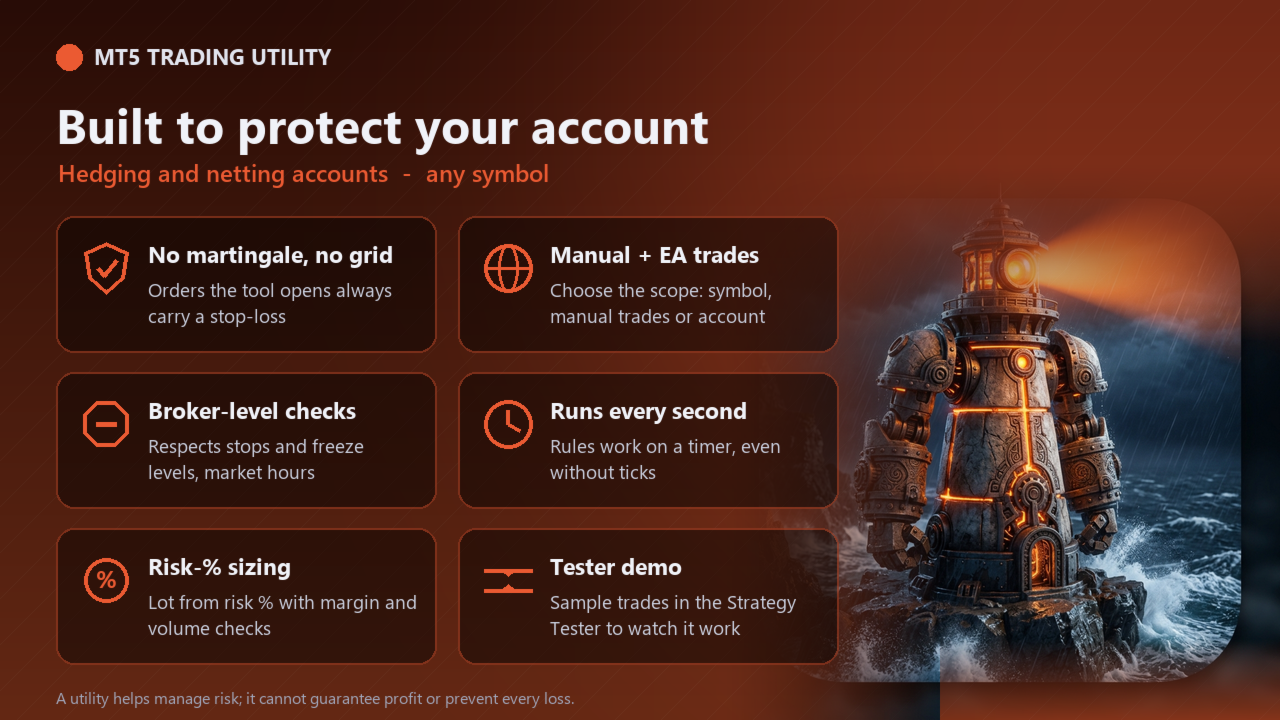
  • The tool never uses martingale, grid or averaging down. Orders it opens always carry a stop-loss.
  • Lot size from risk % of equity (or a fixed lot), normalised to the broker's min / max / step and reduced if free margin is not enough.
  • Stop-loss and take-profit changes respect the broker's stops and freeze levels; no orders or closes are sent while the market is closed.
  • Every action is printed to the Experts log so you can see what the tool did and why.

Strategy Tester demo

MetaTrader 5 does not send button clicks in the Strategy Tester, so the free demo runs an automatic demonstration: it opens sample trades every few bars and the tool manages them exactly as it would live. Run it in visual mode to watch the panel. Switch the demo off with the "Strategy Tester: run the automatic demo" input. The demo never runs on a live or demo account.

Inputs

Input Default
Positions the sentinel closes All positions on the account
Daily loss limit (% of day-start equity, 0 = off) 3.0
Daily loss limit in money (0 = off) 0
Daily profit lock: close all at this gain % (0 = off) 0
Weekly loss limit (% of week-start equity, 0 = off) 6.0
While locked, close any new position in scope true
Alert + push notification when a limit is hit true
Default risk per order (% of equity), used when Fixed lot = 0 1.0
Fixed lot (0 = size from risk %) 0.0
Maximum lot per order (0 = broker maximum) 10.0
Max slippage (points, 2-digit gold scale: 100 = 1.00 USD) 30
Magic number of orders opened by this tool 26102302
Panel X position (pixels) 20
Panel Y position (pixels) 30
Strategy Tester: run the automatic demo (opens sample trades) true
Strategy Tester demo: bars between sample trades 24

How to use

  • Attach the tool to a chart (allow Algo Trading).
  • Set your limits in the inputs; the panel appears in the top-left corner (position adjustable).
  • Use the panel buttons; the guard rules run automatically every second, even without ticks.

Important notes

  • A utility helps you manage risk - it cannot guarantee profit or prevent every loss (gaps and slippage can move price past any level).
  • Test on a demo account first. Times are your broker's server time.
  • Keep the terminal running (a VPS is recommended) for the automatic rules to work.

おすすめのプロダクト
Smart Risk Manager – Master Your Trades with Precision and Confidence Take complete control of your manual trading with Smart Risk Manager , a professional all-in-one trade and risk management Expert Advisor for MetaTrader 5 . Designed for traders who value speed, precision, and capital protection, it simplifies every step of trade execution while ensuring your risk remains under control. Whether you trade Forex, Gold, Indices, or Cryptocurrencies , Smart Risk Manager helps you execute trades w
このユーティリティは、ローソク足が手動で配置されたトレンドラインに触れたときに、より明確な未決注文であるかのように注文をオープンします。  これはどの資産にも使用でき、注文を開くとタッチしたラインが削除され、矢印が作成されます。この場合、これは価格反転操作に使用され、強気のローソク足がボトムアップラインに触れたときに売り注文をオープンし、弱気のローソク足がトップダウンラインに触れたときに買い注文をオープンします。  ストップロスとテイプロフィットを調整できます。このユーティリティは、価格が上昇および下降のサポートラインとレジスタンスライン(両方とも水平線など)に達したときに、注文を開いて画面を終了するようにプログラムできるため、非常に便利です。価格が上昇および下降のサポートラインとレジスタンスラインに達したときに、チャートパターンに非常に機能します。そして垂直。 最新のアップデートでは複数行を配置できるようになりました。 非常に重要: Meta trader 5 には取引履歴があり、注文がクローズされて線が引かれると、この線がロボットのロジックと混同され、不要な注文がオープンさ
FREE
MT5 Trade To Telegram MT5 Trade To Telegram is a professional trade signal bridge for MetaTrader 5. It monitors trades, positions, and pending orders placed on your MT5 account and sends clean, structured signal updates to your Telegram bot, group, channel, or private chat. It is designed for traders, signal providers, educators, account managers, and trading communities who need fast trade communication with flexible TP/SL handling, inverse signal mode, live target monitoring, and a modern on-
Telegram Control Center(TCC)は、MetaTrader 5のユーティリティ型エキスパートアドバイザーで、取引口座をTelegramに接続します。売買の開始や管理は行いません。口座を監視し、リアルタイムアラートを送信し、Telegramコマンドでポジションをリモート制御できます。 主な機能 - 残高、純資産、証拠金、全オープンポジションのリアルタイム監視 - ポジションの開設・決済・変更時のTelegram即時通知 - 設定可能なしきい値によるエクイティドローダウンアラート - MT5経済カレンダーを利用したニュースフィルターと重要イベントの事前警告 - パスワード保護付きTelegramコマンドによるリモートポジション管理 - 任意シンボルのチャートスクリーンショットをTelegramへ直接送信 - 接続状況とニュースフィルター状態を表示するチャート上ステータスバー - グローバル変数TCC_NEWS_WINDOW_ACTIVEを通じた他のEAとの連携 - 1チャートへのアタッチで全口座(全シンボル・全マジックナンバー)を監視 - 特定EA専用のマジックナ
FREE
Advisor for hedging trading or pair trading. A convenient panel allows you to open positions on the necessary trading instruments and lots. Automatically determines the type of trading account - netting or hedging. Advisor can close all its positions upon reaching profit or loss (determined in the settings). A negative value is required to control losses (for example, -100, -500, etc.). If the corresponding fields are 0, the EA will not use this function.   Settings: Close profit (if 0 here
This program is a GUI for issuing orders that can be done more quickly. Faster TP SL setting This program is not an automated trading platform. Trading is risky, please manage your risk. We do not accept any responsibility. It should be tried with Demo before using it with Real. Normally, the setting sets the risk to 1:1 to shift manually or to enter the risk to x:1, where x can be entered and everything can move freely. Thank you to all customers who have purchased our products. We would like t
SmartZone Sentinel — Multi-Symbol Smart Money Concepts EA Trade Smart Money Concepts across multiple symbols at once — with confluence-gated entries, automatic risk management, and real-time Telegram alerts. SmartZone Sentinel scans as many symbols as you choose, in parallel, looking for institutional-style setups: break of structure, liquidity sweeps, fair value gaps, and order block mitigation. It only acts when multiple signals line up — not on a single indicator firing — and once a trade is
Guardian Account Protector — the seatbelt for your trading account Your robots have no brakes. Guardian is the brakes. Guardian does not open trades. It has no grid, no martingale, and no entry logic of any kind. It does one job with complete discipline: it watches your ENTIRE account and enforces the risk limits you set, so that no robot, no strategy, and no bad day can destroy your balance. Think of it like a seatbelt for the driver. A seatbelt does not steer the car and does not make the d
Ronin Shield - 日次損失リミッター&口座ガード(MT5) 決めた損失ラインに達したら、その日のトレードを強制終了します。 プロップファームのチャレンジ中の「あと1回だけ」を、ルールで止めるためのユーティリティです。 1つのチャートに適用するだけで、その口座のすべての銘柄・すべてのポジション(手動トレード、他のEAを含む)を監視します。 銘柄ごとにチャートを開く必要はありません。 外部DLL・Web通信は一切使用しません。UIは英語です。 ============================== 監視する3つのライン ============================== 1. 日次損失リミット    ブローカーのサーバー時間0時からの損益(確定損益+含み損益)を監視します。 2. 日次利益ロック    その日の目標利益に達したら取引を終了し、利益の吐き出しを防ぎます。 3. 総ドローダウン上限    初期残高から固定(Static)、または最高資産に追従(Trailing)から選べます。 いずれも金額(Money)またはパーセント(Percent)
Breakeven Trailing SL Manager; This utility Manager is a simple utility that protects your manual trades automatically. Attach it to any chart and it watches all manual positions on your account, on every symbol. It does not open trades and it ignores trades opened by other Expert Advisors. How it works When a trade moves in profit by the Breakeven Price, the Stop Loss is moved to the exact entry price. When the price moves the same distance again, the Stop Loss is moved to entry plus that dist
FREE
EAs Manager
Abdeljalil El Kedmiri
5 (2)
Are you running multiple EAs on the same MT5 account and losing sleep over stacked risk? EAs Manager Pro is the central risk-control layer for your entire MT5 account. Attach it to one chart, and it automatically detects every EA you're running by  Magic Number — no source code changes, no per-EA setup. It then monitors every  position, automated or manual, and enforces the risk rules you set across your whole account, not just one strategy at a time. Built for traders running scalpers, breakout
Algo Trading Indicaor MT5 The ATC ALGO indicator has been developed to work on the MetaTrader 5 platform. It has the same specifications and zones as the MetaTrader 4 version. There may be slight lag, which we believe is due to differences in MetaTrader 5 programming. We will work on improving it, God willing. MT5 Version                    https://www.mql5.com/en/market/product/170028 MT4 Version                    https://www.mql5.com/en/market/product/88034 With this indicator , you’ll have
Trend Pyramid v5.00 | Gold XAUUSD Floating‑Profit Pyramid EA   This floating‑profit pyramid gold EA only adds positions after existing orders generate floating profit, avoiding blind position‑adding under loss conditions. It adopts EMA20 plus ADX24 dual‑indicator filter to filter false oscillation signals and reduce invalid order openings. Multiple hard risk controls are built‑in to protect your account.   Core advantages   1. Add positions only on floating profit, no position‑adding at loss: a
It has never been so easy to manage the risk of your account until now, this tool will allow you to have full control of your capital and manage your entries in the synthetic index derivative markets, in an easy, practical and safe way. The available input and configuration parameters are as follows :  RISK MANAGEMENT 1. Value of your account:   Here as its name says you will place the value corresponding to the size of your account, for example if your account is 150 dollars the corresponding
# Higher-Lower Pending Bot - Advanced Multi-Pending Orders System ## Revolutionize Your Trading with Smart Pending Order Automation Welcome to the **Higher-Lower Pending Bot** - the most sophisticated pending order management system available on MQL5. Designed for traders who want to maximize opportunities while minimizing manual effort, this EA combines intelligent order placement with comprehensive profit tracking in one powerful package. ## What Makes Our Bot Unique? ### Smart D
複数のポジション/取引を一度にオープンする必要がありますか?簡単なソリューションを作成しました。一度に複数のポジションを入力できるようになりました。ロットサイズ、ポジション数、テイクプロフィット、ストップロスを設定できます。 例: 特定のロットサイズで 3、5、10 または任意の数のポジションを購入したいとします。 「購入」ボタンをタップするだけで購入できるようになりました。 または 例: 特定のロットサイズで 3、5、10、または任意の数のポジションを売りたいとします。 「販売」ボタンをクリックするだけで販売できます。 Fukusū no pojishon/ torihiki o ichido ni ōpun suru hitsuyō ga arimasu ka? Kantan'na soryūshon o sakusei shimashita. Ichido ni fukusū no pojishon o nyūryoku dekiru yō ni narimashita. Rotto saizu, pojishon-sū, teikupurofitto, sutoppuro
Smart Sync SL/TP Panel: The Ultimate Trade Management Dashboard For high-frequency manual traders and systematic grid operators, managing risk across multiple positions on a single asset can be a logistical nightmare. The Smart Sync SL/TP Panel is an advanced MQL5 utility engineered to eliminate the friction of mass order modification, giving you total control over your risk parameters in a fraction of a second. If you execute entries like a machine gun, this tool helps you place precise and uni
Magic Alert
Siyabonga Sandile Khanyile
Missing entry opportunities,profitable exits or the chance to make profitable set ups on the chart can be very frustrating for a trader.This tool will help you by giving you alerts if your criteria or conditions have been fully met.It will send you alerts based on conditions you have set and send them through email and mql5 notifications (laptop and mobile devices). 1.Creating Alerts In order to create an alert you must first give the alert its name and how frequent it send you those alerts if c
Just $10 for six months!!!. This will draw Order Blocks just by clicking on a candle with different colors for different time frames. It will use the body or the wicks. It can also draw the mean threshold of the candle open/close or high/low. As a drawing tool, it is not active all the time after adding it to the chart. Activate by pressing 'b' twice on the keyboard within a second. If activated but then decided not to draw, deactivate by pressing 'b' once.  Box color depends if candle is abo
It is a utility that posts customized messages on Telegram based on account trading activity. Once the utility is on the chart, with each new position opened from the same chart symbol the utility is added, a customized message will be sent to the Telegram group defined in the input parameters. The utility will post to the Telegram group if a new position is opened and if it is the same symbol as the chart the utility is running on. If you are using an Expert Advisor for Buy and Sell and want to
News Dashboard Pro
Beatrice Bernard Mgaya
2 (1)
Certainly! Let me provide descriptions for the News Filter tools available on both MetaTrader 4 (MT4) and MetaTrader 5 (MT5) platforms: News Filter for MT4 : Description : The News Filter for MT4 is an expert advisor (EA) template that allows traders to manage their positions during news events. It downloads news data from investing.com without using any external DLLs (Dynamic Link Libraries). Traders can customize their actions based on news releases. Features : Automatic News Detection : The
EquityFence MT5 — Plan and manage trades with clear risk information EquityFence MT5 is a manual trade-planning and position-management utility for MetaTrader 5. It helps you review position size, estimated stop-loss and take-profit outcomes, and account-wide exposure before you confirm an order. It does not provide trading signals or open trades automatically. PLAN BEFORE YOU SEND Choose BUY or SELL, select a Market or broker-supported Pending order, set risk as a percentage or account-curren
Hello, I would like to give an example of this EA. From the picture you can see that the EA can spin around 3,500 lots, when taking into account the rebate, you will get about 35,000$ and a little bit of profit during execution. The EA has actually been run as shown in the picture. **You can optimize to get the best value before actually running it.  Thankyou   Excuseme .I'm sorry that I'm not good at English. Therefore, communication may be somewhat wrong. Facebook page :  facebook.com/ Gold
ZenTrade Manager MT5 Stop Computing. Start Trading. Are you tired of missing perfect entries because you were busy calculating pip distances, lot sizes, or monetary risk? Do you overthink your Stop Loss and Take Profit levels, only to watch the market reverse while you're adjusting lines? ZenTrade Manager MT5 removes the mental load of order management, allowing you to focus 100% on what matters: Reading the Market. You handle the high-level analysis and decide when to enter; ZenTrade handles t
PrecisionEntry EA is a semi-automatic Expert Advisor for MetaTrader 5 that enables precise order placement at the click of a button — without taking control away from the trader. With a single click on the LONG or SHORT button, the EA automatically places a BuyStop or SellStop order at the high or low of the previous candle. Stop-loss, take-profit, and lot size are calculated fully automatically — based on the configured risk percentage and the desired risk-reward ratio. Features: Interactive on
Trade Dashboard simplifies how you open, manage, and control your trades, with built-in lot size calculation. It allows you to execute trades, manage risk, and control positions directly on the chart, with tools such as partial close, breakeven, and trailing stop. Designed to reduce manual work and help you stay focused on your trading decisions. A demo version is available for testing. Detailed explanations of features are provided within the MQL5 platform. Installation instructions are include
Grid Trading EA is a semi-automated one-click trading EA for both Normal Trading and Grid/Martingale Trading . Normal Trading Simply click Buy or Sell directly from the chart. The EA will automatically manage trades by: Setting Stop Loss and Take Profit Managing Trailing Stop Grid / Martingale Trading (For Hedging Account Type Only) When Grid Trading mode is enabled, the EA will automatically open additional grid orders at specified distances while increasing the lot size based on your settings.
Rubberband
Pablo Maruk Jaguanharo Carvalho Pinheiro
This expert advisor works on price volatility, it scans the market every single tick trying to find great opportunities for day trading. it has alarms, analisys and much more to provide great trades for you, give it a try. It is a cross-over alarm which bips when standard deviation goes from low to very high so that you can surf the movement. It is all about volatility and high flow.
This EA has been developed, tested and traded live on NASDAQ M15 TF. Everything is ready for immediate use on real account. Very SIMPLE STRATEGY with only FEW PARAMETERS.  Strategy is based on  EXPANSION ON THE DAILY CHART .   It enters if volatility raise after some time of consolidation .  It uses  STOP   pending orders with  ATR STOP LOSS.   To catch the profits is a  TRAILING PROFIT  function in the strategy.  EA has been backtested on more than 10-year long tick data with 99% quality of mo
損切りの位置を決めれば、ロット数はパネルが計算します。Risk Lock Trade Panelは、決めたリスクから毎回の発注ロットを計算し、損切りを付けた状態で注文を送り、同じ画面でポジションを管理する、MetaTrader 5向けの裁量トレード用パネルです。自分から発注することも、助言をすることも、シグナルを送ることもありません。 リスクは残高または有効証拠金に対する割合、あるいは固定金額で入力し、損切り幅はポイントで指定するか、Show lineを押してチャート上の損切りラインをドラッグします。ラインを動かすたびに、幅・ロット数・リスク額が再計算され、損切りを近づければロットは増え、遠ざければ減りますが、リスク額そのものは指定した値のまま変わりません。リスクリワードのプリセットを使えば、損切り幅の倍数(1:1、1:1.5、1:2、または指定なし)で利確を損切りと同時に注文へ付けられます。 ロット数は銘柄ごとに正規化され、刻み・最小・最大のロット数はブローカーから読み取り、その損切り幅で1ロットあたりの損失額はMT5自身が計算するため、通貨ペア・金・指数・その他のCFDもすべて
このプロダクトを購入した人は以下も購入しています
Trade Assistant MT5
Evgeniy Kravchenko
4.43 (216)
取引 ごとのリスクの 計算、新規注文 の 簡単 な 設置、部分的 な 決済機能 を 持 つ 注文管理、 7 種類 のトレーリングストップなど 、便利 な 機能 を 備 えています 。 追加の資料と説明書 インストール手順   -   アプリケーションの手順   ライン機能 チャート上にオープニングライン、ストップロス、テイクプロフィットを表示します。この機能により、新規注文を簡単に設定することができ、注文を出す前にその特徴を確認することができます。   リスク計算 リスク計算機能は、設定されたリスクとストップロス注文のサイズを考慮して、新規注文のボリュームを計算します。ストップロスの大きさを自由に設定できると同時に、設定したリスクを守ることができます。 Lot calc ボタン - リスク 計算 を 有効 / 無効 にします 。 Risk フィールドでは 、必要 なリスクの 値 を 0 から 100 までのパーセンテージまたは 預金通貨 で 設定 します 。 設定」 タブで 、 リスク 計算 の 種類 を 選択 します :「 $ 通貨」、「 % 残高」、「 % エクイティ 」、「
Trade Manager EAへようこそ。これは、取引をより直感的、正確、そして効率的にするために設計された究極の リスク管理ツール です。これは単なるオーダー実行ツールではなく、包括的な取引計画、ポジション管理、リスク管理のためのソリューションです。初心者から上級者、迅速な実行を必要とするスキャルパーまで、Trade Manager EAはあらゆるニーズに対応し、為替、指数、商品、暗号通貨などさまざまな市場で柔軟に対応します。 Trade Manager EAを使用すると、複雑な計算が過去のものになります。市場を分析し、エントリーポイント、ストップロス、テイクプロフィットのレベルをチャート上のラインでマークし、リスクを設定するだけで、Trade Managerが最適なポジションサイズを即座に計算し、SLとTPをピップ、ポイント、口座通貨でリアルタイムに表示します。すべての取引が簡単かつ効果的に管理されます。 主な機能: ポジションサイズ計算機 :定義されたリスクに基づいて取引サイズを瞬時に決定します。 簡単な取引計画 :エントリー、ストップロス、テイクプロフィットを設定するためのド
Local Trade Copier EA MT5
Juvenille Emperor Limited
4.94 (149)
Local Trade Copier EA MT5 は、同一の Windows PC または Windows VPS 上で稼働する複数の MetaTrader 5 口座間で、取引をコピーおよび管理するための高速で柔軟なトレードコピーツールです。 ローカルでの取引同期に加え、Receiver 側でロットサイズ、リスク管理、取引フィルター、シンボルマッピング、取引管理、口座保護を個別に設定できます。 Transmitter と Receiver のターミナルは約 1分 で設定でき、同一ブローカーまたは異なるブローカーの口座間で、手動取引や EA による取引をコピーできます。適切な条件下では、ローカルの MetaTrader ターミナル間で取引情報を 0.5秒未満 で同期できます。実際の約定速度は、ブローカーのレイテンシー、ネットワーク状況、PC/VPS の性能、ターミナルの負荷によって異なります。 ご購入前に無料デモをお試しください Local Trade Copier EA MT5 の完全機能版無料デモ を、MT5 デモ口座で 1回につき4時間 テストできます。 Local Trad
Telegram to MT5 Multi-Channel Copier   は、 Telegram と Discord チャンネルのトレードシグナルを MetaTrader 5 へ自動コピーします。ボット不要、ブラウザ拡張不要、手動コピー不要。Telegram や Discord にシグナルが届くと、EA が数秒であなたのターミナルに注文を出します。 さらに、チャンネルをコピーする前に、内蔵バックテスターでそのチャンネルがあなたの口座でどう動いたかを確認できます。 製品は 2 つのコンポーネントで構成されます:Telegram チャンネルを監視する Windows アプリと、MT5 ターミナルでシグナルを執行する本 EA です。MT4 版もあります   こちら . セットアップガイドとアプリのダウンロード:   https://www.mql5.com/en/blogs/post/768988 Telegramのシグナルチャンネルをバックテストする方法 をご覧ください。 現在の価格は今後値上げされます。 仕組み アプリはあなた自身の Telegram アカウントで接続するため、フォロ
Farmed Hedge Yield Farming | All Markets (Manual - Hybrid - Semi/Automated EA) VERIFIED TRADING RESULTS - Farmed Hedge Yield Axi Copy:  https://www.mql5.com/en/signals/2356376 - Farmed Hedge Yield Exn Copy:   https://www.mql5.com/en/signals/2356404 - Farmed Hedge Yield V Copy:  https://www.mql5.com/en/signals/2357156 IMPORTANT NOTICE: FarmedHedge is a MANUAL-FOCUSED TRADING UTILITY ,not a fully automated EA. Results shown on this Signal include manual trades and overall strategic management.
自分の取引ルールで Telegram のシグナルをコピー Telegram to MT5 Signal Trader は、Telegram の公開・非公開チャンネルやグループから、テキスト形式の取引シグナルを MetaTrader 5 へ自動でコピーします。1つのデスクトップアプリで複数の配信者と MT5 口座を管理し、 配信者ごとにリスクと取引設定を個別に指定 できます。 シグナルのコピーに Telegram ボットや API 設定は必要ありません。 電話番号または QR コードでご自身の Telegram アカウントにログインし、すでに参加しているチャンネルやグループを選ぶだけです。ボットの作成や、Telegram API トークン、API ID、API hash の入力は不要です。 ポジションサイズを選び、複数の利確水準に分けて決済し、建値へのストップ移動やトレーリングストップを自動化できます。配信者のシグナルを受け取りながら、実際の取引方法は自分で管理できます。 本製品は、この MT5 エキスパートアドバイザ(EA)と、必須の Windows 連携アプリで構成されます。 インス
TradePanel MT5
Alfiya Fazylova
4.88 (170)
Trade Panelは多機能なトレーディングアシスタントです。アプリには手動取引用の50以上のトレーディング機能が搭載されており、ほとんどの取引作業を自動化することができます。 アプリの説明書: https://www.mql5.com/en/blogs/post/756482 デモ口座用アプリの試用版: https://www.mql5.com/en/blogs/post/750865 アプリのインストール方法: https://www.mql5.com/en/blogs/post/756239 アプリをビジュアルモードでテストする方法: https://www.mql5.com/en/blogs/post/770277 VPSのMetaTraderにアプリをインストールする方法: https://www.mql5.com/en/blogs/post/770190 取引。 ワンクリックで取引操作を行うことができます: リスクを自動計算して指値注文やポジションを開く。 複数の注文やポジションをワンクリックで開く。 注文のグリッドを開く。 保留中の注文やポジションをグループごとに閉じる
================================================================================ POC BREAKOUT - V20.72. Full Professional Grade Toolkit ================================================================================ POC Breakout is a full MetaTrader 5 trading dashboard for discretionary traders who want breakout signals, Point of Control (POC) context, volume profiles, order flow, market structure, news, alerts, and advanced trade planning in one professional workspace. Attached directly to you
News Trade EA MT5
Konstantin Kulikov
4.55 (11)
僕自身が数年間使っている便利なロボットをご紹介します。半自動モードでも完全自動モードでもお使いいただけます。 >>> Chat <<< 当プログラムは経済指標カレンダーで発表されるニュースをもとにした取引の柔軟な設定が可能です。戦略テスターでは確認不可です。実際の取引のみです。端末の設定メニューを開いて許可URLリストにニュースサイトを追加する必要があります。サービス > 設定 > エキスパート・アドバイザーをクリックしてください。”次のURLの WebRequestを許可する:"にチェックを入れてください。次のURLを追加してください(空白は削除します): https://  nfs.faireconomy.media 最新の設定アーカイブをダウンロードしてください: https://www.mql5.com/en/blogs/post/747929 シグナルモニタリング: https://www.mql5.com/en/signals/author/test-standart 当該エキスパート・アドバイザーのためのカスタマイズ設定セットを作る場合は、ブログの全パラメータの説明
Master Your Trading Discipline   Stop losing your hard-earned gains to overtrading and emotional decisions. The Discipline Tool is your ultimate trading assistant, ensuring strict risk management in real-time. Key Protection Features: Advanced Drawdown Defense : Automatically halts trading if your daily drawdown exceeds a preset threshold (percentage or dollar amount). Real-Time Equity Lock : Safeguard profits by referencing peak equity, ensuring drawdown stays within control. Hard Profit Target
The product will copy all telegram signal to MT5 ( which you are member) , also it can work as remote copier.  Easy to set up, copy order instant, can work with almost signal formats, image signal,  s upport to translate other language to English Work with all type of channel or group, even channel have "Restrict Saving Content", work with  multi channel, multi MT5 Work as remote copier: with signal have ticket number, it will copy exactly via ticket number. Support to backtest signal. How to s
Exp COPYLOT CLIENT for MT5
Vladislav Andruschenko
3.97 (35)
MetaTrader 5 用のプロフェッショナル取引コピー機 MetaTrader 向けの高速・高性能・信頼性の高い 取引コピー機 です。 COPYLOT は、MT4 と MT5 のターミナル間で Forex 取引をコピーでき、 Hedge 口座と Netting 口座の両方に対応しています。 COPYLOT MT5 版の対応構成: - MT5 Hedge → MT5 Hedge - MT5 Hedge → MT5 Netting - MT5 Netting → MT5 Hedge - MT5 Netting → MT5 Netting - MT4 → MT5 Hedge - MT4 → MT5 Netting MT4 版 完全な説明 + DEMO + PDF 購入方法 インストール方法 ログファイルの取得方法 テストと最適化の方法 Expforex のすべての製品 MT4 ターミナルへのコピーも可能です(MT4 → MT4、MT5 → MT4): COPYLOT CLIENT for MT4 COPYLOT は、2台、3台、さらには10台のターミナル間で同時に動作できる、プロフェッ
EASY Insight AIO – スマートで手間いらずな取引のオールインワンソリューション 概要 数秒で市場全体——FX、ゴールド、暗号資産、指数、さらには株式まで——を、手作業のチャート確認や複雑なセットアップ・インジケーター導入なしにスキャンできたらどうでしょうか? EASY Insight AIO はAIトレードのための究極のプラグ&プレイ型エクスポートツールです。市場全体のスナップショットを、クリーンなCSVファイルで一括出力。ChatGPT、Claude、Gemini、Perplexityなど、さまざまなAIプラットフォームで即座に解析できます。 ウィンドウの切り替えやグラフのごちゃごちゃしたオーバーレイはもう不要。自動エクスポートされる純粋で構造化されたインサイトだけで、無駄なチャート監視に悩まされず、スマートなデータ主導の判断に集中できます。 なぜEASY Insight AIOなのか? 本当のオールインワン • セットアップ不要、インジケーターのインストール不要、チャートへのオーバーレイ不要。インストールして起動し、エクスポートするだけです。 マルチアセット対
サポートが必要ですか?設定方法は?ご質問は?こちらでお客様の言語でどうぞ、迅速に返信します: https://www.mql5.com/en/market/product/139088/comments 動作デモ版ダウンロード Copy Cat More (コピーキャット・モア) MT5 トレードコピー (Trade Copier) は、ローカルのトレードコピーであり、今日のトレード課題のために設計された完全なリスク管理・執行フレームワークです。プロップファーム (prop firm) のチャレンジから個人のポートフォリオ管理まで、堅牢な執行、資金保護、柔軟な設定、高度なトレード処理の組み合わせによって、あらゆる状況に適応します。 このコピーは、マスター (Master、送信側) とスレーブ (Slave、受信側) の両モードで動作し、成行注文・指値注文、トレードの変更、部分決済、両建て決済 (Close By) 操作をリアルタイムで同期します。デモ口座と実口座、トレード用ログインと投資家ログインの両方に対応し、永続的トレードメモリ (Persistent Trade Memory
MT5 to Telegram Signal Provider は、Telegramのチャット、チャンネル、またはグループに 指定された シグナルを送信することができる、完全にカスタマイズ可能な簡単なユーティリティです。これにより、あなたのアカウントは シグナルプロバイダー になります。 競合する製品とは異なり、DLLのインポートは使用していません。 [ デモ ] [ マニュアル ] [ MT4版 ] [ Discord版 ] [ Telegramチャンネル ]  New: [ Telegram To MT5 ] セットアップ ステップバイステップの ユーザーガイド が利用可能です。 Telegram APIの知識は必要ありません。必要な全ては開発者から提供されます。 主な特長 購読者に送信する注文の詳細をカスタマイズする機能 例えば、Bronze、Silver、Goldといった階層型のサブスクリプションモデルを作成できます。Goldサブスクリプションでは、すべてのシグナルが提供されます。 id、シンボル、またはコメントによって注文をフィルターできます 注文が実行されたチャート
Signal TradingView to MT5 Pro Automator TradingViewとMetaTrader 5間の即時プロフェッショナル実行 TradingViewのシグナル(アラート)とMT5での実際の約定を繋ぐ、最も強固なコミュニケーションブリッジで、取引戦略を自動化します。スピード、柔軟性、そして完璧なリスク管理を求めるトレーダー向けに設計されたこのExpert Advisorは、あらゆるアラートメッセージを正確な成行または指値注文に変換します。 強みと利点 ユニバーサルパーシングエンジン(独自技術): あらゆるアラート形式からデータを自動的に認識し、抽出できる高度なテクノロジー。単一の固定フォーマットに制限されることはありません。システムはシンボル(銘柄)、アクション、価格、SL(ストップロス)、TP(テイクプロフィット)を自動的に理解します。 リアルタイム実行: レイテンシ(遅延)を最小限に抑えるよう最適化された、1秒未満の超高速ポーリング技術。シグナルを受信してから数ミリ秒以内に注文が実行されます。 機関投資家レベルのリスク管理: 以下に基づく自動かつ正確
Power Candles Strategy Scanner - 自動最適化型マルチシンボル設定ファインダー パワーキャンドル・ストラテジー・スキャナーは 、パワーキャンドル・インジケーターを駆動するのと全く同じ自己最適化エンジンを、マーケットウォッチに登録されているすべての銘柄に対して並行して実行します。1つのパネルで、現在統計的に取引可能な銘柄、各銘柄で勝率の高い戦略、最適なストップロス/テイクプロフィットの組み合わせが表示され、新たなシグナルが発生した瞬間に通知が届きます。 このツールは、Stein Investmentsのエコシステムの一部です。  18種類以上のツールをすべて閲覧し、AIを活用したセットアップの推奨を受け取り、  https://stein.investments でコミュニティに参加しましょう 市場動向を網羅。銘柄ごとに3,000件以上の自動最適化。2種類のアラート。ワンクリックでチャートを切り替えて即座にアクション。 なぜこれが必要なのか 多くのマルチ銘柄スキャナーは、 価格の動き (ボラティリティ、変動率、銘柄ごとのRSI)を表示するだけです。それ
The Patch It never opens a trade. It walks behind the ones that did. Every open position, every pending order — checked twice a second for the one thing that's easy to forget: a stop, a target. Found bare, it doesn't ask. It writes the missing number in, measured in points from wherever the position began, and moves on to the next. No strategy, no opinion on direction. Just the quiet assumption that nothing should ever sit on the market unprotected — not because someone decided it shouldn't,
MetaTrader 5 用トレーディングパネル — チャートとキーボードから行うプロフェッショナルなワンクリック取引 アクティブトレーダーのために設計された高機能 Trading Panel。標準の MetaTrader 操作よりも、はるかに速く、直感的に、そして効率的に取引を実行できます。 本パネルは、ポジション管理、未決注文管理、利益コントロール、執行スピードをひとつのプロフェッショナルなワークスペースに集約した実践的なソリューションです。 これは単なる補助ツールではありません。MetaTrader 5 のための本格的な trading cockpit です。チャートから直接操作し、キーボードで素早くコマンドを実行し、自動計算や視覚的なガイドを活用することで、手動トレードをより速く、より明確に、より快適にします。 このパネルを使えば、チャート上からワンクリックで注文を実行でき、標準の MetaTrader コントロールと比べて最大 30 倍速く取引操作を行うことができます。 新しいプレミアム版が利用可能です: VirtualTradePad PRO SE で取引ワークフローを強
Grid Manual MT5
Alfiya Fazylova
4.73 (22)
「Grid Manual」は、注文のグリッドを操作するための取引パネルです。 ユーティリティはユニバーサルで、柔軟な設定と直感的なインターフェイスを備えています。 それは、損失を平均化する方向だけでなく、利益を増やす方向でも注文のグリッドで機能します。 トレーダーは注文のグリッドを作成して維持する必要はありません。 すべてが「Grid Manual」によって行われます。 注文を開くだけで十分であり、「Grid Manual」は注文のグリッドを自動的に作成し、非常に閉じるまでそれに付随します。 完全な説明とデモバージョン ここ。 ユーティリティの主な機能と機能 ユーティリティは、モバイル端末から開かれた注文を含め、あらゆる方法で開かれた注文を処理します。 「制限」と「停止」の2種類のグリッドで機能します。 グリッド間隔の計算には、固定と動的(ATRインジケーターに基づく)の2つの方法で機能します。 オープンオーダーグリッドの設定を変更できます。 チャート上の各注文グリッドの損益分岐点を表示します。 各注文グリッドの利益率を表示します。 ワンクリックでグリッドから収益性の高い注文を閉じるこ
Your EAs cannot see each other, but Anchor can. Anchor gives you one place to coordinate your EAs, manage risk, and decide when trading is allowed. It works alongside the trading bots you already use without any changes to them. The Problem One EA opens a trade. Then another starts trading. The next thing you know, you wake up to multiple grids built across your account. Each EA may be doing exactly what it was designed to do, but together they can place far more risk on your account than you in
RETAILBERG FOOTPRINT CHART PRO — Order-Flow Workspace for MetaTrader 5 Version 7.00  |  Professional System  |  31 tools  |  One chart A full 150-page illustrated User Manual is included. Please read the full manual to understand this feature packed footprint chart elements and ui. https://www.mql5.com/en/blogs/post/777982 DEMO / STRATEGY TESTER — PLEASE READ FIRST
この製品は、ニュースタイム中にすべてのエキスパートアドバイザーと手動チャートをフィルタリングするため、急激な価格変動によるマニュアルトレードのセットアップの破壊や他のエキスパートアドバイザーによって入力された取引について心配する必要はありません。この製品には、ニュースのリリース前にオープンポジションとペンディングオーダーを処理できる完全な注文管理システムも付属しています。 The News Filter  を購入すると、将来のエキスパートアドバイザーのためにビルトインのニュースフィルターに頼る必要はなく、今後はすべてのエキスパートアドバイザーをここからフィルタリングできます。 ニュース選択 ニュースソースは、Forex Factoryの経済カレンダーから取得されます。 USD、EUR、GBP、JPY、AUD、CAD、CHF、NZD、CNYなど、任意の通貨数に基づいて選択できます。 Non-Farm(NFP)、FOMC、CPIなどのキーワード識別に基づいて選択することもできます。 影響レベルによってフィルタリングするニュースを選択することができ、低、中、高の影響範囲から選択できます。
Trade Indicator Assistant   is a powerful MT5 utility designed to turn indicators into automated trading systems. Its main feature is the ability to automatically detect an indicator’s   BUY and SELL signal buffers , without requiring you to know the buffer numbers, search through indicator settings, or modify the indicator source code. Bonus Indicator:   After purchasing Trade Indicator Assistant, contact me to receive   Trade Signal Pro   completely free as a bonus indicator. [Download Demo V
Floor Watch
Syed Tauqeer Hussain Shah
Floor Watch One number, watched every thirty seconds: how far equity has fallen since the day began — or since its highest point, if it's told to trail the peak instead of the open. Cross the line and it doesn't argue. Every open position closes, every pending order vanishes, and anything that slips through afterward gets shut the moment it appears. Not asked. Removed. The floor holds until the clock turns 5 AM Pakistan time — then, and only then, does the day start over. One rule. No except
Seconds Chart - MetaTrader 5で秒足チャートを作成するユニークなツールです。 Seconds Chart を使用すると、秒単位のタイムフレームでチャートを構築でき、標準的な分足や時間足チャートでは得られない柔軟性と分析精度を実現します。例えば、 S15 は15秒足を表します。カスタムシンボルをサポートしているインジケーターやEAをすべて使用できます。標準的なチャートと同様に便利に操作できます。 標準的なツールとは異なり、 Seconds Chart は超短期のタイムフレームでも高い精度と遅延なく作業できるように設計されています。 Free Demo: Seconds Chart v2.29 Demo.ex5 無料デモをダウンロードしてご自身でお確かめください: 完全機能版 - すべての機能が利用可能 24時間テスト - 精度と利便性を評価するのに十分な時間 デモ口座のみ - ほとんどのブローカーで簡単に開設可能 GBPCADチャートのみ - ほとんどの端末で利用可能 これらの制限はデモ版のみに適用されます。製品版は、あらゆる口座タイプ(リアル、デモ、コンテス
一度の購入で、現在提供中および今後リリースする私のすべての MT4・MT5 インジケーターを追加料金なしで受け取れます。 購入後、受け取り方法について私にお問い合わせください。 10 件の購入ごとに 50$ ずつ、最大 999$ まで値上げする予定です。購入手続き時に Market に表示される価格が適用されます。 信頼するインジケーターをそのままに。周辺の取引作業を自動化。 あなたのシグナル。あなたのルール。あなたの取引執行。 信頼する MT5 インジケーターはあるのに、チャートの監視、シグナル待ち、ロット計算、発注、各ポジションの管理を手作業で行っていませんか? Stratiora Signal Engine MT5 は、これらの作業をつなぎます。対応する買い・売りバッファのシグナルを、エントリー、取引量計算、Stop Loss、Take Profit、フィルター、ポジション管理、口座保護までの自動処理に変換できます。 インジケーターや取引アイデアを変えるたびに別の EA を依頼する代わりに、柔軟な一つのエンジンで各シグナルの取引方法を決められます。 あなたのシグナル。あなたのル
Telegram チャンネルのシグナルを、数秒で MetaTrader 4 と MetaTrader 5 にコピーします。TradingMind Signal Bridge は、あなたが選んだチャンネルやグループを読み取り、高速な内蔵ルールで各シグナルを認識します。形式が崩れたメッセージは、スクリーンショットで投稿されたシグナルも含めて AI モデルに渡し、注文をターミナル上のエキスパートアドバイザー(EA)へ送ります。ニュースフィルター、プロップファーム口座の保護機能、リモート操作用の Telegram ボットにより、何を取引するかの判断は常にあなたの手元に残ります。 この製品でできること TradingView のアラートと、あらゆる Telegram チャンネル・グループのシグナル Telegram アカウント数にもシグナル元の数にも制限なし ルールで解析できなかったメッセージは AI が読み取り、スクリーンショットにも対応 Telegram ボットへのコマンド一つで、スマートフォンからすべての取引を停止 初めての方へ。スクリーンショット付きの詳しい設定手順はブログにあります:
25% discount on the release of the tool: only for the next 3 buyers Send a message to receive a demo version. AstroTrade Trading Assistant AstroTrade is a comprehensive multi-functional trading utility developed for the MetaTrader 5 platform. It integrates essential tools for trade execution, risk management, and technical monitoring into a single unified interface. The application is designed to assist traders in managing their daily operations through a visual and structured environment. Vi
作者のその他のプロダクト
GoldLab Multi Strategy は XAUUSD(ゴールド)用のエキスパートアドバイザーで、1つのチャートから5つの時間足で5つの独立した戦略を動かします。各モジュールは個別にオン/オフでき、それぞれ独自のストップロス、テイクプロフィット、マジックナンバーを持つため、互いのポジションを管理することはありません。 5つのモジュール - M1 Scalper:RSI で確認した EMA 8/21 のクロス。M15 EMA 50 のトレンド方向のみ。スプレッドに敏感なため初期設定はオフ。 - M5 Pullback:価格が EMA 20 に触れ、反発の足で戻して確定。H1 EMA 50 の上昇/下降方向に従う。 - M15 Breakout:20本チャネルの外側で確定、ADX 22 以上かつ +DI/-DI が一致、H4 トレンド方向。 - M30 Swing:ゼロラインの反対側からの MACD クロス、価格が EMA 200 のトレンド側、H4 トレンドでフィルター。 - H1 Trend:EMA 21 が EMA 55 の上/下、EMA 21 への押し目で ADX 20
GoldLab Trend Pullback は XAUUSD(ゴールド)用の EA です。トレンド方向に取引し、エントリー前に押し目・戻りを待ちます。すべての取引にストップロスが設定され、ポジションサイズは口座残高から計算されます。 取引方法 - トレンドフィルター:H4 の EMA 50 のトレンド方向にのみ取引します。 - 相場環境:H1 の ADX と DI を使い、トレンド相場とレンジ相場を区別します。トレンド中は押し目・戻りでのエントリーを探し、どちらでもない場合は待機します。 - エントリー:M15 チャートで価格が EMA 20 まで戻り、再びトレンド方向で確定する必要があります。 - レンジモード(任意、初期設定はオフ):ADX が低いときに Bollinger Bands + RSI による平均回帰エントリーを行います。 リスク管理 - 1 取引あたりのリスク %:ストップロスに達した場合の損失が残高の指定 %(初期設定 1%)程度になるようにロットを計算します。固定ロットも使用できます。 - ATR ストップロス(初期設定 1.5 x ATR H1)。ボラテ
GoldWick Candle Rejection は XAUUSD(ゴールド)用の EA で、すべての判断を確定済みのローソク足だけで行います。トレンド方向の反発ヒゲ(リジェクションウィック)と、同じ色の確定足2本を探します。すべての取引にストップロスとテイクプロフィットを設定します。 取引方法 - シグナル1、反発ヒゲ:直近の確定した M15 足に長い下ヒゲ(ゴールドでデフォルト 3.00 USD 以上)があれば買い、長い上ヒゲがあれば売りを建てます。デフォルトでは、ヒゲが EMA 50 のトレンド方向を向いている必要があります。 - シグナル2、2本足:直近の確定足2本が同じ色の場合、その方向にエントリーします。このシグナルにはトレンドフィルターを有効にできます。 - 2つのシグナルは独立して動作させることも、両方の一致を条件にすることもできます。方向が逆の場合はエントリーしません。 - 判断は足の確定後、1本につき1回です。デフォルトでは1本の足につき1取引、同時に保有するポジションは1つです。 リスク管理 - すべての取引に固定のストップロスとテイクプロフィット(ゴール
Asian-range breakout EA for the London open. One trade per side per day, stop at the other side of the range, R-multiple target, session-end exit. GoldLab London Breakout is a fully automated Expert Advisor for MetaTrader 5. It is designed for XAUUSD (gold) and also runs on other symbols such as EURUSD. How it trades Builds the Asian range - the highest high and lowest low between the Range start hour and Range end hour (server time, default 00:00-07:00), measured on M15 bars. Filters the range
New York opening-range breakout EA: closed-bar breakout or retest entry, tick-volume and ATR filters, stop at the range, time exit. Built for gold. GoldLab NY Opening Range is a fully automated Expert Advisor for MetaTrader 5. It is designed for XAUUSD (gold) and also runs on other symbols such as EURUSD. How it trades Opening range - the high and low of the first N minutes (default 30) of the New York session, starting at the NY session start time you set in server time (default 13:30 - set 16:
RSI divergence EA: regular bullish/bearish divergence on closed bars, confirmation candle, stop beyond the swing, R or opposite-swing target. GoldLab RSI Divergence is a fully automated Expert Advisor for MetaTrader 5. It is designed for XAUUSD (gold) and also runs on other symbols such as EURUSD. How it trades Swing detection - swing lows and highs are found on closed bars with a configurable strength (default 3 bars on each side). Nothing repaints: a swing only counts once the bars after it ha
Volatility-squeeze breakout EA: Bollinger width / Keltner squeeze, expansion breakout with the EMA trend, stop trailed on the middle band. GoldLab Bollinger Squeeze is a fully automated Expert Advisor for MetaTrader 5. It is designed for XAUUSD (gold) and also runs on other symbols such as EURUSD. How it trades Squeeze detection - volatility is considered compressed when the Bollinger Band width is near its lowest of the last N bars, and/or when the Bollinger Bands sit inside a Keltner Channel (
Supertrend trend-following EA: closed-bar flip with higher-timeframe agreement, partial close at 1R, stop trailed on the Supertrend line. GoldLab Supertrend Rider is a fully automated Expert Advisor for MetaTrader 5. It is designed for XAUUSD (gold) and also runs on other symbols such as EURUSD. How it trades Supertrend calculated in code - the classic ATR-based Supertrend (default ATR 10, multiplier 3) is computed inside the EA on closed bars; no external indicator files are needed. Entry on a
Ichimoku trend EA for XAUUSD: Tenkan/Kijun cross confirmed by the cloud and Chikou, stop beyond Kijun, Kijun trailing stop, risk-% sizing. GoldLab Ichimoku Cloud is an Expert Advisor that trades the classic Ichimoku Kinko Hyo trend method. It was designed for XAUUSD (Gold) and also runs on forex pairs and other CFDs. Every trade has a stop-loss. How it trades Trigger: a Tenkan-sen / Kijun-sen cross within the last few closed bars (default 3). Cloud filter: buys only when price closes above the K
Turtle-style Donchian breakout EA for XAUUSD: System 1 (20/10) or System 2 (55/20), ATR (N) stops and sizing, optional pyramiding, channel exits. GoldLab Turtle Channel is an Expert Advisor based on the well-known Turtle trading rules: buy new highs, sell new lows, size positions by volatility and let winners run. It was designed for XAUUSD (Gold) and also runs on forex pairs, indices and other CFDs. Every trade has a stop-loss. How it trades Entry: a closed bar beyond the Donchian channel - Sys
Trend pullback EA for XAUUSD: 8/13/21/34/55 EMA ribbon alignment + MACD histogram turn after a pullback. Exits when the ribbon disorders. GoldLab MACD Ribbon is an Expert Advisor that combines an EMA ribbon with the MACD histogram to join established trends after a pullback. It was designed for XAUUSD (Gold) and also runs on forex pairs and other CFDs. Every trade has a stop-loss. How it trades Trend: the EMA ribbon (8, 13, 21, 34, 55) must be fully aligned - every faster EMA above the slower on
Range mean-reversion EA for XAUUSD: fades outer Keltner touches when ADX is low, RSI is stretched and the bar rejects. Targets the middle EMA. GoldLab Keltner Reversion is a mean-reversion Expert Advisor for ranging markets. It was designed for XAUUSD (Gold) and also runs on forex pairs and other CFDs. It deliberately stays out of strong trends. Every trade has a stop-loss. How it trades Regime filter: new trades only while ADX is below the threshold (default 25) - the market is ranging. Setup:
Fibonacci pullback EA for XAUUSD: finds the last impulse swing, enters the 50-61.8% zone on a confirmation candle, stop past 78.6%, target 127.2%. GoldLab Fibo Pullback is an Expert Advisor that trades Fibonacci retracements of the most recent impulse move. It was designed for XAUUSD (Gold) and also runs on forex pairs and other CFDs. All swing detection is done inside the EA - no external indicators are needed. Every trade has a stop-loss. How it trades Swing detection: swing highs and lows are
Trend pullback EA: trades Stochastic hooks out of oversold / overbought only in the direction of a rising / falling trend EMA. Stoch Hook Pilot is a fully automated Expert Advisor for MetaTrader 5 - trend-following Stochastic hook entries. Buys oversold dips in an uptrend, sells overbought rallies in a downtrend. It is designed for XAUUSD (gold) and also runs on forex majors such as EURUSD and GBPUSD. How it trades Trend filter - longs only when the last close is above a rising trend EMA (defaul
Trend EA: enters on Parabolic SAR flips only when ADX shows a real trend and the DI lines and trend EMA agree. SAR Falcon is a fully automated Expert Advisor for MetaTrader 5 - Parabolic SAR flips confirmed by ADX. Catches fresh trends when the Parabolic SAR flips with ADX strength. It is designed for XAUUSD (gold) and also runs on forex majors such as EURUSD and GBPUSD. How it trades SAR flip - the Parabolic SAR dot moves from above the candles to below them (buy) or from below to above (sell)
Trend EA built on Heikin Ashi candles: enters on a strong colour flip (no opposite wick) in the direction of the EMA trend. Heikin Titan is a fully automated Expert Advisor for MetaTrader 5 - Heikin Ashi colour-flip trend entries. Smooths the noise with Heikin Ashi and rides clean trend legs. It is designed for XAUUSD (gold) and also runs on forex majors such as EURUSD and GBPUSD. How it trades Heikin Ashi candles are calculated inside the EA from normal price data (no extra indicator needed). C
Price-action EA: trades the breakout of an inside-bar (mother bar) pattern in the direction of the trend EMA. Inside Bar Hunter is a fully automated Expert Advisor for MetaTrader 5 - inside-bar breakout with trend filter. Compression, then release - trades the break of the mother bar. It is designed for XAUUSD (gold) and also runs on forex majors such as EURUSD and GBPUSD. How it trades Pattern - a mother bar followed by an inside bar (lower high and higher low). The mother bar range must be bet
Intraday mean-reversion EA: fades stretches beyond the daily VWAP standard-deviation bands back to the VWAP line. VWAP Magnet is a fully automated Expert Advisor for MetaTrader 5 - intraday VWAP band mean reversion. Price stretched far from VWAP tends to snap back - this EA trades the snap. It is designed for XAUUSD (gold) and also runs on forex majors such as EURUSD and GBPUSD. How it trades Daily VWAP - volume-weighted average price is rebuilt from the first bar of each server day, with standa
Level-trading EA: buys rejections of the daily S1 pivot support and sells rejections of the R1 resistance, targeting the central pivot. Pivot Sentinel is a fully automated Expert Advisor for MetaTrader 5 - daily pivot S1 / R1 bounce trading. Classic floor-trader pivots, traded automatically. It is designed for XAUUSD (gold) and also runs on forex majors such as EURUSD and GBPUSD. How it trades Pivots - the central pivot P, support S1 and resistance R1 are calculated each day from the previous da
Trend pullback EA: enters when the CCI climbs back out of its oversold zone in an uptrend (or drops out of overbought in a downtrend). CCI Comet is a fully automated Expert Advisor for MetaTrader 5 - CCI pullback re-entry in the trend. Uses the CCI to time pullbacks inside a trend. It is designed for XAUUSD (gold) and also runs on forex majors such as EURUSD and GBPUSD. How it trades Trend - buys only when price is above a rising trend EMA (default 100), sells only below a falling one. Pullback
Price-action EA: trades bullish / bearish engulfing candles that form at the trend EMA during a pullback in an established trend. Engulf Striker is a fully automated Expert Advisor for MetaTrader 5 - engulfing candles at the trend EMA. Engulfing candles where they matter - at the trend line. It is designed for XAUUSD (gold) and also runs on forex majors such as EURUSD and GBPUSD. How it trades Trend - fast EMA (default 50) above the slow EMA (default 200) for buys, below for sells. Location - th
Trend EA: fast / medium EMA crossover taken only when both sit on the right side of a rising or falling slow EMA. Triple EMA Arrow is a fully automated Expert Advisor for MetaTrader 5 - three-EMA crossover trend system. Three EMAs lined up like an arrow - the trend is your entry. It is designed for XAUUSD (gold) and also runs on forex majors such as EURUSD and GBPUSD. How it trades Three EMAs - fast (default 8), medium (default 21) and slow (default 55). Entry - the fast EMA crosses the medium E
Bill Williams trend EA: trades breakouts of the latest fractal when the Alligator is awake (lips, teeth and jaw fanned out in order). Alligator Fractal Rover is a fully automated Expert Advisor for MetaTrader 5 - Bill Williams Alligator + fractal breakouts. Wakes up with the Alligator and hunts fractal breakouts. It is designed for XAUUSD (gold) and also runs on forex majors such as EURUSD and GBPUSD. How it trades Alligator awake - lips above teeth above jaw for buys (the opposite order for sel
Trend EA: enters when Aroon Up crosses Aroon Down (or the reverse) with the leading line above a strength level, optionally filtered by a trend EMA. Aroon Voyager is a fully automated Expert Advisor for MetaTrader 5 - Aroon crossover trend entries. Measures how recently price made new highs or lows - and follows the side that is winning. It is designed for XAUUSD (gold) and also runs on forex majors such as EURUSD and GBPUSD. How it trades Aroon (default 25 bars) is calculated inside the EA: Aro
Trend EA: trades +DI / -DI crossovers of the Directional Movement System only while ADX is above a minimum and rising. DI Crossfire is a fully automated Expert Advisor for MetaTrader 5 - +DI / -DI crossovers with rising ADX. Wilder's Directional Movement System, traded with discipline. It is designed for XAUUSD (gold) and also runs on forex majors such as EURUSD and GBPUSD. How it trades DI cross - +DI crosses above -DI on the last closed bar for buys, -DI crosses above +DI for sells. Trend stre
Trend EA: enters when the Hull Moving Average turns up or down, in the direction of a slower trend EMA. Hull Glider is a fully automated Expert Advisor for MetaTrader 5 - Hull Moving Average turns with a trend filter. A fast, smooth Hull Moving Average that turns with the market. It is designed for XAUUSD (gold) and also runs on forex majors such as EURUSD and GBPUSD. How it trades Hull Moving Average (default 30) is calculated inside the EA from WMA(2 x WMA(n/2) - WMA(n), sqrt n) - fast but smo
Trend pullback EA based on Dr. Elder's method: buys when the short Force Index turns back above zero in an uptrend, sells when it turns below zero in a downtrend. Force Pulse is a fully automated Expert Advisor for MetaTrader 5 - Elder Force Index pullbacks in a trend. Uses the Force Index to catch the end of a pullback. It is designed for XAUUSD (gold) and also runs on forex majors such as EURUSD and GBPUSD. How it trades Trend - the trend EMA (default 50) must be rising for buys (falling for s
Short-term mean-reversion EA: buys deep RSI(2) pullbacks while price is above the 200 SMA and sells RSI(2) spikes below it, exiting on the snap back. RSI2 Snapback is a fully automated Expert Advisor for MetaTrader 5 - short-term RSI(2) pullbacks above the 200 SMA. Buys short, sharp dips in a long-term uptrend - and gets out on the bounce. It is designed for XAUUSD (gold) and also runs on forex majors such as EURUSD and GBPUSD. How it trades Long-term filter - buys only when the last close is ab
Statistical mean-reversion EA: fades closes that sit more than a set number of standard deviations from the moving average, targeting the average. Zscore Return is a fully automated Expert Advisor for MetaTrader 5 - statistical z-score mean reversion. Measures how far price has stretched in standard deviations - and trades the return. It is designed for XAUUSD (gold) and also runs on forex majors such as EURUSD and GBPUSD. How it trades Z-score = (close - SMA) / standard deviation over the same
Price-action EA: trades pin bars (long-nosed rejection candles) that form at a fresh N-bar high or low. Pinbar Ranger is a fully automated Expert Advisor for MetaTrader 5 - pin bar rejections at fresh highs and lows. A long wick at a fresh extreme shows rejection - this EA trades it. It is designed for XAUUSD (gold) and also runs on forex majors such as EURUSD and GBPUSD. How it trades Location - the candle must make the lowest low (for buys) or highest high (for sells) of the last N bars (defau
フィルタ:
レビューなし
レビューに返信