
MP Smart Panel Standart
- ユーティリティ
- バージョン: 1.30

One click to open. One click to protect.
SMART PANEL is a minimalist panel for disciplined trading: no extra noise — only what a trader really needs every day: order placement, risk control and profit protecti
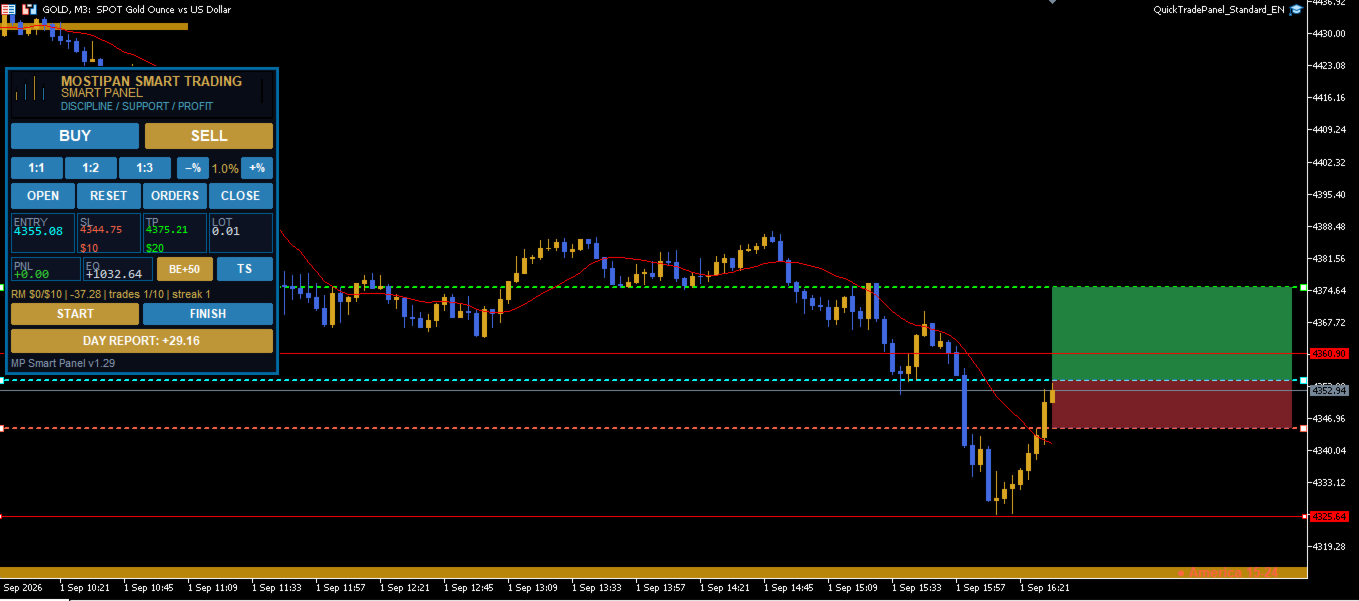
1. Fast order placement
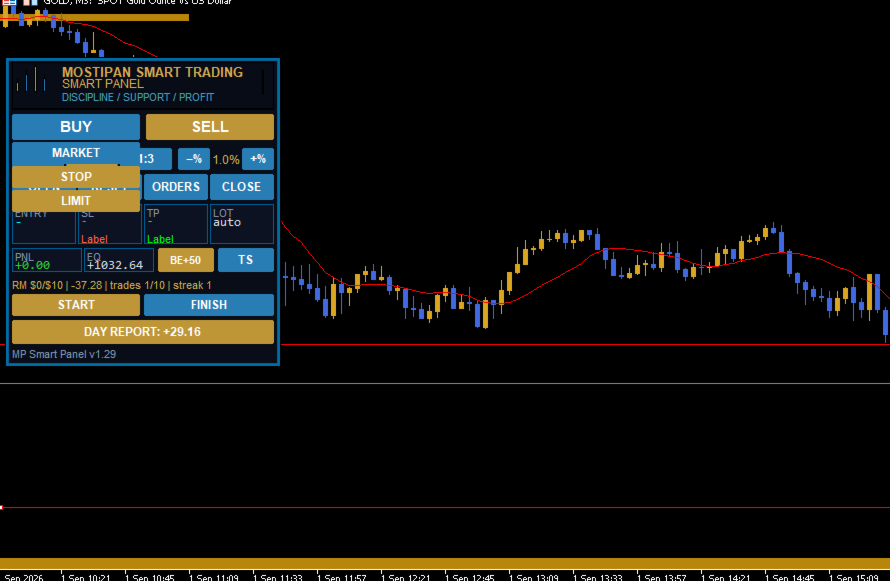
- BUY / SELL buttons with MARKET / LIMIT / STOP menu.
- Entry, stop and take-profit lines — draggable right on the chart.
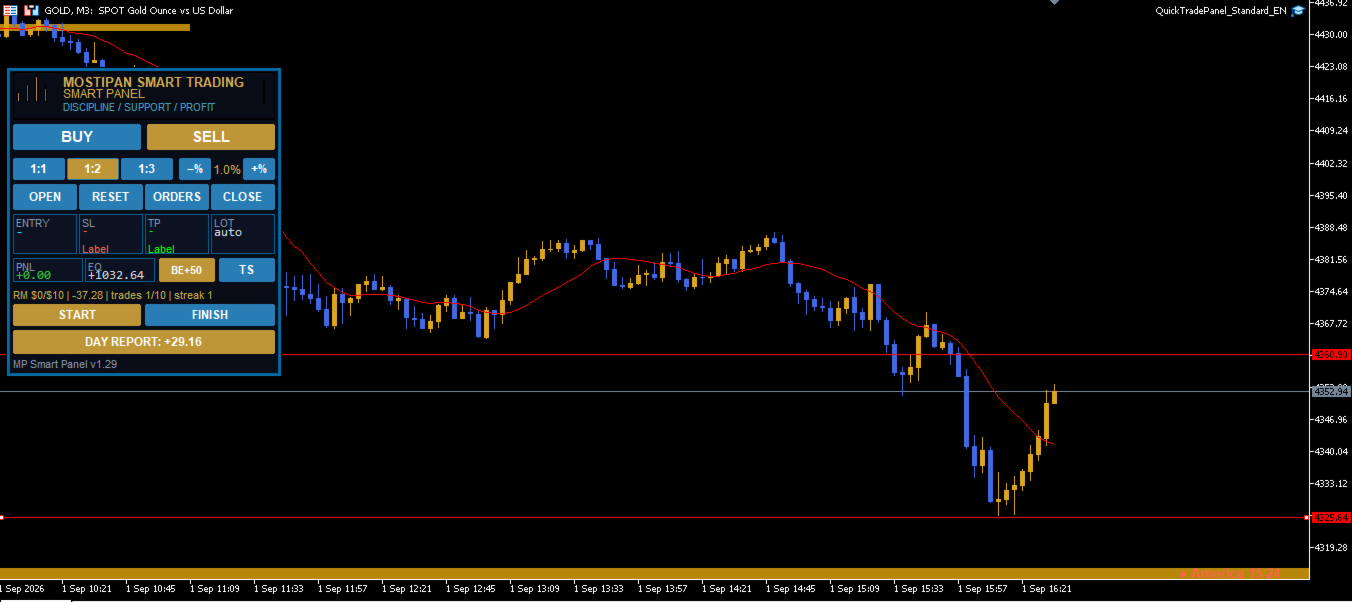
- Ready ratios 1:1 · 1:2 · 1:3 — one click, risk is already set.
- −% / +% buttons — risk per trade adjusted in a second.
2. Built-in Risk Manager (the highlight)
The panel calculates risk and blocks opening until the conditions are met:
| Limit | Action |
|---|---|
| Max daily loss | Stops trading until the end of the day |
| Max daily profit | Locks the result, protects against giving it back |
| Max trades per day | Controls overtrading |
| Max consecutive losses | Forced pause after a losing streak |
- Auto lot from risk ($ or % of balance) — position size is calculated from the distance to the stop.
- Risk manager status is always visible: RM: ... on the panel.
3. Position protection
- BE — breakeven in one click (stop to entry + buffer).
- TS — trailing stop: the stop follows the price, locking in profit.
- ½ — partial take profit: exiting in parts by levels (e.g., 50% at 1R, the rest at 3R).
4. Positions & orders window
- All positions and pending orders across the whole account (all symbols) right on the panel.
- Each position has its own BE and ½ buttons.
- A pending order is removed with ✕ — without leaving the terminal.
5. Discipline & control
- START / FINISH — trading sessions.
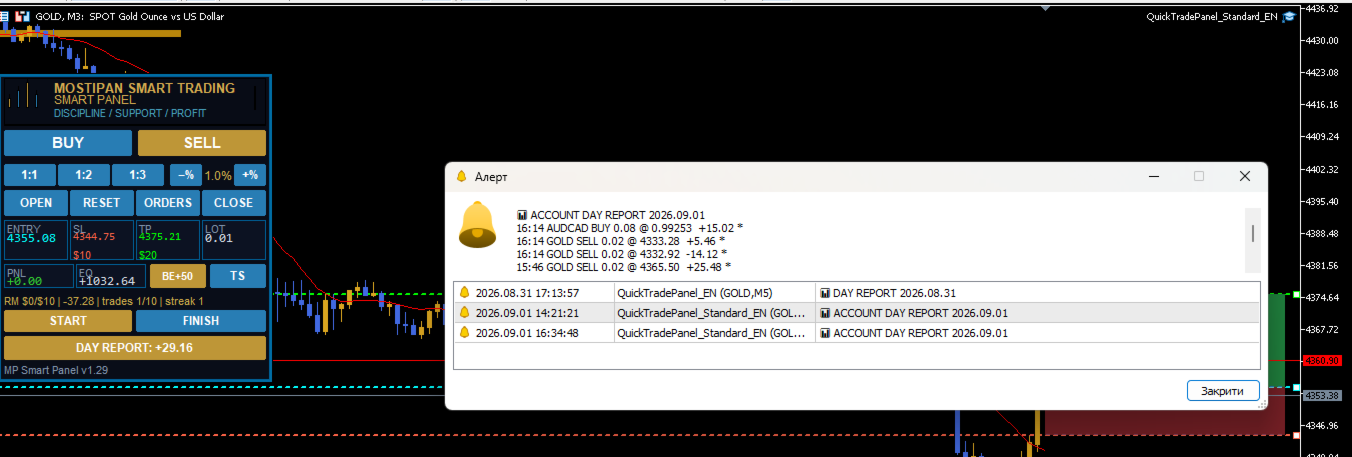
- DAY REPORT — day summary: trades and PNL, updates automatically.
- ENTRY · SL · TP · LOT tiles with prices and dollar distances.
Who is it for
- Traders who want strict risk control and no blown accounts.
- Those who value a clean interface without extra modules (news, scanners, telegram — no distractions).
- Those who need to open fast and protect trades properly.
What's included
| Component | Status |
|---|---|
| MARKET / LIMIT / STOP placement | ✅ |
| Auto lot from risk (Risk Manager) | ✅ |
| Daily limits & blocking | ✅ |
| Breakeven (BE) | ✅ |
| Trailing stop (TS) | ✅ |
| Partial take profit (½) | ✅ |
| Positions/orders window across the account | ✅ |
| Daily report & sessions | ✅ |
Panel versions
This overview describes Standard — the base version. For those who need more, higher versions are available:
| Version | What it adds |
|---|---|
| Standard (this one) | Fast trading + risk manager + position protection |
| Pro | + Telegram alerts, + news calendar, + FIBO levels |
| Full | Everything from Pro + condition buttons & trade templates + maximum options |
Upgrade anytime — details on request.
Quick start
- Copy QuickTradePanel_Standard.mq5 into MQL5\Experts\ .
- Compile (F7) → «0 errors, 0 warnings».
- Drag onto a chart → enable Algo Trading.
- Configure the Risk Manager in the «Risk manager» tab → START.
All control is on the panel. Nothing extra.
SMART PANEL · Discipline · Support · Profit


































очень нравится, упрощает процесс