
MP Smart Panel Full
- ユーティリティ
- バージョン: 1.40
- アクティベーション: 5

SMART PANEL FULL
The most complete version of the trading panel, combining trade management, risk control, trading activity analysis, automated trading journaling, and professional market scanning tools in one integrated solution.
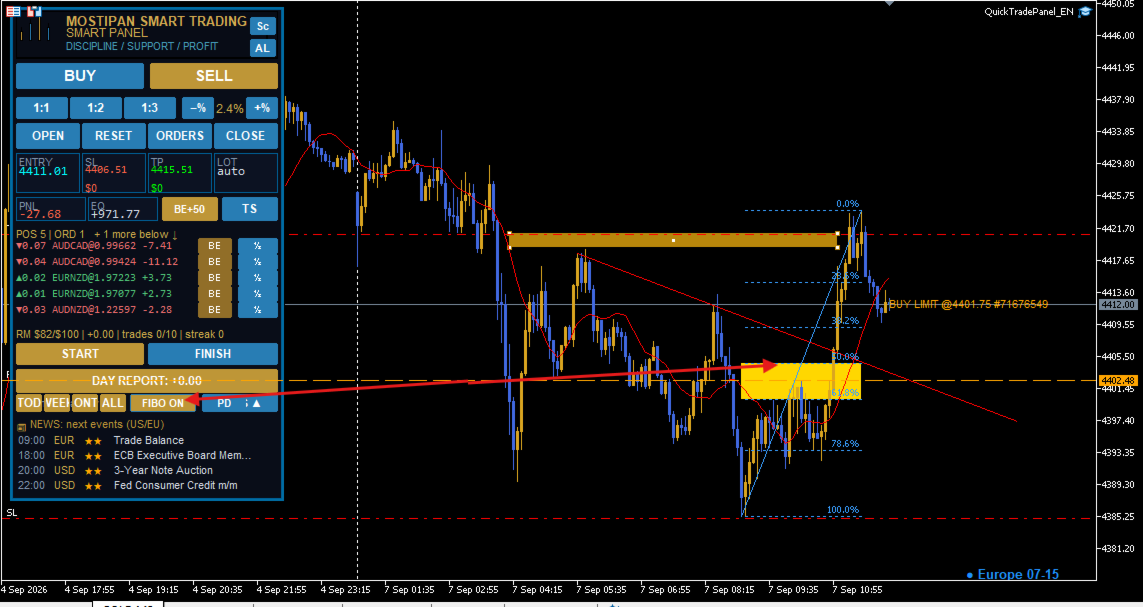
The panel provides full control over all types of orders and positions. Open, modify, and close trades directly from the panel, keeping all essential trading operations in one workspace.
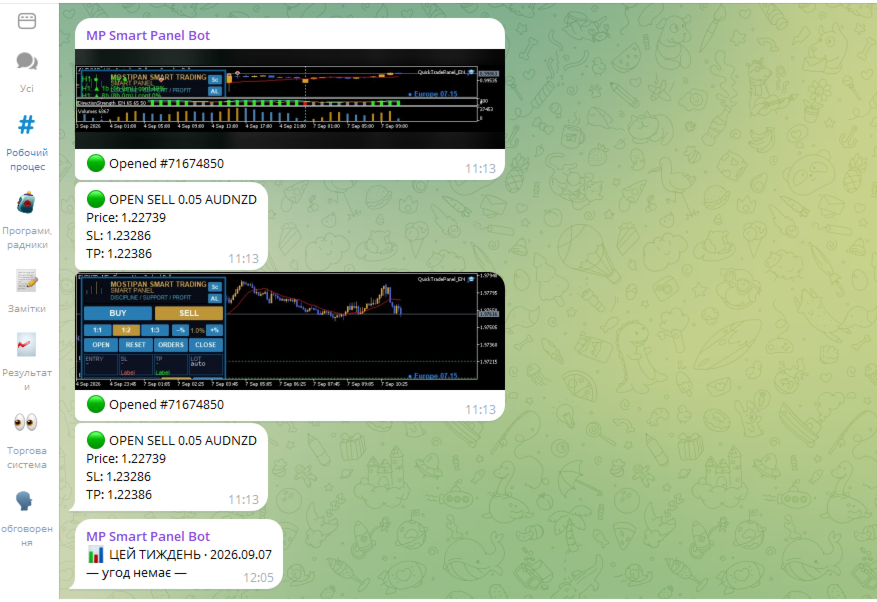
Full Telegram integration turns the panel into an automated trading journal. Screenshots are automatically taken when trades are opened and closed, while trade parameters, results, and actions are recorded and sent to Telegram. Reports and trading history are organized automatically.
The built-in Risk Manager automatically calculates the optimal lot size based on the Stop Loss distance and the specified percentage of account balance at risk. This allows traders to define risk before entering a trade instead of calculating position size manually.
The daily risk control system allows you to set a maximum number of Stop Losses or a maximum daily loss limit. Once the limit is reached, trading is automatically blocked. This helps prevent emotional trading, revenge trading, and uncontrolled risk increases.
The Trading Activity Analyzer evaluates not only financial results but also the trading process itself. It analyzes trading style, frequency of trades, position management, risk violations, limit violations, signs of impulsive trading, and potential tilt.
Based on the collected statistics, the system generates daily, weekly, and monthly reports. Each report highlights achievements, problem areas, and aspects that require improvement.
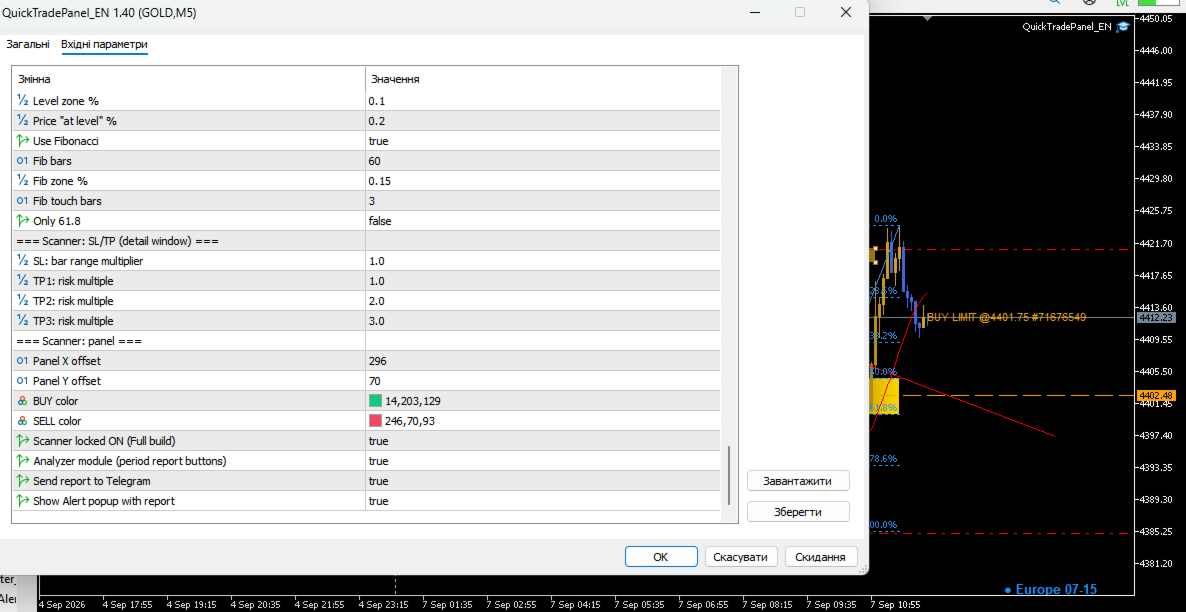
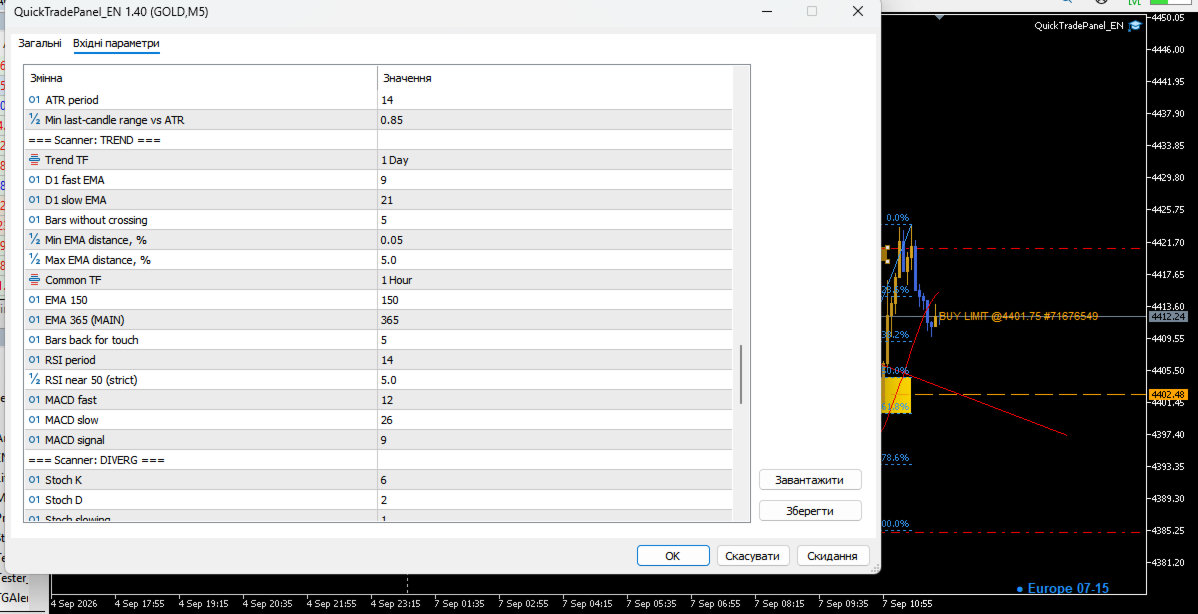
Mega Scanner turns the panel into a complete market opportunity scanner. It analyzes currency pairs and identifies formed trading situations and potential signals. For detected setups, it determines potential entry areas, Stop Loss, and Take Profit levels.
Mega Scanner includes integrated scanners for impulses, trends, divergences, and yearly extremes. This provides a comprehensive view of market conditions and helps traders find setups that match their trading approach faster.
The built-in Trading System Checklist helps control compliance with your own trading rules before entering a position. Two trading-system templates are available and can be adapted to different strategies and trading styles. If the required conditions are not confirmed, opening a trade is blocked.
The Break-Even function allows you to move an individual position to break-even with one click. Each position can be managed independently, providing maximum flexibility when working with multiple trades.
The panel supports automatic partial position closing. Traders can define profit-taking rules in advance and gradually reduce the position as the trade develops, while keeping part of the position open for a potential continuation.
Price Alerts allow you to set important price levels and receive notifications when they are reached. This means you do not have to stay in front of the chart constantly waiting for the market to reach your area.
The built-in Economic Calendar helps monitor important macroeconomic events and news that may significantly affect market volatility and price behavior.
Fibonacci levels help quickly identify potential correction zones, continuation areas, and targets for trade management without requiring additional tools.
The Trading Sessions Indicator displays the main trading sessions directly on the chart, helping traders understand when market activity increases, when movements are developing, and how volatility changes throughout the trading day.
SMART PANEL FULL is more than a trading panel.
It is a complete trading management system combining trade execution, risk management, trading discipline, market scanning, automated journaling, statistics, and behavioral analysis in one tool.
Its purpose is not to make trading decisions instead of the trader.
Its purpose is to create an environment where traders can follow their own system more consistently, control risk, analyze their actions, and gradually become more disciplined and stable over the long term.
QuickTradePanel_EN — Complete User Guide (Multi-Language)Version: 1.30–1.40 Type: Expert Advisor (MetaTrader 5) File: MQL5\Experts\QuickTradePanel_EN.mq5 Modules: Include\QT_Extra.mqh , QTAnalyzer_Lite.mqh , MegaScan_QL.mqh
0. Core idea of the panel
The panel is built around three pillars that close the full trading loop:
┌────────────────────────────────────────────────────────────┐ │ 1. TRADING fast entries BUY/SELL/LIMIT/STOP + RR, │ │ automatic lot, draggable Entry/SL/TP │ │ 2. RISK MANAGER capital protection: daily limits, loss │ │ streaks, daily risk budget — blocks OPEN │ │ 3. ANALYTICS trading journal + Analyzer: winrate, PF, │ │ streaks, sessions — you see what works │ └────────────────────────────────────────────────────────────┘
- Risk management is the priority: every trade carries an SL, the lot is computed from a fixed % of balance, and the Risk Manager stops overtrading (daily loss/profit caps, max trades/day, consecutive-loss streak, daily risk budget).
- Analysis closes the loop: the Analyzer turns history into numbers (winrate, profit factor, streaks, holding time, exit reasons) — this is where you find what to improve.
- The trading journal records everything: entries, exits (TP/SL/manual), RM blocks, sessions (START/FINISH), daily reports and screenshots — an audit trail you can review at the end of each day.
This guide exists in 11 languages (distributed as separate files).
1. What the panel can do
| Area | Features |
|---|---|
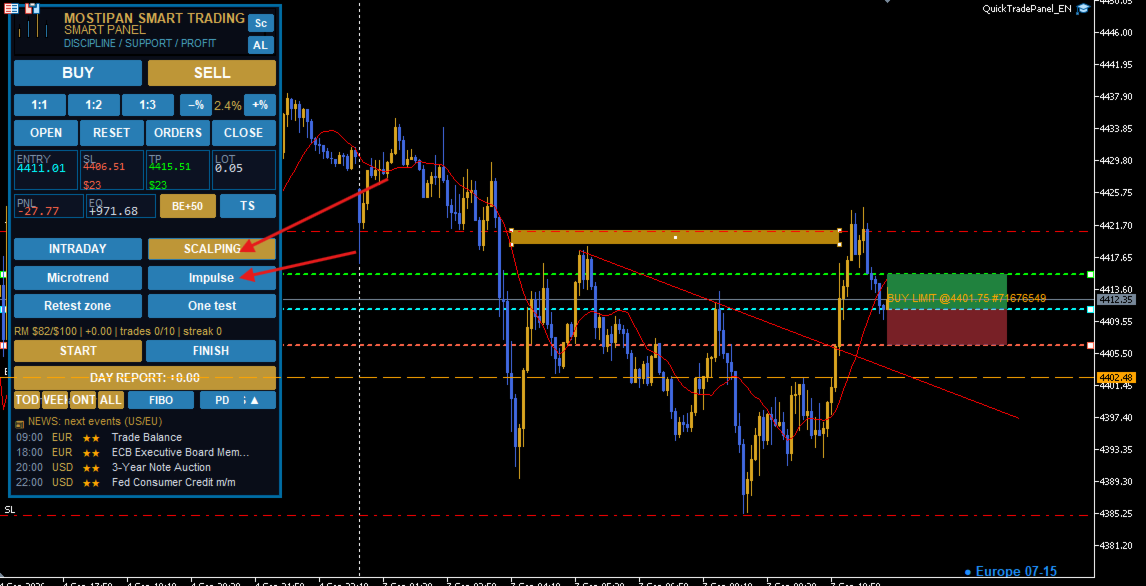
| Trading | MARKET BUY/SELL, pending LIMIT/STOP, RR 1:1–1:3, multi-trade (g_mult) |
| Lines | Entry/SL/TP draggable, real-time tiles, auto-scroll |
| Risk | auto-lot from % or $, Risk Manager (5 guards), daily risk budget |
| Exit | Breakeven BE+n, Trailing Stop TS 20/50/100/200, Partial TP 1R/3R |
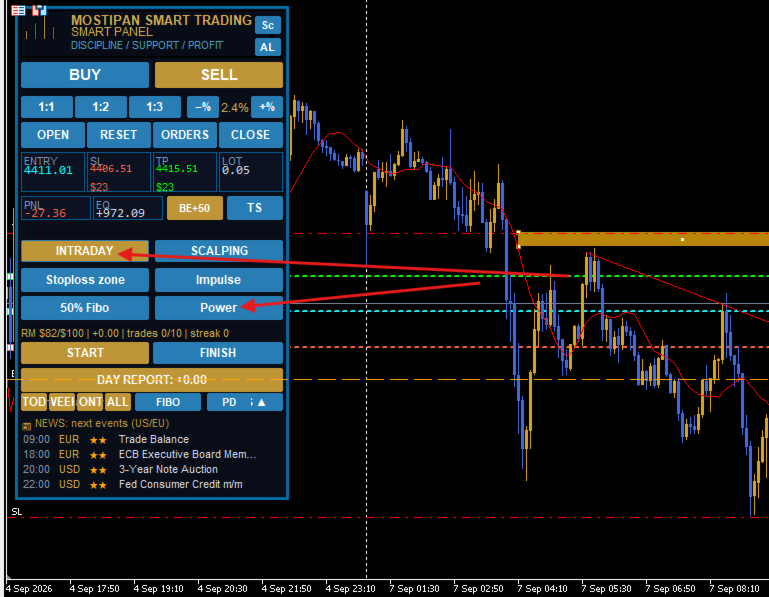
| Discipline | Condition buttons 1–4 + Templates (all 4 must be confirmed) |
| Sessions | START/FINISH with time zones tracking, WORK file |
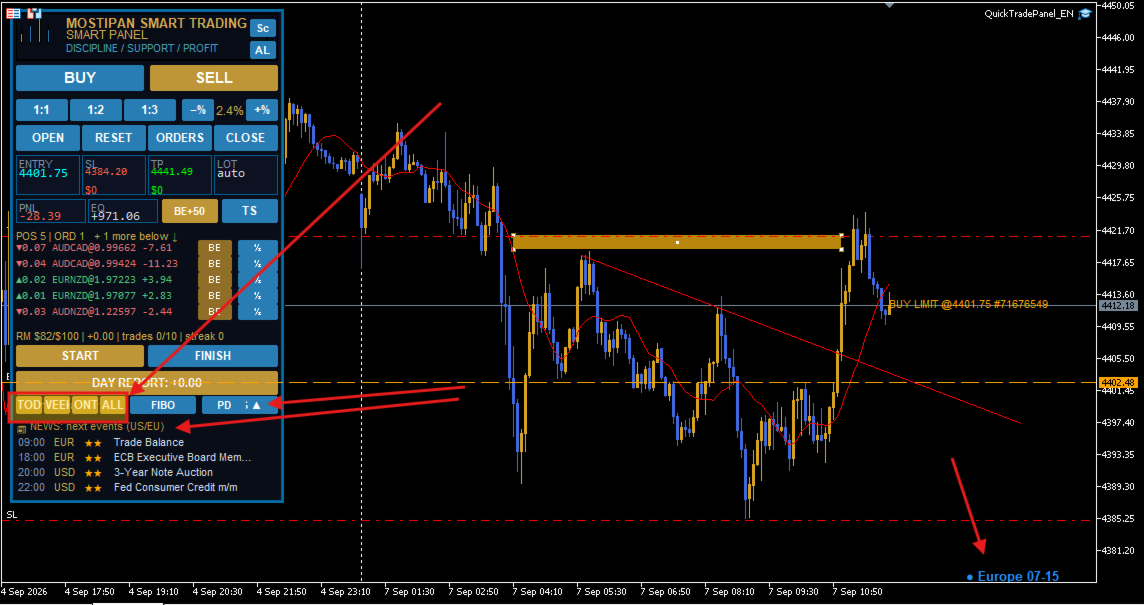
| Reports | DAY REPORT, Analyzer (TOD/WEEK/MONTH/ALL), Telegram |
| Alerts | price alerts (AL by chart click), news calendar, Fibonacci zone |
| Scanner | multi-symbol MegaScan (H1 trend, extremes, impulse) |
2. Installation
- Copy .mq5 to MQL5\Experts and the three .mqh to MQL5\Include .
- Compile (F7) — expect «0 errors, 0 warnings».
- Terminal: Allow Algo Trading (Alt+T).
- Drag the expert onto the chart. Panel appears top-left (theme InpTheme ).
3. How to open a trade
- Press BUY/SELL (or MARKET ▾ → LIMIT/STOP).
- Drag SL to the invalidation level, TP to the target (or press RR 1:1/1:2/1:3).
- Check the LOT tile (auto from risk).
- Press OPEN (gold = ready).
- Result: position opened, lines hidden, conditions reset.
4. Risk Manager (the heart)
| # | Guard | Parameter | Blocks when |
|---|---|---|---|
| 1 | Daily loss | InpRM_MaxDailyLoss | PnL ≤ −500 $ |
| 2 | Daily profit | InpRM_MaxDailyProfit | PnL ≥ +500 $ |
| 3 | Trades/day | InpRM_MaxTradesDay | ≥ 10 trades |
| 4 | Loss streak | InpRM_MaxConsLoss | ≥ 3 in a row |
| 5 | Daily risk | InpRM_DayRiskMoney / DayRiskPct | SL losses + open risk + pending risk > budget (profits return budget) |
- Status line: RM $left/$limit | PnL | trades x/y | streak z .
- New day resets counters at midnight; RESET DAY resets immediately.
5. Exits
- BE+n — SL → open + n points (all positions or per-position in POS strip).
- TS — trailing stop with steps InpTS_Pts1..4 ; moves SL with the market.
- Partial TP — at RR1 close InpPTP_Close1 % + SL to BE; at RR2 close the rest.
- POS strip — buttons for each position (BE, TP-part, close).
6. Sessions and daily report
- START/FINISH — record work sessions (Asia/Europe/America zones), saved to Files\WORK* .
- DAY REPORT — gold button with today's PnL; click → full day list.
7. The Analyzer (in detail)
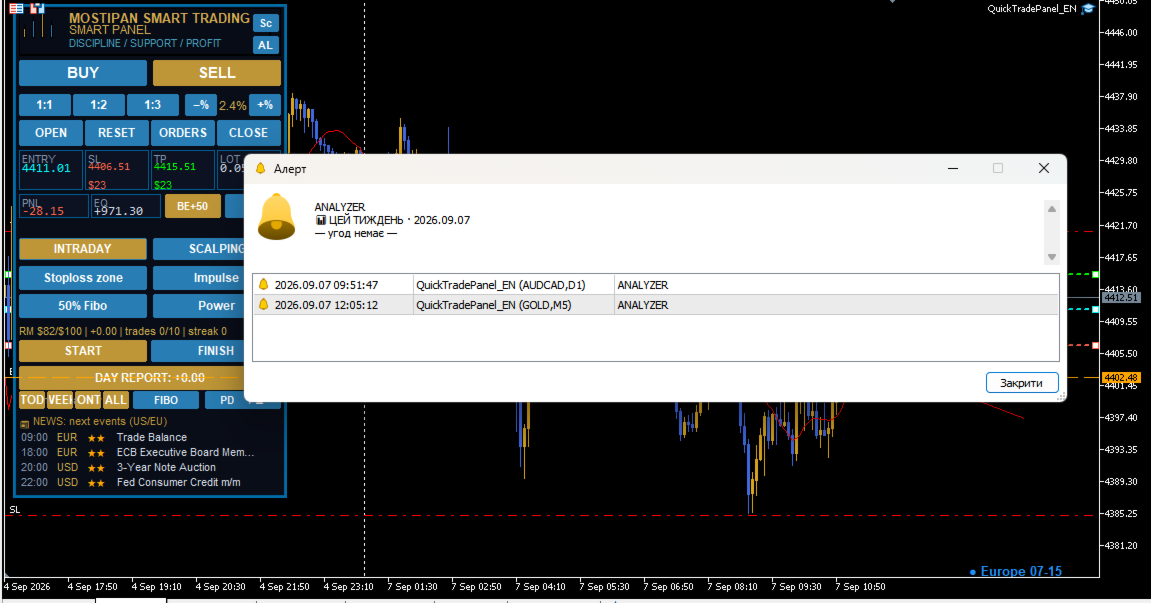
The Analyzer is a statistical mirror of your trading. Buttons TOD / WEEK / MONTH / ALL (or PD if enabled) build a report from the deal history ( HistorySelect + deals with InpMagic ), then send it to Telegram and/or Alert.
7.1 What the report contains
| Metric | Meaning | Why it matters |
|---|---|---|
| Trades (n) / Volume | number of closed deals and total volume in lots | scale of your activity |
| Winrate % | winning trades / all trades, with wins/total | your hit rate |
| Profit Factor (PF) | gross wins ÷ gross losses | the key quality metric: PF ≥ 1.5 is the comfort zone |
| Avg win / Avg loss | average of winning and losing deals | shows whether winners are bigger than losers |
| Streaks (maxW / maxL) | longest win and loss series | warns about tilt/mood cycles |
| Holding time | average position open time, minutes | too-short holds = cut winners? |
| Exit reasons | closed by TP / SL / manual | discipline audit |
| PnL total | net result for the period | final score |
7.2 How to read the verdict (built-in psychology)
- PnL > 0 and PF ≥ 1.5 and no manual exits → excellent period: keep the pace.
- PnL > 0 and PF ≥ 1.0 → working in profit, hold the tempo.
- PnL > 0, PF < 1.0 → profit but discipline issues, check manual exits.
- PnL < 0 → stop and audit: look at SL exits and manual closes.
- SL-exits > 0 → the report warns: “X% of exits via SL — check risk/stop placement”.
- Manual exits > 0 → warns “N trades closed manually — re-check the plan”.
7.3 Analyzer settings
| Input | Default | Purpose |
|---|---|---|
| InpANA_Enabled | true | enable the module and buttons |
| InpANA_TG | true | send report to Telegram (chunked, 3400 chars) |
| InpANA_Alert | true | show the report as Alert popup too |
7.4 Example flow: end-of-week review
- Press WEEK.
- Read: 34 trades, winrate 47%, PF 1.8, maxL 4, 3 manual exits, avg hold 90 min.
- Telegram opens with the report. Verdict: “positive period — keep the tempo”.
- Action: since maxL = 4, tighten RM ( InpRM_MaxConsLoss=3 already blocks at 3) — the next losing streak would have been stopped earlier.
8. The trading journal (audit trail)
The panel keeps five sources of truth about what happened:
| Source | What is recorded | Where |
|---|---|---|
| Expert journal | QT: / QT/RM: Print lines: entries, deals, retcodes, blocks, license events | Terminal → Journal (Experts) |
| RM state | daily PnL, trades, streak, day risk used/limit (recalculated every new day) | panel status line + RM_* globals |
| Session log (WORK) | START/FINISH time per zone, accumulated seconds | MQL5\Files\WORK* |
| Day report | full list of the day's closed deals (time, symbol, type, volume, price, PnL, source) | DAY REPORT button / Telegram |
| Screenshots | open/close screenshots for manual review ( TakeScreenShot ) | MQL5\Files via terminal screenshot |
How to use it in practice:
- Morning: check yesterday's DAY REPORT and Analyzer ALL — one glance at PF/streaks.
- During the day: watch the RM line; when it turns red the panel refuses OPEN and writes the reason to the journal.
- Evening: press FINISH → session summary; press DAY REPORT → full list; eyeball manual exits and SL-exits (the Analyzer flags them).
- Weekly: run WEEK/ALL, read the verdict, adjust risk inputs.
The journal never deletes your history: it reads the terminal's deal history ( HistorySelect ) and only adds its own annotations — RM blocks, sessions, analyzer verdicts. This makes it a trustworthy audit tool.
9. Telegram
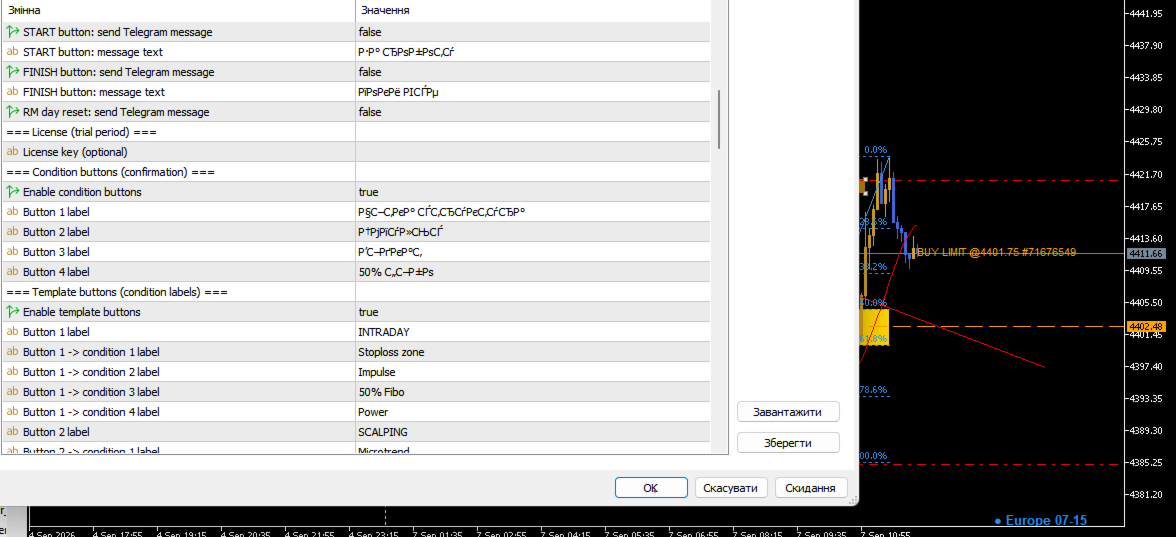
InpTG_Enabled , InpTG_Token (BotFather), InpTG_ChatID (or InpTG_AutoDetect=true ). Notifies: open, close (reason), breakeven, START/FINISH, RM reset, day report, analyzer reports, screenshots. (Standard build: locked OFF.)
10. Price alerts (AL), NEWS, FIBO, Scanner
- AL — click chart to place a level line; crossing → Alert + Telegram; list via second AL press.
- NEWS — USD/EUR events (High ★★★/Medium ★★), InpNews_Rows rows, refresh InpNews_Refresh .
- FIBO — 50–61.8% zone, color InpFiboFillColor .
- Sc — MegaScan scanner: H1 ADX confirm, yearly/half-year extremes, impulse; settings InpMS_* .
11. Condition buttons & templates
Before every OPEN all four conditions must be confirmed (gold check). Labels: InpCond1..4 ; templates InpTpl1_* / InpTpl2_* fill them in one click.
12. Licensing
Trial: 3 days (Full/Pro) or 1 month (Standard). Key InpLicKey (SHA-256): forever / week / month . State: Files\QT_lic.dat + globals QT_Lic_<login> .
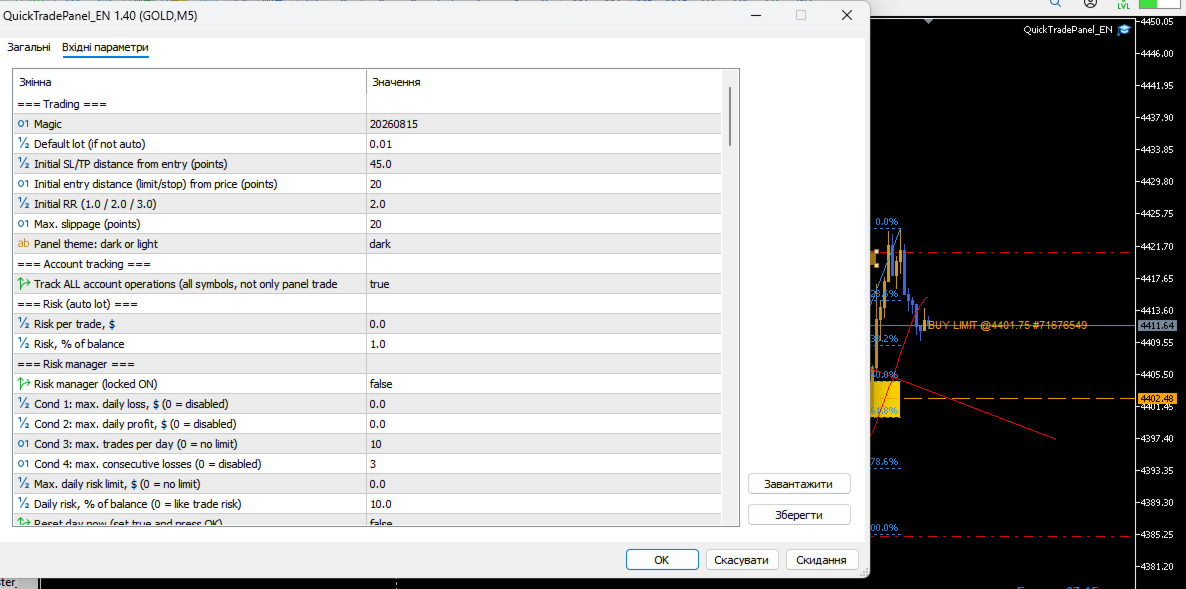
13. Input parameters (reference)
Trading
| InpMagic=20260815 | InpDefaultLots=0.01 | InpDefSL=45 | InpEntryPts=20 | InpDefRR=2.0 | InpDeviation=20 | InpTheme=dark | InpTrackAll=true |
Risk
| InpRiskMoney=50 | InpRiskPercent=1.0 |
Risk Manager
| InpRM_Enabled=true | InpRM_MaxDailyLoss=500 | InpRM_MaxDailyProfit=0 | InpRM_MaxTradesDay=10 | InpRM_MaxConsLoss=3 | InpRM_DayRiskMoney=300 | InpRM_DayRiskPct=0 | InpRM_ResetDay=false |
Exits
| InpTS_Pts1..4=20/50/100/200 | InpPTP_On=false | InpPTP_Close1=50 | InpPTP_Close2=100 | InpPTP_RR1=1.0 | InpPTP_RR2=3.0 | InpPTP_BE1=true | InpFiboFillColor=Gold |
Telegram / News / Conditions
| InpTG_* | InpNews_* (Rows=4, Refresh=60) | InpCond1..4 | InpTpl1/2_* |
Analyzer / Scanner
| InpANA_Enabled=true | InpANA_TG=true | InpANA_Alert=true |
|---|
14. Practical scenarios
- Momentum 1:2 — BUY → SL under swing → RR 1:2 → OPEN → BE+n → TS 50.
- Pending limit — MARKET≈LIMIT → Entry at support → SL −45 → OPEN (GTC).
- Scale-out 1R/3R — InpPTP_On=true (50% @ RR1, BE, rest @ RR2).
- News protection — watch NEWS ★★★, keep InpRM_DayRiskMoney tight, no entry into release.
- Discipline day — START → template + 4 conditions before each trade → FINISH → DAY REPORT → Analyzer WEEK.
15. Safety
- Always keep an SL; tight SL pushes auto-lot to the minimum.
- Test on demo / Strategy Tester first. One backtest is never a guarantee.
- The panel executes, it does not predict. Trade risk capital only.
Generated from QuickTradePanel_EN.mq5, QT_Extra.mqh, QTAnalyzer_Lite.mqh, MegaScan_QL.mqh.

















































ユーザーは評価に対して何もコメントを残しませんでした