
MP Risk Manager
- インディケータ
- バージョン: 2.5
- アップデート済み: 28 8月 2026

🛡️ RISK MANAGER — Risk Management Indicator
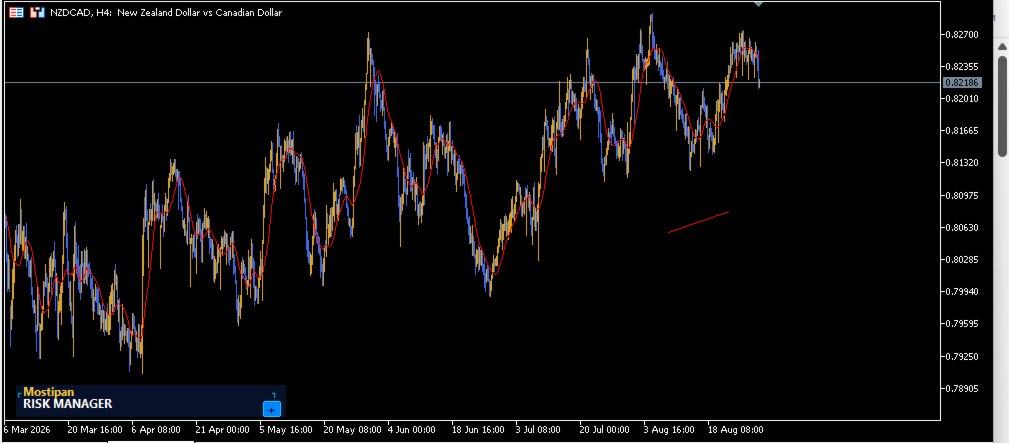
Indicator version: 1.70 · Style: QuikTrade · Position: bottom-left corner of the chart
1. What it is
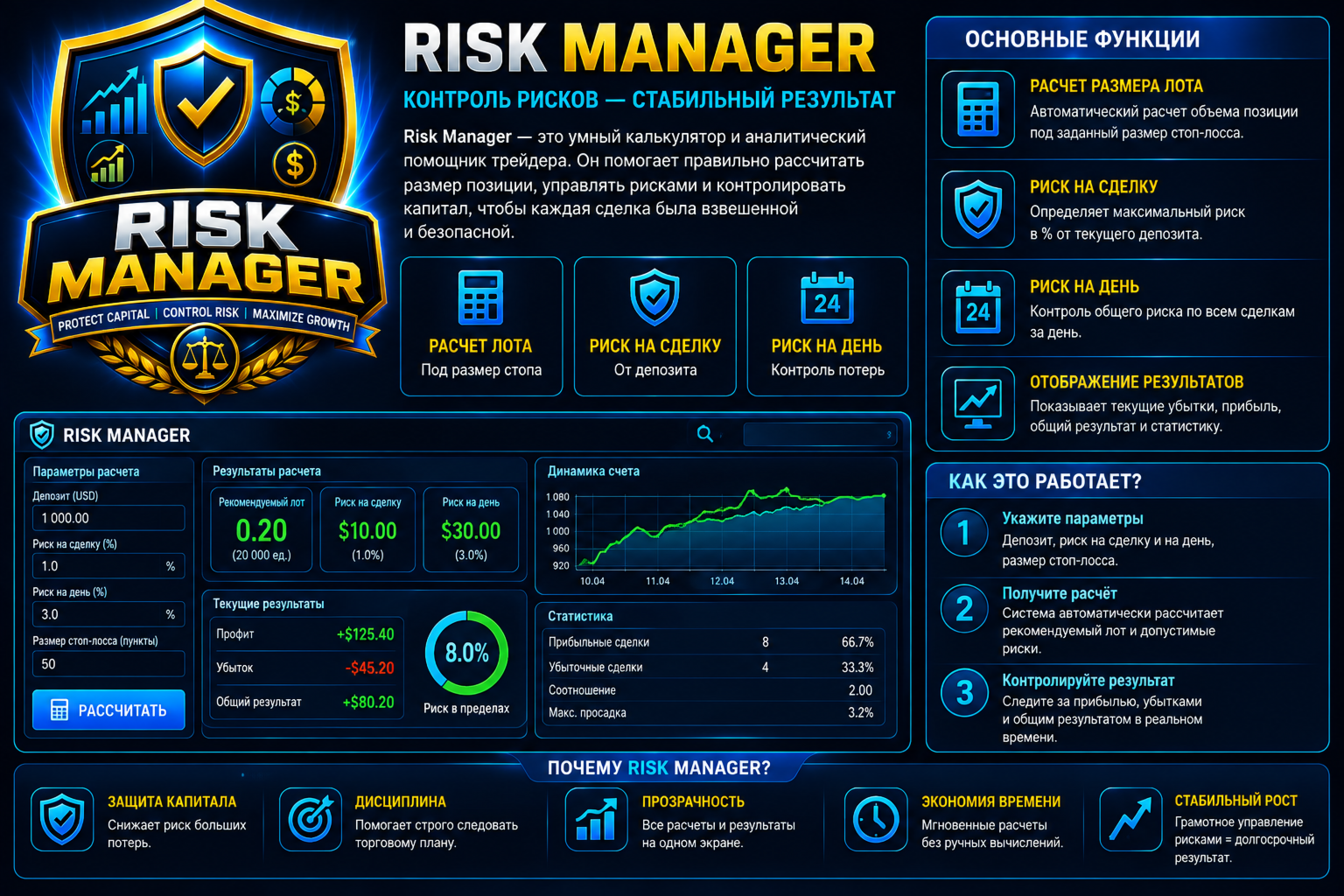
Risk Manager is an informational indicator for MetaTrader 5 that shows the daily risk budget in real time and helps calculate the recommended lot, taking into account:
- risk per single trade (% of balance);
- daily risk (% of balance);
- losses and profits already realized today;
- risk of open positions (based on their Stop Loss);
- distance to Stop Loss (custom or default).
Main idea: a loss consumes the daily limit, a profit gives it back, and the risk of open positions is reserved separately.
2. Installation
- Put RiskManager.mq5 into: MQL5\Indicators\
- Compile in MetaEditor (F7) — «0 errors, 0 warnings».
- Drag the indicator onto the chart of your symbol (e.g., EURUSD, XAUUSD, BTCUSD).
- Configure parameters (see section 5).
The indicator does not trade — it only displays numbers and recommendations.
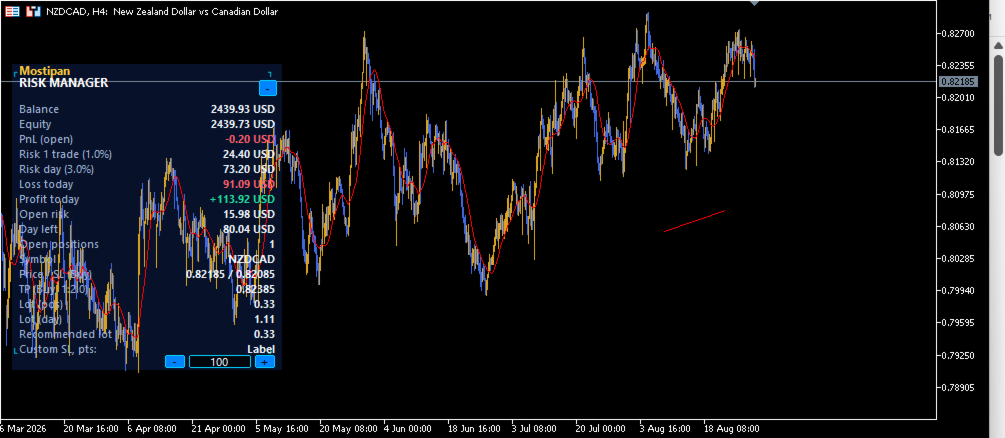
3. Indicator panel (rows)
| Row | Metric | Meaning |
|---|---|---|
| — | RISK MANAGER | Panel header |
| 1 | Balance | Account balance |
| 2 | Equity | Equity (balance ± open PnL) |
| 3 | PnL (open) | Floating profit/loss on open positions (green/red) |
| 4 | Risk 1 trade (X%) | Risk per trade in money: balance × X% |
| 5 | Risk day (Y%) | Daily risk budget in money: balance × Y% |
| 6 | Loss today | Realized daily loss (consumes the limit) |
| 7 | Profit today | Realized daily profit (returns to the limit) |
| 8 | Open risk | Risk of open positions by their Stop Loss (reserved) |
| 9 | Day left | Remaining daily limit (0 or red = limit exhausted) |
| 10 | Open positions | Number of open positions |
| 11 | Symbol | Current symbol |
| 12 | Price / SL (Buy) | Current price / recommended SL level for BUY |
| 13 | TP (Buy, 1:RR) | Recommended TP level (entry + SL × RR) |
| 14 | Lot (pos) | Lot for the single-trade risk |
| 15 | Lot (day) | Lot for the remaining daily risk |
| 16 | Recommended lot | Recommended lot = min(Lot pos, Lot day) |
| 17 | Custom SL, pts | SL input field in points + buttons [−] [+] |
| 18 | CALCULATE LOT | Recalculate button based on the entered SL |
4. How it works
4.1 Daily risk budget
Day left = Daily risk − Loss today − Open risk + Profit today
- Loss today — all realized losses (including manual close at a loss).
- Profit today — all realized profits; they are returned to the limit.
- Open risk — reserved separately based on the SL of each open position.
- The remainder never goes below zero.
4.2 Lot calculation
Loss per 1 lot = (distance to SL / tick_size) × tick_value
Lot = Risk in money / Loss per 1 lot
- The lot is rounded down to the volume step ( VOLUME_STEP ).
- It is clamped to the symbol's minimum/maximum volume.
- Recommended lot = min(lot for position, lot for day) — it never exceeds the daily limit.
4.3 Daily reset
Day counters reset automatically at server time (start of a new day).
5. Settings (inputs)
| Group | Parameter | Default | Description |
|---|---|---|---|
| Risk | InpRiskPosPercent | 1.0 | Risk per position, % of balance |
| Risk | InpRiskDayPercent | 3.0 | Daily risk, % of balance |
| Risk | InpRR | 2.0 | Risk/Reward ratio for TP |
| Styling | InpBgColor / InpHeaderColor / InpBorderColor | blues | Panel colors |
| Styling | InpLabelColor / InpValueColor | light | Label/value colors |
| Styling | InpProfitColor / InpWarnColor | green/red | PnL and warnings |
| Styling | InpBtnColor / InpEditBgColor | blues | Buttons and input field |
| Styling | InpFont / InpFontSize | Segoe UI / 8 | Font |
| Position | InpOffsetX / InpOffsetY | 10 / 10 | Left/bottom offset, px |
6. Custom SL (Custom SL field)
- Enter the SL in points into the field and press Enter or the CALCULATE LOT button.
- The [−] / [+] buttons change the SL in steps (for 5+ digits: step 20, start 100; for 4− digits: step 2, start 10).
- Minimum SL = one step, maximum = 100,000 points.
- After entering, all calculations (SL, TP, lots) are updated automatically.
7. Usage checklist
Before a trade
During the day
End of the day
8. Summary
| Parameter | Default |
|---|---|
| Risk per position | 1.0 % |
| Daily risk | 3.0 % |
| RR (take profit) | 2.0 |
| Refresh | 1 sec (timer) |
| Day reset | server time |
| Panel position | bottom-left corner |
RISK MANAGER · Control risk, calculate lot, protect capital.


































полезная прога