TendenciaPrecioFecha

AutoFindBestTrendLine — Detector Automático de Líneas de Tendencia

Descripción general: AutoFindBestTrendLine es una utilidad para MetaTrader 5 que analiza el historial del gráfico y detecta automáticamente la mejor línea de tendencia posible, ya sea de máximos (resistencias), mínimos (soportes) o ambos. El script identifica los dos puntos más relevantes y dibuja una línea óptima basada en el número de toques reales sobre el precio.

Ventajas principales:

  • Detección automática de líneas de tendencia sin intervención manual.

  • Funciona en cualquier símbolo y período.

  • Permite elegir entre análisis de máximos, mínimos o ambos.

  • Traza líneas con color, estilo y grosor configurables.

  • No elimina líneas anteriores: cada ejecución crea una nueva.

  • Ligero, rápido y sin consumo continuo de recursos (es un script).

  • Ideal para traders técnicos que buscan soportes y resistencias reales.

Cómo funciona: El script analiza todas las velas desde la fecha indicada y evalúa combinaciones de puntos para encontrar la línea con mayor número de toques. Una vez detectada, la dibuja automáticamente en el gráfico y muestra información detallada en el registro.

Parámetros de entrada:

  • InpStartDate — Fecha de inicio del análisis.

  • InpSearchMode — Tipo de búsqueda: Máximos, Mínimos o Ambos.

  • InpLineColor — Color de la línea de tendencia.

  • InpLineStyle — Estilo de línea (sólida, rayas, puntos).

  • InpLineWidth — Grosor de la línea (1 a 5).

Uso recomendado: Ejecute el script en cualquier gráfico para obtener una línea de tendencia óptima basada en el comportamiento real del precio. Útil para validar zonas de soporte/resistencia, detectar estructuras técnicas y complementar análisis manual.       //+------------------------------------------------------------------+

//|                                    AutoFindBestTrendLine.mq5     |

//|                                  Copyright 2026                  |

//|                                                                  |

//+------------------------------------------------------------------+

#property copyright "Copyright 2026"

#property link      ""

#property version   "1.31"

#property script_show_inputs


// Enumeración para elegir qué tipo de puntos analizar

enum ENUM_SEARCH_MODE

{

   SEARCH_BOTH = 0,       // Analizar Máximos y Mínimos

   SEARCH_HIGHS_ONLY = 1, // Solo Máximos (Resistencias)

   SEARCH_LOWS_ONLY = 2   // Solo Soportes (Mínimos)

};


// Parámetros de entrada configurables

input datetime        InpStartDate   = D'2026.01.01 00:00'; // Fecha de inicio del análisis

input ENUM_SEARCH_MODE InpSearchMode = SEARCH_BOTH;         // Modo de búsqueda

input color           InpLineColor   = clrDodgerBlue;       // Color de la línea de tendencia

input ENUM_LINE_STYLE InpLineStyle   = STYLE_SOLID;         // Estilo de línea (Sólida, Rayas, Puntos...)

input int             InpLineWidth   = 3;                   // Grosor de la línea (1 a 5)


//+------------------------------------------------------------------+

//| Script program start function                                    |

//+------------------------------------------------------------------+

void OnStart()

{

   // 1. Copiar datos de las barras del gráfico actual

   MqlRates rates[];

   ArraySetAsSeries(rates, true);

   int totalBars = CopyRates(_Symbol, _Period, 0, Bars(_Symbol, _Period), rates);


   if(totalBars < 5)

   {

      Print("Error: No hay suficientes barras en el gráfico para analizar.");

      return;

   }


   // Encontrar el índice de la barra que corresponde a la fecha de inicio seleccionada

   int startIndex = -1;

   for(int i = 0; i < totalBars; i++)

   {

      if(rates[i].time <= InpStartDate)

      {

         startIndex = i;

         break;

      }

   }


   if(startIndex < 0)

   {

      startIndex = totalBars - 1; // Si la fecha es más antigua que el historial, usa la más antigua disponible

   }


   Print("==================================================");

   Print(" INICIANDO BARRIDO AUTOMÁTICO");

   Print(" Desde: ", TimeToString(rates[startIndex].time, TIME_DATE|TIME_MINUTES), " | Velas analizadas: ", startIndex + 1);

   Print("==================================================");


   int bestTouches = -1;

   datetime bestT1 = 0, bestT2 = 0;

   double   bestP1 = 0.0, bestP2 = 0.0;

   string   lineTypeFound = "";


   // 2. Evaluar combinaciones según el modo seleccionado (ajustado para admitir gráficos cortos)

   int minLimit = MathMin(2, startIndex);

   for(int i = startIndex; i >= minLimit; i--)

   {

      for(int j = i - 1; j >= 0; j--)

      {

         datetime t1 = rates[i].time;

         datetime t2 = rates[j].time;

         if(t1 == t2) continue;


         // Evaluar Máximos

         if(InpSearchMode == SEARCH_BOTH || InpSearchMode == SEARCH_HIGHS_ONLY)

         {

            double p1 = rates[i].high;

            double p2 = rates[j].high;

            int touches = CountLineTouches(p1, t1, p2, t2, rates, startIndex);


            if(touches > bestTouches)

            {

               bestTouches = touches;

               bestT1 = t1; bestP1 = p1;

               bestT2 = t2; bestP2 = p2;

               lineTypeFound = "Resistencia (High-High)";

            }

         }


         // Evaluar Mínimos

         if(InpSearchMode == SEARCH_BOTH || InpSearchMode == SEARCH_LOWS_ONLY)

         {

            double p1 = rates[i].low;

            double p2 = rates[j].low;

            int touches = CountLineTouches(p1, t1, p2, t2, rates, startIndex);


            if(touches > bestTouches)

            {

               bestTouches = touches;

               bestT1 = t1; bestP1 = p1;

               bestT2 = t2; bestP2 = p2;

               lineTypeFound = "Soporte (Low-Low)";

            }

         }

      }

   }


   if(bestTouches <= 0)

   {

      Print("Aviso: No se pudo trazar ninguna línea. Prueba a poner una fecha de inicio más reciente (ej. hace pocos días) en los ajustes del script.");

      return;

   }


   // 3. Crear un nombre ÚNICO para que no borre las líneas anteriores

   string lineName = StringFormat("AutoTrend_%d", GetTickCount());


   if(ObjectCreate(0, lineName, OBJ_TREND, 0, bestT1, bestP1, bestT2, bestP2))

   {

      // Configurar diseño, rayos y permitir modificarla con el ratón

      ObjectSetInteger(0, lineName, OBJPROP_RAY_LEFT, true);

      ObjectSetInteger(0, lineName, OBJPROP_RAY_RIGHT, true);

      ObjectSetInteger(0, lineName, OBJPROP_COLOR, InpLineColor);

      ObjectSetInteger(0, lineName, OBJPROP_STYLE, InpLineStyle);

      ObjectSetInteger(0, lineName, OBJPROP_WIDTH, InpLineWidth);

      ObjectSetInteger(0, lineName, OBJPROP_SELECTABLE, true);

      ObjectSetInteger(0, lineName, OBJPROP_HIDDEN, false);


      ChartRedraw(0);

   }


   // 4. Mostrar información detallada en el registro (log)

   Print("==================================================");

   Print(" TENDENCIA ÓPTIMA ENCONTRADA Y GRAFICADA:");

   Print(" Nombre del objeto : ", lineName);

   Print(" Tipo detectado    : ", lineTypeFound);

   Print(" [COPIAR] Punto 1  -> Tiempo: ", TimeToString(bestT1, TIME_DATE|TIME_MINUTES), " | Precio: ", DoubleToString(bestP1, _Digits));

   Print(" [COPIAR] Punto 2  -> Tiempo: ", TimeToString(bestT2, TIME_DATE|TIME_MINUTES), " | Precio: ", DoubleToString(bestP2, _Digits));

   Print(" Velas tocadas     : ", bestTouches);

   Print("==================================================");

}


// Función auxiliar para contar los toques

int CountLineTouches(double p1, datetime t1, double p2, datetime t2, const MqlRates &rates[], int limitIndex)

{

   int touches = 0;

   double slope = (double)(p2 - p1) / (double)(t2 - t1);


   for(int k = limitIndex; k >= 0; k--)

   {

      datetime barTime = rates[k].time;

      double linePrice = p1 + (double)(barTime - t1) * slope;


      if(linePrice >= rates[k].low && linePrice <= rates[k].high)

      {

         touches++;

      }

   }

   return touches;

}


おすすめのプロダクト
Tired of SMC indicators that clutter your chart with random lines and overlapping boxes, obstructing your view of the price action? The  Ultimate SMC Assistant  is not just another structure mapping indicator; it is a Smart AI Trader Assistant designed specifically for Smart Money Concepts (SMC) traders and for successfully passing Prop Firm evaluations. The indicator constantly scans the market to detect the freshest and strongest reversal zones, providing you with a professional live dashboard
FREE
AURIC MOHD-iK is a dynamic, logic-based Expert Advisor (EA) engineered specifically for trading XAUUSD (Gold). Unlike standard trading systems that rely on lagging, unreliable indicators, this EA operates purely on clean price logic—executing trades the way an experienced human trader naturally reads the market. This version is completely free with limitations, offering permanent value to your trading setup with zero hidden costs. Active Auric Mode That's it!!!!!!!!!! Core Trading Parameters Ac
FREE
アップデート版の無料公開中です。 140ダウンロードありがとうございます。 動画は   Ver. 034.30   原資1, 000ドル/レバレッジ25倍 テストの一例です。 Ver. 034.33  リリース致しました。 継続して内部で調整していますが、 枚数の設定は外してエントリーできる維持率の限度を調整することで資金管理します。 以前に比較してエントリー数が増加すると共に一時的なドローダウンは増加することがあります。余剰資金を多めにするか、レバレッジを高く設定する必要があります。 エントリーできない不具合について このページの最後に まとめています。改善の都度アップデートします。 基本事項 プラットフォーム:MetaTrader 5 通貨ペア:EUR-USD チャート:5分足 EUR-USD  の5分足のチャートを表示して、セットします。 1分足と同等という認識になりましたので5分足とします。 ブローカーによって調整が必要な場合がございます。 MT5に慣れていらっしゃらない方向け MT4メインでお使いのために慣れていらっしゃらない方もおられるかと存じます。 最もメジャーな
FREE
What is SMC Market Structure Pro? SMC Market Structure Pro is an automated trading Expert Advisor for MetaTrader 5 , developed based on Smart Money Concept (SMC) and market structure analysis . The EA is designed to help traders follow the natural flow of the market , focusing on price structure instead of indicators or lagging signals. How Does the EA Work? The EA analyzes market structure changes using pure price action: Detects higher highs & higher lows for bullish structure Detects l
FREE
Artemis Gold HFT Throttle EA MT5 ついに登場 — Artemis Gold HFT Throttle EA が MetaTrader 5 に対応しました。 Artemis Gold HFT Throttle EA MT5 は、XAUUSD トレーダー向けに設計されたゴールド特化型の Expert Advisor です。高速な短期自動売買を求めながらも、制御された執行、インテリジェントなガード保護、そして分かりやすいダッシュボード表示を重視するユーザー向けに作られています。 多くの高速売買ロボットはスピードだけに注目します。しかし実際のブローカー環境では、制御されていないスピードは問題になる可能性があります。ゴールドのスプレッドは急拡大することがあり、流動性は素早く変化し、注文変更が拒否される場合もあります。また、過度に積極的な取引リクエストは不安定な結果につながる可能性があります。 Artemis は異なる原則に基づいて設計されています。 制御されたスピードは、制御されていないスピードよりも持続可能です。 この MT5 版は、実績のある MT4 v1.4
FREE
RangeRaider is a fully automated range-breakout Expert Advisor for MetaTrader 5. It identifies the consolidation range that forms around the session open, waits for a confirmed breakout, and opens a single position in the direction of the break with a fixed Stop Loss and Take Profit. The logic is clean and rule-based, without grid, martingale or averaging. How it works The EA measures the price range that builds up around the chosen session. When price breaks and confirms beyond that range, it
FREE
Free automatic Fibonacci is an indicator that automatically plots a Fibonacci retracement based on the number of bars you select on the BarsToScan setting in the indicator. The Fibonacci is automatically updated in real time as new highest and lowest values appears amongst the selected bars. You can select which level values to be displayed in the indicator settings. You can also select the color of the levels thus enabling the trader to be able to attach the indicator several times with differe
FREE
CROW RANGO INDICATOR – Session Range Tool for MT5 Identify key market ranges clearly and automatically, and trade volatility with greater precision. CROW RANGO INDICATOR is designed for traders who focus on market sessions, range breakouts, and impulsive price movements , helping to visualize consolidation zones and potential entry points. MAIN FEATURES Draws up to 3 independent ranges per day Fully customizable start and end times Displays key levels: Range High Range Low Midline (eq
FREE
PROMETHEUS TECHNICAN VERSION Free | By THE SONS A gift from The Sons — no strings, no trial, no expiry. Every trader deserves access to professional-grade market intelligence. That belief is why Prometheus Technical Version exists, and why it costs nothing. Consider it our handshake to the trading community. What You're Getting This is not a simplified tool dressed up as a gift. Prometheus Technican Version is a fully built, institutional-quality technical analysis indicator running a dual-model
FREE
The Central Bank Dealers Range (CBDR) is a key ICT concept, used to project potential highs and lows for the day based on market conditions during a specific time window. The CBDR is utilized to forecast price movements in both bullish and bearish market conditions. By identifying this range, traders can better anticipate the price levels that may form as the day progresses. CBDR and Standard Deviation A key feature of the CBDR is its application of standard deviation , a statistical measure u
FREE
My other indicators: https://www.mql5.com/en/market/product/156702   (FREE) https://www.mql5.com/en/market/product/153968 (FREE) https://www.mql5.com/en/market/product/153960 (FREE) This indicator displays higher timeframe candles directly on your lower timeframe chart, allowing you to monitor higher timeframe price action without switching between charts. It also plots session highs and lows for the Asia, London, and New York kill zones, giving you key liquidity levels directly on your chart.
FREE
Hidden Edge – High-Low PreUS High-Low PreUS is a clean and lightweight indicator that marks key reference levels before the US session begins. It draws a session box from 00:01 to 09:00 CET, identifying the high and low of the Asian session, and includes additional reference elements to support structured intraday trading decisions. Features Draws a rectangular range from 00:01 to 09:00 CET Marks the high and low of the session clearly Plots a horizontal yellow line as a suggested stop level bas
FREE
Echelon EA – Chart Your Unique Trading Constellation Like the celestial guides that lead explorers through the vast universe, Echelon EA empowers you to create and optimize your very own trading strategies. This versatile system combines advanced grid and martingale techniques with cutting‐edge indicators, offering you an endless palette for designing a strategy that is truly your own. Craft Your Personal Strategy: Infinite Possibilities – Customize every parameter to build a trading system t
FREE
NovaTac Volition Exit Commander is a position-aware MT5 exit indicator with separate BUY and SELL scores, closed-bar confirmation, trailing references and confluence-qualified management states. NovaTac Volition Exit Commander is a position-aware exit analysis indicator for MetaTrader 5. It evaluates conditions relevant to managing BUY and SELL positions and displays separate Close BUY and Close SELL scores.  The indicator combines momentum, trend strength, volatility, candle behaviour, marke
FREE
Failed Auction — Professional Failed Auction Detection MT5 Version 1.05  The Problem With Volume in CFDs Every serious trader understands that volume is the lifeblood of market analysis. It is the one variable that reveals intention behind price movement. Yet the vast majority of CFD instruments — indices, forex pairs, commodities — operate without access to centralized exchange volume. What brokers provide is tick volume: a raw count of price changes per bar, devoid of directional context. Most
FREE
unleash the Power of Automation: The Precision Bollinger Bands EA and  Stop Guessing. Start Executing. Let Our Algorithm Trade for You. Are you tired of staring at charts all day, battling emotions, and missing opportunities? Introducing the   Precision Bollinger Bands EA , your 24/7 automated trading partner engineered to systematically capitalize on market contractions and expansions. This isn't just another indicator; it's a complete, rule-based strategy packaged into a powerful Expert Adviso
FREE
Triple Indicator Pro
Ebrahim Mohamed Ahmed Maiyas
4 (4)
Triple Indicator Pro: ADX, BB & MA Powered Trading Expert Unlock precision trading with Triple Indicator Pro, an advanced Expert Advisor designed to maximize your market edge. Combining the power of the ADX (trend strength), Bollinger Bands (market volatility), and Moving Average (trend direction), this EA opens trades only when all three indicators align 1 - ADX (Average Directional Index) indicator – This indicator measures the strength of the trend, if the trend is weak, the expert avoids
FREE
Narrow Range Timeframe
Ricardo Rodrigues Lucca
4.5 (2)
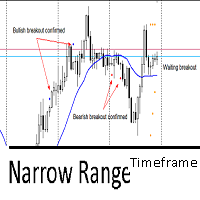
This indicator utilizes the Narrow Range 7 concept . This concept says that if the seventh candle is the one with the smallest range, that is, the smallest difference between maximum and minimum of all 7 candles. The indicator marks this candle with two markers and waits for a breakout to happens in the next 6 candles. It's called "timeframe" because if in the next 6 candles the breakout not happens, it will remove all marks on candle. If it exceeds 7 times the timeframe, it also will remove the
FREE
MiEasyOrderMT5
Carlos Miguel Iriondo
5 (1)
Mi Easy Order MT5 es un programa diseñado para facilitar y optimizar la ejecución de operaciones de compra y venta en los mercados financieros, proporcionando al trader una herramienta práctica, precisa y confiable para la gestión del riesgo. Su objetivo principal es simplificar el proceso de entrada al mercado, eliminando cálculos manuales y reduciendo errores comunes que suelen producirse al momento de definir el tamaño de la posición. El sistema permite al usuario ingresar como parámetro el n
FREE
Gold Polaris AI 非ナンピン・非マーチン設計 Gold専用 本格AIトレードEA 概要 Gold Polaris AI は、 XAUUSD(ゴールド)H1専用に設計されたAIトレードシステムです。 ATRを複数組み合わせた特徴量を用いて学習し、 拡大・収縮を繰り返すボラティリティ構造に適応。 AIが相場状況を判定し、 順張り・逆張りを自動選択します。 トレンドが継続すると判断した場合はポジションを保持し、 ランダムウォーク状態では無理なエントリーを控える挙動を示します。 トレード特性 ・非ナンピン ・非マーチン ・固定ロット運用 ・Buy / Sell 別AIモデル 同時最大ポジション数: Buy1ポジション + Sell1ポジション(最大2ポジション) 両建てになる場合があります。 取引頻度 平均:1日1〜3回程度 (相場状況により変動) ポジション保有時間 最短:約1時間 最長:約50時間 平均:約6時間 スキャル〜デイトレード寄りの設計です。 学習 / 検証 学習期間:2003〜2021 アウトオブサンプル:2022年以降 テストロット:0.01固定
FREE
INTRODUCTION : The breakout strength meter is a trading tool that is used to identify which currencies are the strongest to breakout, and which currencies are the weakest to breakout. The settings for the indicator are easy, and if you cannot find the settings, please leave a comment The tools are completely free to use Please, if you like the indicator, please leave a comment and rate the indicator in order to develop it
FREE
Advanced Gold Scalping Signal Indicator XAU M1 Trend Pro is a precision-built trend and signal indicator designed specifically for XAUUSD (Gold) on the M1 timeframe . It combines multi-layer filtering, volatility analysis, and smart scoring logic to deliver high-quality BUY and SELL signals while avoiding market noise. Built for traders who demand accuracy, speed, and consistency in fast-moving gold markets. Key Features Smart Buy & Sell Signals Generates real-time alerts when high-probabili
FREE
Steady Runner NP EA
Theo Robert Gottwald
2.5 (2)
Introducing Steady Runner NP EA (Free Version): Precision Trading for GBPUSD M5 What is Steady Runner NP EA? Steady Runner NP EA is a   mathematically designed Expert Advisor (EA)   exclusively crafted for the   GBPUSD M5 timeframe . Built with advanced algorithms and statistical models, this EA automates your trading strategy to deliver   precision, consistency, and discipline   in every trade. Whether you're a seasoned trader or just starting out, Steady Runner NP EA is your reliable par
FREE
Cybertrade Keltner Channels - MT5 Created by Chester Keltner, this is a volatility indicator used by technical analysis. It is possible to follow the trend of financial asset prices and generate support and resistance patterns. In addition, envelopes are a way of tracking volatility in order to identify opportunities to buy and sell these assets. It works on periods longer than the period visible on the chart. All values ​​are available in the form of buffers to simplify possible automations.
FREE
Babel Assistant
Iurii Bazhanov
4.33 (9)
Babel assistant 1     The MT5 netting “Babel_assistant_1” robot uses the ZigZag indicator to generate Fibonacci levels on M1, M5, M15, H1, H4, D1, W1  periods of the charts , calculates the strength of trends for buying and selling. It opens a position with "Lot for open a position" if the specified trend level 4.925 is exceeded. Then Babel places pending orders at the some Fibonacci levels and places specified Stop Loss , Take Profit. The screen displays current results of work on the position
FREE
How it works –   Base-departure detection — algorithmically finds consolidation bases (overlapping range with compressed volatility) followed by displacement departures. Patterns: Drop-Base-Rally, Rally-Base-Drop, Rally-Base-Rally, Drop-Base-Drop — detected structurally, not by candle names. –   Strength score (0–100) — from departure velocity, time-at-base, freshness (each revisit decays the score), higher-timeframe confluence and origin volume. –   Lifecycle — Fresh, Tested (decaying), Broken
FREE
FlatBreakout MT5 (Free Version) Flat Range Detector and Breakout Panel for MT5 — GBPUSD Only FlatBreakout MT5   is the free version of the professional FlatBreakoutPro MT5 indicator, specially designed for flat (range) detection and breakout signals on the   GBPUSD   pair only. Perfect for traders who want to experience the unique fractal logic of FlatBreakout MT5 and test breakout signals on a live market without limitations. Who Is This Product For? For traders who prefer to trade breakout of
FREE
これは、ほぼ10年前に初めて公開された私の有名なスキャルパー、ゴールドフィンチEAの最新版です。短期間で起こる急激なボラティリティの拡大で市場をスキャルピングします。突然の価格上昇の後、価格変動の慣性を利用しようとします。この新しいバージョンは、トレーダーがテスターの最適化機能を簡単に使用して最適な取引パラメーターを見つけられるように簡素化されています。 [ インストールガイド | 更新ガイド | トラブルシューティング | よくある質問 | すべての製品 ] 最適化を容易にするシンプルな入力パラメーター カスタマイズ可能な取引管理設定 取引セッションの選択 平日の選択 資金管理 注意してください... 多くの要因が見返りを台無しにする可能性があるため、ダニのダフ屋は危険です。変動スプレッドとスリッページは、取引の数学的期待値を低下させ、ブローカーからの低いティック密度は幻の取引を引き起こす可能性があり、ストップレベルは利益を確保する能力を損ない、ネットワークラグはリクオートを意味します。注意が必要です。 バックテスト Expert Advisorはティックデータのみを使用します
FREE
This indicator uses a different approach from the previous version to get it's trendlines. This method is derived from Orchard Forex, and the process of making the indicator is demonstrated in there video   https://www.youtube.com/watch?v=mEaiurw56wY&t=1425s . The basic idea behind this indicator is it draws a   tangent line   on the highest levels and lowest levels of the bars used for calculation, while ensuring that the lines don't intersect with the bars in review (alittle confusing? I know
FREE
QuantumAlert Stoch Navigator is a free indicator available for MT4/MT5 platforms, its work is to provide "alerts" when the market is inside "overbought and oversold" regions in the form of "buy or sell" signals. This indicator comes with many customization options mentioned in the parameter section below, user can customise these parameters as needful. Join our   MQL5 group , where we share important news and updates. You are also welcome to join our private channel as well, contact me for the p
FREE
このプロダクトを購入した人は以下も購入しています
Trade Assistant MT5
Evgeniy Kravchenko
4.43 (214)
取引 ごとのリスクの 計算、新規注文 の 簡単 な 設置、部分的 な 決済機能 を 持 つ 注文管理、 7 種類 のトレーリングストップなど 、便利 な 機能 を 備 えています 。 追加の資料と説明書 インストール手順   -   アプリケーションの手順   -   デモアカウント用アプリケーションの試用版 ライン機能 チャート上にオープニングライン、ストップロス、テイクプロフィットを表示します。この機能により、新規注文を簡単に設定することができ、注文を出す前にその特徴を確認することができます。   リスク計算 リスク計算機能は、設定されたリスクとストップロス注文のサイズを考慮して、新規注文のボリュームを計算します。ストップロスの大きさを自由に設定できると同時に、設定したリスクを守ることができます。 Lot calc ボタン - リスク 計算 を 有効 / 無効 にします 。 Risk フィールドでは 、必要 なリスクの 値 を 0 から 100 までのパーセンテージまたは 預金通貨 で 設定 します 。 設定」 タブで 、 リスク 計算 の 種類 を 選択 します :「 $ 通
Trade Manager EAへようこそ。これは、取引をより直感的、正確、そして効率的にするために設計された究極の リスク管理ツール です。これは単なるオーダー実行ツールではなく、包括的な取引計画、ポジション管理、リスク管理のためのソリューションです。初心者から上級者、迅速な実行を必要とするスキャルパーまで、Trade Manager EAはあらゆるニーズに対応し、為替、指数、商品、暗号通貨などさまざまな市場で柔軟に対応します。 Trade Manager EAを使用すると、複雑な計算が過去のものになります。市場を分析し、エントリーポイント、ストップロス、テイクプロフィットのレベルをチャート上のラインでマークし、リスクを設定するだけで、Trade Managerが最適なポジションサイズを即座に計算し、SLとTPをピップ、ポイント、口座通貨でリアルタイムに表示します。すべての取引が簡単かつ効果的に管理されます。 主な機能: ポジションサイズ計算機 :定義されたリスクに基づいて取引サイズを瞬時に決定します。 簡単な取引計画 :エントリー、ストップロス、テイクプロフィットを設定するためのド
Local Trade Copier EA MT5
Juvenille Emperor Limited
4.95 (143)
Local Trade Copier EA MT5 による、驚くほど高速な取引コピーを体験してください。1分で簡単にセットアップできるこの取引コピー機は、同じWindowsコンピュータまたはWindows VPS上の複数のMetaTrader端末間で取引をコピーすることができ、0.5秒未満の高速コピースピードを実現します。 初心者であろうとプロのトレーダーであろうと、 Local Trade Copier EA MT5 には、あなたの特定のニーズに合わせてカスタマイズするための幅広いオプションが用意されています。これは、利益の可能性を高めたい人にとって究極のソリューションです。 今すぐ試してみて、これが市場で最も速くて簡単なトレードコピー機である理由を理解してください。 ヒント: デモアカウントで Local Trade Copier EA MT5 デモバージョンをダウンロードして試すことができます: ここ ダウンロードした無料のデモ ファイルを MT5 >> ファイル >> データ フォルダを開く >> MQL5 >> Experts フォルダに貼り付けて、ターミナルを再起動しま
ベータリリース Telegram to MT5 Signal Trader はまもなく正式なアルファ版をリリースします。いくつかの機能はまだ開発中で、小さな不具合に遭遇する可能性があります。問題が発生した場合はぜひご報告ください。皆さまのフィードバックがソフトウェア改善に役立ちます。 Telegram to MT5 Signal Trader は、 Telegram のチャンネルやグループからの取引シグナルを自動的に MetaTrader 5 にコピーする強力なツールです。 パブリックおよびプライベートの両方のチャネルに対応し、複数のシグナル提供元を複数のMT5口座に接続可能です。ソフトウェアは高速で安定し、すべての取引を細かく制御できます。 インターフェースは直感的で、ダッシュボードとチャートは見やすく設計されており、リアルタイムで動作状況をモニターできます。 必要環境 MQL の制限により、EA は Telegram と通信するためのデスクトップアプリが必要です。 インストーラーは公式の インストールガイド にあります。 主な機能 マルチプロバイダー: 複数の Telegram
TradePanel MT5
Alfiya Fazylova
4.88 (162)
Trade Panelは多機能なトレーディングアシスタントです。アプリには手動取引用の50以上のトレーディング機能が搭載されており、ほとんどの取引作業を自動化することができます。 購入前に、デモアカウントでアプリのデモ版をテストすることができます。デモアカウント用のアプリの試用版をダウンロードするには、次のリンクをご利用ください: https://www.mql5.com/en/blogs/post/750865 。 完全な手順 こちら 。 取引。 ワンクリックで取引操作を行うことができます: リスクを自動計算して指値注文やポジションを開く。 複数の注文やポジションをワンクリックで開く。 注文のグリッドを開く。 保留中の注文やポジションをグループごとに閉じる。 ポジションの方向を反転(Buyを閉じてSellを開く、またはSellを閉じてBuyを開く)。 ポジションをブロックする(不足している量のポジションを開くことでBuyとSellのポジション量を等しくする)。 すべてのポジションを部分的にワンクリックで閉じる。 すべてのポジションの利食い(Take Profit)および損切り(Sto
Farmed Hedge Yield Farming | All Markets (Manual - Hybrid - Semi/Automated EA) MULTI-ASSET SUPPORT Trade any asset available on your broker - Forex: Major, Minor, Exotic pairs - Crypto: BTC, ETH, XRP, SOL, BNB - Stocks: Apple, Tesla, Amazon, Google, etc. - Commodities: Gold, Silver, Oil, Gas - Indices: US30, NAS100, SPX500, DAX40 - Any CFD your broker offers VERIFIED TRADING RESULTS - Farmed Hedge Yield Axi Copy:  https://www.mql5.com/en/signals/2356376 - Farmed Hedge Yield Exn Copy:   https:/
Telegram to MT5 Multi-Channel Copier は、Telegram チャンネルのトレードシグナルを MetaTrader 5 に自動的に直接コピーします。ボットも、ブラウザ拡張機能も、手動コピーも不要。Telegram でシグナルを受信すると、EA が数秒でターミナル上でトレードをオープンします。 本製品は 2 つのコンポーネントで構成されています:Telegram チャンネルを監視する Windows アプリケーションと、MT5 ターミナルでシグナルを実行するこの Expert Advisor です。MT4 版も利用可能です。 セットアップガイドとアプリケーションのダウンロード: https://www.mql5.com/en/blogs/post/768988 動作原理 Windows アプリケーションは、ボットではなくあなた自身の API 認証情報を使用して Telegram に接続します。つまり、プライベートおよび VIP チャンネルを含む、購読しているあらゆるチャンネル、グループ、トピックを読み取ることができます。シグナルを検出すると、それを解析し
Power Candles Strategy Scanner - 自動最適化型マルチシンボル設定ファインダー パワーキャンドル・ストラテジー・スキャナーは 、パワーキャンドル・インジケーターを駆動するのと全く同じ自己最適化エンジンを、マーケットウォッチに登録されているすべての銘柄に対して並行して実行します。1つのパネルで、現在統計的に取引可能な銘柄、各銘柄で勝率の高い戦略、最適なストップロス/テイクプロフィットの組み合わせが表示され、新たなシグナルが発生した瞬間に通知が届きます。 このツールは、Stein Investmentsのエコシステムの一部です。  18種類以上のツールをすべて閲覧し、AIを活用したセットアップの推奨を受け取り、  https://stein.investments でコミュニティに参加しましょう 市場動向を網羅。銘柄ごとに3,000件以上の自動最適化。2種類のアラート。ワンクリックでチャートを切り替えて即座にアクション。 なぜこれが必要なのか 多くのマルチ銘柄スキャナーは、 価格の動き (ボラティリティ、変動率、銘柄ごとのRSI)を表示するだけです。それ
================================================================================ POC BREAKOUT - V20.72. Full Professional Grade Toolkit ================================================================================ POC Breakout is a full MetaTrader 5 trading dashboard for discretionary traders who want breakout signals, Point of Control (POC) context, volume profiles, order flow, market structure, news, alerts, and advanced trade planning in one professional workspace. Attached directly to you
Exp COPYLOT CLIENT for MT5
Vladislav Andruschenko
3.94 (34)
MetaTrader 5 用のプロフェッショナル取引コピー機 MetaTrader 向けの高速・高性能・信頼性の高い 取引コピー機 です。 COPYLOT は、MT4 と MT5 のターミナル間で Forex 取引をコピーでき、 Hedge 口座と Netting 口座の両方に対応しています。 COPYLOT MT5 版の対応構成: - MT5 Hedge → MT5 Hedge - MT5 Hedge → MT5 Netting - MT5 Netting → MT5 Hedge - MT5 Netting → MT5 Netting - MT4 → MT5 Hedge - MT4 → MT5 Netting MT4 版 完全な説明 + DEMO + PDF 購入方法 インストール方法 ログファイルの取得方法 テストと最適化の方法 Expforex のすべての製品 MT4 ターミナルへのコピーも可能です(MT4 → MT4、MT5 → MT4): COPYLOT CLIENT for MT4 COPYLOT は、2台、3台、さらには10台のターミナル間で同時に動作できる、プロフェッ
Anchor: The EA Manager Run your full EA portfolio without conflicts, without stacked risk, and without watching every chart yourself. Anchor coordinates up to 64 Expert Advisors on a single account, including daily loss protection built for prop firm rules. Attach Anchor to any chart. Type your EA names and magic numbers in one line. Click OK. Anchor begins coordinating immediately. Built for portfolios. Built for prop firms. Built for discipline. The Problem Running multiple EAs on the same acc
Trade copier MT5
Alfiya Fazylova
4.59 (49)
Trade Copierは、取引口座間の取引をコピーして同期するように設計された専門的なユーティリティです。 コピーは、同じコンピューターまたはvps にインストールされている、サプライヤーのアカウント/端末から受信者のアカウント/端末に行われます。 キャンペーン - すでに「Trade copier MT5」をご購入の方は、「Trade copier MT4」を無料で入手できます(MT4 → MT5 および MT4 ← MT5 のコピー用)。詳細な条件については、どうぞ個別メッセージでお問い合わせください。 購入する前に、デモ アカウントでデモ バージョンをテストできます。 デモ版 こちら 。 詳細な説明は こちら 。 主な機能と利点: MT5ネッティングアカウントを含む、MT5> MT5、MT4> MT5、MT5> MT4のコピーをサポートします。 高いコピー速度(0.5秒未満)。 ベンダーモードと受信者モードは同じ製品内に実装されています。 チャートから直接リアルタイムでコピーを制御できる、簡単で直感的なインターフェイス。 接続が切断されたり、端末が再起動されたりしても、設定と位
Footprint Chart Pro — Professional OrderFlow EA for MetaTrader 5 Version 6.34 | Professional tool for real traders | Institutional-Grade Visualization DEMO USERS - PLEASE SELECT EVERY TICK / REAL TICK WHEN TESTING AND YOU HAVE DOWNLOADED HISTORICAL DATA. IF YOU SEE A WAITING SCREEN AND IT IS NOT DOWNLOADING, IT MEANS YOU HAVE LOW HISTORICAL DATA. TRY 1 MIN AND 5 MIN FIRST ON 1 DAY DATA. ONE DAY DATA SHOULD BE THE NEWEST AND MOST CURRENT DATE. PLEASE WAIT UNTIL THE MARKET HAS ROLLED OVER PERIOD.
MetaTrader 5 用トレーディングパネル — チャートとキーボードから行うプロフェッショナルなワンクリック取引 アクティブトレーダーのために設計された高機能 Trading Panel。標準の MetaTrader 操作よりも、はるかに速く、直感的に、そして効率的に取引を実行できます。 本パネルは、ポジション管理、未決注文管理、利益コントロール、執行スピードをひとつのプロフェッショナルなワークスペースに集約した実践的なソリューションです。 これは単なる補助ツールではありません。MetaTrader 5 のための本格的な trading cockpit です。チャートから直接操作し、キーボードで素早くコマンドを実行し、自動計算や視覚的なガイドを活用することで、手動トレードをより速く、より明確に、より快適にします。 このパネルを使えば、チャート上からワンクリックで注文を実行でき、標準の MetaTrader コントロールと比べて最大 30 倍速く取引操作を行うことができます。 新しいプレミアム版が利用可能です: VirtualTradePad PRO SE で取引ワークフローを強
EASY Insight AIO – スマートで手間いらずな取引のオールインワンソリューション 概要 数秒で市場全体——FX、ゴールド、暗号資産、指数、さらには株式まで——を、手作業のチャート確認や複雑なセットアップ・インジケーター導入なしにスキャンできたらどうでしょうか? EASY Insight AIO はAIトレードのための究極のプラグ&プレイ型エクスポートツールです。市場全体のスナップショットを、クリーンなCSVファイルで一括出力。ChatGPT、Claude、Gemini、Perplexityなど、さまざまなAIプラットフォームで即座に解析できます。 ウィンドウの切り替えやグラフのごちゃごちゃしたオーバーレイはもう不要。自動エクスポートされる純粋で構造化されたインサイトだけで、無駄なチャート監視に悩まされず、スマートなデータ主導の判断に集中できます。 なぜEASY Insight AIOなのか? 本当のオールインワン • セットアップ不要、インジケーターのインストール不要、チャートへのオーバーレイ不要。インストールして起動し、エクスポートするだけです。 マルチアセット対
The product will copy all telegram signal to MT5 ( which you are member) , also it can work as remote copier.  Easy to set up, copy order instant, can work with almost signal formats, image signal,  s upport to translate other language to English Work with all type of channel or group, even channel have "Restrict Saving Content", work with  multi channel, multi MT5 Work as remote copier: with signal have ticket number, it will copy exactly via ticket number. Support to backtest signal. How to s
Premium Trade Manager - コーチ内蔵型トレードパネル Premium Trade Manager は、AIトレーディングコーチをあなたのチャートの中に置き、その下に完全な執行エンジンを備えたツールです。いつも通りにトレードをセットアップし、あなた専任のAIトレーディングコーチ Max にそのセットアップをそのまま読み取らせて、発注前に率直な見解を伝えてもらいましょう。ストップの幅が規律あるアプローチに合っているか、リスクサイズは適切か、高影響のニュースイベントが数分後に迫っていないか、プロップファームの制限に近づいていないか。その下には、クリックの後をすべて処理するエンジンが備わっています。ワンクリックのリスクサイズ計算による発注、チャート上でドラッグして組み立て、発注後も動かせるプラン、最大4段階の分割利確、7種類のトレール方式、リアルタイムのプロップファームコンプライアンス、ニュースガード、そしてコストを自ら採点するスプレッド機能。判断はあなたが下す。Max がもう一度確認する。後のことはすべてパネルが担う。 購入前に実際に触れて試せます。 ブラウザ上でライブ
Trade Manager は、リスクを自動的に計算しながら、取引を迅速に開始および終了するのに役立ちます。 過剰取引、復讐取引、感情的な取引を防止する機能が含まれています。 取引は自動的に管理され、アカウントのパフォーマンス指標はグラフで視覚化できます。 これらの機能により、このパネルはすべてのマニュアル トレーダーにとって理想的なものとなり、MetaTrader 5 プラットフォームの強化に役立ちます。多言語サポート。 MT4バージョン  |  ユーザーガイド + デモ Trade Manager はストラテジー テスターでは機能しません。 デモについてはユーザーガイドをご覧ください。 危機管理 % または $ に基づくリスクの自動調整 固定ロットサイズを使用するか、ボリュームとピップに基づいた自動ロットサイズ計算を使用するオプション RR、Pips、または価格を使用した損益分岐点ストップロス設定トレーリングストップロス設定 目標に達したときにすべての取引を自動的に終了するための 1 日あたりの最大損失 (%)。 過度のドローダウンからアカウントを保護し、オーバートレードを防ぎます
EA Auditor
Stephen J Martret
5 (4)
EA Auditor is an independent analysis tool for traders evaluating Expert Advisors and trading signals on MetaTrader 5. It audits backtest reports, reviews posted developer signals, and cross-verifies the two against each other to help traders assess strategies before committing capital. The MQL5 market offers a wide range of Expert Advisors from many developers, with varying approaches, quality, and transparency. EA Auditor provides a consistent, data-driven framework for reviewing them, answer
LIMITED SUMMER SALE -40% !   ONLY $30 insead of $50!  Maximum real discount! HINN MAGIC ENTRY – the ultimate tool for entry and position management! Place orders by selecting a level directly on the chart! full description   ::  demo-version  :: 60-sec-video-description Key features: - Market, limit, and pending orders - Automatic lot size calculation - Automatic spread and commission accounting - Unlimited partitial take-profits  - Breakeven and trailing stop-loss and take-profit  functions -
Seconds Chart - MetaTrader 5で秒足チャートを作成するユニークなツールです。 Seconds Chart を使用すると、秒単位のタイムフレームでチャートを構築でき、標準的な分足や時間足チャートでは得られない柔軟性と分析精度を実現します。例えば、 S15 は15秒足を表します。カスタムシンボルをサポートしているインジケーターやEAをすべて使用できます。標準的なチャートと同様に便利に操作できます。 標準的なツールとは異なり、 Seconds Chart は超短期のタイムフレームでも高い精度と遅延なく作業できるように設計されています。 Free Demo: Seconds Chart v2.29 Demo.ex5 無料デモをダウンロードしてご自身でお確かめください: 完全機能版 - すべての機能が利用可能 24時間テスト - 精度と利便性を評価するのに十分な時間 デモ口座のみ - ほとんどのブローカーで簡単に開設可能 GBPCADチャートのみ - ほとんどの端末で利用可能 これらの制限はデモ版のみに適用されます。製品版は、あらゆる口座タイプ(リアル、デモ、コンテス
LIMITED SUMMER SALE -40% ! ONLY $470 insead of $790!  Maximum real discount! The core idea: using the user interface, you configure the parameters the chart must meet before entering a position (or positions), choose which entry models to use, and set the rules for when trading and planning should end. Lazy Trader  handles the rest: it  takes over all the routine chart watching and execution! full description  :: 3 key videos [1] ->  [2]   ->  [3] What can it do? - Understands Larry Williams
動作デモ版ダウンロード Copy Cat More (コピーキャット・モア) MT5 トレードコピー (Trade Copier) は、ローカルのトレードコピーであり、今日のトレード課題のために設計された完全なリスク管理・執行フレームワークです。プロップファーム (prop firm) のチャレンジから個人のポートフォリオ管理まで、堅牢な執行、資金保護、柔軟な設定、高度なトレード処理の組み合わせによって、あらゆる状況に適応します。 このコピーは、マスター (Master、送信側) とスレーブ (Slave、受信側) の両モードで動作し、成行注文・指値注文、トレードの変更、部分決済、両建て決済 (Close By) 操作をリアルタイムで同期します。デモ口座と実口座、トレード用ログインと投資家ログインの両方に対応し、永続的トレードメモリ (Persistent Trade Memory) システムにより、EA・端末・VPS が再起動しても復旧を保証します。一意の ID により複数のマスターとスレーブを同時に管理でき、ブローカー間の差異は接頭辞/接尾辞の調整やカスタムシンボルマッピングに
Quant AI Agents are independent trading Expert Advisors. Instead of trading using a fixed strategy like other conventional EAs, Quant AI Agents   is a   multi-agent AI trading framework   that turns natural-language strategy prompts into live.  WANT THE SAME RESULTS AS MY LIVE SIGNAL?   Use the exact same brokers I do:   IC MARKETS , IC TRADING   .  Unlike the centralized stock market, Forex has no single, unified price feed.  Every broker sources liquidity from different providers, creating un
EA Performance Tracker (AESTracker) A clean, modern dashboard that shows exactly how your trades and EAs are performing — right on your chart. It reads your full account history automatically and breaks down the numbers by magic number / strategy. Display only — it does not place any trades. What it shows - Account header: live Balance, Equity, and Open (floating) P/L - Profit summary: gross profit, net profit, and the exact commission & swap deducted - Key stats: win rate, profit factor, exp
Trade Dashboard simplifies how you open, manage, and control your trades, with built-in lot size calculation. It allows you to execute trades, manage risk, and control positions directly on the chart, with tools such as partial close, breakeven, and trailing stop. Designed to reduce manual work and help you stay focused on your trading decisions. A demo version is available for testing. Detailed explanations of features are provided within the MQL5 platform. Installation instructions are include
この製品は、ニュースタイム中にすべてのエキスパートアドバイザーと手動チャートをフィルタリングするため、急激な価格変動によるマニュアルトレードのセットアップの破壊や他のエキスパートアドバイザーによって入力された取引について心配する必要はありません。この製品には、ニュースのリリース前にオープンポジションとペンディングオーダーを処理できる完全な注文管理システムも付属しています。 The News Filter  を購入すると、将来のエキスパートアドバイザーのためにビルトインのニュースフィルターに頼る必要はなく、今後はすべてのエキスパートアドバイザーをここからフィルタリングできます。 ニュース選択 ニュースソースは、Forex Factoryの経済カレンダーから取得されます。 USD、EUR、GBP、JPY、AUD、CAD、CHF、NZD、CNYなど、任意の通貨数に基づいて選択できます。 Non-Farm(NFP)、FOMC、CPIなどのキーワード識別に基づいて選択することもできます。 影響レベルによってフィルタリングするニュースを選択することができ、低、中、高の影響範囲から選択できます。
Trader Evolution
Siarhei Vashchylka
5 (7)
" Trader Evolution " - A utility designed for traders who use wave and technical analysis in their work. One tab of the utility is capable of money management and opening orders, and the other can help in making Elliott wave and technical analysis. Manual (Be sure to read before purchasing) | Version for MT4 Advantages 1. Trading in a few clicks. Immediate and pending orders are available in the panel 2. Money management. The program automatically selects the appropriate lot size 3. Simplifies
YuClusters
Yury Kulikov
4.93 (43)
Attention: You can view the program operation in the free version  YuClusters DEMO .  YuClusters is a professional market analysis system. The trader has unique opportunities to analyze the flow of orders, trade volumes, price movements using various charts, profiles, indicators, and graphical objects. YuClusters operates on data based on Time&Sales or ticks information, depending on what is available in the quotes of a financial instrument. YuClusters allows you to build graphs by combining da
フィルタ:
レビューなし
レビューに返信