 MetaTrader 5
 エキスパート
 インディケータ
 ライブラリ
ライブラリ
 ユーティリティ
 ウィジェット
 ルール
ルール
YouTubeにあるマーケットチュートリアルビデオをご覧ください
ロボットや指標を購入する
仮想ホスティングで
EAを実行
EAを実行
ロボットや指標を購入前にテストする
マーケットで収入を得る
販売のためにプロダクトをプレゼンテーションする方法
MetaTrader 5用取引ユーティリティ - 80
 以下はMetaTrader5での取引を簡素化する取引プログラムです。ユーティリティにカーソルを合わせると、その説明と目的が表示されます。
Permanent Crosshair MT5 Tired of MetaTrader 5's clunky, disappearing crosshair? The Permanent Crosshair MT5 completely revamps your charting workflow by bringing a modern, persistent crosshair experience to MT5—similar to modern web-based charting platforms. Unlike other basic or free crosshair indicators that constantly block your mouse cursor and make it impossible to modify your charts, this utility features an intelligent Smart Click-Toggle mechanism. Key Features Always-On Visibility: The c

OB Trade Assistent v2.5 Professional Manual Trading Panel for MetaTrader 5 Gestión Profesional de Operaciones Manuales OB Trade Assistent v2.5 es un panel profesional para MetaTrader 5 diseñado para traders que ejecutan sus operaciones manualmente y desean administrar sus posiciones de forma rápida, precisa y eficiente. El Asesor Experto reúne en un único Dashboard todas las herramientas necesarias para abrir, modificar, proteger y cerrar operaciones, eliminando la necesidad de utilizar múltiple

Mt5 to Telegram and Discord: Trade Notify Master sends Telegram and Discord alerts for trade open/close with Clean Chart Screenshot, Trade modify alert, high impact USD news, session opens alert with Price level, and daily/weekly XAUUSD summaries. Transform your Telegram and Discord communities into professional hubs with a single tool that acts as your community assistant . Important Note: only 300 Copies are available in this price. After that Price will be increased . Overview Mt5 to Telegra

Bastion is a monitor-and-close-only risk manager for prop-firm traders. It watches your account against your firm's daily-loss and maximum-drawdown limits in real time and force-closes your open positions BEFORE you cross a line. It never opens a trade of its own, so it stays fully within the tools allowed by FTMO, FundedNext, The5ers, FTUK and FXIFY.
Why traders fail challenges A large share of failed evaluations end on a single daily-loss breach: a moment of inattention, a news spike, one tra

TradeHelm is an on-chart trade panel for prop-firm traders. Every action it takes is aware of your firm's rules: entries are sized to your risk AND capped by your firm's remaining daily-loss budget, so a single click can never place a position large enough to breach your day.
The difference Every trade panel sizes positions from a risk percent. TradeHelm shows two numbers - your risk lot and the budget-safe lot that your firm's remaining daily drawdown can actually absorb - and trades the small

Zirk Trading Management Zirk Trading Management is a powerful trade management utility for MetaTrader that helps traders execute trades with consistent risk management. It is designed to simplify position sizing by automatically calculating the correct lot size based on your chosen risk percentage and stop-loss distance. Instead of manually calculating lot sizes, simply set your desired account risk (e.g., 1%), place your stop loss, and the utility instantly determines the appropriate trade volu

SignalGate connects a Telegram channel to MetaTrader 5 and executes its signals - through a prop-firm risk gate.
Inbound It reads signals from one configured chat and places them at market: formats like "BUY XAUUSD SL 2310 TP 2340", "GOLD LONG sl=2310 tp=2350", and multi-target signals (TP1 is used). Aliases such as GOLD, US30, NAS100, OIL and BTC are mapped to your broker's symbols.
The gate Every signal passes your firm's risk check first. Near a drawdown breach or inside a firm news window,

Auto Gold Signals Telegram Bot – French Edition Automatisez entièrement votre canal Telegram de signaux Gold Auto Gold Signals Telegram Bot – French Edition est un Expert Advisor MetaTrader 5 développé pour automatiser entièrement la publication de vos signaux de trading XAUUSD (Gold) sur Telegram. Conçu pour les traders, fournisseurs de signaux, influenceurs Trading et gestionnaires de communautés Telegram, le bot détecte automatiquement les opérations exécutées sur votre compte MetaTrader 5 et

OB Trade Assistent v2.5 Professional Manual Trading Panel for MetaTrader 5 Gestión Profesional de Operaciones Manuales OB Trade Assistent v2.5 es un panel profesional para MetaTrader 5 diseñado para traders que ejecutan sus operaciones manualmente y desean administrar sus posiciones de forma rápida, precisa y eficiente. El Asesor Experto reúne en un único Dashboard todas las herramientas necesarias para abrir, modificar, proteger y cerrar operaciones, eliminando la necesidad de utilizar múltip

Multi Symbol Volatility Alert MT5 is a multi-symbol volatility notification tool for MetaTrader 5.
The product monitors selected symbols at the same time and sends a terminal alert or mobile push notification when price movement exceeds the user-defined pip threshold within the selected time window.
For example, it can be used to receive alerts when USDJPY moves 40 pips within 7 seconds, or when USDSEK or USDNOK moves 200 pips within 7 seconds.
The product does not open, modify, or close tra

Compare two MetaTrader 5 Strategy Tester reports and instantly identify what improved, what degraded, and which trading segments should be kept, reviewed, or removed. Strategy Slice MT5 is a research and backtest analysis utility designed for EA developers, systematic traders, and MQL5 freelancers. The application compares two MT5 HTML Strategy Tester reports: Report A: the original or previous version Report B: the modified or optimized version It then converts both reports into a structured A/

TraderOS – MetaTrader 5 用プロフェッショナル取引オペレーションダッシュボード 概要
TraderOSは、裁量トレーダーが市場を監視し、取引判断を整理し、リスク管理を直感的な単一インターフェースで行うための包括的な取引オペレーションダッシュボードです。
TraderOSは、自動取引を行うのではなく、市場スキャン、テクニカル分析、取引監視、リスク管理を1つのプロフェッショナルなワークスペースに統合することで、トレーディングの司令塔として機能します。
デイトレーダー、スイングトレーダー、ポジショントレーダーなど、どのようなトレーダーであっても、TraderOSは取引ワークフローを簡素化し、重要な市場情報を常に利用可能にします。
主な機能 プロフェッショナル取引ダッシュボード 整理された見やすいコントロールセンター リアルタイム市場監視 読みやすい情報パネル MetaTrader 5に最適化 マルチシンボルマーケットスキャナー カスタマイズ可能なウォッチリストから複数の銘柄を同時に監視できます。
デフォルトのウォッチリストには以下が含まれます:
EURU

紹介 PropFirm Dashboard は、プロップファーム(Prop Firm)のチャレンジに参加するトレーダー向けに開発されたプロフェッショナルな管理パネルです。資金提供口座の各ステージをリアルタイムで監視し、口座状況を完全にコントロールできます。 MetaTrader 5向けに開発された本システムは、資金提供口座における重要なパラメータを継続的に監視します。利益目標、最大デイリーロス、最大ドローダウン、最低取引日数、チャレンジ進行状況などを自動的に分析し、最新情報を見やすいダッシュボードで表示します。 PropFirm Dashboard は単なる情報表示ツールではありません。リスク管理ミスから口座を保護するために設計されています。設定した利益目標と安全バッファに到達すると、システムは自動的に保有ポジションを決済し、取引を停止し、通知を送信することでチャレンジの正常な完了をサポートします。
製品の特徴 MetaTrader 5上でProp Firmチャレンジを管理するプロフェッショナルダッシュボード。 残高、エクイティ、累積利益をリアルタイムで監視。 利益目標までの進捗率を

Take Control of Your Risk with ZenEntry
ZenEntry is a premium, interactive graphical panel designed for MetaTrader 5 that eliminates manual lot-size calculations. By syncing live chart lines directly with a beautiful HUD, ZenEntry allows you to execute mathematically perfect, risk-managed trades in milliseconds.
Whether you risk a fixed dollar amount or a percentage of your account equity, ZenEntry automatically shifts your lot sizing dynamically as you drag your Stop Loss and Take Profit lin

TraderOS | PropGuard
プロップファーム向け日次損失&最大ドローダウン保護
日次ドローダウンや最大損失の超過によるプロップファームチャレンジの失敗はもう二度とありません。
TraderOS | PropGuardは、プロップファームトレーダー向けに特別に設計されたプロフェッショナルなリスク管理ツールです。リアルタイムで取引口座を監視し、チャレンジ失敗の主な原因となる日次損失制限や最大ドローダウンルール違反から自動的に保護します。
これは取引戦略やシグナルジェネレーターではありません。既存の取引手法(手動または自動)の上に構築される安全システムであり、プロップファームのルールを遵守することを保証します。
対応プロップファーム
EAには、主要なプロップファーム向けに事前設定済みのプロファイルが付属しています。
FTMO
Apex
FundedNext
The5ers
Topstep
OneFunded
カスタムファームプロファイルも手動設定で利用可能です。
主な機能
リアルタイム日次損失追跡 ― 日々の開始残高からのドローダウンを、会社独

Copy trades between MT5 multi accounts and MT4 multi accounts on the same computer — instantly, reliably, completely offline. Trade once on the Master account and up to 100 Receiver accounts follow in about 5–10 ms speed. No internet bridge, no cloud service, no DLLs, no complicated setup. One EA does everything: attach it to a chart, choose Master or Receiver, and you are done.
USER GUIDE How to Install Two or More MetaTrader 5 (MT5) Terminals on One Windows PC?
To copy trades between MT5

Strategy Tester Robustness Labは、バックテストを判断材料として利用する前に、MT5 Strategy Testerが示す検証結果の品質を確認するためのツールです。
このユーティリティは、MT5のCommon/FilesまたはMQL5/Filesに置かれたStrategy TesterのHTML、HTM、CSVレポートを読み込み、決済済み取引の損益系列を抽出します。そのうえで、再現可能な頑健性スコアと、根拠を明示した減点項目を算出します。出力されるローカルのテキストファイルは2つです。ひとつは平易な英語によるレポート、もうひとつは入力ハッシュ、実行設定、指標、警告、制約事項、免責事項を含むEvidence Packです。
チェック内容
- 確率的シャープレシオ(PSR) - 最適化パス数とシャープレシオの分散に関する値を入力した場合に利用できるDeflated Sharpe Ratio(DSR) - Monte Carloストレステスト - ドローダウン感応度 - 期間分割時の安定性 - 外れ値への依存度 - パーサー整合性
不正な数値は補正せず、入

Trading Journal Pro v12.0 — Hesabınızın Röntgenini Çeken Profesyonel Analiz Paneli Trading verisi tutmuyorsanız, aynı hataları tekrar tekrar yapıyorsunuz demektir. Trading Journal Pro, MT5 grafiğinize entegre olan, gerçek zamanlı çalışan tam kapsamlı bir performans analiz panelidir. Excel tabloları veya harici günlük uygulamalarıyla uğraşmayı bırakın — tüm istatistikleriniz, grafiğinizin üzerinde, anlık ve otomatik olarak güncellenir. Neden Bu Panel? Tek bakışta tam resim
Günlük, haftalık, aylı

AUREVYNE Trade Manager Pro AUREVYNE Trade Manager Pro is a manual trade, risk, and position management tool for MetaTrader 5. It helps traders plan trades precisely, calculate position size automatically, execute orders, and manage open positions in a structured way. The trader always remains in full control of trade direction, entry, and strategy. The product does not generate automatic trading signals and does not open trades without the user’s explicit confirmation. Main Features Buy and S

最初の10名の購入者限定!発売記念特別価格! Supply & Demand Scanner
数十の通貨ペアで最良の需給ゾーンを数秒で見つけましょう。 Supply & Demand Scanner は複数のシンボルと時間足を同時に監視し、クラシックな需給パターン——RBR、DBR、DBD、RBD——を自動的に識別し、MetaTrader 5 内のモダンなビジュアルパネルに結果を直接表示します。 あなたのために何をするか:
あなたが1つのチャートを分析している間、スキャナーはバックグラウンドで市場全体をスキャンします。有効なゾーンが見つかると、時間足・種類・日付・エントリー価格・ボリュームプロファイルの参照情報とともにパネルに即座に表示されます。チャートを1つずつ手動で開く必要はもうありません。 高品質なシグナルのためのスマートフィルター: EMA トレンド — 最大3つの同時時間足で3本の指数移動平均を使用し、ゾーンがトレンドと一致していることを確認 ADX — ゾーンを有効と見なす前に最低限のトレンド強度を要求 ボリュームプロファイル — POC またはバリューエリア(VAH

Trade Manager Panel
## Short description Manage your manual trades with one click: automatic break-even, trailing stop, two-level partial close and risk-based lot sizing — all from a single on-chart panel.
---
## Full description
Trade Manager Panel is an on-chart utility that takes care of your open trades so you can focus on the market instead of the order ticket. Drop it on any chart and it manages every position on that symbol automatically, while an interactive panel lets you size new

Tick Candles Seconds Chart Generator turns any symbol into a real seconds chart. It creates a custom symbol copy of your chart (BTCUSD becomes BTCUSD.Sec) and streams every tick onto it, so a normal MT5 chart renders true seconds candles. Not a subwindow drawing: a real chart. Attach indicators and EAs, draw trendlines, apply templates, zoom, scroll. Everything works.
Made to stay current. Two things commonly go wrong with seconds charts: the chart stops updating and shows stale prices, or it f

PulseScope Studioは、MetaTrader 5用のトレーディングインジケーター自動最適化ツールです。安定性の高いパラメーターを探索し、過去データ上の偶然による好成績を排除し、候補を独立した検証期間で評価したうえで、選択した設定をチャート上ですぐに起動できます。 市場が最も人を惑わせるのは、結果がとりわけ説得力を持って見えるときです。規則性と偶然の一致を切り分けることこそ、本当の課題です。 PulseScope Studio は、内蔵トレーディングインジケーター PulseScope Signal のための本格的な最適化環境です。目的は、過去データ上で最良の結果を見つけることではありません。検索・選別・検証からなる多段階プロセスを通じて、特定の銘柄、時間足、市場構造に適した安定的な動作モードを見つけ出すことです。つまり、元のデータ区間を離れても分析・予測特性を維持できる動作モードを探します。
内部で何が行われているか
機械的な総当たりではなく、適応型の検索。 PulseScope Studio は適応型遺伝的検索と、別々のチャート上で動作する並列計算エージェン

Ritz Prime TradeCopier – Institutional Cross-Broker Sync Engine
Say goodbye to lagging copy trades, mismatched broker symbols, and missed Stop Losses. Ritz Prime TradeCopier is an ultra-fast, high-frequency copy trading engine designed for professional portfolio managers and retail traders. Powered by a custom Bit-Banger JSON architecture and an advanced Global Variable (GV) mapping system, it seamlessly bridges multiple MetaTrader terminals on a single VPS/SERVER with true zero-lag performance.

Session Clock Master the market by mastering time. Session Clock is a professional MetaTrader utility that displays the world's major trading sessions directly on your chart, helping traders stay aware of global market activity in real time. By knowing exactly when each financial center opens and closes, you can better plan entries, exits, and overall trading strategies. Whether you're a scalper, day trader, or swing trader, understanding market sessions is essential for identifying periods of h

Ritz Prime TradeCopier Pro – Institutional Cross-Broker Sync Engine Say goodbye to lagging copy trades, mismatched broker symbols, and missed Stop Losses. Ritz Prime TradeCopier Pro is an ultra-fast, high-frequency copy trading engine designed for professional portfolio managers and retail traders. Powered by a custom Bit-Banger JSON architecture and an advanced Global Variable (GV) mapping system, it seamlessly bridges multiple MetaTrader terminals on a single VPS/SERVER with true zero-lag p

The Ultimate All-In-One Trade Manager & Prop Firm Guardian for MT5.
Nexus Pro Trade Manager is the most advanced, all-in-one trading assistant designed for both manual traders and Prop Firm challengers. Featuring a stunning, lag-free UI (Dark/Light mode), it completely transforms your MT5 into a professional trading terminal. Whether you are trading a personal account or trying to pass evaluations for FTMO, FundedNext, or other prop firms, Nexus Pro protects your capital, automates your risk cal

Lot Size Calculator and Risk-Controlled Trade Panel for MT5 - Position Sizing with Daily Loss Limits for Prop Firm Accounts Guardian Trade Manager is a professional trade execution and risk-control panel with a built-in lot size calculator: set your risk percent and it derives the exact lot size from equity, stop distance and tick value on every manual trade — with daily loss limits enforced. For prop firm and funded accounts. It is designed for traders who want to open manual trades quickly whi

Yorai Trading Toolkit は、リスク計算、ロットサイズ算出、成行注文、ターゲット表示、市場構造分析、チャート管理を1つのパネルに統合したMetaTrader 5用プロフェッショナルユーティリティです。 計算にはブローカーが提供するリアルタイムのBidおよびAsk価格を使用します。方向はストップロスの位置から自動的に判断されます。ストップが市場価格より下にある場合は買い、上にある場合は売りとして計算します。 主な機能: リスク率または固定金額によるロット自動計算; ブローカーの現在価格を使用したエントリー計算; チャート上で調整可能なストップロスライン; TP 1R、2R、3R、4Rの自動表示; BUY MARKETおよびSELL MARKETボタン; 注文時にTP 2Rを設定するオプション; BOSおよびCHOCH分析; 強気・弱気Order Blockの表示; Three-Driveパターンの視覚的検出; PDH、PDL、PWH、PWL、PMH、PMLレベル; 3銘柄を21時間足で分析するスキャナー; 編集可能な9つのお気に入り銘柄; 複数チャート間のシンボル同期

TRADE PANEL PRO MT5 Professional Semi-Automated Trading Expert Advisor Take full control of your trading with an advanced all-in-one trading panel designed for speed, precision, and professional risk management. TRADE PANEL PRO MT5 is a semi-automated Expert Advisor that combines manual trading flexibility with powerful automated trade management , allowing you to execute trades with a single click while the EA handles your risk automatically. Whether you trade Forex, Gold (XAUUSD), Indices,
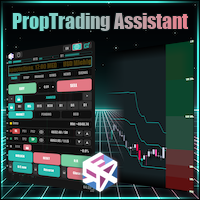
Prop Trade Assistant は、MetaTrader 5 のための本格的なトレード執行・リスク管理パネルです。リスク計算を代行し、ストップロスを自動管理し、ポジションと口座リスクを常に見守ります。コピートレード機能も内蔵 - 同一PC内でのローカルコピーも、ご自身のプライベートネットワーク経由でリモートVPSへも、暗号化の有無を選んでミラーリングできます。ニュースプロテクションは重要指標の発表前後の取引を自動でブロックし、チャレンジ口座やファンデッド口座のルール違反を防ぎます - 新機能も続々追加予定です。 こんな方のために:プロップファームのチャレンジやファンデッド口座で戦うトレーダー、そして手動の裁量は手放さずアルゴリズム並みの規律が欲しいすべてのトレーダーへ。FX・貴金属・株価指数・仮想通貨 - どんな銘柄・ブローカーでも動作し、内蔵のロット計算エンジンがエントリーからストップまでのリスクを毎回正確に守ります。 ファンデッドトレーダーなら誰でも知っている感覚です - ロットを張りすぎた一発、日次損失限度への一回の抵触、それでチャレンジは終わり。Prop Trade

Smart Sync SL/TP Panel: The Ultimate Trade Management Dashboard
For high-frequency manual traders and systematic grid operators, managing risk across multiple positions on a single asset can be a logistical nightmare. The Smart Sync SL/TP Panel is an advanced MQL5 utility engineered to eliminate the friction of mass order modification, giving you total control over your risk parameters in a fraction of a second. If you execute entries like a machine gun, this tool helps you place precise and uni

Currency Strength Trade the strongest currencies against the weakest with confidence. Currency Strength is a professional MetaTrader utility that measures and displays the real-time strength of major currencies, helping traders identify high-probability trading opportunities based on market momentum rather than guesswork. Instead of analyzing one currency pair at a time, Currency Strength evaluates multiple currency pairs simultaneously to determine which currencies are gaining strength and whic

Lot Architect — Trade Panel & Risk-Based Position Size Calculator for MT5
Lot Architect is a one-click trade panel and risk-based position size calculator for MetaTrader 5. It works out your exact lot size from the risk you choose, shows risk, reward and risk-to-reward (R:R) before you enter, and places Market, Limit or Stop orders in a single click. In short: position sizing, risk management and fast trade execution in one clean panel on your chart.
The problem every trader knows Most accounts

Verbinde dein AI Modell mit unserem MT5 MCP Server und statte so das Modell mit Handelsfunktionen aus. Das AI Model kann Echtzeit Preise abfragen und Trades ausführen. Das läuft alles in deinem MT5 Terminal. Du gibst keine Login Daten weiter. Um den MCP Token und den EA-Key zu erhalten, registriere dich auf https://algomcp.com . Dort findest du weitere Dokumentationen und den Link zum MCP server. Parameter: EAKey ... ApiKey den du nach Registrierung auf https://algomcp.com erhältst. PollInter

GOM Trade Manager Pro gives you the ability to manage/execute trades without having to manually do every step yourself. It also provide stackable triggers and protection against spread widening.
Works on all instruments Forex, Commodities, & Crypto.
Has all the features of GOM Trade Manager (Free) :
Partials. Lot calculations based on risk you inputted. Full detail readout of RR / Money you will lose or gain. News panel — shows news for your chart's currencies . MT5 built-in calendar,

Please download Master EA here = https://www.mql5.com/en/market/product/186073
MT4 Version = https://www.mql5.com/en/market/product/186079 Free Demo Version = https://c.mql5.com/6/1033/COPYTRADE_BIN7D.zip User Manual : download here Best Trade Coppier for MT5. EA Trade Copier is a powerful and reliable trade copying solution that transfers trades from one Master account to multiple Slave accounts in real time. Whether you manage multiple trading accounts, investor accounts, VPS terminals, o

Superior Local Trade Copier — MT5 High-Speed Multi-Account Replication & Risk Engine for Windows & VPS Copy trades seamlessly between multiple MetaTrader 5 accounts on the same computer or VPS with sub-millisecond execution speeds. Built for traders managing personal portfolios, pass-and-fund prop firm challenges, and multi-broker setups, Superior Local Trade Copier simplifies multi-account automation. Start multiplying your trading execution in seconds: attach the EA to a chart and trade. Behi

ATX Loss Guard Shield — Account-Wide Risk Circuit Breaker
OVERVIEW
ATX Loss Guard Shield does not trade. It does not predict the market, and it generates no signals. It watches your entire MetaTrader 5 account — every symbol, every magic number, your manual trades and any EA you run alongside it — and enforces the loss limits you define, automatically and without hesitation.
This is a discipline enforcer, not a profit strategy. If you have ever blown past a daily loss limit because you "just

Levels Map See the market through its most important price levels. Levels Map is a professional MetaTrader utility that automatically identifies and displays significant market price levels directly on your chart. Designed to help traders visualize key areas of support, resistance, and market structure, Levels Map provides a clearer understanding of where price is likely to react before making trading decisions. Instead of manually drawing horizontal lines and constantly updating your charts, Le

Copier Pro Ultra Fast Multi Magic Copier is a professional-grade trade duplication system built specifically for traders running Master and Slave terminals on the same machine or VPS. Unlike standard copiers that rely on unstable network sockets (which often fail or disconnect), this EA uses MT5’s native FILE_COMMON binary read/write system. This results in true zero-latency, zero-disconnect communication between terminals. It was engineered from the ground up to handle Grid Trading EAs , where

TrendSync Assistant — Prop Firm Guardian + Trade Panel ========================================================
Most prop firm challenges do not die from a bad strategy. They die from ONE bad day — a losing streak, a news spike, a moment of revenge trading that crosses the daily loss line. Once equity touches the limit, the account is gone, no matter how good the previous weeks were.
TrendSync Assistant is an on-chart trade panel with an account-level risk guardian built specifically around p

Trade Cooldown Guard は、 自分 で 決め た 取引 ルール を 守る ため の サポート EA です。 多く の トレーダー は、 取引 開始 前 に 明確 な 計画 を 立て てい ます。 良い 機会 を 一度 だけ 取引 する、 感情 的 な 取引 を 避ける、 損失 後 は 停止 する、 次 の エントリー まで 待つ、 といった ルール です。 難しい の は、 市場 が 動き 続 け て いる とき に 次 の 取引 を しない こと です。 この EA は、 取引 の 間 に 実用 的 な 待機 時間 を 作り ます。 設定 した エントリー 回数 に 達 すると、 カウントダウン を 開始 し ます。 カウントダウン 表示 のみ、 または 短い 警告 後に MT5 を 終了 する モード を 選択 でき ます。 最大 エントリー 回数、 待機 時間、 ロック 方式、 保留 注文 の 取消 設定、 MT5 終了 前 の 警告 時間 を 設定 でき ます。 たとえば、 MaxEntryTrades = 1 、 CooldownHours = 24 に 設

Volume Profile Discover where the market really trades. Make decisions based on volume, not guesswork. Volume Profile is a professional MetaTrader utility that analyzes trading activity across different price levels, allowing traders to identify where the highest concentration of market participation has occurred. Instead of focusing only on price movement over time, Volume Profile reveals the price levels where buyers and sellers have been most active, providing valuable insight into market str

OneClickEA Controller is a chart management utility designed to work with the OneClickEA Windows Manager. The controller receives local commands from the Windows manager and performs scheduled EA template changes in MetaTrader 5. It also reports the connected trading account, broker server, chart symbol, timeframe and controller status. Main functions Detects the connected MetaTrader 5 account Generates a controller ID based on the broker and trading account Receives local schedule commands from

B2U PRO TRADING -The Ultimate Professional Trading Experience Professional Manual Trading Panel for MetaTrader 5 원클릭 실행 • 고급 거래 관리 • 스마트 리스크 보호 B2U PRO TRADING 은 MetaTrader 5 사용자를 위해 개발된 전문 수동매매 및 포지션 관리 패널입니다 . B2U PRO TRADING is a manual trade execution and position management utility designed to help traders execute orders, manage open positions and protect profits directly from the chart. The product does not generate trading signals and does not open trades automatically. All trading action

DoIt Trade Manager - Risk Panel and EA Position Manager for MT5 Finding an entry is only half the job. Many execution mistakes happen in position sizing, partial exits, breakeven, trailing and account protection. DoIt Trade Manager puts the complete workflow on the chart. Plan the risk before entry, execute the order and apply consistent management rules to your manual trades and selected positions opened by other EAs. Full setup guide + how the free version works and where PRO starts : https:/

NHS Risk Manager PRO NHS Risk Manager PRO is a professional trade-management and risk-control Expert Advisor for MetaTrader 5, built around one core idea: protect the account first, execute with precision second . At its center is a dedicated prop-firm compliance framework that tracks the rules that actually get funded accounts disqualified — daily drawdown, total drawdown, profit targets, and minimum trading days — and enforces them automatically instead of relying on the trader to remember the

Size every trade to an exact risk in seconds — then open it with one click.
RiskPad puts three lines on your chart: Entry, Stop Loss and Take Profit. You drag them where you plan to trade, and the panel instantly shows the exact lot for the risk you chose, the money you lose at the stop, the money you make at the take, the reward-to-risk, the required margin and the current spread. When it looks right, one click sends the order with SL and TP already attached.
No more lot math on a calculator

Overview The Synthetic Ratio Generator is a specialized charting utility designed for advanced market analysis, pairs trading, and statistical arbitrage. This tool calculates the mathematical ratio between two distinct financial instruments (Symbol A / Symbol B) and instantly projects the resulting price action onto a fully functional offline chart. Instead of relying on basic line indicators drawn in a sub-window, this utility creates a dedicated charting environment, allowing for deep technica

24時間マーケットクロック | ドラッグ&カスタマイズ可能
プロフェッショナルな24時間マーケットクロックで、グローバル市場のセッションを一目で追跡しましょう。正確なタイミングを必要とするトレーダーのために設計されたこのインジケーターは、シドニー、東京、ロンドン、ニューヨークのセッションを美しく読みやすい円形インターフェースで表示します。
主な機能:
• 完全ドラッグ可能: チャートの任意の場所にクリック&ドラッグで移動できます。
• レイヤー制御: ローソク足の上か下に表示するかを選択できます。
• 透明/カスタム背景: 背景をオフにして、すっきりしたチャート外観を実現します。
• 正確なセッション強調: 各市場がオープンしている時間を色付きの垂直背景で自動描画します。
• カスタムタイムゾーン: ローカルUTCオフセットに簡単に同期できます。
• 軽量&高速: 最適化されたコードにより、MT4/MT5プラットフォームで遅延ゼロを実現します。
https://www.mql5.com/en/users/amrosama77/seller

本製品は、裁量トレーダー向けのポジション管理・決済支援EAです。複数ポジションのTP/SL一括設定、損益分岐(BE)・推定損益の確認、ルールに基づく自動決済、上位足MA表示、Enterキーによる即時全決済などを一つのEAで利用できます。 売買判断やエントリーを自動化する製品ではありません。トレーダー自身が決めた管理・決済ルールを、確認から設定・実行まで支援します。 できること 全ポジションのTP/SLを一括設定(価格・pips・口座通貨の金額指定に対応) 目標利益額または許容損失額を口座通貨の金額で指定し、対応するTP/SL価格を自動計算して設定 スプレッド・手数料・スワップを考慮した、複数ポジション全体の損益分岐(BE)価格を表示(All-In BEライン) 任意価格での複数ポジション全体の推定総損益を表示(P/L Previewライン) P/L Previewラインをドラッグし、そのまま全ポジションのTP/SLを一括設定 時間・ローソク足確定・MAクロスによる自動決済(アラート通知のみの設定も可能) 1H・4H・日足・週足・月足のMAを現在のチャートへ選択的に表示(価格接近時のみ表

本製品は、複数ポジションの管理と上位足MAの確認を一つのEAで行える、裁量トレーダー向けのポジション管理EAです。TP/SLの一括設定や損益確認に加え、1H・4H・日足・週足・月足のMAを現在のチャートへ表示し、チャートを切り替えずに確認できます。 売買判断やエントリーを自動化する製品ではありません。トレーダー自身の管理ルールに基づく操作と、上位足MAの確認を支援します。 できること ボタン一つで全ポジションのTP/SLを一括設定。複数ポジションでも迷わず素早く操作できます(価格・pips・口座通貨の金額指定に対応) 目標利益額または許容損失額を口座通貨の金額で指定するだけで、TP/SL価格を自動計算して設定します スプレッド・手数料・スワップ込みの損益分岐(BE)価格をひと目で把握できます(All-In BEライン) 任意価格での推定総損益を表示し、決済判断の目安にできます(P/L Previewライン) チャート上でP/L Previewラインをドラッグし、確認した価格へそのままTP/SLを一括設定 チャートを切り替えずに1H・4H・日足・週足・月足のMAを表示し、上位足の見落と

本製品は、複数ポジションのTP/SL管理に必要な機能へ特化した、裁量トレーダー向けのポジション管理EAです。TP/SLの一括設定から損益分岐(BE)・推定損益の確認まで、複数ポジションの管理に必要な操作を一つのEAで完結できます。 売買判断やエントリーを自動化する製品ではありません。トレーダー自身が決めた損益目標やリスク管理を、確認から設定・決済まで支援します。 できること ボタン一つで全ポジションのTP/SLを一括設定。複数ポジションでも迷わず素早く操作できます(価格・pips・口座通貨の金額指定に対応) 目標利益額または許容損失額を口座通貨の金額で指定するだけで、TP/SL価格を自動計算して設定します スプレッド・手数料・スワップ込みの損益分岐(BE)価格をひと目で把握できます(All-In BEライン) 任意価格での推定総損益を表示し、決済判断の目安にできます(P/L Previewライン) チャート上でP/L Previewラインをドラッグし、確認した価格へそのままTP/SLを一括設定 Enterキーで即時に全決済できます この製品が役立つ場面 複数ポジションを保有すると、個別

本製品は、裁量トレーダーが自分で決めた決済ルールを実行しやすくするための自動決済支援EAです。指定時刻、ローソク足確定、MAクロスまたはMA接近による決済条件を設定でき、TIME・CANDLE・MA CROSSを個別または同時に使用できます。あわせて、1H・4H・日足・週足・月足のMAを現在のチャートへ表示できます。 売買判断やエントリーを自動化する製品ではありません。トレーダー自身が決めた決済ルールを、条件設定から監視・実行まで支援します。 できること 指定時刻で自動決済(指標発表前・就寝前など) 指定した時間足の陽線・陰線確定で自動決済 指定したMAクロス、または指定距離まで価格が接近した場合に自動決済 TIME・CANDLE・MA CROSSを個別に設定し、同時に監視可能 いずれの条件も、自動決済ではなくアラート通知のみの設定が可能 1H・4H・日足・週足・月足のMAを現在のチャートへ表示(価格接近時のみ表示・点滅表示に対応) この製品が役立つ場面 決済ルールを決めていても、含み益や含み損を目の前にすると判断が変わったり、仕事中・就寝中・外出中などでチャートを確認できず、予定どお

Product Overview & Advantages The ECC RK Trade Manager operate as an interactive risk and trade management utility tool for the MetaTrader 5 (MT5) platform. The application offers several core operational advantages: Real-Time Interactive Interface: Features a draggable, interactive dashboard that locks onto your chart and fully syncs in real-time with your MT5 broker server. Visual Control: Allows you to control your trade parameters by dragging lines directly on the chart, which instantly u

本製品は、MAクロスまたはMAへの価格接近を監視し、自動決済やアラート通知を行う、裁量トレーダー向けのMA監視・決済支援EAです。複数時間足を同時に監視し、20MA・75MA・200MAなど、監視するMAを自由に設定できます。 売買判断やエントリーを自動化する製品ではありません。トレーダー自身が決めたMA条件を、監視から通知・決済まで支援します。 できること 指定したMAクロスで自動決済 MAクロスに加え、指定距離まで価格がMAへ接近した時点でも自動決済またはアラート通知 複数時間足を同時に監視し、いずれかが条件を満たした場合に実行 20MA・75MA・200MAなど、監視するMAの期間を自由に設定 自動決済ではなく、アラート通知のみの設定も可能 エントリータイミングを知らせるMA監視ツールとしても利用可能 1H・4H・日足・週足・月足のMAを現在のチャートへ表示 価格接近時だけ表示するAUTOモードに対応 MA値はリアルタイム値のLIVE、または直近確定足ベースのCONFIRMEDから選択可能 この製品が役立つ場面 MAクロスを決済条件にしていても、チャートを確認できない時間に条件が

Bbmamy Trade and Risk Manager は、MetaTrader 5 向けの手動および半自動の注文執行・リスク管理ユーティリティです。ブローカーの取引条件を考慮したポジションサイズ計算、成行注文と指値・逆指値注文の執行、ゾーン内でのレイヤー注文、ポジション管理、口座保護、モバイル通知、ローカルジャーナルを、1つのチャートワークスペースに統合します。
本ユーティリティはシグナルを生成せず、売買方向も選択しません。セットアップ、エントリー、ストップロス、ターゲットはユーザーが定義します。Bbmamy はその計画を体系的な注文ワークフローに変換し、確定前に予定される金銭的リスクを表示します。
トレーダーが利用する理由
• エントリーとストップロスの実際の距離から取引数量を計算 • 残高、エクイティ、または余剰証拠金に対する割合でリスクを指定 • 取引前の計算に推定手数料とスリッページを反映 • 一貫したワークフローで成行注文または指値・逆指値注文を発注・変更 • 1つの総リスク予算を価格ゾーン内の複数エントリーに配分 • コストを考慮したブレークイーブン、部分決済、

Trade Manager Pro Professional trade management. Smarter execution. Complete control. Trade Manager Pro is an all-in-one MetaTrader trading utility designed to simplify and enhance manual trading. From precise order execution and advanced position management to intelligent risk control and real-time trade monitoring, Trade Manager Pro provides everything you need to manage your trades efficiently from a single, intuitive interface. Whether you're a scalper, day trader, swing trader, or prop firm

VIRGO ATR RR MANAGER PRO V1 MetaTrader 5 プロフェッショナル トレードマネージャー VIRGO ATR RR MANAGER PRO V1 は、MetaTrader 5 用に開発された高機能な Trade Manager(トレードマネージャー) および Position Manager(ポジション管理ツール) です。 裁量トレーダー向けに設計されており、エントリー後のポジション管理を自動化することで、リスク管理・利益保護・トレードの一貫性を大幅に向上させます。 VIRGO は自動売買を行いません。 売買シグナルの生成や自動エントリーは行わず、トレーダー自身が開いたポジションをプロフェッショナルレベルで管理します。 対応市場: Forex Gold (XAUUSD) Silver (XAGUSD) Indices Stocks CFDs Cryptocurrency なぜ VIRGO ATR RR MANAGER PRO を選ぶのか? 成功するトレードはエントリーだけでは決まりません。 利益を残せるかどうかは、ポジション管理によって大きく左右されま

Delta Exchange Trading Panel for MT5. Panel will help traders to send instant orders from MT5 to delta exchange. It supports limit, market, sl tp, bracket orders, trail sl orders It shows 100% correct liquidation price before you open a trade matching with Delta exchange website or app, Shows exit pnl and stop pnl, Allows cancel order, close position, buy and sell It shows pnl info, side, size, entry, tp/sl info Create api key and add your API key in utility setting Go to Tools - Expert Advisto

EXECUTION X PRO Professional Manual Execution and Trade Management Panel for MetaTrader 5 Solution. Comfort. Experience. Easy to understand, develop for New traders Execution X PRO is an advanced manual trading panel created for traders who want to maintain full control over their market decisions while improving execution speed, position management and trading discipline. It does not generate random entries and it does not replace the trader’s strategy. Instead, it provides a structured executi

Asset Trend Profiler MT5 is a historical market structure analyzer for MetaTrader 5, designed for traders, strategy testers and Expert Advisor developers.
Before building, optimizing or testing a trading robot, it is important to understand the historical behavior of the selected symbol. Some markets are more suitable for trend-following systems, others behave better with mean-reversion or range-based models, and some symbols require additional filters before any strategy should be tested.
Th

Redline - Account/Prop Firm Risk Manager MT5 — Daily Loss, Max Drawdown & Equity Protection Watchdog
You're in the right place if you searched for: drawdown limiter, daily loss protection, equity guard, prop firm risk manager, account protector, FTMO drawdown tool, funded account protection.
Redline is a NON-TRADING safety layer. It opens no trades and has no signals. It sits on one chart and polices your ENTIRE account — manual trades, other EAs, copy trading — every single second. When one

NHS Prop Firm Guardian Pro NHS Prop Firm Guardian Pro is a dedicated, single-panel risk monitor and drawdown protection overlay for MetaTrader 5, built around one core idea: watch the account relentlessly, and enforce the limit the moment it's crossed — even if the trader isn't looking . It is a pure risk-monitor companion tool, not an order-entry or trade-management system: it does not place trades, manage stops, or run automation strategies. Its entire job is tracking Daily, Weekly, and Total

NewsGuard Pro for MetaTrader 5 NewsGuard Pro is an economic-news filter, trading guard, chart dashboard, and position-protection Expert Advisor for MetaTrader 5. It monitors economic events related to selected symbols and currencies, blocks trading during configurable news periods, detects abnormal spreads, displays upcoming events on the chart, and can protect existing positions. NewsGuard Pro does not generate trading signals or open positions. It works as a protection layer for manual traders

This utility helps protect against excessive losses and prevents positions or pending orders from remaining open for too long when using scalping or grid trading robots. These types of trading EAs can accumulate significant unrealized drawdowns when a position is opened in the wrong direction and additional positions are added through a grid system. As a result, the EA may become unable to open new trades for an extended period. The utility allows you to define separate time limits for pending o

Candle Countdown Know exactly when the next candle begins. Trade with perfect timing. Candle Countdown is a professional MetaTrader utility that displays a precise, real-time countdown timer for the current candle on any chart and timeframe. By showing exactly how much time remains before the current candle closes and the next one begins, the utility helps traders improve entry timing, manage exits more effectively, and avoid making decisions based on incomplete price action. Whether you're a sc

Backtest Data Quality Preflightは、バックテスト結果を解釈する前に、その土台となる過去データを検査するMT5用ユーティリティです。
本製品は、MT5のCommon/FilesまたはMQL5/Filesに置かれたOHLC CSVファイルを読み込みます。ヘッダー行を含む、カンマ、セミコロン、タブ区切りのファイルに対応します。必須項目はタイムスタンプ、open、high、low、closeです。DATE列とTIME列が分かれた標準的なMT5エクスポートにも対応します。volume、tick volume、spreadの各列は任意です。
チェック内容
- OHLCの整合性とゼロ以下の価格 - 同一時刻のバーの重複 - ユーザーが指定した取引時間の前提に基づく欠損区間 - ユーザー指定の上限を超えるspread値 - volumeが存在する場合の連続ゼロvolumeバー - 値が指定された場合のdigits、point、OHLC価格刻みの整合性 - 不正な形式、有限でない値、許容範囲外の数値入力
欠損区間のチェックは、想定時間間隔と取引曜日の両方が指定され

️ たった一日の失敗で、プロップファームの口座を失うべきではありません。
Risk Manager FS Pro は、口座に厳格な日次損失リミットを強制します。有効証拠金がリミットに達した瞬間、すべてのポジションを成行で即座に決済し、翌取引日まで取引をロックします—— 意志の力はもう必要ありません 。プロップファームのチャレンジおよび資金提供口座(1ステップ、2ステップ、インスタント)専用に設計されています。
なぜチャレンジに失敗するのか
原因は戦略ではほとんどありません。たった一度のティルト(感情的な暴走)です:損失、リベンジトレード、ロットの倍増——そして日次ドローダウンルールに違反。 本ユーティリティは、そのシナリオを技術的に不可能にします。
3つの独立した保護レイヤー
自動決済 ——有効証拠金が日次または累計リミットに到達 → 全ポジションを即座に決済。
ハードロック ——サーバー時間の深夜0時まで取引をブロック。ロック中に開かれた新規注文は約0.5秒で決済され、パネルがブロック回数をカウントします。
永続性 ——ロックと損失基準は
MetaTraderマーケットはMetaTraderプラットフォームのためのアプリを購入するための便利で安全な場所を提供します。エキスパートアドバイザーとインディケータをストラテジーテスターの中でテストするためにターミナルから無料のデモバージョンをダウンロードしてください。
パフォーマンスをモニターするためにいろいろなモードでアプリをテストし、MQL5.community支払いシステムを使ってお望みのプロダクトの支払いをしてください。

取引の機会を逃しています。
- 無料取引アプリ
- 8千を超えるシグナルをコピー
- 金融ニュースで金融マーケットを探索