Ninja EA Portfolio Guard MT5

NINJA EA PORTFOLIO GUARD MT5

NINJA EA Portfolio Guard MT5は、MetaTrader 5口座全体を監視するリスク管理ユーティリティです。1つのチャートへ1個入れるだけで、裁量取引と複数EAをMagic Number別に確認できます。相場方向の予測、売買サイン、新規エントリーは行いません。

最重要:操作範囲

CLOSE ALL、DELETE PENDING、自動保護は現在チャートの銘柄だけでなく口座全体へ作用します。裁量取引、すべてのMagic Number、すべてのEA、すべての銘柄が対象です。同じMT5口座では1チャートに1個だけ入れ、最初は必ずデモ口座で確認してください。

主な表示

  • Balance、Equity、Floating、Free margin、Margin
  • 含み損益込みの当日結果、週・月の確定損益
  • 保存ピークからのEquity DDと確定残高カーブのClosed DD
  • 口座全体のPositions、Lots、Pending
  • NORMAL、WATCH、DANGERとMAX USE

Magic Number別分析

各Magic Numberについて、7日・14日・30日の確定損益、30日PF、勝率、最大連敗、現在建玉数、Lot、含み損益を表示します。Magic Number 0はManualとして分離できます。Tracked Magic Numbersを空欄またはAUTOにすると自動検出し、Magic aliasesでは「0=Manual;123456=Ninja Trinity」のように名前を付けられます。

設定できる上限

  • 日次基準に対する日次Equity損失率(初期値4%)
  • 口座通貨での日次損失額
  • 口座全体の現在含み損額
  • 保存ピークEquityからのDD率(初期値10%)
  • 最大建玉数と最大合計Lot
  • 上限到達前にWATCHへ変える警戒率(初期値80%)

0にした上限は無効です。検出間隔、通信、スリッページ、価格ギャップ、市場休場、約定拒否、ブローカー制限により、最終損失が設定値を超える場合があります。

ALERT ONLYとCLOSE ALL

初期設定のALERT ONLYは、上限を監視してポップアップ・音・Push通知を送りますが、自動の取引要求は出しません。任意のCLOSE ALLは、上限超過時に口座内の全建玉決済を試し、設定により全予約注文を削除してLOCK ONを保存します。

本製品は他EAのAlgo TradingスイッチをOFFにできません。LOCK ONは、他EAなどが新たに作った建玉や予約注文を発生後に検出して再処理する機能であり、注文がブローカーへ届く前に防止する機能ではありません。

3つの手動ボタン

  • CLOSE ALL:口座内の全建玉決済を試す
  • DELETE PENDING:口座内の全予約注文削除を試す
  • RESET GUARD:現在Equityを新しい日次基準とピークにし、LOCK ONを解除する

初期設定では実行前にYes/No確認が表示されます。青いヘッダーまたはMOVEを左ボタンでつかんでドラッグするとパネルを移動できます。

通知と日次基準

同じ超過内容が続く間、同じ警告を毎周期繰り返しません。一度回復して再超過した場合、または超過項目が変わった場合は再通知します。Pushを使う場合は、MT5のTools > Options > NotificationsでMetaQuotes IDを設定してください。

Today incl. floatは「現在Equity-保存日次基準-基準後の外部Cash flow」で計算します。入金、出金、Credit、Bonus、Correctionは取引損益から除外します。日次基準はMT5サーバー日付の変更時に更新されます。

最初の安全テスト

  1. 重要な建玉や他EAがないデモ口座で、Automatic actionをALERT ONLYにする。
  2. 一時的に小さい含み損上限を設定し、最小Lotの裁量建玉を開く。
  3. 警告が1回だけ出て、ALERT ONLYでは自動決済されないことを確認する。
  4. CLOSE ALLとDELETE PENDINGをそれぞれ試す。
  5. 最後にだけ自動CLOSE ALLとLOCK ONを試し、テスト後はALERT ONLYへ戻す。

表示だけならAlgo Tradingは必須ではありません。決済・注文削除・自動保護で取引要求を出す場合はAlgo Tradingが必要です。

互換性と注意

MT5専用。ヘッジ、ネッティング、取引所口座を検出します。ネッティング口座では複数EAの操作が1つのポジションへ混ざるため、Magic別集計がヘッジ口座やMT5レポートと異なる場合があります。DLL、WebRequest、外部データサービスは使用しません。

本製品は利益、全損失防止、設定値どおりの決済を保証しません。必ず実際に使用するブローカー・口座方式・設定でデモ確認してから使用してください。

おすすめのプロダクト
# Ronin Copier - Tactical Prop Sync **プロップトレーダーのための完全ローカル・DLL不要・超低遅延コピーツール** **アーリーアダプター特別価格(数量限定):** - **先着10本:** **$59**(現在のステージ) - **次の10本:** **$99** - **定価:** **$199** *※レビューおよび販売マイルストーン達成ごとに自動で値上げされます。* --- 複数のプロップファーム(FTMO、FundedNext、Alpha Capital等)やプライベートブローカー口座を運用していませんか?   **Ronin Copier** は、同一PCまたはWindows VPS上の複数のMT5ターミナル間で、複雑なネットワーク設定、WebRequest、危険な外部DLLを一切使わずにミリ秒レベルの高速トレード同期を実現します。 状態整合(State Reconciliation)アーキテクチャと極薄のタクティカルHUDを搭載し、注文の取りこぼし、実行遅延、証拠金変動によるロット再計算エラーを徹底的に排除しました。
Ping-Monitor — Never Miss a Tick Again! Do you run EAs and worry about silent chart freezes or data feed stalls ?  This utility is your ultimate watchdog, alerting you the moment your charts stop receiving updates. Ping-Monitor is designed to detect when a chart freezes or the data feed stalls, even if MT5 still shows that the connection is active. It works by tracking the time of the last incoming tick. Every time the chart receives a new price update, the EA records the timestamp. Then, on a
Real-Time Spread Display Tool A   real-time spread display tool   is a specialized software or application designed to provide traders and investors with instant, live data on the   spread —the difference between the bid price (the price at which buyers are willing to purchase an asset) and the ask price (the price at which sellers are willing to sell it)—for various financial instruments. This tool is critical in markets such as forex (FX), stocks, futures, and cryptocurrencies, where price f
EASY TRADE MANAGER MQL5 MARKET PRODUCT LISTING & USER MANUAL 1. Short Description Easy Trade Manager is a manual trade assistant for MetaTrader 5. It automatically calculates your lot size based on your chosen risk, allows you to set Stop Loss and Take Profit levels by dragging them on the chart, and places orders for you. It does not trade automatically. You remain in control of every trade. 2. Product Description Easy Trade Manager is a visual position-sizing and order-placement utility for M
本製品は、裁量トレーダーが自分で決めた決済ルールを実行しやすくするための自動決済支援EAです。指定時刻、ローソク足確定、MAクロスまたはMA接近による決済条件を設定でき、TIME・CANDLE・MA CROSSを個別または同時に使用できます。あわせて、1H・4H・日足・週足・月足のMAを現在のチャートへ表示できます。 売買判断やエントリーを自動化する製品ではありません。トレーダー自身が決めた決済ルールを、条件設定から監視・実行まで支援します。 できること 指定時刻で自動決済(指標発表前・就寝前など) 指定した時間足の陽線・陰線確定で自動決済 指定したMAクロス、または指定距離まで価格が接近した場合に自動決済 TIME・CANDLE・MA CROSSを個別に設定し、同時に監視可能 いずれの条件も、自動決済ではなくアラート通知のみの設定が可能 1H・4H・日足・週足・月足のMAを現在のチャートへ表示(価格接近時のみ表示・点滅表示に対応) この製品が役立つ場面 決済ルールを決めていても、含み益や含み損を目の前にすると判断が変わったり、仕事中・就寝中・外出中などでチャートを確認できず、予定どお
Crypto_Forex MT5用インジケーター「 WPR with 2 Moving Averages 」(リペイント機能なし) - WPR自体はスキャルピングに最適なオシレーターの1つです。 - 「WPR and 2 Moving Averages」インジケーターを使用すると、WPRオシレーターの高速移動平均線と低速移動平均線を確認できます。 - このインジケーターを使用すると、価格調整を早期に把握できます。 - このインジケーターはパラメータで簡単に設定でき、どの時間枠でも使用できます。 - 買いと売りのエントリー条件は画像で確認できます。 - WPR MA クロスの PC およびモバイル アラート付き。 買いシグナルの条件例: (1) - 高速MAが低速MAを下向きにクロスし、WPR値が-50を下回っている場合:買いトレードを開きます。 (2) - WPR値が-20を超える買われすぎゾーンに入ったら:買いトレードを終了します。 売りシグナルの条件例: (1) - 高速MAが低速MAを下向きにクロスし、WPR値が-50を超えている場合:売りトレードを開きます。 (2) WP
Telegram Sender Osw MT5
William Oswaldo Mayorga Urduy
ユーザーマニュアル: Telegram Sender Osw Telegram Sender Oswは、MetaTraderからTelegramへの取引シグナルの送信を自動化するために設計されたエキスパートアシスタント(EA)です。シグナルプロバイダーやアカウント管理に最適で、重要なデータ(価格、ストップロス、テイクプロフィット、取引量)を瞬時にプロフェッショナルに送信します。 1. パラメータ設定 一般設定と接続 EAの有効化:システムを起動(true)または一時停止(false)します。 ボットトークン:@BotFatherから取得した英数字コード。 チャットID:送信先のチャンネル、グループ、またはプライベートチャットの識別子。 送信サブグループ/スレッドID:Telegramグループで「トピック」機能を使用している場合にのみ、これらのオプションを有効にしてください。 送信ロジック(送信タイプ) 自動:新しいポジションまたはコマンドを検出するとすぐに送信します。 ボタン:チャート上で「Telegramを送信」ボタンが手動で押された場合にのみ送信します。 カスタマイ

MT5 to Telegram Signals This utility is simple to use and supports a wide variety of settings: Pick your desired Telegram group and enter the bot token and the chat id Get notified when orders are placed, modified, executed, closed… or any combination of states Connect your broker account with Telegram and stop missing important notifications. Would you like to receive Telegram notifications? Are you looking for a simple way to share trade signals with your followers? Do you need to start docume
FREE
Orion Telegram Notifier Bot  allows the trader to receive trade notifications in his Telegram whenever a position is opened or closed. The EA sends notifications showing the Symbol, Magic Number, Direction, Lot (Volume), Entry Price, Exit Price, Take Profit, Stop-Loss and Profit of the position. How to setup Orion Telegram Notifier? Open Telegram and Search for “BotFather” Click or Type “/newbot” Create a nickname and username (Example: nickname: MT5trades   - username: MT5TelegramBot) *The use
You have 5 positions open on XAUUSD. Net floating is +$30 - looks fine. But look closer: 3 buys, 2 sells. The buys are carrying 0.60 lots, the sells only 0.20. One of those buys has been sitting underwater for 90 minutes. Margin level is at 390% and drifting down. Stress is building - quietly, invisibly - while the terminal just shows you a list of rows. Current price: $59 - increases by $10 after every 20 purchases until reaching the final price of $119 . Next price: $69 . Complete Buyer Kit: 4
Auto Stop Loss and Target Enforcer watches every new position. If one opens without a stop loss or a take profit, it adds them a few seconds later. It covers trades opened by hand and trades opened by other Expert Advisors. How stops and targets are set - Stop loss: a multiple of the typical market move (Average True Range), a fixed number of pips, a set share of the account, or beyond the nearest support or resistance level. - Take profit: a multiple of the typical market move, a fixed number
TradeProtector MT5
Jherson Bautista Cedano Guerrero
TradeProtector MT5 is a trade management utility for MetaTrader 5. It does not analyze the market and does not open positions automatically. The trader remains in control of every entry. The panel can open a Buy or Sell position only after the user presses the corresponding button. Before entry, the user specifies the lot size, maximum loss amount and target profit amount. TradeProtector calculates the appropriate Stop Loss and Take Profit prices using the symbol specifications provided by the
Robot Manual Order Manager is a tool that allows you to automatically include Stop Loss, Breakeven, Take Profit and partials in open trades. Be it a market order or a limit order. Besides, it automatically conducts your trade, moving your stop or ending trades, according to the parameters you choose. To make your operations more effective, the Manual Orders Manager Robot has several indicators that can be configured to work on your trade. Among the options you can count on the features: Conducti
Telecontrol MT5
MIKHAIL VINOGRADOV
3 (1)
Telegram Controls (Telecontrol) — performs communication between the bot Telegram and the terminal MetaTrader 5 . It helps aggregate data from multiple terminals and manage them using a bot in Telegram . The service is convenient for working on multiple MT5 terminals, allowing each terminal to be individually configured for optimal display and perception of information. All terminal data is collected in one Telegram channel, and the settings panel allows quick adjustments and saving of changes i
FREE
"Support or Resistance Alert Broken" is a simple and very intuitive tool that allows you to create or eliminate horizontal and trend supports and / or resistances with a simple click. When the support or resistance line is broken by the closing price at the end of the current candle, the "Support or Resistance Alert Broken" tool will send an alert with sound, as well as a notification to the MT4 or MT5 mobile application. This tool can send alerts from multiple pairs at the same time. Utility
Automatic Stop Loss and Take Profit for your manual trades. Choose the distance in price, points, pips, percent, ATR or money. Works on any symbol. Never opens trades. Donker Guard makes sure every manual position gets a Stop Loss and a Take Profit, even when you open trades in a hurry from your phone, the one-click panel or the order window. Attach it to a chart once, and every new position is protected within a fraction of a second. The EA is completely passive: on a live or demo account it
FREE
My Trade History PRO 自分のトレードを見直すことは、成功するトレーダーになるための第一歩です。成功しているトレーダーはただトレードをするだけではありません。すべてのポジションを振り返り、分析し、そこから学んでいます。 My Trade History PRO は、その見直しを簡単で視覚的にします。手動でトレードする場合でも、シグナルに従う場合でも、EA を運用する場合でも、このインジケーターは自分のトレード履歴をチャート上に完全に表示し、実用的な分析機能も提供します。MetaTrader 4 と MetaTrader 5 で同じ機能を備えています。 MT4 版: https://www.mql5.com/ja/market/product/50206 MT5 版: https://www.mql5.com/ja/market/product/199179 主な機能 1. 3 つの表示モード 決済済みトレード - クローズしたポジションの履歴 保有トレード - 現在保有中のポジション 決済済み + 保有トレード - 両方を一目で確認 モードボタンを 1 回クリックす
# Higher-Lower Pending Bot - Advanced Multi-Pending Orders System ## Revolutionize Your Trading with Smart Pending Order Automation Welcome to the **Higher-Lower Pending Bot** - the most sophisticated pending order management system available on MQL5. Designed for traders who want to maximize opportunities while minimizing manual effort, this EA combines intelligent order placement with comprehensive profit tracking in one powerful package. ## What Makes Our Bot Unique? ### Smart D
Trader Diary is an AM QuantLab expert advisor for MetaTrader 5. It reads trades that are already closed and shows how the period turned out. It does not place orders or close positions. After launch it opens in its own full-screen window, off the price chart. Periods: 7 days, 30 days, 90 days, or one year. Languages: Russian, English, German, Spanish, French, and Chinese. Overview. Twelve cards: result, number of trades, win rate, profit factor, average win, average loss, result per trade, time
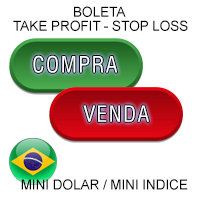
Boleta de negociação, adiciona automáticamente as ordens Take Profit e Stop Loss quando excutada uma ordem de compra ou venda. Ao apertar as teclas de atalho (A, D, ou TAB), serão inseridas duas linhas de pre-visualização, representando as futuras ordens de take profit (azul) e stop loss (vermelho), as quais irão manter o distanciamento especificado pelo usuário. Ditas ordens só serão adicionadas ao ser executada a ordem inicial. Ao operar a mercado, as ordens pendentes de take profit, e stop lo
is a visual market-monitoring indicator that displays multiple trading instruments and timeframes within a single chart window. Developed using MQL5, the indicator transforms historical price data into a structured dashboard featuring custom candlesticks or price dots. Each row represents a symbol, while each column represents a selected timeframe. This arrangement allows traders to examine recent market behavior across several instruments and timeframes without continually opening and closing c
FREE
Forget about enabling templates when you launch the window. Auto Template Master Service  is a professional utility tool that runs as a system service in MetaTrader 5, and it will do it for you. Unlike traditional indicators or expert advisors (EAs), the program runs in the background of the entire terminal and doesn't require you to add it to each window individually. As soon as you open a new chart of any instrument (Forex, Stocks, Crypto), the service immediately detects the new window and a
Introducing the "Auto Timed Close Operations", a useful utility for MetaTrader 5 traders! This utility has been developed to help traders of all levels automatically close their open positions at the exact moment they desire. With the "Auto Timed Close Operations", you gain the required control over your trades and can avoid unwanted surprises at the end of the day or at any other predefined time. We know how important it is to protect your profits and limit your losses, and that's exactly what
OnlyPlusCloser — 利益のあるポジションだけをクローズ。高速かつスマートに。 スクリプトの機能: OnlyPlusCloser は MetaTrader 5 用のスマートスクリプトで、 現在のシンボルで利益の出ているポジションのみを自動でクローズ します。 手動でのフィルタリングは不要。リスクなし。ワンクリックでプラスのポジションだけを確実にクローズ。 トレーダーにとってのメリット: 完全なコントロール — 含み損ポジションには一切手を触れません 即時処理 — 利益のあるポジションは瞬時に決済 作業の自動化 — スキャルピングやデイトレードに最適 ️ 高い信頼性 — シンボル単位で正確に動作 トレードのシンプル化 — ワンクリックで利益を確定 ️ 主な特徴: 現在のシンボルで利益のあるポジションのみをクローズ 遅延なしの即時実行 軽量設計で自動売買との併用にも最適 スクリプトパネルからワンクリックで起動可能 利益を逃さず、すぐに確定したいですか? OnlyPlusCloser は、あなたのためのスマートなワンクリックアシスタン
FREE
Session Panel for MT5 Session Panel is a free MT5 indicator that gives you a fast and convenient live overview of the major trading sessions directly from the chart. Monitor Tokyo, London, and New York session times, see which session is currently active, track countdowns to the next session, and view session overlap information in one compact dashboard. Built for traders who want better market timing, clearer session awareness, and a cleaner chart workflow in live market conditions. Session Pan
FREE
This is the copier module for the TradeCoach system. It is free with the purchase of our 3 in 1 trade sorting and distribution system. This piece is intended for any trades that you make through the system to be copied to any other accounts you are in charge of Add them to as many accounts as your VPS will allow. This Trade Copier Links to the TradeCoach system found here:
FREE
Symbol Spec Auditorは、シンボルの契約仕様のうちポジションサイズと取引コストを左右する部分を、チャート上の一つのパネルにまとめて表示します:ポイント価値、スプレッドコスト、証拠金、スワップ、執行ルール、取引セッション。仕様の生の値は口座通貨での1.00ロットあたりの金額に換算され、ロットサイズを計算するコードを気づかないうちに狂わせるブローカー設定は警告として一覧表示されます。ボタン一つで、気配値表示のすべてのシンボルについて同じ監査をCSVファイルにエクスポートできます。 これはチェック用のツールです。注文は一切出さず、DLLもWebRequestも使用せず、あなたが指示したCSVエクスポート以外のファイルは書き込みません。 このツールが必要な理由:あるブローカーで動くコードが、誰も確認していなかった仕様の細部のせいで、次のブローカーでは誤動作することがよくあります。契約サイズが100 ozではなく1 ozのゴールド、残高とティック値がセント単位のセント口座、価格に近いストップロスを拒否するストップレベル、ポイントと異なるティックサイズ、一日の終わりに削除される未決
FREE
AUTO RISK MANAGER PRO:あなたのForex取引パートナー! AUTO RISK MANAGER PRO_MT4 — MT4バージョン デモ版 + 詳細な説明 感情のせいでお金を失うのはもうやめましょう! リスク管理はプロフェッショナルなアルゴリズムに任せる時です。 想像してみてください: 市場が急にあなたのポジションに逆行したその時、 あなたは寝ている、働いている、または家族と過ごしている——よくある話ですか? Auto Risk Manager Pro があれば——もう二度とそんなことはありません! メリット: 革命的なリスク管理アプローチ 24時間365日の自動資金保護 パソコンの前にいなくても自動で稼働 正確な利益目標設定——最適なタイミングで利益を確定 厳格な損失制限——重大な損失を防止 マルチカレンシー対応——どんな金融商品でも使用可能 チャートを閉じる機能(EAも同時にアンロード) コントロールパネル Control Panel Settings(パネル設定) PanelColor = clrDarkSlateGray — パネルの色 PanelX =
Product Name MT5 Gold & Silver Multi-Language Trading Panel V17.00 Introduction This is a professional trading panel designed specifically for manual gold and silver traders. It supports five languages: English, Chinese, Spanish, Arabic, and German. The panel automatically detects gold and silver symbols, so users do not need to enter symbol codes manually. It is compatible with most brokers worldwide, including standard accounts, zero spread accounts, and raw spread accounts. Users only need t
XBOOT BOLETA PRO Professional Manual Trading Panel for MetaTrader 5 XBOOT Boleta Pro is a complete trading panel designed for traders who execute manual trades and want greater speed, organization, and control during every trading session. More than a standard Buy and Sell panel, XBOOT Boleta Pro combines powerful trading tools into a single interface, helping traders analyze the market, manage risk, execute orders, and monitor trading performance without leaving the chart. Its purpose is to sim
このプロダクトを購入した人は以下も購入しています
Trade Assistant MT5
Evgeniy Kravchenko
4.43 (216)
取引 ごとのリスクの 計算、新規注文 の 簡単 な 設置、部分的 な 決済機能 を 持 つ 注文管理、 7 種類 のトレーリングストップなど 、便利 な 機能 を 備 えています 。 追加の資料と説明書 インストール手順   -   アプリケーションの手順   ライン機能 チャート上にオープニングライン、ストップロス、テイクプロフィットを表示します。この機能により、新規注文を簡単に設定することができ、注文を出す前にその特徴を確認することができます。   リスク計算 リスク計算機能は、設定されたリスクとストップロス注文のサイズを考慮して、新規注文のボリュームを計算します。ストップロスの大きさを自由に設定できると同時に、設定したリスクを守ることができます。 Lot calc ボタン - リスク 計算 を 有効 / 無効 にします 。 Risk フィールドでは 、必要 なリスクの 値 を 0 から 100 までのパーセンテージまたは 預金通貨 で 設定 します 。 設定」 タブで 、 リスク 計算 の 種類 を 選択 します :「 $ 通貨」、「 % 残高」、「 % エクイティ 」、「
Farmed Hedge Yield Farming | All Markets (Manual - Hybrid - Semi/Automated EA) VERIFIED TRADING RESULTS - Farmed Hedge Yield Axi Copy:  https://www.mql5.com/en/signals/2356376 - Farmed Hedge Yield Exn Copy:   https://www.mql5.com/en/signals/2356404 - Farmed Hedge Yield V Copy:  https://www.mql5.com/en/signals/2357156 IMPORTANT NOTICE: FarmedHedge is a MANUAL-FOCUSED TRADING UTILITY ,not a fully automated EA. Results shown on this Signal include manual trades and overall strategic management.
Trade Manager EAへようこそ。これは、取引をより直感的、正確、そして効率的にするために設計された究極の リスク管理ツール です。これは単なるオーダー実行ツールではなく、包括的な取引計画、ポジション管理、リスク管理のためのソリューションです。初心者から上級者、迅速な実行を必要とするスキャルパーまで、Trade Manager EAはあらゆるニーズに対応し、為替、指数、商品、暗号通貨などさまざまな市場で柔軟に対応します。 Trade Manager EAを使用すると、複雑な計算が過去のものになります。市場を分析し、エントリーポイント、ストップロス、テイクプロフィットのレベルをチャート上のラインでマークし、リスクを設定するだけで、Trade Managerが最適なポジションサイズを即座に計算し、SLとTPをピップ、ポイント、口座通貨でリアルタイムに表示します。すべての取引が簡単かつ効果的に管理されます。 主な機能: ポジションサイズ計算機 :定義されたリスクに基づいて取引サイズを瞬時に決定します。 簡単な取引計画 :エントリー、ストップロス、テイクプロフィットを設定するためのド
Telegram to MT5 Multi-Channel Copier   は、 Telegram と Discord チャンネルのトレードシグナルを MetaTrader 5 へ自動コピーします。ボット不要、ブラウザ拡張不要、手動コピー不要。Telegram や Discord にシグナルが届くと、EA が数秒であなたのターミナルに注文を出します。 さらに、チャンネルをコピーする前に、内蔵バックテスターでそのチャンネルがあなたの口座でどう動いたかを確認できます。 製品は 2 つのコンポーネントで構成されます:Telegram チャンネルを監視する Windows アプリと、MT5 ターミナルでシグナルを執行する本 EA です。MT4 版もあります   こちら . 購入前にお試しください:   アプリは無料でダウンロードできます。ご自身のチャンネルを接続し、各シグナルがどのように読み取られるかをご確認ください。Backtest タブと実際の取引には、購入またはレンタルした EA が必要です。このページの無料デモはストラテジーテスターでのみ動作し、テスターでは Telegram と D
Local Trade Copier EA MT5
Juvenille Emperor Limited
4.94 (150)
Local Trade Copier EA MT5 は、同一の Windows PC または Windows VPS 上で稼働する複数の MetaTrader 5 口座間で、取引をコピーおよび管理するための高速で柔軟なトレードコピーツールです。 ローカルでの取引同期に加え、Receiver 側でロットサイズ、リスク管理、取引フィルター、シンボルマッピング、取引管理、口座保護を個別に設定できます。 Transmitter と Receiver のターミナルは約 1分 で設定でき、同一ブローカーまたは異なるブローカーの口座間で、手動取引や EA による取引をコピーできます。適切な条件下では、ローカルの MetaTrader ターミナル間で取引情報を 0.5秒未満 で同期できます。実際の約定速度は、ブローカーのレイテンシー、ネットワーク状況、PC/VPS の性能、ターミナルの負荷によって異なります。 ご購入前に無料デモをお試しください Local Trade Copier EA MT5 の完全機能版無料デモ を、MT5 デモ口座で 1回につき4時間 テストできます。 Local Trad
TradePanel MT5
Alfiya Fazylova
4.88 (173)
Trade Panelは多機能なトレーディングアシスタントです。アプリには手動取引用の50以上のトレーディング機能が搭載されており、ほとんどの取引作業を自動化することができます。 アプリの説明書: https://www.mql5.com/en/blogs/post/756482 デモ口座用アプリの試用版: https://www.mql5.com/en/blogs/post/750865 アプリのインストール方法: https://www.mql5.com/en/blogs/post/756239 アプリをビジュアルモードでテストする方法: https://www.mql5.com/en/blogs/post/770277 VPSのMetaTraderにアプリをインストールする方法: https://www.mql5.com/en/blogs/post/770190 取引。 ワンクリックで取引操作を行うことができます: リスクを自動計算して指値注文やポジションを開く。 複数の注文やポジションをワンクリックで開く。 注文のグリッドを開く。 保留中の注文やポジションをグループごとに閉じる
News Trade EA MT5
Konstantin Kulikov
4.55 (11)
僕自身が数年間使っている便利なロボットをご紹介します。半自動モードでも完全自動モードでもお使いいただけます。 >>> Chat <<< 当プログラムは経済指標カレンダーで発表されるニュースをもとにした取引の柔軟な設定が可能です。戦略テスターでは確認不可です。実際の取引のみです。 最新の設定アーカイブをダウンロードしてください: https://www.mql5.com/en/blogs/post/747929 シグナルモニタリング: https://www.mql5.com/en/signals/author/test-standart 当該エキスパート・アドバイザーのためのカスタマイズ設定セットを作る場合は、ブログの全パラメータの説明を参照してください :   https://www.mql5.com/en/blogs/post/748545 。 基本的なデフォルト設定について 一つのチャートからGBPとの通貨ペア(GBPUSD、EURGBP、GBPJPY、GBPCAD、GBPAUD、GBPCHF)で取引をします。GBPは最もボラティリティの高い通貨のため、取引が成功するチ
自分の取引ルールで Telegram のシグナルをコピー Telegram to MT5 Signal Trader は、Telegram の公開・非公開チャンネルやグループから、テキスト形式の取引シグナルを MetaTrader 5 へ自動でコピーします。1つのデスクトップアプリで複数の配信者と MT5 口座を管理し、 配信者ごとにリスクと取引設定を個別に指定 できます。 シグナルのコピーに Telegram ボットや API 設定は必要ありません。 電話番号または QR コードでご自身の Telegram アカウントにログインし、すでに参加しているチャンネルやグループを選ぶだけです。ボットの作成や、Telegram API トークン、API ID、API hash の入力は不要です。 ポジションサイズを選び、複数の利確水準に分けて決済し、建値へのストップ移動やトレーリングストップを自動化できます。配信者のシグナルを受け取りながら、実際の取引方法は自分で管理できます。 本製品は、この MT5 エキスパートアドバイザ(EA)と、必須の Windows 連携アプリで構成されます。 インス
Exp COPYLOT CLIENT for MT5
Vladislav Andruschenko
3.97 (35)
MetaTrader 5 用のプロフェッショナル取引コピー機 MetaTrader 向けの高速・高性能・信頼性の高い 取引コピー機 です。 COPYLOT は、MT4 と MT5 のターミナル間で Forex 取引をコピーでき、 Hedge 口座と Netting 口座の両方に対応しています。 COPYLOT MT5 版の対応構成: - MT5 Hedge → MT5 Hedge - MT5 Hedge → MT5 Netting - MT5 Netting → MT5 Hedge - MT5 Netting → MT5 Netting - MT4 → MT5 Hedge - MT4 → MT5 Netting MT4 版 完全な説明 + DEMO + PDF 購入方法 インストール方法 ログファイルの取得方法 テストと最適化の方法 Expforex のすべての製品 MT4 ターミナルへのコピーも可能です(MT4 → MT4、MT5 → MT4): COPYLOT CLIENT for MT4 COPYLOT は、2台、3台、さらには10台のターミナル間で同時に動作できる、プロフェッ
EA Overfitter
Stephen J Martret
5 (4)
That backtest looks great. But will it still be making money tomorrow, next week, next month? EA Overfitter re-runs your EA on 100 price histories it has never seen. One score tells you if the edge is real. A backtest tells you what an EA did on one price history — the one that happened to occur. What you cannot tell from it is how much of that result was the strategy and how much was the particular path. EA Overfitter answers that. It builds up to 100 synthetic price histories your EA has n
================================================================================ POC BREAKOUT - V20.72. Full Professional Grade Toolkit ================================================================================ POC Breakout is a full MetaTrader 5 trading dashboard for discretionary traders who want breakout signals, Point of Control (POC) context, volume profiles, order flow, market structure, news, alerts, and advanced trade planning in one professional workspace. Attached directly to you
The product will copy all telegram signal to MT5 ( which you are member) , also it can work as remote copier.  Easy to set up, copy order instant, can work with almost signal formats, image signal,  s upport to translate other language to English Work with all type of channel or group, even channel have "Restrict Saving Content", work with  multi channel, multi MT5 Work as remote copier: with signal have ticket number, it will copy exactly via ticket number. Support to backtest signal. How to s
Power Candles Strategy Scanner:自己最適化するマルチシンボル・セットアップファインダー わずかな動きのたびに鳴るスキャナーは、やがて無視されるようになります。慌ただしいローソク足の確定ひとつでアラートが次々と届き、本当にトレードしたい唯一のセットアップがノイズに埋もれてしまう。 Power Candles Strategy Scanner は、自己最適化する Power Candles エンジンを Market Watch のすべてのシンボルで動かし、あなた自身のフィルターを通過したものだけを知らせます。基準は、直近の確定足の強さ、セットアップのリスクリワード、リアルタイムのスプレッド、そしてあなたがトレードする資産クラスです。シンボルがリストに入った瞬間、スキャナーがあなたを呼びます。フィルターで外したものはすべて静かなまま。同じローソク足の確定で出たヒットは、すべて1通のメッセージにまとめて届きます。 購入前にパネルとすべてのフィルターをご覧ください。 スクリーンショット、全機能のツアー、Power Candles との連携ワークフロー: stein.
Timeless Charts
Samuel Manoel De Souza
5 (9)
Timeless Charts is an all-in-one trading utility for professional traders. It combines custom chart types such as Seconds Charts and Renko with advanced order flow analysis using Footprints , Clusters , Volume Profiles , VWAP studies, and anchored analysis tools for deeper market insight. Trading and position management are handled directly from the chart through an integrated trade management panel , while Market Replay and Virtual Accounts provide environments for practicing trading skills and
次回アップデート — バージョン 2.52 近日公開!【新機能】 市場分析とトレードワークフローを強化する、4つの主要な新機能にご期待ください 皆様のトレードニーズに応える4つの新機能により、市場分析を次のレベルへと引き上げます。新機能をご紹介します: 1. TRADE OVERVIEW DASHBOARD 2. CONFLUENCE AT ZONE 3. STRONG & WEAK HIGH/LOW 4. OTE 1. TRADE OVERVIEW DASHBOARD 市場全体の状況をより簡単に把握できるダッシュボードです。トレード判断をサポートするガイダンスを提供し、市場分析とトレード計画を体系的に行えるよう支援します。すべてを1つの画面で確認できます。 マルチタイムフレーム市場概要(Multi-Timeframe Market Overview) 市場の方向性と価格構造をより明確に把握 市場状況をすばやく確認 体系的な市場分析とエントリー計画のためのガイダンス 2. CONFLUENCE AT ZONE 価格が重要なゾーンに入るとき…いくつのサポート要因が一致しているかを確認で
Your EAs cannot see each other, but Anchor can. Anchor gives you one place to coordinate your EAs, manage risk, and decide when trading is allowed. It works alongside the trading bots you already use without any changes to them. The Problem One EA opens a trade. Then another starts trading. The next thing you know, you wake up to multiple grids built across your account. Each EA may be doing exactly what it was designed to do, but together they can place far more risk on your account than you in
EA Auditor
Stephen J Martret
5 (7)
EA Auditor is an independent analysis tool for traders evaluating Expert Advisors and trading signals on MetaTrader 5. It audits backtest reports, reviews posted developer signals, and cross-verifies the two against each other to help traders assess strategies before committing capital. The MQL5 market offers a wide range of Expert Advisors from many developers, with varying approaches, quality, and transparency. EA Auditor provides a consistent, data-driven framework for reviewing them, answer
Trade Dashboard simplifies how you open, manage, and control your trades, with built-in lot size calculation. It allows you to execute trades, manage risk, and control positions directly on the chart, with tools such as partial close, breakeven, and trailing stop. Designed to reduce manual work and help you stay focused on your trading decisions. A demo version is available for testing. Detailed explanations of features are provided within the MQL5 platform. Installation instructions are include
MT5 to Telegram Signal Provider は、Telegramのチャット、チャンネル、またはグループに 指定された シグナルを送信することができる、完全にカスタマイズ可能な簡単なユーティリティです。これにより、あなたのアカウントは シグナルプロバイダー になります。 競合する製品とは異なり、DLLのインポートは使用していません。 [ デモ ] [ マニュアル ] [ MT4版 ] [ Discord版 ] [ Telegramチャンネル ]  New: [ Telegram To MT5 ] セットアップ ステップバイステップの ユーザーガイド が利用可能です。 Telegram APIの知識は必要ありません。必要な全ては開発者から提供されます。 主な特長 購読者に送信する注文の詳細をカスタマイズする機能 例えば、Bronze、Silver、Goldといった階層型のサブスクリプションモデルを作成できます。Goldサブスクリプションでは、すべてのシグナルが提供されます。 id、シンボル、またはコメントによって注文をフィルターできます 注文が実行されたチャート
RETAILBERG FOOTPRINT CHART PRO — Order-Flow Workspace for MetaTrader 5 Version 7.00  |  Professional System  |  31 tools  |  One chart A full 150-page illustrated User Manual is included. Please read the full manual to understand this feature packed footprint chart elements and ui. https://www.mql5.com/en/blogs/post/777982 DEMO / STRATEGY TESTER — PLEASE READ FIRST
VirtualTradePad PRO SE MT5 — MetaTrader 5向けプロフェッショナル取引コントロールセンター VirtualTradePad PRO SE は、 MetaTrader 5 向けのプレミアムなチャートベースの取引パネルであり、トレード管理ワークスペースです。より速い執行、明確なポジション管理、構造化されたトレード管理、視覚的なレベル計画、そしてチャート上で完結するプロフェッショナルなワークフローを求めるトレーダー向けに設計されています。 これは単なる BUY / SELL パネルではありません。PRO SE は、手動取引、予約注文、ポジション管理、部分決済、バスケット損益管理、平均化レベル、ATMルール、シグナル監視、リアルタイム市場情報、ストラテジーテスター (Strategy Tester) ワークフロー、VPS向け運用を、1つの連携されたインターフェースに統合します。 MT4版 | 完全な説明とスクリーンショット | 購入方法 | インストール方法 | ログファイルの取得方法 | テストと最適化の方法 | Expforex のすべての製品 PRO
Trader Evolution
Siarhei Vashchylka
5 (7)
" Trader Evolution " - A utility designed for traders who use wave and technical analysis in their work. One tab of the utility is capable of money management and opening orders, and the other can help in making Elliott wave and technical analysis. Manual (Be sure to read before purchasing) | Version for MT4 Advantages 1. Trading in a few clicks. Immediate and pending orders are available in the panel 2. Money management. The program automatically selects the appropriate lot size 3. Simplifies
AW Trade Manager
AW Trading Software Limited
AW Trade Manager は、チャート上のリスクリワードツールを備えた MetaTrader 5 用のトレードパネルです。トレードは Entry、Stop Loss、Take Profit の線をマウスでドラッグして計画します。ラベルには価格、距離、金額が表示され、ゾーンで利益と損失を示し、ロットはリスクから計算されます。発注前には確認ウィンドウに、リスク、証拠金、ポジションのルールを含むトレード全体が表示されます。 マニュアルと説明 -> こちら / 無料 LIVE デモ版 -> こちら エントリー後のポジション管理のために、パネルにはブレークイーブン、トレーリング、部分決済、時間による決済、非表示の水準が用意されています。これらは Rules タブですべての新規トレードに対して、またはポジションのウィンドウで個別のポジションに対して有効にします。個々のトレードとは別に、口座のリスク制限、バスケット、スケジュールされたタスク、アラート、MT5 の経済指標カレンダーが機能します。 特長: チャート上のトレードプラン: ラベル、ゾーン、R:R 付きの Entry、Stop Los
MetaTrader 5 用トレーディングパネル — チャートとキーボードから行うプロフェッショナルなワンクリック取引 アクティブトレーダーのために設計された高機能 Trading Panel。標準の MetaTrader 操作よりも、はるかに速く、直感的に、そして効率的に取引を実行できます。 本パネルは、ポジション管理、未決注文管理、利益コントロール、執行スピードをひとつのプロフェッショナルなワークスペースに集約した実践的なソリューションです。 これは単なる補助ツールではありません。MetaTrader 5 のための本格的な trading cockpit です。チャートから直接操作し、キーボードで素早くコマンドを実行し、自動計算や視覚的なガイドを活用することで、手動トレードをより速く、より明確に、より快適にします。 このパネルを使えば、チャート上からワンクリックで注文を実行でき、標準の MetaTrader コントロールと比べて最大 30 倍速く取引操作を行うことができます。 新しいプレミアム版が利用可能です: VirtualTradePad PRO SE で取引ワークフローを強
COPYLATOR – MT5 Trade Copier Key Highlights Multi-Sender / Multi-Receiver Trade Replication – supports one-to-many, many-to-one, and many-to-many configurations, with complete real-time copying of market orders, pending orders, SL, and TP. Advanced drawdown protection – closing, blocking, pending-order deletion, manual and automatic reset mechanisms. Automatic symbol mapping – finds correct symbols, alerts if missing, allows manual override. Hedging & Netting support – auto-detected, no manual s
チャート型トレードアシスタント&リスク管理パネル マルチモードSL&TP(ATR、リスクリワード比R:R、ポイント、口座通貨)、リアルタイム分析、経済指標カレンダーを搭載した多機能チャート上ツール Ergotick Trade Manager は、裁量トレーダー、プロップファーム挑戦中のトレーダー、およびスキャルパー向けに設計された、オールインワンのプロフェッショナルなトレード用パネルです。ロット数の自動・瞬時計算、マルチモードでのストップロス(SL)やテイクプロフィット(TP)の設定、高度な一括決済(Basket)管理、口座のリアルタイム統計、そしてチャート上に経済指標を表示するニュースカレンダー機能を、MetaTrader 5の洗練された1つのユーザーインターフェースに統合しました。 ポジションサイズの計算に手動で時間を取られるのはもう終わりにしましょう。ミリ秒単位でロットサイズを自動計算し、適切にリスク管理された注文を瞬時に執行するとともに、内蔵された「日次損失制限保護」機能で大切な資金を保護します。 主な特徴 1. インタラクティブなビジュアルツール&自動ロット数計算機能 チャ
Master Your Trading Discipline   Stop losing your hard-earned gains to overtrading and emotional decisions. The Discipline Tool is your ultimate trading assistant, ensuring strict risk management in real-time. Key Protection Features: Advanced Drawdown Defense : Automatically halts trading if your daily drawdown exceeds a preset threshold (percentage or dollar amount). Real-Time Equity Lock : Safeguard profits by referencing peak equity, ensuring drawdown stays within control. Hard Profit Target
Dealer's Panel No signal decides anything here — a hand does. One click, and the panel calculates what's underneath: lot size from risk, target from a 30-step balance ladder that remembers exactly how far an account has climbed. Toggle between market and pending without touching an input field. Set a stop, and the take-profit can write itself — a fixed share of the balance, translated into price with no arithmetic left for the trader to get wrong. One trade live at a time; it won't let a seco
25% discount on the release of the tool: only for the next 3 buyers Send a message to receive a demo version. AstroTrade Trading Assistant AstroTrade is a comprehensive multi-functional trading utility developed for the MetaTrader 5 platform. It integrates essential tools for trade execution, risk management, and technical monitoring into a single unified interface. The application is designed to assist traders in managing their daily operations through a visual and structured environment. Vi
Bneu Prop Firm Pass System
Marvinson Salavia Caballero
5 (1)
BNEU PROP FIRM PASS SYSTEM v2.37 PRODUCT OVERVIEW Bneu Prop Firm Pass System is a professional risk management and account protection utility for MetaTrader 5. Attach to any chart and configure your account rules. The system monitors daily loss, maximum drawdown, profit target, trading days, open risk, margin usage, news events, pending orders, weekend restrictions, and rollover restrictions from one dashboard. It includes a 5-tab premium dashboard, prop firm presets, custom rules, Risk Sentine
作者のその他のプロダクト
Ninja Trend Matrix MT5 Ninja Trend Matrix MT5は、複数時間足のトレンド方向、相対的な強さ、ATRベースのボラティリティを1つのパネルにまとめるMetaTrader 5用インジケーターです。現在の相場環境をすばやく確認し、裁量判断や別の取引システムを使用する前の状況整理に役立ちます。 このインジケーターは注文、変更、決済を行いません。エントリー矢印、TP、SL、勝率、利益予測も表示しません。 主な機能 選択した各時間足を STRONG UP、UP、RANGE、DOWN、STRONG DOWN、N/A に分類 0~100の相対的なトレンド強度を表示 ATRを利用した LOW、NORMAL、HIGH、SHOCK のボラティリティ表示 EMA 20/EMA 50、EMAの傾き、高値・安値構造、ADX、+DI/-DIを組み合わせた判定 形成中の足ではなく確定足を使用 ドラッグ移動、最小化、自動画面配置、コンパクトグリッド 時間足 DEFAULTはM5、M15、H1、H4、D1を表示します。CUSTOMではM1,M5,M30,H1,W1,MN1のようにカ
FREE
概要 Multi Timeframe Open Linesは、指定した時間足の始値を、現在開いているMetaTrader 5のチャート上に区間ラインで表示するインジケーターです。 現在のチャートより上位の時間足だけでなく、下位時間足や同一時間足の始値も表示できます。 例えば、H1チャートにH4とD1の始値を表示したり、H1チャートにM15の始値を表示したりできます。 最大3つの時間足を同時に指定でき、それぞれ個別に設定できます。 本インジケーターはチャート分析を補助する表示ツールです。売買サインの表示、注文、ポジション変更、決済は行いません。 表示方法 始値ラインは、指定した時間足の開始時刻から、次の期間が始まる時刻まで区間ごとに表示されます。 これにより、どの期間の始値なのか、現在価格がその始値より上にあるのか、下にあるのかを確認しやすくなります。 現在進行中の期間の始値も表示でき、自動的に更新されます。 主な機能 最大3つの時間足の始値を同時表示 上位足、下位足、同一時間足の指定に対応 各時間足の表示、非表示を個別に設定 ラインの色、種類、太さを個別に変更 過去に表示する始値の本数
FREE
NINJA SYMBOL PASSPORT MT5 概要 NINJA Symbol Passport MT5は、ブローカーが提供する銘柄仕様と現在の取引条件を確認する、無料の読み取り専用ユーティリティーです。気配値表示(Market Watch)内の銘柄、またはサーバーで利用可能な銘柄を、有効上限200銘柄まで走査できます。パネルと入力名は英語です。 確認するデータ パネルには取引セッション、満期、取引モード、推定スプレッドコスト、基準取引量に対する推定必要証拠金、スプレッド対ATR比を表示します。各銘柄にはPENDING、PASS、WARN、BLOCKのいずれかと、その理由を表示します。PASSは、実装済みの検査で現在の警告や遮断を検出しなかったことだけを意味します。 追加機能 結果はCSVへ出力できます。保存した基準値により、監視対象の固定銘柄仕様の変更を検出できます。パネルはドラッグ移動と折りたたみができ、バックグラウンド走査は継続します。 重要事項 本ユーティリティーは、シグナル、取引機会の判定、銘柄ランキングを提供するものではなく、BUYまたはSELLのエントリーを表示しませ
FREE
NINJA MT5 DOCTOR 概要 NINJA MT5 Doctorは、ターミナル、口座、開いているチャート、選択時間足の履歴、Doctorを装着した現在チャートの銘柄を一度に確認する、無料・非売買のMT5環境診断ユーティリティーです。MT5上ではExpert Advisor形式ですが、売買EAではなく、インジケーターでもありません。パネルとInputs名は英語です。 確認内容 ブローカーサーバー接続、ターミナルと口座の取引許可、Doctor自身の許可、Trade modeと公開セッション、tickの新しさ、Spread、選択時間足の同期と本数、Volume規則、Reference marginとFree Marginの比較、ブローカー公開の銘柄仕様を確認します。CHARTSは開いている各チャートと取得できる装着EA名を表示します。他EAの非公開ロジックは確認できません。 ダッシュボードと状態 OVERVIEWは主要確認項目、HISTORYは同期と取得本数、CHARTSは開いているチャート、SPECSは現在チャート銘柄の仕様を表示します。READYは、完成したスナップショットの実装
FREE
Ninja Trinity XAU 概要 Ninja Trinity XAUは、MetaTrader 5のXAUUSD向けに設計・検証した複数戦略型EAです。シグナルエンジンはM5データを基準とし、必要に応じて上位時間足の相場状況も参照します。 ポートフォリオは3つの役割で構成されています。 - ロング・モメンタム側:ブレイクアウト、リテスト、モメンタム、サポート、反転ロジック - ショート側:弱気相場でのブレイクダウン、継続、反転ロジック - 統合管理:相場レジーム判定、3・9・18週間の成績メモリ、ドローダウン管理、ブローカー環境に応じた注文確認 グリッド、マーチンゲール、損失回復を目的とするナンピンは使用しません。内部の戦略設定は保護されており、v1.48で利用者に表示される入力項目は2つだけです。 バージョン1.48の新機能 - 確定済みM5足からA~Nを独立再現する仮想成績記録 - 21日・63日・126日、すなわち3週間・9週間・18週間の3つの評価期間 - レンジ、上昇トレンド、下降トレンド、ブレイクアウト、移行期、急激なボラティリティ上昇を分類するレジーム
YENFORGE USDJPY v1.10 Adaptive Fusion 5 確定足で選別する、適応型USDJPY裁量サインインジケーター 商品概要 YENFORGE USDJPYは、MetaTrader 5のUSDJPYを対象とした裁量トレード支援インジケーターです。M5・M15の確定足から買い・売り候補を判定し、矢印、強さ、TP、SL、時間決済、マルチタイムフレームの相場状態をチャートへ表示します。 本商品は、OANDA Japan MT5東京サーバーのUSDJPYを主な対象として設計・検証した日本市場向け商品です。MQL5 Market版のINPUT名、パネル、通知、ログは英語表示ですが、判定ロジックは日本語版と同一です。 本商品はEAではありません。自動注文、自動決済、Lot管理、口座資金管理は行いません。実際のエントリー、決済、Lot、損切りは利用者が判断します。 主な機能 ・確定足判定、非リペイント設計 ・CORE、BALANCED、ACTIVEの3プロファイル ・M15 4種類、M5 2種類の合計6モジュール ・USDJPY専用の4相場レジーム判定 ・初回52週+準備2
Goldforge Gold Signals 概要 Goldforge Gold Signalsは、XAUUSD(GOLD)向けに設計されたMetaTrader 5用のサインインジケーターです。確定済みのM5足を評価し、M15および上位時間足の確認を組み合わせて、買い・売りの候補をチャート上に表示します。 推奨チャートはM5です。表示中のチャート時間足を変更しても、判定エンジンはM5を基準に動作します。本製品は注文を自動送信しません。最終的な売買判断と注文操作は利用者が行います。 主な機能 - 確定足のみで判定し、元の足が確定した後は矢印を移動しません - 東京・アジア、ロンドン、ニューヨークの各時間帯を対象としたM5/M15ロジック - QUALITY、BALANCED、HIGH FREQUENCYの3つの頻度モード - BUY/SELL矢印、Entry、TP、SL、予定Time Exitを表示 - STR 3、STR 2、STR 1による3段階の相対的な信頼度表示 - 5時間軸のトレンドパネル - ポップアップ、モバイルプッシュ、メール、サウンド通知 - ブローカーのUTCオフセッ
PRODUCT NAME NINJA Market Radar MT5 LANGUAGE Japanese (ja) SHORT DESCRIPTION 気配値表示内の表示銘柄を、透明な0~100点のMarket Context Scoreで順位付けする読み取り専用MT5ユーティリティーです。 FULL DESCRIPTION 重要:分析用ユーティリティーであり、売買シグナルではありません NINJA Market Radar MT5は、複数銘柄を対象とする読み取り専用ユーティリティーです。現在の相場環境を順位付けし、利用者が自分でチャートを確認するための監視候補リスト作成を補助します。BULLISH WATCH、BEARISH WATCH、スコアは分析上のラベルにすぎません。BUYまたはSELLの指示ではなく、利益が出る確率も示しません。 対象銘柄と時間足 走査対象は、気配値表示(Market Watch)に現在表示されている銘柄だけです。既定は最大30銘柄、設定可能な上限は60銘柄です。既定の分析時間足はM15、H1、H4です。パネルと入力名は英語です。 透明な0~
概要 NINJA Setup Confirm MT5は、候補銘柄を見つけた後に現在のチャート銘柄を確認する読み取り専用ユーティリティーです。M15・H1・H4の環境、確定足セットアップ、稼働条件、参考リスク計画を1枚のパネルにまとめます。 確認する内容 EMAのトレンド整合、方向別RSIとADX/DI、ATRの状態、ATRに対するスプレッド、セッションとレート状態、確定足のブレイクアウト・プルバック・継続条件を表示します。0~100点のMarket Context Scoreはルールの整合度であり、確率ではありません。 状態 WAITは環境が未完成、ARMEDは方向環境が整ったものの全トリガー条件が未完成、TRIGGEREDは設定スコア・対象の確定足・有効な参考計画が揃った状態です。BLOCKEDは稼働条件、ブローカー条件またはリスク確認に問題がある状態です。 参考計画 Entry、SL、TP、リスク額、lot、必要証拠金を推定します。OrderCalcProfitでEntryからSLまでの実損失を口座通貨へ換算し、lotはブローカーのvolume stepへ切り下げます。設定した利用
NINJA MT5 DOCTOR PRO 概要 NINJA MT5 Doctor Proは、無料版Doctorの詳細診断をすべて含み、MT5環境を継続監視する読み取り専用ユーティリティーです。MT5上ではExpert Advisor形式ですが、売買EAでもインジケーターでもありません。一回のFULL CHECKと、タイマー駆動の常時監視を1つのパネルで使えます。パネルとInputs名は英語です。 詳細診断 FULL CHECKは15項目の環境確認を行います。接続、ターミナル・口座・Doctor自身の許可、開いているチャートと取得可能なEA名、Trade modeと公開セッション、tickの新しさ、Spread、選択時間足の同期と本数、Volume規則、Reference margin、Execution・Filling・Order mode、Stops・Freeze、ブローカー公開の銘柄仕様を確認します。初期設定は6時間足で、標準21時間足まで選択できます。詳細診断の結果は常時監視の状態とは分けて保存されます。 継続監視 Proはターミナルと口座の状態、Algo Trading、設定上
NINJA SYMBOL PASSPORT MT5 PRO NINJA Symbol Passport MT5 Proは、ユーザー自身が取引判断を行う前に、ブローカーが提供する銘柄仕様と現在の執行条件をまとめて確認するための読み取り専用MT5ユーティリティーです。パネルと入力名は英語です。 SYMBOLSでは、取引時間、満期、Volume規則、スプレッドコスト、推定必要証拠金、Spread/ATR、Trade Mode、約定方式、注文方式、Stops/Freeze Level、Swap、Tick Value、Contract情報などを確認できます。 PREFLIGHTは、スプレッド、証拠金、価格更新の鮮度、Trade Mode、取引権限、銘柄仕様、設定したリスク条件など、実装済みの執行条件だけを非方向性で評価します。スコアは勝率や相場予測ではなく、減点理由を確認するための指標です。 PLAN LABでは、選択した銘柄に対してBUY/SELLのMarket、Stop、Limitを組み合わせた最大6種類の仮想リクエストを手動で作成し、その時点のOrderCheck結果、価格、Volume、
MTF OPEN LINE PRO MT5 概要 MTF Open Line Pro MT5は、複数時間足の基準始値と確定足のセットアップイベントを1枚のチャートへ整理する、読み取り専用のMetaTrader 5インジケーターです。あらかじめ選択したレベル周辺での値動きを確認できます。パネル、入力名、メッセージは英語です。 レベルとプロファイル Scalping M5、Day M15、Day H1、Customの4プロファイルを使用できます。最大8枠へ、現在期間の始値、直前期間の始値、Year Open、ブローカーのSession Open、任意日時のCustom Anchor、Opening RangeのHigh、Low、Midを組み合わせられます。ライン、ラベル、制限付きの期間履歴を表示でき、最寄りレベルまでのpoints、%、ATR距離と、近接レベルのConfluenceも確認できます。 確定足セットアップ PBはレベル周辺の押し・戻りと反応、BRはブレイク後の再確認、FRはだまし抜け後の回復・反転を確認します。各モードは個別または同時に有効化できます。判定は確定足だけで完了し、
NINJA Trend Matrix MT5 Pro NINJA Trend Matrix MT5 Proは、複数時間足の相場環境パネルと、確定足だけで判定するチャート分析イベントを組み合わせたMT5インジケーターです。EMA20/50ライン、EMAクロス・押し戻り・直近10本の高安突破の選択式モード、ADX条件、分析用の売買矢印と仮想Exitマーカーを表示します。仮想Exitは実際の注文・約定・取引履歴ではありません。発注・変更・決済を行わず、利益を保証しません。ブローカーのデモチャートで設定と表示を確認してください。 EMA20とEMA50の表示は個別に切り替えでき、色と太さも変更できます。分析矢印と仮想Exitの×の色や大きさも調整でき、他のインジケーターと併用できます。パネルには余白があればモード、ADX条件、直近の分析イベントを表示します。矢印は足の確定後に初めて判定され、×は決済価格ではありません。 使用後の率直なレビューや、不具合の再現手順をMQL5の商品ページでお寄せいただけると助かります。

フィルタ:
レビューなし
レビューに返信