Hide Show Drawing
- ユーティリティ
- バージョン: 1.0

The TradingView-style hide-drawings button MT5 never had
"From the maker of Risk Sentinel — risk-first position sizing that keeps your risk fixed as you drag the stop: https://www.mql5.com/en/market/product/185711"
Hide/Show Drawing is a one-tap chart-cleanup utility for MT5. Hide all your drawings — or just trendlines, Fibs, shapes, or text — to read raw price action, then restore everything exactly as it was, per-timeframe settings and all. Nothing is deleted; every object stays in memory and comes back untouched. A modern draggable, minimizable panel remembers your state across restarts. Visibility utility only — it does not trade or manage indicators.
1. Full Feature List
One-click visibility control
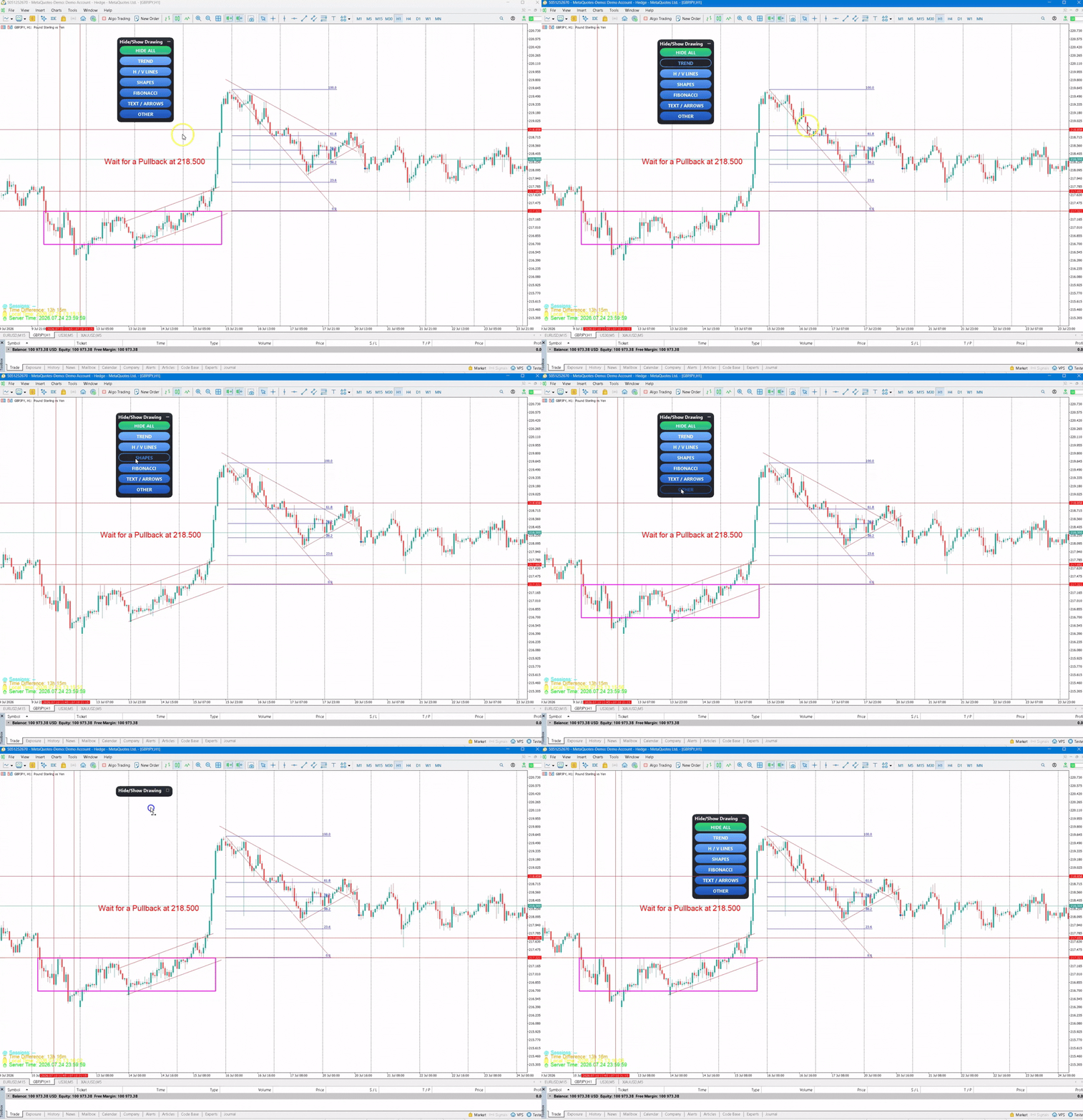
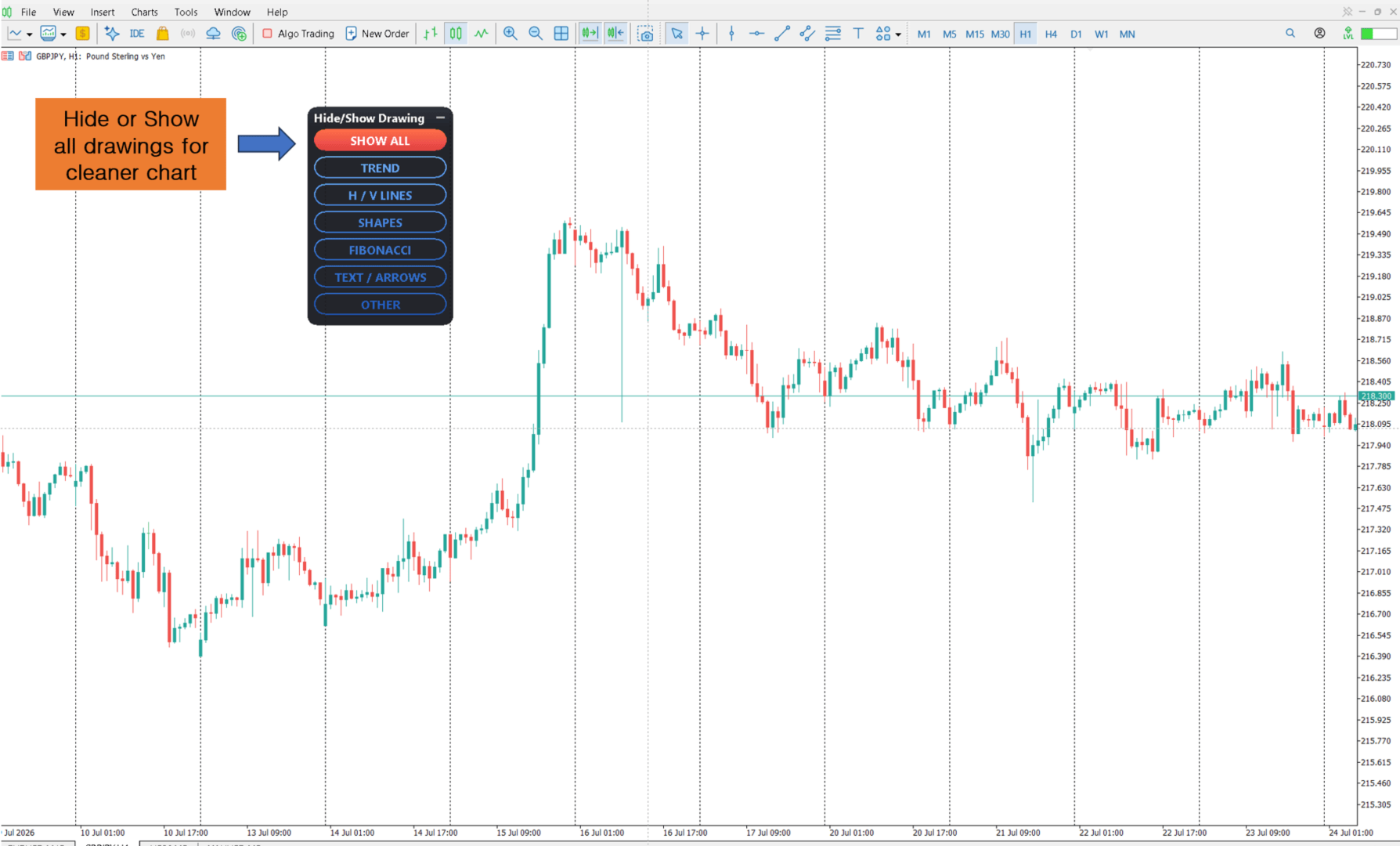
• Hide All / Show All master toggle — clear every drawing off the chart for a clean read, then bring the whole set back in one tap.
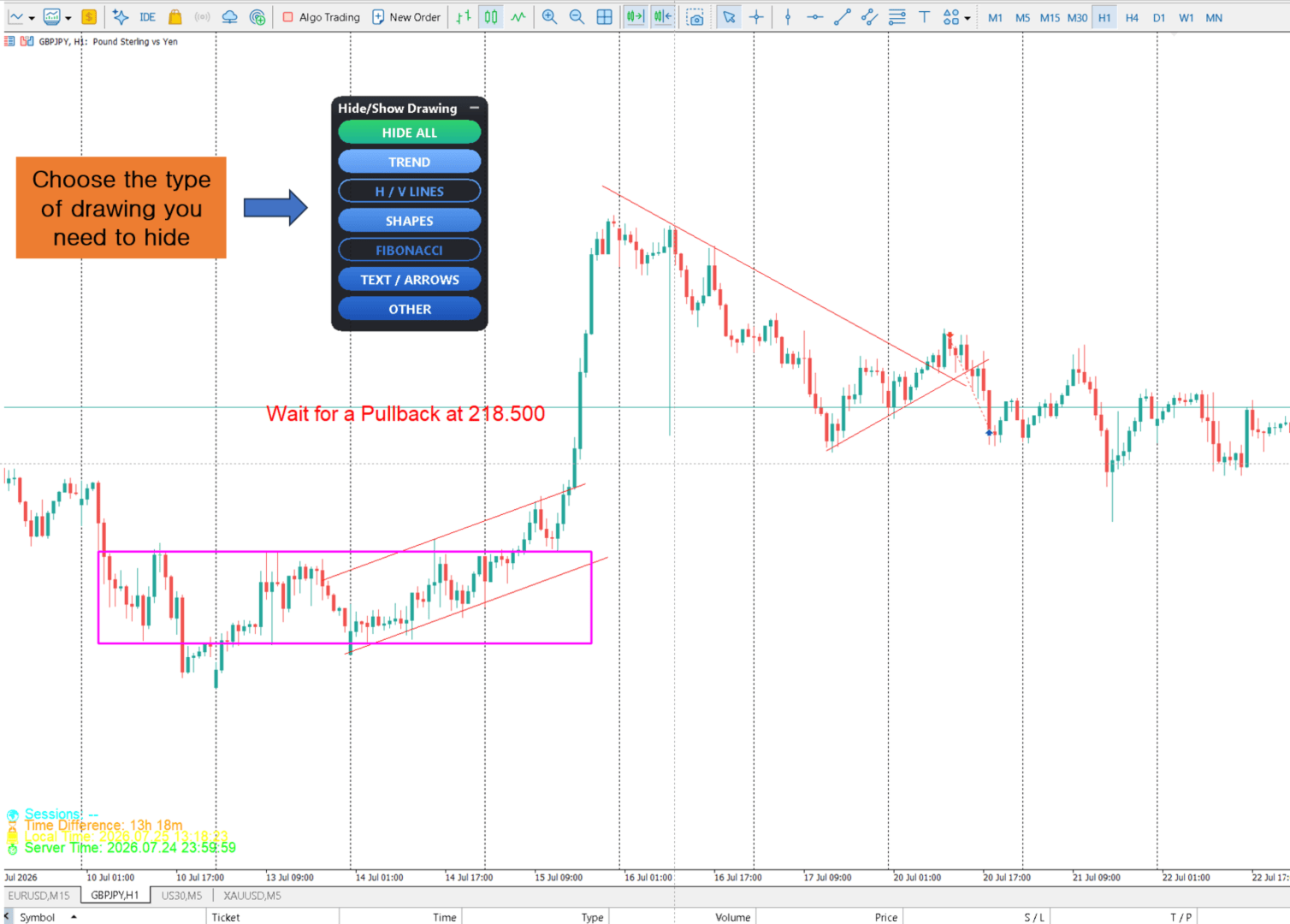
• Per-type toggles so you hide only what's in the way and keep what you're using:
– Trend — trendlines, channels, regression, Gann tools, pitchfork, arrowed lines.
– Horizontal / Vertical lines.
– Shapes — rectangles, triangles, ellipses.
– Fibonacci — retracement, extension/expansion, fans, arcs, time zones, channels.
– Text / Arrows — text labels, price labels, arrows and icon markers, bitmaps.
– Other — any object type outside the buckets above.
• State shown at a glance — a button is a filled pill when its type is visible and an outline pill when hidden, so the panel itself tells you the current chart state.
True stateful hide — nothing is deleted
• Hiding a drawing does not delete it. Every object stays in memory with all its properties — price levels, colours, styles, anchors — completely intact.
• Show it again and it returns exactly as it was.
• Per-timeframe visibility is preserved. If you'd set a drawing to appear only on H1, hiding and showing it restores it to H1-only — not a blanket "show on every timeframe." Your custom visibility survives the round trip.
Smart sync & safety
• New drawings stay consistent. Draw a fresh trendline while trendlines are hidden and it's hidden automatically — the clean state doesn't "leak" as you keep working.
• Deletions handled cleanly. Remove a hidden object and the tool forgets it, so nothing stale lingers.
• Never stranded invisible. Removing the tool from the chart restores every managed drawing first — you can't accidentally leave work hidden with no way to bring it back.
• Manage-all or manage-only-yours. Govern every drawing on the chart, or restrict the tool to objects matching a name prefix — handy when you want it to leave another indicator's on-chart objects untouched (or to manage only those).
Modern floating panel
• Draggable — grab the title bar and place the panel anywhere on the chart.
• Minimizable — collapse to a compact title bar to reclaim screen space, expand when you need it.
• Clean gradient UI rendered on canvas — a cohesive, uncluttered control surface rather than raw grey buttons.
Remembers your setup
• Persists across restarts — which types are hidden, the panel's position, and its minimized state are all restored when you reopen the terminal.
• The exact original visibility of every hidden drawing is stored too, so a restart never loses the information needed to show them again correctly.
• Per-profile — a profile ID keeps separate charts' states from clashing.
Compatibility
• Works on any symbol and any timeframe — forex, metals, indices, and other CFDs.
• Operates purely on chart drawings; it never touches price data, orders, or account state.
2. What It Does NOT Do
• It manages drawings (graphical objects), not indicators. It hides/shows trendlines, shapes, Fibs, text and arrows. It does not show/hide indicators like moving averages, RSI, or their sub-windows — that's a separate mechanism. If a buyer expects "hide my RSI," this isn't that tool.
• It does not trade. No orders, no signals, no entry/exit advice, no position management. It is a chart-visibility utility only.
• It changes only a drawing's visibility, not its content. Coordinates, colours, and styles are never altered — the tool toggles whether an object is drawn, then restores its original visibility state.
• It is local to MT5. It is inspired by TradingView's hide-drawings feature; it does not sync with, connect to, or import from TradingView.
• In "manage all" mode it will also hide graphical objects created by other indicators/EAs (anything drawn on the chart is a drawing). Use the prefix filter if you want it to leave those alone — this is a setting, not a limitation, but say so plainly.
• State is stored per chart/profile, not shared automatically across all your charts.