Visual Risk Trade Manager
- Utilità
-
Ramesh Satyaprakash Pal
 MT5 developer and trader focused on creating practical trade management tools, risk management solutions, and productivity enhancements for MetaTrader 5. My goal is to build reliable, user-friendly, and efficient tools that help traders manage positions directly from the chart.
 - Versione: 1.0
- Attivazioni: 5
Visual Risk Trade Manager MT5
Professional Visual Trade Management for MetaTrader 5
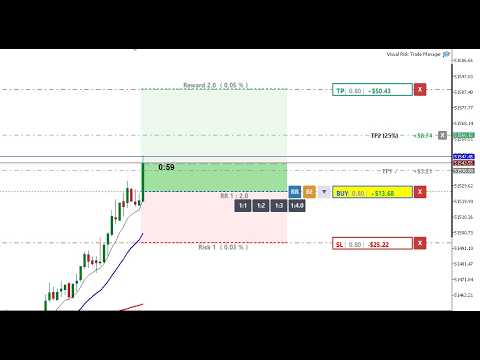
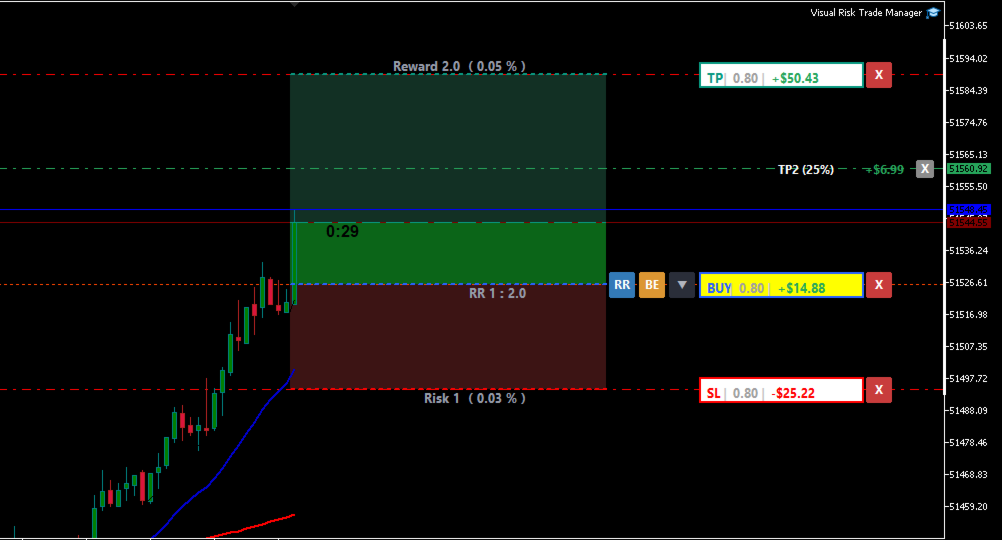
Visual Risk Trade Manager MT5 is a powerful trade management utility designed for manual traders who want complete control over their positions directly from the chart. The tool provides visual risk analysis, position management, profit protection, and real-time trade monitoring without generating signals or opening trades automatically.
Whether you are a scalper, day trader, swing trader, or prop firm trader, Visual Risk Trade Manager helps simplify trade execution and risk management through an intuitive chart-based interface.
KEY FEATURES
✔ Live Profit & Loss Display
Monitor your open trade profit and loss directly on the chart in real time.
✔ Visual Risk / Reward Zones
Instantly visualize risk and potential reward before entering or managing a trade.
✔ Progress Zones
Track price movement toward Stop Loss and Take Profit targets with clear visual progress indicators.
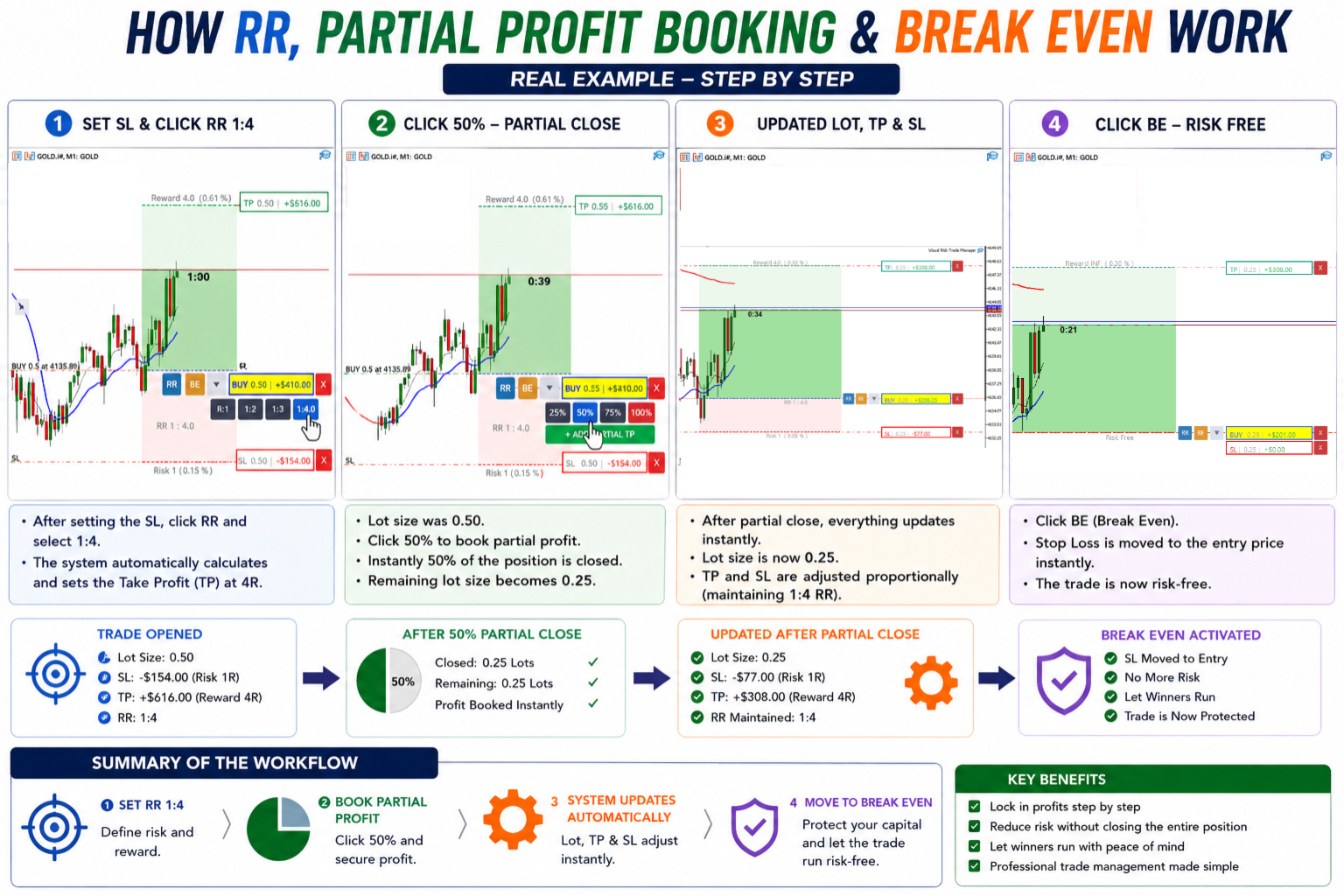
✔ One-Click Break Even
Move Stop Loss to the entry price instantly and secure your position with a single click.
✔ Instant Partial Close
Quickly close:
• 25% of position
• 50% of position
• 75% of position
• 100% of position
✔ One-Click Trade Close
Close open positions directly from the chart interface.
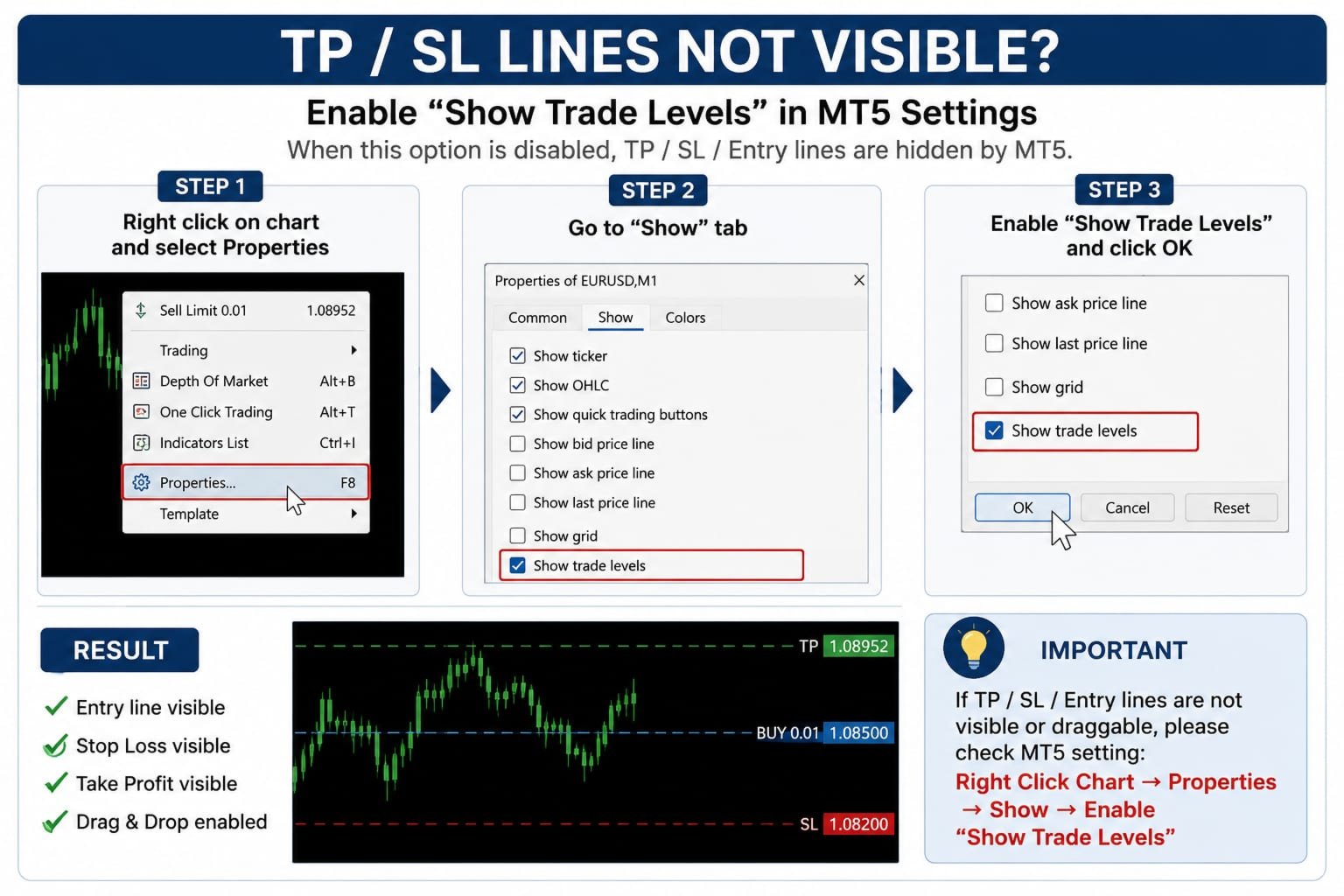
✔ Drag & Drop TP / SL Management
Modify Stop Loss and Take Profit levels visually by dragging chart levels.
✔ Multiple Partial Take Profit Levels
Create and manage multiple TP levels (TP1, TP2, TP3, TP4) to secure profits step by step.
✔ Trade Statistics & Information
View important trade metrics and position information directly on the chart.
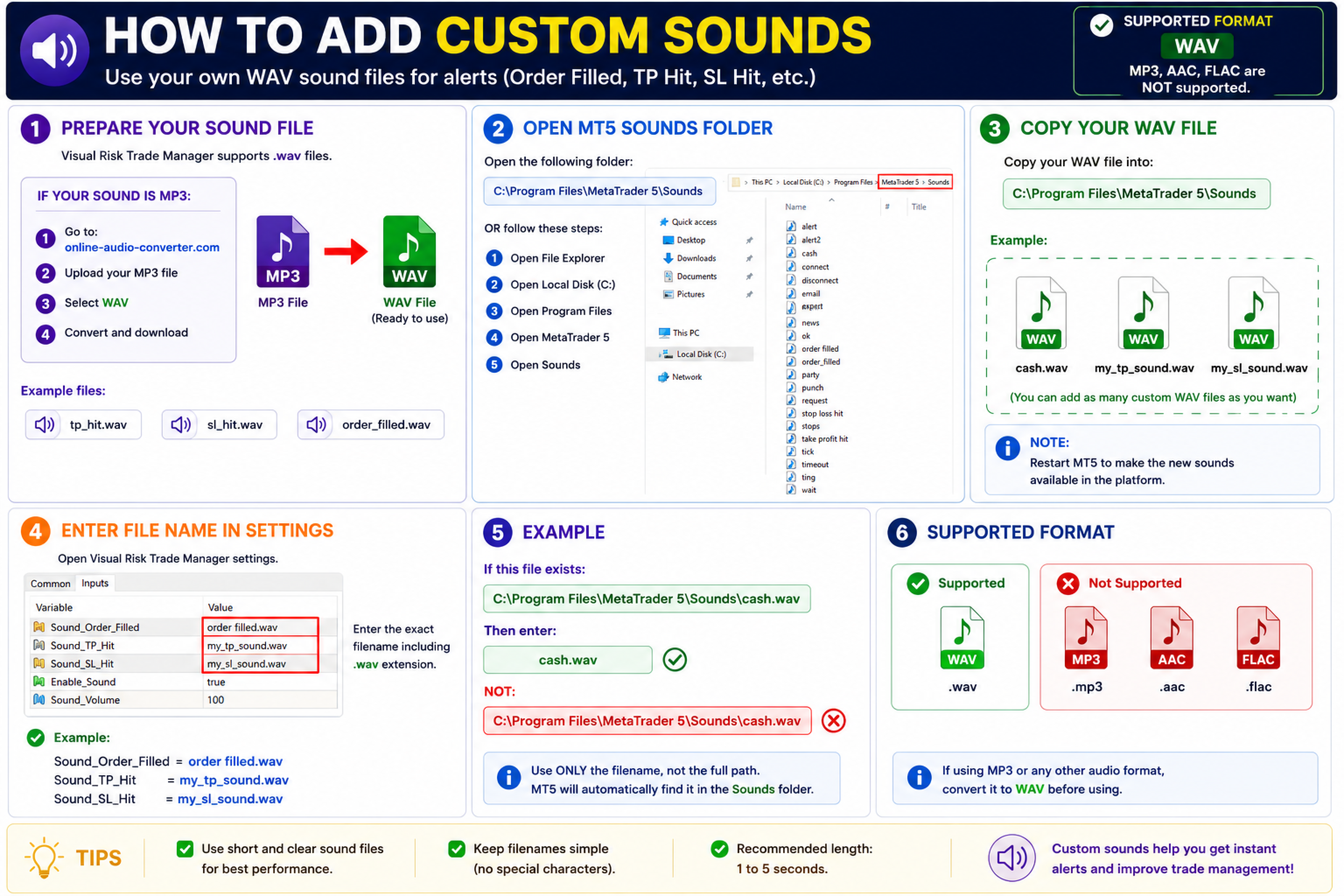
✔ Custom Sound Alerts
Use your own sound notifications for:
• Order Filled
• Take Profit Hit
• Stop Loss Hit
• Trade Events
✔ Fully Customizable Interface
Customize colors, labels, buttons, sounds, and visual elements to match your preferred trading style.
DESIGNED FOR
• Scalpers
• Day Traders
• Swing Traders
• Prop Firm Traders
• Manual Traders
• Professional MT5 Users
IMPORTANT NOTICE
Visual Risk Trade Manager MT5 is a trade management utility only.
The tool does NOT:
• Generate trading signals
• Open trades automatically
• Execute automated trading strategies
• Perform copy trading
• Provide market predictions
All trading decisions remain under the trader's control.
PROP FIRM & BROKER COMPATIBILITY
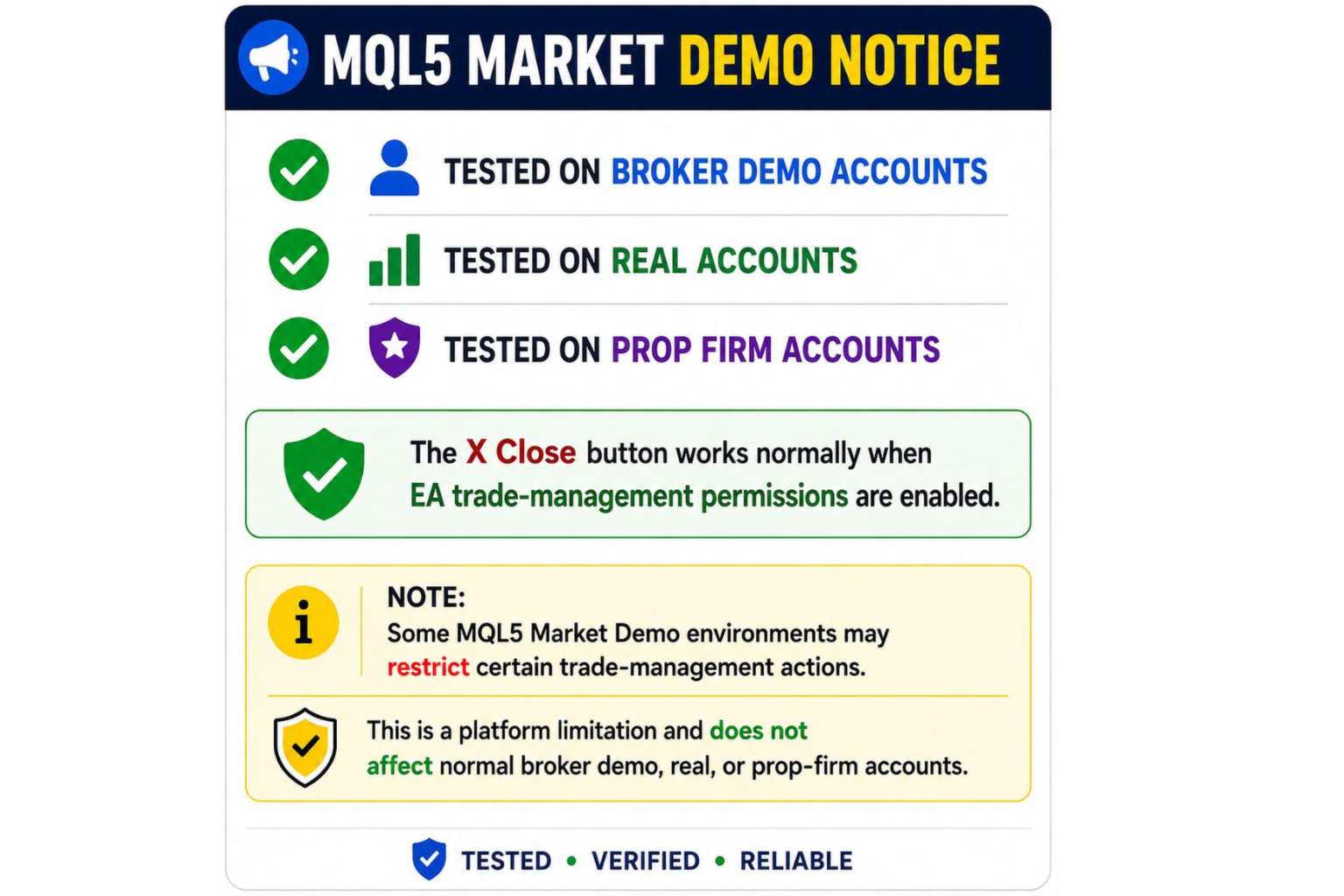
The tool has been tested on broker demo accounts, real accounts, and various prop firm environments.
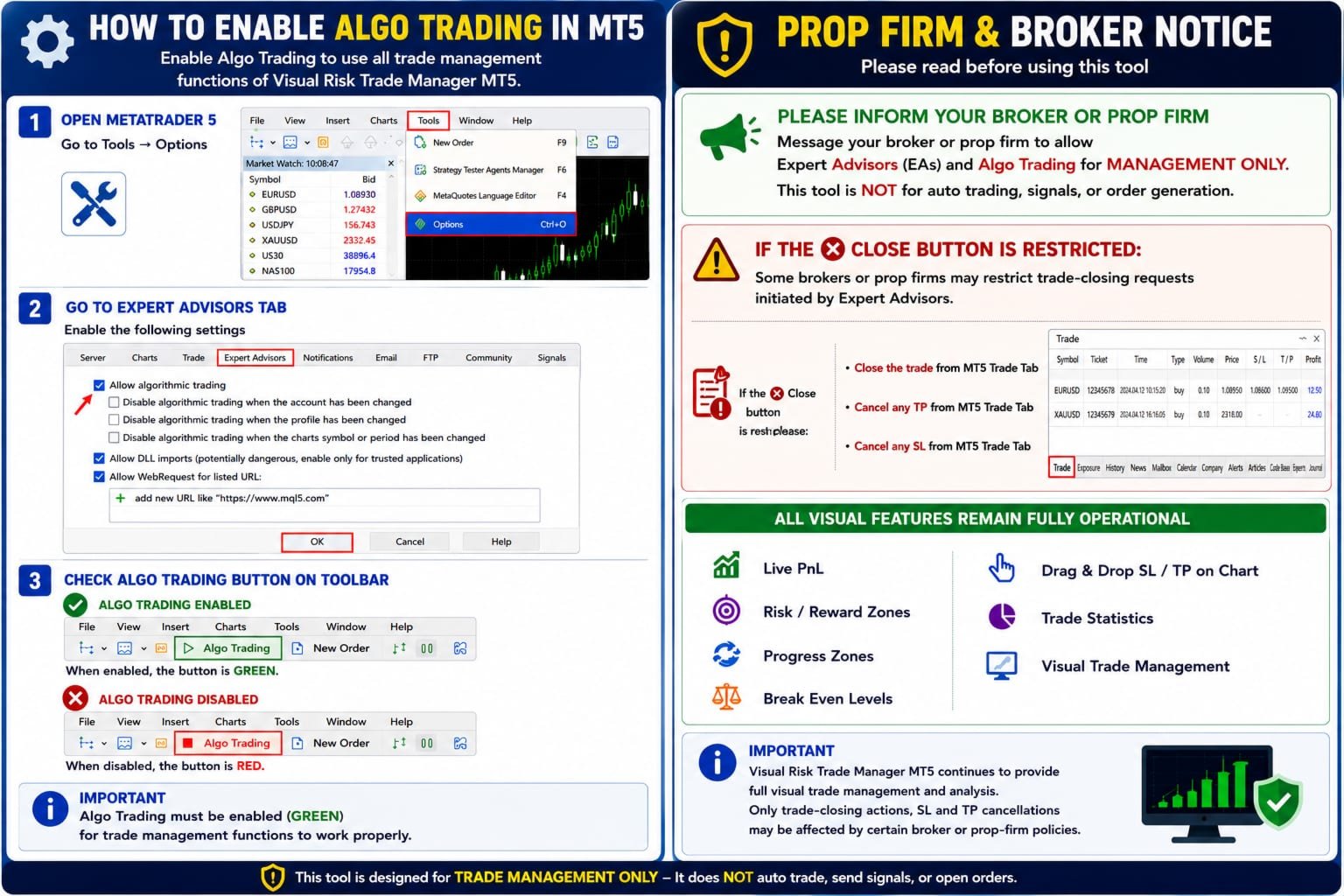
Some brokers or prop firms may require Expert Advisor (EA) permissions for trade management functions such as:
• Break Even
• Partial Close
• One-Click Close
• TP / SL Modification
Visual analysis features remain available even if certain trade-management actions are restricted by broker policies.
HOW TO ENABLE ALGO TRADING
-
Open MetaTrader 5.
-
Go to Tools → Options → Expert Advisors.
-
Enable "Allow Algorithmic Trading".
-
Click OK.
-
Ensure the Algo Trading button on the MT5 toolbar is GREEN.
This permission is required for trade-management functions to operate correctly.
SYSTEM REQUIREMENTS
• MetaTrader 5
• Windows Desktop or VPS
• MT5-Compatible Broker
• Any Symbol
• Any Timeframe
FREQUENTLY ASKED QUESTIONS
Q: Does this tool automatically open trades?
A: No. Visual Risk Trade Manager is designed exclusively for trade management.
Q: Does it generate trading signals?
A: No. The tool does not provide trading signals or market predictions.
Q: Can I use it with prop firms?
A: In most cases yes. Always verify your firm's EA policy before use.
Q: Why is the Close button not working?
A: Ensure Algo Trading is enabled and verify that your broker or prop firm permits EA-based trade management actions.
Q: Can I modify TP and SL directly from the chart?
A: Yes. Stop Loss and Take Profit levels can be adjusted visually using drag-and-drop functionality.