Charts symbol changer and synchronizer MT5

5

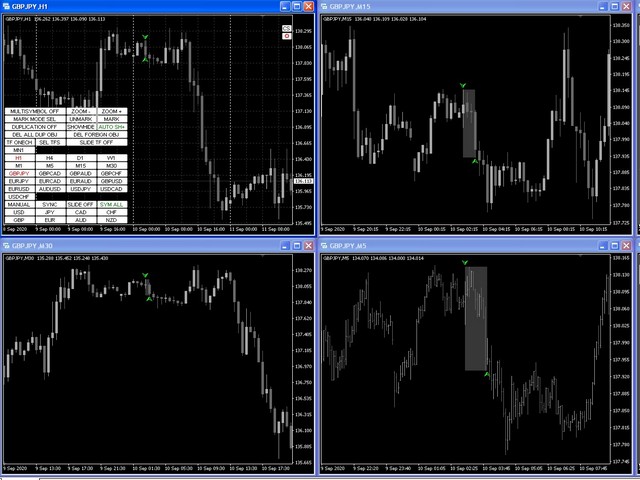
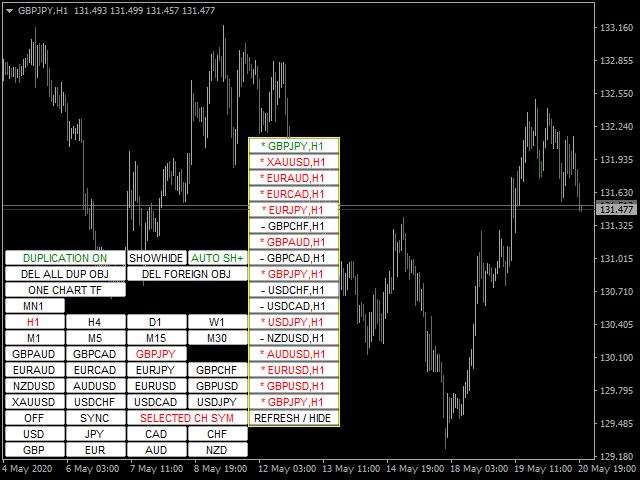
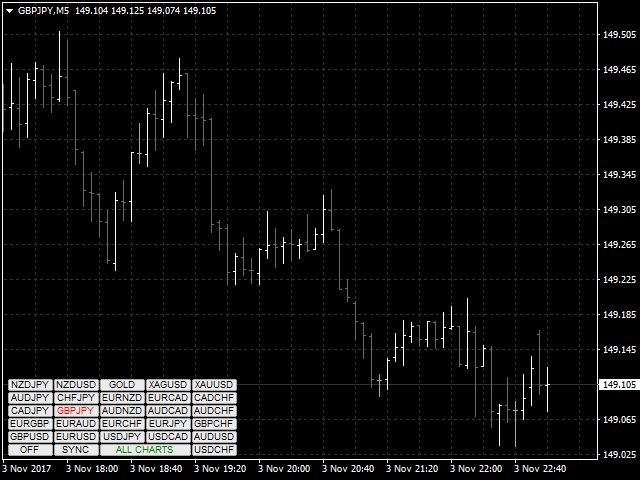
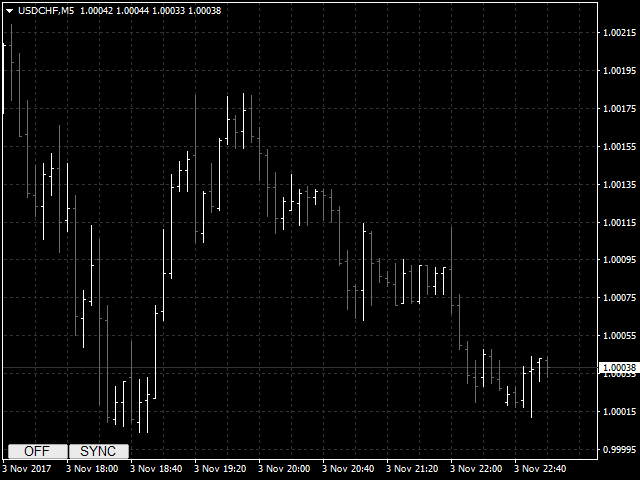
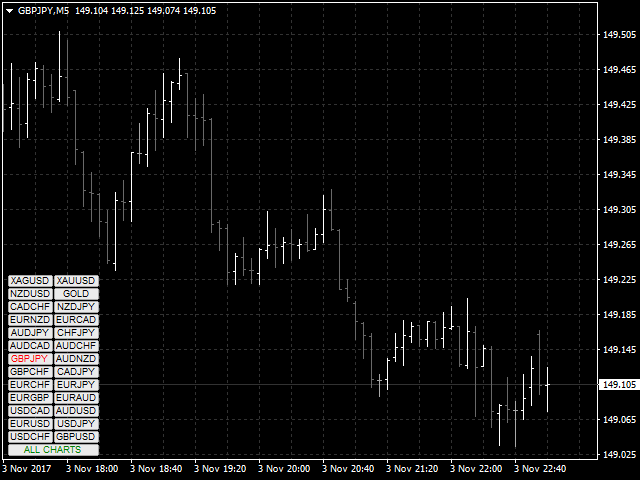
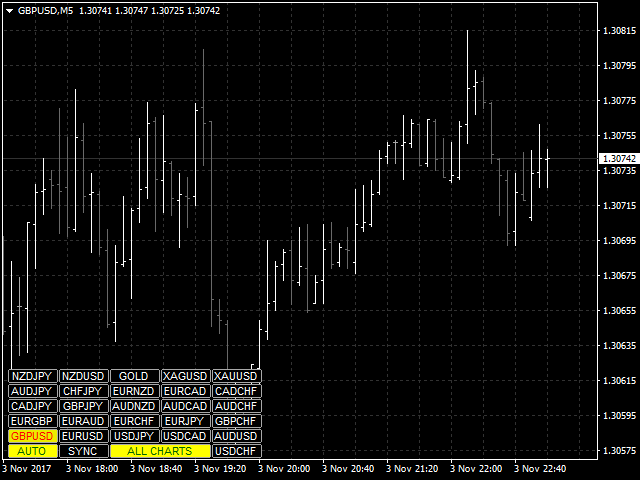
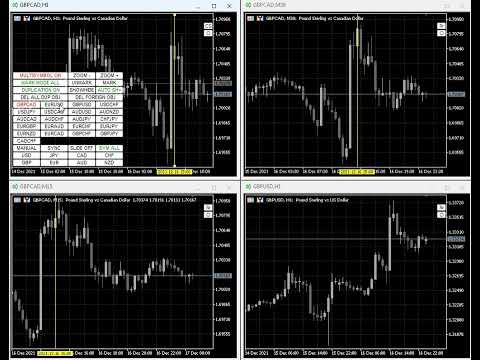
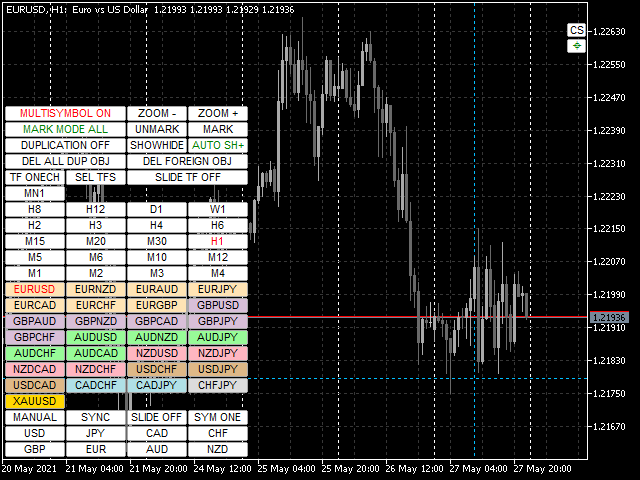
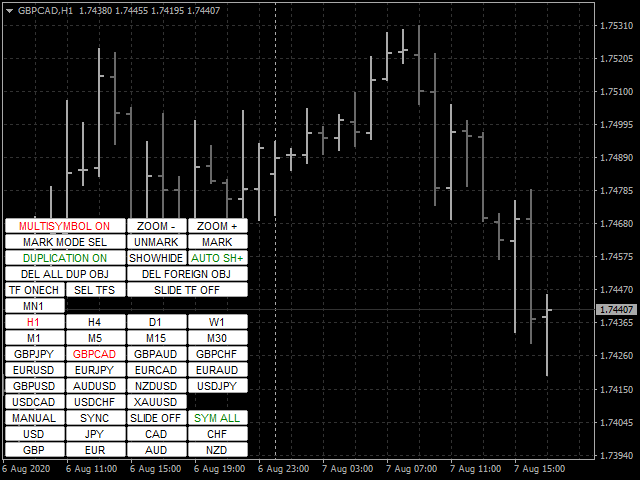
Utility progettata per cambiare lo strumento di trading per i grafici attuali, tutti o selezionati, il cambio di timeframe e per il movimento simultaneo nella cronologia (automaticamente o al clic) di tutti i grafici. L'elenco dei simboli viene letto dalla "Panoramica del mercato". È possibile modificare il colore, le dimensioni e la posizione dei pulsanti. La sincronizzazione dei grafici avviene al momento della prima barra visibile nel grafico attivo quando si fa clic sul pulsante di sincronizzazione o quando si sposta il mouse/tastiera in modalità automatica. Il TF può essere modificato utilizzando i tasti cursore: sinistra/destra e i simboli di trading - su/giù.

I pulsanti per le 8 principali valute consentono di aprire grafici dall'elenco delle coppie di valute (prese dalla panoramica del mercato o dalla stringa utente). Il modello per i nuovi grafici può essere specificato nel parametro "Nome modello per nuovi grafici". Quando si cambia la valuta, i modelli dei grafici correnti vengono salvati e le valute della coppia vengono sostituite sui grafici aperti dall'indicatore. Quando si seleziona nuovamente la valuta, vengono caricati i modelli corrispondenti.

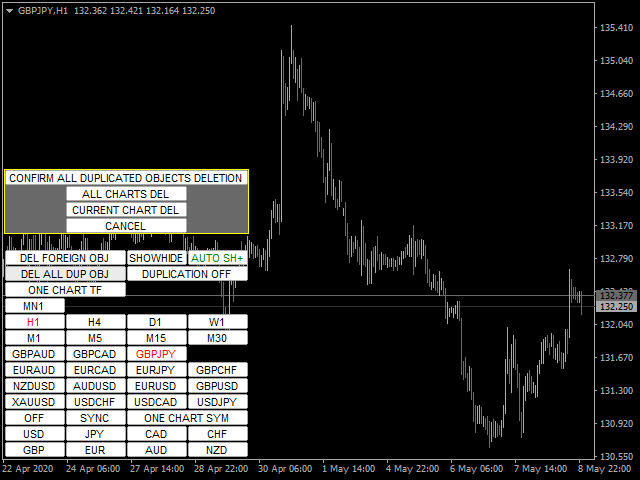
La modalità Duplica consente di copiare gli oggetti su tutti i grafici dello strumento corrente contemporaneamente.

Il mirino globale consente di visualizzare le azioni di prezzo della barra specificata sui grafici selezionati.

Descrizione dei parametri e delle istruzioni .

L'elenco delle funzioni principali (tutte le nuove funzioni e gli aggiornamenti sono disponibili nella scheda "Novità"):

  • Cambia gli strumenti di trading per i grafici correnti/selezionati/tutti.
  • Cambio degli strumenti di trading per tutti i grafici selezionati quando si cambia sul grafico principale (il grafico principale è il grafico con l'utilità installata).
  • Evidenzia i pulsanti degli strumenti di trading utilizzando il pulsante del mouse.
  • Elenco preimpostato di strumenti di trading: tutti gli strumenti correnti inclusi dalla finestra di panoramica del mercato o dal set di strumenti di trading dell'utente.
  • Cambia TF per le carte correnti/tutte.
  • Apertura delle finestre del grafico per tutte le coppie di valute disponibili per una delle 8 valute principali con salvataggio e ripristino del modello di grafico per l'utilità.
  • Sincronizzazione manuale o automatica dei grafici con il grafico principale
  • Passaggio automatico tra strumenti di trading con un intervallo e una direzione specificati.
  • Passaggio automatico tra TF con un intervallo impostato.
  • La possibilità di cambiare il colore dei pulsanti, l'angolo di ancoraggio, l'offset dal bordo, la dimensione, il carattere, il numero di pulsanti nella riga, la sottofinestra di posizionamento, l'impostazione della modalità di trasparenza per i pulsanti di utilità e TF.
  • Modalità multi-carattere per visualizzare solo gli oggetti dello strumento di trading corrente al momento del cambio.
  • Copia, sincronizza e controlla la visualizzazione della maggior parte degli oggetti grafici disponibili sui grafici dello strumento di trading corrispondente quando vengono creati e/o spostati nel grafico principale.
  • Possibilità di ignorare gli oggetti con i prefissi specificati.
  • La possibilità di eliminare oggetti quando si cambia uno strumento di trading con i prefissi specificati o tutti.
  • Possibilità di disabilitare (nascondere) i pulsanti delle funzioni non utilizzate.
  • Evidenzia il colore del bordo del pulsante per il profitto/perdita delle posizioni aperte sugli strumenti di trading.
  • Funzione di selezione delle barre per analizzare l'andamento del prezzo al suo interno (evidenziando e scorrendo al centro del grafico le barre corrispondenti sui TF più piccoli).
  • Disabilita i grafici a scorrimento automatico per la modalità di sincronizzazione automatica ed evidenzia l'intervallo della candela.
  • Funzione mirino globale che visualizza e sposta in modo sincrono il mirino sui grafici correnti/selezionati/tutti
  • L'utility può funzionare in tre modalità: singola, principale e ausiliaria. Questa funzione consente di configurare l'utilità per gestire il mirino globale da qualsiasi grafico.
  • La possibilità di evidenziare a colori le famiglie di coppie di valute in base alla valuta di base.
Recensioni 7
Chalin Saranga Jayathilake
6414
Chalin Saranga Jayathilake 2021.05.19 15:36 
 

The product already purchased 5 star

Luke Perrett
3411
Luke Perrett 2020.06.03 13:04 
 

Great product and great help from the author. Many inputs and options available with this product. EDIT: I just cant get over how good this product is and I dont even know how to use it to its full potential. With 12 screens we need tools like this to make things easy for navigation. A true credit to the author. O and did I forget to mention how helpful he is as well. 10 STARS

Prodotti consigliati
Title : Trade Assistant Manager MT5 Trade Assistant Manager — See your risk before you click Visual Risk Manager is a MetaTrader 5 chart utility for discretionary traders who want a clear, visual way to size positions . Place your Entry, Stop Loss, and Take Profit directly on the chart. The panel shows the lot size, the money at risk, the profit target in money, and the reward-to-risk ratio — updated as you move the lines. What you gain   Faster decisions   : - Automatically calculate the volum
FREE
Session panel
Timo Mario Hoffmann
Session Panel for MT5 Session Panel is a free MT5 indicator that gives you a fast and convenient live overview of the major trading sessions directly from the chart. Monitor Tokyo, London, and New York session times, see which session is currently active, track countdowns to the next session, and view session overlap information in one compact dashboard. Built for traders who want better market timing, clearer session awareness, and a cleaner chart workflow in live market conditions. Session Pan
FREE
Visual Trade Manager for MT5 is an interactive trade execution and position management tool designed for traders who want fast chart-based control over risk and execution. The panel provides a visual trade box with entry, stop and target lines directly on the chart. Position size is calculated from the selected risk percentage, and the tool supports both market execution and pending order placement. Main features - BUY and SELL switching directly from chart buttons - Draggable Entry, Stop and
Basic Trade Buttons
Kriengsak Peitaisong
Basic Trade Buttons is a tool to help you to quickly open and close trades, place take profit and stop loss points by clicking on the button of each job that you preferred. Once you attached this tool to mt5 chart, the program will calculate a trade volume(Lots size) automatically to prepare to send to the trade server when you click on 'Buy' or 'Sell' button. Click on 'TP', 'SL' or 'Close' button to place take profit, stop loss based on the predefined levels or to close all open positions respe
LiqStrike Trade Panel Pro
Enmanuel De Jesus Hernandez Farias
Trade Panel Pro MT5 – LiqStrike | MT5 Trade Panel | Risk Management | Position Manager Every second counts in trading. LiqStrike gives you total control — instantly. Built for serious traders who demand speed, precision and professional risk management in a single panel. MT5 Trade Panel with One Click Trading Advanced Risk Management — Auto Lot Calculator Position Manager for MetaTrader 5 Break Even & Trailing Stop per position Real-time USD tags on chart for SL & TP Compatible w
T Manager for Price action Traders
Haidar Lionel Haj Ali
4.5 (10)
T Manager, the ultimate trade management solution designed by traders for traders. If you are searching for a simple and efficient trade panel, trade manager, or trade assistant, you are at the right place.   The market contains a diverse number of those tools , but this one is designed by traders for traders . I designed this tool, and I am using it daily. Take my advice and stop buying tools blended with un-useful features that you will never use,   T Manager provides you with the essential y
RRPP Script
Mikhail Ostashov
RRPP Script A script for placing a pending order prepared by the Risk Ratio Trade Panel indicator. Reads the entry price, Take Profit, Stop Loss and lot size directly from the indicator lines on the chart. Requirements The Risk Ratio Trade Panel indicator must be attached to the chart and the panel must be open before running the script. How it works Attach the Risk Ratio Trade Panel indicator to the chart, open the panel and set the Entry, TP and SL lines to the desired levels. Then run RRPP Sc
FREE
Script Name: Close All Positions Language: MQL5 Type: Utility Script Primary Function: Instantly close all open positions on the current trading account Purpose The “Close All Positions” script is a lightweight and efficient tool designed for traders using MetaTrader 5. Its main purpose is to help users quickly exit all active trades with a single click, especially during volatile market conditions or when risk management requires immediate action. Instead of manually closing each position on
FREE
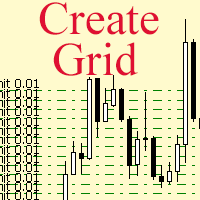
The script allows to use the mouse for placing a grid of orders with fixed or variable step quickly and with as few mistakes as possible. Drag the script to the chart using the left mouse button and release. The grid will be plotted starting from that point. If the current price is lower than the grid start point, the grid will be placed "to the north" towards the buys, and if higher - towards the sells, "to the south". Setting take profit and stop loss is left to trader's discretion. Input Par

Black Volume By ZeeAM Khan a Multi-Engine EA Professional Multi-Timeframe Volume & Breakout Trading System Black Volume Multi-Engine EA is an advanced automated trading system that combines volume analysis, spread analysis, liquidity sweeps, support/resistance breakouts, and multi-basket trade management into one powerful Expert Advisor. The EA continuously scans higher-timeframe candles to identify significant market activity, automatically draws key support and resistance zones, and executes
FREE
Support Or Resistance Alert Broken
Jhojan Alberto Tobon Monsalve
"Support or Resistance Alert Broken" is a simple and very intuitive tool that allows you to create or eliminate horizontal and trend supports and / or resistances with a simple click. When the support or resistance line is broken by the closing price at the end of the current candle, the "Support or Resistance Alert Broken" tool will send an alert with sound, as well as a notification to the MT4 or MT5 mobile application. This tool can send alerts from multiple pairs at the same time. Utility
Shved Position Pips Label   is a professional utility indicator for MetaTrader 5 that displays the real-time floating profit or loss of all your active positions directly on the chart. No more switching to the "Trade" tab at the bottom of the terminal — all crucial information about your running trades is positioned right in front of your eyes next to the current price line! Key Advantages: Smooth Price-Anchored Alignment:   The labels are anchored to the last bar and smoothly slide vertically f
One Click Trader  is a tool designed for MetaTrader 4 platform, which enables you to take your trading to the next level. It enables you to open, manage and close your trades in simple an efficient way by just one click of your mouse button. "-"   ,  "+"  change OCT window size  Up arrow minimizes the OCT panel Down arrow maximizes the OCT panel Right arrow displays the next panel with additional features Left arrow hides the panel with additional features Red  SELL  button enables you to open s
Questo strumento può aiutarti a chiudere tutti gli ordini aperti con un clic, basta fare clic su "Chiudi tutto". Se desideri chiudere solo gli ordini redditizi, fai clic sul pulsante "Chiudi redditizi" Dopo aver cliccato, tutti gli ordini fluttuanti verranno chiusi; Se desideri chiudere solo gli ordini con perdite fluttuanti, fai clic sul pulsante "Chiudi perdibili" Dopo aver cliccato, tutti gli ordini con perdite fluttuanti verranno chiusi. Questo strumento è stato testato per un anno. La funzi
Questo EA è utilizzato principalmente per lo scalping su XAUUSD. Scopo   Rimuove l’emozione dalla gestione delle operazioni — protegge automaticamente le posizioni e prende profitto così non devi prendere decisioni difficili sotto pressione. Cosa fa   ️ Stop Loss automatico   Imposta SL basandosi su recenti massimi/minimi + buffer   Niente più stress per la collocazione manuale   Profitti parziali automatici   Due modalità:   Movimento fisso: chiude il 50% dopo uno spostamento di prezzo
Atlas Risk Radar MT5
Bernhard Wurzlbauer
Atlas Risk Radar MT5 Atlas Risk Radar MT5   is a professional risk dashboard and account protection utility for MetaTrader 5. It monitors open positions and pending orders directly on the chart and helps you see where risk is building up before it becomes a problem. Atlas Risk Radar is not a trading robot and not a signal indicator. It is a visual risk management tool for Forex traders, CFD traders, prop firm traders, scalpers, day traders, swing traders and portfolio traders who want a clear ov
PositionCalculatorMT5
Nguyen Duy Trung
4.5 (44)
Position Calculator calculates how many lots to trade based on: Entry and stop-loss levels Risk tolerance Account size (balance, equity, or even your savings account) Account currency Currency exchange rates - The main tab of the panel provides the primary control over the EA's functions and serves to output the most important calculation results: the position size, risk, reward, and risk-to-reward ratio. - The risk tab can help you assess current and potential risk and reward profile. Using a s
FREE
Guardian Magic GT
Carlos Eduardo Rivas Istacuy
Guardian Magic GT - Risk Management Expert Advisor for MetaTrader 5 PROTECT YOUR TRADING CAPITAL WITH INTELLIGENT RISK MANAGEMENT Guardian Magic GT is a professional-grade Expert Advisor designed to safeguard your trading operations by implementing sophisticated risk control mechanisms. Whether you run a single bot or manage multiple automated trading systems simultaneously, Guardian Magic GT provides real-time monitoring and automatic position management to ensure your account stays within your
Metrics Pro for Telegram - MT5 Metrics Pro for Telegram is a reporting utility for MetaTrader 5 that automatically sends your account performance data to a Telegram chat or channel via the Telegram Bot API. It is designed for algo-traders, signal providers, and fund managers who need scheduled performance summaries delivered directly to their phone without checking the terminal manually. The utility runs in the background on a chart and posts formatted reports at a scheduled server time. Reports
This EA help trader to manage his pending orders, when you place many Pending Orders this utility monitor them and when of them get filed (executed) the EA cancel and delete all rest of pending orders, to avoid  opening of all of pending orders at the same time , and lose your risk management. this utility is very useful for trader when he /she is not available on the desk.
Simple Telegram Notification – Stay Informed on Your MT5 Trading Activity! Stay connected with your MetaTrader 5 trading activity using Simple Telegram Notification , the Expert Advisor that sends real-time notifications to your Telegram app whenever orders are opened, modified, or closed . Whether you're at your desk or on the move, you’ll always be up-to-date with critical trading information. Key Features: Order Notifications : Receive instant Telegram alerts whenever an order is opened, mod
TradingX Hotkeys
Johannes Stephanus Lombard
Inputs Available Lotsizes Partial Close % You can change lotsizes as you require On an open chart click once to select chart to be able to use hotkeys on specific chart. All Pairs can be used with this expert We created this expert to be able to still trade C300 with a 0.06 Lotsize If you enter a 0.6 lot and close 0.90% you can trade with 0.06 Lot Keys to be used: B -Buy S -Sell C -Close Profitable D -Breakeven (Note if stoploss is set it won't break even) P -Partial close X -Close all
TrailingTrader MT5 – Trailing Stop-Loss and Take-Profit Script  Upon activation of the TrailingTrader script , open positions of specified trading instruments in the quote window will automatically implement an intelligent trailing stop strategy. This helps traders lock in profits and manage risks without the need for manual monitoring and adjustments. Core Configuration Parameters Symbol : Specify the trading instruments for which trailing stops should be applied. Use English commas (,) to sepa
Global crosshair for spotting levels and positions on multiple chart (timeframes). Features: Toggle with middle click (replace default MT5 crosshair). Toggle with HotKey shortcut and on chart button. Multi instance feature. (every chart can draw separate instance). Customizable Display Style. (color / line style / ex.) Global crosshair for spotting levels and positions on multiple chart (timeframes).
Grid Manager — Manual Multi-Basket Grid Assistant for MT5 Grid Manager is a hands-on control panel for building and managing grid "baskets" directly on your chart. You decide the direction and the moment; the tool opens the grid, manages every leg, and protects the position with money-based risk controls, on-chart breakeven/SL/TP lines, and one-click actions. It is an execution and management assistant — fast, visual, and fully under your control. What it is — and what it is not Grid Manager is
Trade HotKeys è un’utilità di trading manuale che consente l’esecuzione immediata delle operazioni tramite scorciatoie da tastiera. È progettata per trader discrezionali e scalper che necessitano di un controllo rapido degli ordini senza utilizzare i pulsanti dell’interfaccia di MetaTrader 5. Invece di cliccare sui pulsanti del grafico o navigare nei menu, esegui le operazioni direttamente dalla tastiera. Cosa puoi fare Aprire BUY / SELL istantaneamente tramite hotkey Chiudere separatamente pos
FREE
EW Close All – Un clic. Tutto chiuso. EW Close All è un Expert Advisor leggero e multilingua che ti permette di chiudere tutte le posizioni aperte e cancellare tutti gli ordini pendenti all’istante — con un solo clic. Chiude tutte le posizioni aperte   Cancella tutti gli ordini pendenti   Funziona su qualsiasi simbolo e timeframe   Interfaccia multilingua   Pulito, veloce e affidabile Perfetto per uscite rapide, controllo del rischio o pulizia a fine giornata. Mantieni il controll
FREE
**Protezione Breakeven in un Click** Proteggi istantaneamente il tuo capitale con un singolo click. Dopo aver aperto manualmente le tue posizioni, premi il pulsante per spostare lo Stop Loss di tutti i trade in profitto al prezzo di ingresso, eliminando il rischio sui trade vincenti. **Funzionamento** Il pannello mostra in tempo reale il numero di posizioni in guadagno e in perdita. Cliccando su "SET SL TO ENTRY", lo Stop Loss di ogni posizione in profitto viene spostato al prezzo esatto di ent
Painel Otrader
Renato Sanchez Moura
Painel Pro: O Pro Trader Dashboard   é a ferramenta profissional definitiva para MetaTrader 5, projetada para resolver o maior problema no trading: Disciplina e Gestão de Risco .   Esta ferramenta funciona como seu "Gerenciador de Risco", aplicando limites diários para proteger seu capital e, ao mesmo tempo, oferecendo uma interface rápida e intuitiva para a execução de ordens. Seja você um Scalper ou um Day Trader, este painel ajuda você a executar negociações rapidamente e a parar quando atin
Signals Executor for Telegram is a Utility that allows you to execute and manage positions from messages sent in Telegram Chats. Chat messages are processed to check for the existence of commands, and the command will be executed if its parameters are valid. You need the Telegram Bot Token and Chat Id to configure the input parameters. It is possible to restrict the sending of commands through the User Id, which must be configured in the input parameters. Valid Commands: Buy and Sell: Market or
Gli utenti di questo prodotto hanno anche acquistato
Trade Assistant MT5
Evgeniy Kravchenko
4.43 (214)
It helps to calculate the risk per trade, the easy installation of a new order, order management with partial closing functions, trailing stop of 7 types and other useful functions. Additional materials and instructions Installation instructions - Application instructions - Trial version of the application for a demo account Line function -   shows on the chart the Opening line, Stop Loss, Take Profit. With this function it is easy to set a new order and see its additional characteristics bef
Forex Trade Manager MT5
InvestSoft
4.98 (668)
Benvenuto a Trade Manager EA, lo strumento definitivo per la gestione del rischio , progettato per rendere il trading più intuitivo, preciso ed efficiente. Non è solo uno strumento per l'esecuzione degli ordini, ma una soluzione completa per la pianificazione delle operazioni, la gestione delle posizioni e il controllo del rischio. Che tu sia un principiante, un trader avanzato o uno scalper che necessita di esecuzioni rapide, Trade Manager EA si adatta alle tue esigenze, offrendo flessibilità s
TradePanel MT5
Alfiya Fazylova
4.88 (161)
Trade Panel è un assistente commerciale multifunzionale. L'applicazione contiene più di 50 funzioni di trading per il trading manuale e permette di automatizzare la maggior parte delle attività commerciali. Prima dell'acquisto, è possibile testare la versione dimostrativa su un conto demo. Scaricare la versione di prova dell'applicazione per un account dimostrativo: https://www.mql5.com/it/blogs/post/762419 . Istruzioni complete qui . Commercio. Consente di effettuare operazioni di trading con u
Versione Beta Telegram to MT5 Signal Trader è quasi pronto per il rilascio ufficiale in versione alpha. Alcune funzionalità sono ancora in fase di sviluppo e potresti riscontrare piccoli bug. Se riscontri problemi, ti preghiamo di segnalarli, il tuo feedback aiuta a migliorare il software per tutti. Telegram to MT5 Signal Trader è uno strumento potente che copia automaticamente segnali di trading da canali o gruppi Telegram al tuo account MetaTrader 5 . Supporta canali pubblici e privati e cons
Telegram to MT5 Multi-Channel Copier copia automaticamente i segnali di trading dai tuoi canali Telegram direttamente in MetaTrader 5. Nessun bot, nessuna estensione del browser, nessuna copia manuale. Ricevi un segnale su Telegram e l'EA apre l'operazione sul tuo terminale in pochi secondi. Il prodotto include due componenti: un'applicazione Windows che ascolta i tuoi canali Telegram, e questo Expert Advisor che esegue i segnali sul tuo terminale MT5. È disponibile anche una versione per MT4. G
Power Candles Strategy Scanner - Strumento di ricerca configurazioni multi-simbolo con ottimizzazione automatica Power Candles Strategy Scanner utilizza lo stesso motore di auto-ottimizzazione che alimenta l'indicatore Power Candles, applicandolo a tutti i simboli presenti nel tuo Market Watch, uno accanto all'altro. Un unico pannello ti indica quali simboli sono statisticamente negoziabili in questo momento, quale strategia è vincente su ciascuno di essi, la coppia ottimale di Stop Loss / Take
Exp COPYLOT CLIENT for MT5
Vladislav Andruschenko
3.94 (34)
Copiatore professionale di trade per MetaTrader 5 Un copiatore di trade veloce, professionale e affidabile per MetaTrader . COPYLOT consente di copiare operazioni Forex tra terminali MT4 e MT5 con supporto per conti Hedge e Netting . La versione MT5 di COPYLOT supporta: - MT5 Hedge → MT5 Hedge - MT5 Hedge → MT5 Netting - MT5 Netting → MT5 Hedge - MT5 Netting → MT5 Netting - MT4 → MT5 Hedge - MT4 → MT5 Netting Versione MT4 Descrizione completa + DEMO + PDF Come acquistare Come installare Come ot
EasyInsight AIO MT5
Alain Verleyen
4.92 (12)
EASY Insight AIO – La soluzione all-in-one per un trading intelligente e senza sforzo Panoramica Immagina di poter analizzare l’intero mercato — Forex, Oro, Cripto, Indici e persino Azioni — in pochi secondi, senza dover controllare manualmente i grafici, installare indicatori o affrontare configurazioni complicate. EASY Insight AIO è il tuo strumento definitivo di esportazione per il trading alimentato dall’IA, pronto all’uso. Offre una panoramica completa del mercato in un unico file CSV pul
Anchor Trade Manager
Kalinskie Gilliam
5 (5)
Anchor: The EA Manager Run your full EA portfolio without conflicts, without stacked risk, and without watching every chart yourself. Anchor coordinates up to 64 Expert Advisors on a single account, including daily loss protection built for prop firm rules. Attach Anchor to any chart. Type your EA names and magic numbers in one line. Click OK. Anchor begins coordinating immediately. Built for portfolios. Built for prop firms. Built for discipline. The Problem Running multiple EAs on the same acc
FarmedHedge Pair Trading Dashboard
Tanapisit Tepawarapruek
5 (3)
Farmed Hedge Yield Farming | All Markets (Manual - Hybrid - Semi/Automated EA) MULTI-ASSET SUPPORT Trade any asset available on your broker - Forex: Major, Minor, Exotic pairs - Crypto: BTC, ETH, XRP, SOL, BNB - Stocks: Apple, Tesla, Amazon, Google, etc. - Commodities: Gold, Silver, Oil, Gas - Indices: US30, NAS100, SPX500, DAX40 - Any CFD your broker offers VERIFIED TRADING RESULTS - Farmed Hedge Yield Axi Copy:  https://www.mql5.com/en/signals/2356376 - Farmed Hedge Yield Exn Copy:   https:/
Quant AI Agents
Ho Tuan Thang
5 (1)
Quant AI Agents are independent trading Expert Advisors. Instead of trading using a fixed strategy like other conventional EAs, Quant AI Agents   is a   multi-agent AI trading framework   that turns natural-language strategy prompts into live.  WANT THE SAME RESULTS AS MY LIVE SIGNAL?   Use the exact same brokers I do:   IC MARKETS , IC TRADING   .  Unlike the centralized stock market, Forex has no single, unified price feed.  Every broker sources liquidity from different providers, creating un
Premium Trade Manager - Il pannello di trading con un coach integrato Premium Trade Manager porta un coach di trading direttamente nel tuo grafico, con un motore di esecuzione completo al di sotto. Imposta il trade come fai sempre, poi lascia che Max, il tuo coach di trading IA, legga esattamente quel setup rispetto al tuo conto live e ti dia un verdetto chiaro prima che tu confermi: lo stop rispetta un approccio disciplinato, il rischio è ragionevole, c'è un evento ad alto impatto tra pochi min
The product will copy all telegram signal to MT5 ( which you are member) , also it can work as remote copier.  Easy to set up, copy order instant, can work with almost signal formats, image signal,  s upport to translate other language to English Work with all type of channel or group, even channel have "Restrict Saving Content", work with  multi channel, multi MT5 Work as remote copier: with signal have ticket number, it will copy exactly via ticket number. Support to backtest signal. How to s
Trade Manager DaneTrades
Levi Dane Benjamin
4.28 (29)
Trade Manager per aiutarti a entrare e uscire rapidamente dalle operazioni calcolando automaticamente il tuo rischio. Incluse funzionalità che ti aiutano a prevenire l'eccessivo trading, il vendetta trading e il trading emotivo. Le operazioni possono essere gestite automaticamente e i parametri di performance del conto possono essere visualizzati in un grafico. Queste caratteristiche rendono questo pannello ideale per tutti i trader manuali e aiuta a migliorare la piattaforma MetaTrader 5. Suppo
EA Auditor
Stephen J Martret
5 (4)
EA Auditor is an independent analysis tool for traders evaluating Expert Advisors and trading signals on MetaTrader 5. It audits backtest reports, reviews posted developer signals, and cross-verifies the two against each other to help traders assess strategies before committing capital. The MQL5 market offers a wide range of Expert Advisors from many developers, with varying approaches, quality, and transparency. EA Auditor provides a consistent, data-driven framework for reviewing them, answer
HINN Lazy Trader
ALGOFLOW OÜ
5 (1)
LIMITED SUMMER SALE -40% ! ONLY $470 insead of $790!  Maximum real discount! The core idea: using the user interface, you configure the parameters the chart must meet before entering a position (or positions), choose which entry models to use, and set the rules for when trading and planning should end. Lazy Trader  handles the rest: it  takes over all the routine chart watching and execution! full description  :: 3 key videos [1] ->  [2]   ->  [3] What can it do? - Understands Larry Williams
================================================================================ POC BREAKOUT - V20.72. Full Professional Grade Toolkit ================================================================================ POC Breakout is a full MetaTrader 5 trading dashboard for discretionary traders who want breakout signals, Point of Control (POC) context, volume profiles, order flow, market structure, news, alerts, and advanced trade planning in one professional workspace. Attached directly to you
VirtualTradePad One Click Trading Panel
Vladislav Andruschenko
4.59 (74)
Pannello di trading per MetaTrader 5 — controllo professionale del trading in un clic dal grafico e dalla tastiera Un pannello di trading avanzato progettato per trader attivi, pensato per aprire, gestire e chiudere operazioni molto più velocemente rispetto all’interfaccia standard di MetaTrader. Questa soluzione è dedicata a chi desidera controllare posizioni, ordini pendenti, profitto totale ed esecuzione da un unico spazio di lavoro professionale. Non si tratta di un semplice utilitario. È u
DrawDown Limiter
Haidar Lionel Haj Ali
5 (20)
Drawdown Limiter EA You are in the right place if you were searching for Drawdown control, Drawdown limiter, Balance protection, Equity Protection or Daily Drawdown Limit related to Prop Firm, FTMO, or Funded account trading, or if you want to protect your trading account. Have you suffered from controlling your drawdown when trading funded accounts? This EA is meant for you. Prop firms usually set a rule called “Trader Daily Drawdown”, and if it is not respected, you are disqualified.  I am an
Welcome to ENTRY IN THE ZONE WITH SMC MULTI TIMEFRAME Entry In The Zone with  SMC Multi Timeframe  is a professional trading indicator built on Smart Money Concepts (SMC), combining market structure analysis with a No Repaint BUY / SELL signal system in a single indicator. It helps traders understand market structure more clearly, identify key price zones, and focus on higher-quality trading opportunities. By combining Multi-Timeframe Analysis, Points of Interest (POIs), and real-time signals, t
Timeless Charts
Samuel Manoel De Souza
5 (7)
Timeless Charts è un'utilità di trading completa progettata per trader professionisti. Combina tipi di grafici personalizzati come Grafici a Secondi e Renko con analisi avanzata del flusso ordini tramite Footprints , Clusters , Profili di Volume , studi VWAP e strumenti di analisi ancorata per una visione più approfondita del mercato. Il trading e la gestione delle posizioni vengono eseguiti direttamente dal grafico tramite un pannello integrato di gestione delle operazioni , mentre Market Repla
The News Filter MT5
Leolouiski Gan
4.78 (23)
Questo prodotto filtra tutti gli esperti consulenti e i grafici manuali durante il periodo delle notizie, così non dovrai preoccuparti di improvvisi picchi di prezzo che potrebbero distruggere le tue impostazioni di trading manuali o le negoziazioni effettuate da altri esperti consulenti. Questo prodotto viene fornito anche con un sistema completo di gestione degli ordini che può gestire le tue posizioni aperte e gli ordini in sospeso prima della pubblicazione di qualsiasi notizia. Una volta che
YuClusters
Yury Kulikov
4.93 (43)
Attention: You can view the program operation in the free version  YuClusters DEMO .  YuClusters is a professional market analysis system. The trader has unique opportunities to analyze the flow of orders, trade volumes, price movements using various charts, profiles, indicators, and graphical objects. YuClusters operates on data based on Time&Sales or ticks information, depending on what is available in the quotes of a financial instrument. YuClusters allows you to build graphs by combining da
EA Pause Manager
David Enrique Barrera Moncayo
4.33 (6)
EA Pause Manager — Your Smart Risk Guard & Scheduler (MT5) What It Does Stops conflicting trades before they happen , based on active market positions and, optionally, pending orders. Pauses or resumes your EAs automatically based on: A simple leader rule : the first EA to trade becomes the leader and blocks the rest. A time schedule you define — now configurable per EA. For example, you can run one EA during the day session and another EA overnight. Optionally cleans up after simultaneous openi
Chart Copilot
George Angelo Boutselis
Chart Copilot è un assistente di trading progettato per aiutare i trader a effettuare operazioni più velocemente, gestire le posizioni aperte e impostare avvisi di qualsiasi tipo direttamente dal grafico. Tutte queste funzionalità sono accessibili tramite il pannello grafico e tramite un chatbot conversazionale. Materiale aggiuntivo e istruzioni: Versione di prova  - Istruzioni di configurazione Chatbot Chart Copilot è dotato di un server dedicato che esegue un modello linguistico di grandi dime
Il Local Trade Copier EA è una soluzione per i singoli trader o account manager che devono eseguire segnali commerciali da fonti esterne o che devono gestire più account contemporaneamente, senza la necessità di un account MAM o PAMM. Copia da un massimo di 8 account master su account slave illimitati [ Guida all'installazione | Guida all'aggiornamento | Risoluzione dei problemi | Domande frequenti | Tutti i prodotti ] 100% self-hosted Facile da installare e utilizzare Nessun programma di insta
FUTURES ORDERFLOW FOOTPRINT CHART Professional OrderFlow EA for MetaTrader 5 Version 1.01| Professional tool for real traders | Institutional-Grade Visualization STRATEGY TESTER USERS - PLEASE SELECT EVERY REAL TICK WHEN TESTING AND YOU HAVE DOWNLOADED HISTORICAL DATA. IF YOU SEE A WAITING SCREEN AND IT IS NOT DOWNLOADING, IT MEANS YOU HAVE LOW HISTORICAL DATA. TRY 1 MIN AND 5 MIN FIRST ON 1 DAY DATA. ONE DAY DATA SHOULD BE THE NEWEST AND MOST CURRENT DATE. PLEASE WAIT UNTIL THE MARKET HAS ROL
Telegram to MT5 Coppy
Sergey Batudayev
5 (10)
Da Telegram a MT5:   la soluzione definitiva per la copia del segnale Semplifica il tuo trading con Telegram su MT5, il moderno strumento che copia i segnali di trading direttamente dai canali e dalle chat di Telegram sulla tua piattaforma MetaTrader 5, senza bisogno di DLL. Questa potente soluzione garantisce un'esecuzione precisa dei segnali, ampie opzioni di personalizzazione, fa risparmiare tempo e aumenta la tua efficienza. [ Instructions and DEMO ] Caratteristiche principali Integrazione d
Footprint Chart Pro — Professional OrderFlow EA for MetaTrader 5 Version 6.34 | Professional tool for real traders | Institutional-Grade Visualization DEMO USERS - PLEASE SELECT EVERY TICK / REAL TICK WHEN TESTING AND YOU HAVE DOWNLOADED HISTORICAL DATA. IF YOU SEE A WAITING SCREEN AND IT IS NOT DOWNLOADING, IT MEANS YOU HAVE LOW HISTORICAL DATA. TRY 1 MIN AND 5 MIN FIRST ON 1 DAY DATA. ONE DAY DATA SHOULD BE THE NEWEST AND MOST CURRENT DATE. PLEASE WAIT UNTIL THE MARKET HAS ROLLED OVER PERIOD.
Telegram To MT5 Receiver
Levi Dane Benjamin
4.53 (15)
Copia i segnali da qualsiasi canale di cui sei membro (compresi quelli privati e ristretti) direttamente sul tuo MT5.  Questo strumento è stato progettato con l'utente in mente offrendo molte funzionalità necessarie per gestire e monitorare gli scambi. Questo prodotto è presentato in un'interfaccia grafica facile da usare e visivamente accattivante. Personalizza le tue impostazioni e inizia ad utilizzare il prodotto in pochi minuti! Guida per l'utente + Demo  | Versione MT4 | Versione Discord
Altri dall’autore
Mini Charts MT5
Sergey Efimenko
4.83 (23)
L'indicatore mostra grafici ridotti a icona di qualsiasi simbolo da qualsiasi intervallo di tempo. Il numero massimo di carte visualizzate è 28. Le carte possono essere posizionate sia nella finestra principale che in quella inferiore. Due modalità di visualizzazione: candele e barre. La quantità di dati visualizzati (barre e candele) e le dimensioni del grafico sono regolabili. Per lavorare con una mini chat, devi prima mettere l'indicatore o gli indicatori desiderati su un normale grafico, qui
FREE
CPM Extended MT5
Sergey Efimenko
4.5 (4)
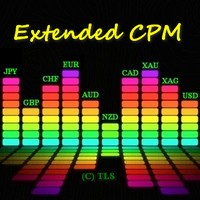
L'algoritmo si basa sull'idea dell'indicatore Currency Power Meter. In questa versione il numero di valori visualizzati è illimitato, il suo codice è più compatto e veloce, i valori della barra corrente possono essere ottenuti tramite buffer indicatori. Cosa mostra l'indicatore   : una banda sottile e il numero in alto davanti alla valuta mostrano l'indice di forza relativa delle ultime N ore (N è impostato nei parametri nella variabile 'Ore'), una banda più ampia mostra l'indice giornaliero. Pi
FREE
Utility progettata per cambiare lo strumento di trading per i grafici attuali, tutti o selezionati, il cambio di timeframe e per il movimento simultaneo nella cronologia (automaticamente o al clic) di tutti i grafici. L'elenco dei simboli viene letto dalla "Panoramica del mercato". È possibile modificare il colore, le dimensioni e la posizione dei pulsanti. La sincronizzazione dei grafici avviene al momento della prima barra visibile nel grafico attivo quando si fa clic sul pulsante di sincroniz
Mini Charts
Sergey Efimenko
4.78 (9)
L'indicatore mostra grafici ridotti a icona di qualsiasi simbolo da qualsiasi intervallo di tempo. Il numero massimo di carte visualizzate è 28. Le carte possono essere posizionate sia nella finestra principale che in quella inferiore. Due modalità di visualizzazione: candele e barre. La quantità di dati visualizzati (barre e candele) e le dimensioni del grafico sono regolabili. Parametri: Corner - angolo di inizio visualizzazione (selezionato dall'elenco) CandleMode - modalità di visualizzazion
FREE
CPM Extended
Sergey Efimenko
4.8 (10)
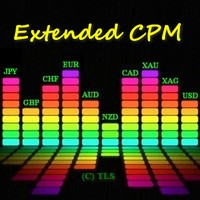
L'algoritmo si basa sull'idea dell'indicatore Currency Power Meter. In questa versione il numero di valori visualizzati è illimitato, il suo codice è più compatto e veloce, i valori della barra corrente possono essere ottenuti tramite buffer indicatori. Cosa mostra l'indicatore   : una banda sottile e il numero in alto davanti alla valuta mostrano l'indice di forza relativa delle ultime N ore (N è impostato nei parametri nella variabile 'Ore'), una banda più ampia mostra l'indice giornaliero. Pi
FREE
L'indicatore consente di determinare la direzione del prezzo corrente e la volatilità del mercato. Questa versione del Traders Dynamic Index ha eliminato il ridisegno dei dati storici, ottimizzata la velocità di calcolo dell'algoritmo, più parametri esterni per un aggiustamento più preciso e le sue funzionalità estese: aggiunta la selezione dell'oscillatore iniziale e le modalità di smoothing delle medie . Parametri: Mode Osc - stima della selezione dell'oscillatore Period Osc - il periodo di ca
Filtro:
[Eliminato] 2022.12.07 03:42 
 

L'utente non ha lasciato alcun commento sulla valutazione.

Sergey Efimenko
35303
Risposta dello sviluppatore Sergey Efimenko 2022.12.07 09:04
Dear customer, you must have REMORSE because you write a bad review without even trying to solve this issue with me first or at least without reading the instructions.
Firstly, the demo versions for this product will not work due to the features of the terminal (by the way, I warn you about this in the review)
As for the incorrect operation of the utility in your opinion, in order to avoid changes, it is enough to disable unnecessary options in the settings, which you can just ask me about.
yang891205
40
yang891205 2021.05.24 04:31 
 

你好,我之前租赁了这个产品一年,使用良好,今天到期后我就购买了这个产品,可在MT5上却无法显示,产品在图表上添加不了,无法使用,请问这是什么原因呢?

Sergey Efimenko
35303
Risposta dello sviluppatore Sergey Efimenko 2021.05.24 13:52
Hello. I replied to you in private messages.
Chalin Saranga Jayathilake
6414
Chalin Saranga Jayathilake 2021.05.19 15:36 
 

The product already purchased 5 star

Mustafa Nail Sertoglu
1122
Mustafa Nail Sertoglu 2021.04.21 11:19 
 

L'utente non ha lasciato alcun commento sulla valutazione.

Luke Perrett
3411
Luke Perrett 2020.06.03 13:04 
 

Great product and great help from the author. Many inputs and options available with this product. EDIT: I just cant get over how good this product is and I dont even know how to use it to its full potential. With 12 screens we need tools like this to make things easy for navigation. A true credit to the author. O and did I forget to mention how helpful he is as well. 10 STARS

[Eliminato] 2019.01.14 06:29 
 

L'utente non ha lasciato alcun commento sulla valutazione.

pete080368
1102
pete080368 2018.09.08 22:29 
 

L'utente non ha lasciato alcun commento sulla valutazione.

Rispondi alla recensione