Peak Lock Stop Manager
- Utilità
-
Fernando Altair Kuhn
 Trader and MQL5 developer from Brazil. I build MetaTrader 5 tools for risk control and trade execution: lot calculators, loss limits, stop managers, a trade copier and strategy builders. Every product shows its limits and its tester results with real costs. No profit promises. Support through MQL5
- Versione: 1.0
- Attivazioni: 5
Peak Lock Stop Manager manages the stop loss of positions you already have, opened by hand or by other Expert Advisors. It never opens trades on your account and it never moves a stop against you.
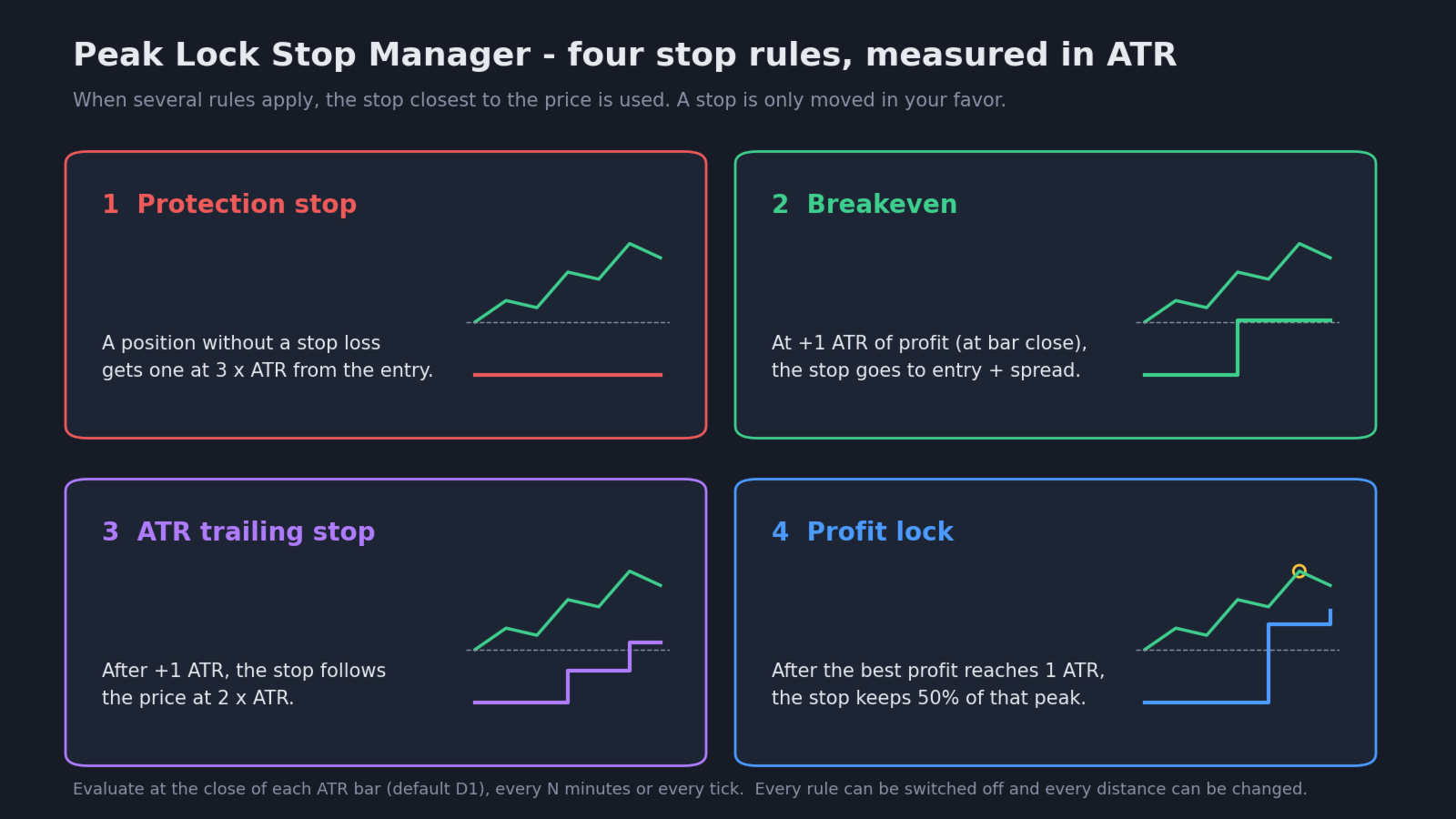
Four rules, measured in ATR (Average True Range, the standard volatility indicator), so they adapt to each market.
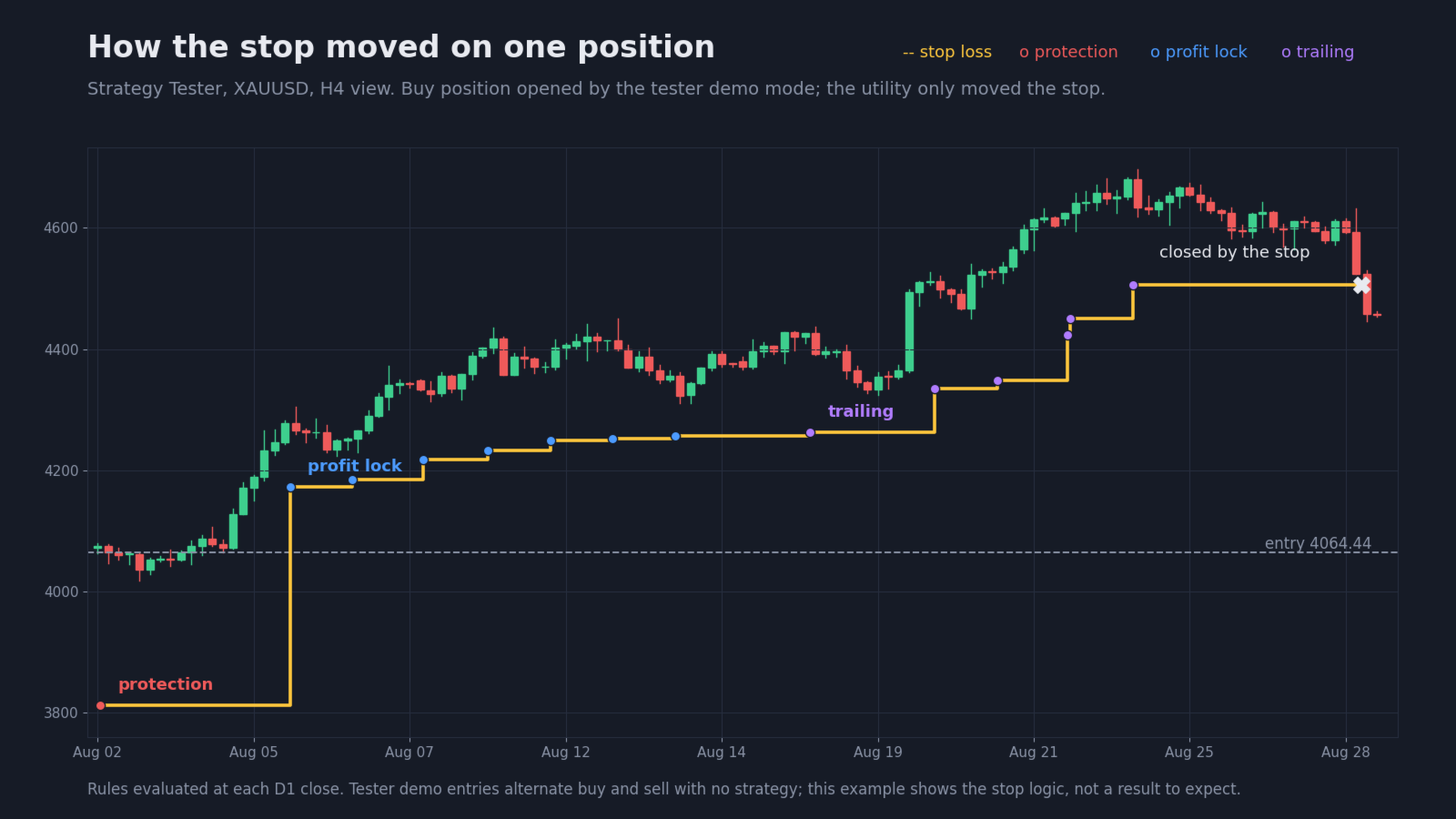
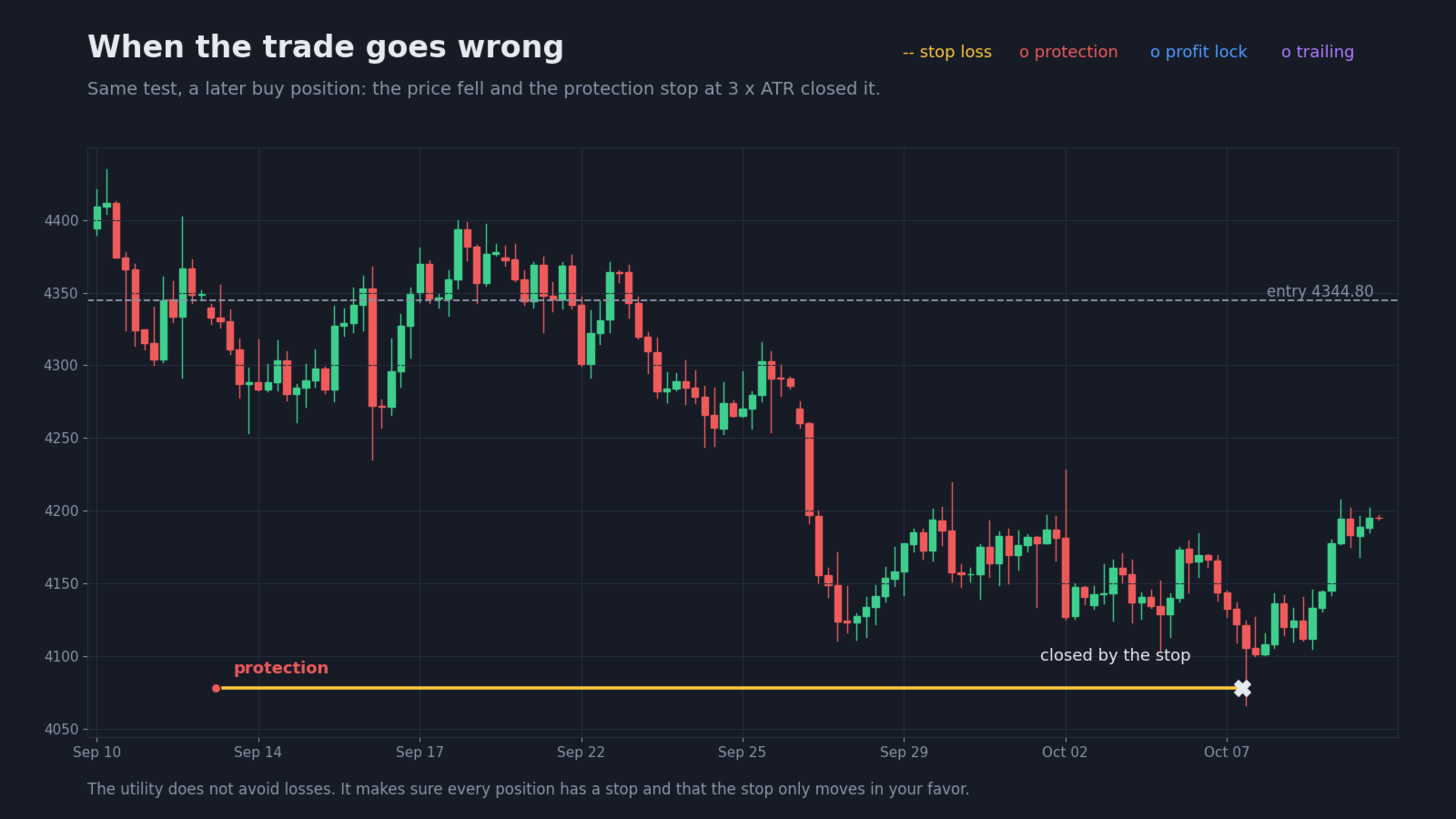
- Protection stop - a position without a stop loss gets one at N x ATR from the entry.
- Breakeven - when profit reaches N x ATR, the stop moves to the entry plus the spread.
- ATR trailing stop - after the trigger, the stop follows the price at N x ATR.
- Profit lock - once the best profit reached passes N x ATR, the stop keeps a fraction of it (50% by default). If a position went +3 ATR and comes back, the stop sits near +1.5 ATR instead of at the entry.
When several rules apply, the stop closest to the price is used. A stop is only moved in your favor.
When to evaluate
- At the close of each bar of the ATR timeframe (default D1). Intraday noise does not move the stop; suited to swing positions.
- Every N minutes.
- Every tick.
Which positions
- Only the chart's symbol, or all symbols.
- Manual positions only, one magic number, or all positions.
Safety and display
- Simulation mode: draws where the stop would go and writes it in the journal, without changing anything. Use it to check the rules on your account first.
- On-chart panel with each position's profit and best profit in ATR, current stop and the reason of the last change.
- Respects the broker's stops level and freeze level. Waits for the trading session to open when the market is closed.
- The best profit is rebuilt from price history, so the rules keep working after a terminal restart.
- English and Portuguese interface.
Strategy Tester
In the tester the utility opens demo positions (buy and sell alternately, no strategy) only so you can watch the rules in visual mode. Their profit or loss means nothing. On a live or demo account it never opens trades.
What it does not do
It does not choose entries and it does not avoid losses. It makes sure every position has a stop and that the stop follows the rules you set.
Inputs - which positions
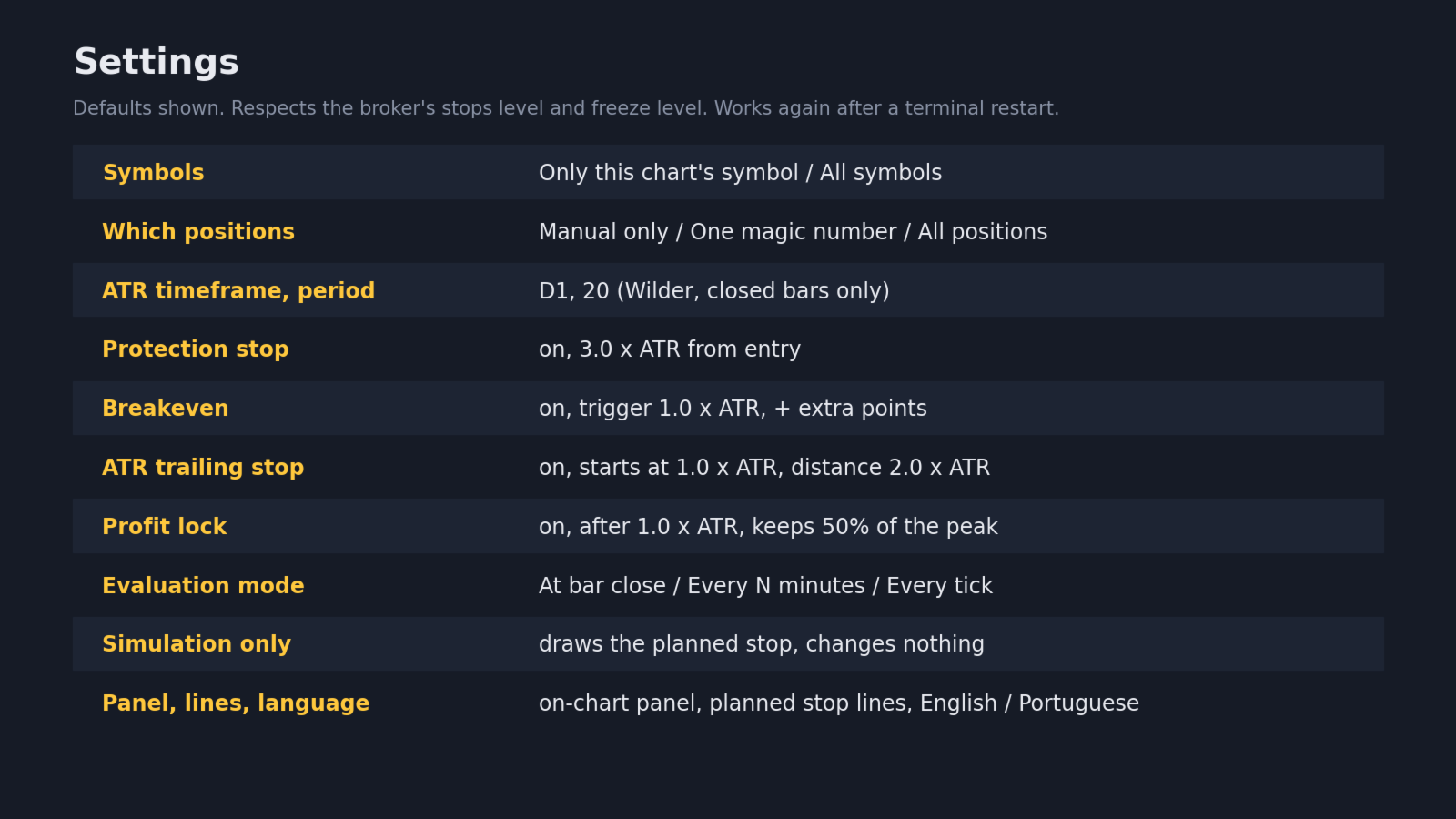
- Symbols: this chart's symbol or all symbols
- Which positions: manual only, one magic number, or all
- Magic number: used when "one magic number" is selected
Inputs - rules
- ATR timeframe and period: default D1 and 20 (Wilder method, closed bars)
- Protection stop: on or off, distance (default 3.0 ATR)
- Breakeven: on or off, trigger (default 1.0 ATR), extra points beyond the spread
- Trailing stop: on or off, start (default 1.0 ATR), distance (default 2.0 ATR)
- Profit lock: on or off, trigger (default 1.0 ATR), fraction kept (default 0.5)
Inputs - operation and display
- Evaluation mode: bar close, every N minutes or every tick, and the number of minutes
- Simulation only, show panel, panel position, planned stop lines, language
- Strategy Tester only: open demo positions