Omni Signal Copier for Telegram and Discord

  • Utilità
  • Kay Zaremba
    Kay Zaremba
    Trader and MQL4 / MQL5 / Pine Script developer behind trader.lifestyle.
    YouTube: youtube.com/@traderlifestyle
    What I do:
    • Build free indicators and Expert Advisors for MT4, MT5
    • Turn strategies from YouTube videos, TradingView scripts and forum posts into working code
  • Versione: 1.0
  • Attivazioni: 5

Omni Signal Copier – Telegram, Discord, Slack and TradingView signals into MetaTrader

Omni Signal Copier reads trading signals from Telegram, Discord, Slack, TradingView alerts (via ntfy), text files and manual input, understands them with a multi-language parser and trades them on your MetaTrader account – with multi-TP, break-even, trailing, a prop-firm guard and a live dashboard with 8 tabs. Everything runs inside the Expert Advisor: no extra program, no DLL, no external server of ours.

The same product exists for MetaTrader 4 and MetaTrader 5 with identical functions.

Why it is different

  • 6 sources in one EA: Telegram bot, Discord bot, Slack bot, ntfy (TradingView webhooks and any other webhook), file bridge, manual LAB.
  • Universal parser: English, German, Spanish, Portuguese, French, Italian, Russian, Turkish, Indonesian, Arabic and Chinese keywords, emojis (🛑 🎯 ✅), 𝐛𝐨𝐥𝐝 / Ⓒⓘⓡⓒⓛⓔⓓ / fullwidth fonts, zones (2350-2345), pips and points, shortened prices ("SL 40" = 2340), decimal commas (1,0850), thousands separators (4,103.50), JSON alerts and key=value.
  • Follows the channel: close, close half, close 70 %, break-even, move SL, new TP, cancel, "TP1 hit", "SL hit", replies to the original signal and edited messages.
  • Channel Trust Score: every channel gets a grade (A+ to F) from its real results – profit factor in R, expectancy, win rate, drawdown and sample size.
  • Paper mode per channel: test a new channel with virtual trades before you risk money.
  • Ghost tracking: signals that your filters skip are followed virtually – you see whether your filters cost or saved you money.
  • Channel backtester: export a Telegram or Discord chat and replay it in the Strategy Tester with the real execution engine.
  • Multi-terminal hub: one terminal fetches the messages, every MT4/MT5 terminal on the same PC copies them – one bot token, many accounts.
  • Prop-firm guard: daily loss limit, max drawdown from the equity peak, equity floor, daily target – closes and blocks automatically.
  • Remote control: /status /pause /resume /closeall /be /report /channels from your phone (Telegram).

Quick start (5 minutes)

  1. Attach the EA to one chart (any symbol, any timeframe). Enable Algo Trading.
  2. Menu Tools → Options → Expert Advisors: tick "Allow WebRequest for listed URL" and add the sources you use:
    https://api.telegram.org · https://discord.com · https://slack.com · https://ntfy.sh (or your own ntfy server).
  3. Fill in the source you want (see the setup guides below) and press OK.
  4. Open the LAB tab and press a sample button → PARSE shows exactly what the copier understands.
  5. Start with the channel in PAPER mode (CHANNELS tab) and switch it to LIVE when you trust it.

Setup guides

Telegram

  1. In Telegram open @BotFather → /newbot → copy the token (looks like 123456789:AAH... ).
  2. Add the bot to the channel or group you want to copy. In a channel the bot must be an administrator (read messages is enough). In a group add it as admin or disable the privacy mode with @BotFather ( /setprivacy → Disable ).
  3. Inputs: Telegram: enable = true, bot token. Leave chats to copy empty to copy every chat the bot sees, or enter chat IDs / @usernames separated by commas. Forum topics: -100123456:7 (chat:topic).
  4. Important: a bot can only read chats it is a member of. For channels where you cannot add a bot you can forward the signals to your bot in a private chat – private chats are read as well.
  5. Only one program may read a bot token at the same time. Use the hub (default) when you run the copier in several terminals.

Telegram reports + remote control

Send any message to your bot, then enter your chat ID (e.g. from @userinfobot) in Telegram chat ID for reports. You receive every opened / closed trade, guard events and a daily report, and you can send /status /pause /resume /closeall /be /report /channels /guardreset .

Discord

  1. Discord Developer Portal → New Application → Bot → Reset Token → copy it. Turn Message Content Intent ON.
  2. OAuth2 → URL Generator → scope bot, permissions View Channels + Read Message History → open the URL and add the bot to the server (you need the "Manage Server" right, or ask the admin).
  3. Discord settings → Advanced → Developer Mode ON → right-click the signal channel → Copy Channel ID.
  4. Inputs: Discord enable, bot token, channel IDs (comma separated). Embeds (title, description, fields) are read too, edits are followed.

Slack

Create a Slack app with a bot token ( xoxb-... ) and the scopes channels:history, groups:history, channels:read. Invite the bot to the channel ( /invite @yourbot ) and enter the channel IDs (C0123...).

TradingView alerts (ntfy)

  1. Think of a long, secret topic name, e.g. omni-7f3k29xq-gold .
  2. In the TradingView alert set the Webhook URL to https://ntfy.sh/omni-7f3k29xq-gold and write the signal in the message, e.g. {{ticker}} buy sl={{plot_0}} tp={{plot_1}} or JSON {"symbol":"XAUUSD","action":"buy","sl":2340,"tp":2360} .
  3. Inputs: ntfy enable, server https://ntfy.sh , topics. Any other tool that can call a webhook works the same way (Zapier, Make, scripts, other platforms).

File bridge

Every .txt file placed in Terminal\Common\Files\OmniSignal\inbox is read as one message and deleted. Optional first lines: #chan: Name , #id: 123 , #reply: 120 . Use it with any program that can write a file.

The dashboard (8 tabs)

Header: animated logo, copier state (COPYING LIVE / PAUSED / GUARD STOP / ALGO TRADING OFF), server time, hub role. Source strip: one tile per source with status light, messages, latency and the last error. KPI ribbon: balance, equity, today P/L, open P/L, open/pending, signals today → executed, win rate, profit factor, average latency, average R, ghost result. Hover over anything to get an explanation. Drag the header to move it, X folds it into a small pill. The panel automatically avoids other panels.

  • DASHBOARD – live signal cards with a price ladder (SL, entry, every TP, live price), P/L, legs, age; animated signal radar of the last 30 minutes; equity curve of the copied trades; last execution.
  • LIVE FEED – every message of every source with the parser verdict (SIGNAL, OPENED, PENDING, TP HIT, BREAK-EVEN, DUPLICATE, CHAT, OLD …) and the reason.
  • SIGNALS – the journal: live, paper, ghost and skipped signals with entry, SL, TPs, result in money and pips, R, latency, slippage, MFE/MAE.
  • CHANNELS – leaderboard with trust grade, mode button (LIVE / PAPER / OFF), lot multiplier (x0.25 … x3), REVERSE switch, win rate, PF, net, virtual pips, latency and an R sparkline.
  • RISK – gauges for daily loss, max drawdown, daily target and margin level; exposure per symbol; "if every SL hits now"; CLOSE ALL, ALL TO BE, RESET GUARD.
  • ANALYTICS – equity curve, heat map of signal arrival (weekday × hour, colour = result), latency histogram, R distribution, symbol performance, streaks, best/worst.
  • SOURCES – requests, errors, latency and last error of every source, hub terminals, setup checklist.
  • LAB – type or paste a signal (3 lines), PARSE shows symbol, direction, entry, SL in pips, every TP with its R, lot plan and risk money; SEND feeds it into the copier.

How a signal is traded

  1. The message is cleaned (fonts, emojis), the symbol is mapped to your broker (GOLD → XAUUSD.m, NAS → USTEC, DAX → GER40 …; prefixes and suffixes are found automatically).
  2. Prices are checked against the live quote: wrong side SL/TP, far away entries and "too late" signals (price beyond TP1) are rejected.
  3. Filters: channel mode, pause, guard, symbol lists, trading hours, weekend, news (MT5), max open, per symbol, per day, spread, spread vs SL.
  4. Entry: Auto (market inside the zone, otherwise pending at the nearest zone edge), Market, Pending at the best price, or Split (half market, half pending).
  5. Lot: fixed, risk % of balance / equity, fixed money, lot per 1000, or the lot written in the signal × multiplier. Risky signals ("high risk") get half the lot.
  6. Multi-TP: one position per TP (lot split with optional weights like 50,30,20) or one position with partial closes. If the lot is too small for every TP, fewer positions are used (first and last TP).
  7. Management: break-even after TP1 (only when the price allows it – never a stop inside the spread), ladder trailing (TP2 → SL to TP1 …) or classic trailing, time exit, Friday close.

Strategy Tester

  • Without settings the tester runs a built-in demo signal stream (a signal every few hours in changing formats) so you can see the whole engine and dashboard.
  • Channel backtest: Telegram Desktop → open the channel → ⋮ → Export chat history → format JSON → copy result.json to Terminal\Common\Files\OmniSignal\backtest\ → input Tester: channel backtest file = result.json . DiscordChatExporter JSON files and simple text files ( 2026.09.02 10:15:00|XAUUSD BUY NOW SL 2340 TP 2360 , optional #chan=Name|#id=5|#reply=3|#edit| ) work too. Choose your broker time zone in Tester: broker time zone.

Inputs

1–4 Sources: enable switch, token, chats / channel IDs / topics and poll interval for Telegram, Discord, Slack and ntfy.
5 Local sources + hub: file bridge, manual signals, hub mode (Auto = first terminal fetches, all copy · Standalone · Master · Follower).
6 Channels: mode of new channels (LIVE / PAPER / OFF) and rules like VIP Gold=PAPER;TG:-100123=LIVE x0.5 REV .
7 Parser: signals without SL (skip = wait 2 minutes for an SL message / default SL / none), default SL and TP in pips, shortened prices, small numbers = pips, gold pip size, extra aliases ( GOLD=XAUUSD.m ), symbol prefix / suffix, ignore words, required words, max message age.
8 Entry: entry mode, max distance for market orders (0 = auto), skip when TP1 is passed, max spread, pending lifetime, slippage, reverse all, SL / TP padding.
9 Lot + take profit: lot mode and values, max lot, multi-TP mode, TP weights, max TPs.
10 Trade management: break-even after TP1 + lock pips, trailing (off / ladder / pips), follow channel commands, command scope (last signal / symbol / all), reaction to "TP hit" messages, follow edits, time exit, Friday close.
11 Filters: symbol white / black list, max open, per symbol, per day, trading hours, Monday–Friday, news filter (MT5 calendar).
12 Prop-firm guard: daily loss %, max drawdown %, daily target %, equity floor, action, scope (copier / whole account), day reset hour.
13 Notifications: Telegram report chat, remote control, Discord webhook, push, alerts, sounds, daily report hour.
14 Panel + general: panel on/off and size, chart overlay, hover help, magic number, order comment.
15 Strategy Tester: demo stream, channel backtest file, broker time zone.

FAQ

Do I need a VPS? The copier works while MetaTrader runs. For 24/5 copying use a VPS.
Can it read images? No – the text and the caption of image posts are read. Pure screenshots without text cannot be copied.
Can it read a channel without a bot? A Telegram/Discord bot only sees chats it was added to. Use your own channels, ask the admin to add your bot, or forward the signals to your bot.
Hedging or netting? Both. On netting accounts every signal uses one position (partial closes at the TPs).
Several accounts? Yes – run it in each terminal; with the hub one terminal fetches and all copy.
Does it trade my manual trades? No – it only manages its own trades (magic number). The guard can measure the whole account.

Trading involves risk. Past results of a signal channel do not guarantee future results. Test every channel in PAPER mode first.

Prodotti consigliati
ApexForge Dynamic MA Exit Manager Gestione dinamica di Take Profit e Stop Loss tramite medie mobili su MT5 | Moving Average TP SL | Uscita dinamica EMA SMA | Supporto e Resistenza MA Multi-Timeframe | Aggiornamento automatico TP SL | Position Manager Versione Demo Prima di acquistare la versione completa, è possibile testare le funzionalità di ApexForge Dynamic MA Exit Manager su un conto demo MT5. Download della versione Demo, istruzioni di installazione e guida utente: ApexForge Dynamic MA E
Strategy Health Monitor confronta un'istantanea di riferimento salvata con una cronologia di operazioni successiva e segnala differenze statistiche in base alle impostazioni selezionate. È un'utility MT5 manuale per controlli puntuali. Legge un report HTML o HTM dello Strategy Tester fornito dall'utente, oppure un CSV di operazioni separato da virgole con una colonna dei profitti riconoscibile. Non monitora continuamente i conti e non recupera autonomamente la cronologia del conto. COME FUNZI
SignalX News Window Guard
Ahmed Ismail Muhammad Ismail Al Talhat
Most news filters ask you to maintain a list of events, and a list goes stale the week you stop updating it. MetaTrader 5 already ships the economic calendar, so this guard reads it directly and blocks new orders inside a window around high-impact releases. Reads the terminal's own economic calendar for the currencies on the chart, marks each high-impact window forward on the chart, withdraws pending orders while a window is open, and can optionally protect or close open positions. Uses the nati
GoldExpert Harvester Pro Tre motori di trading per l'oro, un unico grafico, tre impostazioni. GoldExpert Harvester Pro è un Expert Advisor per MetaTrader 5 progettato per il trading sull'oro (XAUUSD). Non si affida a una sola strategia: tre motori indipendenti operano basandosi sui livelli di massimo e minimo della giornata precedente, offrendo così molteplici opportunità di ingresso durante lo svolgimento della sessione. Nessuna strategia "martingala". Ogni posizione aggiuntiva utilizza lo s
Session Exit Agent watches the next trading break for the chart symbol. Use the default Preview mode to see which positions or pending orders are in scope and when the warning and exit windows begin. You can opt in to actual close and cancel requests. Set the scope and time Attach the utility to a separate desktop MT5 chart. Set the exact position magic number. Zero includes manual trades with magic zero. Enter a ticket to narrow the scope to one position or pending order. Pending-order cancella
Negative Swap Rollover Guard
AL MOOSAWI ABDULLAH JAFFER BAQER
Run it free first: load Negative Swap Rollover Guard in the Strategy Tester with visual mode on. Its demo positions are held into the rollover on purpose, so you can watch the countdown run down, the check fire ten minutes before midnight, and the next morning's line that puts the estimated swap next to the swap the tester really booked. SWAP IS THE COST YOU NEVER SEE COMING. THIS GUARD LOOKS AT IT BEFORE THE BROKER DOES. Negative Swap Rollover Guard is a utility Expert Advisor for MetaTrader 5.
UMNi-CMND MT5 Remote Command & Trade Control System UMNi-CMND turns Telegram into a full remote control panel for your MetaTrader terminal. Send commands from your phone to open trades, manage positions, query account status, and receive complete trade telemetry — all without touching the platform. KEY FEATURES Full remote trade execution via Telegram Open, close, and manage positions by command Move SL/TP, set breakeven, partial close Live status, account, and position q
Keyboard Scalper Pro
Mauricio Eduardo Lara Perez
Keyboard Scalper Pro is a customizable keyboard trading utility for MetaTrader 5. It is designed for traders who want direct manual control of order execution without being limited to a fixed keyboard layout. Every trading hotkey can be configured to match the user's preferred workflow, while the default layout is built around the numeric keypad for fast operation. The utility does not generate signals and does not decide when to trade. The trader chooses the setup, direction and timing. Keyb
VENIQOR Smart Trade Copier PRO is more than a simple MT5 trade copier. It combines fast local trade synchronization with flexible risk management, Account Protection and optional News Protection for every Receiver account. As with our other VENIQOR products, we welcome useful customer feedback and are happy to implement meaningful improvements and new features whenever possible. The same EA works as both Master and Receiver . One Master can copy trades to multiple Receivers running on the same
Pro Trade Manager Panel riunisce tutto il tuo trading manuale in un unico pannello sul grafico di MetaTrader 5: pianifica l'operazione in modo visivo, lascia che il pannello calcoli la dimensione dal tuo rischio, invia gli ordini, poi gestiscili e proteggili. Funziona su Forex, metalli, indici e altri simboli. PIANIFICAZIONE VISIVA DEI TRADE Riquadri di ingresso, Stop Loss e Take Profit disegnati sul grafico; trascinali per regolarli. 1, 2 o 3 livelli di Take Profit (lotto diviso). Step SL opzio
Tick Chart Constant Volume Generator
Trade The Volume Waves Single Member P.C.
1. Overview   The Tick Chart Toolset is a pair of tightly coupled MQL5 files that generate and control professional Constant Volume charts inside MetaTrader 5 as custom symbols. Unlike time-based charts, each bar closes only when a target volume threshold is reached, giving you a noise-filtered, activity-proportional view of the market. Free "Tick Chart Monitor Indicator" to control the generator EA:  https://www.mql5.com/en/market/product/17104   Component Type Role Tick_Chart_Generator_AI_MT5
AI Discord Trade Signal Sender
Fadi Hassan Khaled Ghanem
Share your trades with a Discord channel automatically. How it works Create a webhook in your Discord channel settings and paste the URL into the inputs. Allow WebRequest for https://discord.com in Tools, Options, Expert Advisors. New positions, SL and TP changes and closed positions are sent with symbol, direction, price, lots, pips and result, depending on your settings. Messages are queued and resent if Discord is busy. Key features Open, modify and close messages Optional lots, pips and prof
FREE
Blog di MQL5: https://www.mql5.com/en/blogs/post/761446 Versione MT4: https://www.mql5.com/en/market/product/136790 Versione MT5: https://www.mql5.com/en/market/product/136791 Time Wizard è un assistente di trading professionale pensato per i trader che necessitano di velocità, tempismo e controllo dell'esecuzione in un'unica dashboard intuitiva. Questo Expert Advisor è progettato per il trading basato su eventi, l'esecuzione programmata e la gestione semiautomatica rapida degli ordini. Conse
Gold Scalping Matrix MT5
Mohamed Abdulmohsen Mohamed Saeed Ali
The Gold Scalping Matrix is an advanced trading algorithm designed to capitalize on market action and price reversals in the gold market. This innovative bot employs real time market behavior trading strategy, intelligently placing buy and sell orders at predetermined intervals around the current market price.  All Configuration Set Files for back-test and live accounts   All Experts for back-Test find the new free versions before change to paid Recommended Broker Support group   or DM for any
MT5 history exporter for accurate trade analysis and CSV export. Export trades to Excel from MetaTrader 5 with full performance metrics. Advanced MT5 trade analyzer with MAE, trade duration, and reconstruction. Usually platforms hide critical information about how your trades actually behave. History Downloader and Trade Analyzer solves this. It rebuilds your trades from raw deal history and exports a clean, structured dataset with accurate metrics MT5 does not provide. What You Get A fully s
Hybrid Assisted Trading Engine Manual Trading. Machine Discipline. The Hybrid Assisted Trading Engine is an institutional-grade manual trade management system designed to protect traders from emotional mistakes — without taking control away from them. You decide when to enter . The engine decides how the trade is managed . What It Does This system continuously monitors your manual trades and enforces professional-level trade management rules in real time: Smart Breakeven logic R-based trai
This is tool that will help you to manage your trades.you can set target 1,2,3 in points and percentage size of lot size you want to close at this targets.like you have set target 1,2,3 as 5$,10$ and 15$ with size 40%,30%,30%.now if you take entry on xauusd on 4220 with 0.1 lot then it will close 0.04 lot on 5$ target ,0.03 lot at 10$ target and remaining quantity at 15$ target. you can set stoploss also in points. the stoploss and target will be automatically set when you take trade. also there
Clock Et Mt5
Andrew Tsujiguchi
Semplice orologio dell'ora della costa orientale USA (ET) sul vostro grafico, sincronizzato automaticamente con gli orari del mercato americano. Aggiornamento ogni secondo. Full description: ClockET — Indicatore leggero che mostra la data e l'ora attuali secondo l'ora della costa orientale USA (ET) direttamente sul grafico, per sapere sempre esattamente a che punto è la sessione americana — senza calcoli manuali del fuso orario. Cosa viene visualizzato • Orologio in tempo reale — Giorno, mes
FREE
Limiter Drawdown EA – Automatic Account Protection for MetaTrader 5 Description Limiter Drawdown EA is a lightweight risk management tool for MetaTrader 5. It monitors your account drawdown in real time and will automatically close all open trades once the threshold you define is reached. This provides a reliable safeguard for any trading strategy. Main Functions Monitors equity versus balance continuously Closes all positions when your chosen drawdown percentage is reached Optionally removes
FREE
Visualizzatore di sessioni di trading leggero e in tempo reale, con tracciamento del prezzo a livello di tick e zero lag sul grafico. Session Overlays Mastery Core offre una vista pulita e istituzionale delle sessioni di trading di Asia, Londra e New York senza ingombrare il grafico o rallentare la piattaforma. A differenza dei tradizionali indicatori di sessione che eliminano, ridisegnano e lampeggiano costantemente a ogni chiusura di candela, Session Overlays Mastery Core elabora le sessioni s
FREE
The real‑time view of what is happening inside the market. Footprint Secrets brings detailed analysis directly into MetaTrader 5. It shows where volume is trading, how buyers and sellers are interacting, and how liquidity shifts as the market evolves. Designed for traders who want a precise, real‑time understanding of market behavior. Check out the free preview version here:  https://www.mql5.com/en/market/product/172398 Benefits for the Trader See the real activity behind price . Footprint ch
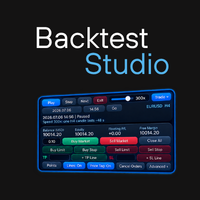
Backtest Studio
Gianny Alexander Lugo Sanchez
Backtet Studio It is a training and manual back-testing tool. It does NOT send real orders to your broker. Lets you go back to any date in a symbol's history and replay the market candle by candle (with simulated ticks inside each candle) while you practice manual trading on a virtual account.  HOW IT WORKS 1. Attach the EA to a chart of the real symbol (for example EURUSD). 2. Choose a start date and time with the built-in calendar and time picker and press Start Replay. 3. The EA build
Algo Trading Indicaor MT5 The ATC ALGO indicator has been developed to work on the MetaTrader 5 platform. It has the same specifications and zones as the MetaTrader 4 version. There may be slight lag, which we believe is due to differences in MetaTrader 5 programming. We will work on improving it, God willing. MT5 Version                    https://www.mql5.com/en/market/product/170028 MT4 Version                    https://www.mql5.com/en/market/product/88034 With this indicator , you’ll have
ApexForge Quote Paused Notification is a lightweight monitoring utility designed for MetaTrader 5 that detects when market quotes stop updating and immediately alerts you when abnormal quote interruptions occur. Whether caused by server issues, network disconnections, market closures, or temporary liquidity interruptions, the tool helps traders recognize quote freezes before they lead to missed opportunities or unexpected trading behavior. A notification is also generated once normal price upda
FREE
Telegram and Discord to MT5 AI Trade Signal Copier copies the signals of your Telegram and Discord providers into MetaTrader 5 and manages every trade by your rules in your languages. The program screens and messages come in English, Russian, Chinese (Simplified and Traditional), Spanish, Portuguese, Japanese, German, Korean, French, Italian, Turkish, Thai, Indonesian and Vietnamese. Test before you trade: replay any provider's past signals on your own MetaTrader price history, rank up to 20 pro
FxBears Matrix Pro – Institutional Order Flow, Footprint & CME L2 DOM Terminal FxBears Matrix Pro   is a next-generation institutional trading terminal developed natively for   MetaTrader 5 . It bridges the gap between traditional retail technical analysis and hedge-fund-level order execution by revealing what happens   inside and behind every candlestick . By visualizing true market depth (DOM Level-2), real-time Footprint clusters with imbalance detection, dynamic Cumulative Delta, and an aggr
KChrono Timer
Okechukwu Maxwell Okeke
KChrono Timer is a four-mode timing utility for MetaTrader 5. It keeps candle, countdown and trading-session time information visible directly on the chart. Timer modes 1. Candle Close Timer Displays the remaining time and progress of the active candle. The current chart timeframe or another candle timeframe can be selected. 2. Custom Countdown Runs a user-defined countdown with optional automatic restart or reset when a new candle begins. Pause, Resume and Reset controls are available dire
FREE
VP-MTF PRO - Institutional Volume Profile Multi-Timeframe                               OVERVIEW VP-MTF PRO is a professional-grade Volume Profile indicator designed for serious traders who want institutional-level analysis. It combines multi-timeframe volume profiling with automated signal generation, VPOC migration tracking, and HVN/
FREE
Track Daily Gains RJS MT5
Robert Jasinski-sherer
This Program will not execute any trades! Works on any chart and any time frame! This is the MT5 version. MT4 version: https://www.mql5.com/en/market/product/125496?source=Site+Market+My+Products+Page#description This Program will produce a comment box at the top left of the chart and show you your equity % difference throughout the day. Updating constantly in real time. The daily resets back to zero on open of a new market open day. Using new current equity at start of day as reference for
FREE
Prop Firm Guard Pro
Shanawaz Mohammed Nabi Rasool Pinjori
Prop Firm Guard Pro protects a prop firm challenge or funded account from breaking its risk rules. It watches the whole account every second and, when a rule is broken, closes the positions, deletes pending orders and blocks new trades for as long as the rule requires. It works with manual trading and with any other Expert Advisor on the same account. It never opens trades on a live chart. Rules it enforces Daily loss limit - measured from the balance, the equity or the higher of the two at the
Gli utenti di questo prodotto hanno anche acquistato
FarmedHedge Pair Trading Dashboard
Tanapisit Tepawarapruek
5 (7)
Farmed Hedge Yield Farming | All Markets (Manual - Hybrid - Semi/Automated EA) VERIFIED TRADING RESULTS - Farmed Hedge Yield Axi Copy:  https://www.mql5.com/en/signals/2356376 - Farmed Hedge Yield Exn Copy:   https://www.mql5.com/en/signals/2356404 - Farmed Hedge Yield V Copy:  https://www.mql5.com/en/signals/2357156 IMPORTANT NOTICE: FarmedHedge is a MANUAL-FOCUSED TRADING UTILITY ,not a fully automated EA. Results shown on this Signal include manual trades and overall strategic management.
AI Agents Supervisor
Ho Tuan Thang
5 (1)
AI Agent Supervisor is NOT an Expert Advisor. AI Agent Supervisor   is a   multi-agent AI risk & portfolio supervisor   that watches every EA on your account and intervenes in real time.  WANT AN AI PORTFOLIO MANAGER WATCHING YOUR FLEET 24/7?   Run your fleet on the same brokers I do:   IC MARKETS , IC TRADING   .  Unlike the centralized stock market, Forex has no single, unified price feed.  Every broker sources liquidity from different providers, creating unique data streams. The Supervisor r
Unlimited Trade Copier Pro MT5 is a tool to copy trade remotely to multiple MT4, MT5 and cTrader accounts at different computers/locations over internet. This is an ideal solution for you if you are a signal provider and want to copy your trades to other receivers globally on your own rules. One provider can copy trades to multiple receivers and one receiver can get trade from multiple providers as well. The provider can even set the subscription expiry for each receiver, so that receiver will n
News Trade EA MT5
Konstantin Kulikov
4.55 (11)
Presento un utile robot che io stesso utilizzo da diversi anni. Questo robot può essere utilizzato sia in modalità semiautomatica che completamente automatica. >>> Chat <<< Il programma contiene le impostazioni flessibili per fare trading sulle notizie del calendario economico. Non può essere verificato nel tester delle strategie. Soltanto il vero lavoro. Scarica l'ultimo archivio di impostazioni: https://www.mql5.com/en/blogs/post/747929 Monitoraggio dei segnali: https://www.mql5.com/en/signa
Strategy Builder offers an incredible amount of functionality. It combines a trade panel with configurable automation (covert indicators into an EA), real-time statistics (profit & draw down) plus automatic optimization of SL, TP/exit, trading hours, indicator inputs. Multiple indicators can be combined into an single alert/trade signal and can include custom indicators, even if just have ex4 file or purchased from Market. The system is easily configured via a CONFIG button and associated pop-u
REVDEN AI Desk: gestisci il tuo trading da un'unica conversazione con la tua IA, sul contesto di mercato di REVDEN Immagina di gestire il tuo trading da un'unica conversazione. REVDEN AI Desk la porta in MetaTrader 5: chiedi alla tua IA come legge il mercato, e lei risponde dal contesto completo di REVDEN sui simboli che operi, con il loro stato, il loro quadro di rischio e le pubblicazioni in arrivo. Le sue proposte arrivano con ingresso, stop, target e rischio, e tu approvi quelle che ti convi
YuClusters
Yury Kulikov
4.93 (43)
Attention: You can view the program operation in the free version  YuClusters DEMO .  YuClusters is a professional market analysis system. The trader has unique opportunities to analyze the flow of orders, trade volumes, price movements using various charts, profiles, indicators, and graphical objects. YuClusters operates on data based on Time&Sales or ticks information, depending on what is available in the quotes of a financial instrument. YuClusters allows you to build graphs by combining da
The Patch
Mian Rameez Ali
The Patch It never opens a trade. It walks behind the ones that did. Every open position, every pending order — checked twice a second for the one thing that's easy to forget: a stop, a target. Found bare, it doesn't ask. It writes the missing number in, measured in points from wherever the position began, and moves on to the next. No strategy, no opinion on direction. Just the quiet assumption that nothing should ever sit on the market unprotected — not because someone decided it shouldn't,
MT5 Trading Deck
Manuel Michiels
5 (2)
One button. One trade. MT5 Trading Deck is a hotkey trading panel for MetaTrader 5 that turns the platform into a keyboard-driven execution cockpit. Stop loss, take profit and lot size are pre-calculated for every key; the moment you press, a market order is live on the broker. A complete technical user manual is attached in the product Comments section. It documents every input parameter, the full hotkey map, the recommended Stream Deck XL layout, and the advanced workflows for Pre-Limit orders
Floor Watch
Syed Tauqeer Hussain Shah
Floor Watch One number, watched every thirty seconds: how far equity has fallen since the day began — or since its highest point, if it's told to trail the peak instead of the open. Cross the line and it doesn't argue. Every open position closes, every pending order vanishes, and anything that slips through afterward gets shut the moment it appears. Not asked. Removed. The floor holds until the clock turns 5 AM Pakistan time — then, and only then, does the day start over. One rule. No except
FUTURES ORDERFLOW FOOTPRINT CHART Professional OrderFlow EA for MetaTrader 5 Version 1.01| Professional tool for real traders | Institutional-Grade Visualization STRATEGY TESTER USERS - PLEASE SELECT EVERY REAL TICK WHEN TESTING AND YOU HAVE DOWNLOADED HISTORICAL DATA. IF YOU SEE A WAITING SCREEN AND IT IS NOT DOWNLOADING, IT MEANS YOU HAVE LOW HISTORICAL DATA. TRY 1 MIN AND 5 MIN FIRST ON 1 DAY DATA. ONE DAY DATA SHOULD BE THE NEWEST AND MOST CURRENT DATE. PLEASE WAIT UNTIL THE MARKET HAS ROL
The product will copy all  Discord  signal   to MT5   ( which you are member  ) , also it can work as remote copier.  Easy to set up. Work with almost signal formats, support to translate other language to English Work with multi channel, multi MT5. Work with Image signal. Copy order instant, auto detect symbol. Work as remote copier: with signal have ticket number, it will copy exactly via ticket number. How to setup and guide: Let read all details about setup and download Discord To MetaTrader
Un solo acquisto. Tutti i miei indicatori per MT4 e MT5, disponibili oggi e pubblicati in futuro, senza costi aggiuntivi. Dopo l’acquisto, contattami per sapere come riceverli. È previsto un aumento di 50$ ogni 10 acquisti, fino a 999$. Si applica il prezzo del Market al momento del pagamento. Mantieni l’indicatore di cui ti fidi. Automatizza il lavoro che lo circonda. Il tuo segnale. Le tue regole. La tua esecuzione. Hai già un indicatore MT5 su cui fai affidamento, ma devi ancora sorvegliare
Master Your Trading Discipline   Stop losing your hard-earned gains to overtrading and emotional decisions. The Discipline Tool is your ultimate trading assistant, ensuring strict risk management in real-time. Key Protection Features: Advanced Drawdown Defense : Automatically halts trading if your daily drawdown exceeds a preset threshold (percentage or dollar amount). Real-Time Equity Lock : Safeguard profits by referencing peak equity, ensuring drawdown stays within control. Hard Profit Target
Titan Machinist - Your Professional Management System for MetaTrader                                                                                                                                 Transform Your Trading with Automated Position Management Tired of having to manually manage every single trade? Titan Machinist is the ultimate solution to automate your trade management, allowing you to trade like a true professional. Suitable for any trading technique: one s
Trading Chaos Expert
Hennadii Stanilevych
5 (11)
This software has no equals in the world and represents a universal trade "console" covering trading signals, automated market entry, setting of Stop Loss and Take Profit, as well as Trailing Profit for multiple trades at the same time in a single open window. Intuitive control of the Expert Advisor in "three clicks" ensures a comprehensive use of all its functions on different computers, including tablets PCs. Interacting with additional signal indicators that mark the chart to give a real mark
Dealer Panel
Mian Rameez Ali
Dealer's Panel No signal decides anything here — a hand does. One click, and the panel calculates what's underneath: lot size from risk, target from a 30-step balance ladder that remembers exactly how far an account has climbed. Toggle between market and pending without touching an input field. Set a stop, and the take-profit can write itself — a fixed share of the balance, translated into price with no arithmetic left for the trader to get wrong. One trade live at a time; it won't let a seco
Copy your MT5 trades to Interactive Brokers You keep using MT5. Every order you open or close is sent to your IB account. In real time. No coding. No changes to your strategy or EA. Try it first Rent 1 month: $30. Test on a live or paper account. What it does Real-time copying: same direction, reverse, or one side only. Map any MT5 symbol to any IB symbol. Set a lot ratio for each. Forex, Futures, Stocks, CFDs, Metals and Crypto. Position sync: both accounts checked, any difference fixed. Optio
Quant AI Agents
Ho Tuan Thang
5 (1)
Quant AI Agents are independent trading Expert Advisors. Instead of trading using a fixed strategy like other conventional EAs, Quant AI Agents   is a   multi-agent AI trading framework   that turns natural-language strategy prompts into live.  WANT THE SAME RESULTS AS MY LIVE SIGNAL?   Use the exact same brokers I do:   IC MARKETS , IC TRADING   .  Unlike the centralized stock market, Forex has no single, unified price feed.  Every broker sources liquidity from different providers, creating un
Global Investing FX Terminal
Santiago Nicolas Pla Casuriaga
5 (1)
Il Global Investing FX Terminal è una dashboard FX tutto-in-uno per MetaTrader 5 — tassi di politica monetaria delle banche centrali, posizionamento COT del CFTC, ranking carry, sorprese economiche, skew delle opzioni, sentiment retail e correlazioni, tredici pannelli in totale — resa su un singolo overlay canvas privo di sfarfallio e aggiornata ogni 10 secondi da un singolo EA allegato. Nessun software esterno richiesto. L'analisi FX professionale richiede accesso simultaneo a dati che normalme
Adam FTMO MT5
Vyacheslav Izvarin
5 (2)
ADAM EA Special Version for FTMO Please use ShowInfo= false for backtesting ! Our 1st EA created using ChatGPT technology Trade only GOOD and checked PROP FIRMS  Default parameters for Challenge $100,000 Tested on EURUSD and GBPUSD only  Use 15MIN Time Frame Close all deals and Auto-trading  before Weekend at 12:00 GMT+3  Friday For Prop Firms MUST use special Protector  https://www.mql5.com/en/market/product/94362 --------------------------------------------------------------------------------
Features   With MT5 to Interactive Brokers(IB) Trader, you can: 1. Load chart data from IB to MT5, and Analyze with all standard or customer Indicators. 2. Place Orders to IB Account Directly in MT5. 3. Make your Own EAs upon IB Securities by only making minus changes of the trading function. Usage 1) Installation Copy the "Mt5ToIBTraderEn.ex4" and sample files to [MT5 Data Folder]->MQL5->Experts.  2)  MT5 Settings Add the IP Address to the MT5 Allowed URLs in 'Tools->Options->Expert Adviso
AI Arbitron — an MT5 Spot vs Future Gold Arbitrage Bot designed to capture price discrepancies between correlated Spot and Future instruments through hedged, non-directional trading. Platform: MT5 Use Swap Free Accounts, many of the regulated broker gives swap free accounts for 7 days, make use of it by only buying lower price asset and selling higher price asset, hold your position for 2-3 days. Asset: Mainly Gold (XAUUSD) using Spot + Future/CFD price feeds. Core strategy: It monitors the p
Mentfx Mmanage mt5
Anton Jere Calmes
4.25 (8)
The added video will showcase all functionality, effectiveness, and uses of the trade manager. Drag and Drop Trade Manager. Draw your entry and have the tool calculate the rest. Advanced targeting and close portions of a trade directly available in tool (manage trades while you sleep). Market order or limit order on either side with factored spread. Just draw the entry, the tool does the rest. Hotkey setup to make it simple. Draw where you want to enter, and the stop loss, the tool calculates al

Prop Firm Os
Gayathiri Gopalakrishnan
5 (1)
PROP FIRM OS Structured Trading Assistant for MetaTrader 5 PROP FIRM OS is a structured trading assistant designed for MetaTrader 5 users who prefer rule-based market analysis and organized trading workflows. The Expert Advisor combines market analysis tools, scanner functions, dashboard monitoring, alerts, risk-control settings, and trade management features inside one system. PROP FIRM OS is designed to help traders follow selected rules, filters, and monitoring conditions during trading activ
VERON LINK MASTER MT5 — Real-time Multi-Account Dashboard & Sync Controller Veron Link Master is a high-performance, centralized monitoring and synchronization control center designed for MetaTrader 5. Built specifically for traders managing multiple accounts, prop firm portfolios, grid/martingale EAs, or client networks, Veron Link Master provides a seamless, ultra-modern dark-themed GUI dashboard directly on your MT5 terminal. Pricing Structure: Take advantage of our early-bird pricing before
Veron Link Slave – Synchronized Grid, Martingale & Breakout Management Short Description Advanced synchronization tool designed to manage Grid, Martingale, and Breakout EAs. Automatically sends close-basket signals to the Master account upon profit target completion, minimizing slippage across different brokers. Full Description Veron Link Slave is a specialized utility developed to enhance the execution efficiency and risk management of multi-account or multi-broker trading setups. It is desig
Latency Arbitrage
Heri Yusufu Kaniugu
Latency Arbitrage – Ultra Fast Execution & Price Inefficiency Capture Latency Arbitrage  utility tool is designed to exploit short-term price inefficiencies between fast and slow price feeds. Instead of predicting market direction, the EA focuses on execution speed and price deviation opportunities, allowing traders to capture micro-movements before the market fully adjusts. With built-in risk controls and smart filtering, it ensures precise and disciplined trading performance. Price increases b
Crystal Trade Manager – Advanced MT5 Risk and Trade Control Utility Overview Crystal Trade Manager (CTM) is a professional MetaTrader 5 utility designed for risk management, trade automation, and instant execution control. It provides traders with an integrated system for protecting equity, managing daily drawdowns, controlling lot sizes, and applying automation features such as automatic SL/TP, break-even, and trailing stop. The tool is suitable for manual traders, prop-firm challenge particip
TradePad
Ruslan Khasanov
5 (1)
TradePad è uno strumento per il trading sia manuale che algoritmico. Ti presentiamo una soluzione semplice per operazioni di trading rapide e controllo delle posizioni su diversi strumenti di trading. Attenzione, l'applicazione non funziona nel tester di strategia! Versione di prova dell'applicazione per un conto demo e una descrizione di tutti gli strumenti L'interfaccia dell'applicazione è adattata per monitor ad alta risoluzione, semplice e intuitiva. Per un lavoro confortevole, al trader vie
Altri dall’autore
Gold Killzone Sweep Matrix trades the most famous ICT idea for gold. Every kill zone (Asia, London, New York) leaves a high and a low . Stop orders sit beyond them, and that is liquidity . Smart money takes this liquidity (the sweep ) and then turns the market (the change of character, CHoCH ). Most kill zone indicators only draw the lines and leave the rest to you. This one does the whole job. It finds the sweep, confirms the CHoCH and prints a buy or sell arrow with entry, stop loss and target
Footprint Matrix Pro turns your MetaTrader 5 chart into an order-flow footprint chart . Every column shows who traded at each price: aggressive buyers lifting the ask against aggressive sellers hitting the bid. It is built from the real tick history of your broker, and every number is recorded tick by tick from the market data. You can see absorption, exhaustion, imbalances and real displacement as they happen, inside the candle and not only after it closes. Five footprint modes (one click) Bi
Omni Signal Copier – Telegram, Discord, Slack and TradingView signals into MetaTrader 4 Omni Signal Copier reads trading signals from Telegram, Discord, Slack, TradingView alerts (via ntfy), text files and manual input , understands them with a multi-language parser and trades them on your MetaTrader account – with multi-TP, break-even, trailing, a prop-firm guard and a live dashboard with 8 tabs. Everything runs inside the Expert Advisor: no extra program, no DLL, no external server of ours . T
️ TRADE ESCORT COMMANDER – Your trades never walk alone The trade manager + account shield in one. Open your trades the way you like – by hand, with any Expert Advisor or with a signal copier. Trade Escort Commander takes them over within a second and escorts every single one: automatic stop loss, break-even incl. fees, 5 staggered partial take profits , 5 trailing methods , hidden stops – and a prop-firm shield that protects the whole account against daily loss and drawdown. All symbols fro
QUARTER ZONE SCALPER Pullback signals · 25 % quarter zone target · live hit-rate lab · MT4 + MT5 Quarter Zone Scalper turns a simple pullback scalping method into clear, non-repainting signals. A trend ribbon sets the side, price pulls back through the EMA 20 and closes back on the trend side, and a stochastic 8 / 5 / 3 cross confirms. Every signal comes with the pullback swing, a stop and four targets - with the 25 % "quarter zone" as the main target. The idea: the less of a move you ask
Signal Verdict Pro reads the indicators that are already on your chart, finds the signal that just fired and gives it a verdict : does this signal have substance, or is it noise? Every signal gets a score from 0 to 100 from 17 scenario checks, the indicator's own track record on this chart and a live repaint test. You keep your indicators and your strategy. Signal Verdict Pro adds the second opinion: STRONG , VALID , WEAK or REJECT , with the reasons for and against the trade. Works with the i
Currency Velocity Matrix shows the strength of the 8 major currencies ( EUR, GBP, AUD, NZD, USD, CAD, CHF, JPY ), calculated from all 28 pairs . It also shows the rate of change : which currency is gaining strength the fastest and which one is losing it the fastest. Knowing which currency is strong is not enough. A strong currency may already be losing momentum. The best opportunities usually appear when the currency gaining strength the fastest meets the currency losing strength the fastest . T
Market Maker Cycle Matrix shows the daily market maker cycle on your MetaTrader 5 chart. The Asian session builds a range. The London open often runs the stops on one side of it. Then the real move starts, room after room, until the market maker reaches the target and the cycle turns. The indicator tracks this cycle for you: the Asian range , the kill zones , the level count L1 / L2 / L3+ , the peak formation that turns the cycle, and five M15 entry types with entry, stop loss and two targets. A
Triple Edge Prop – three rule-based NASDAQ-100 intraday strategies in one Expert Advisor. Each engine has its own logic, its own magic number, its own timeframe and its own trading window. Together they cover three different market situations: a volatility breakout , an institutional VWAP pullback and an overnight bias breakout . Built for prop-firm challenges and funded accounts, with a full challenge guard on board. Why three strategies instead of one? A single strategy goes through losing
Volatility Range Compass is a volatility dashboard for MetaTrader 5. It answers the questions every trader has before entering a trade: How far does this market normally move in a day, a week, a month? (ADR, AWR, AMR) How much of today's normal move is already done, and is there still room? (% of ADR used, ADR targets) How volatile is each timeframe right now compared with its own history? (ATR matrix M1 to W1 with regime) Which hours of the day move the most? (volatility clock) How big should m
Momentum Decoupling Scalper turns a popular 1-minute scalping method for gold into clear, non-repainting signals. A signal on the 15-minute chart arms the setup, the first momentum candle on the 1-minute chart is the entry, and every trade comes with a stop loss, three targets (TP1 / TP2 / TP3) and an automatic break-even . The part most traders skip is the one that matters: the market must move on its own momentum against the US dollar . The indicator measures the dollar for you (the broker's d
Trend Exhaustion Radar answers one question that every trader asks in a strong move: is this trend running out of strength? Instead of watching three oscillators at the same time and missing the moment, the indicator reads DI+ / DI-, ADX and RSI for you, finds the classic warning signs - extreme zones, divergences, ADX hooks - and combines them into one traffic light with a rule score from 0 to 6. You get three windows in one product: the price chart with a 9/21 EMA cloud, warning markers and di
️ TRADE ESCORT COMMANDER – Your trades never walk alone The trade manager + account shield in one. Open your trades the way you like – by hand, with any Expert Advisor or with a signal copier. Trade Escort Commander takes them over within a second and escorts every single one: automatic stop loss, break-even incl. fees, 5 staggered partial take profits , 5 trailing methods , hidden stops – and a prop-firm shield that protects the whole account against daily loss and drawdown. All symbols fro
️ SECONDS CANDLE FORGE – See what the M1 chart hides One M1 candle can hide a spike, a stop hunt, a fake breakout and the real entry – all in 60 seconds. MetaTrader 5 stops at M1. Seconds Candle Forge opens real 1-second to 3600-second candle charts built from your broker's own ticks, live, tick by tick. And they are not pictures: they are normal MT5 charts . Your indicators, drawings, templates and even your Expert Advisors run on them. S1 … S3600 – any seconds timeframe   Real tick data,
QUARTER ZONE SCALPER Pullback signals · 25 % quarter zone target · live hit-rate lab · MT4 + MT5 Quarter Zone Scalper turns a simple pullback scalping method into clear, non-repainting signals. A trend ribbon sets the side, price pulls back through the EMA 20 and closes back on the trend side, and a stochastic 8 / 5 / 3 cross confirms. Every signal comes with the pullback swing, a stop and four targets - with the 25 % "quarter zone" as the main target. The idea: the less of a move you ask
Filtro:
Nessuna recensione
Rispondi alla recensione