The Escalator Protocol
- Experts
- Guido Ambiorix Amparo Alcantara
- Versione: 2.0
- Attivazioni: 5
The Escalator Protocol
Self-Contained Trading System for MetaTrader 5
System Overview
The Escalator Protocol is an Expert Advisor that integrates market structure analysis, Fibonacci retracements, multi-signal confluence scoring, and adaptive position management into a single system. When applied to a chart with the appropriate configuration file, it manages trade entries, exits, and risk parameters. The entire system operates from a single file without the need for external indicators or dependencies.
Entry Mechanism and Confluence Scoring
Before opening a position, the Expert Advisor calculates a technical confluence score (ranging from 0 to 30) by evaluating multiple market conditions simultaneously:
- Trend: Price position relative to the 200-period EMA and its slope confirmation.
- Market Structure: Detection of Break of Structure (BoS) and Change of Character (CHoCH) patterns.
- Fibonacci Zones: Price relation to the 0.618–0.786 retracement areas.
- Price Action: Evaluation of directional institutional candles prior to entry.
- RSI Momentum: Directional momentum confirmation.
- Order Blocks: Market structure support and resistance zones.
- Fair Value Gaps: Structural price imbalance areas.
- Liquidity Analysis: Detection of potential stop-loss sweeps.
- Breaker Blocks: Evaluation of failed structural zones.
- Volume Analysis: Price and volume confirmation patterns.
- RSI Divergence: Detection of regular and hidden divergences.
- Time Filters: Entry restricted to specific market sessions.
- Volatility Filter: Assessment of current market activity levels.
- Multi-Timeframe Alignment: Optional directional bias from a higher timeframe.
- Correlation Analysis: Applicable to XAUUSD (assessing relative index movements and seasonal biases).
A trade is only executed if the calculated score meets the Minimum Confluence Entry threshold. This is a primary variable for system operation.
Score Tiers:
- 8–12 (Moderate): Standard setup requirements met. Generates more trading activity.
- 13–16 (Solid): Clear directional bias with multiple confirming factors.
- 17–19 (High): Strict alignment across multiple analytical systems.
- 20+ (Maximum): Rare alignment of nearly all measured parameters.
Time-Based Trading Filters
The system can restrict entries to specific market sessions:
- London Session: 7:00–10:00 UTC (historically active volume period)
- New York Session: 13:00–17:00 UTC (historically active volume period)
- London Close: Optional filter, typically used for GBP currency pairs
- Asian Session: Disabled by default due to historical low volatility characteristics
Trades are not initiated outside of the configured active windows, regardless of the confluence score.
Signal Dominance Threshold
If the conflicting buy and sell scores are mathematically close, the system identifies market indecision and pauses entries. The numerical difference between the long and short scores must exceed the Dominance Threshold to permit a trade. This function aims to reduce entries during ranging or sideways market conditions.
Volatility Expansion Filter
The system utilizes an Average True Range (ATR) calculation to measure recent price directionality. Markets exhibiting tight sideways movement are filtered out, restricting entries to periods of clear price expansion.
Dynamic Position Management
Once a position is active, the Expert Advisor manages it through a multi-stage process:
- Breakeven Adjustment: When a predefined profit target is reached, the stop loss is moved to the entry price.
- Staged Partial Closes: At subsequent milestones, a percentage of the open position is closed to secure partial profits.
- Gradual Decay: Each subsequent partial close harvests a smaller percentage, leaving a portion of the trade open.
- Trailing Stop: The remaining position volume is managed with a tightening trailing stop to follow extending price movements.
- Volatility Lock: If abnormal volatility spikes or sudden structural shifts are detected, the system modifies the stop loss to protect current levels.
- Time-Based Exit: If a trade fails to reach the next target within a set number of bars, it is closed based on time decay to free margin.
This management system is designed to secure profits progressively as the market moves in the anticipated direction.
Risk Management
- Risk per trade is defined as a percentage of the account balance (default 1%).
- Account-size-aware risk caps (configurable limits for different balance sizes).
- Maximum of 1 position per symbol at a time by default.
- No standard grid or martingale functions.
Automated Drawdown Management
Each instance monitors its performance and adjusts automatically based on the account state:
- Risk Reduction: If the active drawdown from the peak balance exceeds a specified percentage, the lot size risk is reduced automatically.
- Trading Pause: If the drawdown continues past a secondary threshold, the Expert Advisor halts new entries until the balance recovers.
- Daily Limits: If the daily realized loss exceeds a predefined limit, the EA stops trading that specific symbol for the remainder of the day.
Account Protection (Configurable Per Symbol)
- Daily Max Loss: Ceases trading after losing a specified Risk multiple in a single day.
- Consecutive Loss Limit: Pauses after a set number of consecutive losses.
- Session Limits: Maximum of 1 trade per session, preventing overtrading.
- Trade Cooldown: Enforces a minimum time delay between trades.
- Reversal Cooldown: Delays trading in the same direction following a loss.
- Volatility Spike Guard: Blocks entries if the ATR spikes abnormally.
- Friday Close: Optional setting to close all positions at a specific hour before the weekend.
What is Included
- Symbol_Engine.ex5 — The Expert Advisor file. Attach to the chart of the symbol you intend to trade.
- Configuration files (.set) for: EURUSD, GBPUSD, XAUUSD, USDCAD, USDCHF, USDJPY, NZDUSD, EURGBP, EURCAD, EURCHF, GBPCAD, GBPCHF.
- Specific test files (.set) for EURUSD, GBPUSD, and XAUUSD, designed for the Strategy Tester.
Quick Start Configuration
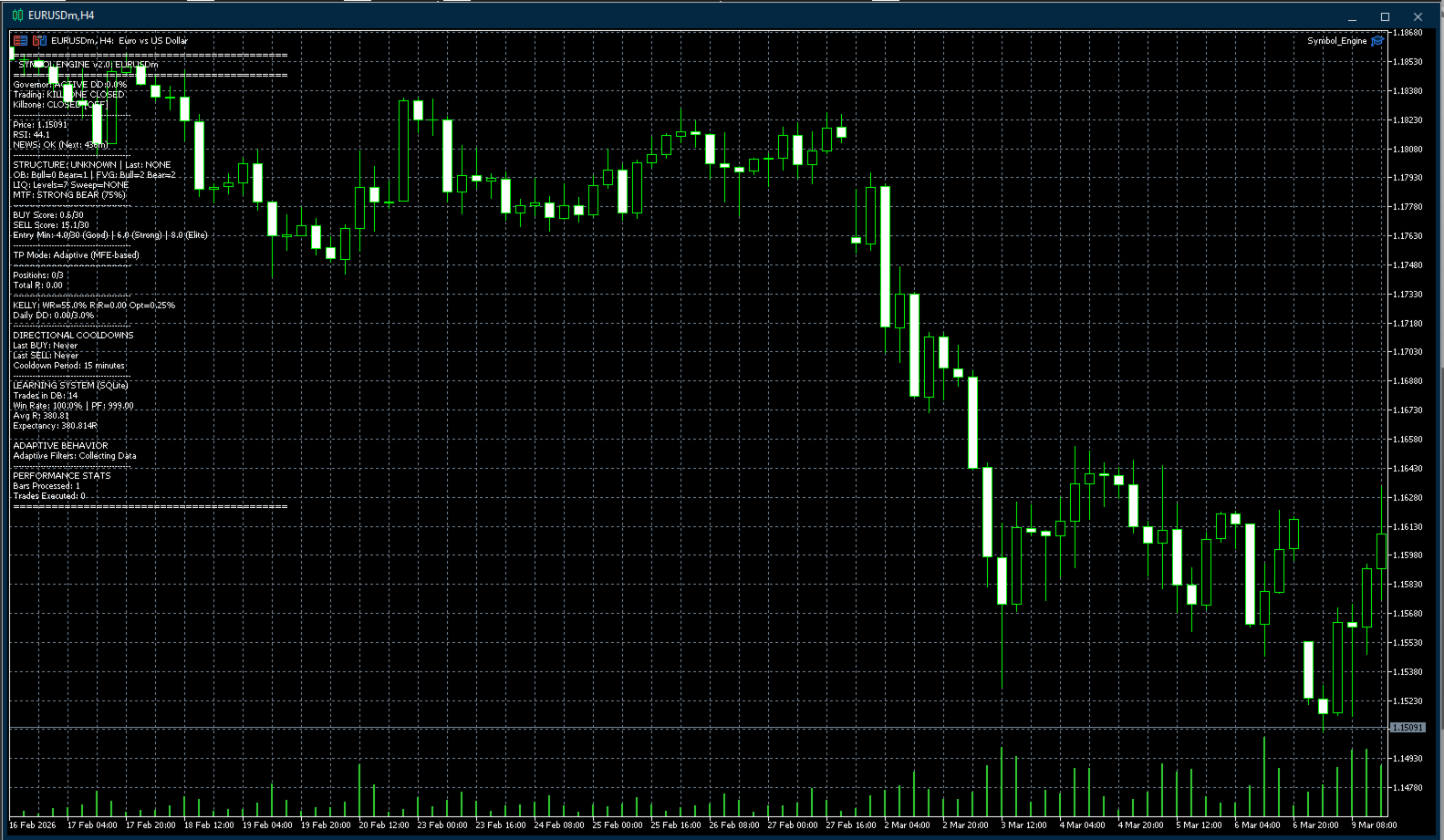
- Attach The Escalator Protocol to the H4 chart of the symbol you want to trade.
- Load the matching .set file from the provided parameters folder.
- Ensure AutoTrading is enabled in your terminal.
Note for Strategy Tester users: Use the specific _test.set files. Multi-timeframe and news filters are disabled in test configurations to avoid terminal cache desynchronization.
Supported Symbols
Designed and configured for the H4 Timeframe on the following instruments: EURUSD · GBPUSD · XAUUSD · USDCAD · USDCHF · USDJPY · NZDUSD · EURGBP · EURCAD · EURCHF · GBPCAD · GBPCHF
Disclaimer: Trading involves significant risk and is not suitable for all investors. Past performance does not indicate future results. Always practice proper risk management rules and test thoroughly on a demo account before live deployment.