Trade Tracker PRO
- Indicatori
- Curtis Daniel Jr -
- Versione: 1.10
- Aggiornato: 5 marzo 2026
- Attivazioni: 5
1. Overview
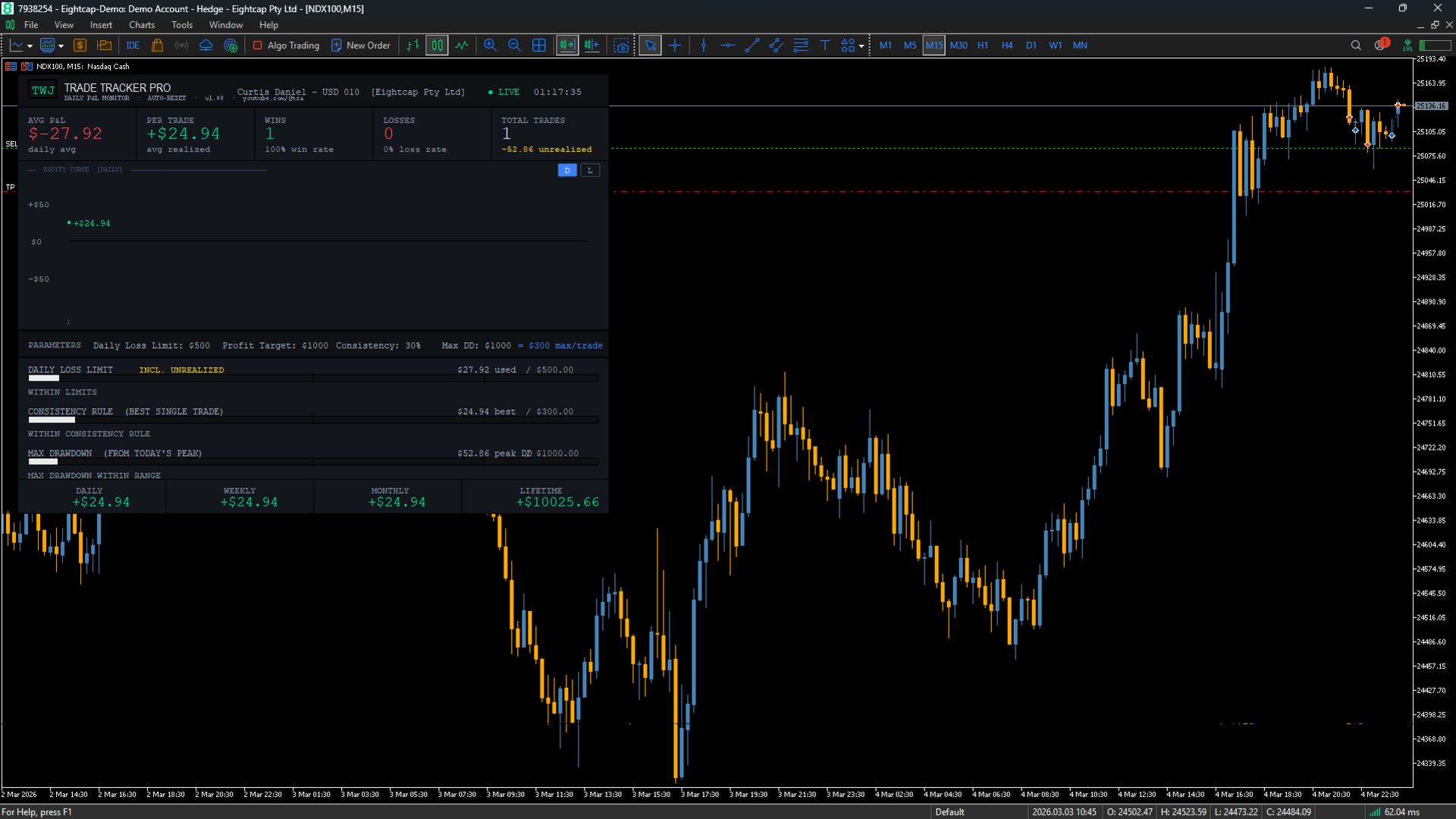
Trade Tracker Pro is a real-time trading performance dashboard built as a MetaTrader 5 Indicator. It overlays a fully customizable panel on any chart, giving you an instant, always-visible view of your daily and lifetime trading performance — without interfering with your charts or placing any trades.
Designed specifically for prop firm traders, funded account holders, and disciplined retail traders who need to monitor risk rules in real time. Trade Tracker Pro keeps your key numbers front and center so you never accidentally breach a rule.
2. Features at a Glance
| Feature | Description |
| Live Metrics Row | Displays Avg P&L, Per Trade P&L, Wins, Losses, and Total Trades — updated in real time as positions open and close. |
| Equity Curve | Visual chart of your cumulative P&L throughout the day, with color-coded dots per trade and value labels. |
| Daily Loss Limit Bar | Tracks your realized + unrealized loss against a user-set daily loss limit. Color changes from white to yellow at 50%, red at 80%. |
| Consistency Rule Bar | Monitors your best single trading day against a user-defined consistency percentage of your profit target. Prevents outsized wins that could breach prop firm rules. |
| Max Drawdown Bar | Tracks the largest peak-to-trough drawdown from your intraday equity high, including floating unrealized losses. |
| Alert System | Panel turn yellow as limits approach 50%, escalating to red at 80%. Text warnings appear below each bar. |
| Snapshot Row | Bottom row shows Daily, Weekly, Monthly, and Lifetime P&L at a glance. |
| Trade History Load | Automatically loads all of today's closed trades and reconstructs the equity curve when the EA is first attached. |
| Auto Daily Reset | Resets all daily metrics at midnight automatically — no manual intervention required. |
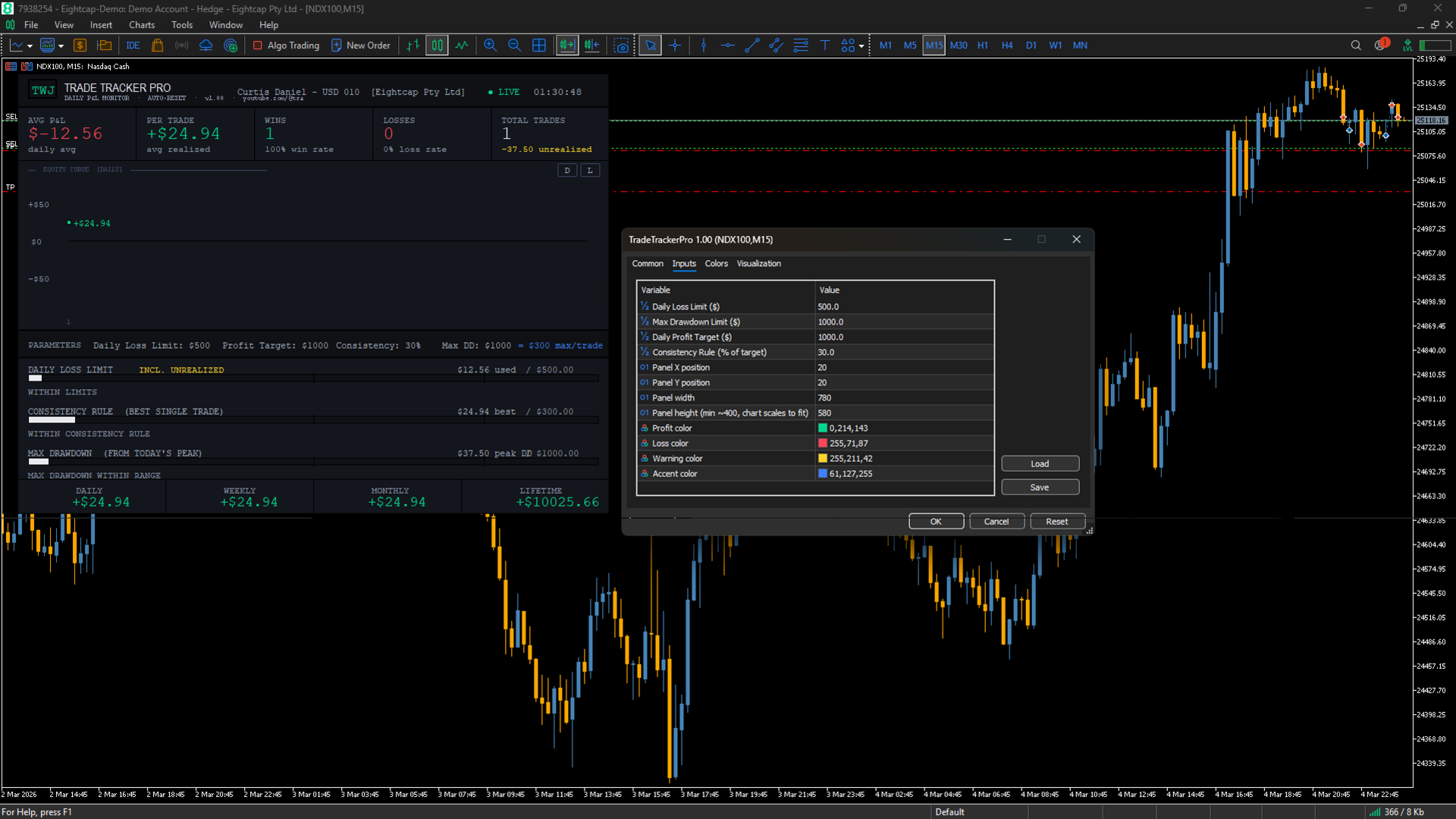
| Fully Configurable | Panel position, size, colors, daily loss limit, profit target, max drawdown, and consistency percentage are all input parameters. |
3. Panel Guide
Header Bar
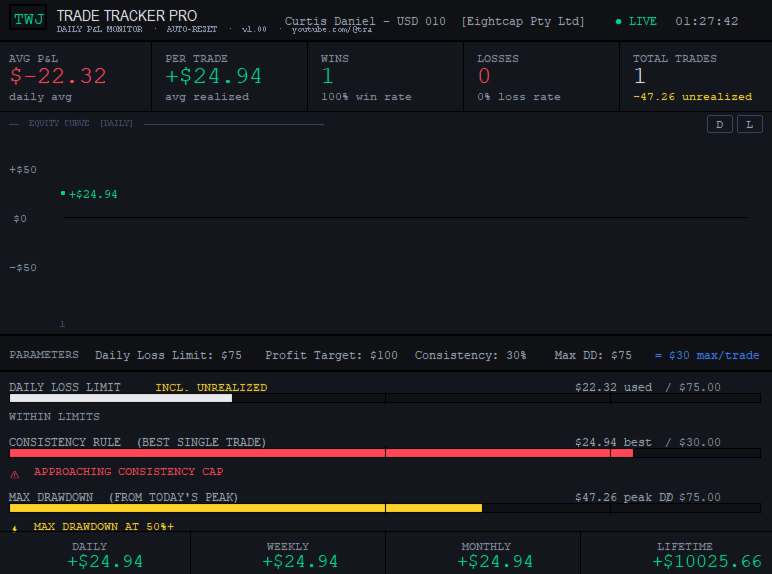
The top bar contains the TWJ brand badge (white border, bold green text), the product name TRADE TRACKER PRO, your account name and broker, a live clock updating every second, a green LIVE dot, and the subtitle showing the YouTube channel URL.
Metrics Row — Five Columns
AVG P&L
Your average daily P&L including unrealized (floating) profit or loss from all currently open positions. This gives a real-time picture of where the day stands including open risk.
PER TRADE
Average realized P&L per closed trade today. Helps identify if sizing and execution quality are consistent throughout the session.
WINS / LOSSES
Count of winning and losing closed trades with win rate and loss rate percentages displayed below each.
TOTAL TRADES
Total closed trades today. The current unrealized P&L from all open positions is displayed in yellow below this number.
Equity Curve Section
The chart section displays your cumulative P&L curve and includes two toggle buttons in the top-right corner:
• [D] Daily View — Shows today's cumulative P&L from trade to trade. Each closed trade is a colored dot (green = win, red = loss). Trade numbers shown for up to 20 trades. Updates in real time.
• [L] Lifetime View — Shows the full account history from the very first trade ever placed. Loads automatically from MT5 deal history. Dots are hidden above 50 trades to keep the line clean and readable.
When in Lifetime view, a stats bar appears below the curve showing:
• TOTAL TRADES — every closed trade in the account's history
• BEST — the highest single-trade profit ever (green)
• WORST — the largest single-trade loss ever (red)
• NET P&L — the account's cumulative realized P&L all time
| Note The equity curve reflects closed trades only. Open floating P&L is shown in the Avg P&L metric and Daily Loss bar but does not move the curve until the trade is closed. |
Parameters Bar
Displays all configured settings at a glance: Daily Loss Limit, Profit Target, Max Drawdown limit, Consistency percentage, and the calculated dollar cap per trade shown in accent blue.
Daily Loss Limit Bar
Tracks total realized losses plus current unrealized loss against your daily loss limit. The INCL. UNREALIZED badge confirms floating losses are included — matching how most prop firms calculate a daily loss breach.
• White bar — within safe limits
• Yellow bar + ⚡ warning — 50% of limit reached, consider reducing size
• Red bar + ⚠ warning — 80% of limit reached, reduce size immediately
Consistency Rule Bar
Tracks your best single closed trade against the consistency cap. The cap is: Consistency % × Profit Target. For example, 30% × $1,000 = $300 maximum per trade. This prevents a single outsized winner from making the rest of the day irrelevant — a rule enforced by many prop firms.
Max Drawdown Bar
Tracks the largest peak-to-trough drawdown from your highest equity point today. Updates live as open positions move against you. Provides early warning before the daily loss limit is formally breached. This bar has its own independent limit set via InpMaxDrawdown.
| Key Difference Daily Loss Limit measures total loss from session open. Max Drawdown measures the largest single drop from any intraday peak — even if you are overall profitable. Both can be breached independently. |
Snapshot Row
The bottom row shows four running P&L totals: Daily (today's realized), Weekly (running Mon–Fri), Monthly (running calendar month), and Lifetime (full account realized P&L).
4. Alert System
| Level | Threshold | Visual Effect |
| Normal | 0 – 49% | White bar. Status text in gray. Panel border static. |
| ⚡ Caution | 50 – 79% | Yellow bar. Warning text below bar. Panel border pulses yellow slowly. |
| ⚠ Critical | 80 – 100% | Red bar. Critical warning text. Panel border pulses red rapidly. Reduce size immediately. |
5. Frequently Asked Questions
Will this place trades on my account?
No. Trade Tracker Pro is display-only. It reads account and position data but never sends any trade requests. Safe to run on a live account.
What is the difference between Daily Loss Limit and Max Drawdown?
The Daily Loss Limit measures total loss from the start of the session — it accumulates across all trades. The Max Drawdown bar measures the largest single drop from any intraday equity peak. You could be net profitable for the day but still trigger a max drawdown warning if you had a sharp losing streak in the middle of the session.
How does the Lifetime curve load?
When you switch to the [L] Lifetime view, the indicator calls MT5's HistorySelect() from timestamp 0 (account inception) through the current time, reads every closing deal, and builds the cumulative curve. The load happens in the background and typically takes under one second.
Why is the equity curve empty when I first attach?
If no trades have been closed today, the daily curve shows NO TRADES — AWAITING DATA until the first trade closes. Switch to Lifetime view [L] to see your historical curve immediately.
Can I use this on a demo or sim account?
Yes. The indicator works identically on demo and live accounts. Recommended to test on demo first to familiarise yourself with the panel and alert thresholds.
How do I move or resize the panel?
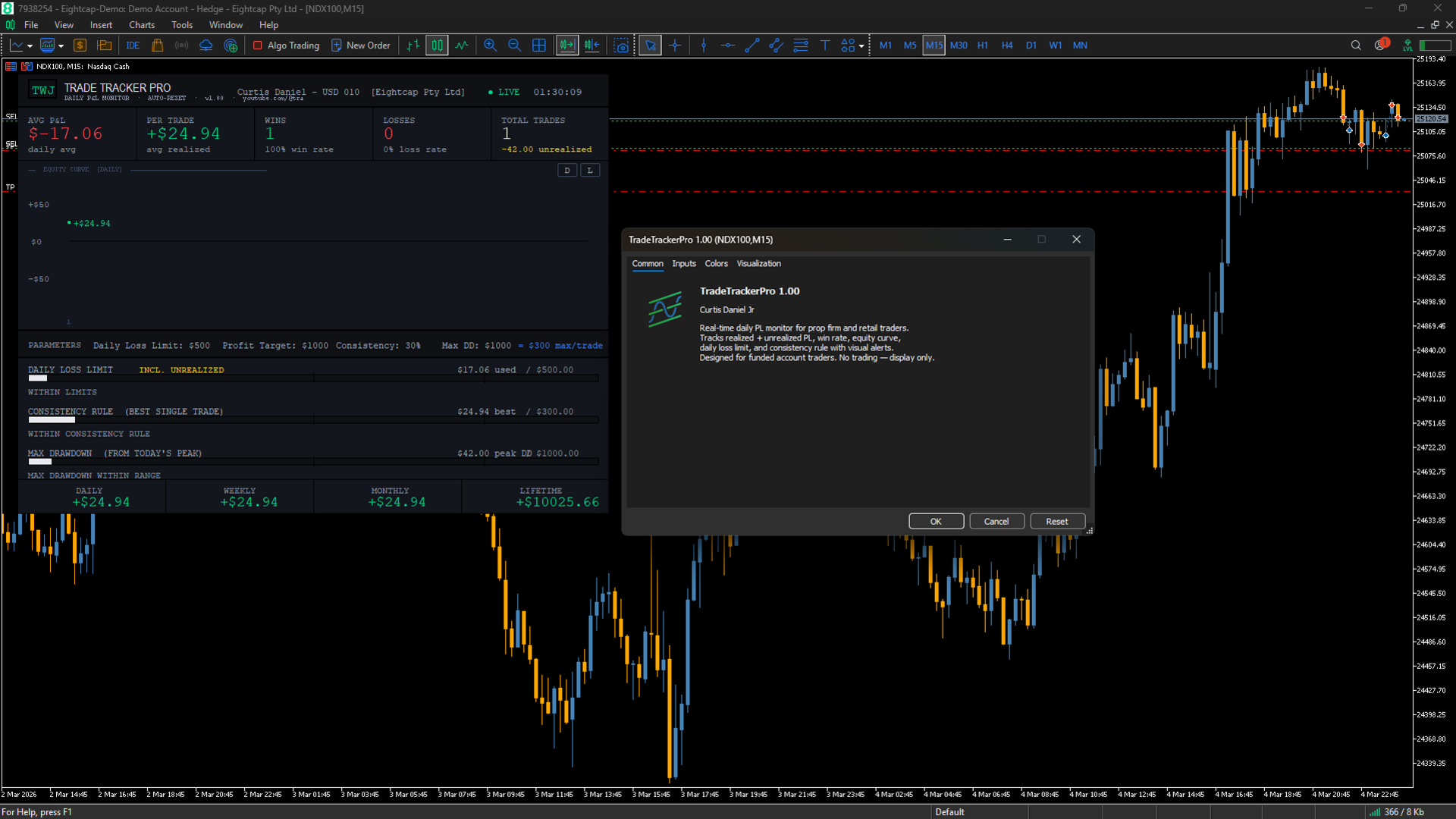
Right-click the chart → Indicators List → select Trade Tracker Pro → Edit → Inputs tab. Adjust Panel X, Panel Y, Panel Width, and Panel Height. Click OK to apply.
What happens at midnight?
The indicator auto-resets all daily metrics — trades, equity curve, and P&L bars. It re-snapshots the account baseline so new trades delta correctly. Weekly and monthly figures are preserved.
Do I need to keep it on a specific symbol?
No. The indicator monitors the entire account regardless of which chart it is attached to. Attach it to any symbol on any timeframe.
6. Support & Updates
Trade Tracker Pro is actively maintained. Planned future updates include prop firm presets, trailing drawdown tracking, session P&L comparison, and additional alert options.
• YouTube: youtube.com/@tradingwithj — tutorials, trade content, and product updates
• MQL5 Profile: mql5.com/en/users/curtisdaniel
• Reviews and ratings on the MQL5 marketplace help other traders discover Trade Tracker Pro and are greatly appreciated.