ZonePulse Smart Trader
- Experts
-
Alex Amuyunzu Raymond
 I’m an experienced MQL5 developer and software engineer specializing in building robust, high-performance algorithmic trading systems for MetaTrader 5. My work goes beyond standard EA development — I design intelligent, scalable solutions that combine market logic, automation, and external
 - Versione: 1.0
- Attivazioni: 5
Next-Generation Zone & Fibonacci Precision Trading
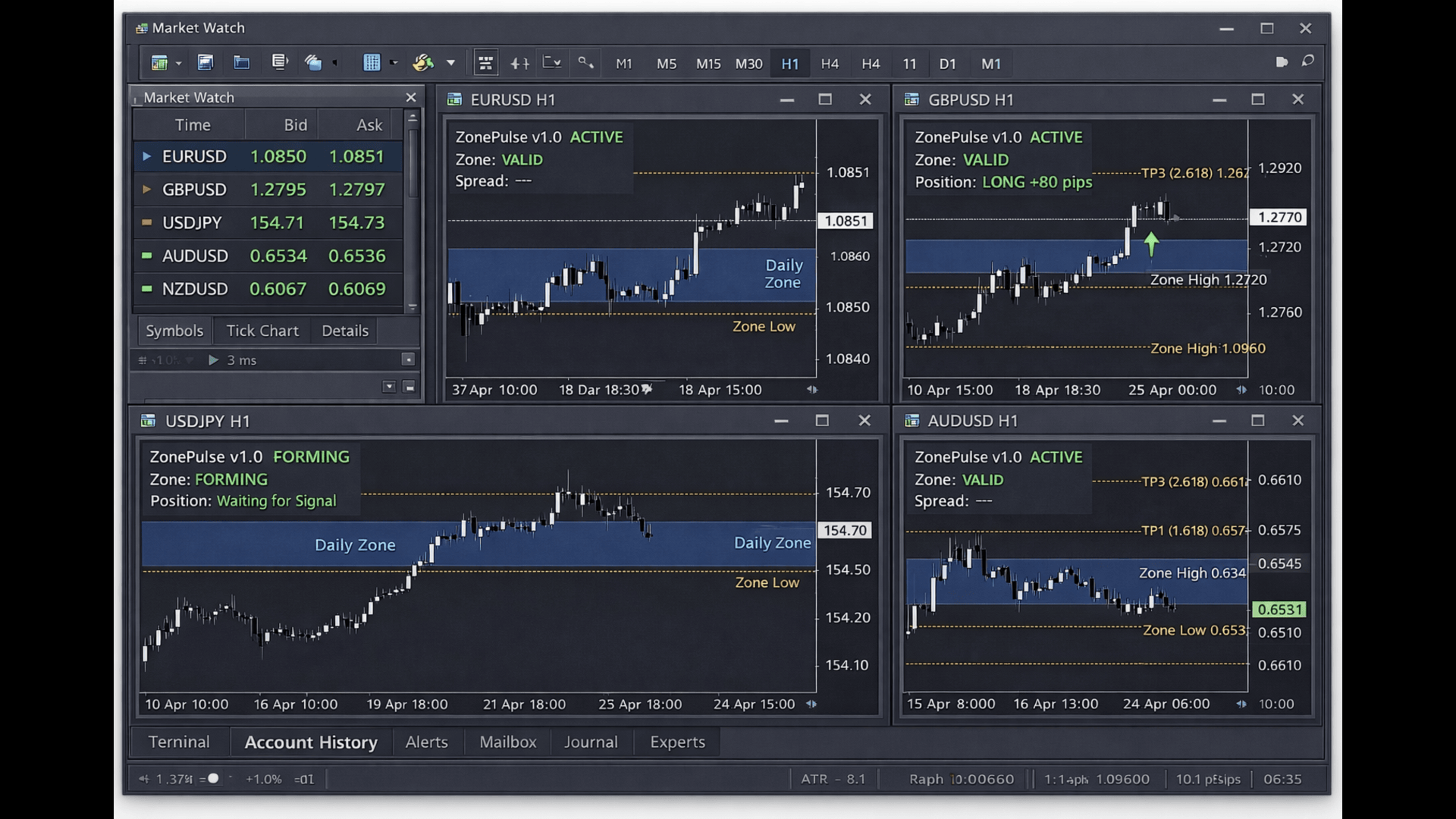
ZonePulse Smart Trader is a professional, AI-inspired MetaTrader 4 Expert Advisor designed to automate the detection and trading of high-probability daily support and resistance zones. Built with Fibonacci precision, intelligent risk management, and a smart trailing system, it offers both discretionary traders and fully automated systems a reliable edge in trending and ranging markets.
Core Features
Smart Daily Zone Detection
-
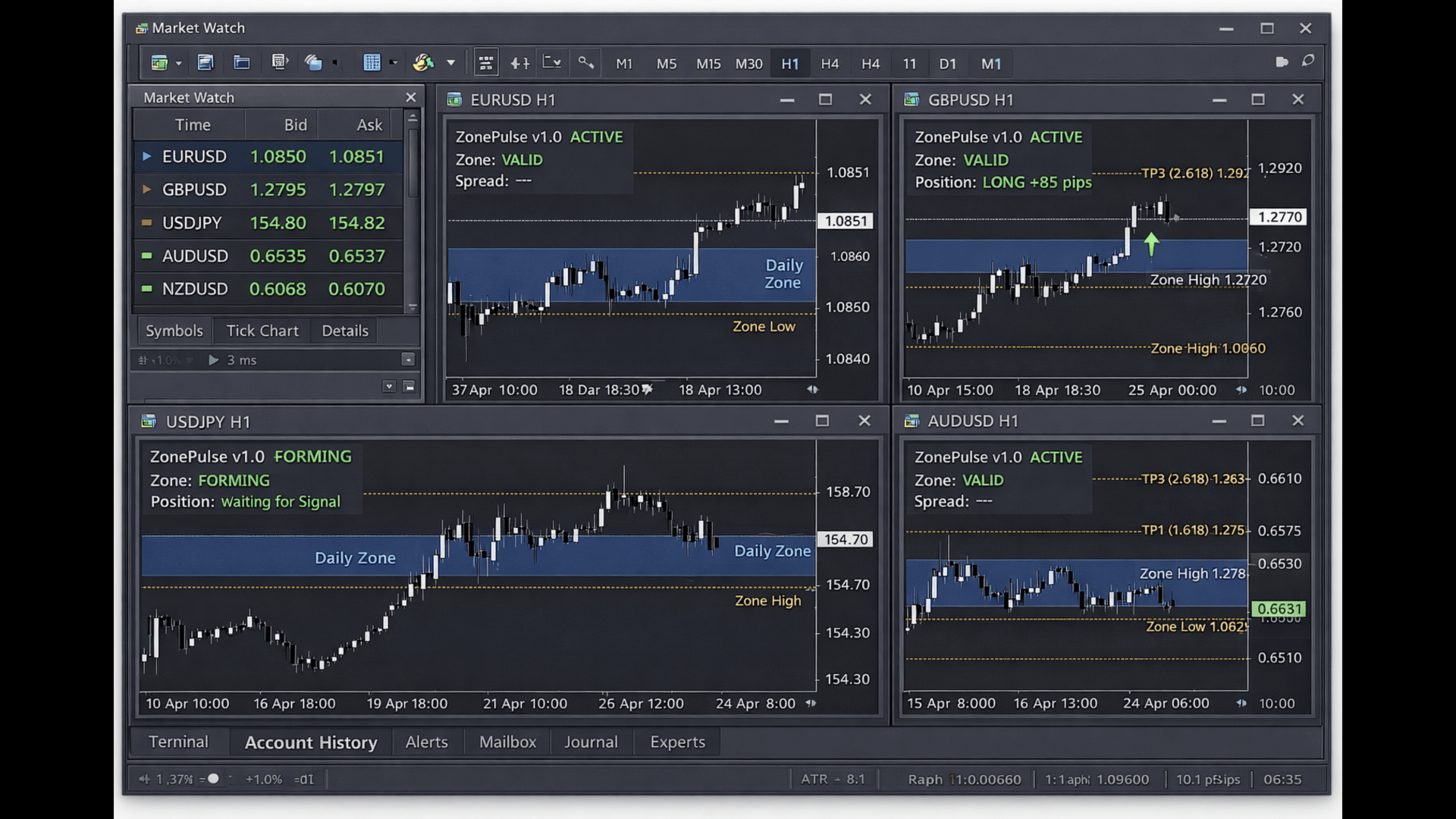
Automatically identifies yesterday's trading range as a key zone
-
Validates zone strength based on minimum height and bar count
-
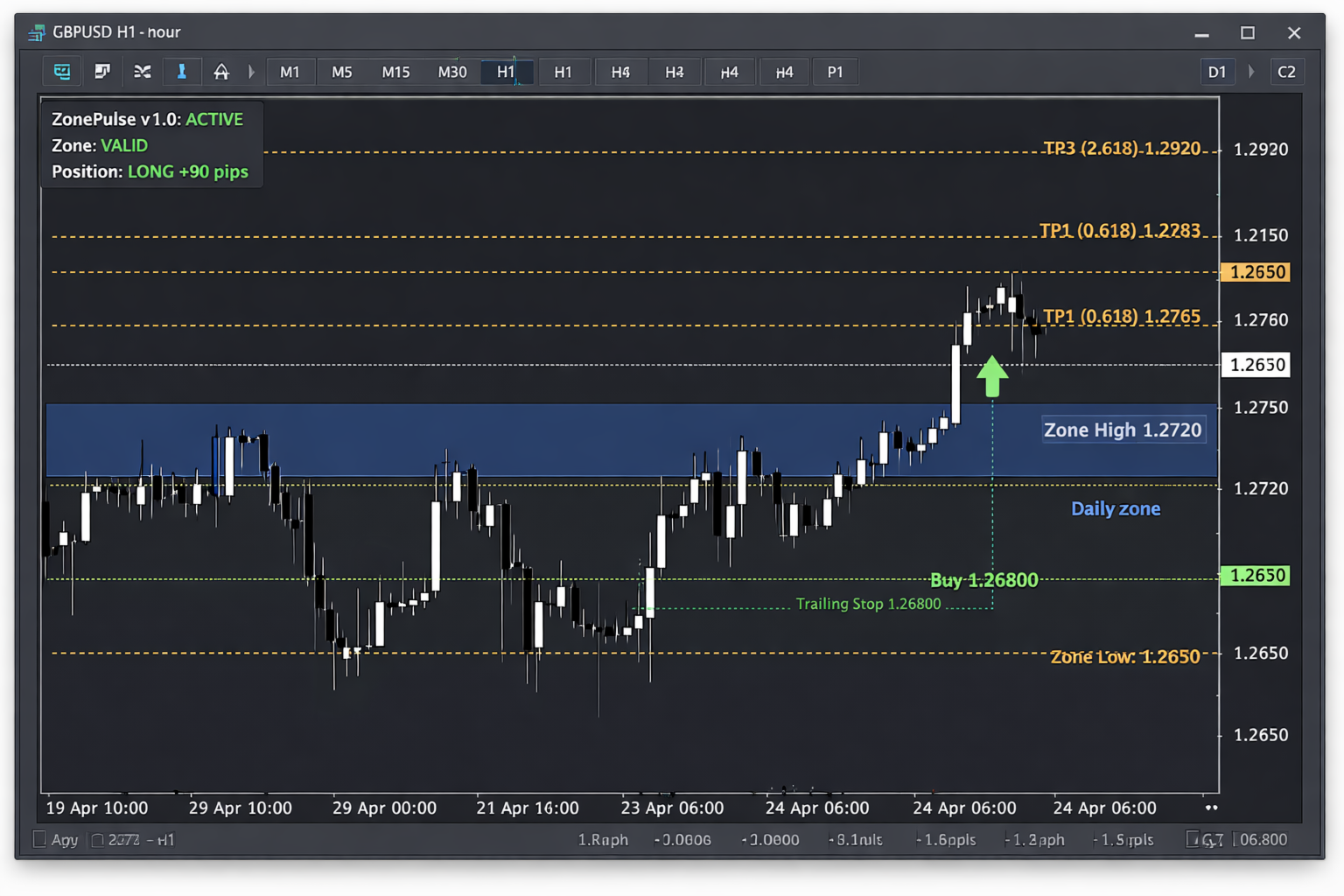
Visualizes zones with clear, customizable rectangles on the chart
Fibonacci-Based Profit Targets
-
Calculates multi-level take-profit zones using Fibonacci extensions (0.618, 1.618, 2.618)
-
Visual Fibonacci levels displayed directly on chart for trade management
-
Each level acts as a potential trailing stop trigger
Intelligent Trade Management
-
Multi-Stage Trailing Stop System: Moves stop loss to break-even and beyond as price reaches each Fibonacci target
-
Zone Reversal Logic: Optional ability to reverse position when price re-enters the zone with opposite momentum
-
Once-Per-Bar Entry: Avoids over-trading by triggering only on new candlestick formation
Advanced Risk & Money Management
-
Auto Lot Sizing: Dynamically adjusts position size based on account balance and free margin (optional)
-
Margin Safety Checks: Validates sufficient margin before opening any trade
-
Normalized Lot Sizes: Ensures compliance with broker minimum/maximum lot and step requirements
-
Passive Mode: Can run in analysis-only mode, drawing zones and levels without executing trades
Robust Validation & Reliability
-
Graceful Error Handling: Comprehensive checks for data integrity, bar counts, and date validity
-
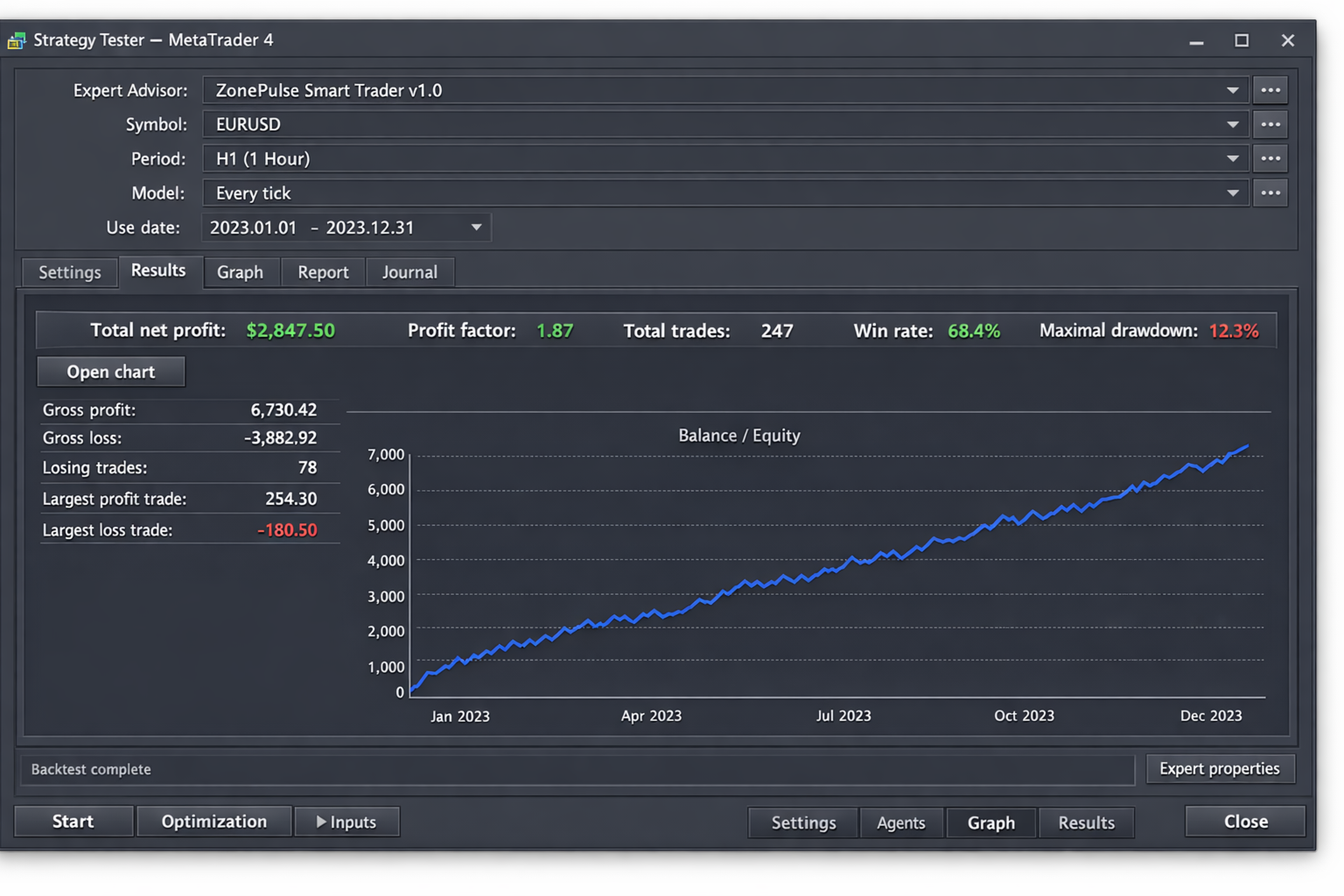
Backtest Optimization: Includes validation logic to ensure at least one test trade executes during strategy testing
-
Verbose Logging: Optional detailed logging for debugging and performance review
Fully Customizable Visuals
-
Adjustable colors for zones and Fibonacci levels
-
Toggle drawing objects on/off for clean chart management
-
Clear text labels on Fibonacci lines for easy identification
How It Works
-
Zone Detection: At the start of each new trading day, the EA analyzes the previous day's price action to calculate its high and low, forming the primary trading zone.
-
Entry Signal: The EA monitors for price action where the current candle's body is entirely inside the detected zone. A long signal is generated on a bullish candle; a short signal on a bearish candle.
-
Trade Execution: Upon a valid signal, a trade is opened with a calculated, safe lot size. Initial Fibonacci profit targets are drawn based on the zone's height.
-
Trailing Management: As price progresses and hits each Fibonacci extension level, the stop loss is trailed upwards (for buys) or downwards (for sells) to lock in profits and manage risk.
-
Reversal (Optional): If enabled, when price re-enters the zone and forms a candle signaling opposite momentum, the EA can close the current trade and open a new one in the reversal direction.
Input Parameters
-
LotSize: Base lot size for trading.
-
MagicNumber: Unique identifier for the EA's orders.
-
ShowFibonacci: Toggle for displaying Fibonacci target levels.
-
ZoneColor / FibColor: Chart object colors.
-
StrictMode / EnableReversal: Controls trade entry and reversal logic.
-
MinZoneHeight: Minimum required height for a zone to be valid (0 = auto).
-
UseMarginCheck / AutoLotSize: Key risk management controls.
-
VerboseLogging: Enables detailed print statements in the Experts tab.
Ideal For
-
Traders seeking a systematic approach to trading daily ranges
-
Those who appreciate visual confirmation of key levels and targets
-
Users looking for an EA with robust built-in risk management
-
Strategy developers wanting a reliable foundation for zone-based trading systems
Version: 1.0
Platform: MetaTrader 4
Developer: Yunzuh Trading Systems
Recommended Timeframes: H1, H4, D1 (Works on any timeframe)