Chart Pattern By Subho
- Indicatori
-
Subrata Das
 Hello! I am Subrata Das (Subho), a passionate Trader and professional MQL Developer from India.
 - Versione: 1.50
Product Name: Auto Trend Pattern Pro [Subho - India]
Short Description:
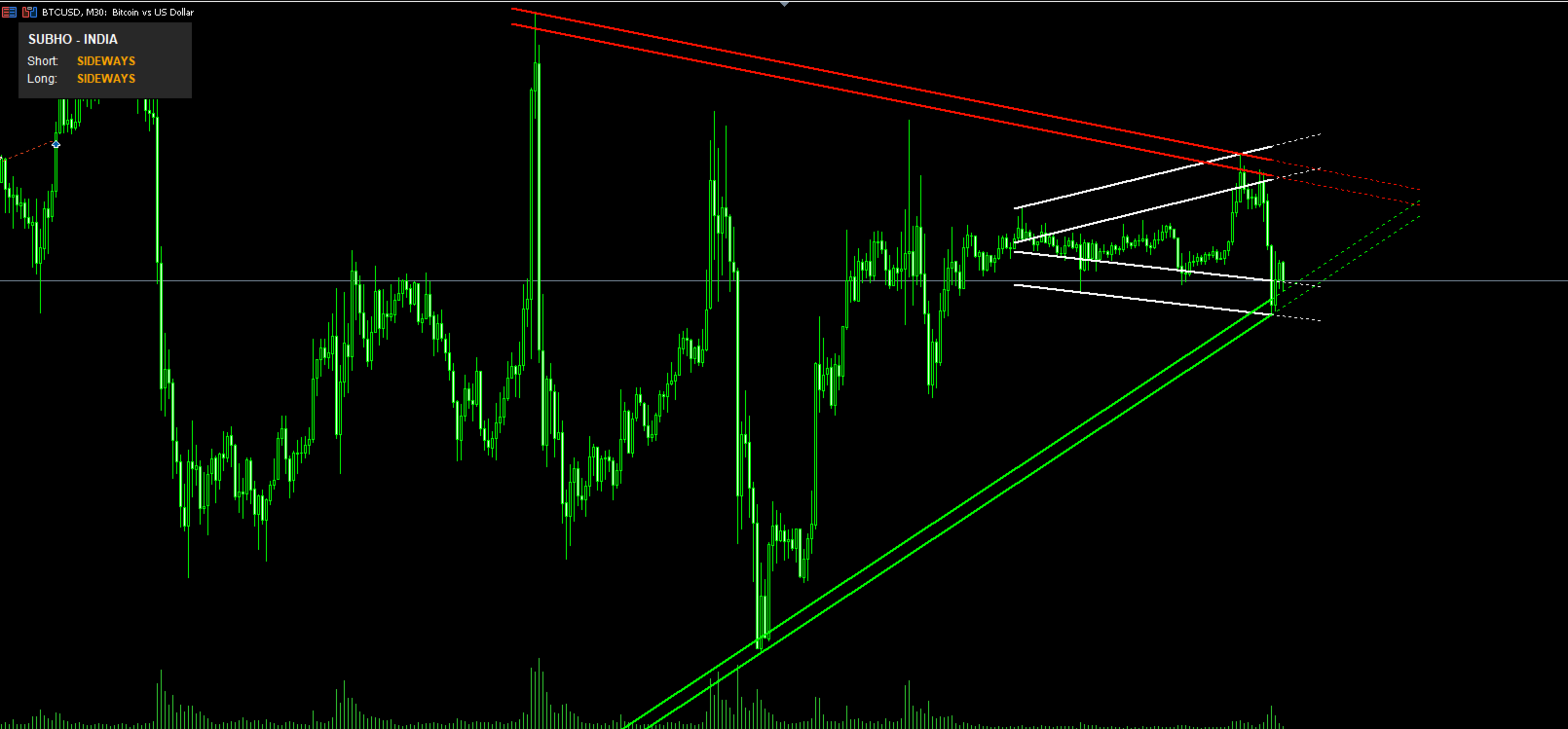
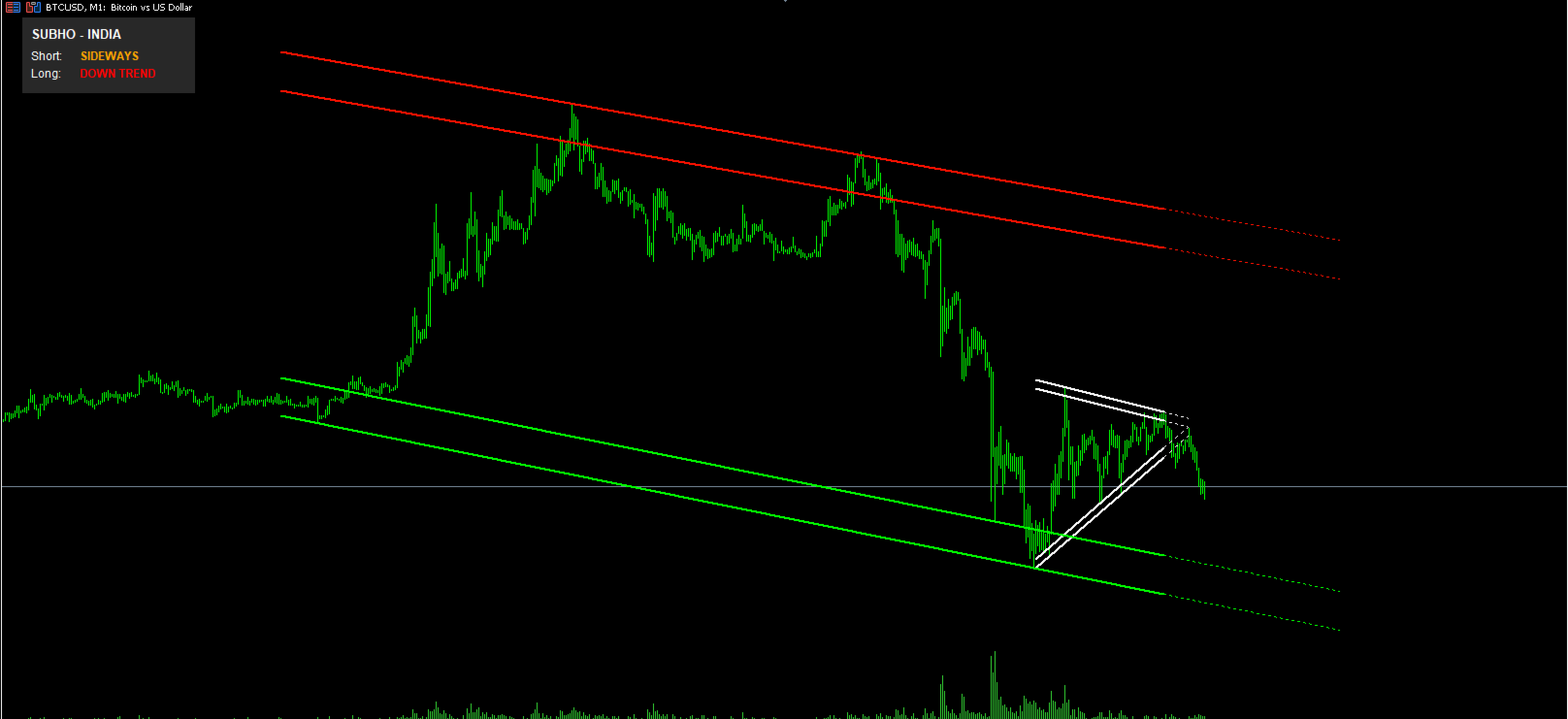
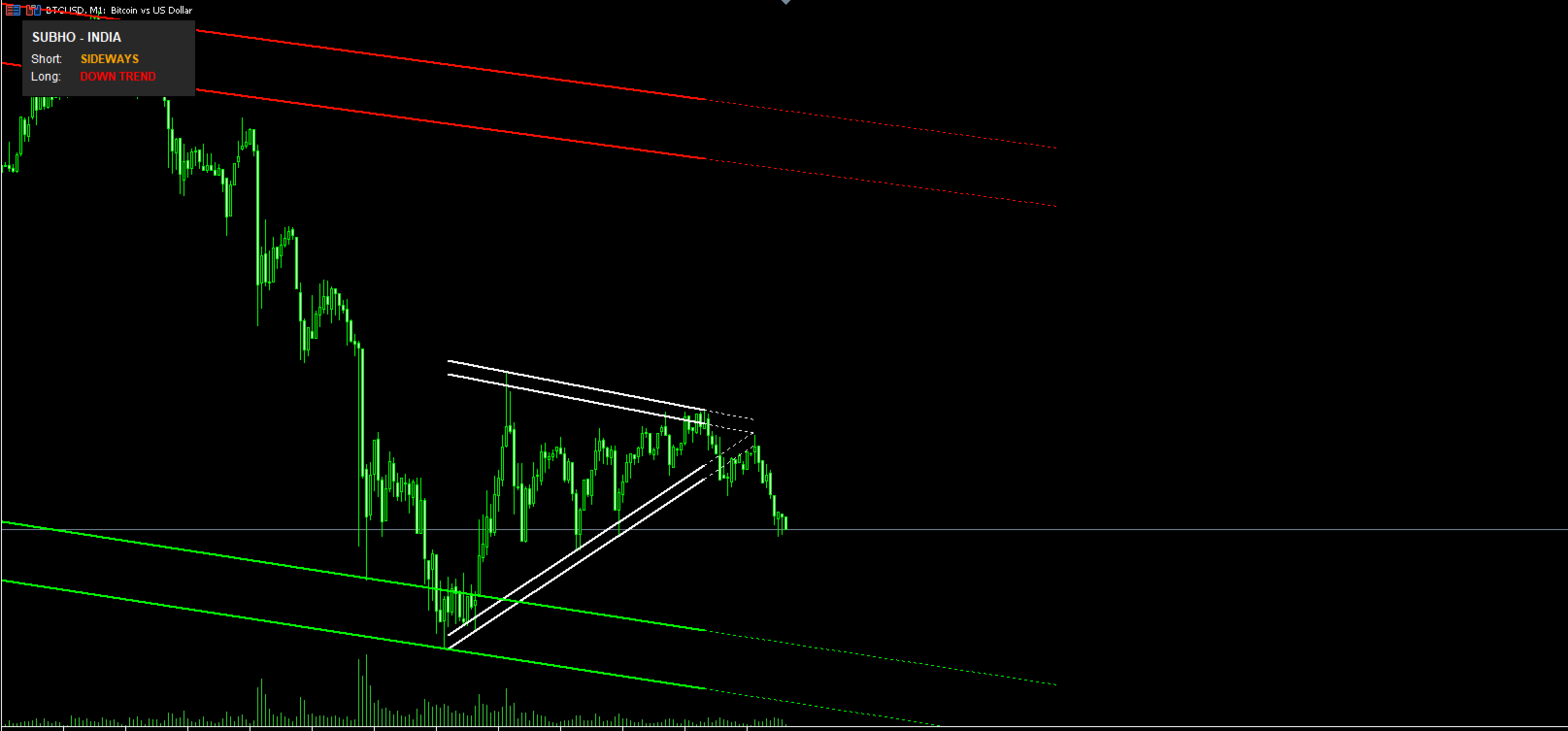
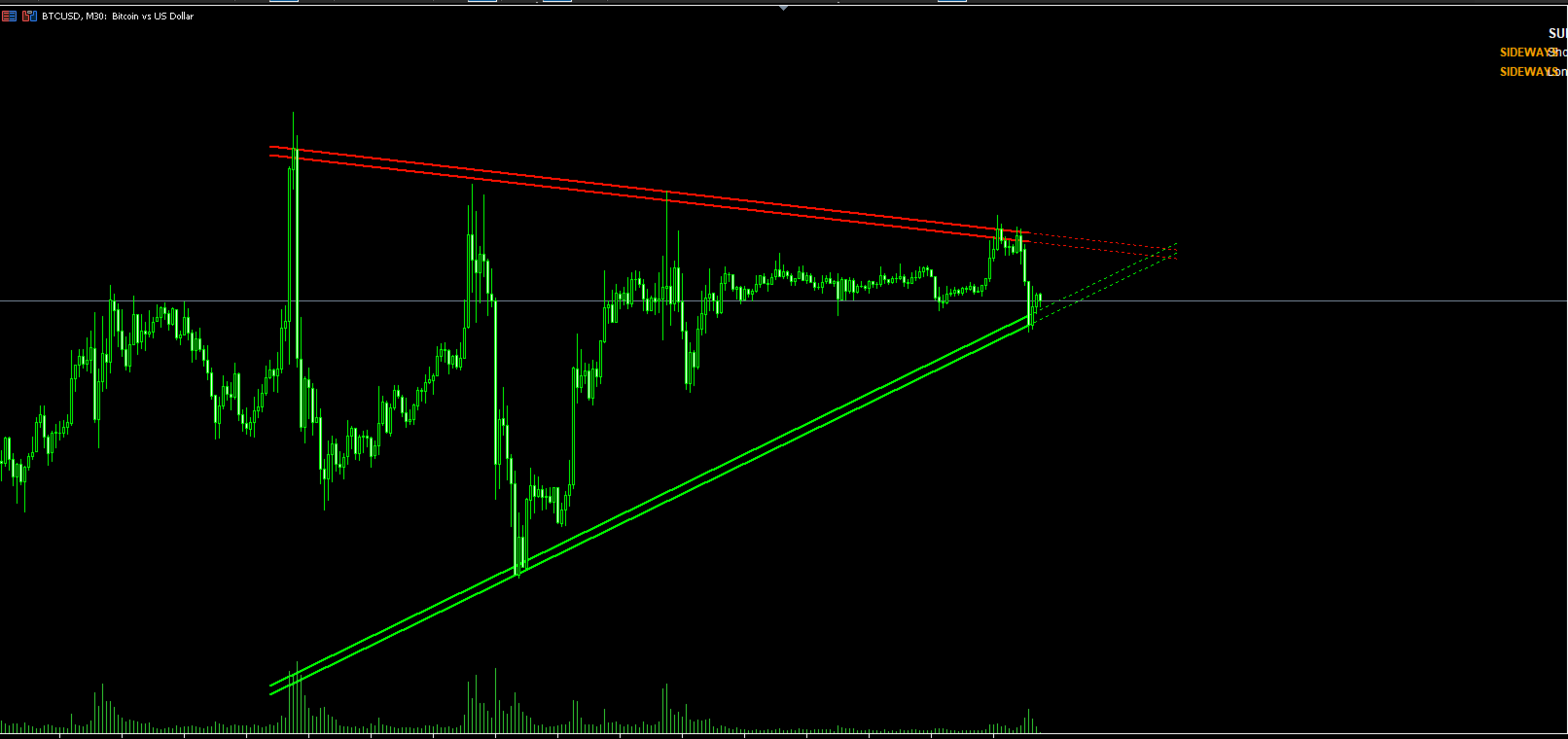
An advanced Price Action tool that automatically detects and draws Trend Channels, Wedges, and Triangles with a live Dashboard.
Full Description:
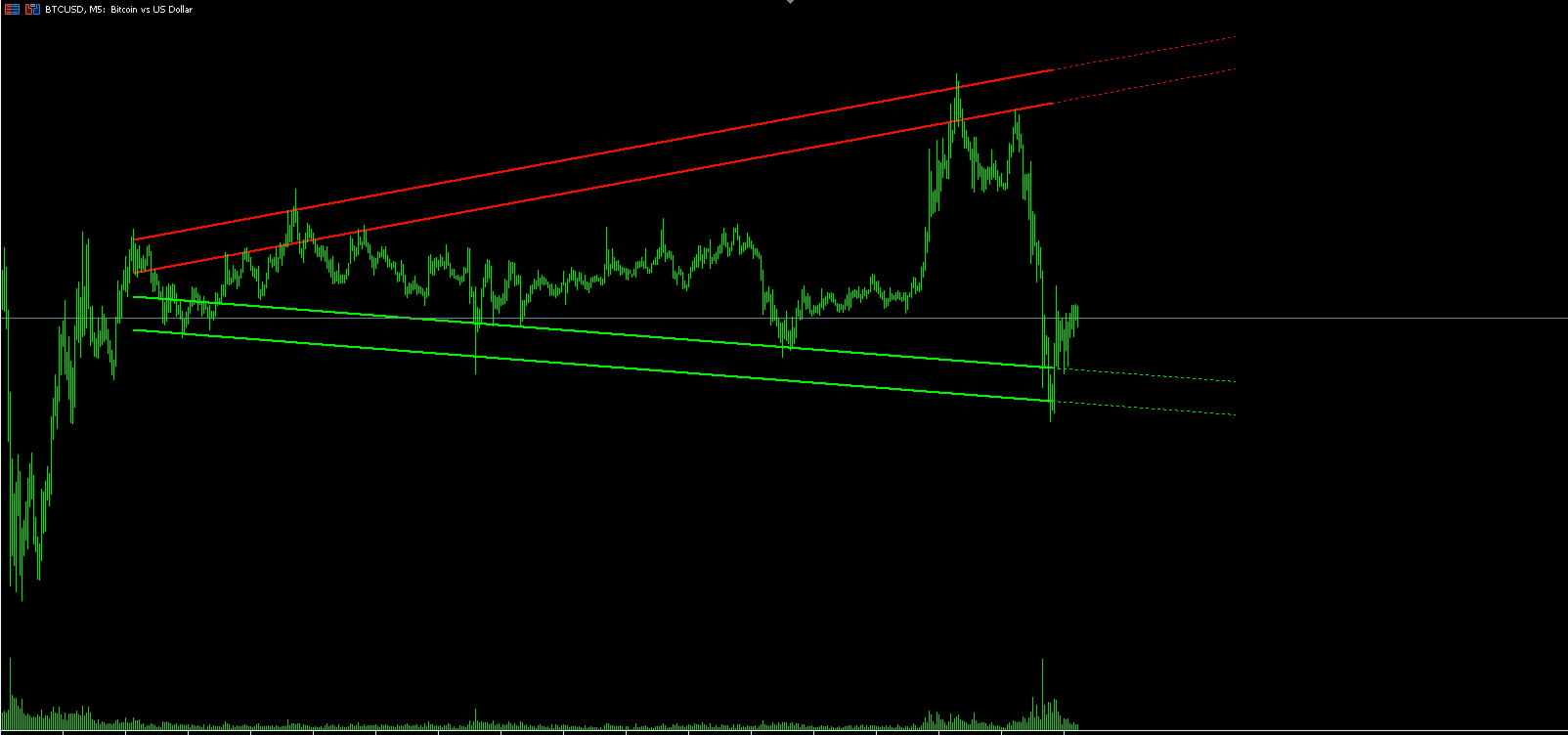
Auto Trend Pattern Pro is a sophisticated technical indicator designed for MetaTrader 5. It automates the complex task of drawing Trend Lines and Channels. By analyzing historical price action, the indicator identifies the most accurate "Best Fit" channels for both short-term scalping and long-term trend following.
Converted and optimized from advanced Pine Script algorithms, this tool is perfect for traders who rely on market structure, breakouts, and trend reversals.
Key Features:
-
Dual Pattern Detection:
-
Short Pattern: Scans recent price action (approx. 20-60 bars) to find immediate breakout opportunities. (Default Color: Magenta/Cyan for high visibility).
-
Long Pattern: Scans significant history (approx. 50-500 bars) to identify the major market trend. (Default Color: Red/Green).
-
-
Smart Dashboard (HUD):
-
Displays real-time Trend Direction: UP TREND, DOWN TREND, or SIDEWAYS.
-
Located in the Top-Left corner with a clear background for easy reading.
-
Shows status for both Short and Long patterns instantly.
-
-
Forward Projection:
-
Automatically projects the channel lines into the future (dotted lines).
-
Helps in predicting future Support and Resistance levels.
-
-
Advanced Customization:
-
Source Selection: Choose between Close Price (Line chart style) or High/Low (Wick style) via a Dropdown menu.
-
Manual Width Adjustment: Fine-tune the distance/thickness of the channel zones.
-
Visual Styles: Fully customizable colors, line styles, and widths.
-
How to Trade:
-
Trend Following: When the Dashboard shows "UP TREND" and price bounces off the Lower Green Band, look for Buy setups.
-
Breakouts: If price forcefully breaks the Upper or Lower bands of a Wedge/Triangle pattern, a volatility expansion is expected.
-
Consolidation: If the Dashboard says "SIDEWAYS", use the Upper Band as Resistance and Lower Band as Support.
Settings / Inputs:
-
Source: Select Close or High/Low.
-
Short Pattern: Enable/Disable and adjust Lookback.
-
Long Pattern: Enable/Disable and adjust Lookback.
-
Band Width: Adjust the Dist parameter to make channels wider or narrower.
-
Dashboard: Toggle On/Off and change colors.
Developer: Subho - India
Platform: MetaTrader 5 (MT5)