Poi Oderblock
- Indicatori
-
Subrata Das
 Hello! I am Subrata Das (Subho), a passionate Trader and professional MQL Developer from India.
 - Versione: 10.0
- Attivazioni: 5
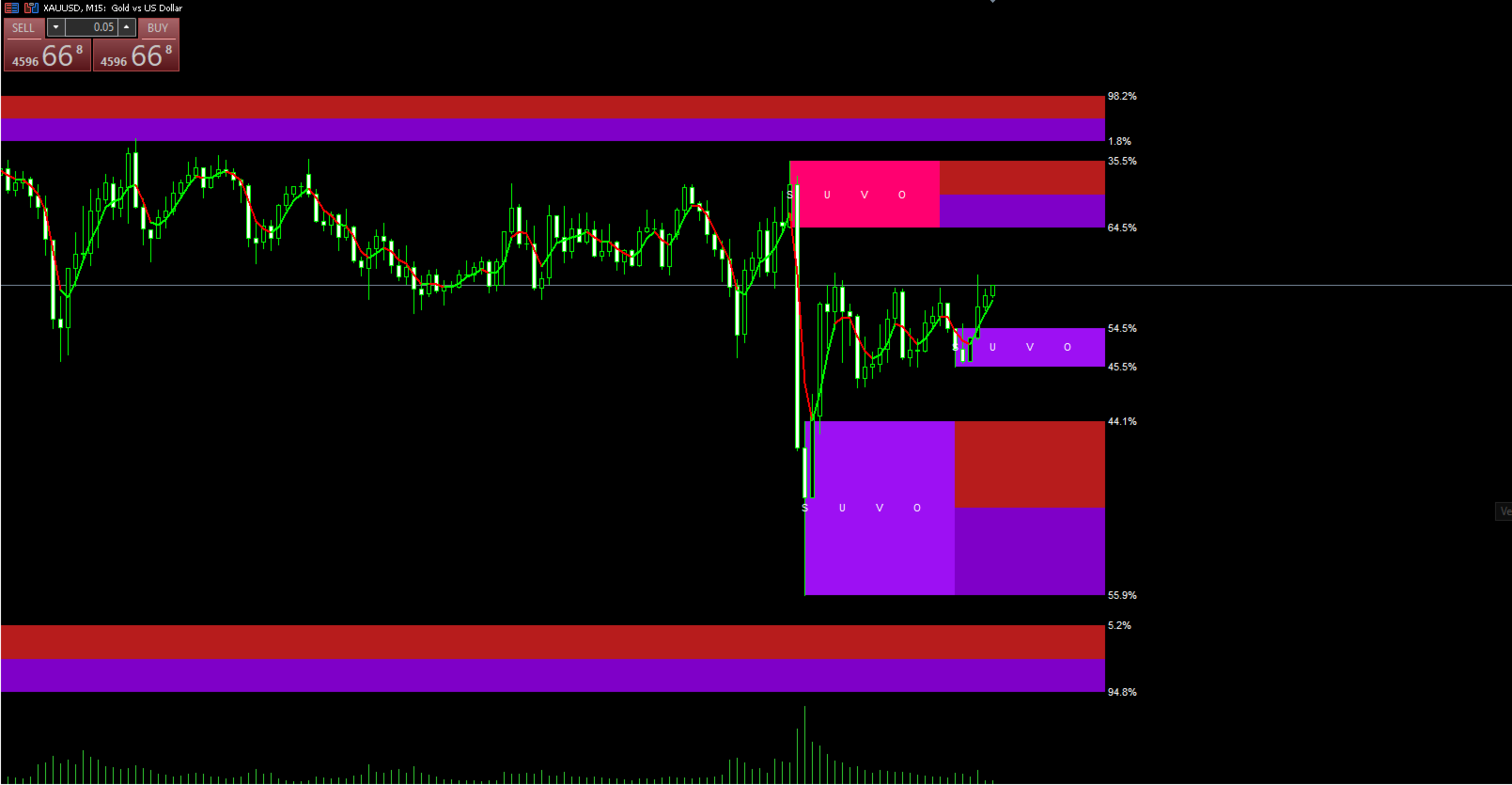
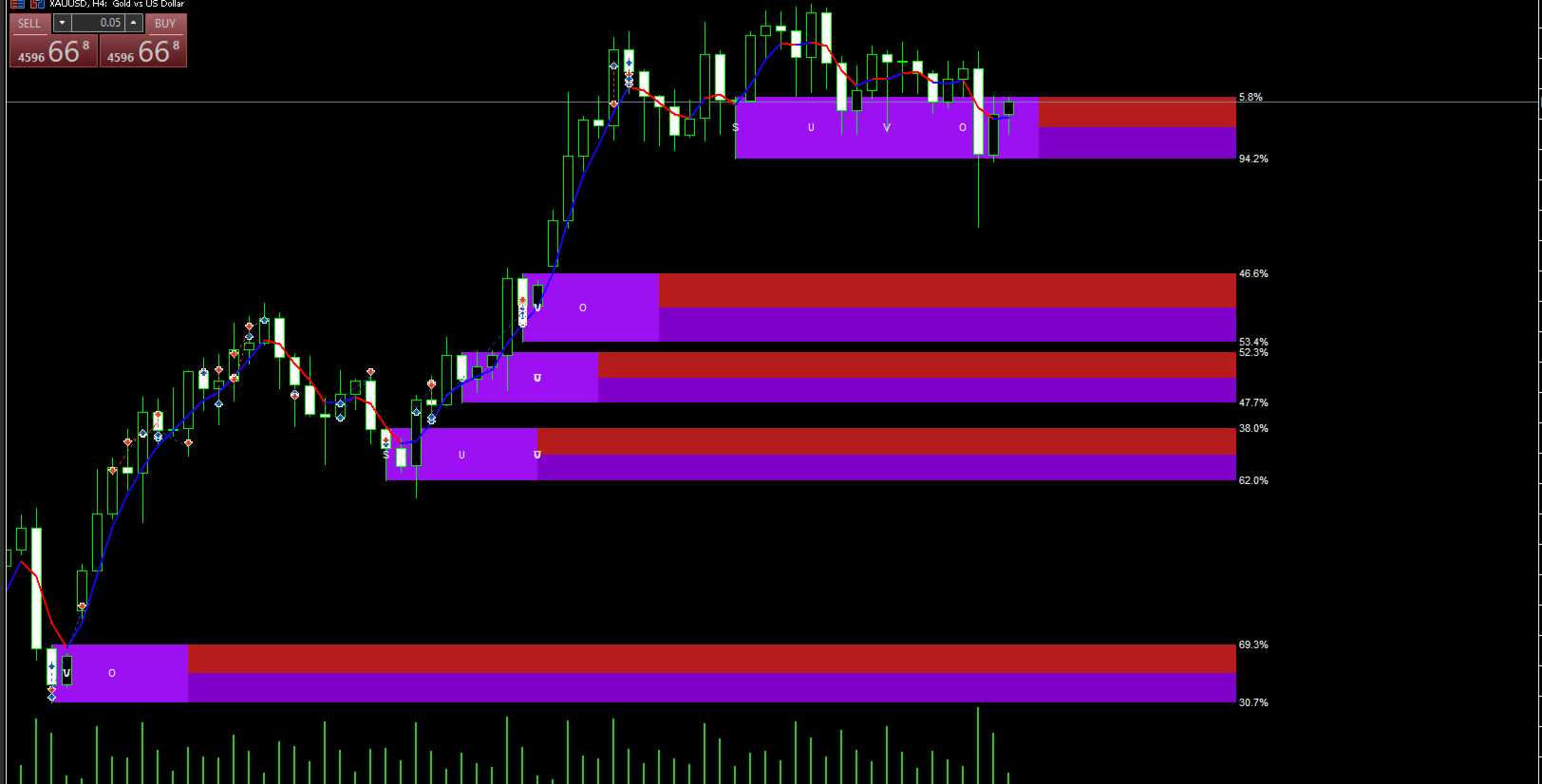
The Decisional POI + Subho Average is a professional-grade institutional trading tool designed for MetaTrader 5. It combines Smart Money Concepts (SMC) with a high-responsivity Volume-Weighted Trend Line. This indicator identifies high-probability "Decisional" Order Blocks and provides a dynamic trend filter to ensure you are always on the right side of the market.
1. Key Features
-
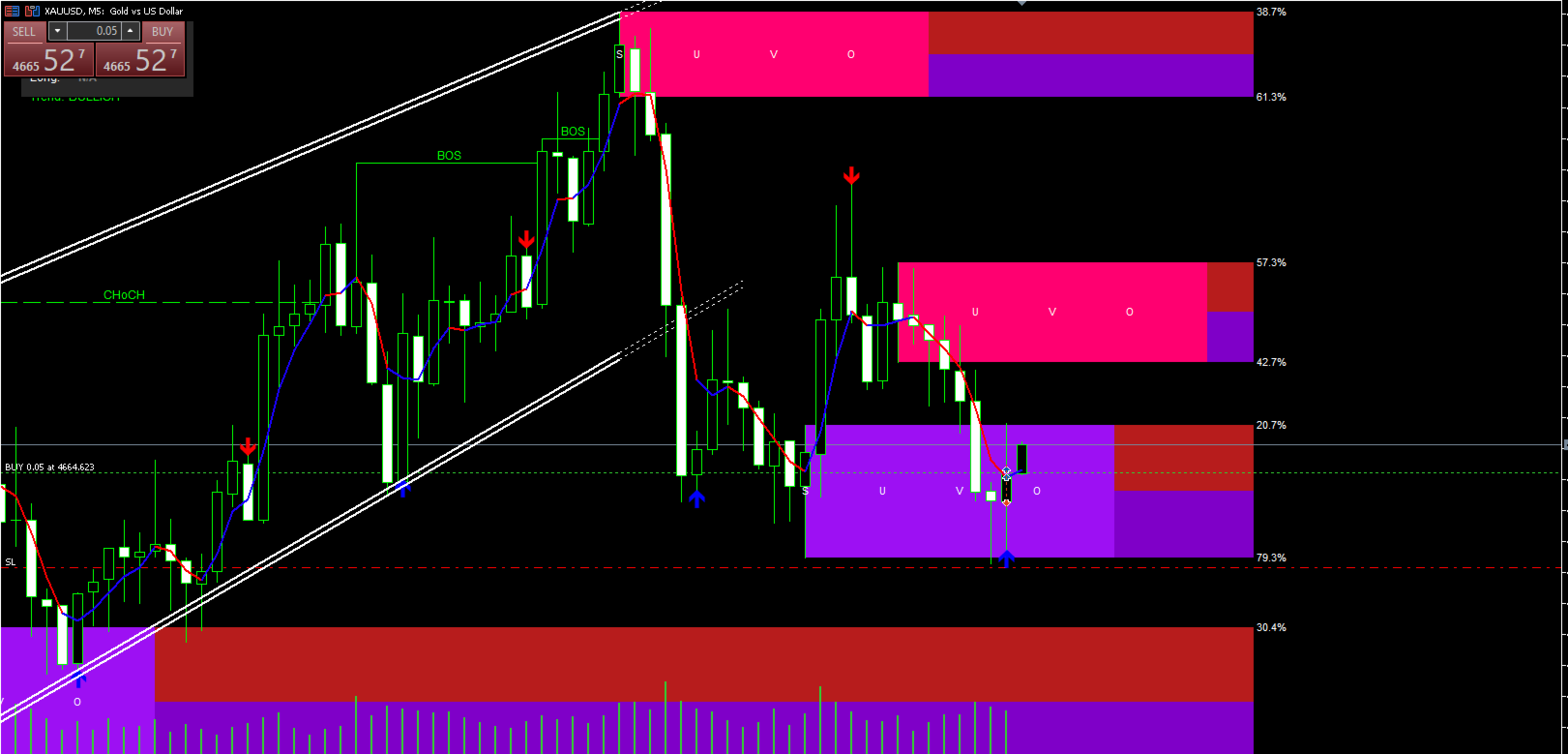
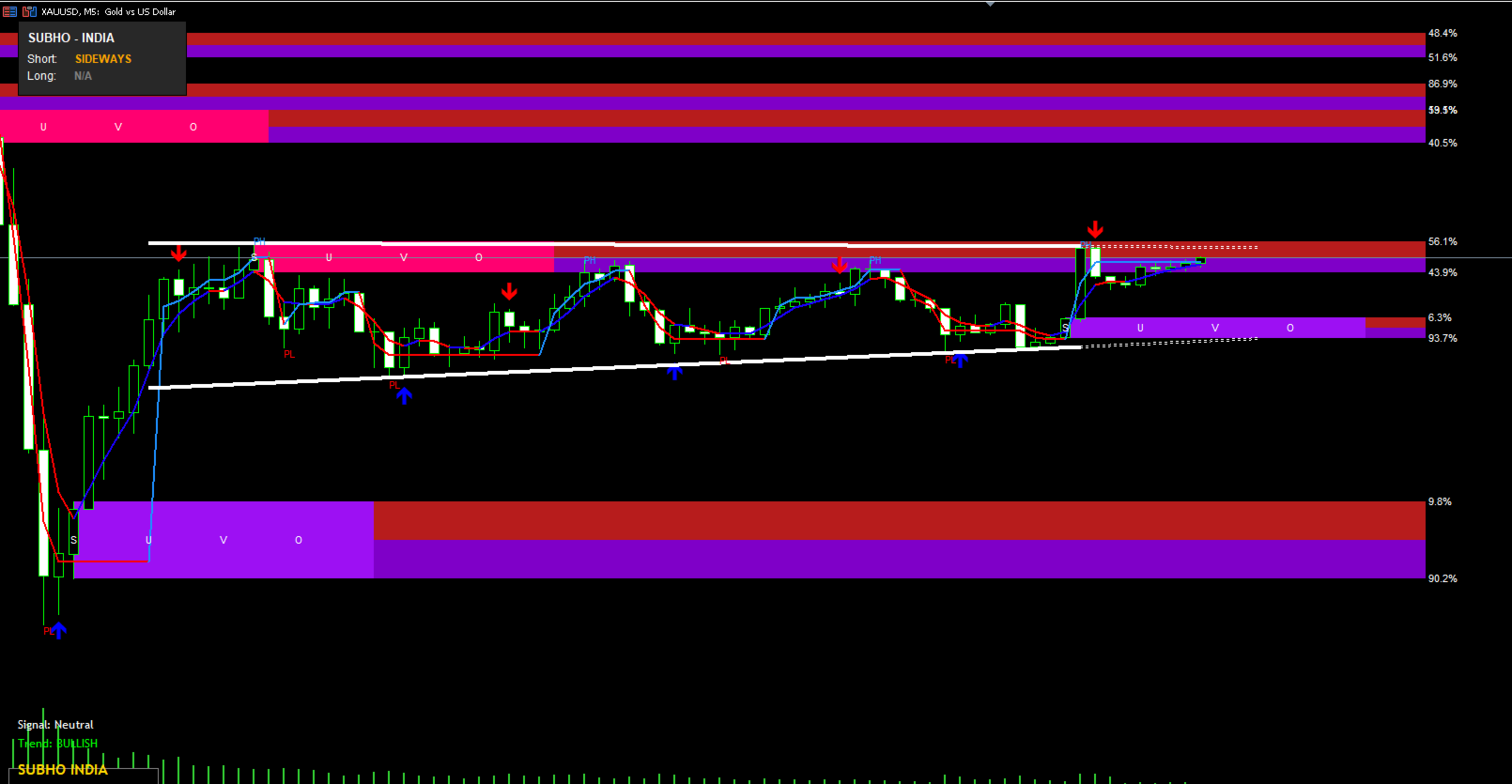
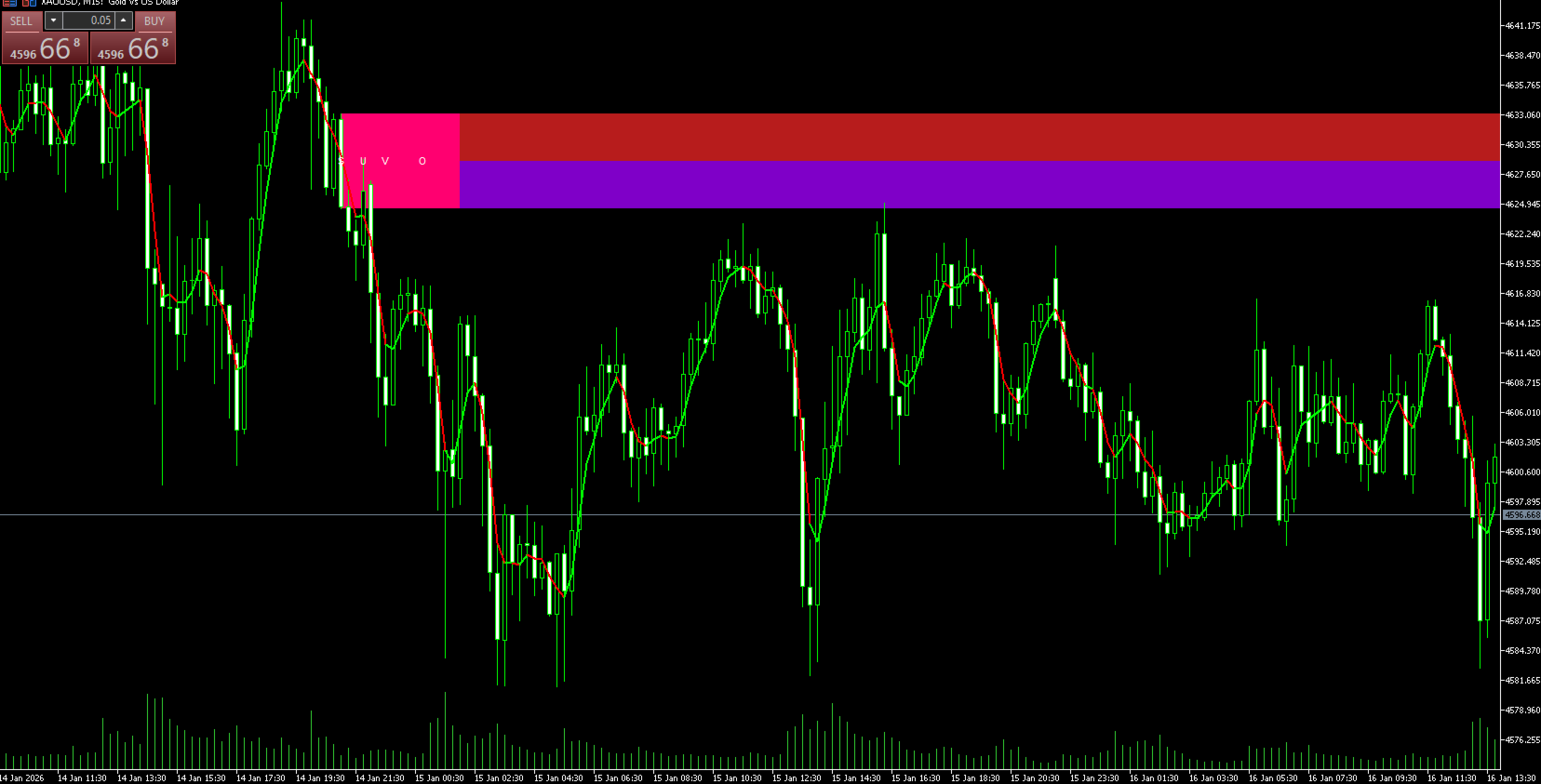
SUVO Order Blocks: Automatically detects institutional interest zones based on Fair Value Gaps (FVG) and extreme price lookbacks.
-
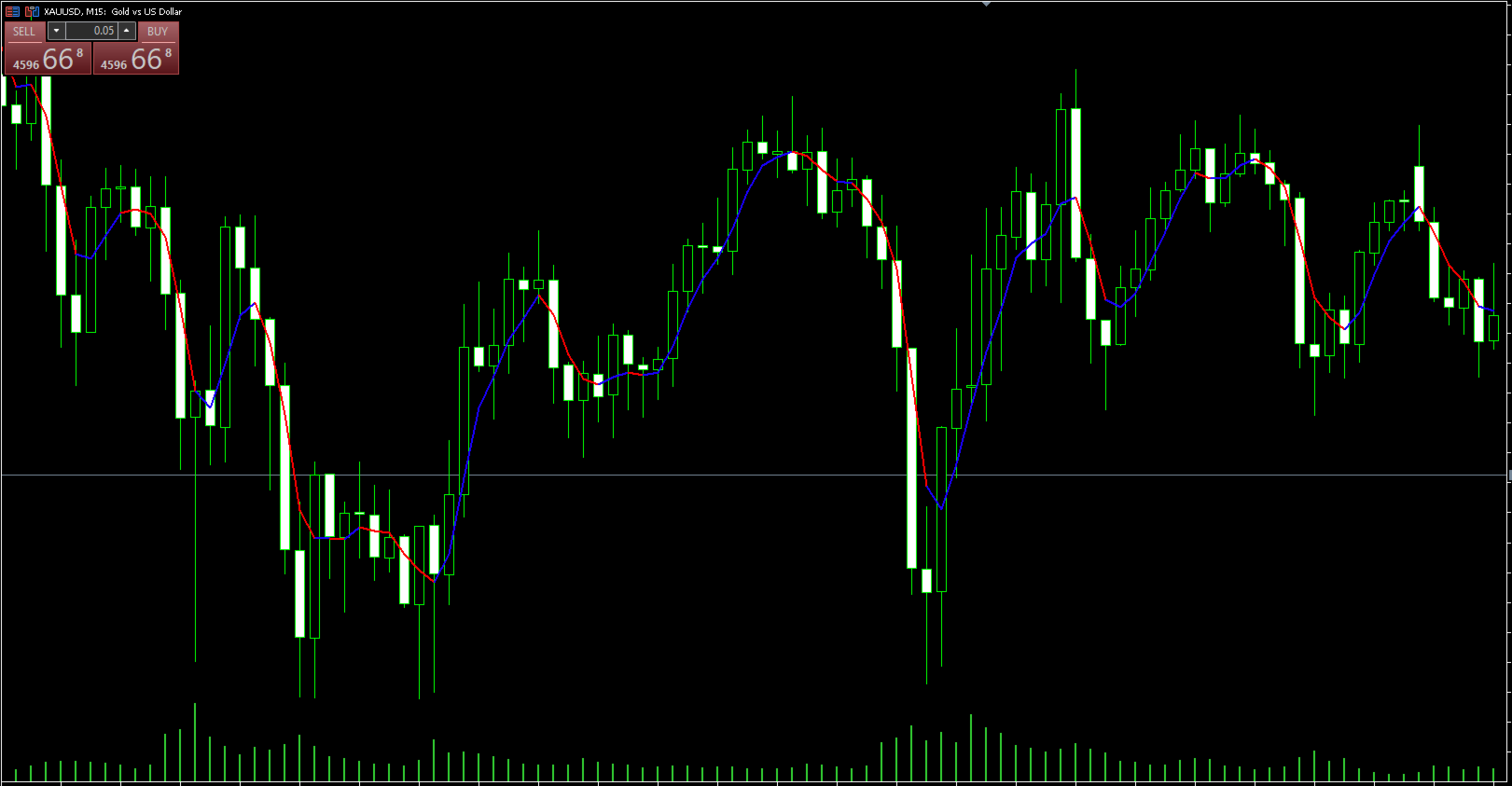
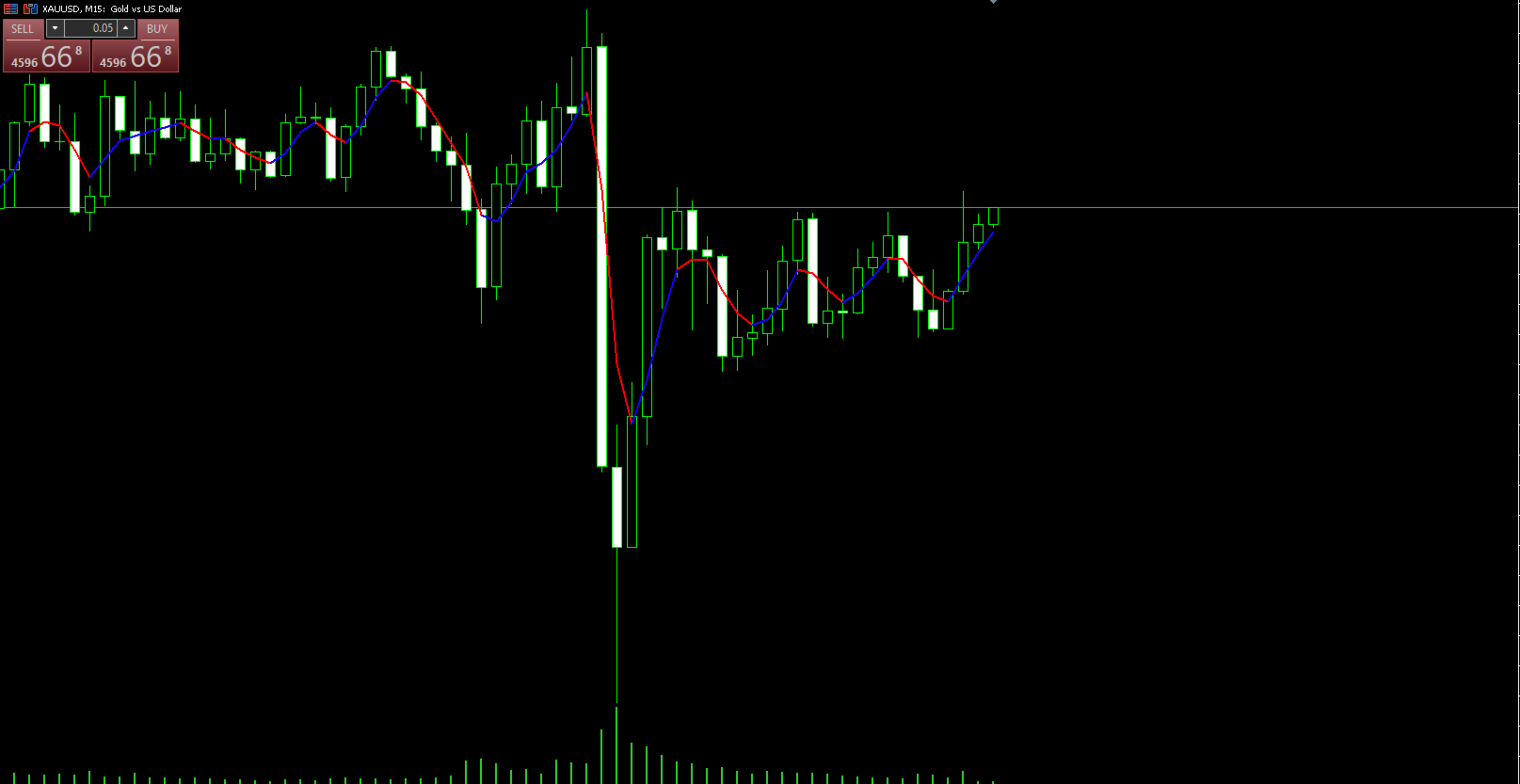
Dynamic Trend Line (Subho Average): A multi-layered EMA-based line that changes color (Blue/Red) to signal bullish or bearish momentum.
-
Smart Mitigation: Zones are automatically removed from the chart if the price breaches them (supports Close, Wick, or 50% Mean Threshold mitigation).
-
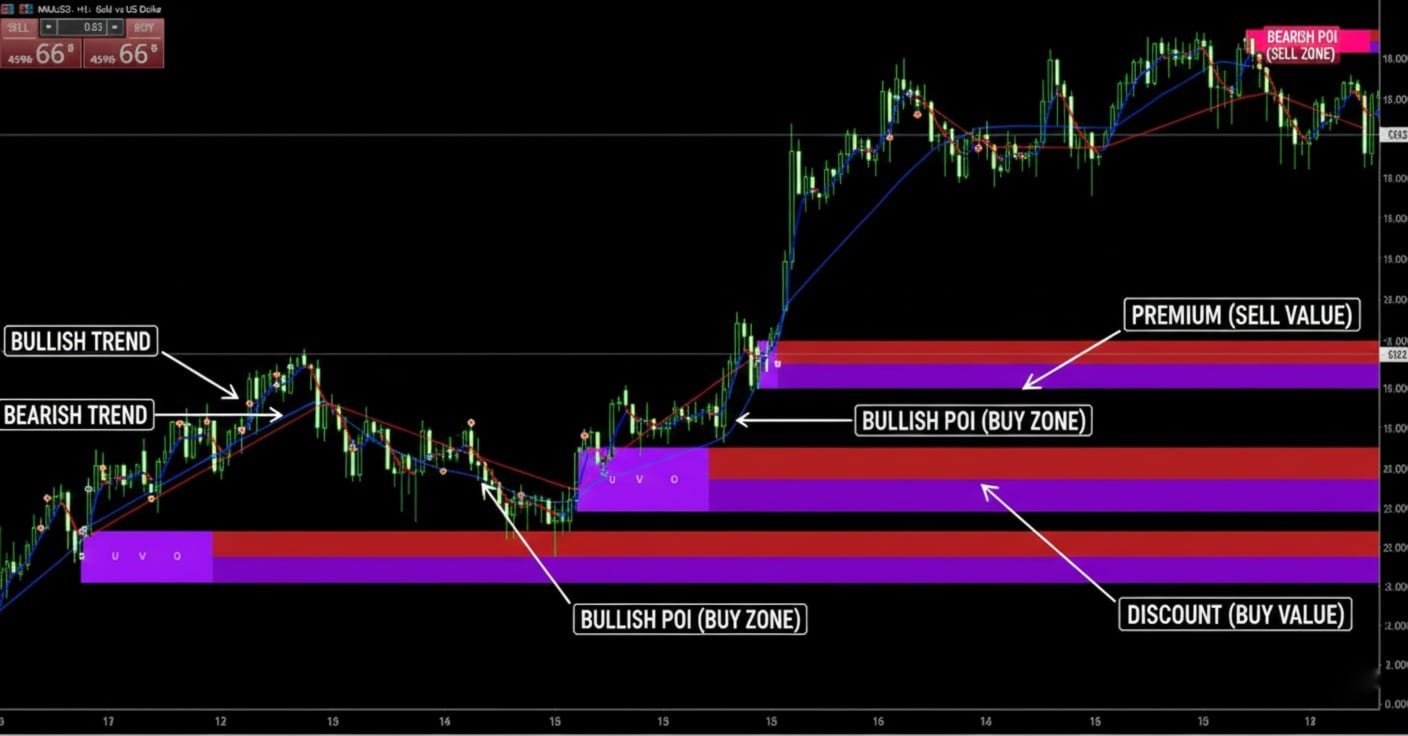
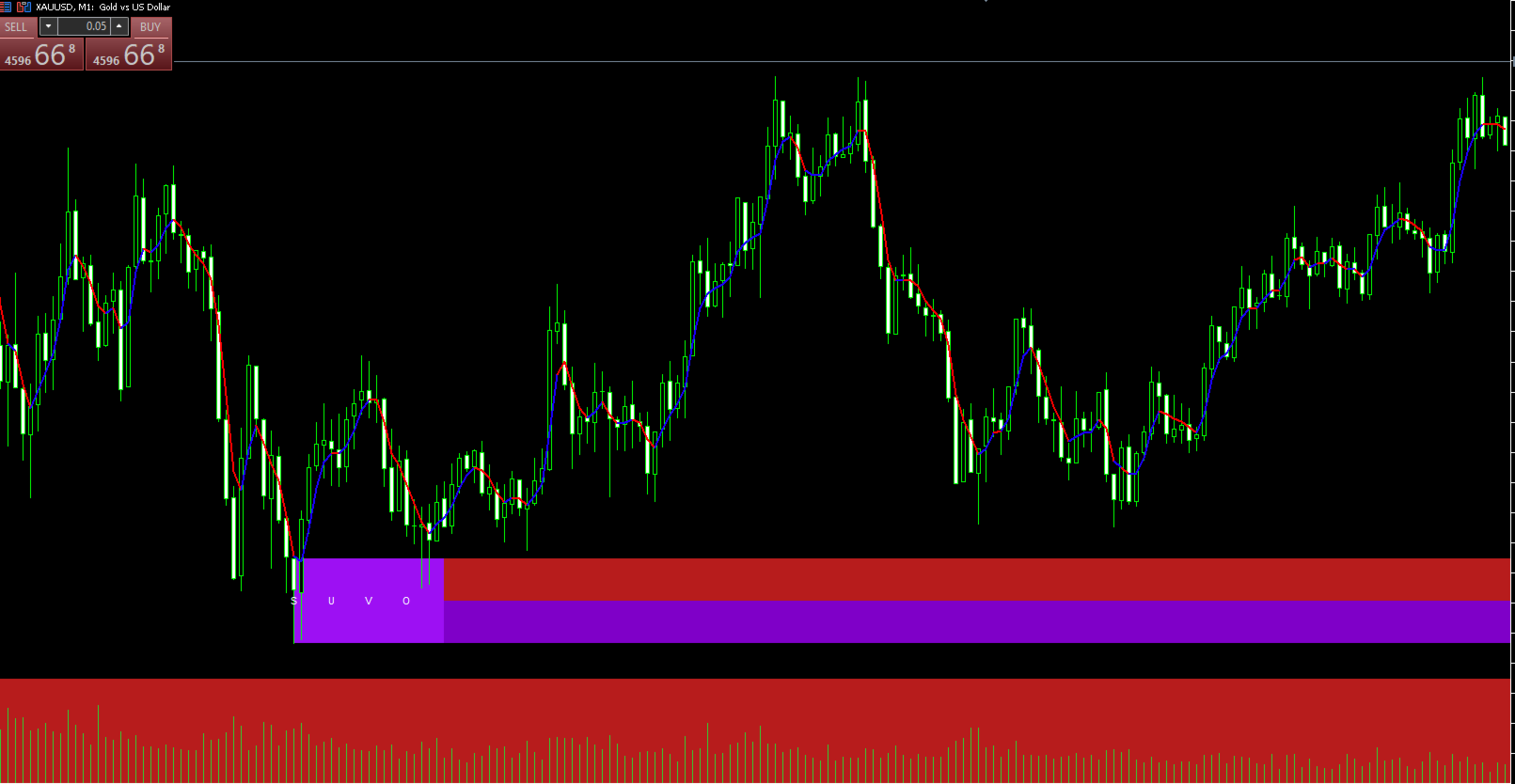
Premium & Discount Pricing: Every POI is split into Premium (expensive) and Discount (cheap) zones to help traders find the best entry price.
-
S-U-V-O Visualization: Professional 4-stage color-coded boxes for better visual clarity.
2. Settings & Parameters Details
A. Decisional POI Settings
-
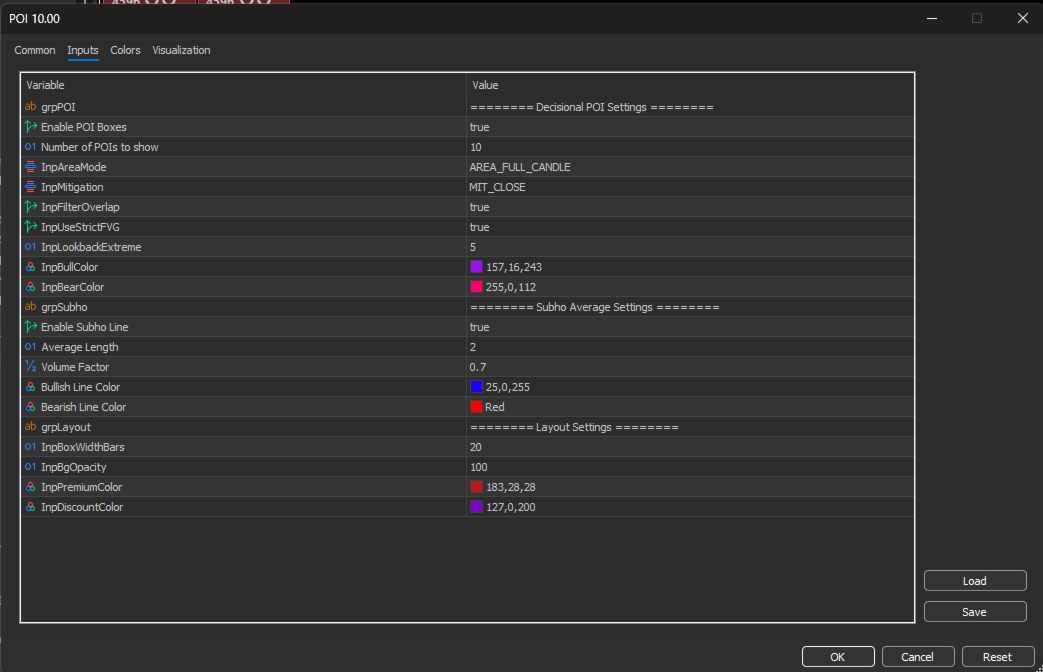
Enable POI Boxes: Toggle the Order Block visualization On/Off.
-
Show Last POIs: Controls the maximum number of active zones displayed on the chart (Recommended: 3–5 to keep the chart clean).
-
Zone Drawing Area:
-
Full Candle: Draws the box from High to Low of the candle.
-
50% Mean Threshold: Draws the box from the 50% equilibrium level of the candle.
-
-
Mitigation Style:
-
Close: The zone disappears only if a candle closes outside it.
-
Wick: The zone disappears as soon as a price wick touches the invalidation level.
-
Mean Threshold: Disappears if price crosses the 50% midpoint of the zone.
-
-
Strict Overlap Filter: If enabled, it prevents drawing multiple boxes at the same price level to avoid clutter.
-
Require Strict FVG: Only identifies a POI if it is followed by a Fair Value Gap (Institutional displacement).
B. Subho Average Settings
-
Show Subho Line: Toggle the trend line On/Off.
-
Subho Length: The period for calculation. Lower values (e.g., 4) are highly responsive for scalping; higher values are better for swing trading.
-
Volume Factor: Adjusts the sensitivity of the trend line based on price volatility.
-
Up/Dn Color: Fully customizable colors for the Bullish (Blue) and Bearish (Red) trend states.
C. Layout & Right Side
-
Premium/Discount Colors: Define the colors for the Red (Premium) and Purple (Discount) projection zones.
3. How to Use (Trading Strategy)
Step 1: Identify the Trend
Look at the Subho Average Line.
-
If the line is Blue, the market is in a Bullish Trend.
-
If the line is Red, the market is in a Bearish Trend.
Step 2: Spot the POI (Point of Interest)
Wait for the indicator to draw a SUVO Box.
-
A Bullish POI (Purple/Violet theme) appears during an uptrend.
-
A Bearish POI (Pink/Red theme) appears during a downtrend.
Step 3: Entry Execution
-
Buy Setup: Wait for the price to return to a Bullish POI while the Subho Line is Blue. For the best "Value Buy," enter in the Discount Zone (the lower half of the box).
-
Sell Setup: Wait for the price to return to a Bearish POI while the Subho Line is Red. For the best "Value Sell," enter in the Premium Zone (the upper half of the box).
Step 4: Invalidation (Mitigation)
If the price closes through the zone (based on your Mitigation Style setting), the indicator will automatically remove the box. This tells you that the institutional interest at that level has shifted, and the trade setup is no longer valid.
4. Pro Tips for Better Results
-
Timeframes: Best used on M15, H1, and H4. For scalping, use M1 or M5 but keep the Show Last count low.
-
Confluence: Use the POI as your "Where to trade" and the Subho Average color change as your "When to trade."
-
Risk Management: Always place your Stop Loss slightly outside the POI box boundaries.