OrderDesk
- Utilità
- Versione: 1.0

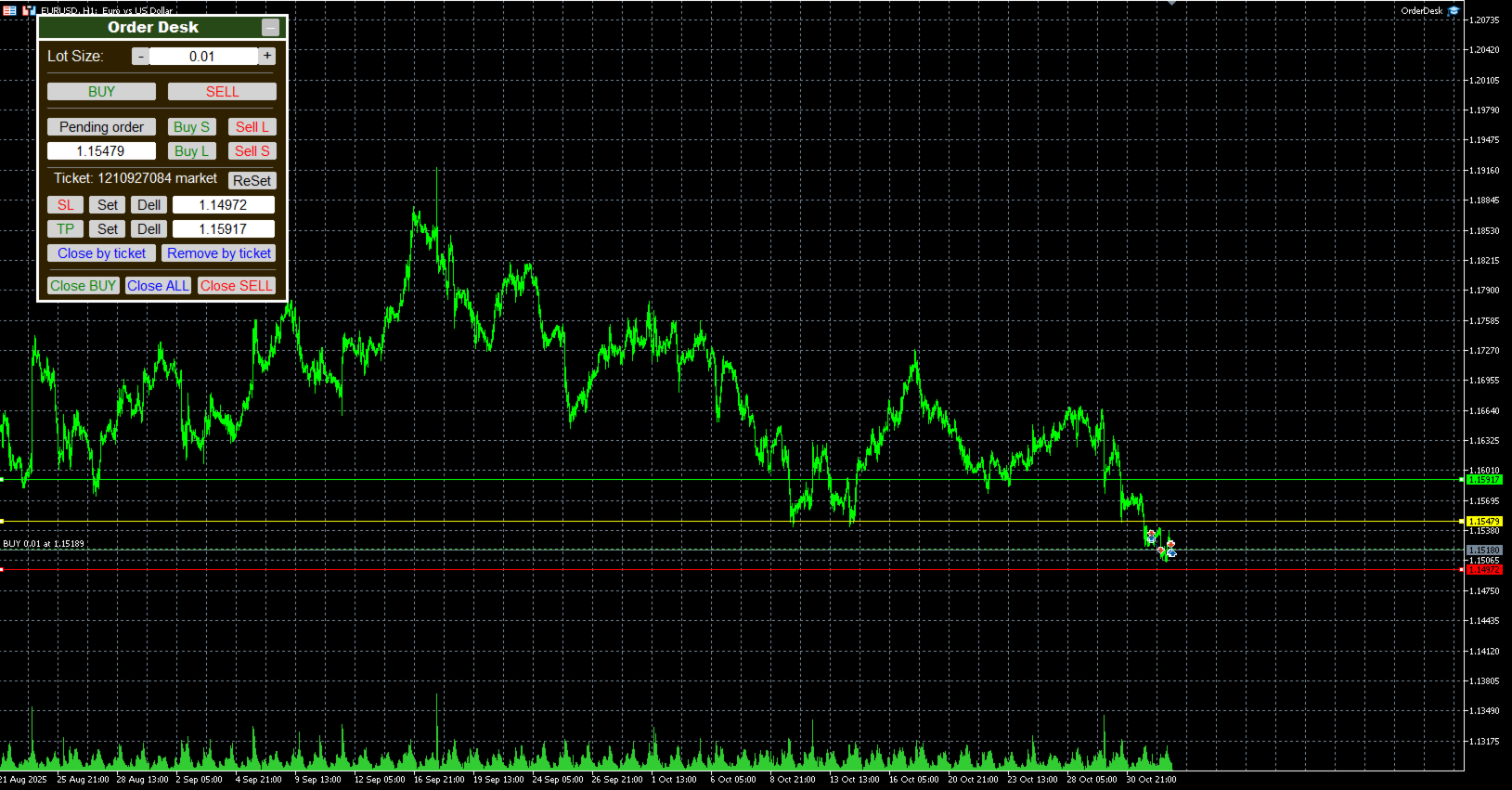
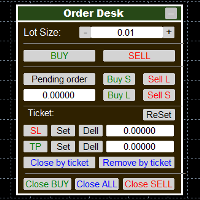
OrderDesk is a convenient trading panel for MetaTrader designed for fast and intuitive order management directly from the chart.
The panel includes graphical lines for easy visual control of entry levels, stop-loss, and take-profit.
You can move and minimize the panel anywhere on the chart for comfortable use.
Main Features:
- Market Orders
Instantly open Buy and Sell orders with a single click.
- Pending Orders
Supports 4 types: Buy Stop, Buy Limit, Sell Stop, and Sell Limit.
Click “PENDING ORDER” — a yellow line will appear on the chart. Move it to set your pending order level.
You can also specify the level manually in the price input field.
Then choose one of the four order buttons:
- Buy S (Buy Stop)
- Buy L (Buy Limit)
- Sell L (Sell Limit)
- Sell S (Sell Stop)
The top row of buttons is for orders above the current price, the bottom row — below it.
- Stop Loss & Take Profit
Set or delete SL and TP levels for the selected order.
To select an order, right-click near its level on the chart — its ticket will appear on the panel.
To reset and choose another order, press “ReSet”.
Buttons “CL” and “TP” create red and blue lines on the chart for setting desired levels.
You can adjust them visually or by typing the price manually.
Apply changes with “SET” or remove them with “Dell”.
- Close & Remove Orders
Close by Ticket — closes position by order ticket.
Remove by Ticket — deletes pending order by ticket.
Close all orders, only Buy, or only Sell — using dedicated buttons at the bottom of the panel.
Highlights:
- Clean and user-friendly interface.
- Full graphical order control.
- Movable and collapsible panel.
- Maximum efficiency with minimal clicks.