
Trend Maximizer
- Indicatori
- Versione: 3.0

1. Overview
Thank you for choosing the Trend Maximizer. This tool is designed for technical analysis within the MetaTrader 5 platform. It is a sophisticated trend-following indicator that helps traders identify the prevailing market trend and can also function as a dynamic, trailing stop-loss level.
The core of the indicator is based on a combination of a user-selected Moving Average (MA) and the Average True Range (ATR) indicator. By analyzing the relationship between the MA and the calculated PMax line, the indicator provides a clear visual representation of market trends.
Disclaimer: This indicator is a tool for analysis and should not be interpreted as a direct trading signal or financial advice. Trading involves significant risk. Past performance is not indicative of future results. Always use proper risk management.
2. Core Components on the Chart
The indicator displays three main visual elements on your chart:
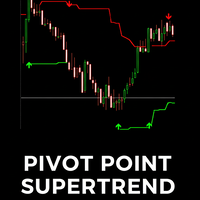
- The PMax Line (Red Line): This is the most important component. It acts as a dynamic level of support in an uptrend and resistance in a downtrend. It trails the price based on market volatility (ATR), providing potential levels for risk management.
- The Moving Average (Blue Line): This is the baseline for the PMax calculation. It represents the underlying momentum of the market over a specified period.
- The MTF PMax Line (Orange Dotted Line): This is an optional line that displays the PMax value from a higher timeframe of your choice. It is designed to help with multi-timeframe analysis.
(We recommend taking a high-quality screenshot of the indicator in action on a chart and placing it here.)
3. How to Interpret the Indicator's Display
Important Note: The following descriptions are for reference and technical analysis purposes only. They do not constitute trading advice. The indicator is a tool for analysis; all trading decisions are the sole responsibility of the user.
a) Trend Interpretation
The primary function of the Trend Maximizer is to provide a visual interpretation of the market trend based on its calculations:
- Uptrend Suggestion: An uptrend is suggested when the Moving Average (blue line) is calculated to be above the PMax line (red line). During this state, the PMax line is plotted below the price, acting as a dynamic support level.
- Downtrend Suggestion: A downtrend is suggested when the Moving Average (blue line) is calculated to be below the PMax line (red line). During this state, the PMax line is plotted above the price, acting as a dynamic resistance level.
b) Trend Change Visualization
The indicator visualizes a potential change in the calculated trend with an arrow on the chart.
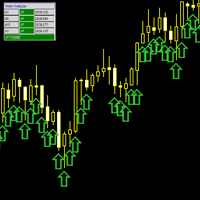
- Up Arrow: A green 'Up' arrow is displayed when the MA line crosses above the PMax line. This visually marks the point where the indicator's internal logic has shifted from a downtrend to an uptrend suggestion.
- Down Arrow: A red 'Down' arrow is displayed when the MA line crosses below the PMax line. This visually marks the point where the indicator's internal logic has shifted from an uptrend to a downtrend suggestion.
c) Dynamic Price Trailing
The PMax line's core behavior is to trail the price, with its distance determined by market volatility (ATR).
- In a suggested uptrend, the PMax line will follow the price from below.
- In a suggested downtrend, the PMax line will follow the price from above.
This feature provides a visual reference for the current trend's volatility-adjusted boundary.
d) Multi-Timeframe (MTF) Context
The MTF feature allows for an additional layer of analysis by displaying the PMax line from a higher timeframe on the current chart. This is intended to provide a broader market context. For example, viewing the H4 PMax line on an H1 chart can help assess the shorter-term trend within the context of the longer-term trend structure.
4. Input Parameters
The indicator is highly customizable. Below is a detailed explanation of each parameter.
| Group | Parameter | Description |
|---|---|---|
| Calculation | MTF_Timeframe | Sets the timeframe for the secondary (orange dotted) PMax line. Set to PERIOD_CURRENT to disable. |
| Src | The price source used for all calculations (e.g., Close, Open, Median Price). | |
| AtrPeriods | The lookback period for the Average True Range (ATR) calculation, which determines volatility. | |
| AtrMultiplier | The multiplier for the ATR value. A higher value will place the PMax line further away from the MA, making it less sensitive. | |
| MAvgType | The type of Moving Average to use as the baseline (e.g., EMA, SMA, WMA). | |
| MAvgLength | The lookback period for the Moving Average. | |
| ChangeAtrMethod | Toggles between two different methods for ATR calculation (Wilder's vs. SMA of True Range). | |
| NormalizeAtr | If true, normalizes the ATR value by dividing by the close price. May be useful on some instruments. | |
| Display | ShowMAvg | Toggles the visibility of the blue Moving Average line. |
| ShowArrows | Toggles the visibility of the green and red arrows. | |
| Alerts | AlertOnTrendChange | Enables alerts for when the calculated trend direction changes (when an Up/Down arrow appears). |
| AlertOnPriceCross | Enables alerts for when the price itself crosses the PMax line. | |
| EnablePush | If an alert is enabled, this will also send a push notification to your mobile device (requires configuration in MT5). | |
| EnableEmail | If an alert is enabled, this will also send an email (requires configuration in MT5). |
Thank you for using the Trend Maximizer. We wish you the best in your trading journey.








































Nice product, offers variety with settings. Great design and stable, thanks for sharing