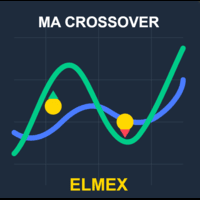
Elmex Moving Average algo
- Experts
- Versione: 1.45
- Aggiornato: 7 giugno 2026

Introduction: The History of a Time-Tested Strategy The Moving Average Crossover strategy is one of the oldest and most respected technical analysis methods in financial markets, dating back to the 1930s when traders first began using moving averages to smooth price data. Richard Donchian, often referred to as the "Father of Trend Following," was among the first to popularize the use of moving average crossovers in the 1960s. This strategy gained further prominence when it was
incorporated into the famous Turtle Trading system developed by Richard Dennis and William Eckhardt in the 1980s.
What makes this strategy endure through decades is its elegant simplicity combined with remarkable effectiveness. By tracking the relationship between a faster moving average (responsive to recent price changes) and a slower moving average (representing longer-term trends), traders can objectively identify trend changes and potential trading opportunities.
Strategy Overview The Moving Average Crossover EA implements this classic strategy in an automated, precise manner:
- Signal Generation:
- Buy Signal: When the Fast Moving Average crosses above the Slow Moving Average
- Sell Signal: When the Fast Moving Average crosses below the Slow Moving Average
- Exit Logic:
- Positions are automatically closed when an opposite signal occurs
- Additional protection through customizable Stop Loss and Take Profit levels
EA Setup and Configuration
Moving Average Settings
- Fast MA Period: Determines the responsiveness of the faster moving average (default: 12)
- Slow MA Period: Sets the period for the longer-term trend indicator (default: 26)
- MA Method: Choose between Simple, Exponential, Smoothed, or Linear Weighted methods
- Applied Price: Select which price point to use (Close, Open, High, Low, etc.)
Trade Parameters
- Lot Size: Fixed trading volume for each position
- Exit on Opposite Signal: Option to enable/disable closing positions on opposite signals
Stop Loss & Take Profit Settings
- Use SL/TP (Master): Master switch to enable or disable the Stop Loss / Take Profit system entirely (this needs to be on if you want point-based, ATR-based or percentage-based SL or TP)
Use Stop Loss: Independently enable or disable the Stop Loss while the master is on
Use Take Profit: Independently enable or disable the Take Profit while the master is on — turn this off to run a Stop Loss + trailing stop as your full exit, with no fixed target - SL/TP Method: Choose between Fixed Points, ATR-Based, or Percentage-Based calculation methods
- ATR Period: Define lookback period for volatility calculation (default: 14)
- ATR SL Multiplier: Set risk relative to market volatility (default: 1.5)
- ATR TP Multiplier: Set profit targets relative to volatility (default: 2.5)
- Fixed Take Profit: Target profit in points (when using Fixed Points method)
- Fixed Stop Loss: Maximum acceptable loss in points (when using Fixed Points method)
- TP Percentage: Target profit as percentage of entry price (when using Percentage method)
- SL Percentage: Maximum acceptable loss as percentage of entry price (when using Percentage method)
Trailing Stop Settings
- Use Trailing Stop: Option to enable/disable the trailing stop feature
- Trailing Stop Method: Choose between Fixed Points, ATR-Based, or Percentage-Based calculation
- TS Points Trigger: Profit in points before trailing activation (for Fixed Points method)
- TS Points Distance: Distance in points between price and trailing stop (for Fixed Points method)
- TS ATR Trigger: ATR multiplier for trailing activation threshold (for ATR-Based method)
- TS ATR Distance: ATR multiplier for trailing stop distance (for ATR-Based method)
- TS Percent Trigger: Profit percentage before trailing activation (for Percentage method)
- TS Percent Distance: Distance percentage for trailing stop (for Percentage method)
Symbol Settings
- Multi-Symbol Mode: Option to trade multiple instruments simultaneously
- Symbol List: Define instruments to trade, separated by semicolons (e.g., "EURUSD;USDJPY;GBPUSD")
Lot Sizing (Multi-Asset)
- Lot Sizing Method: Choose between Fixed Lot (classic behaviour, default) or Margin Parity
- Reference Symbol: The instrument used as the risk anchor in Margin Parity mode
- Reference Lot Size: The lot size on the reference symbol that defines your risk unit
- Min Lot / Max Lot: Hard floor and ceiling applied to every auto-calculated lot
In Margin Parity mode, each symbol in your list is sized so it commits the same margin as your reference position. This equalizes risk (capital committed) across instruments — not volatility, not trend likelihood. The point is that when you optimize your MA periods, SL or TP across a multi-asset basket, every symbol is weighted on a level footing instead of being distorted by the ones that simply eat more margin per lot. It effectively lets you bypass MetaTrader's lack of native multi-pair optimization and trade a whole portfolio of systems from a single chart, with full control left in your hands.
⚠️ Important: the Reference Symbol must be written exactly as your broker names it. If your broker's EUR/USD is EURUSD.r and you type EURUSD , it will simply throw an error. Always use the broker's own naming.
Additional Features
- Time Filter: Option to restrict trading to specific hours
- EA Comment: Custom comment for trade identification
- Magic Number: Unique identifier for the EA's trades
- Auto Filling Type Detection: Automatically selects optimal order filling mode for your broker
Important Note This EA has undergone several improvements since its initial release:
V1.0: Initial release with core moving average crossover strategy
V1.2: Added ATR-based dynamic Stop Loss/Take Profit and Multi-Symbol Trading capabilities
V1.41: Added flexible SL/TP toggle, exit on opposite signal option, and automatic broker compatibility
V1.42: Implemented advanced trailing stop system with three calculation methods (Fixed Points, ATR-Based, Percentage) and customizable activation thresholds
V1.44: Added Margin-Parity lot sizing for equal-risk exposure across multiple assets, plus automatic per-symbol lot normalization (volume step/min/max).
As always, this is a free update — and there are more to come. Every comment and review is read and genuinely appreciated; they're the reason this EA keeps getting updated, so please don't hesitate to leave feedback ^^
And to save us both time: no, I don't share the source code, please stop asking 🙂 — but the EA itself is, and will stay, completely free.





































It works very well, without errors. I am very satisfied.