Bulk closing MT5
- Experts
-
Xin You Lin
 Golden Wings
 - Versione: 1.6
- Attivazioni: 5
This EA does not open trades. You open your positions yourself, and the EA handles the exit.
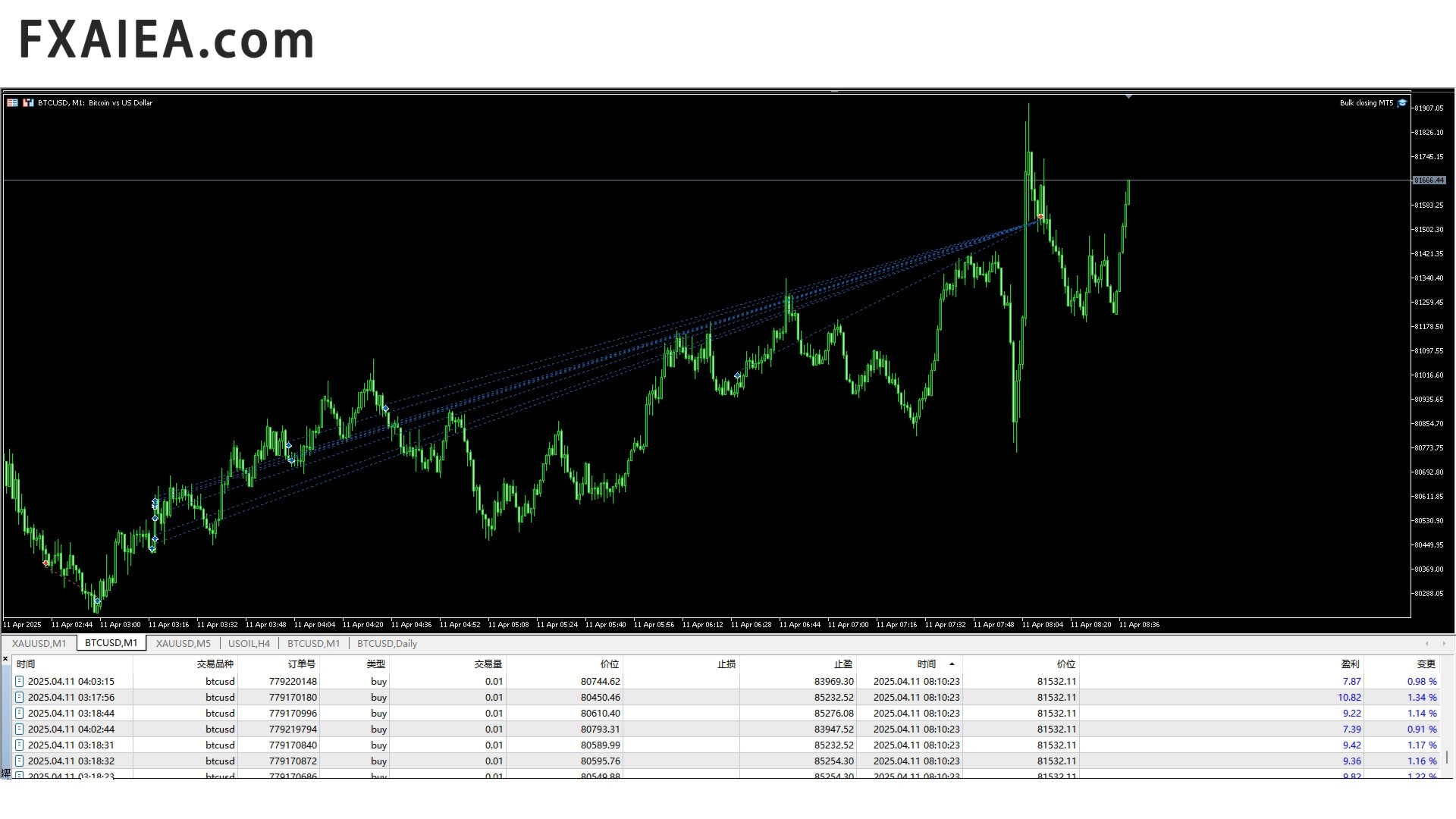
It monitors the total floating result of all open positions on the account. As soon as the total profit reaches the target you set, every open position is closed at once. The same rule works in the opposite direction: when the total loss reaches the limit you set, all positions are closed automatically.
Opening a trade takes a few seconds. Deciding when to close it is what makes the difference. This utility removes hesitation and emotion from that decision and executes the exit for you.
Key features
- No trading logic and no indicators; the EA never opens orders
- Closes all open positions when the total profit target is reached
- Closes all open positions when the maximum loss limit is reached
- Works with positions opened manually or by another EA
- One chart is enough: the EA manages the whole account
- Profit and loss targets can be set in deposit currency, points, or percent of balance
- Optional filters by symbol, magic number and position direction
- Low CPU usage, works on any timeframe
How to use
1. Attach the EA to any chart and enable Algo Trading.
2. Set the profit target and the loss limit.
3. Choose how the target is measured: money, points, or percent of balance.
4. Optionally restrict the EA to one symbol or one magic number.
5. Trade as usual. When the account result reaches your target or your limit, all selected positions are closed in one step.
Inputs
- TargetProfit - total profit that triggers closing (0 = disabled)
- MaximumLoss - total loss that triggers closing (0 = disabled)
- TargetType - deposit currency, points, or percent of balance
- SymbolFilter - manage only the current symbol, or the whole account
- MagicNumber - manage only positions with this magic number (0 = all)
- CloseMode - all positions, profitable only, or losing only
- ShowPanel - display the current result on the chart
(Replace the names above with the actual input names of your EA.)
Recommended symbols and timeframes
The EA is not tied to any symbol or timeframe, so any chart will do. It is commonly used on XAUUSD, EURUSD, GBPUSD, USDJPY, USDCAD, AUDUSD and USDCHF, on M5 to H1 charts.
Notes
- Entries are always yours; this EA only closes positions.
- On netting accounts only one position per symbol is possible, and the result is calculated for that single position.
- The terminal must stay running, so a VPS is recommended.
- Questions are welcome in the comments or by private message on MQL5.