Dracn Green Custom
- Experts
- Dustin Kennick
- Version: 1.0
- Activations: 5
DRACN GREEN CUSTOM Trading EA by DRACN Trading Systems
TRADING LIVE AT: https://www.mql5.com/en/signals/2357515?source=Site+Profile+Seller
(See Trading Signal "Description" for input settings being run)
✅ FIFO and US Market Compliant.
✅ Use as low as 1:50 Leverage.
✅ Low spread not required.
✅ Supports all currency pairs.
✅ Works best when added to multiple charts in the same account.
DRACN GREEN CUSTOM trading EA for MT5—an ultra-optimized, institutional-grade algorithm designed adapt to shifting market conditions. Designed for precision momentum trading. Built on the foundation of smart mean-reversion and advanced mathematics, it combines a multi-timeframe engine, dynamic volatility scaling, and a powerful automated recovery and money management system.
Margin Protection: If your margin level drops below the selected amount the EA strictly halts new basket entries to prevent margin calls.
If a catastrophic market event occurs and a single position exceeds your desired max loss threshold, the EA prunes that specific bad trade to protect the account balance while keeping the rest of the basket active. This then triggers a 5-day hard safety lock. It physically prevents "revenge trading" and waits out the storm until the market normalizes.
Written with clean, highly optimized MQL5 code with a single-pass state management system lightening the load on your VPS CPU.
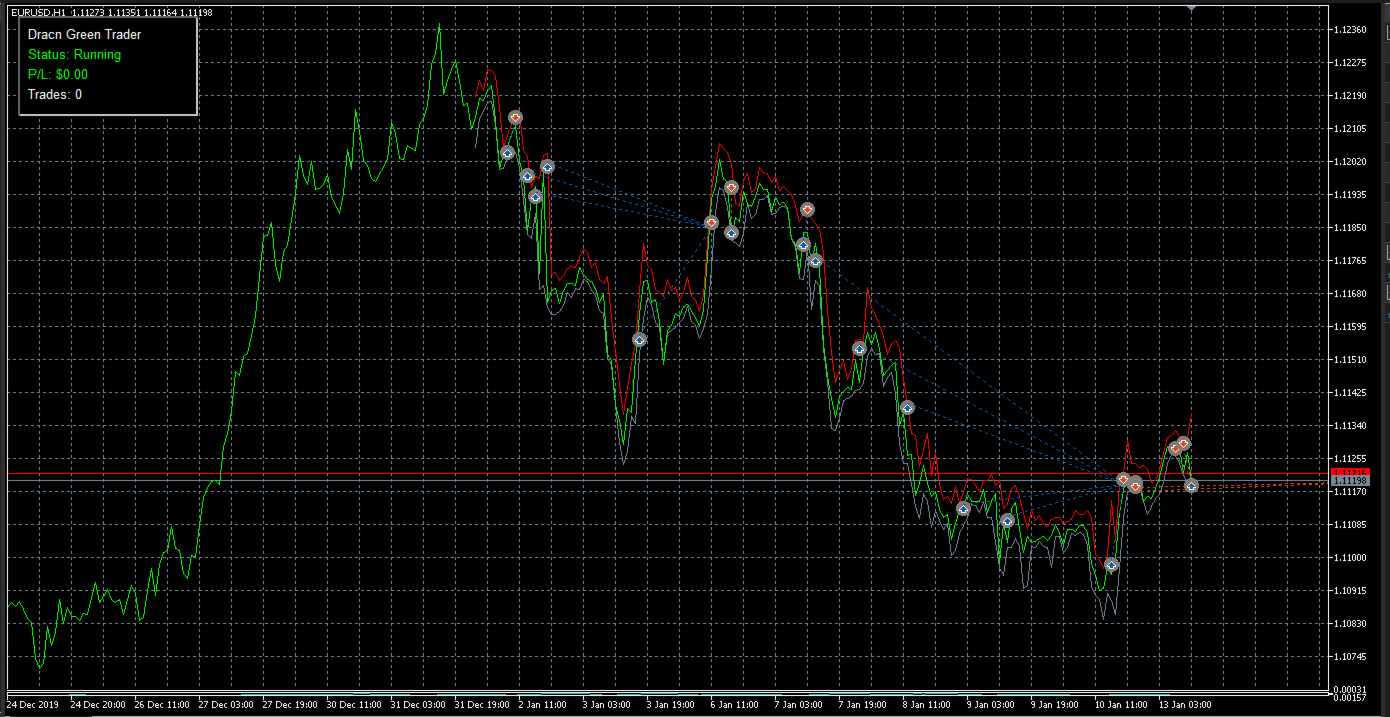
The EA features a dark-mode Heads Up Display (HUD) directly on your chart, showing your real-time P/L, active trade count, and system status. It also dynamically projects visual horizontal lines onto your chart, showing you exactly where the EA's average entry and shrinking TP targets are at any given second.
------ Input Parameters Guide ------
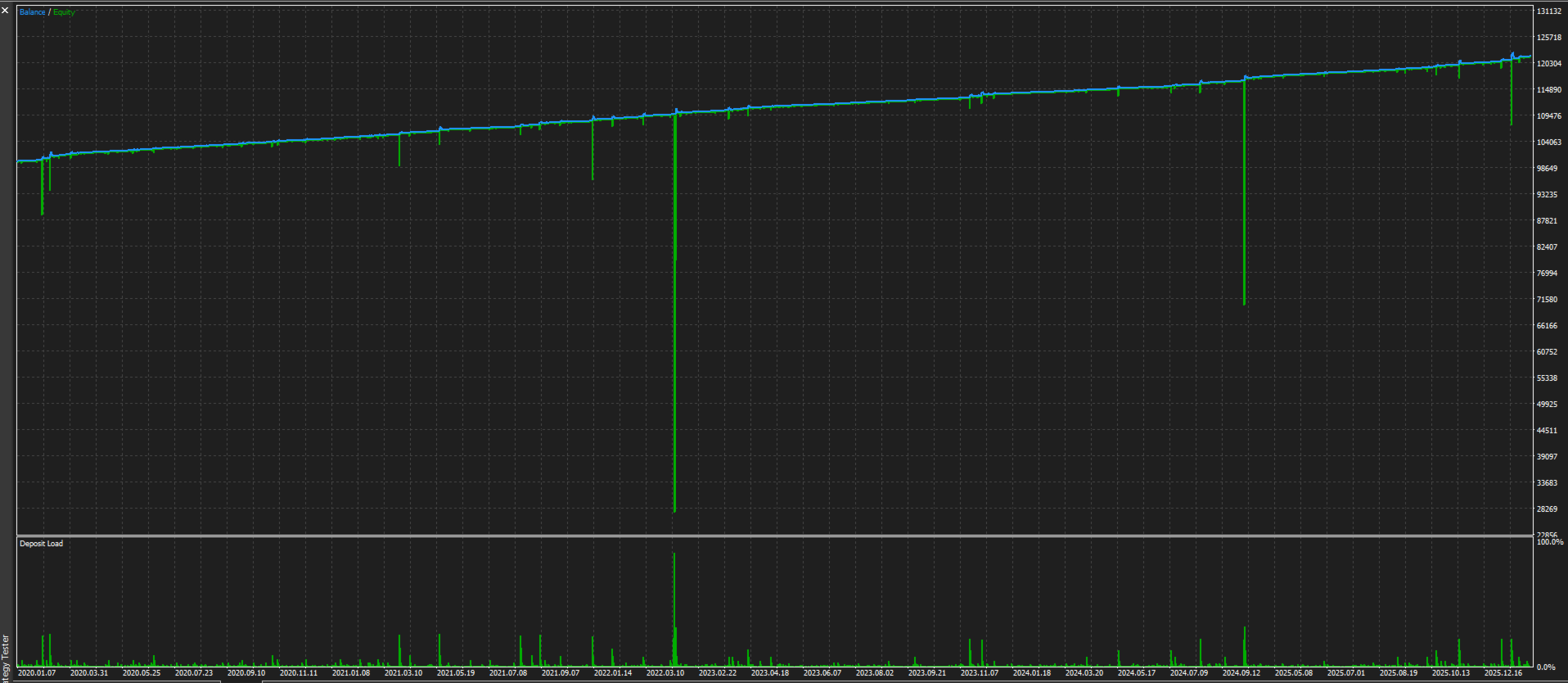
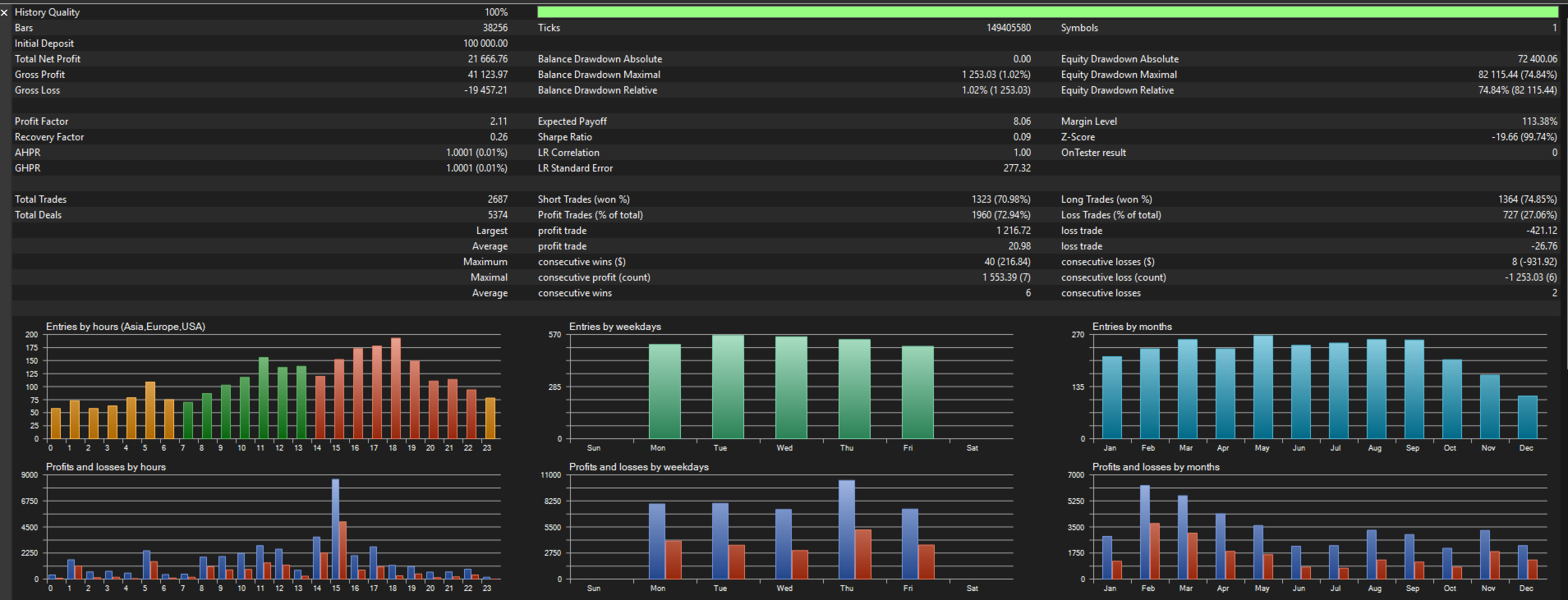
Always backtest your desired settings before running live.
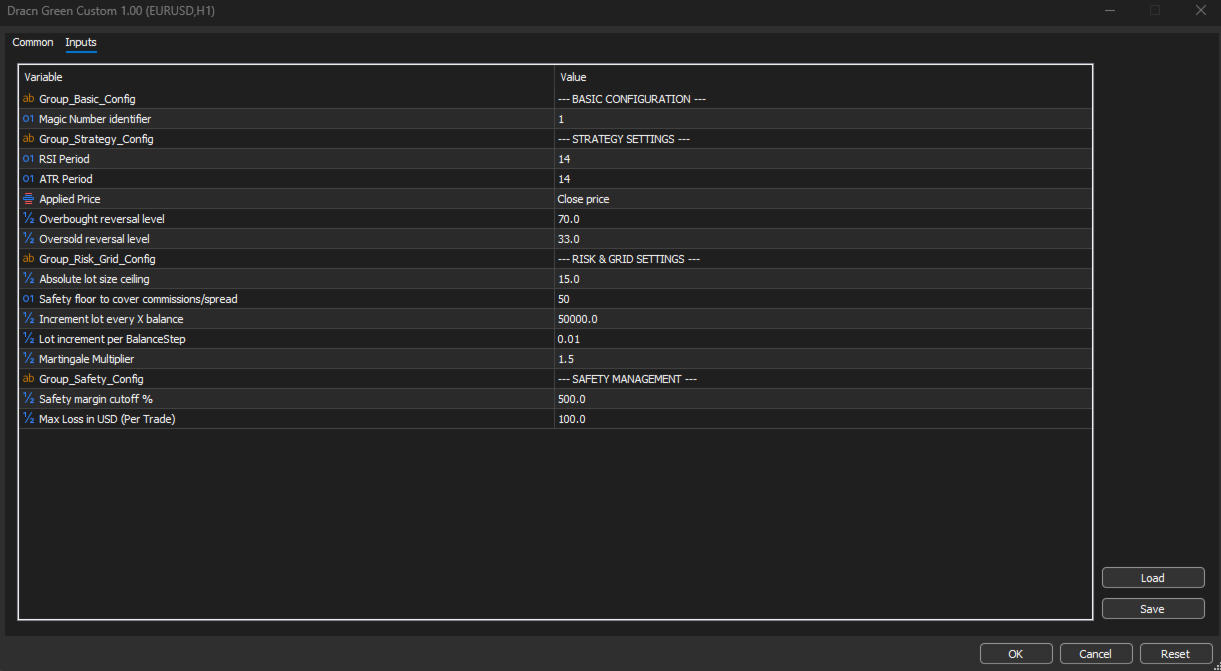
--- BASIC CONFIGURATION ---
MagicNumber: Use this to assign a unique identifier to the EA's trades so it doesn't interfere with other robots running on your account.
--- STRATEGY SETTINGS ---
RSIPeriod: Adjust this to determine how many candles the RSI indicator calculates to find overbought and oversold entry signals.
ATRPeriod: Set this to define the lookback period for the Average True Range, which dictates the size of your dynamic take-profit targets.
ApplyPrice: Choose which price data (such as close, open, or high) the indicators should use for their mathematical calculations.
SellLevel: Lower this value for more frequent short trades, or raise it to wait for stronger overbought exhaustion before selling.
BuyLevel: Raise this value for more frequent long trades, or lower it to wait for deeper oversold conditions before buying.
--- RISK & GRID SETTINGS ---
MaxLots: Set this as a hard volume ceiling to prevent the EA from opening unsustainably massive lot sizes during deep grid recovery.
MinTPPoints: Define the absolute minimum profit target in points to ensure your winning trades always cover broker spread and commission costs.
BalanceStep: Define the account balance interval (e.g., $25,000) the EA uses to incrementally scale up your base starting lot size.
LotsPerStep: Set the specific base lot size (e.g., 0.01) that will be allocated for every full BalanceStep achieved in your account balance.
MultipleLotsForGrid: Adjust this Martingale multiplier to determine how aggressively the lot size increases when opening recovery trades during a drawdown.
--- SAFETY MANAGEMENT ---
MinimumMarginLevel: Increase this percentage to force the EA to stop opening new trades earlier, protecting your account from margin calls.
MaxTradeLossUSD: Set this catastrophic circuit breaker to a dollar amount representing roughly 15-30% of your account to cut a single bleeding trade before it ruins your balance.