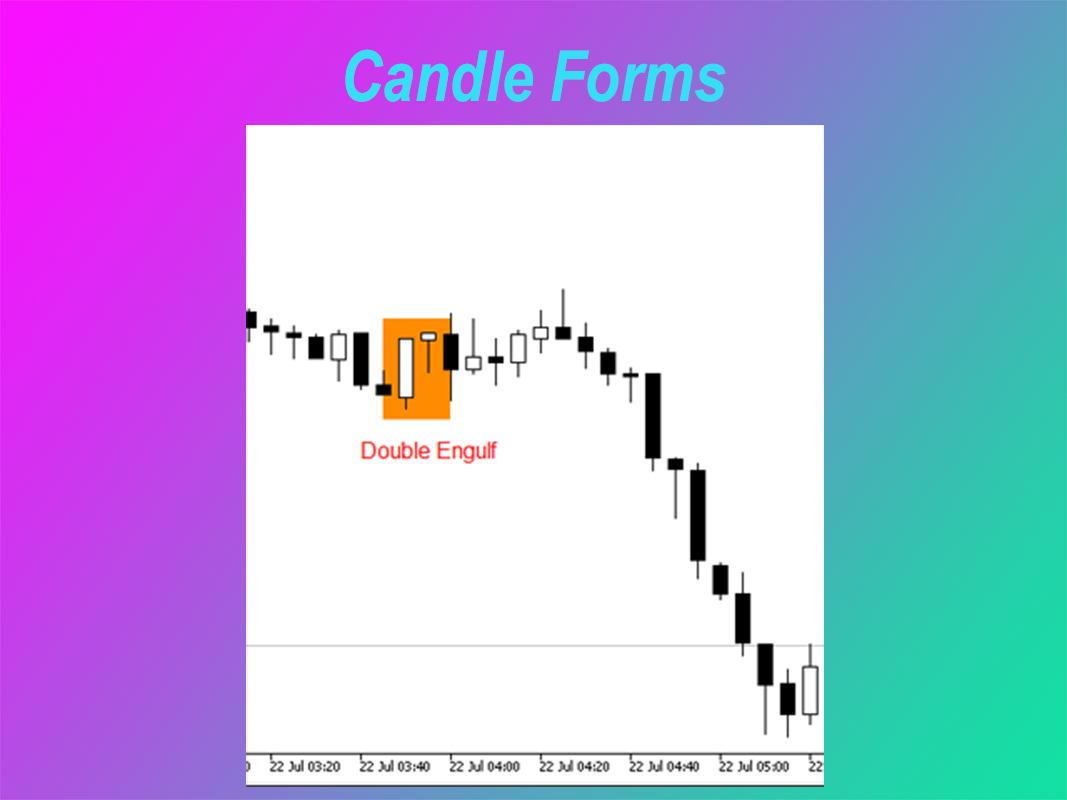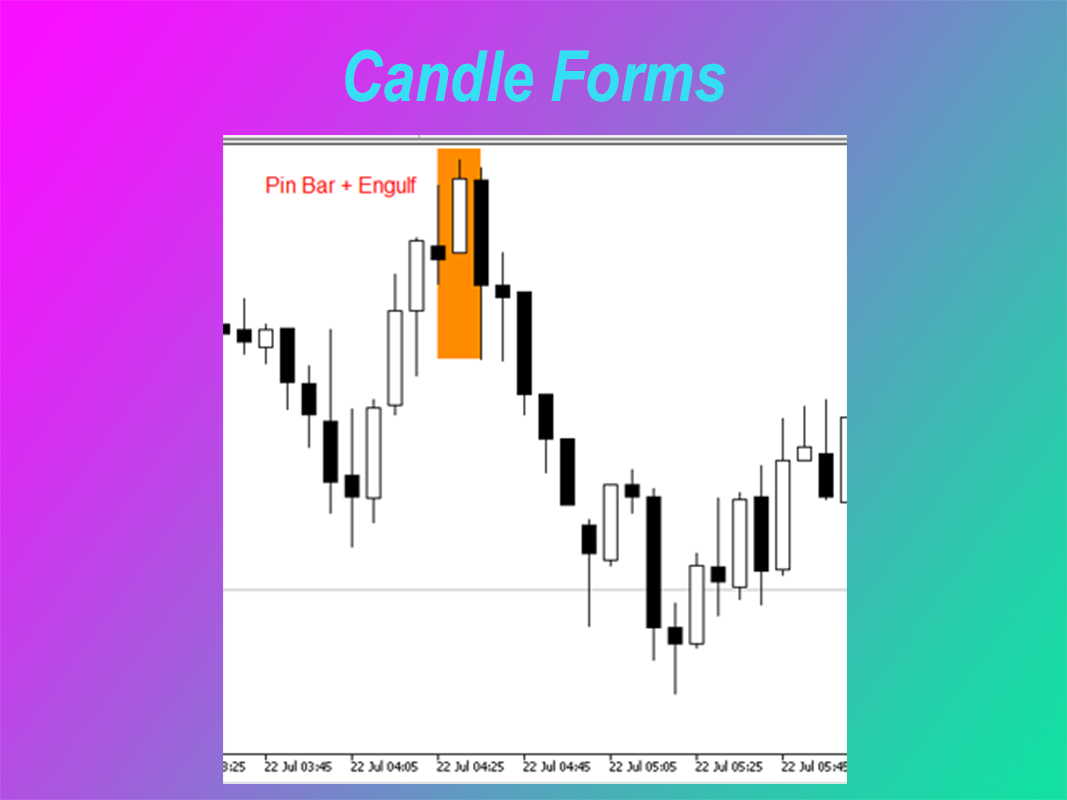
Candle Forms
- Experts
-
Ahmet Gokcen Sirma
 🚀 Professional Algo-Trading Systems | MQL5 Developer
Hi, I’m Ahmet Gökçen SIRMA.
I design Expert Advisors for MetaTrader 5 with a focus on disciplined execution, intelligent automation, and robust risk control.
✅ Harmonic Trading Systems
✅ Breakout & Momentum Strategies - Version: 41.52
- Mise à jour: 10 août 2026
- Activations: 10
Candle Forms EA - User Guide
Thank you for choosing Candle Forms EA for MetaTrader 5. This Expert Advisor has been developed to automate trade execution and position management while allowing the trader to remain in control of risk settings and trading preferences. This guide explains the main functions of the software and provides practical recommendations for everyday use.
Main Features• Multiple Trading Strategies
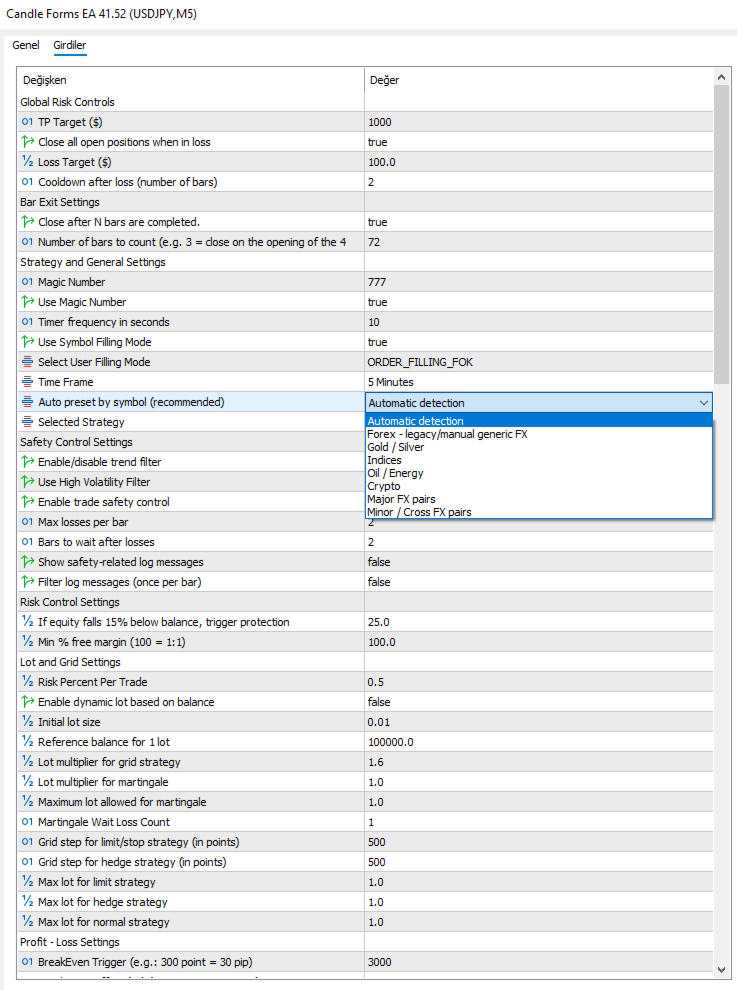
• Symbol Presets for different markets
• Automatic or Manual Lot Size
• Built-in Risk Management
• Intelligent Trade Management
• Real-Time Information Panel
• Multi-Asset Compatibility
Install the Expert Advisor from the MetaTrader 5 Market, attach it to the desired chart, enable Algo Trading and select the Symbol Preset that matches the instrument. Before using the EA on a live account, verify your preferred risk settings and test the configuration on a demo account.
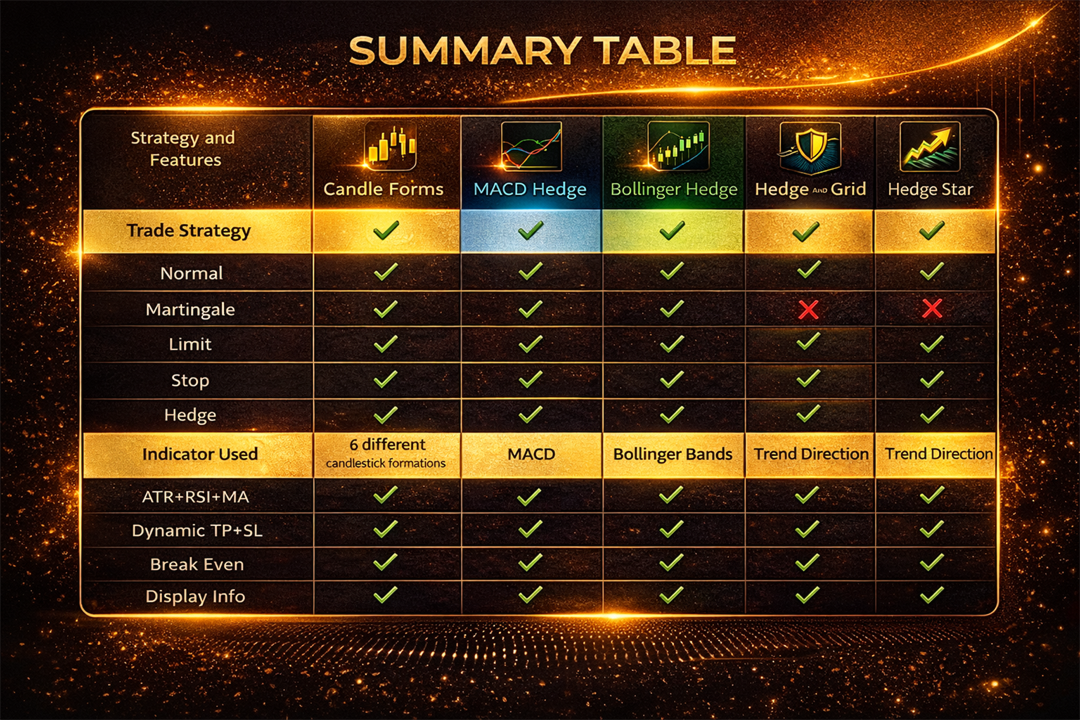
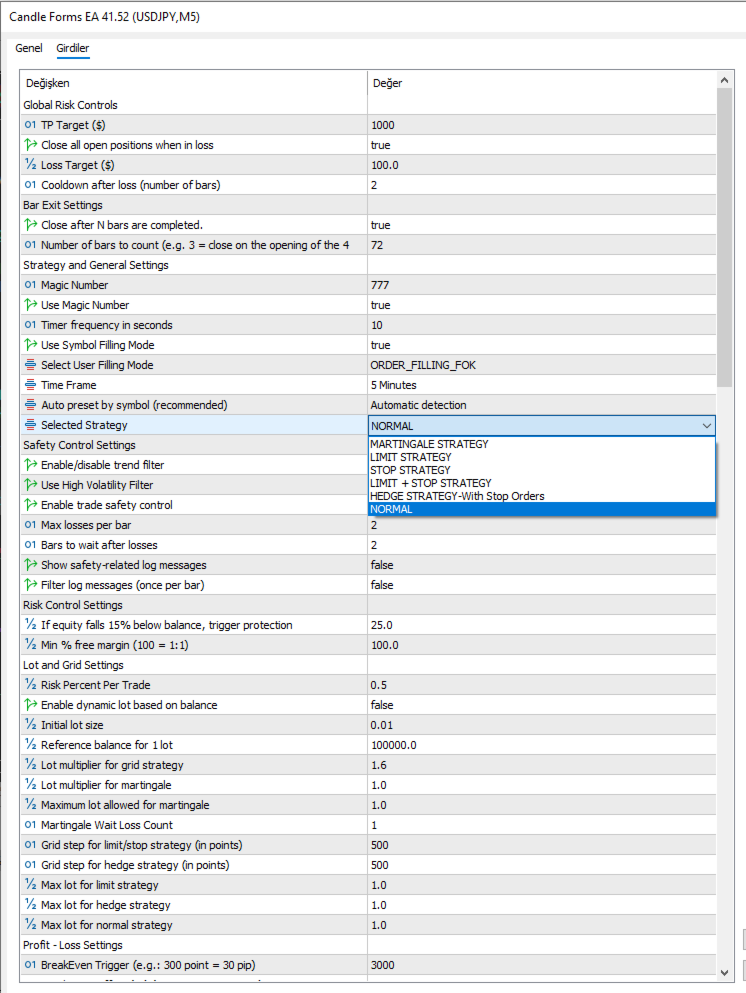
Trading StrategiesNormal Strategy
Designed for standard automated trading and recommended for most users.
Martingale Strategy
Optional progressive position management intended for traders who understand the additional risks involved.
Limit Strategy
Uses pending limit orders for retracement entries.
Stop Strategy
Uses pending stop orders for continuation entries.
Hedge Strategy
Provides an alternative hedge-based position management approach when selected.
Symbol Presets provide optimized default parameters for supported instruments such as Forex, Gold, Silver, Indices and other supported markets. Users may keep the default values or customize them according to their own trading preferences.
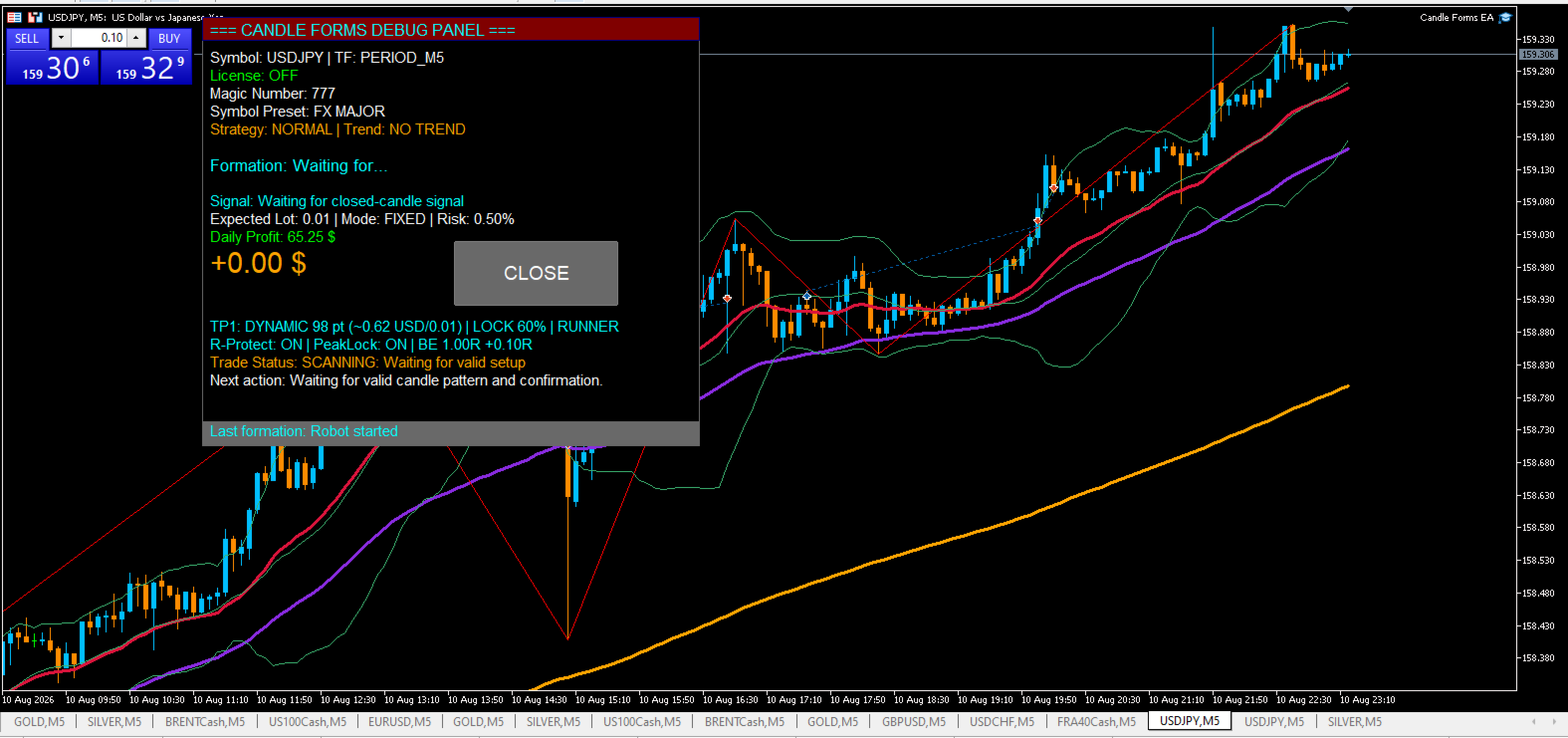
Information PanelThe integrated information panel provides a quick overview of the Expert Advisor status. It displays License Status, Symbol Preset, Magic Number, Trend, Active Formation, Estimated Lot Size, Daily Profit, Floating Profit and the current Robot Status. The status line keeps the user informed about the current operating stage without exposing the internal trading logic.
Trade ManagementAfter a position has been opened, Candle Forms EA automatically manages the trade according to its internal management rules. Depending on market conditions, the Expert Advisor may adjust protective levels, manage profits and close positions automatically. Manual intervention is generally not required while a position is being managed.
Best Practices• Use the correct Symbol Preset for each instrument.
• Use one Expert Advisor per chart.
• Avoid changing important settings while trades are active.
• Allow the Expert Advisor enough time to monitor market conditions.
• Test new configurations on a demo account before using them in live trading.
• Select a risk level appropriate for your account size.
Why is the EA not opening trades?
The Expert Advisor only trades when its internal trading conditions are satisfied.
Can I use manual lot size?
Yes. Both automatic and manual lot sizing are supported.
Can I change strategies?
Yes. Select the strategy that best matches your trading style and risk preference.
Can I customize the presets?
Yes. Symbol Presets provide optimized defaults but can be adjusted if desired.
Candle Forms EA is an automated trading tool and should be used only after the user fully understands its settings and operation. Trading financial markets involves significant risk, and no Expert Advisor can guarantee profits or eliminate the possibility of losses.
By using this software, the user accepts full responsibility for all trading decisions, account settings and trading results. The developer provides this product as a technical trading tool and is not responsible for any financial losses resulting from its use.