How Do You Stop Revenge Trading in MT5 After Hitting Your Daily Loss Limit?

Revenge trading is the trade you take straight after a loss to win the money back, and on a funded account it can be the trade that breaks your daily loss limit. This post explains why knowing the limit is not enough to stop it, where the usual manual fixes fall short, and how a lockout utility for MetaTrader 5 can hold the line for you.
Why revenge trading breaks the daily loss limit
A funded account or an evaluation comes with a written rule set. There is usually a daily loss limit and an overall drawdown limit, and one number ends the account. Most traders know those numbers by heart. The problem is not knowledge. It is the minutes after a losing trade.
Three things tend to go wrong:
- The next trade is bigger or faster. After a loss, the plan is replaced by the wish to get back to zero, and a small red day turns into a breach.
- Floating loss is left out. Many traders count only closed trades. If the rule is measured on equity, an open losing position is already using up the daily allowance.
- Trades pile up. A losing streak leads to over-trading: more entries, less thought, and the limit arrives sooner than expected.
None of this is a strategy problem. It is a discipline problem, and it shows up at the exact moment discipline is weakest.
The manual way to stop, and where it falls short
The common advice is sound. Write your daily loss limit down. Stop after two or three losses in a row. Cap the number of trades per day. Walk away from the screen when a limit is hit. Some traders add a phone alarm or a spreadsheet that tracks the day.
The weakness is that every one of these depends on you, in the moment, straight after a loss:
- A written rule can be ignored, and a limit you set yourself can be raised when you feel sure about the next trade.
- A spreadsheet shows closed results. Equity moves second by second, and nobody recalculates it while watching an open position.
- Walking away works until you come back ten minutes later for one more trade.
A manual rule tells you what to do. It does not do it for you.
How TiltGuard Enforcer helps
TiltGuard Enforcer is a utility for MetaTrader 5 that turns your written limits into a lock. You set your daily loss, drawdown and over-trading limits once. TiltGuard Enforcer measures live equity against them second by second and locks the account the moment a limit is reached. It does not trade, does not give signals, and never stops you from closing a position you already hold.
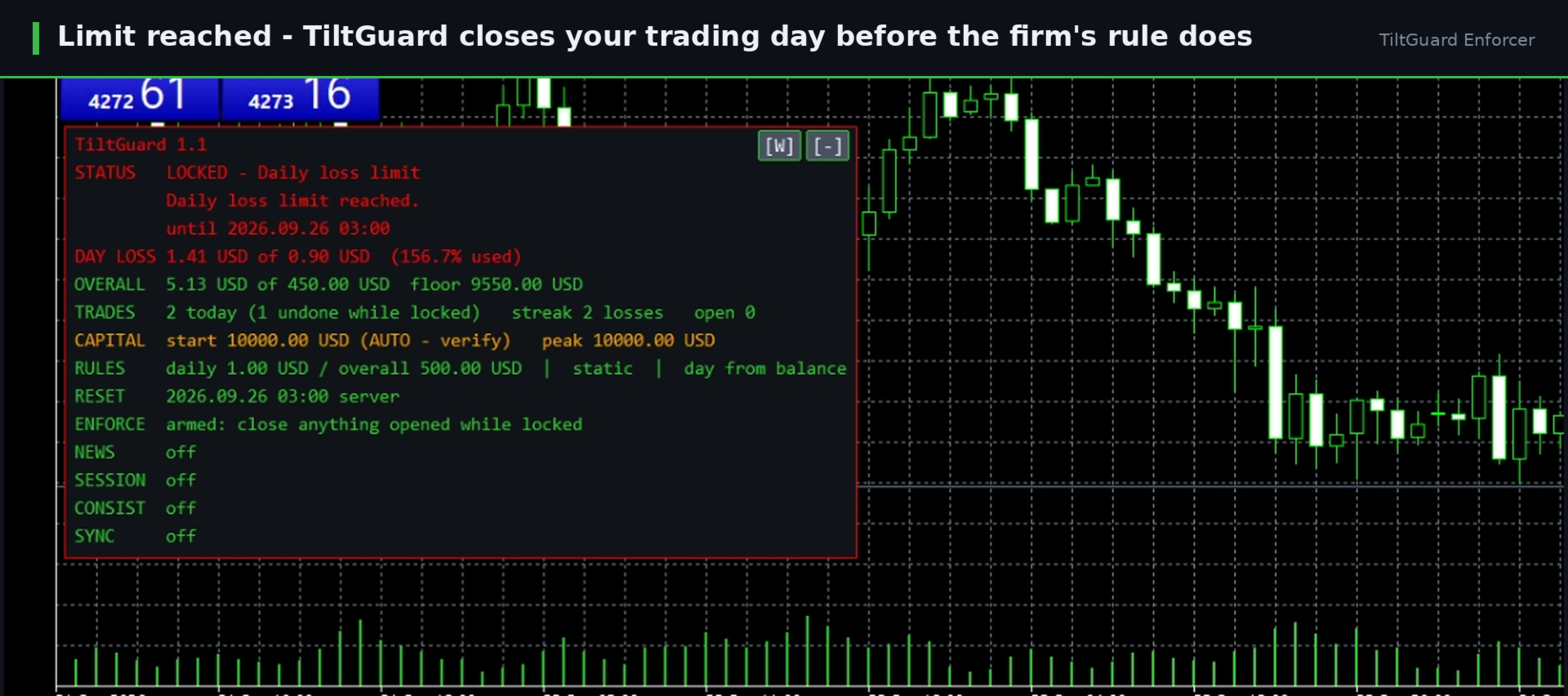
1. The daily loss guard works on live equity. Floating loss counts, not only realised loss, so the open losing trade is part of the number.
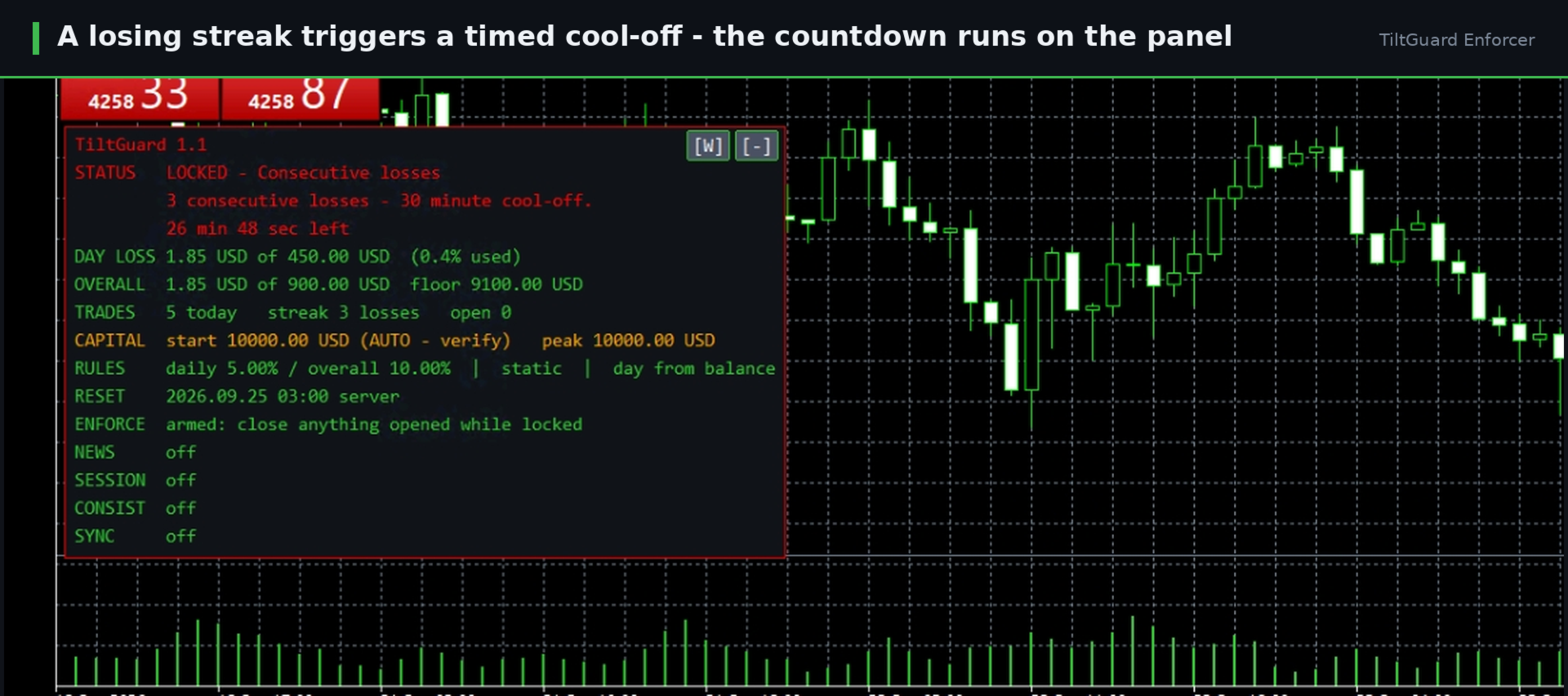
2. A losing streak triggers a cool-off. The consecutive-loss cool-off escalates to a rest-of-day stop, and a daily trade cap works against over-trading.
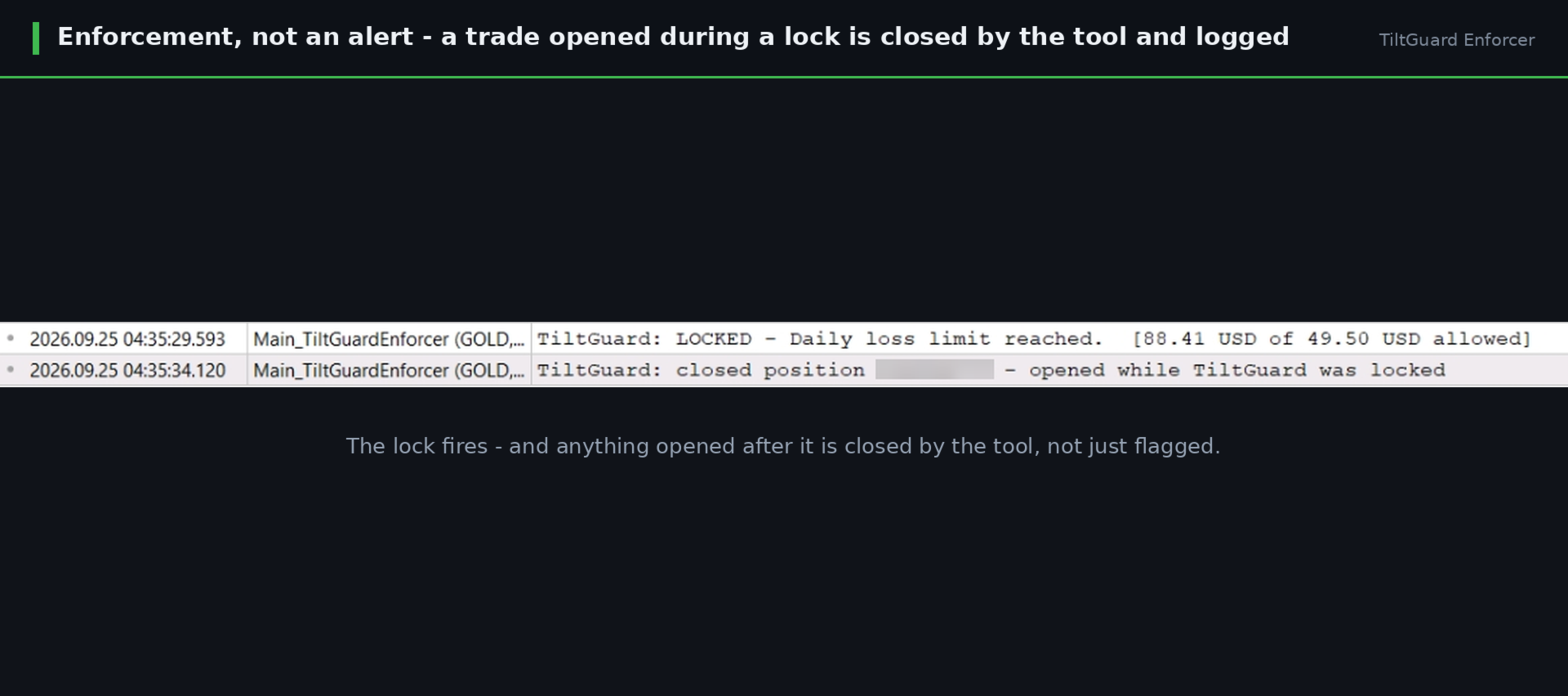
3. The lock is enforced, not only announced. A position opened during a lock is closed within a fraction of a second and logged. There are three enforcement modes: Monitor Only measures, warns and logs; Block New closes positions opened during the lock and clears pending orders; Flatten All also closes what is already open on a daily-loss or drawdown breach.
4. The lock cannot be argued with. Limits cannot be loosened while a lock is running, and locks survive a terminal restart, a VPS reboot and a settings change.
5. You are told when it happens. Alerts go to the on-chart panel, a terminal sound, an MT5 push notification to your phone, or all together, and the journal and a CSV log keep a full audit trail.
TiltGuard Enforcer also guards the overall drawdown, static or trailing behind a high-water mark, and two safety buffers let the lock land a chosen percent inside the real limit.
Where to find TiltGuard Enforcer
TiltGuard Enforcer is available in the MQL5 Market: TiltGuard Enforcer. It runs on any symbol and any timeframe, on hedging and netting accounts, with one chart per account and AutoTrading on.
Enter the limits from your own rule set, confirm the reset time conversion printed in the journal at startup, and let the lock do the part that is hardest to do yourself.