When you type 0.50 into the MT5 New Order window, you are entering a volume. But a trade is not just a number of lots. It is an amount of money at risk.
That creates a familiar gap between what you enter and what you actually need to know. You type the lot, click Buy or Sell, and only then work out what the stop will actually cost you. The translation from lots into money happens in your head—or it does not happen at all.
By the time the position is open, the important decision has already been made. If there is an extra zero in the volume or the stop is too close, discovering it after the click is late and can be expensive to correct.
My rule is simple: before sending an order, I want two figures clearly visible:
- How much money I lose if the stop loss is hit.
- How much money I gain if the take profit is hit.
I also want to see the risk as a percent of the balance. This makes the order easier to judge in the terms that matter, before it becomes a live position.
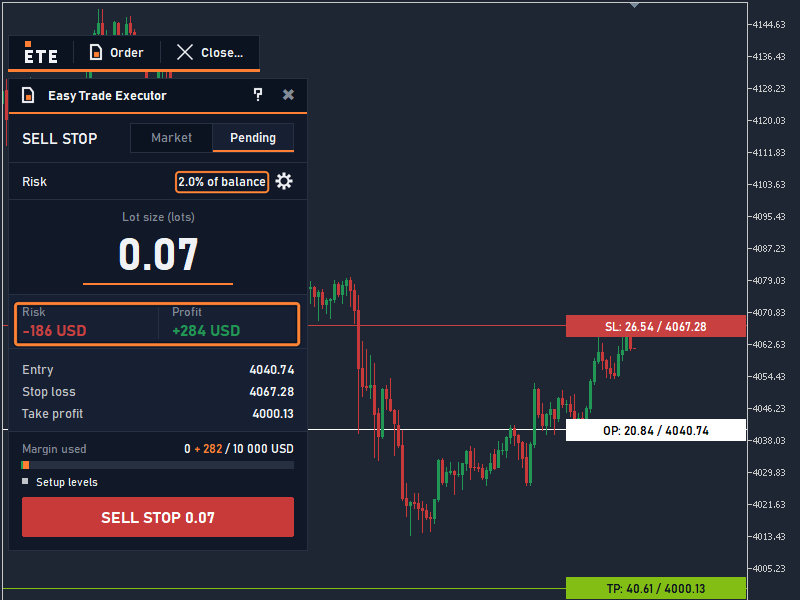
Figure 1. Planned order: risk, profit and lot are visible before it is sent.
This is what Easy Trade Executor is designed to show. Before the order is sent, the order window shows the risk in money and as a percent of the balance, the profit at the take profit in money, and the lot.
You can drag the stop-loss and take-profit lines directly on the chart while planning the order. As you move them, the lot and the gain recalculate live, while the risk stays at the level you set. You do not have to commit first and inspect the consequences afterward.
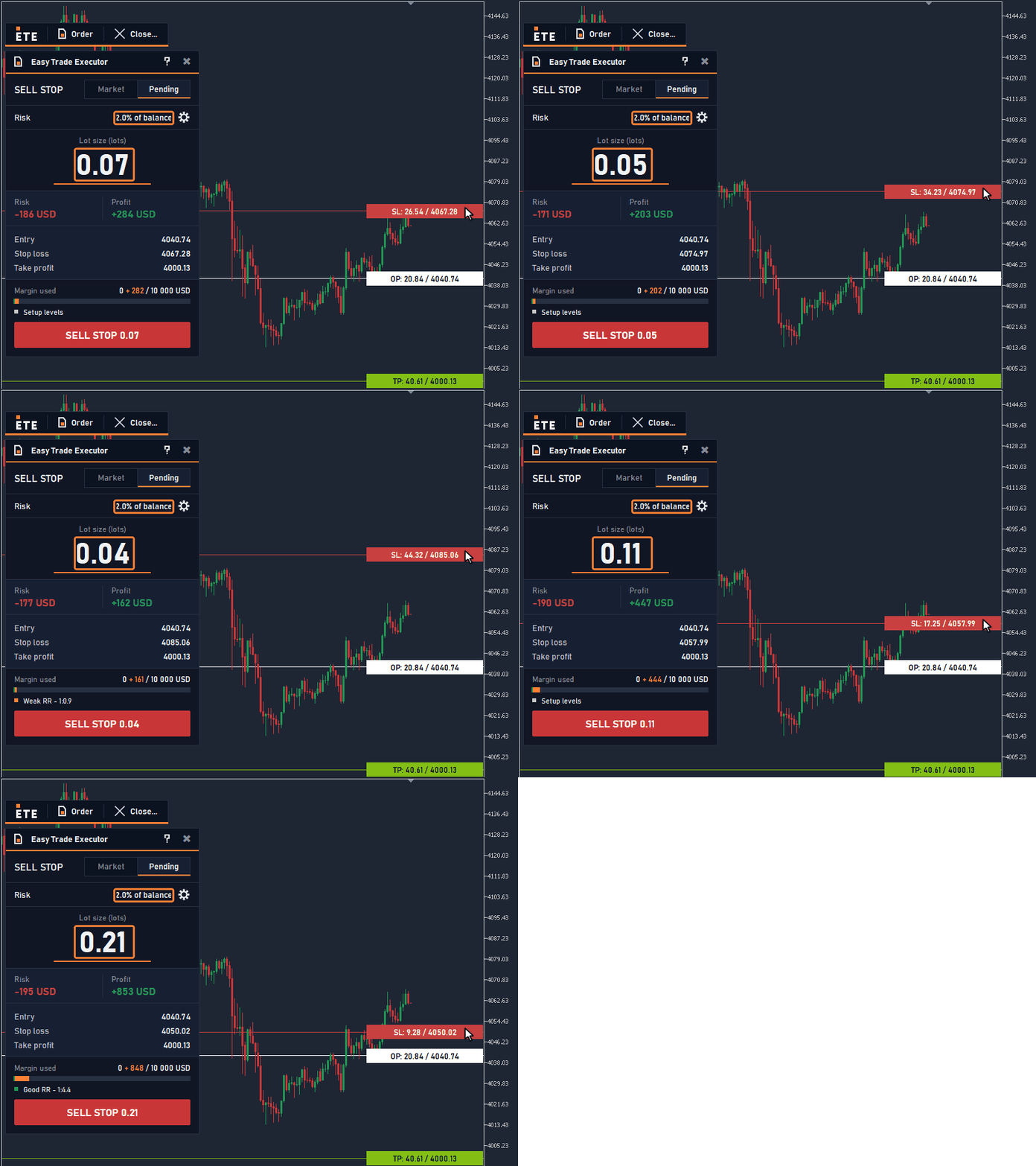
Figure 2. Dragging the stop-loss line: the lot and the profit recalculate, the risk stays the same.
For a new order, the panel can also compute the lot from the risk you set and the stop distance.
There is still an important limit: the final check stays with the broker, and the panel does not prevent every mistake. Its purpose is to move the moment of truth from after the click to before it.
Try the full panel on your own account
Open the Telegram Mini App to get a separate demo file of the full Easy Trade Executor panel, available for 7 days. See the risk, the profit and the lot before the click, on your own account.
Download the demo and check the panel yourself
Download the free demo from the Easy Trade Executor MT5 page and check it in your own MT5 Strategy Tester in visual mode.