How to send MT5 and MT4 alerts to Telegram with a chart screenshot

Get your DuoFX indicator alerts in a Telegram chat, group or channel, with a screenshot of the chart, using the free DuoFX Alert Relay for MT5 or MT4.
Important: the free Alert Relay works with DuoFX products only. It sends alerts from DuoFX indicators and tools that have the "Send to DuoFX Alert Relay" option, not from other indicators or Expert Advisors.
Supported today: DuoFX Divergence Scanner (MT5, MT4) from version 1.3. More DuoFX tools get the option in their next updates; the current list is on duofxlabs.com.
Full reference: the DuoFX Alert Relay user guide. Discord instead? See How to send MT5 and MT4 alerts to Discord.
Why an indicator cannot do it alone
MetaTrader blocks web requests in indicators, so no indicator can post to Telegram by itself. The relay is an Expert Advisor that does it for them. It never trades.
Step 1: create a Telegram bot and copy the full token
- 1. In Telegram, open a chat with @BotFather and send /newbot.
- 2. Choose a name, then a username that ends in bot.
- 3. BotFather replies with the token. It always has two parts: the bot's number, a colon, and a long code, for example 8123456789:AAEx....
Copy the whole token, including the number before the colon. Telegram sometimes selects only the part after the colon when you double tap. If in doubt, send /mybots to BotFather, pick your bot and tap API Token.
Step 2: find the chat id
- Private chat with you: send your bot any message. Open https://api.telegram.org/bot<TOKEN>/getUpdates in a browser (put your token in place of <TOKEN>) and look for "chat":{"id":123456789. A positive number.
- Group: add the bot to the group and post a message there, then open the same getUpdates link. The id is negative and usually starts with -100.
- Channel: add the bot as an admin of the channel. A public channel can use @channelname. A private channel: post in it and read the -100... id from getUpdates.
If getUpdates shows an empty list, send the bot another message and reload the page.
Step 3: allow Telegram in MetaTrader
Tools, Options, Expert Advisors: tick "Allow WebRequest for listed URL" and add https://api.telegram.org. Click OK.
Step 4: attach the relay and test
- 1. Open a chart of a quiet symbol and drag DuoFX Alert Relay onto it.
- 2. In the inputs: Send to Telegram = true, paste the bot token and the chat id. Leave "Attach a chart screenshot" on if you want the chart with each alert.
- 3. Press Send test alert on the panel.
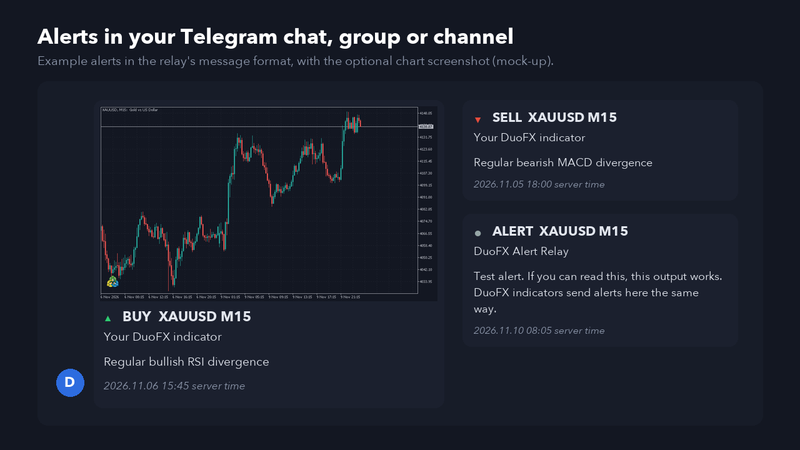
Alerts arrive as a clean card: arrow, BUY or SELL, symbol, timeframe, the indicator's name, the message and the server time, with the chart attached.
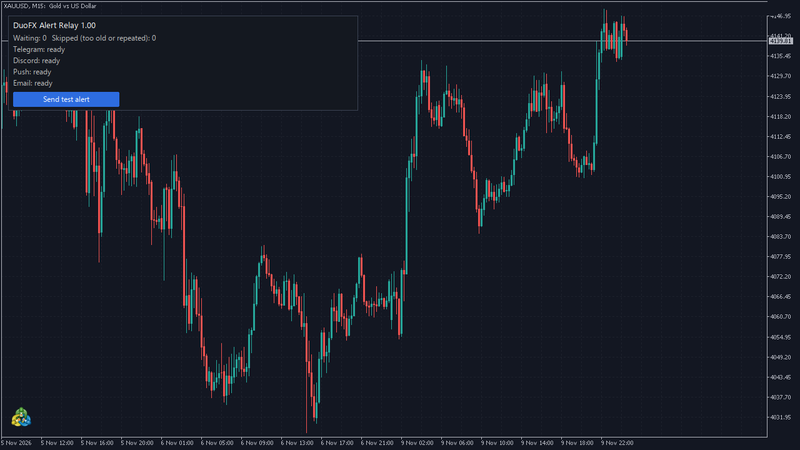
The panel shows Telegram as ready. If it says "URL not allowed", go back to Step 3. If it asks for the token or chat id, one of them is missing or incomplete.
Step 5: switch it on in your DuoFX indicators
In each DuoFX indicator that supports it, set "Send to DuoFX Alert Relay" to true. Every alert it raises now also lands in Telegram.
Tips
- One relay per computer. Several indicators on several charts can send at the same time; the relay keeps them in order and sends each once.
- Keep the token private. Anyone with it can post as your bot.
- Alerts older than 5 minutes (default) are skipped after a connection drop, so you do not get a burst of stale signals.
Alerts are information, not trading advice, and can be delayed or lost. Trading carries a high risk of loss.



