

A useful EA review begins with a decision you can explain a month later. I like to record what I am trying to verify, what could falsify it, and what I will do if the installation behaves differently from the evidence I was shown. That makes a sales page, a tester report and a running terminal easier to compare without treating any of them as proof on its own.
Start with the trading problem, not the sales page
An Expert Advisor (EA) is software that applies programmed trading rules to a MetaTrader chart. The useful question is not whether an EA has an attractive headline result; it is whether you can describe the market condition it is intended to trade, the rules that constrain it, and the risks that would make those rules fail.
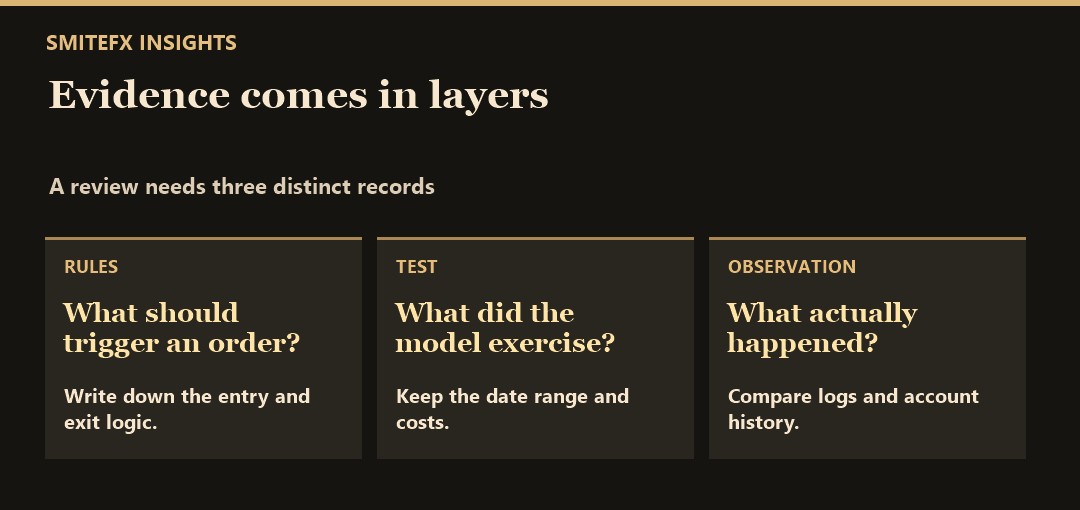
Ask for evidence in layers
Start with a plain-language description of entries, exits, position sizing, instruments, timeframes and whether the system can hold multiple positions. Then separate three evidence types: historical backtests and forward tests, and live track records. A backtest can help explain how the logic behaved on historical data, but it cannot reproduce every future spread, latency, liquidity or execution condition. Forward testing adds a different layer of evidence; neither form guarantees a future outcome.
Review enough detail to understand the result, not simply the best period. Look for the tested date range, symbol data, modelling assumptions, fees, spread and commission assumptions, maximum drawdown, trade count and periods where the strategy struggled. A small sample or a smooth-looking curve is not a substitute for a transparent method.
Check the operating conditions
An EA also depends on the environment around it. Confirm the intended platform, broker conditions, account type, lot-size rules, trading sessions and whether a VPS is needed to keep the terminal connected. Changes in spread, slippage, commission, swaps or execution timing can materially change a strategy's realised result. Check MT4 versus MT5 compatibility and use the VPS setup checklist where continuous hosting is required. Monitoring remains necessary; a VPS does not remove market or execution risk.
Check what the test could not exercise
A successful tester run does not validate every operating dependency. MetaQuotes documents that functions such as WebRequest and notification sending are not executed in the MT5 Strategy Tester. If the EA relies on external information, messages or other integrations, ask how those dependencies are checked separately. Confirm the product's actual requirements rather than assuming every EA uses these features. See the MQL5 testing limitations.
Use a repeatable decision record
Before enabling live trading, record what evidence you reviewed, the intended configuration, a loss-review threshold you understand, and the conditions that would make you pause or stop. That makes later review more disciplined than reacting to a single winning or losing trade. A review threshold or stop instruction is not a guarantee that losses cannot exceed it: gaps, slippage and execution conditions can prevent an exit at the intended price.
Keep a one-page EA review checklist
For each system you are considering, record these items rather than combining screenshots from different accounts:
- Identity: Exact product/version, platform, instrument and source-account URL.
- Trading scope: What the documentation says it trades, what remains undisclosed and which account requirements apply.
- Test setup: Dates, data, costs, settings and whether the same history was used to choose parameters.
- Loss evidence: Balance and equity drawdown, open exposure and the periods included in the report.
- Live evidence: The account's reporting dates, verification labels and any unavailable history. Use our Myfxbook track-record checklist when that is the source.
- Decision: What is established, what needs clarification and what would trigger another review.
This is an editorial worksheet, not a proprietary SmiteFX scoring system or a minimum score for safe trading. Do not fill missing evidence with an assumption. For example, if a backtest and a live account use different exposure, label that difference before comparing their returns; a better-looking percentage does not resolve it.
Use the current SmiteFX systems directory to find product information and its source links, then apply the same questions to each system. Automated trading can lose money; no checklist or historical result guarantees suitability or future returns.
Separate account verification from software attribution
A genuine account record does not by itself establish that every trade came from the advertised EA or configuration. Record what connects the account to the product, whether manual trades or interventions are disclosed, and which parts of the history are unavailable. Mark unresolved attribution as a limitation rather than assuming either authenticity or fraud.
Do not ask a vendor to share trading passwords. Use accessible read-only evidence and the provider’s stated verification scope. Missing evidence can be sufficient reason to defer a decision without inventing a proprietary pass score or promising that a longer sample will make the product safe.
Sources and further reading
Review the official MQL5 documentation for platform concepts and the MetaTrader 5 Strategy Tester guide for testing capabilities. SmiteFX system pages should be read as product information, not as a promise of results.
An example decision record
Suppose a demo test shows no trades after installation, while the seller’s historical report shows several trades in a superficially similar period. My first conclusion would be that the observation is unresolved. I would compare the exact symbol, server time, account mode, EA build and entry conditions before deciding whether the software missed a trade. The test is hypothetical. No performance result is implied.
Give each check an owner, a timestamp and a source. A screenshot of settings supports the configuration claim. A Journal export supports a connection or order-rejection claim. A verified account report supports what happened on that account. Keep those records separate and note which question each one answers. If a critical field is unknown, label the review incomplete instead of guessing.
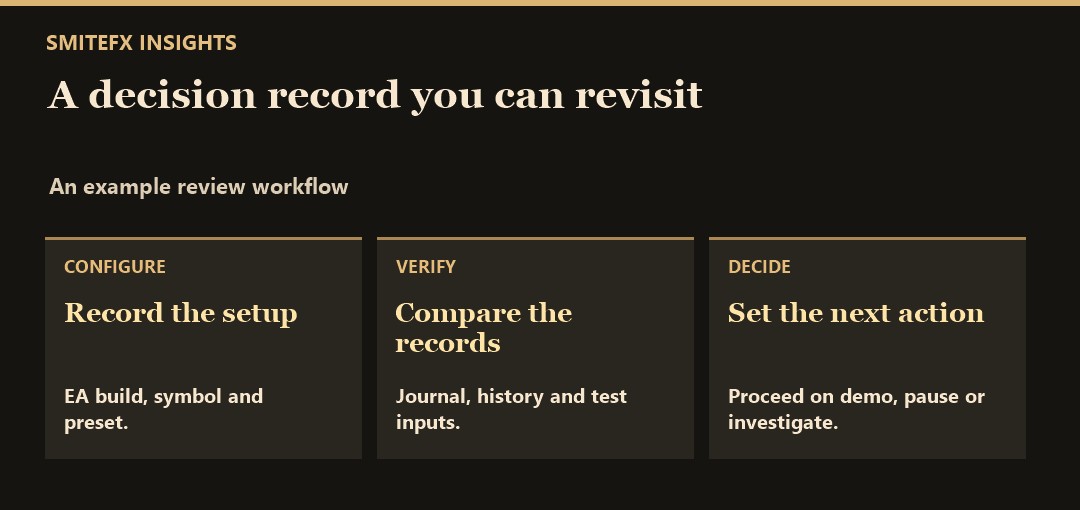
For a SmiteFX product reference, see Fortress MT5. Use the listing as the starting specification for a demo review. Record the advertised setup, compare it with your own symbol and terminal, then document any mismatch in a short decision note.




