Most indicators tell you where price might turn. Cycle Clock Pro tells you when.
26 October 2026, 20:38

0
31
Cycle Clock Pro: Read the Market's Rhythm at a Glance [MT5 FREE DOWNLOAD]
Most indicators tell you where price might turn. Cycle Clock Pro tells you when.
Every trader knows the feeling: you spot a good level, you enter, and price keeps going for another 20 pips before it finally turns. The level was right. The timing was not.
Markets move in rhythms. Swings tend to repeat at a similar pace for a while, then the rhythm changes. Cycle Clock Pro, our market cycle indicator for MetaTrader 5, finds that rhythm automatically and shows you the time windows where the next high and the next low are most likely to form. When price actually turns inside one of those windows, you get a clear BUY or SELL signal.
WHO IT IS FOR
- Scalpers and day traders who already know where they want to trade, but keep entering too early or too late.
- Traders with their own method who want to add a timing layer on top of it, without replacing what already works for them.
If you trade support and resistance, trendlines, supply and demand or price action, Cycle Clock Pro answers the one question those tools leave open: is the turn due now, or later?
WHAT YOU GET ON THE CHART
Automatic cycle detection. Cycle Clock Pro measures the current rhythm of the market on any symbol and any timeframe. There is nothing to set up by hand: forex, gold, indices and crypto all work out of the box.
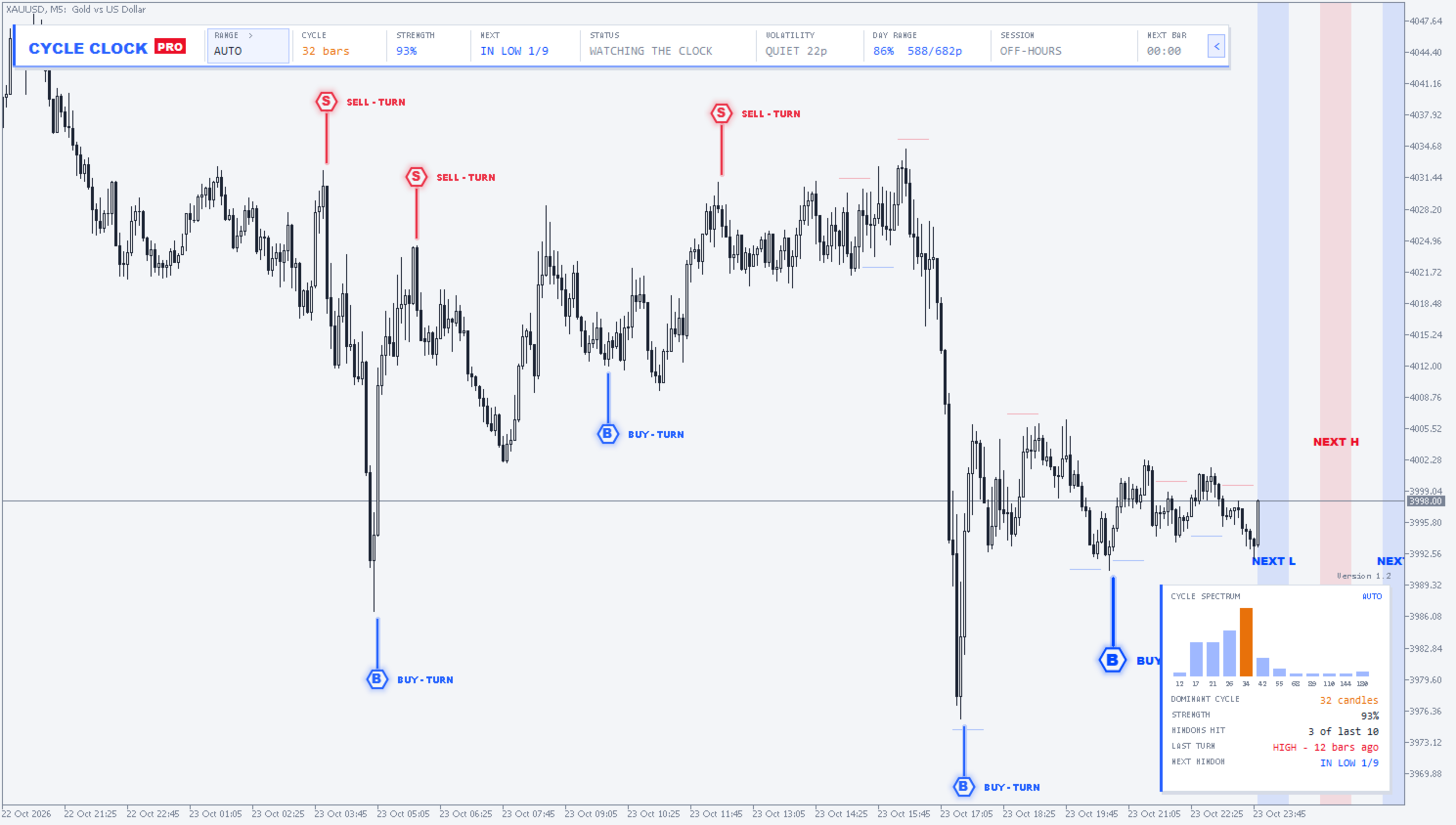
Next HIGH and LOW windows, ahead of time. The indicator shades the time zones on the chart where the next top and the next bottom are most likely to form. You see them before price gets there, so you can prepare instead of react.
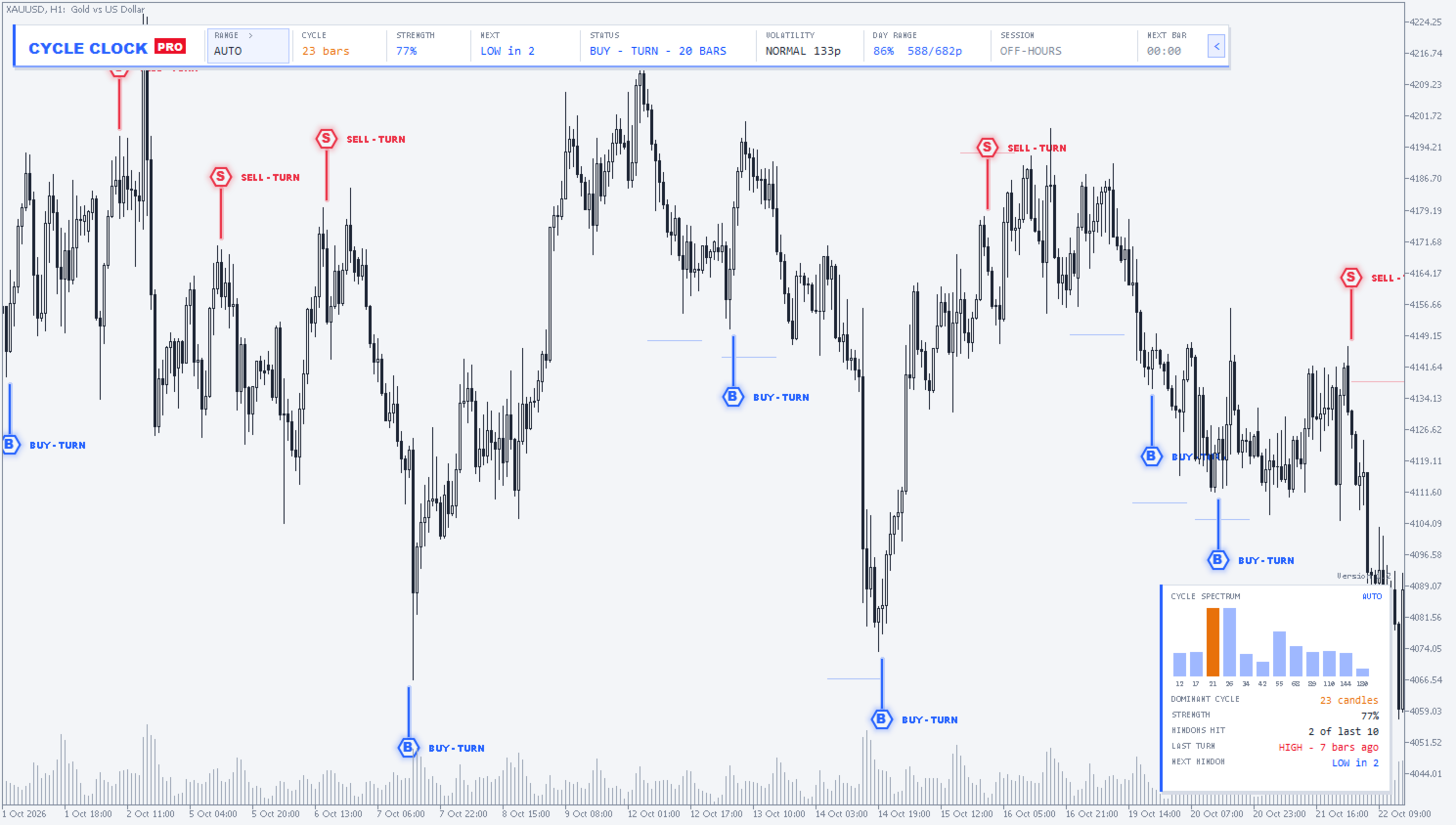
BUY and SELL turn signals. When price turns inside a window, a signal appears. Signals use closed candles only and do not repaint, so what you see in history is what you would have seen live.
Three cycle ranges, one click. Switch between AUTO, SHORT and LONG to focus on fast intraday swings or the bigger moves.
The command bar. Everything important in one strip: cycle length, cycle strength, a countdown to the next window, current status, volatility, day range, active session and a candle timer.
Cycle Spectrum panel. Shows which cycles are the strongest right now, so you know whether the market has a clear rhythm or is just noise.
Your look, your alerts. Six colour schemes, plus popup, sound and push alerts to your phone.
HOW TO USE IT IN PRACTICE
1. Check the Cycle Spectrum first. A strong, clear cycle means the timing windows deserve attention. A weak or mixed spectrum means the market has no clean rhythm right now, so be more selective.
2. Mark your levels as usual. Use your own support, resistance or zones. Cycle Clock Pro adds timing, not levels.
3. Watch the countdown. The command bar tells you how long until the next HIGH or LOW window opens. No need to stare at the chart until then.
4. Wait for the turn inside the window. The best setups come when price reaches your level and a timing window at the same time, and then turns. That is when the BUY or SELL signal appears.
5. Match the range to your style. SHORT for scalping, AUTO for most day trading, LONG when you want to catch the bigger swings.
A simple rule many traders like: no window, no trade. It keeps you out of entries that are right on price but wrong on time.
ADD TIMING TO YOUR TRADING
Price tells you where. Time tells you when. Cycle Clock Pro puts both on one chart, so you can stop guessing whether the turn is coming now or in an hour.
Cycle Clock Pro is available for MetaTrader 5 from YOX TRADE.
Get Cycle Clock Pro: [MT5 FREE DOWNLOAD]
https://www.mql5.com/en/market/product/203427