
SENDORIQ Telegram Signal Copier MT5 - Installation and Setup Guide

SENDORIQ Telegram Signal Copier MT5 v1.34 - Installation and Setup
FREE WINDOWS TELEGRAM BRIDGE REQUIRED. The MQL5 Market product installs the MT5 Expert Advisor. Telegram reception requires the separate, free SENDORIQ Telegram Bridge v1.32 on Windows x64. The Bridge supports Bot API and MTProto. The SENDORIQ Control Center is not required.
1. Install the Telegram Signal Copier from MQL5
- Install SENDORIQ Telegram Signal Copier MT5 from MQL5 Market.
- Open one MT5 chart and attach the EA.
- Keep InpEnableLiveExecution=false during setup.
- Confirm the dashboard shows EA v1.34 and no unintended exposure.
2. Download the free Bridge
Download the free SENDORIQ Telegram Bridge v1.32 for Windows x64
File: SENDORIQ_Telegram_Bridge_v1.32_windows-x64.zip
SHA-256:
7F343340CF218376DE23642F4DCB66389C14DCE9BE2E0B1F58F05444C02DA443
Download the ZIP using the link above. Verify the SHA-256 checksum before extracting the package.
- Extract the complete ZIP to a permanent writable local folder.
- Start SENDORIQ.Telegram.Bridge.exe .
- No Visual Studio, .NET SDK or separate .NET Desktop Runtime is required.
3. Windows security notice
The Bridge is currently not digitally signed. Windows SmartScreen may display a warning on first start. Confirm that the ZIP came from the official SENDORIQ MQL5 article and that its SHA-256 checksum matches the published value. Do not disable SmartScreen, antivirus protection or other Windows security functions globally.
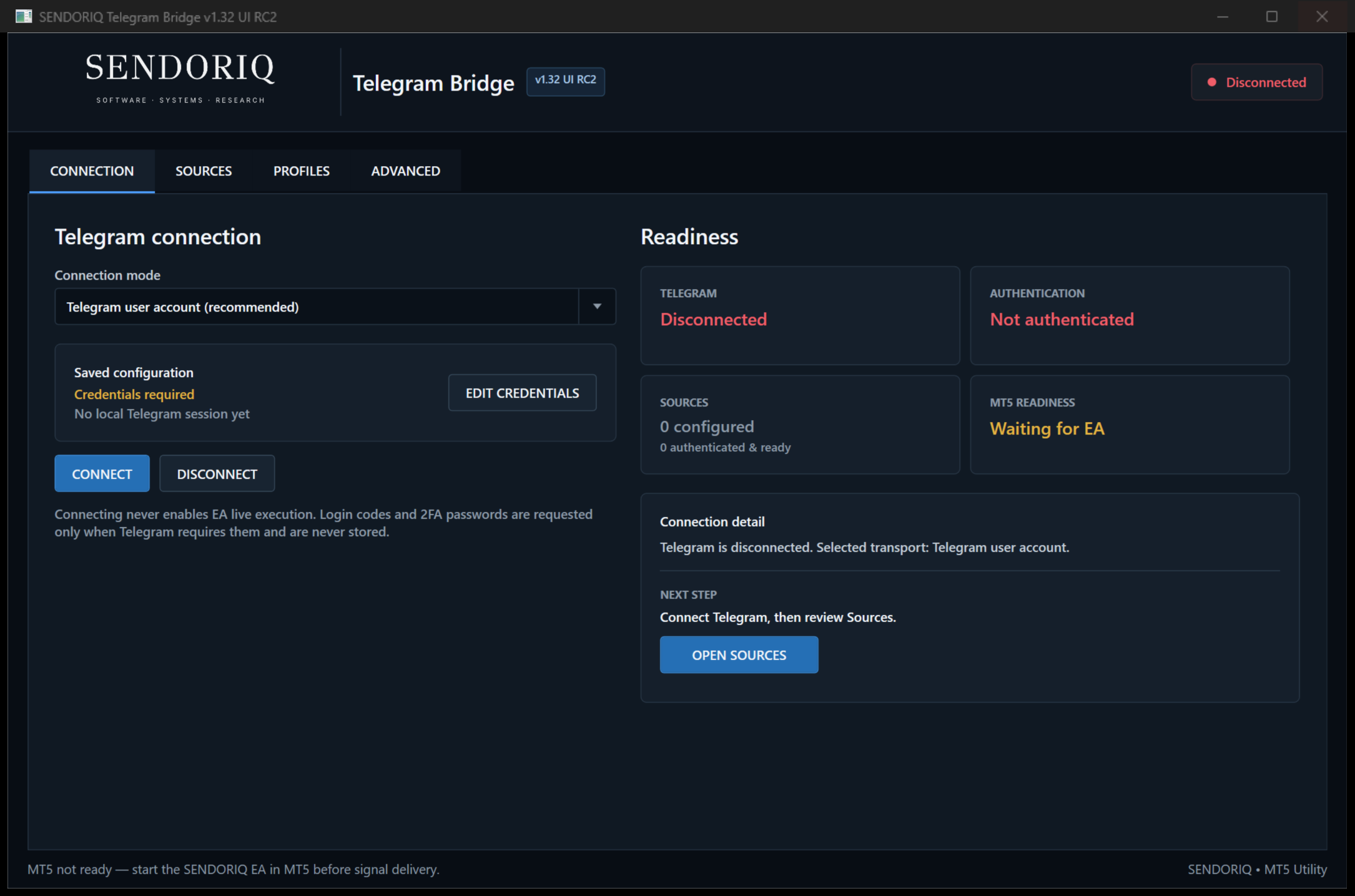
4. Choose Bot API or MTProto
| Mode | Use | Credentials |
|---|---|---|
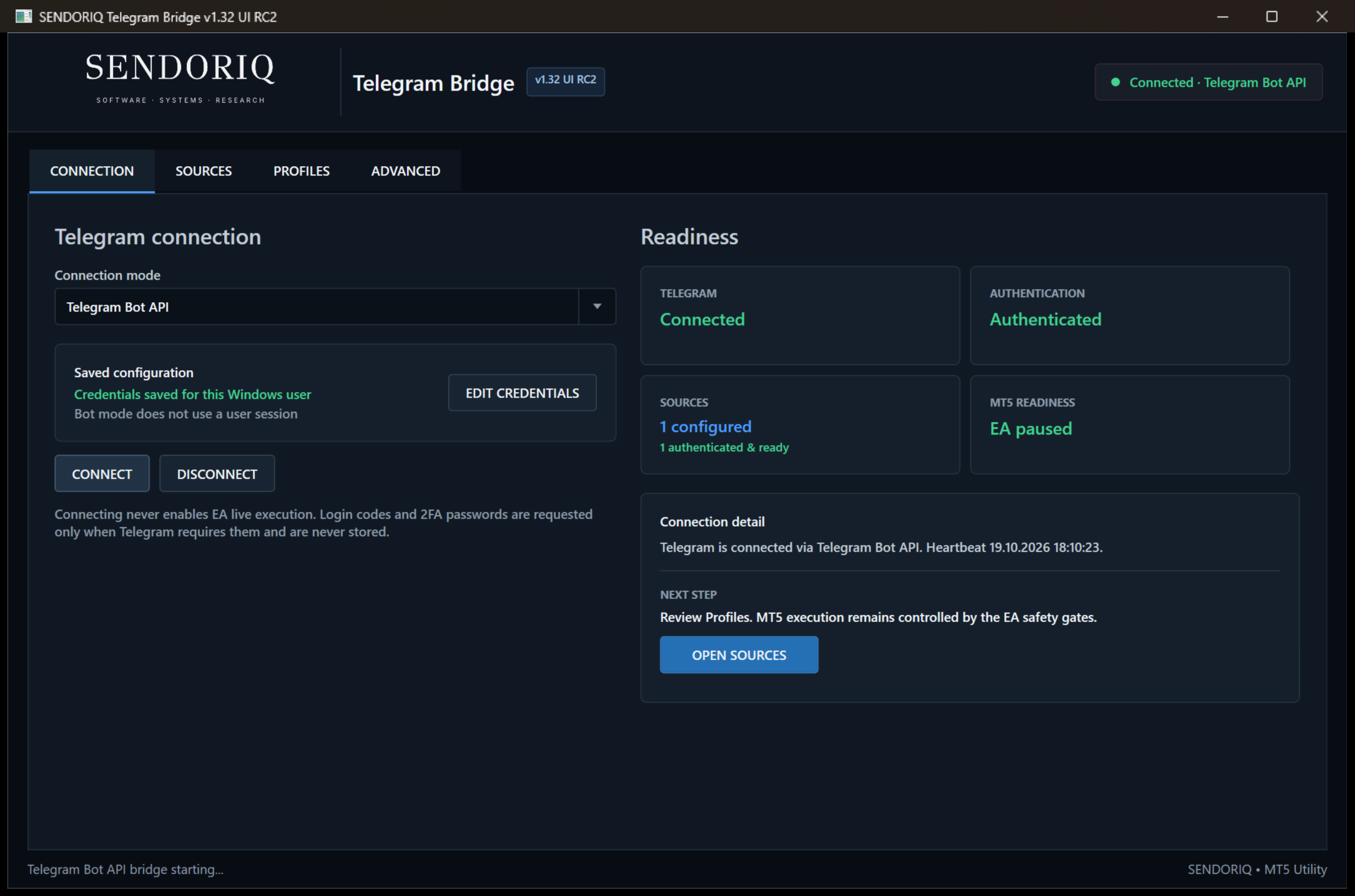
| Bot API | A buyer-owned bot can receive messages from the authorized source. | Bot token |
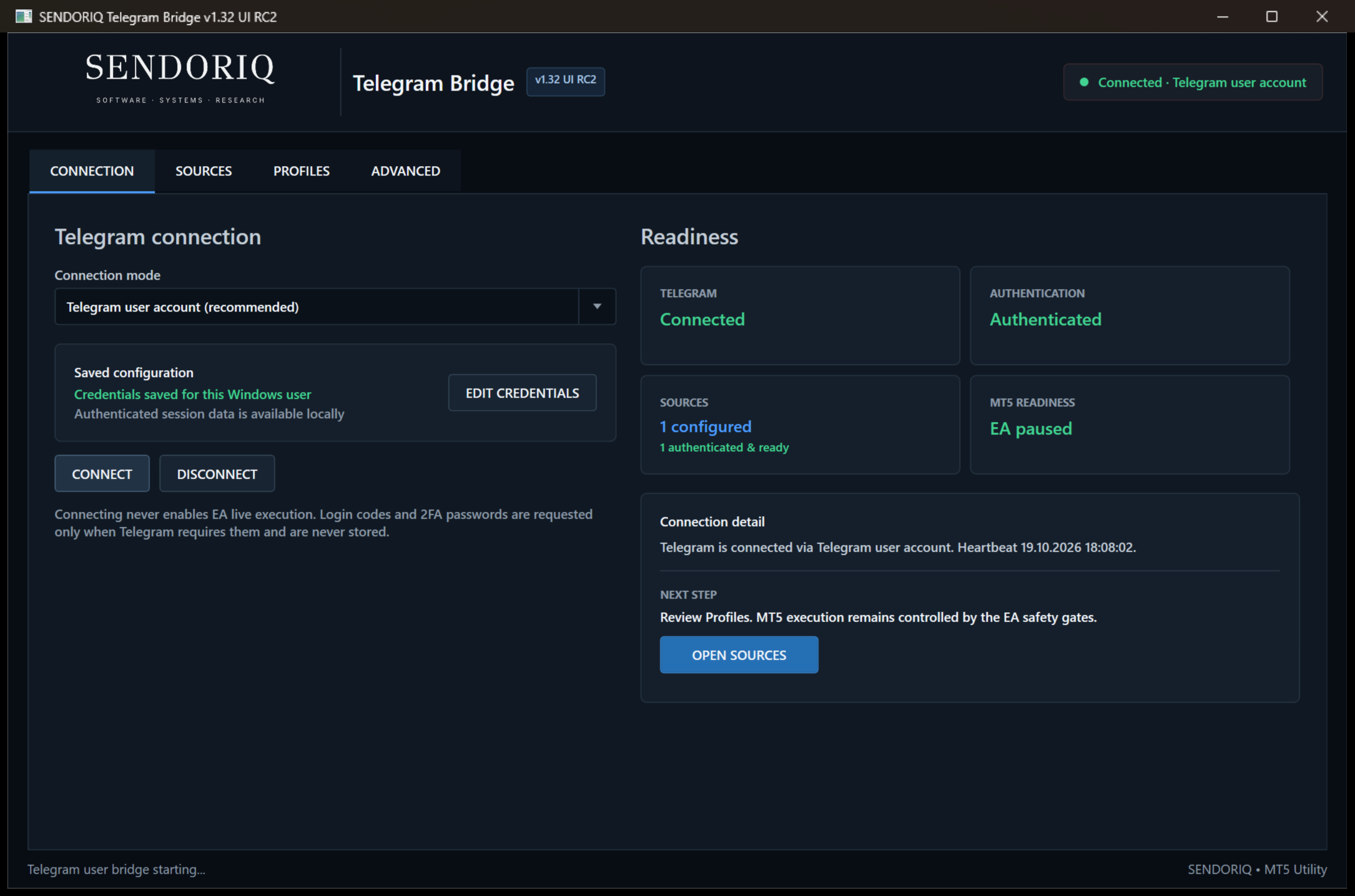
| Telegram user account / MTProto | The authenticated Telegram account has legitimate access to channels, groups or restricted sources. This also supports sources where a buyer-owned bot cannot be added. | API ID, API hash and phone login; Telegram may request a code and 2FA password |
On CONNECTION, choose the transport, select EDIT CREDENTIALS, enter your credentials, save them and select CONNECT. Login codes and 2FA passwords are not stored.
5. Add authorized sources
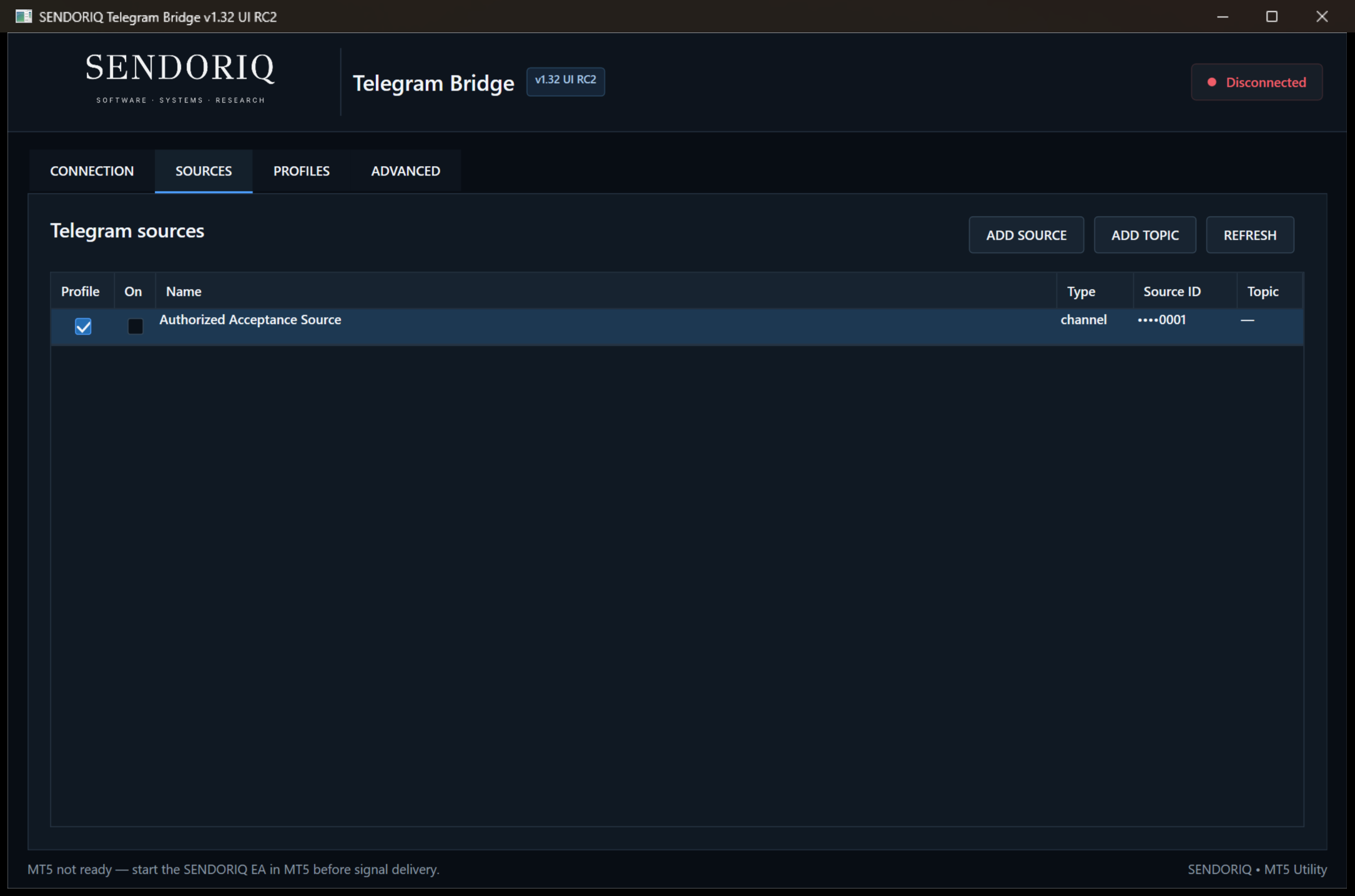
- Open SOURCES.
- Add or select a source available to the authenticated Telegram identity.
- Check the displayed source name and Telegram source type.
- Assign the intended profile and enable the source only after review.
6. Configure profiles
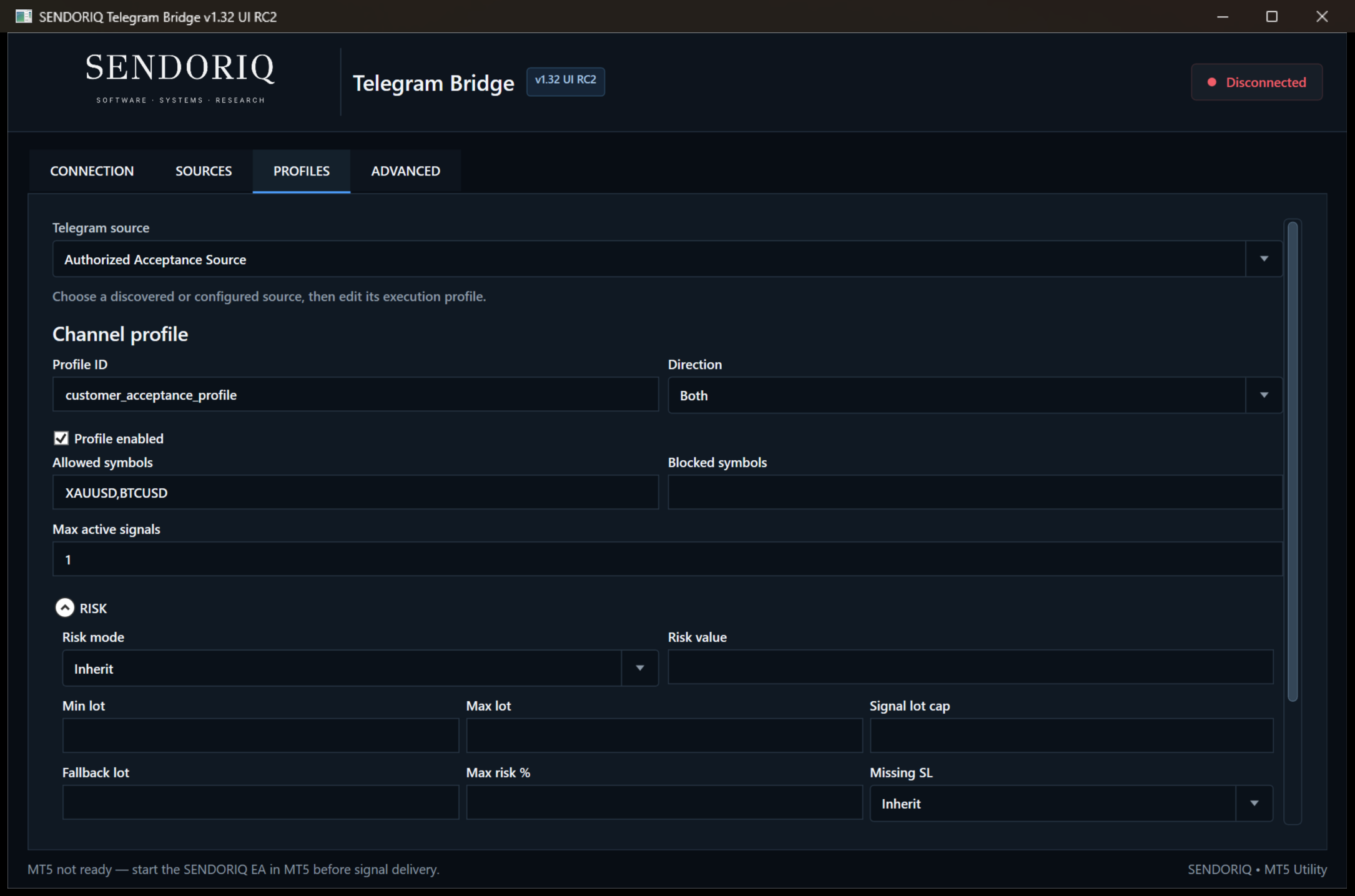
Open PROFILES and select the source. Review Profile ID, direction, allowed and blocked symbols and maximum active signals. Open and review RISK, SL / TP, TRADE MANAGEMENT and IMAGE / OCR. Select SAVE PROFILE, restart the Bridge if desired and confirm that the values reload correctly.
7. Configure the EA
- Set InpManualSymbolMappings when a provider symbol differs from the broker symbol, for example GOLD=XAUUSD.a .
- Select the intended sizing mode and limits.
- Review stop-loss, take-profit, spread, slippage, exposure, schedule, frequency and P/L guards.
- Keep live execution disabled until the complete connection is ready.
8. Confirm Bridge and EA status
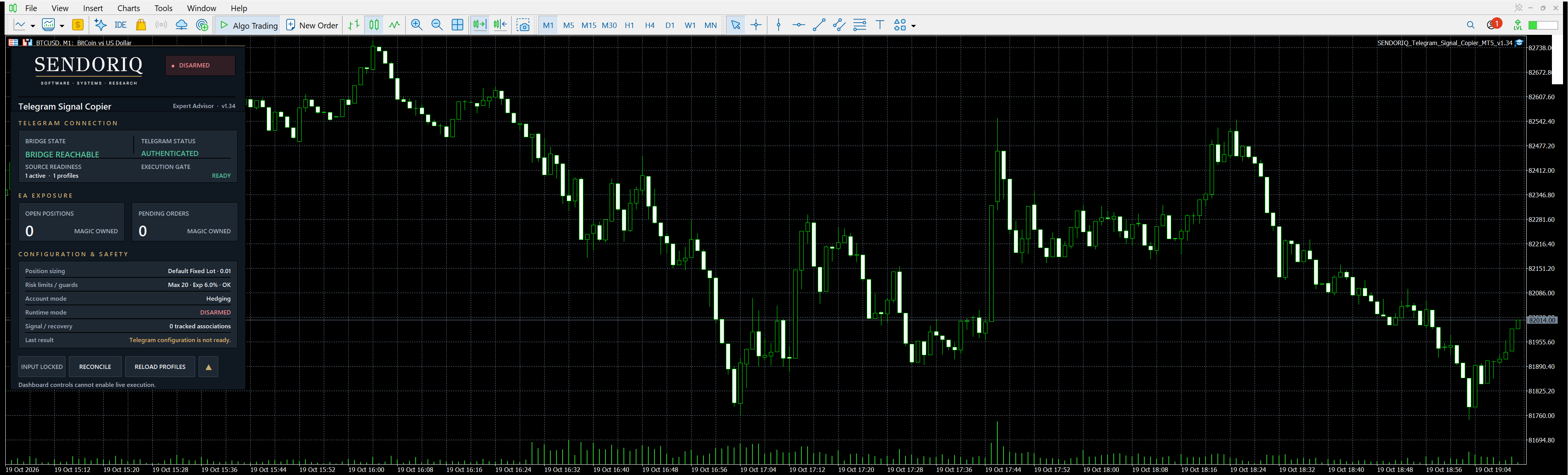
MetaTrader and the Bridge must run under the same Windows user. The EA publishes an account-, server- and Magic-scoped heartbeat. The Bridge must recognize that heartbeat before it can deliver parsed events.
- BRIDGE REACHABLE: Bridge heartbeat is current.
- AUTHENTICATED: the selected Telegram transport proved an authenticated identity.
- Sources Ready: at least one configured source is authenticated and ready.
- READY: the configuration gate passed. This is separate from live execution authorization.
- DISARMED: live execution remains disabled.
9. Test on demo first
Complete setup and check representative messages in Parser Test with InpEnableLiveExecution=false . Confirm authentication, source readiness, symbol mapping and the READY configuration before authorizing any order execution.
- Verify that the broker account currently connected in MT5 is a demo account. Review the enabled sources, profile restrictions, sizing and risk settings for the test.
- For the actual demo-order test, enable MT5 Algo Trading, enable Allow algorithmic trading in the EA properties and deliberately set InpEnableLiveExecution=true on that confirmed demo account.
- Send controlled, representative test signals. Check the resulting broker orders and positions, symbol, volume, stop loss, take profit and supported trade-management actions.
- Complete or close the test positions and cancel pending test orders, then set InpEnableLiveExecution=false again. Disabling execution is not a substitute for closing positions or cancelling orders.
10. Understand the execution authorization
InpEnableLiveExecution authorizes order execution on the currently connected broker account. Despite its name, this input is required for actual demo orders too; it does not select demo or real-account mode.
Keep execution disabled while changing or reviewing the account and configuration. Any later use on a real account is a separate, deliberate decision after the demo check and an account-specific settings review. Connecting Telegram or pressing Bridge buttons never bypasses the EA input-level execution gate.
11. Understand common status messages
- Waiting for EA: start the SENDORIQ Telegram EA in MT5 under the same Windows user.
- Not authenticated: complete Telegram authentication or reconnect.
- 0 authenticated and ready: review source access and source/profile enablement.
- CONFIG REQUIRED: review mappings, risk, profile and required EA inputs.
- BRIDGE DISCONNECTED: restart or reconnect the Bridge; execution remains fail-closed.
12. Advanced tools
ADVANCED provides the existing parser test, diagnostics, OCR and analytics functions. Use Parser Test with representative provider text before allowing execution. The parser is deterministic and rule based, so arbitrary provider wording is not guaranteed.
13. Limitations
- The free Bridge is required and must remain running.
- The complete EA/Bridge chain is not suitable for MQL5 VPS.
- Bot API history is limited.
- Optional OCR supports compatible English image text; universal layouts are not guaranteed.
- Broker execution and Telegram availability remain external conditions.
14. Support information
When requesting support, provide the product version, Bridge version, non-secret status text and a screenshot without credentials, sessions, account numbers or tokens. Never send Telegram API hashes, bot tokens, login codes or session files.




