Guide for version 1.00.
Prop Firm Drawdown Guardian MT5 watches your prop firm account and closes all trades before you hit the daily loss limit or the max drawdown. It never opens trades.
Setup in 5 steps
- Drag the EA onto any one chart. One chart covers the whole account.
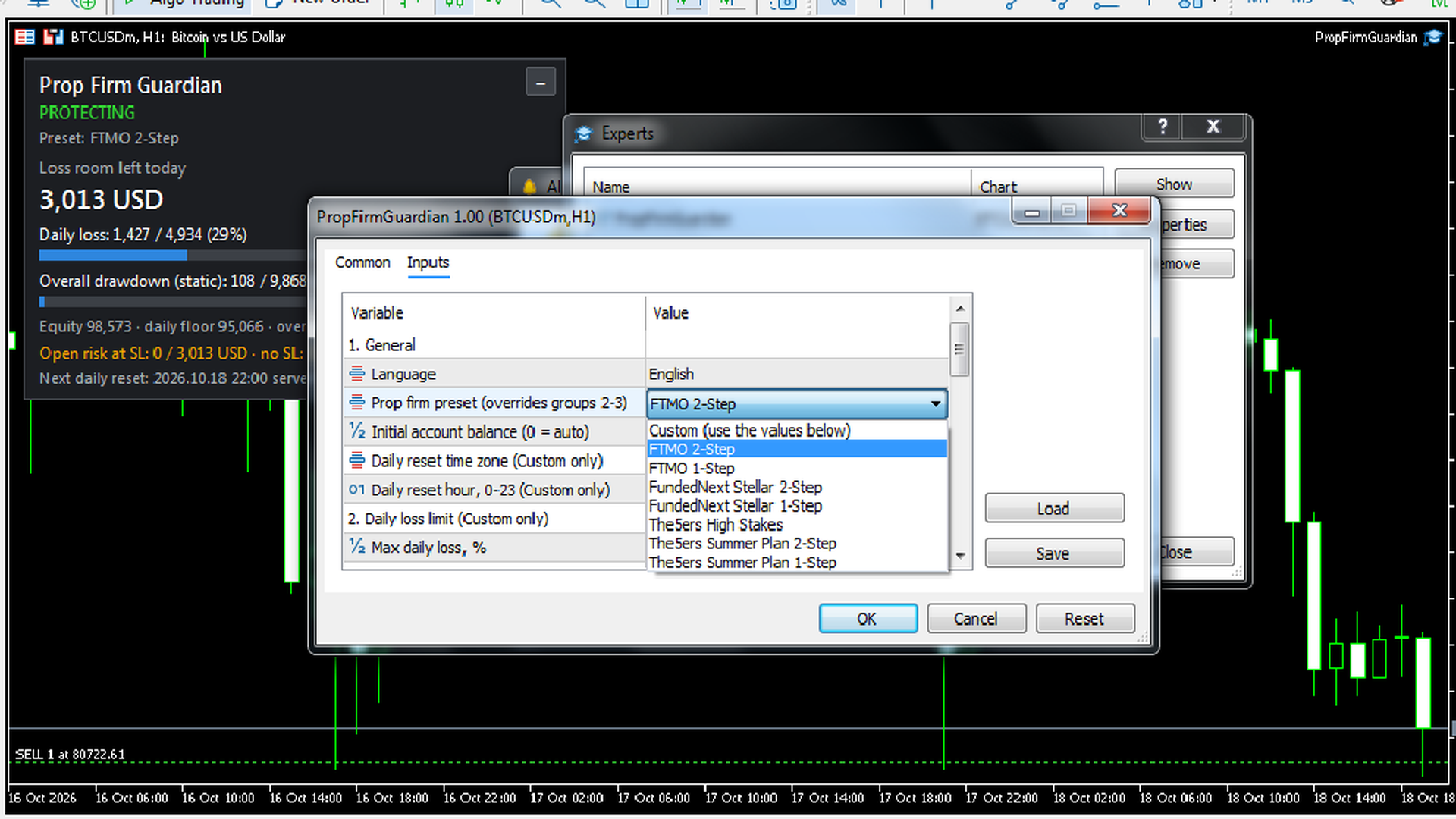
- Pick your firm in Prop firm preset and type your account size in Initial account balance (e.g. 100000).
- Turn on Algo Trading in the toolbar and tick "Allow Algo Trading" on the EA's Common tab.
- Check that the panel says PROTECTING and the floors match your firm's dashboard.
- Keep MetaTrader running. A VPS is recommended.
Tip: MT5 turns Algo Trading off when you switch accounts. Turn it back on.
Presets
| Preset | Daily loss | Max loss | New day starts |
|---|---|---|---|
| FTMO 2-Step | 5% | 10% static | 00:00 Prague |
| FTMO 1-Step | 3% | 10% trailing (end of day) | 00:00 Prague |
| FundedNext Stellar 2-Step | 5% | 10% static | 00:00 server |
| FundedNext Stellar 1-Step | 3% | 6% static | 00:00 server |
| The5ers High Stakes | 5%* | 10% static | 00:00 server |
| The5ers Summer Plan 2-Step | 3%* | 10% static | 00:00 server |
| The5ers Summer Plan 1-Step | 3%* | 6% static | 00:00 server |
*Of the day's starting balance or equity, whichever is higher. The others use the initial balance. Rules checked in October 2026. If the floors on the panel don't match your dashboard, let me know.
Firm not listed? Use Custom
Choose Custom and type in your firm's rules: daily %, max loss %, static or trailing, and when the new day starts. Example: 4% daily, 8% static, new day at 00:00 GMT+3. Set Max daily loss 4, Max overall loss 8, Static, time zone UTC, hour 21.
Inputs
Most people only change the preset and the initial balance. The rest can stay at their defaults.
| Input | What it does |
|---|---|
| Language | English, Vietnamese or Auto. |
| Prop firm preset | Your firm and account type. |
| Initial account balance | Your account size. Always fill this in. |
| Reset time zone and hour | Custom only. When your firm starts a new day. |
| Daily loss inputs | Custom only. Your firm's daily loss rule. |
| Overall drawdown inputs | Custom only. Your firm's max loss rule, static or trailing. |
| Safety buffer (0.5%) | Closes everything a little before the real floor, to allow for slippage. |
| Warn at (70%) | Sends a warning when 70% of a limit is used. |
| Max slippage | Allowed slippage when closing. |
| Clear overall-loss lock | Only for when your firm resets the account. |
| Max risk per trade (1%) | Warns you if a stop loss risks more than this. 0 turns it off. |
| Seconds to set a stop loss (30) | Time you get before the "no stop loss" warning. |
| Close a trade with no SL | Closes a trade with no stop loss once its loss reaches your max risk. Trades with a stop loss are never touched. |
| Warn if all stop losses together... | Warns you if all your stop losses together are more than today's room. |
| Popup, Push, Email | Where the alerts go. |
| Demo mode | Strategy Tester only. Opens sample trades so you can watch it work. |
The panel
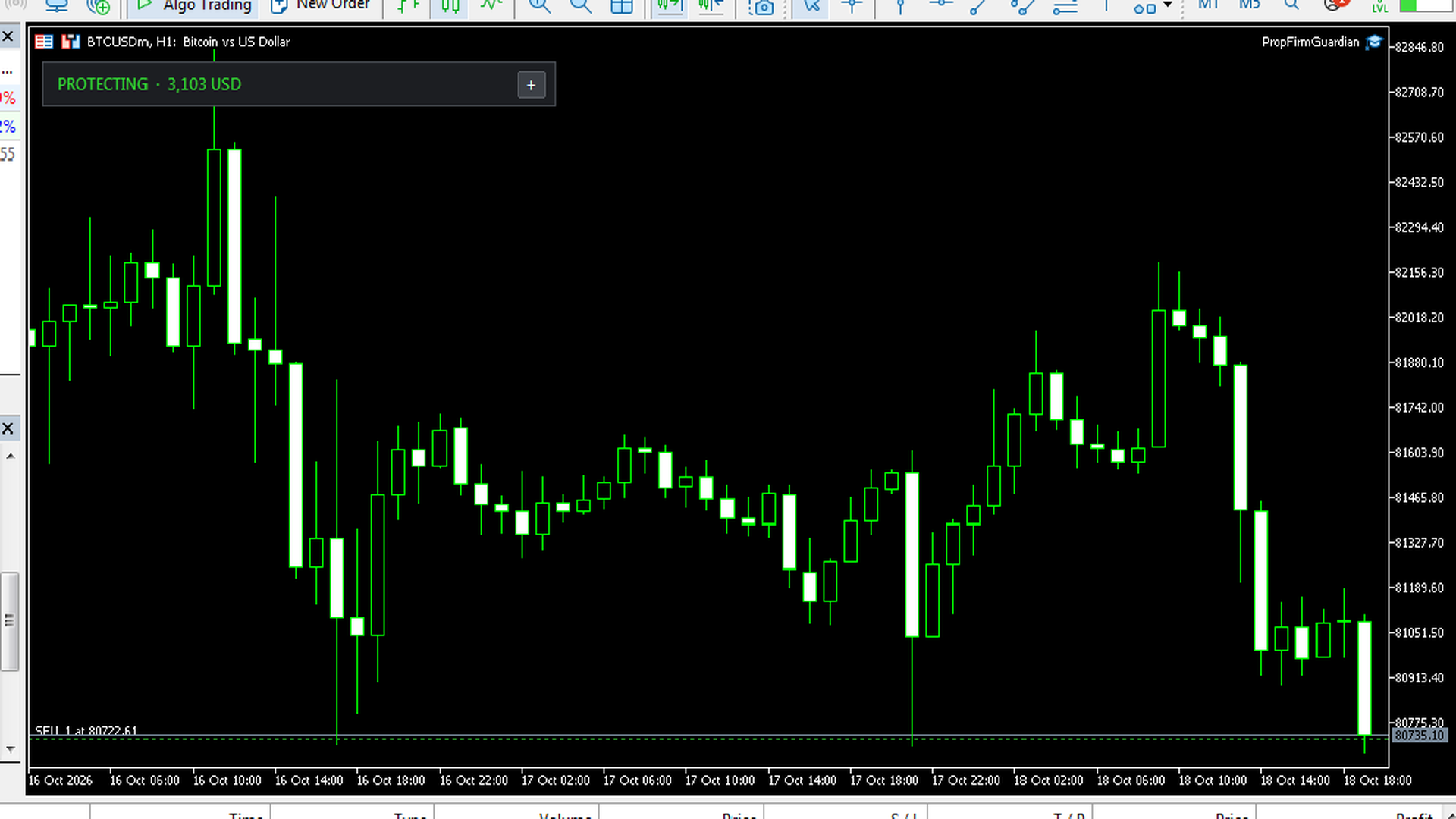
- Status: green PROTECTING is fine, orange is a warning, red LOCKED means trading is blocked. Red CANNOT CLOSE TRADES means the EA isn't allowed to trade, and the line below tells you why.
- Loss room left today: how much more you can lose before everything is closed.
- Daily floor and overall floor: compare these with your firm's dashboard.
- Open risk at SL and the next reset with a countdown.
The "–" button folds the panel into one line.
When a limit is hit
All trades are closed, and any new trade is closed again right away. A daily lock ends at the next reset. An overall lock stays, because the account has failed. Locks survive restarts on purpose, so you can't undo them after a bad day.
Quick answers
CANNOT CLOSE TRADES? Turn on Algo Trading and tick "Allow Algo Trading" (F7, Common tab).
Floors don't match my dashboard? Check the initial balance first, then the preset.
My firm bans EAs. Can I use it? It never opens trades, it only closes them. Most firms ban trading robots, not risk tools, but ask your firm if you're unsure.
Several pairs, other EAs or a copier? All covered. It watches the whole account.
Do I need a VPS? It only works while MetaTrader is running.
Is it guaranteed? No. Gaps and fast markets can still push the close past the floor.
Version history
1.00: first release.
Questions, or a firm you want added? Post in the Comments on the product page or message me on MQL5.
Not financial advice. Your firm's rules always have the final say.