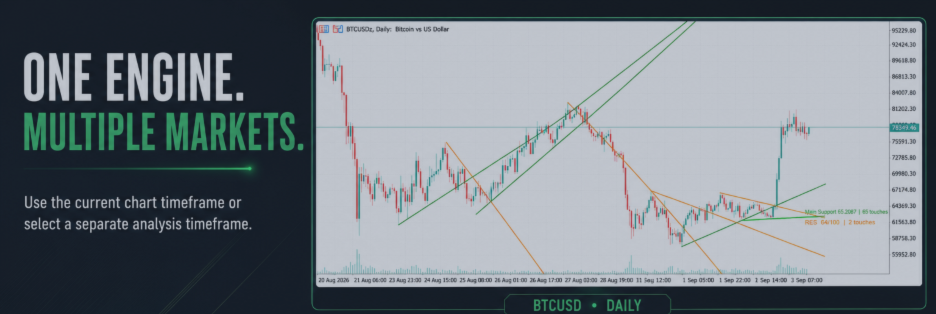

A screenshot shows what an indicator looked like at one selected moment. A demo helps you examine how it behaves across many moments. That distinction matters because an attractive historical chart may not reveal when an object first appeared, whether it later moved, or how the tool behaves during a developing candle.
MQL5 automatically provides specially compiled demo versions of paid indicators and Expert Advisors. Indicator demos operate in the Strategy Tester’s Visual mode rather than on a live chart. This limitation still leaves enough room for a serious behavioural test. mql5.com
Start with one clear question
Do not begin by asking, “Is this indicator profitable?” An indicator alone rarely answers that. Ask a narrower question:
- Does it identify the market structure described by the seller?
- Does it repaint completed signals?
- When does an object first appear?
- Are alerts generated at the same stage as the visual signal?
- Can the settings be adapted to my symbol and timeframe?
A clear question prevents the test from becoming an exercise in admiring good-looking historical examples.
Use three different market conditions
Test a trending period, a ranging period and a volatile reversal period. An indicator that looks excellent in one environment may become noisy in another.
For a trendline tool, observe:
- Which price points are selected as anchors?
- Does the line exist before price reaches it?
- Does the line move after additional candles form?
- What happens after a false break?
- Does the same logic remain readable on another timeframe?
Distinguish calculation changes from repainting
A developing indicator may legitimately update while the current candle is open. Repainting becomes more important when a completed historical signal is altered or removed in a way that creates a misleading impression.
Record the state of the chart at several moments. Screenshots or a short screen recording make comparison easier. Note the candle time, selected settings and tester speed so the observation can be repeated.
Test the workflow, not only the signal
A technically sound tool can still be unsuitable if it slows down the trader. Check whether its objects remain readable, whether controls are understandable, and whether its alerts provide enough information to act.
For example, a trader evaluating Trendline Machinegun should test not only the lines but also whether its alert configuration suits the trader’s routine. Someone evaluating Smart Trendline Detector should focus on its intended analytical workflow instead of expecting a facility that belongs to another product.
Verify before purchasing
Write down what the demo demonstrated and what it could not demonstrate. Separate facts from expectations:
- “The line remained fixed after the candle closed” is an observation.
- “This will improve my results” is an expectation that still requires forward testing.
A demo cannot guarantee profitability. It can answer a more useful question: does this product behave as described, and does that behaviour fit the way I trade?