

Note (October 2026): the free QIF Market Regime Indicator has been retired and is no longer available on the Market. This guide is kept for existing users.
- Its regime engine continues in QIF PRO: https://www.mql5.com/en/market/product/195528
- The free tool of the suite is now VEO PRO: https://www.mql5.com/en/market/product/203846
QIF Market Regime Indicator is a closed-bar market regime indicator for MetaTrader 5 designed to classify the current market environment into three clearly defined states:
NEUTRAL — CHARGE — RELEASE
Its purpose is not to generate BUY or SELL signals. Instead, QIF provides a structured view of the current market regime that can be combined with the trader's own directional analysis, entry rules and risk-management process.
The indicator uses a fixed internal configuration. No manual optimization of the underlying regime parameters is required or exposed to the user.
Important: CHARGE and RELEASE describe market regimes, not price direction. A RELEASE state does not automatically imply bullish movement, and CHARGE is not a BUY or SELL recommendation.
QIF at a glance
QIF displays the current regime through a color-coded histogram in a separate indicator window and through a compact status panel on the main chart.
The three public states are:
NEUTRAL — Gray
CHARGE — Orange
RELEASE — Green
The color represents the detected market regime, not the expected direction of price.

Fig. 1. QIF Market Regime Indicator on EURUSD M15. The histogram shows the evolution of the market regime while the panel displays the latest confirmed state.
1. What QIF analyzes
Financial markets do not behave in the same way at all times.
There are periods in which price action is relatively unstructured, periods characterized by compression and increasing organization, and periods in which market activity and structure develop into a more active expansion regime.
QIF is designed to distinguish between these different market environments.
Internally, the model evaluates several characteristics of recent market behavior, including structure, activity, compression and transition conditions. These components are combined into a regime-classification process that produces one of three public states.
The underlying calculations are intentionally kept internal. The trader interacts with the final regime classification rather than with a large number of individual parameters.
This keeps the indicator simple to use and ensures that the same internal configuration is applied across installations.
2. Understanding the three QIF states
NEUTRAL
Color: Gray
NEUTRAL is the baseline QIF state.
It means that the internal model does not currently detect conditions sufficiently defined to classify the market as either CHARGE or RELEASE.
This does not mean that the market must be flat or inactive.
Price can still move during a NEUTRAL regime. The classification simply means that the combination of structure, activity and transition conditions has not satisfied the criteria required for one of the other two states.
A NEUTRAL regime may therefore appear during irregular price action, transitional periods or market conditions that do not meet the internal CHARGE or RELEASE criteria.
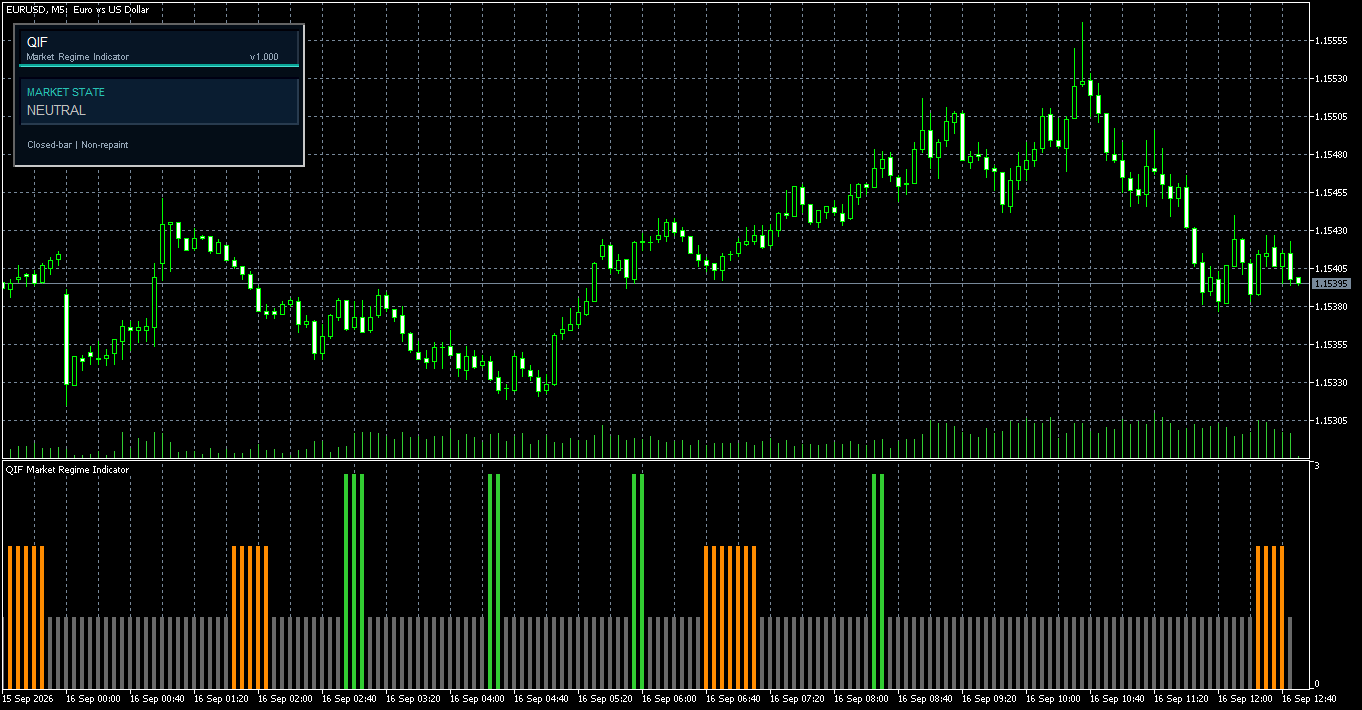
Fig. 2. Example of a NEUTRAL regime. Gray histogram bars indicate that QIF does not currently identify sufficiently defined CHARGE or RELEASE conditions.
CHARGE
Color: Orange
CHARGE identifies a market environment characterized by compression and increasing structural organization.
These conditions can occur before a transition to a more active regime, but CHARGE does not predict that a breakout or RELEASE state must follow.
The market may remain in CHARGE for several bars, return to NEUTRAL or subsequently transition into RELEASE.
CHARGE should therefore be interpreted as information about the current market environment rather than as an entry signal.
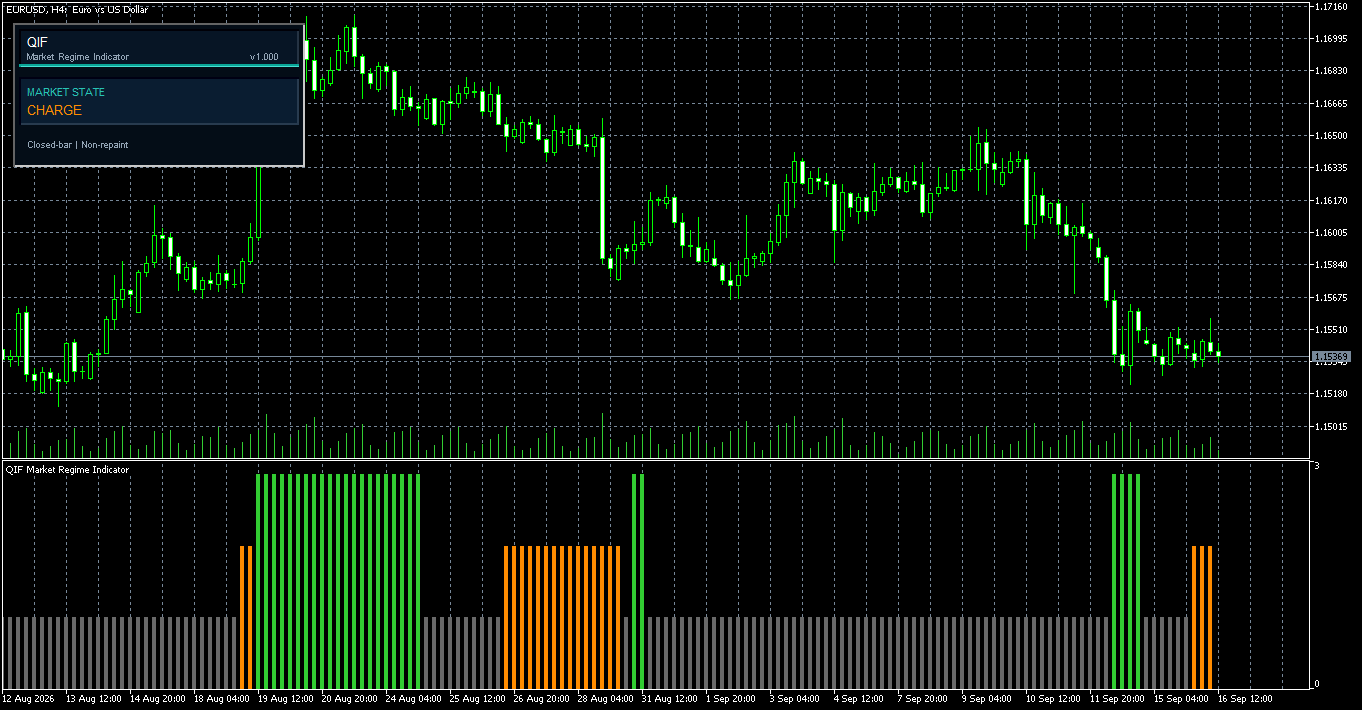
Fig. 3. CHARGE regime highlighted in orange. The state identifies compression and increasing structural organization.
RELEASE
Color: Green
RELEASE identifies an active expansion regime in which the internal combination of activity, structure and transition conditions satisfies the QIF release criteria.
RELEASE does not specify direction.
It can occur during both bullish and bearish market movement.
A bullish acceleration may therefore occur during RELEASE, but a bearish acceleration may also produce the same regime classification.
For this reason, the green color represents the RELEASE regime, not a BUY signal.
Directional analysis must come from the trader's own strategy, price-action methodology or another directional component.
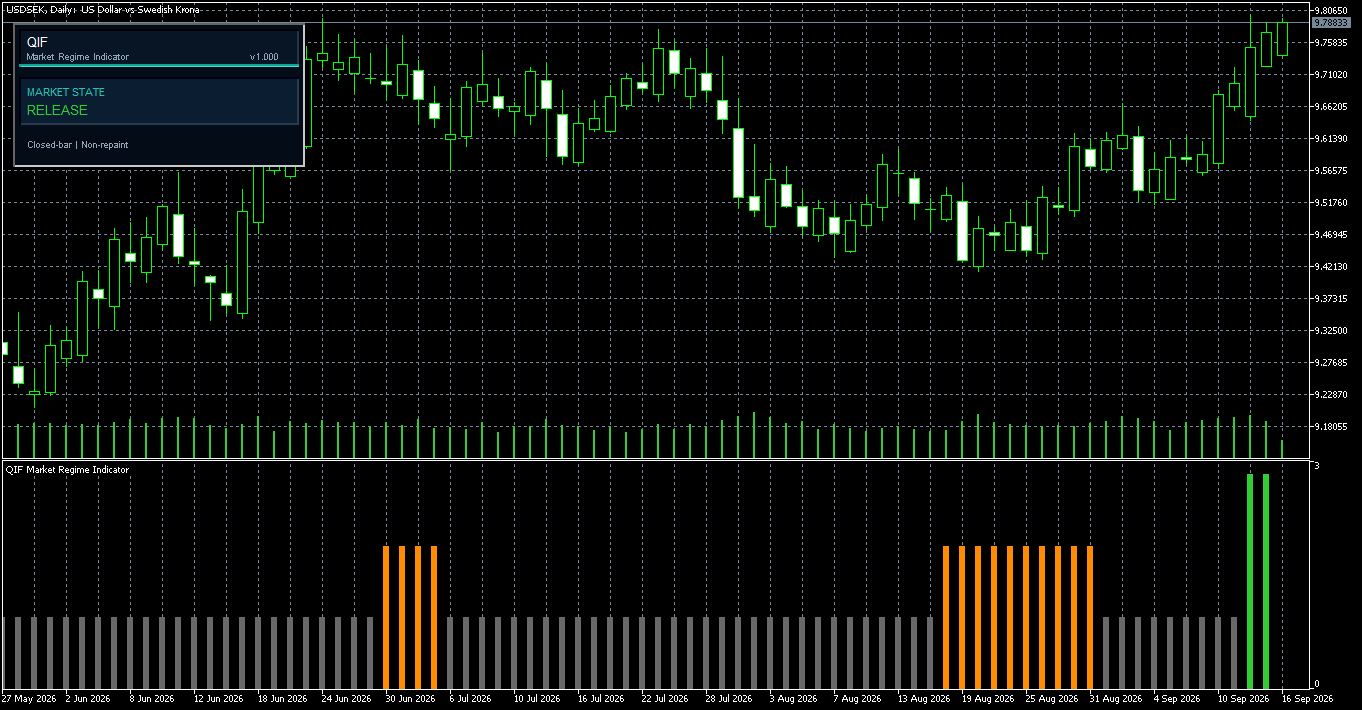
Fig. 4. RELEASE regime highlighted in green. RELEASE identifies an active expansion regime, not a bullish trading signal.
3. Reading the QIF histogram
QIF is displayed in a separate indicator window below the price chart.
Each confirmed bar receives one regime classification:
Gray = NEUTRAL
Orange = CHARGE
Green = RELEASE
This makes both the current regime and its historical evolution immediately visible.
A typical sequence may look like:
NEUTRAL → CHARGE → RELEASE → NEUTRAL
This sequence is not a trading strategy by itself.
It simply describes how the market regime classification evolved across completed bars.
Long groups of the same color indicate that the same regime has persisted for several bars. Changes in color identify a confirmed transition from one regime to another.
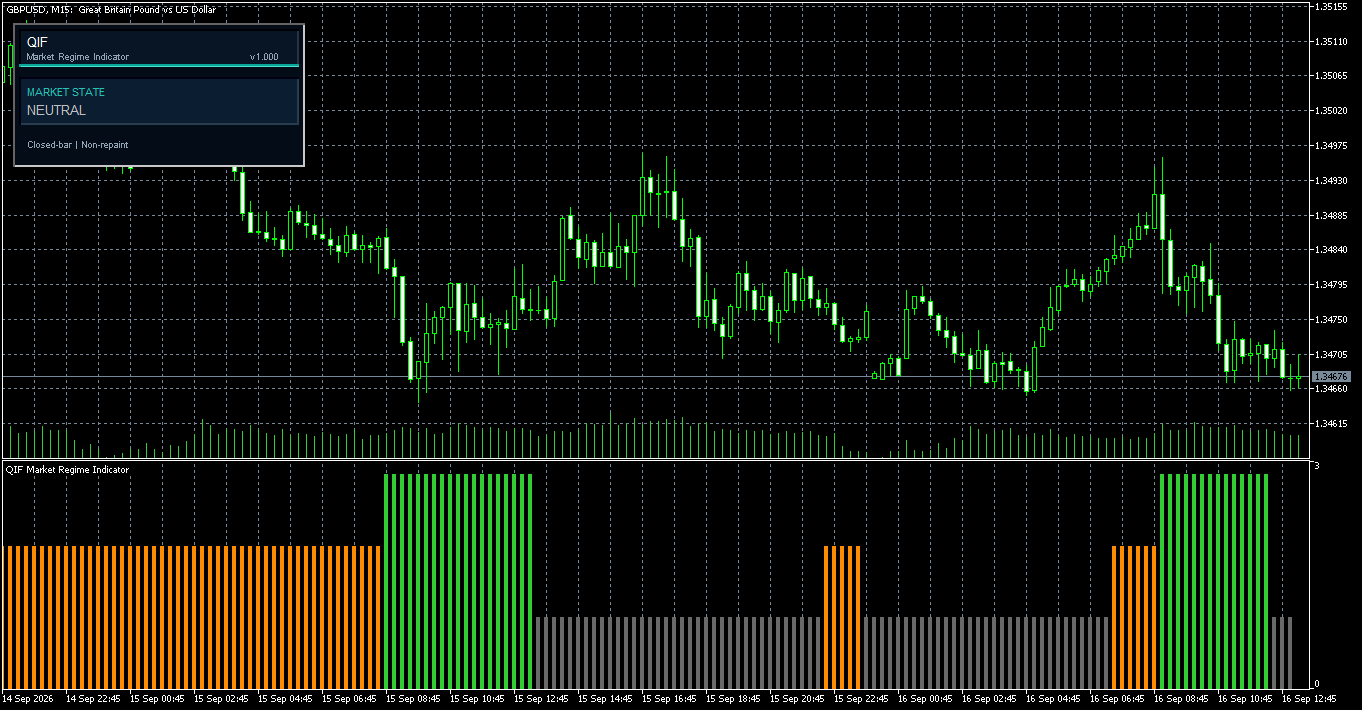
Fig. 5. Example of regime transitions. QIF makes changes between NEUTRAL, CHARGE and RELEASE directly visible on the histogram.
The histogram can also be useful during historical analysis.
For example, a trader can compare how an existing strategy behaves during RELEASE conditions with how the same strategy behaves during NEUTRAL periods.
QIF does not determine which regime is preferable.
It provides the market-context information required to perform that analysis.
4. The on-chart status panel
In addition to the histogram, QIF includes a compact status panel on the main chart.
The panel displays:
MARKET STATE
followed by the latest confirmed regime:
NEUTRAL, CHARGE or RELEASE.
The panel is deliberately minimal.
Its purpose is to answer one question quickly:
What market regime is currently confirmed?
The panel can be disabled from the indicator settings without affecting the histogram or the underlying calculations.
5. Closed-bar calculation
QIF uses closed-bar logic.
The currently forming candle can change continuously as new ticks arrive. QIF therefore does not treat the unfinished candle as a confirmed public regime observation.
The confirmed state shown to the user is based on completed market data.
This is also the correct approach when the indicator is accessed programmatically.
In MetaTrader 5:
shift = 1
represents the most recently completed bar.
Using the last closed bar avoids treating the still-forming candle as a confirmed regime state.
6. Non-repainting behavior
QIF calculates its confirmed public states from completed bars.
Once a regime state has been confirmed on a closed bar, subsequent ticks received during the current forming bar do not modify that historical state.
This is the practical meaning of the non-repainting behavior used by QIF.
Non-repainting does not mean that the indicator predicts future market behavior.
It means that confirmed historical regime classifications remain stable during normal operation.
This is particularly important when QIF is used for historical analysis, strategy evaluation, forward testing or integration with an Expert Advisor.
7. Using QIF on different timeframes
QIF operates independently on the timeframe of the chart to which it is attached.
It can therefore be used on different MetaTrader 5 chart timeframes, including M1, M5, M15, M30, H1 and H4.
The interpretation of NEUTRAL, CHARGE and RELEASE remains the same, but the market horizon naturally changes.
A RELEASE state on M5 represents a much shorter market context than a RELEASE state on H4.
For this reason, the regime must always be interpreted within the timeframe used by the trading methodology.
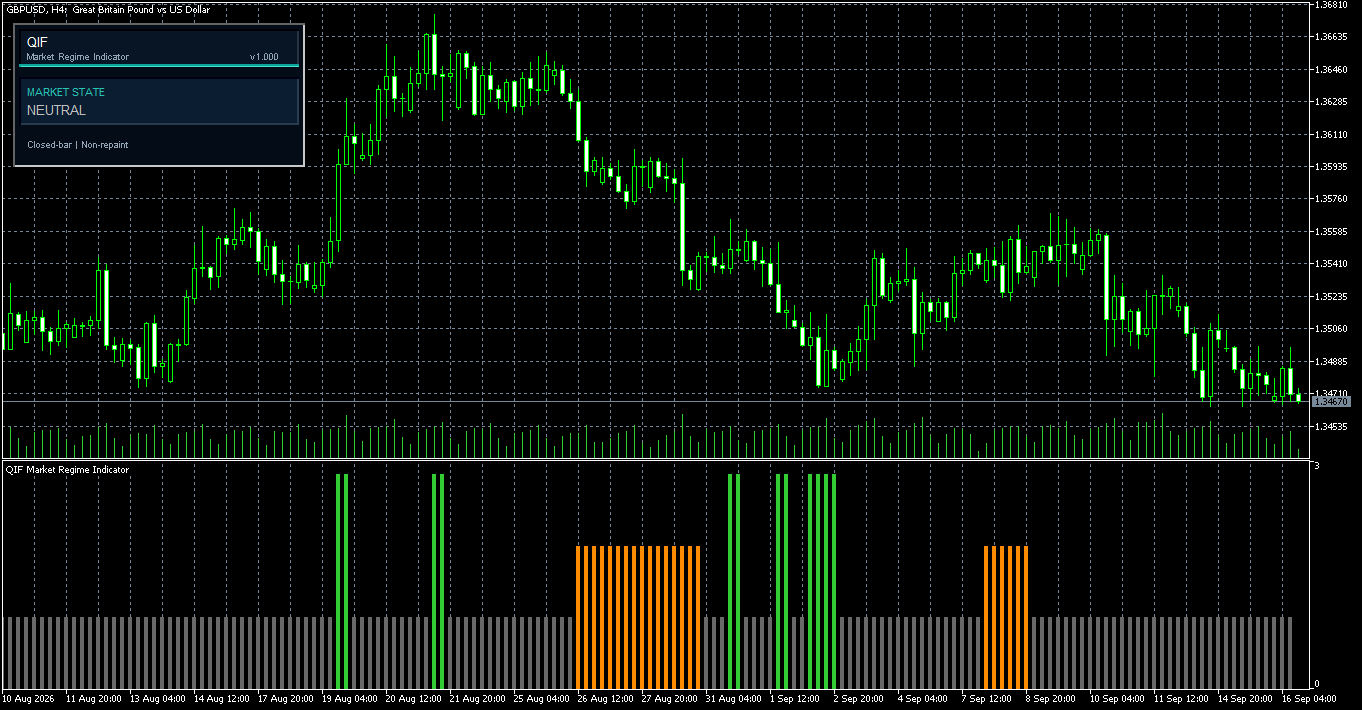
Fig. 6. QIF Market Regime Indicator on a higher timeframe. The same three-state regime framework can be applied to broader market horizons.
QIF is not a multi-timeframe indicator in the technical sense of simultaneously reading several timeframes.
It analyzes the symbol and timeframe of the chart to which it is attached.
8. Using QIF on different instruments
QIF calculates its regime from the market data of the symbol and timeframe to which it is attached.
The same three-state framework can therefore be applied to different MetaTrader 5 symbols.
However, different markets can have substantially different volatility, liquidity and session characteristics.
The behavior of QIF should therefore always be evaluated together with the specific instrument and trading methodology being used.
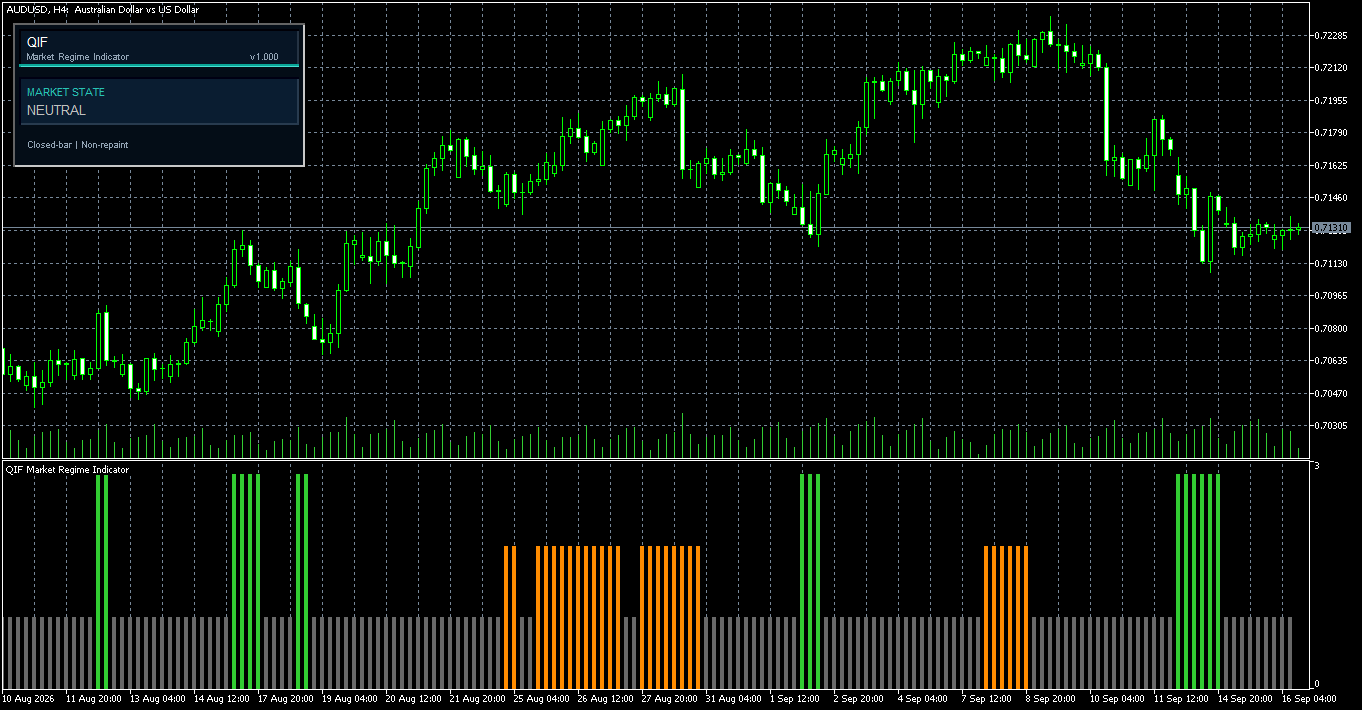
Fig. 7. QIF applied to a different currency pair. The regime classification remains NEUTRAL, CHARGE and RELEASE regardless of the symbol being analyzed.
9. QIF is a regime filter, not a directional indicator
This distinction is fundamental.
QIF should not be interpreted as:
NEUTRAL = no trade CHARGE = sell RELEASE = buy
That interpretation would be incorrect.
The three QIF states describe market condition, not market direction.
For example, both a bullish acceleration and a bearish acceleration can occur during a RELEASE regime.
A directional trading strategy therefore requires its own method for determining whether the trader is interested in long positions, short positions or neither.
QIF provides a different piece of information:
Is the current market environment consistent with the type of regime my strategy is designed to operate in?
The separation between direction and regime is one of the central design principles behind QIF.
10. Using QIF as a market regime filter
One practical way to use QIF is to place it before the directional and execution components of a trading process.
A simplified workflow can be represented as:
Market data ↓ QIF regime classification ↓ NEUTRAL / CHARGE / RELEASE ↓ Directional analysis ↓ Entry conditions ↓ Risk management ↓ Trade decision
In this structure, QIF does not decide whether a trade should be opened.
It provides information about the market environment in which the strategy is about to operate.
Different trading approaches may use the regimes differently.
A trend-following strategy may be studied specifically during RELEASE conditions.
A compression or breakout methodology may pay particular attention to CHARGE.
A mean-reversion strategy may behave differently during NEUTRAL periods.
There is no universal rule stating that one QIF regime is always better than another.
The appropriate interpretation depends on the strategy being used.
11. Indicator settings
QIF has intentionally been designed with a minimal public interface.
The only user input is:
Show Panel
When set to true, the QIF status panel is displayed on the chart.
When set to false, the status panel is hidden.
The histogram continues to calculate normally in either case.
The regime model uses a fixed internal configuration. Its thresholds, lookback periods and state-machine parameters are not exposed as user inputs.
This keeps the public interface simple and ensures that the same configuration is used across installations.
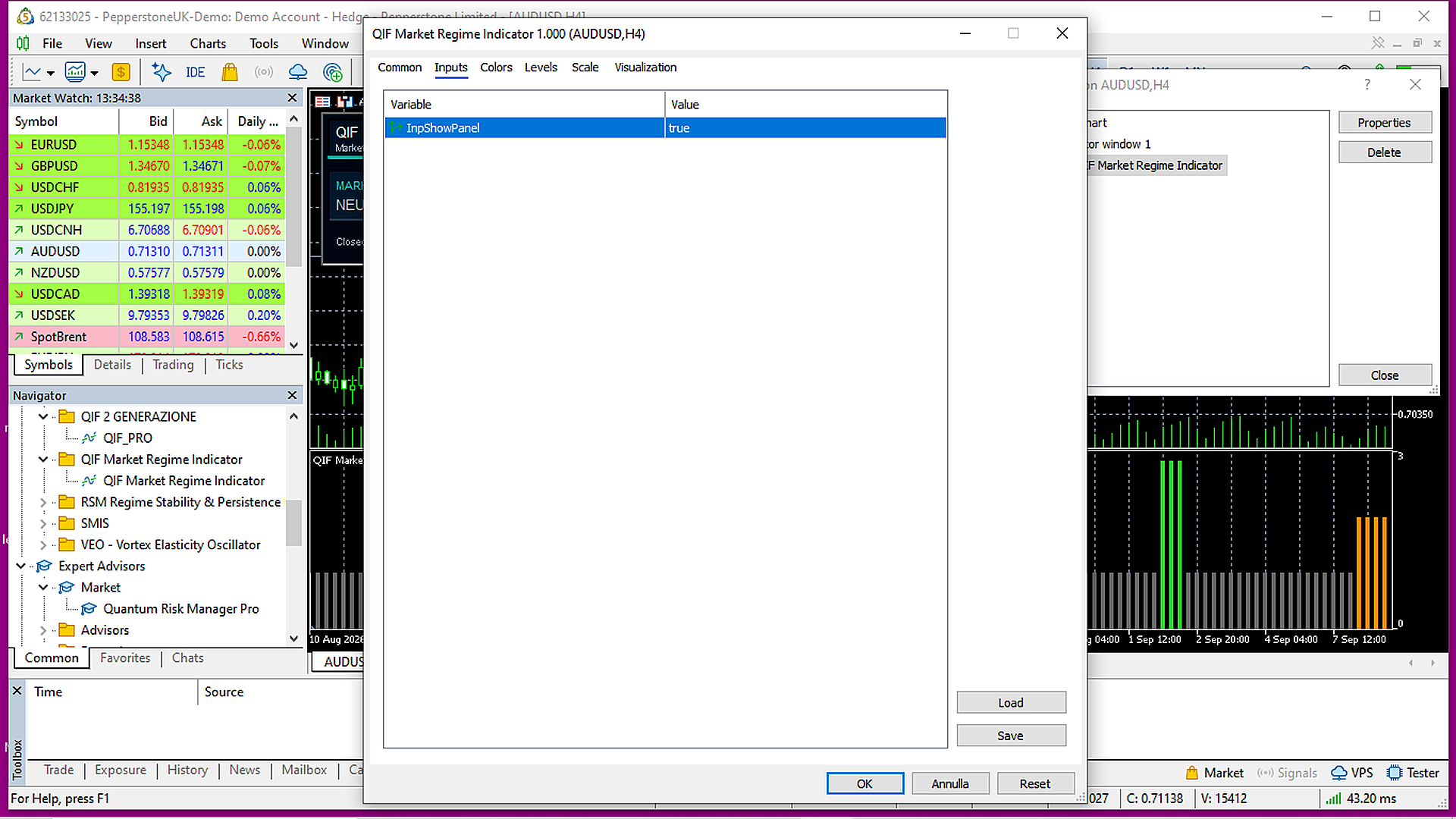
Fig. 8. QIF uses a fixed internal configuration. The only public input controls the visibility of the status panel.
12. EA and indicator integration
QIF can also be accessed programmatically through MetaTrader 5.
The public regime state is available through:
Buffer 2 — State
The returned values are:
0 = NEUTRAL 1 = CHARGE 2 = RELEASE
An Expert Advisor or another indicator can create an iCustom() handle and read the QIF regime through CopyBuffer() .
For closed-bar operation, the recommended reference is:
shift = 1
The following is a simplified conceptual example:
CopyBuffer(qifHandle,2,1,1,state);
The returned value can then be interpreted as:
0 -> NEUTRAL 1 -> CHARGE 2 -> RELEASE
This example only illustrates the public buffer interface. A complete MQL5 implementation must also create and validate the indicator handle, check BarsCalculated() , verify the return value of CopyBuffer() and release the handle when it is no longer required.
QIF does not execute any trading operation through this interface.
It only provides the confirmed regime classification.
13. Practical examples
Consider three simplified situations.
Example 1 — Prolonged NEUTRAL
The histogram remains gray for an extended sequence of bars.
This means that QIF does not currently identify sufficiently defined CHARGE or RELEASE conditions.
Price may still move, but the internal regime criteria remain unconfirmed.
A trading strategy can then determine independently whether NEUTRAL conditions are relevant to its own logic.
Example 2 — NEUTRAL to CHARGE
The histogram changes from gray to orange.
The internal conditions required for CHARGE have been confirmed.
This identifies a change in market context, but it does not guarantee that the market will subsequently enter RELEASE.
The market may remain in CHARGE or return to NEUTRAL.
Example 3 — CHARGE to RELEASE
The histogram changes from orange to green.
The internal RELEASE criteria have now been satisfied.
This identifies a transition into an active expansion regime.
It still does not determine whether the appropriate directional decision is long or short.
That decision belongs to the trading strategy.
14. What QIF does not do
QIF Market Regime Indicator does not execute trades, open or close positions, generate direct BUY or SELL signals, predict future price direction, guarantee breakouts, guarantee profitable trades, replace position sizing, replace risk management or replace a complete trading strategy.
Its role is deliberately specific:
QIF identifies and displays the current market regime according to its internal model.
This allows the indicator to be used as a contextual layer without forcing the trader to adopt a particular entry methodology.
15. Recommended use
QIF can complement discretionary price-action analysis, trend-following strategies, breakout strategies, mean-reversion systems, algorithmic trading, Expert Advisors and multi-component trading systems.
Before adding a QIF condition to a live strategy, the complete methodology should be evaluated using appropriate historical testing and forward testing.
The useful question is not simply whether a particular QIF regime looks attractive on a chart.
A more meaningful question is:
Does my trading methodology behave differently under different QIF regimes?
This can be measured.
A system developer may compare metrics such as trade frequency, average trade outcome, drawdown, win rate and payoff ratio across NEUTRAL, CHARGE and RELEASE periods.
QIF can therefore also be used as an analytical variable when studying strategy behavior.
16. QIF Market Regime Indicator and QIF PRO
QIF Market Regime Indicator focuses on the essential public regime classification:
NEUTRAL / CHARGE / RELEASE
together with a compact visual interface and the public State buffer.
QIF PRO extends the QIF framework with additional regime diagnostics, configurable operating profiles and expanded data for advanced analysis and system integration.
The Market Regime Indicator is therefore intended for straightforward regime identification, while QIF PRO provides a broader analytical and integration framework.
Conclusion
Markets continuously move through different structural conditions.
QIF Market Regime Indicator reduces this complexity to three clearly identifiable states:
NEUTRAL — CHARGE — RELEASE
Its purpose is not to determine what the trader should buy or sell.
Instead, it addresses a different question:
What type of market regime is currently present?
QIF uses closed-bar calculations, keeps confirmed historical states stable during normal operation and requires no manual configuration of the underlying regime model.
Its public State buffer also allows the regime classification to be incorporated into Expert Advisors and other MetaTrader 5 tools.
Used in this way, QIF acts as a market-context layer that can complement discretionary or systematic trading without replacing the trading strategy itself.




