MSX AI Multi Symbol Scalper v2.10 — A New Generation of Flexible Multi-Symbol Trading Architecture

Improved Hard Reversal Exit • Flexible Timeframes • Independent EA Instances • Portfolio Capital Management
The next stage of the MSX AI Multi Symbol Scalper project is now available.
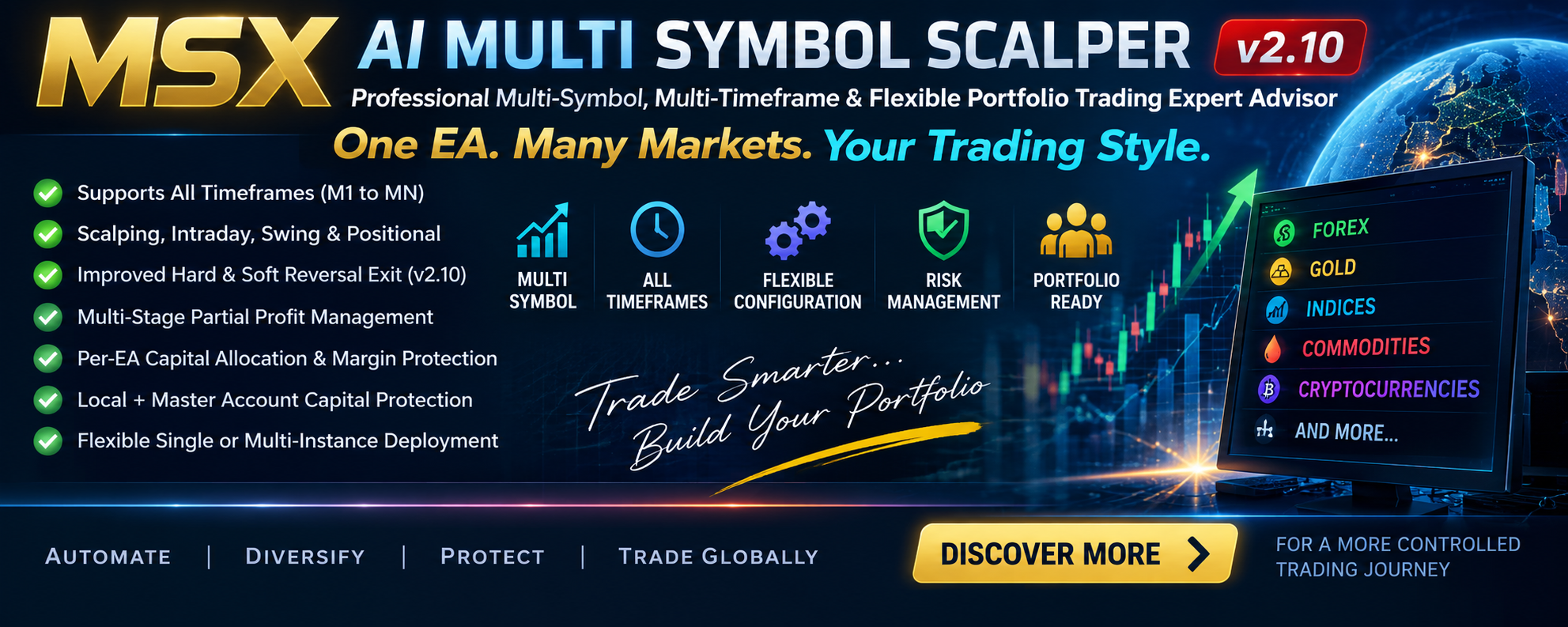
MSX AI Multi Symbol Scalper v2.10 introduces a refined trading architecture designed around flexibility: one EA can be used on one market, or multiple independently configured instances can be combined into a broader multi-symbol portfolio.
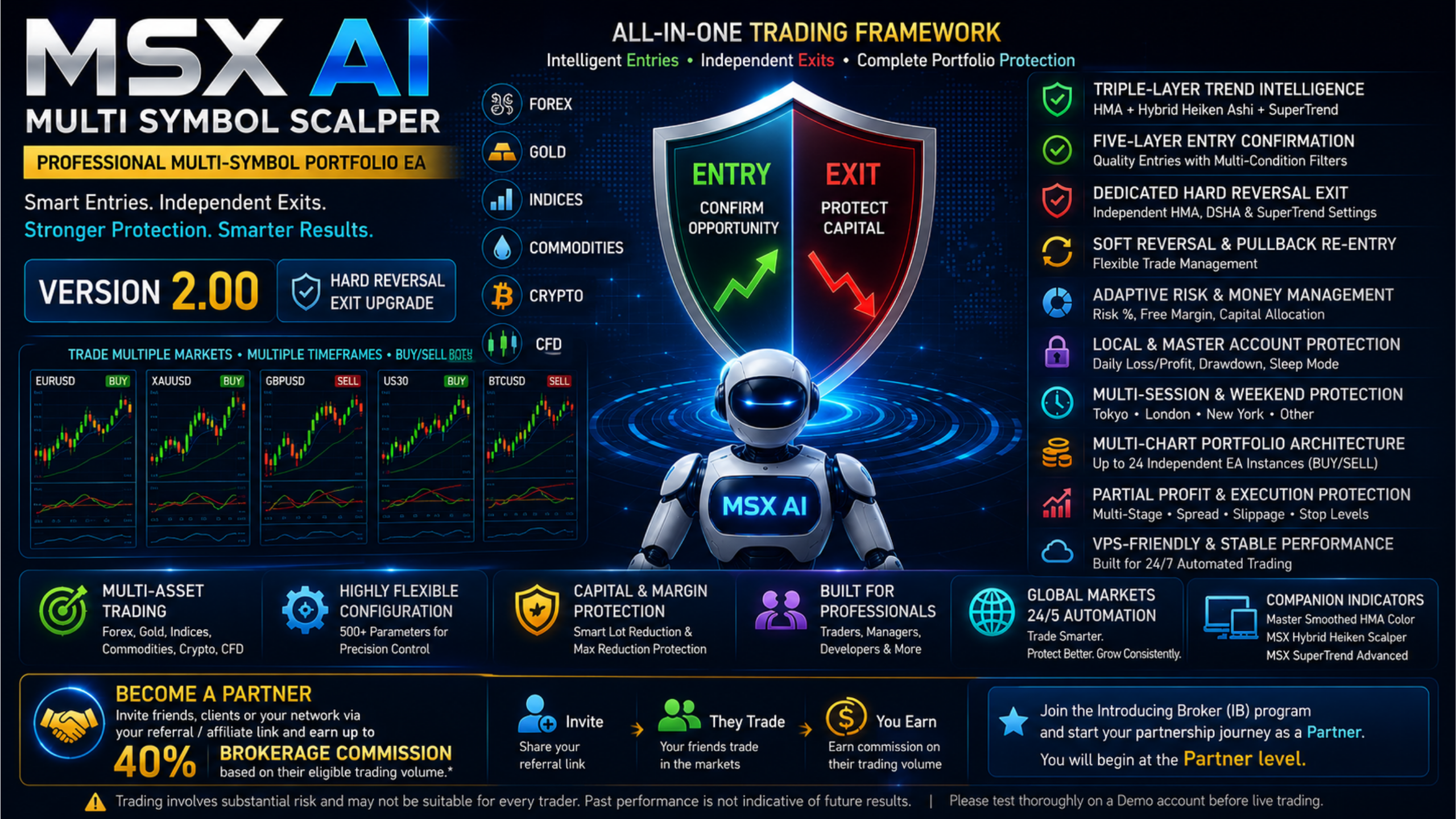
The v2.10 release focuses particularly on improvements to the Hard Reversal Exit and Soft Reversal Exit architecture, while retaining the broader framework for trend analysis, entry confirmation, adaptive money management, partial profit management, session control and capital protection.
From a “Scalper” to a Flexible Trading Architecture
The word Scalper in the product name does not mean that the EA is restricted to M1 or M5 trading.
MSX AI Multi Symbol Scalper supports MetaTrader 5 timeframes from M1 through D1, W1 and MN.
Depending on configuration, the same architecture can therefore be used for:
• Short-term scalping
• Intraday trading
• Swing trading
• Longer-term positional trading
The “Scalper” designation primarily reflects the EA's Multi-Stage Partial Profit Management, which can progressively reduce an open position according to configurable profit triggers and maximum-close ratios while retaining a remaining position for continued trend participation.
The timeframe is completely configurable by the user.
What Is New in v2.10?
The main architectural improvement in v2.10 is the continued development of the Dedicated Hard Reversal Exit and Soft Reversal Exit framework.
The Hard Reversal Exit has its own Exit indicator configuration instead of simply relying on the Entry configuration.
The core Hard Reversal confirmation uses:
- Exit DSHA State
- Exit HMA State
- Exit DSHA Close vs Exit HMA Line
- Exit SuperTrend Direction
The system evaluates the confirmed last closed candle, with an optional independent Exit Reversal Strength Filter.
This separation allows the Entry and Hard Reversal Exit configurations to be adjusted independently.
Independent Trading Direction
Each EA instance can independently operate in one of three modes:
Trade Both Side — BUY + SELL
Trade Only Buy — BUY Only
Trade Only Sell — SELL Only
This allows the same EA architecture to be used as a two-direction trading engine or as dedicated directional instances according to the user's deployment requirements.
Single EA or Multi-Instance Portfolio
One of the important clarifications in v2.10 is that users do not have to build a large portfolio to use the EA.
It can be deployed as:
Single-EA Setup
One symbol + one timeframe + one independently configured EA instance.
Multi-EA Setup
Multiple independent instances across different symbols, timeframes and trading directions.
Portfolio Setup
A larger group of independently configured instances operating within the same MT5 account capital environment.
The EA therefore supports both a single-market workflow and a broader portfolio workflow.
The 12-Symbol Reference Configuration
The current Strategy Tester Analysis Series uses one independently configured EA instance per symbol with Trade Both Side (BUY + SELL) as the reference configuration.
This is important because the published 12-symbol reports are not based on 12 BUY-only engines plus 12 SELL-only engines.
Users can nevertheless configure separate BUY Only and SELL Only instances when their own deployment requires dedicated directional engines.
The number of simultaneous EA instances is not hard-coded. Practical capacity depends on MT5/VPS resources, broker environment, available Free Margin, Free Margin Reserve, Per-EA Capital Allocation, Maximum Tradable Equity and projected Margin-Level requirements.
Centralized Account-Level Capital Protection
Multi-instance operation also introduces an important account-level consideration.
MSX AI Multi Symbol Scalper includes Master Account Capital Protection in addition to Local EA Protection.
Local protection can include:
• Per-Trade Loss
• Daily Loss
• Daily Profit Target
• Maximum Drawdown
• Daily Sleep Mode
Master Account Protection can include:
• Master Daily Loss
• Master Daily Profit Target
• Master Account Drawdown
The Master Protection framework is designed for the overall account environment rather than being limited to the trading logic of one symbol.
A Broader Money-Management Framework
v2.10 continues to provide configurable money-management and capital-allocation mechanisms including:
• Fixed Lot Trading
• Equity-Based Risk Position Sizing
• Free Margin Budget Engine
• Configurable Free Margin Reserve
• Margin-Aware Lot Reduction
• Adaptive Per-EA Capital Allocation
• Fixed Per-EA Capital Limit
• Percentage-Based Per-EA Capital Limit
• Minimum Projected Margin Level
• Broker Volume Validation
• Automatic Lot Normalization
The system also includes Maximum Adaptive Lot Reduction Protection, allowing the user to define how much the calculated initial lot may be reduced after capital and margin protections have been applied.
Multi-Stage Partial Profit Management
Another important part of the architecture is the built-in Multi-Stage Partial Profit Management.
The engine provides:
• Tick-by-Tick Monitoring
• Multiple Partial-Close Stages
• Configurable Profit Trigger
• Maximum Close Ratio
• Broker Minimum-Lot Validation
• Broker Volume-Step Validation
• Remaining Runner Protection
• Partial-Close Retry Protection
The concept is straightforward: portions of an open position can be progressively reduced according to the configured rules while a remaining position can continue participating in the trend when the configured conditions remain valid.
Designed for Different Types of Users
The architecture is intended to accommodate different deployment styles.
Independent Traders can use one or several EA instances.
Scalping and Intraday Traders can configure shorter timeframes and trading sessions.
Trend-Following Traders can configure the trend, entry, reversal and pullback framework.
Multi-Chart Portfolio Operators can deploy independent instances across symbols and timeframes.
Master Copy Trading Providers and Trading Signal Providers can use the EA as an automated execution framework, subject to applicable platform and service requirements.
Prop-Firm and Funded-Trader Users can configure risk, capital allocation, protection and session controls according to applicable firm rules.
Fund Houses and Portfolio Managers can use the configurable position-sizing, capital-allocation and account-level protection framework.
Strategy Developers and Advanced Optimizers can work with the extensive configurable input structure.
Free Default .set Files and Tailor-Made Configuration
A major part of the new documentation approach is making the reference configurations reproducible.
The Default .set files are provided FREE of charge for the supported symbols/assets.
The reference configurations use:
Trade Both Side = BUY + SELL
Users can reproduce the documented Strategy Tester configurations from the published symbol reports and screenshots, or request the Default .set file for one symbol or all supported symbols through MQL5 Private Chat.
For users requiring settings specifically adapted to their own account capital, risk parameters, broker conditions, symbol selection, timeframe, capital allocation or other requirements, a Tailor-Made .set configuration and optimization service is available as a paid service.
This keeps the free Default configuration separate from customized user-specific work.
Strategy Tester: What It Does — and What It Does Not
The Free Demo Version available on the MQL5 product page can be evaluated through the MetaTrader 5 Strategy Tester.
The Strategy Tester is the standard MQL5 Demo/validation environment for evaluating the EA's operation. It should not be interpreted as the optimized trading configuration supplied for actual trading deployment.
The Tester operates as a single-symbol simulation environment and therefore cannot reproduce the complete portfolio-level environment of multiple independently operating EA instances.
For example, it cannot reproduce:
• Simultaneous Multi-Symbol Trading
• Multiple Independent BUY/SELL Engine Operation
• Shared Free-Margin Environment
• Portfolio-Aware Capital Allocation
• Master Account Protection
• Multi-Session Portfolio Scheduling
Consequently, individual Strategy Tester reports should be understood as historical symbol-specific tests, not as complete portfolio performance or live trading records.
12-Symbol Strategy Tester Analysis Series
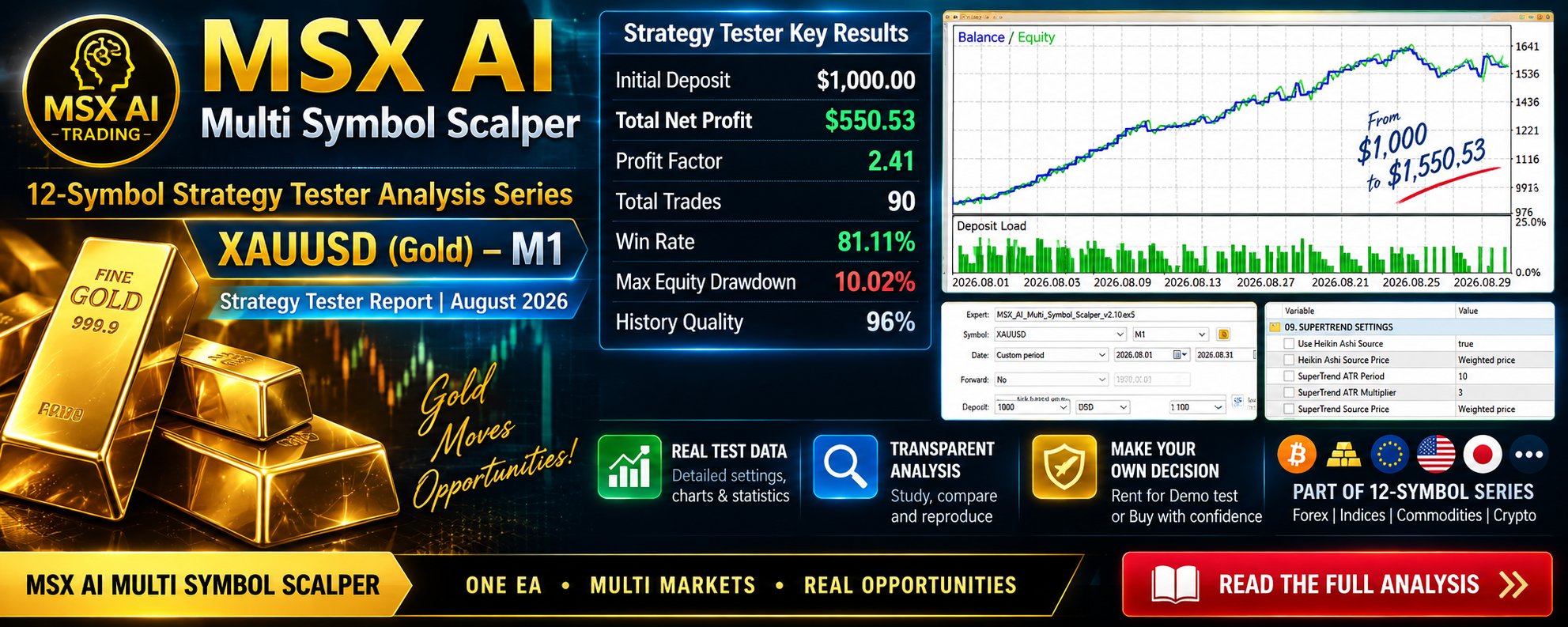
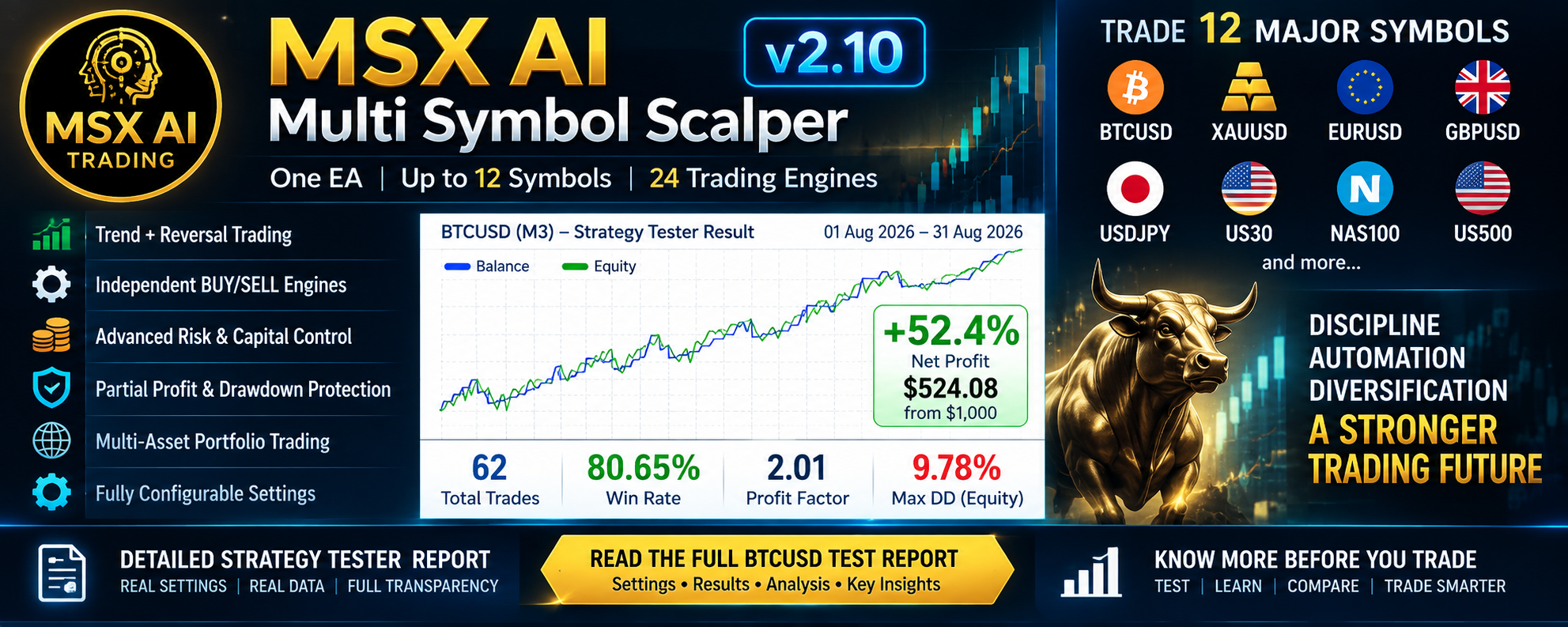
To make the reference configurations easier to study, a dedicated 12-Symbol Strategy Tester Analysis Series is being published through MQL5 Blog — Analytics & Forecasts.
12-Symbol Strategy Tester Analysis Series
Each report studies one symbol independently using its documented Default configuration.
Available Reports at Present
• BTCUSD — Strategy Tester Analysis
• XAUUSD — Strategy Tester Analysis
Additional reports may be published as the series develops.
The purpose of this series is transparency and reproducibility: users can study the historical tester configuration, review the screenshots, reproduce the Default settings, and request the corresponding .set file through MQL5 Private Chat.
Complete Product Documentation in 12 Languages
MSX AI Multi Symbol Scalper is supported by official product documentation in:
English, Russian, Chinese, Spanish, Portuguese, French, German, Italian, Japanese, Korean, Turkish and Hindi.
Read the Complete Product Guide in 12 Languages
The multilingual guide provides additional information about the EA architecture, trading framework, configuration and portfolio deployment.
Knowledge Base and Educational Documentation
Complete Knowledge Base & Educational Documentation
The Knowledge Base covers:
• Portfolio Deployment Architecture
• Trend Intelligence Framework
• Entry & Reversal Logic
• Hard Reversal Exit
• Trend Birth Protection
• Pullback Re-Entry
• Money Management
• Per-EA Capital Allocation
• Capital Protection
• Margin Protection
• Trade Management
• Session Control
• Weekend Protection
• Companion Indicators
• Multi-Chart Operation
• .set File Configuration
• Portfolio Administration
Additional articles can be added as new features and deployment techniques become available.
What v2.10 Represents
MSX AI Multi Symbol Scalper v2.10 is not restricted to a particular timeframe, number of symbols or mandatory portfolio size.
It can be used as one EA on one market, several independently configured EA instances, or as a broader multi-symbol portfolio.
The 12-symbol / 24-directional-engine concept is a reference architecture for understanding possible portfolio deployment, not a hard-coded EA maximum.
The central idea of v2.10 is flexibility:
Choose the market. Choose the timeframe. Choose the trading direction. Configure the risk and capital allocation. Decide whether to operate one EA or multiple independent instances.
A Practical Way to Evaluate v2.10
For users who are new to the product, a logical evaluation path is:
1. Study the Product Description
Understand the architecture and available controls.
2. Test the Free MQL5 Demo
Use the Strategy Tester to inspect the EA's behavior.
3. Review the Symbol Reports
Study the documented BTCUSD and XAUUSD configurations and the reports that follow.
4. Request the Free Default .set Files
Use MQL5 Private Chat if you want the corresponding reference configuration.
5. Conduct Your Own Demo / Forward Evaluation
Test the EA under your own broker, symbol specifications, execution environment and account conditions.
6. Consider Tailor-Made Configuration if Required
Users with specific account or trading requirements can request the paid customization service.
This approach separates historical Strategy Tester analysis, reference Default configurations, Demo/forward evaluation, and individual optimization rather than treating them as the same thing.
Important Risk Disclosure
This article describes the architecture and configuration capabilities of MSX AI Multi Symbol Scalper v2.10.
Any Strategy Tester results discussed in the related reports are historical simulations only. They are not live trading results, account statements, guarantees or predictions of future performance.
Actual trading results can differ because of broker conditions, spreads, commissions, slippage, liquidity, symbol specifications, execution environment, account conditions and future market conditions.
Trading leveraged financial instruments, including Forex, Metals, Indices, Commodities, Cryptocurrencies and CFDs, involves substantial risk.
The EA's trend analysis, money management, margin controls and capital-protection systems do not guarantee profitability and cannot eliminate trading losses. Users remain responsible for their EA configuration, portfolio exposure, broker conditions and trading risk.
MSX AI Multi Symbol Scalper v2.10
A flexible MetaTrader 5 trading architecture for single-market use, multi-instance deployment and configurable multi-symbol portfolio operation.
The v2.10 release brings the product documentation, portfolio architecture and Exit framework together into a clearer structure so that users can understand not only what the EA can configure, but also how the different deployment approaches fit together.
View MSX AI Multi Symbol Scalper on MQL5 Market
Recommended BlogPost tags
#MSXAI #MultiSymbolTrading #MetaTrader5 #MT5 #ExpertAdvisor #AlgorithmicTrading #AutomatedTrading #PortfolioTrading #TradingEA #RiskManagement