https://www.youtube.com/watch?v=H_qC-JniW6Q&t=107s
https://www.mql5.com/en/market/product/180559?source=Site+Market+MT4+Indicator+New+Rating006
What is Liquidity Setup PRO V1?
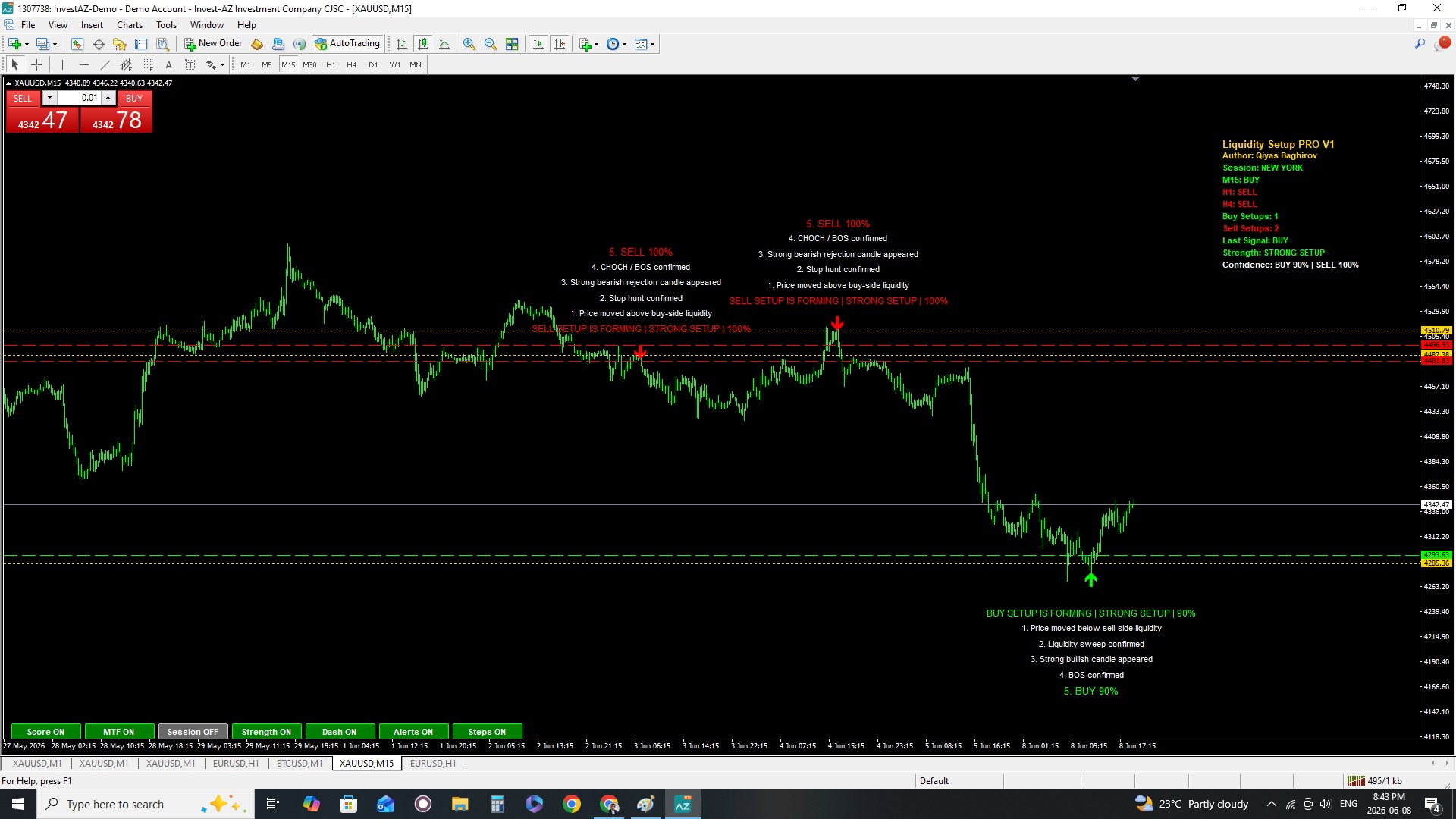
Liquidity Setup PRO V1 is a Smart Money Concept based MT4 indicator designed to help traders visually understand liquidity sweeps, stop hunts, BOS (Break of Structure), and CHOCH confirmations step by step.
The indicator automatically analyzes price action and shows complete BUY and SELL setup sequences directly on the chart.
This tool is built for:
- Smart Money traders
- Liquidity sweep traders
- BOS / CHOCH traders
- Institutional trading concepts
- Scalpers and intraday traders
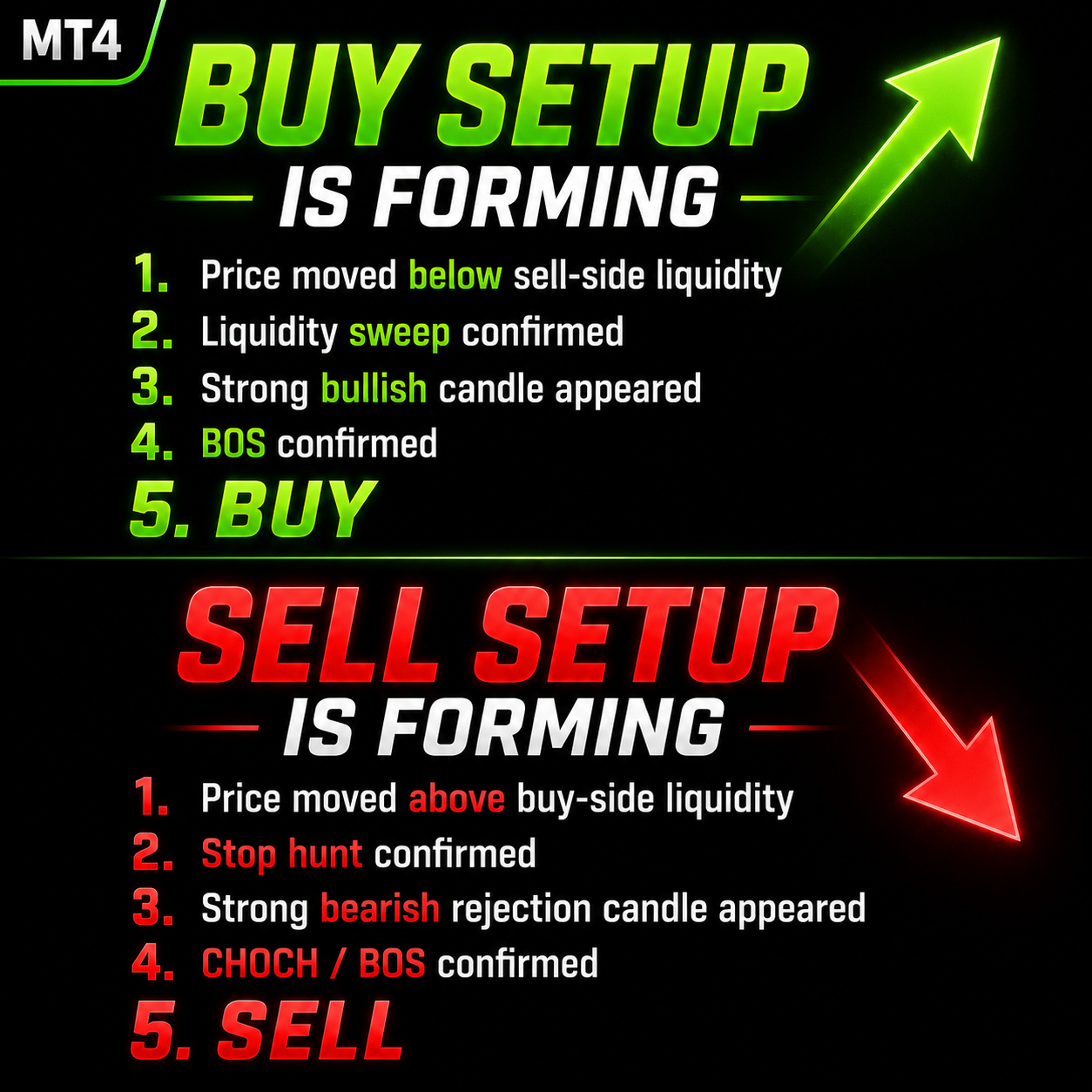
BUY / SELL Setup Detection
The indicator automatically detects:
BUY Setup
- Price moved below sell-side liquidity
- Liquidity sweep confirmed
- Strong bullish candle appeared
- BOS confirmed
- BUY signal
SELL Setup
- Price moved above buy-side liquidity
- Stop hunt confirmed
- Strong bearish rejection candle appeared
- CHOCH / BOS confirmed
- SELL signal
The dashboard displays:
- Current session
- M15 trend
- H1 trend
- H4 trend
- Buy setup count
- Sell setup count
- Last detected signal
- Setup strength
- Confidence score
The indicator calculates signal quality automatically.
Signal Types
- STRONG SETUP
- MEDIUM SETUP
- WEAK SETUP
The score is based on:
- Liquidity sweep quality
- Candle body strength
- BOS strength
- Session quality
- Multi-timeframe confirmation
Example:
BUY 90%
SELL 78%
Higher percentages indicate stronger probability setups.
5. Multi Timeframe Confirmation (MTF)The indicator analyzes:
- M15
- H1
- H4
trend direction using EMA confirmation.
Example:
- M15 BUY
- H1 BUY
- H4 BUY
This increases setup quality.
6. Session FilterThe indicator can filter setups based on trading sessions.
Supported sessions:
- London Session
- New York Session
Asian session setups can be filtered out to reduce weak signals.
7. Dashboard ButtonsAt the bottom of the chart you will see ON/OFF buttons.
Score ON/OFF
Enables or disables confidence score.
MTF ON/OFF
Enables or disables multi-timeframe confirmation.
Session ON/OFF
Enables or disables session filtering.
Strength ON/OFF
Shows strong / medium / weak setup labels.
Dash ON/OFF
Shows or hides dashboard.
Alerts ON/OFF
Enables or disables alerts.
Steps ON/OFF
Shows or hides step-by-step setup labels.
8. AlertsThe indicator supports:
- Popup alerts
- Sound alerts
- Push notifications
Example:
BUY STRONG SETUP 92% on XAUUSD M15
XAUUSD M15
- LiquidityTolerancePts = 30
- BOSLookbackBars = 5
- StrongCandleBodyRatio = 0.35
- MaxVisibleSetups = 3
EURUSD M15/H1
- LiquidityTolerancePts = 10
- BOSLookbackBars = 6
- StrongCandleBodyRatio = 0.35
GBPUSD M15/H1
- LiquidityTolerancePts = 15
- BOSLookbackBars = 6
USDJPY M15/H1
- LiquidityTolerancePts = 10
- BOSLookbackBars = 6
Recommended:
- M15
- M30
- H1
Scalping:
- M1
- M5
Higher timeframes produce stronger signals.
11. Trading Tips- Always trade with market structure.
- Strong setups are more reliable during London and New York sessions.
- Use MTF confirmation for higher probability trades.
- Avoid trading during low volatility periods.
- Use proper risk management.
This indicator is a trading assistant tool and does not guarantee profits.
Always:
- test on demo first
- use stop loss
- manage risk properly
Author:
Qiyas Baghirov
Product:
Liquidity Setup PRO V1 for MetaTrader 4
Label Step Distance should be adjusted according to the chart scale and price range of each trading instrument. Since every symbol has different volatility and price characteristics, the label position may appear differently across charts. If necessary, increase or decrease this value until the labels are displayed clearly on your specific instrument.