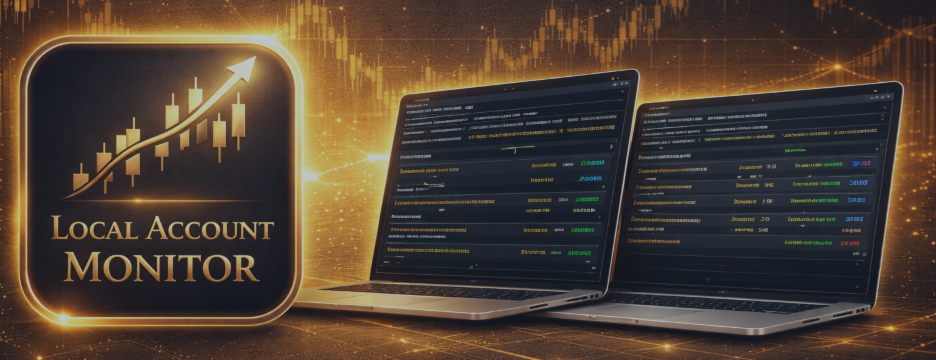
Local Account Monitor for MT4 & MT5 - Quick Setup Guide and Practical Use

If you run several MetaTrader terminals on the same PC or on the same Windows VPS, it is easy to miss a stale terminal, a margin problem, or a growing floating loss.
Local Account Monitor was created to make that workflow easier.
It is a read-only tool built for local visibility, account health checks, and day-to-day supervision. It does not copy trades, synchronize execution, or manage orders.
Available versions
MT5 version: https://www.mql5.com/en/market/product/168590
MT4 version: https://www.mql5.com/en/market/product/168591
Public channel: CLICK HERE
What the product is designed to do
- Monitor multiple local MT4 and/or MT5 terminals from one dashboard
- Classify local accounts as Healthy, Warning, Critical, or Stale/Error
- Show top issues, fleet KPIs, account details, and portfolio exposure in one place
- Reduce the need to switch between many terminals just to check status
How local account health is evaluated
The dashboard is designed to highlight the accounts that need attention first.
- Stale/Error accounts are separated quickly when a heartbeat is old or a local snapshot cannot be read correctly
- Warning and Critical states can be triggered by margin conditions or floating loss conditions
- Healthy accounts remain visible, but accounts with more urgent risk conditions are easier to spot first
Two working modes
1) Agent mode
Attach the product in Agent mode to each terminal you want to monitor.
Each Agent publishes a local snapshot with terminal heartbeat and account information such as balance, equity, floating P/L, margin data, positions, drawdown-related values, and exposure.
2) Dashboard mode
Attach the product in Dashboard mode to one local terminal.
The Dashboard reads available local snapshots and builds one local monitoring view with top issues, KPI summary, account list, inspector details, and portfolio exposure.
Typical setup
- Terminal A - Agent
- Terminal B - Agent
- Terminal C - Agent
- Terminal D - Dashboard
This gives you one place to monitor the local status of the other terminals on the same machine.
How to start quickly
- Open the terminals you want to monitor on the same PC or the same Windows VPS
- Attach Local Account Monitor in Agent mode to each monitored terminal
- Attach Local Account Monitor in Dashboard mode to one terminal
- Wait for the first local snapshot cycle
- Review the dashboard summary and inspect the accounts that need attention
What you can do on the dashboard
- Review the Top Issues section to see which local accounts need attention first
- Use the Fleet KPI section for a quick overview of account counts, worst margin, worst floating loss, and open positions
- Filter accounts by All, Critical, Warning, Healthy, or Stale/Error
- Sort accounts by Risk, Margin, Float, Age, or Alias
- Page through larger account lists more comfortably
- Click an issue or an account row to inspect more details
What you will see on the dashboard
- Account alias, login, server, platform, and last heartbeat age
- Equity, floating P/L, margin level, and open positions
- Free margin, used margin, leverage, peak equity, and drawdown values
- Status reason for the selected account
- Exposure for the selected account
- Portfolio exposure across fresh local snapshots
- Recent local status events for the selected account
Optional alert workflow
You can also enable optional local alerts for warning or critical situations.
- Sound alerts
- Push alerts
- Cooldown control to reduce repeated notifications
What it does not do
- It does not copy trades
- It does not synchronize execution
- It does not open, close, or modify trades
- It is not designed for terminals running on different machines
MT4 and MT5 together
You can use the MT4 and MT5 versions together in the same local environment. This is useful when your setup includes both platforms on one machine.
When Local Account Monitor is enough
If your main goal is visibility, health checks, risk awareness, and a cleaner local overview, Local Account Monitor is usually enough on its own.
When you may also need SyncGuard Local Trade Copier
Some traders want more than monitoring. They may also want to copy trades locally between terminals on the same PC or Windows VPS.
That is a different workflow. In that case, you can also look at SyncGuard Local Trade Copier.
- Use Local Account Monitor when you want read-only visibility and local supervision
- Use SyncGuard Local Trade Copier when you want local trade copying and execution synchronization between terminals
SyncGuard Local Trade Copier MT5: https://www.mql5.com/en/market/product/159407
SyncGuard Local Trade Copier MT4: https://www.mql5.com/en/market/product/159408
Simple product positioning
- Local Account Monitor = local visibility, health monitoring, and status overview
- SyncGuard Local Trade Copier = local copying and execution synchronization workflow
Important note
Local Account Monitor is intentionally focused on visibility and local monitoring. It keeps the workflow simple and read-only.
If later you decide that your local setup also needs copying between terminals, you can check the SyncGuard products above or visit my MQL5 profile: https://www.mql5.com/en/users/thehung21
I hope this guide helps you get started faster and choose the right tool for your local multi-terminal workflow.