Currency Exchanger MT5
- 实用工具
- 版本: 1.8
- 更新: 13 八月 2026
- 激活: 10

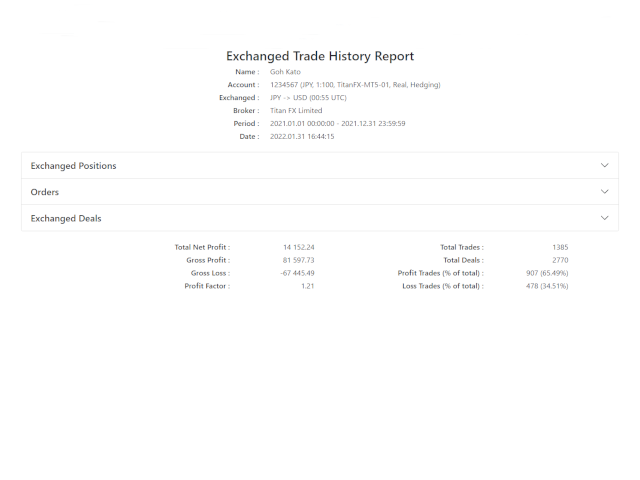
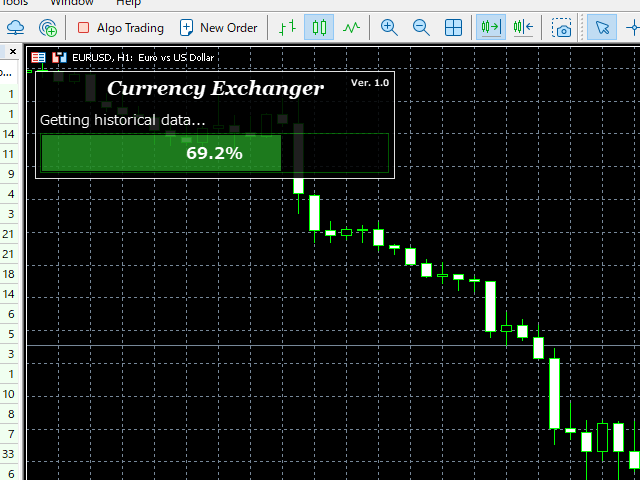
This is a multi-currency converter script that can convert the currency of the account history to another currency and output it. Since it supports multiple currencies, it is possible to exchange USD, EUR mutual conversion, JPY, GBP, AUD, or other minor currencies. Currency Exchanger can be converted to other currencies immediately by executing it once, so anyone can easily exchange currency.
Let Currency Exchanger do the tedious work!
- The exchange result from the account history can be output as a report in html or csv format.
- Exchange rates are obtained from MetaTrader historical data or the web.
- The period for outputting reports and the timing of exchange can be set in detail.
- Report output items can be changed.
- Normal report output without currency exchange is also possible.
- The languages of the report are English and Japanese.
- Click here for the MT4 product version : Currency Exchanger MT4
Input item description
General
- Currency of after exchange : Specify with 3 digits. If you set the account currency, the report will be output without currency exchange.
- Currency separator character : The default is space.
- Report language : English or Japanese can be specified.
- Report format : html or csv can be specified.
- Source of exchange rate : MetaTrader or Web (2 types) can be specified.
Period(Report output period setting, specified by server time)
- From year (0 for current year) : If it is 0, it is from the beginning of the history.
- From month (0 for default [Jan]) : If it is 0, it will start in January.
- From day (0 for default [1st day]) : If it is 0, it starts from 1 day.
- From time (empty for default [0:0]) : If it is Empty, it is from 0:0:0.
- To year (0 for current year) : If it is 0, it is up to the end of the history.
- To month (0 for default [Dec]) : If it is 0, it will be until December.
- To day (0 for default [last day]) : If it is 0, it is until the last day of the month.
- To time (empty for default [23:59]) : If it is Empty, it is until 23:59:59.
Time(Valid only when 'Source of exchange rate' is set to MetaTrader)
- Exchange time ([-]h:m UTC, empty for exit time) : Set in UTC (can be negative). If empty, the deal time.
- Broker DST type : Set according to the broker.
- Broker time offset [hours] (winter) : Set the winter time offset. Set according to the broker.
- Apply DST to exchange time : This item is effective when you want to exchange money at the same time at DST throughout the year.
Show(Report show item settings)
- Show / hide report items.
About the exchange rate acquisition source
There are three types of exchange rate acquisition sources. In the case of MetaTrader, if you have historical data, you can currency exchange most accurately. There are plenty of time settings, so you can handle various cases. Currency exchange uses the currency pair of the broker, so if you have a currency pair, you can exchange it. On the other hand, please note that it cannot be used if there is no history data. (Please note that we cannot answer how to obtain historical data.)
To use retrieval from the web, you need to set the URL in MetaTrader. Check 'Allow WebRequest for listed URL' in 'Tools -> Options -> Expert Advisors tab' and set the following URLs in the input field. There is a slight time lag before the exchange rate for the day is released on both websites, so please wait for the release before exchanging money.
About the report save location
The save location of the report is as follows. To display MetaTrader Data Folder, specify 'File-> Open Data Folder' in MetaTrader. You can change the file name when saving.
- (MetaTrader Data Folder)\MQL5\Files\
Please note that we do not take any responsibility caused by the use of this tool (Currency Exchanger).
Also, in all matters, the reports produced by this tool should be used as reference materials only.
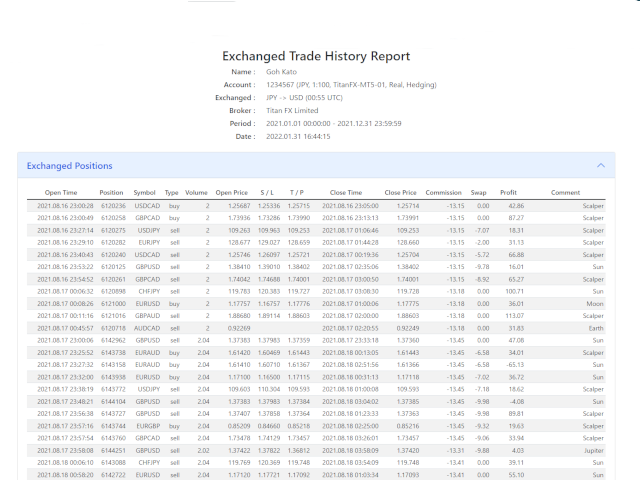
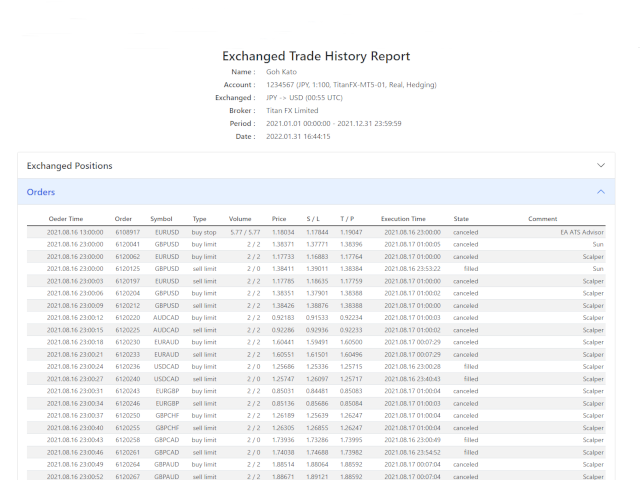
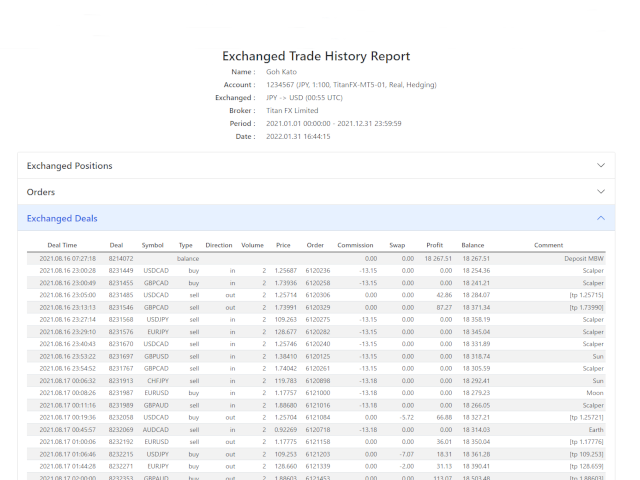
















































I am very happy that this tool exists. Many thanks to the developer! Thanks to this tool, I can convert trades into any currency in seconds. This is especially helpful for correctly preparing all the data for tax purposes. The generated report is clear and well presented and the tool`s settings leave nothing to be desired. I can highly recommend it to everyone!