Trade Blocker
- 实用工具
-
OMG FZE LLC
 Trial Versions:
您可以发送消息以获取 15 天试用版 (VolumeHedger EA for Recommended Brokers)
推荐经纪商:
PUprime (我推荐它以获得最佳性能)
https://puvip.co/EvE3i2
Vantage - 版本: 1.0
[ My Channel ] , [ My Products ] , [ ABOUT ME ]
Trade Blocker — Stop Impulsive Trading
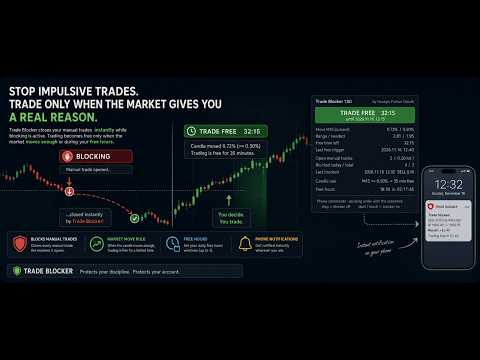
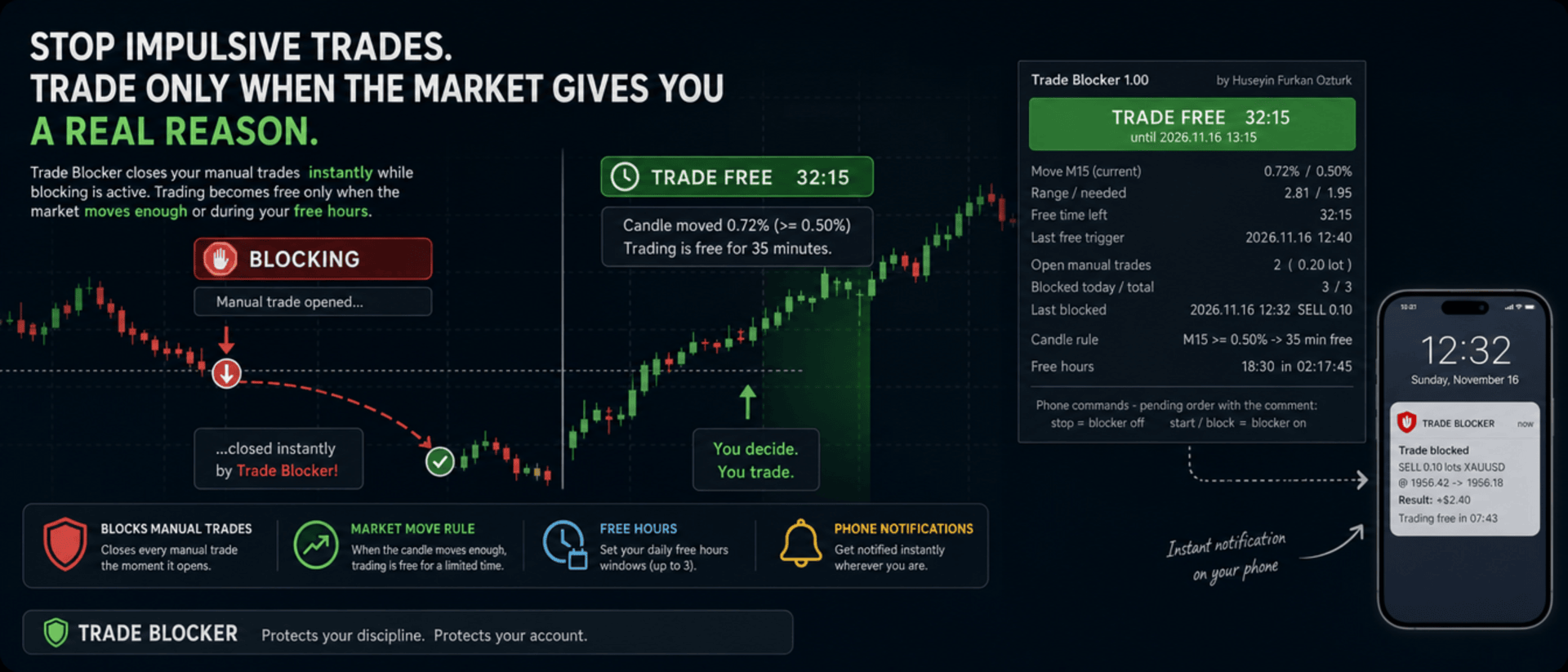
We built Trade Blocker for traders who know that their worst trades are the ones they open out of boredom, revenge or impatience. It watches your chart's symbol and closes every manual trade the moment it opens, unless the market has given you a real reason to trade. A notification on your phone tells you right away that the trade was blocked.
Trading becomes free only when the market moves enough, or during the hours you choose, and then only for a limited time. Trade Blocker never opens a trade: it only closes your own manual trades, and trades of other Expert Advisors are never touched.
How does it work?
Attach Trade Blocker to the chart of the symbol you want to protect. While it is blocking, every manual position on that symbol is closed at once, and manual pending orders are deleted so they cannot open a trade later. It does not matter where the trade comes from: the desktop terminal, one-click trading or the MetaTrader mobile app. A trade without a magic number is a manual trade.
Trading becomes free in two ways, and each of them can be turned on or off:
- Candle move: when a candle of the timeframe you choose (M1 to D1, default M15) has moved at least the chosen percent (default 0.5%, measured as the candle's high-low range divided by its open), trading is free for the chosen number of minutes (default 35). Each candle frees trading only once. If a new candle reaches the move while trading is still free, the countdown starts again and you get a notification with the new end time.
- Free hours: up to three daily windows in server time, for example 15:00 for 90 minutes, 18:30 for 60 minutes and 22:00 for 90 minutes. Each window can be switched on or off on its own. This rule is off by default.
While one of your manual trades is open, nothing is blocked, so you can manage your position, add to it or hedge it. When the free time ends with trades still open, blocking starts again as soon as they are closed.
Control it from your phone
You don't have to be at your computer to turn the blocker off. Place a pending order on the symbol with the comment stop and the blocker turns off; the comment start or block turns it back on. The command order is deleted immediately and a notification confirms the new state. There is deliberately no button on the panel to turn it off: a little effort before breaking your own rules is the whole idea.
Notifications
Trade Blocker sends a push notification to your phone when a trade is blocked (with its entry, close price, approximate result and what frees trading next), when trading becomes free and until when, when the free time is extended, when free hours begin and when the free time is over. Turning the blocker on or off and deleted pending orders are reported too. Notifications are queued to respect MetaTrader's sending limit.
If a trade cannot be closed, for example because Algo Trading is off, you get one notification that it was opened in blocking time. It is not tried again: the trade stays open and counts as an open trade.
What you see on the chart
A compact panel with a large status banner shows the state at a glance: BLOCKING, TRADE FREE with a live countdown and its start and end time, NOT BLOCKING while your manual trades are open, BLOCKER OFF or ALGO TRADING OFF. Below it you see the move of the current candle against the move needed, the free time left, the last free trigger, your open manual trades with lots and profit, the trades blocked today and in total, the last blocked trade, the candle rule, and the current or next free hours window with a countdown. The panel can be dragged anywhere on the chart and keeps its place.
It does not forget
The state is kept in the terminal's global variables: on or off, the free time with its start and end, and the counters. If you restart Trade Blocker or the terminal while trading is free, it stays free until the same end time. When you attach it for the first time, trades that are already open are left alone. A manual trade opened while Trade Blocker was not running is closed as soon as it starts again, if blocking is active at that moment.
Inputs
- Use the candle move rule: default true
- Candle timeframe: 1M, 5M, 15M, 30M, 1H, 4H or 1D; default 15M
- Move that frees trading: the candle's high-low range in % of its open; default 0.5
- Candle shift: default 0, the current candle
- Minutes trading stays free after the move: default 35
- Use the free hours: default false
- Free hours 1, 2 and 3: on / off, start time (hh:mm, server time) and minutes free; defaults 15:00 for 90, 18:30 for 60 and 22:00 for 90 minutes
- Max slippage when closing: default 50 points
- Phone notifications: default true
- Also notify when the free time ends: default true
- Show panel, Panel X / Y: default true, 10 and 30 pixels
Good to know
Trade Blocker works on the symbol of its chart; attach it to one chart for each symbol you want to protect. Algo Trading must be on, otherwise trades cannot be closed and the panel shows ALGO TRADING OFF. Free hours use the trade server's time, the same time the chart shows.
It can only act while the terminal is running. To block trades you open on your phone while your computer is off, run it on a VPS. Phone notifications need your MetaQuotes ID in Tools → Options → Notifications. In the Strategy Tester it works on ticks and writes the notifications to the journal.
About the Developer
A software engineer with more than 10 years of experience, the developer has focused on building algorithmic trading robots for over 3 years, driven by a passion for finance and mathematics.The algorithms and strategies are designed not with a "vibe coder" approach based on ready-made solutions, but from the perspective of a professional software engineer — prioritizing performance, reliability and sustainability.
All material and non-material gains are reinvested into new R&D to continuously improve the products.
Rather than offering the robots purely for commercial gain, the developer believes that sharing them as freely as possible reaches a wider audience — and that the feedback gathered this way makes the products evolve much faster.
Every piece of user feedback and every suggestion is treated as the most valuable part of the product development process.
If you like my robots and want to stay informed about new features, join my channel: ALGO By H. Furkan OZTURK