Agora 3D Order Flow Volume Profile and Heatmap

In ancient Athens the agora was the marketplace where every trade met. Agora shows you where they meet today.
Six order-flow views for every symbol in Market Watch, in one panel on your chart, in 2D, 2.5D and free 3D. Turn the market around, compare sessions side by side, and always know how good the data behind it is.

✅ Volume Profile, Market Profile (TPO), Rolling Heatmap, Temporal Profile, Delta and CVD, Volume Bubbles   ✅ 2D, 2.5D and free 3D for every view   ✅ Every Market Watch symbol   ✅ Honest data-quality label   ✅ POC and value-area lines and alerts   ✅ Never opens a trade   ✅ 100% native MQL5, no DLLs, no web requests

Early adopter price: 89 USD
One-time purchase · All future updates included · This introductory price is temporary

Why Agora

Most volume tools on MetaTrader show one profile on one chart, in one flat picture. You flip between indicators, symbols and timeframes to see how today compares with the days before.

Agora puts the whole picture in one place. Twenty sessions stand side by side as a landscape you can turn, tilt and zoom. The busiest prices, the point of control and the value area of every session are visible at once, and every cell tells you its numbers when you point at it. And it is honest: every view says whether it is built from real exchange volume, tick volume or one-minute bars.

1. Six views of the same order flow

  • Volume Profile: one profile per session, the point of control (POC) in amber, the value area (70%, adjustable) bright and the rest dimmed
  • Market Profile (TPO): TPO letters per period, TPO POC, value area and the initial balance
  • Rolling Heatmap: volume per price and time slot over a rolling window, with the price path
  • Temporal Profile: activity per time of day for every session, against the average of the earlier sessions
  • Delta and CVD: buying minus selling per price and bar, with the cumulative delta line, filled green above zero and orange below
  • Volume Bubbles: the biggest cells (for example the top 5%), size = volume, colour = the side with more activity

2. 2D, 2.5D and free 3D

Every view works in three displays. 2D is the classic chart with a tooltip on every cell. 2.5D shows the same scene at a fixed angle: drag to move, wheel to zoom. 3D gives a free camera: the view locks to one axis while you drag (hold Ctrl to move freely), optional inertia, limits that keep the chart in front of you, Front, Side, Top and Iso views, a fly-through, and double-click to reset. The newest session always stands nearest to you, and every time label points to its own column.

3. Honest about the data

MetaTrader brokers send different data. Futures and stock brokers often send real volume with buy and sell flags; forex and CFD brokers send tick volume. Agora shows the quality of every session in the header, the Symbols tab and every tooltip: REAL VOLUME, TICK VOLUME or M1 ESTIMATE. Delta is called estimated unless the broker flags at least 90% of the trades. No guessing presented as fact.

4. Every symbol in Market Watch

Pick any symbol from the list. The ones you have viewed stay in memory; the others are prepared quietly in the background, one step at a time, so switching is instant. A symbol limit and a memory limit keep the terminal light.

5. Sessions and levels

  • Full day, Asia, London, New York, London + New York or your own UTC window, with European and US daylight saving
  • POC, VAH and VAL of the previous and the current session as lines on every open chart of the symbol
  • Alerts when price touches the POC or breaks out of the value area: pop-up, push notification, sound; a mute button in the header

6. One clear panel

  • View, Symbols, Settings, Log and Help tabs
  • Presets per trading style (Forex day trader, Futures session, Scalper heatmap, Swing profile) and for the mouse (Precise, Balanced, Fast)
  • Every setting on the panel, with an explanation on hover
  • Seven themes, light and dark; the window can be moved, resized and minimised
  • DirectX 11 with smooth edges, and a software renderer for computers without DirectX 11

Works well with Kairos Guard Pro, DayLock, EA Sentinel, Pentad, Panoptic and ChronoReplay

Agora shows where the market traded. Kairos Guard Pro guards the moment around news and spread spikes, DayLock guards the account against your daily and max loss, EA Sentinel Guard Pro scores every robot on the account, Pentad Multi Strategy EA and Panoptic Market Dashboard trade and read the markets, and ChronoReplay lets you practise on history. Separate products; each works on its own.

Up and running in three steps

  1. Drag Agora onto a chart. It opens its own panel on the chart and starts with the chart's symbol.
  2. Pick a trading style on the Settings tab (Swing profile suits most traders) and press Apply.
  3. Choose a view and a display: keys 1–6 for the view, M for 2D, 2.5D or 3D. Drag to turn, wheel to zoom, double-click to reset.

The user guide (PDF) is attached in the Comments tab.

Specifications

  • Type: Expert Advisor used as a utility; never opens a trade and never places an order
  • Platform: MetaTrader 5 desktop; DirectX 11 recommended, software renderer included
  • Symbols: every symbol in Market Watch: forex, indices, metals, energy, stocks, futures, crypto
  • Data: your broker's tick history, falling back to one-minute bars for days without ticks; no DLLs and no web requests. Push notifications go through MetaQuotes' service, like any MT5 notification
  • Files: settings and a daily log in MQL5\Files\OrderFlow3D
  • Language: English interface and user guide

Good to know

  • MetaTrader keeps no history of the order book, so there is no depth-of-market heatmap; every view is built from ticks.
  • On forex and CFD symbols the broker sends tick volume, not exchange volume. Agora says so on every view; delta there is an estimate.
  • The first load of a symbol's tick history can take a moment; the panel shows its progress per session.
  • In the Strategy Tester the visual mode shows the views with the fly-through; the non-visual mode stays idle.

Important

Agora is an analysis tool. It shows where the market traded; it does not predict where it will go and it is not investment advice. Trading leveraged products carries a high risk of losing money. Questions are answered in the comments and private messages on this site.

推荐产品
Общие сведения Данная торговая панель предназначена для быстрой и удобной торговли в один клик. Создавался продукт для частичной автоматизации своей личной ручной торговли  https://www.mql5.com/ru/signals/1040299?source=Site+Profile+Seller Советник имеет ряд возможностей, а именно: Открытие BUY или SELL ордеров. SL выставляется ниже (выше)  минимальной (максимальной) цены, задаваемых в параметрах количества свечей. Размер TP рассчитывается в соотношении от размера SL (по умолчанию 0.618). Выстав
EA create custom Tick bar charts and provide real-time updates for MT5. This is an MT4 "offline" chart equivalent which is very simple to use. Generated Tick bar Chart compatible to MT5 indicator or template and perform your technical analysis with Multi timeframe analysis. The generator uses tick data to plot the historical tick chart for a particular setting and live ticks for plotting live charts. This method of calculation gives very accurate charts as no approximation is used. This EA creat

Comprehensive on chart trade panel with the unique ability to be controllable from mobile as well. Plus has a library of downloadable configuration, e.g. exit rules, extra panel buttons, pending order setup and more. Please see our product video. Works with all symbols not just currency pairs. Features On chart panel plus controllable from free app for Windows, iPhone and Android Built-in script engine with library of downloadable configuration, e.g. add 'Close All Trades in Profit' button, exit
EA Pause Manager
David Enrique Barrera Moncayo
4.33 (6)
EA Pause Manager — Your Smart Risk Guard & Scheduler (MT5) What It Does Stops conflicting trades before they happen , based on active market positions and, optionally, pending orders. Pauses or resumes your EAs automatically based on: A simple leader rule : the first EA to trade becomes the leader and blocks the rest. A time schedule you define — now configurable per EA. For example, you can run one EA during the day session and another EA overnight. Optionally cleans up after simultaneous openi
Trade Panel V1
Abdul Rahman Bin Mohamad Noh
Trade Panel .  Pending Order - Lot size, Price, Stop Lost, Take Profit Partial Close - Lot size editing, 25% close, 50% close, 75% close Close All button This panel make you easy to make trade and close position. Looks more interesting and the panel can be moved *This expert not heavy for the chart. *There are many more parts of the next indicator. Also other indicators that help you in trading.  You can get it in our store.
**MT5 → Telegram & Discord Auto Post Bot** Want to automate your trading and stop wasting time on manual posting? This bot is for you. **What does it do?** It connects directly to MetaTrader 5 and automatically posts to Telegram & Discord: ️ Open trades ️ Closed trades ️ SL / TP levels ️ Profit and loss ️ Real-time signals **Advantages:** • Fully automated process • No delay – posts in real time • Perfect for signal groups and channels • Increases trust and transparency • Works
一 運作方式(如下圖) 在一個單邊向上的行情中,   自動交易工具做以下動作: 當價格來到高點,等待突破訊號在進場。 當價格回調,等待回調結束要往上時在進場。 當進場下單後, 如果一直漲就持續持單,等待價格漲不上去準備下來時,在獲利離場。 但如果一直跌,就等待要上漲時在進場,進場時加倍下單,    一個做底單,動作同上等待獲利離場,    另一個單用做倉位修正,此單和第一張單在盈虧為0時會各自平倉,不造成損失。 Ps: 在一個單邊向下的行情中,動作則相反  二 設定方法(如下圖) Step1   一開始要自己指定工具的方向. 如果認為會往上走,設定i_tradeup=true, i_tradedown=false,  如果認為會往下走,設定i_tradeup=false, i_tradedown=true,   Step2   指定目標位置和止損位置 如果認為會往上走,i_top輸入目標位置,i_bottom輸入止損位置 如果認為會往下走,i_top輸入止損位置,i_bottom輸入止盈位置 當價格到達目標位置會強制平倉獲利並暫停工具運作 當價格到達止損位置會反向開單鎖倉
FREE
Pulsar Panel MT5 是一款用于 MetaTrader 5 的图表内交易管理器:通过可拖动的入场线、止损(Stop Loss,SL)线和获利(Take Profit,TP)线规划订单,以最多四个 TP 级别并附带保本和追踪止损发送订单,管理持仓,控制每日亏损,并查看您的统计数据。 Pulsar Panel 是一款智能交易系统(Expert Advisor,EA),直接在图表上绘制其面板。无需安装任何外部应用程序,也不使用动态链接库(DLL)。 重要事项 - 运行条件。 Pulsar Panel 可在真实账户和模拟账户的图表上运行。它在策略测试器中不执行任何操作,因此市场中的演示版无法展示它:请参阅截图。必须在终端中以及 EA 设置的 "Common"(常用)选项卡中启用算法交易(Algo Trading),并且账户必须允许自动交易。中间 TP、保本和追踪止损由 EA 执行,因此终端必须保持运行;对于需要持续持有的持仓,建议使用虚拟专用服务器(VPS)。 仅通过本产品页面的评论和 MQL5 私信提供支持。 概览 导航栏可打开交易面板(含图表规划器)、持仓、Risk Guard
Trade HotKeys 是一款手动交易工具,可通过键盘快捷键快速执行交易操作。 它专为自主交易者(Discretionary Traders)和剥头皮交易者(Scalpers)设计,帮助用户无需使用 MetaTrader 5 界面按钮即可快速控制订单。 无需点击图表按钮或切换菜单,您可以直接通过键盘完成交易操作。 功能特点 使用快捷键快速开仓 BUY / SELL 分别关闭 BUY 或 SELL 持仓 一键关闭全部持仓 快速反转持仓方向 暂停交易,防止误操作 直接在图表上监控 BUY/SELL 持仓量与浮动盈亏 为什么交易者会使用它 减少决策与执行之间的延迟 帮助建立更快的手动交易肌肉记忆 适用于剥头皮交易与快速行情环境 减少交易过程中对终端界面的操作依赖 支持任何经纪商和账户类型(净额 / 对冲) 轻量稳定,无复杂计算负载 界面 UI 位置可自由调整(4 个角落) 可配置字体大小与布局 文本、标签和颜色可轻松自定义 实时图表状态显示 低 CPU 占用
FREE
Advanced Trailing Stop & Break-Even Expert Advisor with Partial Profit Taking Overview Unlock the full potential of your trading strategy with this Expert Advisor that automates trade management to maximize profits and minimize losses. Designed for both novice and experienced traders, this EA offers precise control over your trades with customizable trailing stops, break-even protection, and partial profit taking — all working seamlessly to protect your capital and lock in gains. Key Features Dy
Position Prime
Mariana Cordeiro Neves Fernandes
立即下載免費試用版,在購買前測試策略測試器中的所有風險管理功能! Position Prime 是一款专为 MetaTrader 5 打造的机构级可视化执行助手和风险管理器。专为追求速度与精度的交易者设计,它免去了手动计算手数的烦恼,将您的图表变成一个真正的交易终端。只需几分之一秒,即可完成交易的计划、执行和保护。 ️ 风险管理与自动计算手数 动态计算: 自定义您的风险金额($)或账户百分比(%)。当您在图表上拖动止损线时,面板会自动计算精确的交易手数。 实时预测: 在开仓前,直接在屏幕上可视化您的盈亏比(RR)、预期利润和潜在亏损。 日亏损锁定 (Daily Loss): 设置每日最大资金亏损限制。一旦触及,面板将锁定新交易,保护您的资金免受过度交易和情绪失控的影响。 可视化操作与极速执行 (快捷键) 快捷键 (Hotkeys): 以光速交易。映射键盘按键以切换选项卡、更改风险、开启保护、执行订单或触发“恐慌 (Panic)”一键平仓按钮,全程无需使用鼠标。 交互式线条 (拖放): 在图表上自由拖动入场线、止损线 (SL) 和止盈线 (TP)。 混合执行: 使用完全相
RS Trade Copier - 超快 本地跟单系统,配备 真正的 图形界面。别再手动输入账号了。告别200多个晦涩的参数设置。 一款可靠且灵活的工具,用于在 MT5 和 MT4 多个终端之间复制交易操作。适合专业交易员、信号服务商以及个人投资者使用。能够以高精度和低延迟将一个或多个信号源(Provider)的 交易操作同步 到一个或多个接收端(Client)。支持简单自动配置和高级手动设置。不会干扰手动或其他 EA 开的订单。完全 在 MT5 本地运行 ,无需第三方服务器。 RS Trade Copier 与其他解决方案的对比 RS Trade Copier 其他解决方案 设置 可视化分步向导。 设置大约需要 1 分钟。 200 多个晦涩的输入参数。 设置大约需要 20 分钟。 速度 异步交易操作。 批量平仓 50 个头寸仅需 ~1 秒。 缓慢的顺序执行。 批量平仓 50 个头寸需要约 25 秒。 界面 真正的图形界面,支持 11 种语言的工具提示。 无需手册即可上手。 EA 属性中“输入参数”选项卡下的长长参数列表。 需要阅读所有文档。 批量操作 完全支持。 接收端上的批量平仓瞬
One Click Trader  is a tool designed for MetaTrader 4 platform, which enables you to take your trading to the next level. It enables you to open, manage and close your trades in simple an efficient way by just one click of your mouse button. "-"   ,  "+"  change OCT window size  Up arrow minimizes the OCT panel Down arrow maximizes the OCT panel Right arrow displays the next panel with additional features Left arrow hides the panel with additional features Red  SELL  button enables you to open s
Risk Manager Best: The Benchmark for Professional Money Management Why do I consider this utility the best solution on the market? The answer is simple: it was created by a trader for traders who value their time and money. Unlike overloaded alternatives, it doesn't have a single unnecessary feature that could distract you from chart analysis. This is a tool that turns routine risk calculations into instant action. Here are the key advantages, broken down into sections: 1. Intuitive Interfac
ApexForge Economic Calendar Safety Dashboard MT5 經濟日曆 | Forex 財經日曆 | News Filter | 重大數據提醒 | 經濟事件倒數 | 緊急平倉 | Close All | 市場假日提醒 | 提早收盤提醒 | KTimer | K線倒數 | 手機推送 | 12 種語言 + Auto ApexForge Economic Calendar Safety Dashboard 是一套整合 MT5 Economic Calendar 經濟日曆、Forex News Filter、重大經濟數據提醒、經濟事件倒數、緊急平倉、市場假日提醒、提早收盤提醒、KTimer / K線倒數、手機 Push Notification 與 12 種語言 + Auto 自動偵測 的 MetaTrader 5 綜合交易資訊面板。 專為 Forex 外匯、XAUUSD 黃金、指數、Scalping 超短線、Intraday 日內及手動交易者 設計。 Demo 試用版 在購買正式版本前,您可以使用 MT5 Demo Account 實際測試產品功能。
PropFirm Consistency
Sandrine Claudine Laurain
自营交易公司有一条几乎没人在意的规则,等到发现时往往为时已晚:你的最佳交易日利润只能占总利润的一小部分。 Apex 将最佳交易日限制在总利润的 30-50% 左右,TopStep 类似。FTMO 1-Step 采用 "Best Day" 指标。FundedNext 在申请提现时执行一致性规则。一旦超过该比例,你的提现申请就会被拒绝,在部分公司甚至会被判为违规。 计算其实很简单,但没有人会实时去算:如果最佳交易日最多只能占总利润的 30%,而你已经赚了 8,000 美元,那么今天允许的最大利润约为 3,428 美元——而不是无上限。大多数交易者都是在提现被拒之后,才知道这个数字的存在。 PropFirm Consistency 替你看住这条规则。 它的功能: - 根据已平仓交易历史,实时追踪最佳交易日利润与总利润的比率 - 计算"今日利润上限"——在不违反规则的前提下,今天你最多还能赚多少美元 - 提现就绪徽章:一个标识同时汇总利润目标、最低交易天数与一致性状态,一眼看懂"现在能申请提现吗" - 达到今日上限的 60% 时发出警告(可调) - 可选 CAP_LOCK 模式:在
Wolseley Panel MT5 FREE
Walter Wolseley Pessoa Batista De Lima
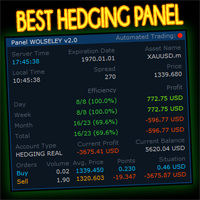
WOLSELEY's Trading Panel - BASIC - - Feel free to contact me at instagram   @walter_robos  or whatsapp/telegram +5592981173937 View your history in a structured and detailed manner, with efficiency rate and profit rate separated by day, week, month and total, as well as asset details, server time and positions&orders in progress. This panel was created looking on HEDGE-type accounts, but it can be used on NETTING-type accounts without any problems. In the PREMIUM version of this Panel you have
Smart UI Pro — 智能手动交易助手 Smart UI Pro 是一款专为所有交易者设计的智能辅助工具,无论新手还是专业人士都适用。所有核心功能全部整合在单一控制面板中,界面现代美观、操作简单、效率极高。 主要功能 美观易用的仪表盘 现代化界面,配色主题可自由自定义 实时显示:买价/卖价、余额、净值、点差、本地时间 多时间框架信号 同时分析 M1、M5、M15、M30、H1、H4 趋势方向 综合 RSI、Stochastic、MACD、CCI、ADX、WPR、ATR 等指标计算 图表直接显示清晰买卖箭头,辅助决策更有把握 完整订单管理 一键开仓平仓 手数、止盈 TP、止损 SL 自由调整 自动计算每笔交易风险 智能双向网格系统 非常适合震荡与波动行情 网格间距与倍率完全自定义 最大层数限制,严格控制风险 高级分析工具 6 条移动平均线 SMA / EMA 完整枢轴点支撑阻力位 合理价值缺口 FVG 检测,定位高价值交易区域 全品种兼容 外汇、黄金、原油、指数、加密货币 100% 兼容所有经纪商的 MetaTrader 5 平台
A professional manual trading and position management panel for MetaTrader 5 with risk-based sizing, SL/TP protection, partial reduction, break even and trailing stop tools. Strategy Engine Trade Panel is a manual trading and position management utility for MetaTrader 5. It is designed to simplify order execution, risk sizing, position protection and account management directly from the chart. The product does not generate entry signals and does not open trades automatically without a user a
这个QuickCloseMT5帮助您一键即可立即关闭所有订单,其工作非常快。您可以选择您想要的符号或关闭所有符号,因此它将有助于您在交易中更快地管理交易。该EA可以通过选定的符号或总数快速关闭所有买入和卖出订单和删除全部挂单。此SymbolButton专为关闭订单而设计。有手动和自动关闭功能。自动关闭功能将根据参数关闭订单。 SymbolButton有两种类型的自动关闭参数:利润:当前货币利润或全部货币利润等于或高于预设值时,订单将被关闭. 输入参数 ALLPROFIT:30.00 全部货币利润等于或高于预设利润率时,订单将被关闭。 PROFIT:25.00 一个货币对利润等于或高于预设利润率时,订单将被关闭。 关于作者 作者:dayingcao,我是一个具有丰富经验的软件工程师.
OneClick EA
Ching-hsiang Chen
OneClickEA Controller is a chart management utility designed to work with the OneClickEA Windows Manager. The controller receives local commands from the Windows manager and performs scheduled EA template changes in MetaTrader 5. It also reports the connected trading account, broker server, chart symbol, timeframe and controller status. Main functions Detects the connected MetaTrader 5 account Generates a controller ID based on the broker and trading account Receives local schedule commands from
Limited Time Launch Special To welcome early adopters and accelerate feedback-driven development, we are offering the Founders Edition at an exclusive launch price for a limited number of licenses. Note: The price will scale up periodically as we approach our target user base. Secure your institutional advantage today. DR Multi Symbol MTF Volatility Scanner The Professional Intelligence Hub for Market Context Success in financial markets is not about luck; it is about having absolute context
️ MOONLIGHT TRADE SIGHT HUD v1.00 By Daniel Butogwa  See your profits & losses in real-time Stay focused on price — no need to switch windows Built for precision, built for speed, built for warriors ️ Features: Real-time Profit/Loss display Auto-updating on chart ️ Customizable corner placement Color-coded: Profit | Loss | ️ Neutral Saves your preferred layout Ultra-light, zero lag, sniper-approved Who is it for? Scalp Lords Order Block Hunter
Time saving and fast execution Whether you’re traveling or sleeping, always know that Telegram To MT5 performs the trades for you. In other words, Our   Telegram MT5 Signal Trader  will analyze the trading signals you receive on your selected Telegram channels and execute them to your Telegram to MT5 account. Reduce The Risk Telegram To Mt5   defines the whole experience of copying signals from   Telegram signal copier to MT5 platforms. Users not only can follow all instructions from the signal
摘要 一款简洁而强大的 MetaTrader 5 交易管理器,兼具闪电般的执行速度和可靠的风险管理。 功能 • 账户概览,显示余额、每日盈亏、交易品种和点差 • 根据每笔交易的账户风险百分比自动计算手数 • 预设止损和风险/回报目标 • 盈亏平衡切换功能,可将止损点移至入场点 • 追踪止损切换功能,适用于活跃持仓 • 快捷键,方便快速入场和平场 • 轻量级,CPU 占用率低 • 简洁的交互式面板,带有显示/隐藏切换功能 适合以下交易者: • 优先考虑快速精准执行的交易者 • 使用结构化风险管理的交易者 • 喜欢简单易用的工具的交易者 备注 • 适用于所有经纪商 • 适用于所有交易品种 • 专为 MetaTrader 5 设计 免责声明 请务必先在模拟账户上测试此工具,以确保所有功能均按预期运行。对于任何意外损失,概不承担责任。交易存在风险。
You can see Binance Spot data instantly in Metatrader 5 and it allows you to use all the features that Metatrader has provided to you. You can access the data of all symbols listed on Binance Futures. Don't forget to set the timezone. Binance it's 00:00 UTC. You need to fix it according to your own country You need to install the free Binance Spot Symbol List plugin. https://www.mql5.com/tr/market/product/83507 After loading, it automatically downloads the data of the cryptos in the market obser
TradeManager Control Suite Manual trading with structured planning and controlled risk TradeManager Control Suite is a comprehensive trading panel for MetaTrader 5. It helps you prepare trades directly on the chart, calculate position size, place orders and manage open positions according to a plan defined in advance. You remain responsible for every entry. The application does not trade independently and does not use an automated trading strategy. It performs the calculations, sends the orde
VOLUME BUBBLES ORDERFLOW FOOTPRINT PROFESSIONAL Expert Advisor for MetaTrader 5 Complete Feature Documentation Introduction: Volume Bubbles OrderFlow Footprint Professional is an advanced order flow visualization tool designed for the MetaTrader 5 platform. It provides institutional-grade market analysis through real-time volume bubbles visualization, volume profiling, and sophisticated order flow analysis. This Expert Advisor transforms raw market data into actionable trading intelligence, hel
️ EquityShield is your automated risk management guardian for MetaTrader 5. If you've ever exceeded your daily loss limit, struggled to enforce your own trading rules during volatile markets, or wanted to automatically lock in profits when you hit your targets, EquityShield is built for you. This is not a trading strategy - it's a safety system that watches your account 24/7, automatically closes positions when your risk limits are breached, and helps you maintain consistent trading discipline
Buy Sell Multiple Panel - Execute Bulk Orders in a Single Click! Description Save time and seize market opportunities instantly. This powerful panel allows you to place multiple buy or sell orders simultaneously, each with custom lot sizes, take-profit, and stop-loss levels. Perfect for sophisticated entry strategies and managing complex trades efficiently. Key Features Bulk Order Execution: Open multiple market orders at once with just one click. Flexible Lot Sizing: Set individual lot sizes f
该产品的买家也购买
Trade Assistant MT5
Evgeniy Kravchenko
4.43 (216)
它有助于计算每笔交易的风险,容易安装新的订单,具有部分关闭功能的订单管理, 7 种类型的追踪止损和其他有用的功能。   附加材料和说明 安装说明   -   应用程序说明 线条功能  - 在图表上显示开仓线、止损线、止盈线。 有了这个功能,就可以很容易地设置一个新的订单,并在开仓前看到它的附加特性。   风险管理  - 风险计算功能在考虑到设定的风险和止损单的大小的情况下,计算新订单的成交量。它允许你设置任何大小的止损,同时观察设定的风险。 批量计算按钮 - 启用 / 禁用风险计算。 在 " 风险 " 一栏中设置必要的风险值,从 0 到 100 的百分比或存款的货币。 在 " 设置 " 选项卡上选择风险计算的变量: $ 货币, % 余额, % 资产, % 自由保证金, % 自定义, %AB 前一天, %AB 前一周, %AB 前一个月。   R/TP 和 R/SL - 设置止盈和止损的关系。 这允许你设置相对于损失的利润大小。 例如, 1 : 1 - 这决定了 TP = SL 的大小。 2 : 1 - 这意味着 TP 是 SL 的两倍。 RR - 它禁用比率。   订单管理 该面板支
欢迎来到 Trade Manager EA——这是一个终极风险管理工具,旨在使交易变得更直观、精准和高效。它不仅仅是一个下单工具,而是一个用于无缝交易计划、仓位管理和风险控制的全面解决方案。不论您是新手交易员、资深交易员,还是需要快速执行的剥头皮交易员,Trade Manager EA 都可以满足您的需求,适用于外汇、指数、大宗商品、加密货币等各种市场。 借助 Trade Manager EA,复杂的计算已成过去。只需分析市场,在图表上用水平线标记入场、止损和止盈,设置您的风险水平,Trade Manager 就会立即计算出理想的头寸规模,并实时显示以点、账户货币计价的止损和止盈。每笔交易都得以轻松管理。 主要功能: 头寸规模计算器 :根据定义的风险瞬间确定交易规模。 简单的交易计划 :在图表上用可拖动的水平线直接计划交易,设置入场、止损和止盈。 实时显示 SL 和 TP :以账户货币、点或分显示止损和止盈,便于分析。 高级保护工具 盈亏平衡选项 : 基本盈亏平衡 :当您的交易达到设定水平时自动保护利润。 多级盈亏平衡 :设置多达 4 个级别以逐步保护利润。 尾随止损选项 : 基本尾随
Telegram to MT5 Multi-Channel Copier   可将您 Telegram 和 Discord 频道中的交易信号自动复制到 MetaTrader 5。无需机器人、无需浏览器扩展、无需手动复制。信号一到 Telegram 或 Discord,EA 几秒内就在您的终端开仓。 在复制某个频道之前,内置回测器还能告诉您该频道在您的账户上会有怎样的表现。 产品包含两个组件:一个监听您 Telegram 频道的 Windows 应用程序,以及在 MT5 终端执行信号的本 EA。同时提供 MT4 版本   点此 . 设置指南与应用下载:   https://www.mql5.com/en/blogs/post/768988 了解如何 回测任何 Telegram 信号频道 。 当前价格将来会上调。 工作原理 应用通过您自己的 Telegram 账号连接,因此能看到您关注的所有频道、群组、话题和机器人,包括私密和 VIP 频道。信号到达时,应用读取它,EA 按您的手数和设置在终端中开仓。 整个过程全自动,无需守在电脑前。专为 24/7 无人值守运行设计:Telegram 连接
Farmed Hedge Yield Farming | All Markets (Manual - Hybrid - Semi/Automated EA) VERIFIED TRADING RESULTS - Farmed Hedge Yield Axi Copy:  https://www.mql5.com/en/signals/2356376 - Farmed Hedge Yield Exn Copy:   https://www.mql5.com/en/signals/2356404 - Farmed Hedge Yield V Copy:  https://www.mql5.com/en/signals/2357156 IMPORTANT NOTICE: FarmedHedge is a MANUAL-FOCUSED TRADING UTILITY ,not a fully automated EA. Results shown on this Signal include manual trades and overall strategic management.
按照自己的交易规则复制 Telegram 信号 Telegram to MT5 Signal Trader 可将 Telegram 公开及私密频道和群组中的文字交易信号自动复制到 MetaTrader 5。通过一个桌面应用管理多个信号提供者和 MT5 账户,并为 每个提供者单独设置风险和交易参数 。 复制信号无需 Telegram 机器人,也无需配置 API。 只需通过手机号或二维码登录您自己的 Telegram 账户,然后选择您已加入的频道或群组。您无需创建机器人,也无需提供 Telegram API 令牌、API ID 或 API hash。 自行选择仓位大小,将平仓分配到多个止盈价位,并自动执行保本止损和移动止损。在跟随信号提供者的同时,掌握信号的实际交易方式。 本产品由这款 MT5 EA 和必须配合使用的 Windows 桌面应用组成。请参阅 安装指南及应用下载 。 管理多个信号提供者和账户 为每个提供者单独设置: 为每个频道设置专属的仓位计算方式、入场规则、止损、止盈和交易管理参数。 灵活分配至不同账户: 将同一提供者的信号复制到多个已连接的 MT5 账户,并为每个账户使用不
================================================================================ POC BREAKOUT - V20.72. Full Professional Grade Toolkit ================================================================================ POC Breakout is a full MetaTrader 5 trading dashboard for discretionary traders who want breakout signals, Point of Control (POC) context, volume profiles, order flow, market structure, news, alerts, and advanced trade planning in one professional workspace. Attached directly to you
TradePanel MT5
Alfiya Fazylova
4.88 (170)
交易面板是一款多功能交易助手。该应用包含超过50种手动交易功能,并允许您自动执行大多数交易任务。 应用程序说明 : https://www.mql5.com/zh/blogs/post/761102 用于模拟账户的应用程序试用版: https://www.mql5.com/zh/blogs/post/762579 如何安装应用程序: https://www.mql5.com/zh/blogs/post/762580 如何在可视化模式下测试应用程序: https://www.mql5.com/zh/blogs/post/770278 如何在VPS MetaTrader上安装应用程序: https://www.mql5.com/zh/blogs/post/770196 贸易. 只需单击一下即可执行交易操作: 打開掛單和頭寸,並自動計算風險。 一鍵打開多個訂單和頭寸。 打開訂單網格。 按組別關閉掛單和頭寸。 反轉頭寸方向(關閉買入>打開賣出,關閉賣出>打開買入)。 鎖定頭寸(通過開啟缺少的頭寸,使買入和賣出頭寸的數量相等)。 一鍵部分關閉所有頭寸。 將所有頭寸的止盈和止損設置在同一價格水平。
News Trade EA MT5
Konstantin Kulikov
4.55 (11)
在此向大家介绍一款我本人使用多年的机器人。该产品支持半自动和全自动交易模式。 >>> Chat <<< 本程序包含基于经济日历新闻的灵活交易设置功能。不支持策略测试器检验。仅可进行实际操作。需在终端设置允许URL 列表中添加新闻网站。点击服务 > 设置 > 智能交易系统。选中“允许WebRequest对下列URL发出请求:”。添加下列(删除空格):https://  nfs.faireconomy.media 下載最新的設定檔: https://www.mql5.com/en/blogs/post/747929 訊號監控: https://www.mql5.com/en/signals/author/test-standart 请参考博客中各类参数说明自行实现个性化设置   : https://www.mql5.com/en/blogs/post/748545   。 主要默认设置说明 单一图表英镑/GBP(英镑美元/GBPUSD、欧元英镑/EURGBP、英镑日元/GBPJPY、英镑加拿大元/GBPCAD、英镑澳大利亚元/GBPAUD、英镑瑞士法郎/GBPCHF)货币对操作。英镑/
Master Your Trading Discipline   Stop losing your hard-earned gains to overtrading and emotional decisions. The Discipline Tool is your ultimate trading assistant, ensuring strict risk management in real-time. Key Protection Features: Advanced Drawdown Defense : Automatically halts trading if your daily drawdown exceeds a preset threshold (percentage or dollar amount). Real-Time Equity Lock : Safeguard profits by referencing peak equity, ensuring drawdown stays within control. Hard Profit Target
Power Candles 策略扫描器——自优化多符号设置查找器 Power Candles策略扫描器 采用与Power Candles指标相同的自优化引擎,可同时扫描您“市场观察”中的所有交易品种。一个面板即可显示当前哪些品种在统计上具备交易价值、每种策略的最佳应用方向、最优止损/止盈组合,并在新信号触发时立即向您发送提醒。 本工具是 Stein Investments 生态系统的一部分 - 18+ 款工具,加上 Max,您的一对一 AI 交易导师。  随时在线,深入了解每一款指标,在您需要梳理思路的那一刻就在那里。  立即认识他: https://stein.investments 您的全面市场监控。每个交易品种超过3,000次自动优化。2种警报类型。一键切换图表并采取行动。 为何您需要此工具 大多数多标的扫描器仅展示价格 波动 。每只股票的波动率、百分比变化、RSI。您仍需自行摸索正确的策略、合适的止损位以及理想的入场阈值。Power Candles策略扫描器针对每只股票自动解答这些问题,仅在数学验证过的交易设置中触发实际入场信号时才会向您发出提示。这就是全部卖点。 自动
The product will copy all telegram signal to MT5 ( which you are member) , also it can work as remote copier.  Easy to set up, copy order instant, can work with almost signal formats, image signal,  s upport to translate other language to English Work with all type of channel or group, even channel have "Restrict Saving Content", work with  multi channel, multi MT5 Work as remote copier: with signal have ticket number, it will copy exactly via ticket number. Support to backtest signal. How to s
Entry In The Zone with SMC Multi Timeframe is a real-time market analysis tool based on Smart Money Concepts (SMC), designed to analyze market structure, price direction, and key trading zones. It supports both Single-Timeframe and Multi-Timeframe Analysis, providing a clearer view of overall market structure across multiple timeframes, with real-time BUY / SELL signals designed with a strict focus on No-Repaint principles.   The signals are designed to help filter unclear setups and evaluate tr
EasyInsight AIO MT5
Alain Verleyen
4.92 (12)
EASY Insight AIO – 全能智能交易一站式解决方案 概述 想象一下,您可以在几秒钟内扫描整个市场——外汇、黄金、加密货币、指数,甚至股票——无需手动筛选图表、繁琐安装或配置指标。 EASY Insight AIO 是您专为 AI 交易打造的即装即用数据导出工具。它将整个市场快照一次性输出为简洁的 CSV 文件,直接支持 ChatGPT、Claude、Gemini、Perplexity 等各类 AI 平台的即时分析。 无需窗口切换,无需图表叠加,也没有任何杂乱。只需纯净、结构化的数据自动导出,让您专注于基于数据的高效决策,无需再盯盘耗时。 为什么选择 EASY Insight AIO? 真正的一体化 • 无需设置,无需安装指标,无图表叠加。只需安装、运行并导出——就是这么简单。 多资产全覆盖 • 扫描分析外汇、金属、加密货币、指数、股票——您的券商所能提供的一切市场。 AI 专属数据导出 • 高度结构化、针对 AI 优化的 CSV 文件,直接适配主流智能工具和平台。 完整导出内容: • 三个可选周期的货币强度分析 • 净多头头寸变化体现市场情绪 • 成交量变化、
Trade Indicator Assistant   is a powerful MT5 utility designed to turn indicators into automated trading systems. Its main feature is the ability to automatically detect an indicator’s   BUY and SELL signal buffers , without requiring you to know the buffer numbers, search through indicator settings, or modify the indicator source code. Bonus Indicator:   After purchasing Trade Indicator Assistant, contact me to receive   Trade Signal Pro   completely free as a bonus indicator. [Download Demo V
Grid Manual MT5
Alfiya Fazylova
4.73 (22)
Grid Manual是一个交易面板,用于处理订单网格。 该实用程序是通用的,具有灵活的设置和直观的界面。 它不仅可以在亏损方向上设置订单网格,还可以在盈利方向上设置订单网格。 交易者不需要创建和维护订单网格,实用程序会这样做。 打开一个订单就足够了,Grid manual会自动为它创建一个订单网格,并伴随它直到非常关闭。 完整说明和演示版 此處 。 该实用程序的主要特性和功能: 伴隨以任何方式打開的訂單,包括從移動終端打開的訂單。 適用於兩種類型的網格:“限制”和“停止”。 使用兩種方法計算網格間距:固定和動態(基於 ATR 指標)。 允許您更改未結訂單網格的設置。 顯示圖表上每個網格的盈虧平衡水平。 顯示每個網格的利潤率。 允許您一鍵關閉網格中的盈利訂單。 讓您一鍵關閉每個訂單網格。 允許您對訂單網格應用追踪止損功能。 允許您在訂單網格上應用將訂單網格的止損轉移到盈虧平衡水平的功能。 相對於訂單網格的盈虧平衡水平自動重新排列止盈(僅在限價網格模式下,距離取決於所選的計算類型:“保守”或“激進”)。 最多可管理 20 個訂單網格,每個網格最多可包含 100 個訂單。 計算初始手數時,
The Patch
Mian Rameez Ali
The Patch It never opens a trade. It walks behind the ones that did. Every open position, every pending order — checked twice a second for the one thing that's easy to forget: a stop, a target. Found bare, it doesn't ask. It writes the missing number in, measured in points from wherever the position began, and moves on to the next. No strategy, no opinion on direction. Just the quiet assumption that nothing should ever sit on the market unprotected — not because someone decided it shouldn't,
Floor Watch
Syed Tauqeer Hussain Shah
Floor Watch One number, watched every thirty seconds: how far equity has fallen since the day began — or since its highest point, if it's told to trail the peak instead of the open. Cross the line and it doesn't argue. Every open position closes, every pending order vanishes, and anything that slips through afterward gets shut the moment it appears. Not asked. Removed. The floor holds until the clock turns 5 AM Pakistan time — then, and only then, does the day start over. One rule. No except
RETAILBERG FOOTPRINT CHART PRO — Order-Flow Workspace for MetaTrader 5 Version 7.00  |  Professional System  |  31 tools  |  One chart A full 150-page illustrated User Manual is included. Please read the full manual to understand this feature packed footprint chart elements and ui. https://www.mql5.com/en/blogs/post/777982 DEMO / STRATEGY TESTER — PLEASE READ FIRST
一次购买,即可免费获得我所有 MT4 和 MT5 指标,包括现有指标及未来发布的指标。 购买后请联系我,了解领取方式。 计划每售出 10 份后提价 50$,最高至 999$。 实际价格以结算时的 Market 标价为准。 保留您信赖的指标,让相关操作自动完成。 您的信号。您的规则。您的交易执行。 您已有信赖的 MT5 指标,却仍需盯盘、等待信号、计算手数、下单并手动管理每个持仓? Stratiora Signal Engine MT5 将这些环节连接起来。它可将兼容的买入和卖出缓冲区信号转化为完整的自动化流程:入场、交易量计算、止损、止盈、过滤、持仓管理及账户保护。 更换指标或交易思路时,无需每次另行定制 EA。您可以使用同一个灵活的执行引擎,自行决定每个信号的交易方式。 您的信号。您的规则。您的交易执行。 为什么开发 Stratiora 许多交易者已有熟悉且信赖的指标,但仍需手动盯盘、等待信号、计算手数、下单和管理持仓。 Stratiora 的目的就是连接这些步骤。 指标仍负责生成交易信号,Stratiora 负责按您的规则执行和管理。您决定何时读取信号、如何计算交易量、设置哪些保
EA Overfitter
Stephen J Martret
5 (1)
回测看起来很漂亮。但它明天、下周、下个月还能继续赚钱吗? EA Overfitter 让您的 EA 在 100 段它从未见过的价格历史上重新运行。一个分数告诉您这个优势是否真实。 回测告诉您的,是 EA 在某一段价格历史上的表现——那段恰好发生过的历史。您无法从中判断,这个结果有多少来自策略本身,又有多少只是那一条特定路径带来的。 EA Overfitter 回答的正是这个问题。它构建最多 100 段您的 EA 从未交易过的合成价格历史,让策略在全部这些历史上重新运行,并展示它所产生的完整结果区间。您得到的不再是一条幸运或不幸路径上的单个数字,而是一幅真实的图景:策略在陌生数据上多久能赚钱、典型结果是什么样(而不是最好的那一次),以及您的回测离它有多远。 这些世界是由您自己的近期历史重建而成,因此这不是预测——任何从历史数据出发的检验都不可能是预测。它告诉您的是:这个优势是否依赖于价格的某一种特定排列,以及回测数字距离典型结果有多远。在投入资金之前,这才是值得回答的问题。 三个步骤 1. 构建。在图表上选择时间区间和世界数量,然后按 Build。EA Overfitter 会
Premium Trade Manager - 内置交易导师的图表面板 Premium Trade Manager 将一位交易导师嵌入您的图表,并在其下搭载完整的执行引擎。像往常一样建立交易,然后让您的 AI 交易导师 Max 读取这笔具体的交易,结合您的实时账户给出直接判断,再由您决定是否下单:止损是否符合纪律化交易的要求、风险规模是否合理、高影响新闻事件是否即将发布、您是否接近资金盘限额。其下是完整的执行引擎,负责点击之后的一切:一键按风险下单、您在图表上拖动规划且交易进行中仍可随时调整的计划、最多四个分批止盈级别、七种移动止损方式、实时资金盘合规检查、新闻屏蔽保护,以及对自身成本进行评级的点差功能。决策由您做出。Max 给出第二次审视。面板负责此后的一切。 购买前先亲手体验。 直接在浏览器中点击实时面板,这是在购买前感受其工作方式的最快途径。 stein.investments/products/premium-trade-manager Max 是您的一对一 AI 交易导师,他直接内置于面板之中。  他了解您的账户、您的设置和您的规则,用您自己的语言回答,并在每笔交易下单前进
YuClusters
Yury Kulikov
4.93 (43)
Attention: You can view the program operation in the free version  YuClusters DEMO .  YuClusters is a professional market analysis system. The trader has unique opportunities to analyze the flow of orders, trade volumes, price movements using various charts, profiles, indicators, and graphical objects. YuClusters operates on data based on Time&Sales or ticks information, depending on what is available in the quotes of a financial instrument. YuClusters allows you to build graphs by combining da
VirtualTradePad PRO SE MT5 — MetaTrader 5 专业交易控制中心 VirtualTradePad PRO SE 是一款基于图表的高级交易面板,也是适用于 MetaTrader 5 的交易管理工作区。它专为希望获得更快执行、更清晰持仓控制、结构化交易管理、可视化价位规划,以及直接在图表上完成专业交易流程的交易者而设计。 这不仅仅是一个 BUY / SELL 面板。PRO SE 将手动交易、挂单、持仓管理、部分平仓、篮子利润/亏损控制、加仓均价层级、ATM 规则、信号监控、实时市场信息、策略测试器 (Strategy Tester) 流程以及面向 VPS 的运行方式整合到一个互相关联的界面中。 MT4 版本 | 完整说明和截图 | 如何购买 | 如何安装 | 如何获取日志文件 | 如何测试与优化 | Expforex 的所有产品 为什么交易者会选择这套面板 图表一键交易 ,并支持键盘快速操作 快速完成开仓、平仓、修改、反转、锁仓与部分平仓 深度控制仓位、挂单、总利润与风控逻辑 自动参数计算,减少手动输入与重复劳动 为什么 PRO SE 比标准手动交易更高
Quant AI Agents
Ho Tuan Thang
5 (1)
Quant AI Agents are independent trading Expert Advisors. Instead of trading using a fixed strategy like other conventional EAs, Quant AI Agents   is a   multi-agent AI trading framework   that turns natural-language strategy prompts into live.  WANT THE SAME RESULTS AS MY LIVE SIGNAL?   Use the exact same brokers I do:   IC MARKETS , IC TRADING   .  Unlike the centralized stock market, Forex has no single, unified price feed.  Every broker sources liquidity from different providers, creating un
Daily Trading Limiter
AL MOOSAWI ABDULLAH JAFFER BAQER
5 (8)
• Please test the product in the Strategy Tester before purchasing to understand how it works. • If you face any issues, contact me via private message—I’m always available to help. • After purchase, send me a screenshot of your order to receive a FREE EA as a gift. Daily Trading Limiter — the rule you cannot break Every trader knows the number. Three trades. Two percent. One bad day and stop. And every trader has watched themselves take the fourth trade anyway. The problem was never knowing th
FUTURES ORDERFLOW FOOTPRINT CHART Professional OrderFlow EA for MetaTrader 5 Version 1.01| Professional tool for real traders | Institutional-Grade Visualization STRATEGY TESTER USERS - PLEASE SELECT EVERY REAL TICK WHEN TESTING AND YOU HAVE DOWNLOADED HISTORICAL DATA. IF YOU SEE A WAITING SCREEN AND IT IS NOT DOWNLOADING, IT MEANS YOU HAVE LOW HISTORICAL DATA. TRY 1 MIN AND 5 MIN FIRST ON 1 DAY DATA. ONE DAY DATA SHOULD BE THE NEWEST AND MOST CURRENT DATE. PLEASE WAIT UNTIL THE MARKET HAS ROL
Trading Chaos Expert
Hennadii Stanilevych
5 (11)
世界上没有本软件的同等产品,它代表一个覆盖交易信号的通用交易 "控制台",自动入场,设置止损和止盈,还有在单一窗口里同时进行多交易尾随终止。EA 的 "三次点击" 直观控制,确保在不同计算机上全方位使用所有功能,包括平板电脑。 与附加的信号指标交互来标记图标,给出实际市场的全貌,EA 令您做出正确的选择,以及在大多数情况下成为胜者一方。内置资金管理算法, 还有自动计算手数, 虚拟订单交易, 以及一些其它从崩溃账户里挽救交易者的 "诀窍"。它不是一个 "黑盒子"。而是一个深思熟虑的交易员的不可或缺的助理, 至少要尝试一次它的动作。 注,在面板上形成的 EA 不能在策略测试员中测试。可以在您的模拟账户里以实时模式检查它, 您可以下载本 EA 的免费版 - 混沌交易 EA 演示 。 EA 表现为一个面板,带有内置功能的交易机器人的,自动基于交易者可直观检查的交易信号入场,完全按照比尔·威廉姆斯的策略“混沌交易:第二版”和“新贸易维度”。在单独的窗口里,EA 识别价格走势的导向,用于指定品种和时间帧的全自动交易模式,也可以多品种并发。 它同时分析 MetaTrader 5“市场观察”窗口中显示
Copy your MT5 trades to Interactive Brokers You keep using MT5. Every order you open or close is sent to your IB account. In real time. No coding. No changes to your strategy or EA. Try it first Rent 1 month: $30. Test on a live or paper account. What it does Real-time copying: same direction, reverse, or one side only. Map any MT5 symbol to any IB symbol. Set a lot ratio for each. Forex, Futures, Stocks, CFDs, Metals and Crypto. Position sync: both accounts checked, any difference fixed. Optio
Quant Panel
Kevin Craig E Gittins
量化面板专业版 量化交易者的终极多EA性能仪表盘 无需再在多个图表或外部工具之间切换来监控您的算法策略!Quant Panel Pro 通过一个简洁专业的界面,为您提供机构级的投资组合监控体验。 核心功能 触手可及的量化分析 所有智能交易顾问(EA)的实时盈亏汇总 带有交易频率指标的胜率统计分析 高级回撤跟踪(已实现和未实现) 风险回报分析——最佳盈利与最大亏损对比 连续亏损监控及警报 专业量化界面 无限滚动——同时监控无限制策略 彩色编码性能矩阵——即时可视化投资组合健康状况 完全可定制布局——适应您的分析流程 现代金融风格设计——专为专业交易者打造 机构级功能 实时数据流——毫秒级精准更新 魔术编号策略筛选——按算法类型组织 多品种性能跟踪——跨市场分析 投资组合级统计——全面的绩效总结 完全可定制 专业配色方案和排版 可调整的刷新率和显示行数 可配置的列布局和指标 个性化仪表盘偏好 改变您的交易操作方式 之前: 手动表格、分散的MT4窗口、延迟分析 之后: 实时投资组合仪表盘、自动化分析、专业报告 “我的量化交易系统中缺失的一环——终于有了机构级的监控工具!” 简单设置流程 将
EA Slipstream
Stephen J Martret
5 (1)
EA Slipstream — MQL5 市场产品说明(简体中文) 您的回测按照 EA 要求的价格成交了每一笔订单,您的账户却不会。 EA Slipstream 使用您自己的成交价、滑点和点差,衡量执行成本对 EA 的影响,呈现 EA 的真实表现。 回测按 EA 指定的价位计算每一笔交易。而在实盘中,挂单会按触发瞬间可获得的价格成交,止损会在行情触及时的位置平仓,当时的点差就是账户当时的报价。这两者之间的差异既不是观点,也不是模型——它已经记录在您的 EA 所下的订单里,也记录在您终端保存的价格历史里。 EA Slipstream 同时读取两者。它衡量您的账户在成交时让出了多少,每笔交易开仓那一分钟的点差是多少,以及重要新闻发布后的几秒内点差发生了什么变化。随后,它把这些测量结果应用到交易本身:既包括已在您账户上运行的 EA,也包括您加载的任意一份策略测试器报告。结果是同一个 EA 的第二次呈现——按您自己的执行条件计价,而不是按完美成交计价。 执行条件因账户而异,也因交易品种而异。本工具不对其做优劣评判,也不比较不同的服务提供方。它衡量的是您的账户实际发生了什么,并显示这对策略意味着
作者的更多信息
Pentad Multi Strategy EA
Hendricus M Bonekamp
One chart. Many markets. 23 strategies. Tests that charge you every cost, and a reason for every trade. Prop-firm ready   No martingale   No grid   No averaging   100% native MQL5, no DLLs Early adopter price: 209 USD One-time purchase · All future updates included · No subscription This introductory price is temporary and will go up as the product develops. Why Pentad EA Most trading robots look perfect in a backtest, until spread, swap and slippage arrive. Pentad EA works the other
Panoptic Market Dashboard
Hendricus M Bonekamp
Every market you follow. Seen at once. In plain words. 26 indicators on seven timeframes, each judged against six months of its own history. Unusual readings flagged   Plain-English summaries   100% native MQL5, no DLLs   No web requests   Light enough for a VPS Early adopter price: 79 USD One-time purchase · All future updates included · No subscription This introductory price is temporary and will increase. Why Panoptic Most traders keep ten charts open, add the same indicators aga
Replay the past. Trade it by hand. Learn what really works. Your broker's own history, candle by candle, with real spread, commission and swap. Multi-timeframe sync   Prop-firm rules   Journal and HTML report   Never sends real orders   100% native MQL5, no DLLs Early adopter price: 69 USD One-time purchase · All future updates included · No subscription This introductory price is temporary and will increase. Why ChronoReplay Practising on live markets is slow and expensive, and the
Every EA on your account. Scored with evidence. Guarded where it matters. A public risk score for each robot, the trades that prove it, and protection aimed at the EA causing the risk. Martingale, grid and averaging detected   Prop-firm loss limits on equity   Never opens a trade   100% native MQL5, no DLLs   No web requests Early adopter price: 69 USD One-time purchase · All future updates included · No subscription Or rent it: 6 months 30 USD · 1 year 45 USD This introductory price
Your prop firm has a daily limit. DayLock stops your trading before you reach it. A referee for your funded account: it closes everything at a safety margin above the firm's limit, then blocks new trades until the firm's own reset. 19 prop-firm presets you can adjust   Lot calculator: know the size before you trade   Reset on the firm's clock, with EU and US daylight saving   Covers manual trades and every EA   Never opens a trade   100% native MQL5, no DLLs Early adopter price: 49
News widens the spread. Kairos waits until it is back. One chart guards the whole terminal: a lock before a release, and it only lifts when the live spread has returned to normal, not when a timer runs out. One chart for every symbol and every EA   Waits for the market, not the clock   Position size 100% → 50% → 0% instead of only on/off   Anomaly detection without a calendar event   Broker rollover and triple-swap warning   Never opens a trade   100% native MQL5, no DLLs, no web
筛选:
无评论
回复评论