Agora 3D Order Flow Volume Profile and Heatmap

In ancient Athens the agora was the marketplace where every trade met. Agora shows you where they meet today.
Six order-flow views for every symbol in Market Watch, in one panel on your chart, in 2D, 2.5D and free 3D. Turn the market around, compare sessions side by side, and always know how good the data behind it is.

✅ Volume Profile, Market Profile (TPO), Rolling Heatmap, Temporal Profile, Delta and CVD, Volume Bubbles   ✅ 2D, 2.5D and free 3D for every view   ✅ Every Market Watch symbol   ✅ Honest data-quality label   ✅ POC and value-area lines and alerts   ✅ Never opens a trade   ✅ 100% native MQL5, no DLLs, no web requests

Early adopter price: 89 USD
One-time purchase · All future updates included · This introductory price is temporary

Why Agora

Most volume tools on MetaTrader show one profile on one chart, in one flat picture. You flip between indicators, symbols and timeframes to see how today compares with the days before.

Agora puts the whole picture in one place. Twenty sessions stand side by side as a landscape you can turn, tilt and zoom. The busiest prices, the point of control and the value area of every session are visible at once, and every cell tells you its numbers when you point at it. And it is honest: every view says whether it is built from real exchange volume, tick volume or one-minute bars.

1. Six views of the same order flow

  • Volume Profile: one profile per session, the point of control (POC) in amber, the value area (70%, adjustable) bright and the rest dimmed
  • Market Profile (TPO): TPO letters per period, TPO POC, value area and the initial balance
  • Rolling Heatmap: volume per price and time slot over a rolling window, with the price path
  • Temporal Profile: activity per time of day for every session, against the average of the earlier sessions
  • Delta and CVD: buying minus selling per price and bar, with the cumulative delta line, filled green above zero and orange below
  • Volume Bubbles: the biggest cells (for example the top 5%), size = volume, colour = the side with more activity

2. 2D, 2.5D and free 3D

Every view works in three displays. 2D is the classic chart with a tooltip on every cell. 2.5D shows the same scene at a fixed angle: drag to move, wheel to zoom. 3D gives a free camera: the view locks to one axis while you drag (hold Ctrl to move freely), optional inertia, limits that keep the chart in front of you, Front, Side, Top and Iso views, a fly-through, and double-click to reset. The newest session always stands nearest to you, and every time label points to its own column.

3. Honest about the data

MetaTrader brokers send different data. Futures and stock brokers often send real volume with buy and sell flags; forex and CFD brokers send tick volume. Agora shows the quality of every session in the header, the Symbols tab and every tooltip: REAL VOLUME, TICK VOLUME or M1 ESTIMATE. Delta is called estimated unless the broker flags at least 90% of the trades. No guessing presented as fact.

4. Every symbol in Market Watch

Pick any symbol from the list. The ones you have viewed stay in memory; the others are prepared quietly in the background, one step at a time, so switching is instant. A symbol limit and a memory limit keep the terminal light.

5. Sessions and levels

  • Full day, Asia, London, New York, London + New York or your own UTC window, with European and US daylight saving
  • POC, VAH and VAL of the previous and the current session as lines on every open chart of the symbol
  • Alerts when price touches the POC or breaks out of the value area: pop-up, push notification, sound; a mute button in the header

6. One clear panel

  • View, Symbols, Settings, Log and Help tabs
  • Presets per trading style (Forex day trader, Futures session, Scalper heatmap, Swing profile) and for the mouse (Precise, Balanced, Fast)
  • Every setting on the panel, with an explanation on hover
  • Seven themes, light and dark; the window can be moved, resized and minimised
  • DirectX 11 with smooth edges, and a software renderer for computers without DirectX 11

Works well with Kairos Guard Pro, DayLock, EA Sentinel, Pentad, Panoptic, ChronoReplay and Orama

Orama Market Map shows where in the whole market things move; press A over a block in Orama to open its chart for Agora. Agora shows where the market traded. Kairos Guard Pro guards the moment around news and spread spikes, DayLock guards the account against your daily and max loss, EA Sentinel Guard Pro scores every robot on the account, Pentad Multi Strategy EA and Panoptic Market Dashboard trade and read the markets, and ChronoReplay lets you practise on history. Separate products; each works on its own.

Up and running in three steps

  1. Drag Agora onto a chart. It opens its own panel on the chart and starts with the chart's symbol.
  2. Pick a trading style on the Settings tab (Swing profile suits most traders) and press Apply.
  3. Choose a view and a display: keys 1–6 for the view, M for 2D, 2.5D or 3D. Drag to turn, wheel to zoom, double-click to reset.

The user guide (PDF) is attached in the Comments tab.

Specifications

  • Type: Expert Advisor used as a utility; never opens a trade and never places an order
  • Platform: MetaTrader 5 desktop; DirectX 11 recommended, software renderer included
  • Symbols: every symbol in Market Watch: forex, indices, metals, energy, stocks, futures, crypto
  • Data: your broker's tick history, falling back to one-minute bars for days without ticks; no DLLs and no web requests. Push notifications go through MetaQuotes' service, like any MT5 notification
  • Files: settings and a daily log in MQL5\Files\OrderFlow3D
  • Language: English interface and user guide

Good to know

  • MetaTrader keeps no history of the order book, so there is no depth-of-market heatmap; every view is built from ticks.
  • On forex and CFD symbols the broker sends tick volume, not exchange volume. Agora says so on every view; delta there is an estimate.
  • The first load of a symbol's tick history can take a moment; the panel shows its progress per session.
  • In the Strategy Tester the visual mode shows the views with the fly-through; the non-visual mode stays idle.

Important

Agora is an analysis tool. It shows where the market traded; it does not predict where it will go and it is not investment advice. Trading leveraged products carries a high risk of losing money. Questions are answered in the comments and private messages on this site.

おすすめのプロダクト
Общие сведения Данная торговая панель предназначена для быстрой и удобной торговли в один клик. Создавался продукт для частичной автоматизации своей личной ручной торговли  https://www.mql5.com/ru/signals/1040299?source=Site+Profile+Seller Советник имеет ряд возможностей, а именно: Открытие BUY или SELL ордеров. SL выставляется ниже (выше)  минимальной (максимальной) цены, задаваемых в параметрах количества свечей. Размер TP рассчитывается в соотношении от размера SL (по умолчанию 0.618). Выстав
EA create custom Tick bar charts and provide real-time updates for MT5. This is an MT4 "offline" chart equivalent which is very simple to use. Generated Tick bar Chart compatible to MT5 indicator or template and perform your technical analysis with Multi timeframe analysis. The generator uses tick data to plot the historical tick chart for a particular setting and live ticks for plotting live charts. This method of calculation gives very accurate charts as no approximation is used. This EA creat

Comprehensive on chart trade panel with the unique ability to be controllable from mobile as well. Plus has a library of downloadable configuration, e.g. exit rules, extra panel buttons, pending order setup and more. Please see our product video. Works with all symbols not just currency pairs. Features On chart panel plus controllable from free app for Windows, iPhone and Android Built-in script engine with library of downloadable configuration, e.g. add 'Close All Trades in Profit' button, exit
EA Pause Manager
David Enrique Barrera Moncayo
4.33 (6)
EA Pause Manager — Your Smart Risk Guard & Scheduler (MT5) What It Does Stops conflicting trades before they happen , based on active market positions and, optionally, pending orders. Pauses or resumes your EAs automatically based on: A simple leader rule : the first EA to trade becomes the leader and blocks the rest. A time schedule you define — now configurable per EA. For example, you can run one EA during the day session and another EA overnight. Optionally cleans up after simultaneous openi
Trade Panel V1
Abdul Rahman Bin Mohamad Noh
Trade Panel .  Pending Order - Lot size, Price, Stop Lost, Take Profit Partial Close - Lot size editing, 25% close, 50% close, 75% close Close All button This panel make you easy to make trade and close position. Looks more interesting and the panel can be moved *This expert not heavy for the chart. *There are many more parts of the next indicator. Also other indicators that help you in trading.  You can get it in our store.
**MT5 → Telegram & Discord Auto Post Bot** Want to automate your trading and stop wasting time on manual posting? This bot is for you. **What does it do?** It connects directly to MetaTrader 5 and automatically posts to Telegram & Discord: ️ Open trades ️ Closed trades ️ SL / TP levels ️ Profit and loss ️ Real-time signals **Advantages:** • Fully automated process • No delay – posts in real time • Perfect for signal groups and channels • Increases trust and transparency • Works
一 運作方式(如下圖) 在一個單邊向上的行情中,   自動交易工具做以下動作: 當價格來到高點,等待突破訊號在進場。 當價格回調,等待回調結束要往上時在進場。 當進場下單後, 如果一直漲就持續持單,等待價格漲不上去準備下來時,在獲利離場。 但如果一直跌,就等待要上漲時在進場,進場時加倍下單,    一個做底單,動作同上等待獲利離場,    另一個單用做倉位修正,此單和第一張單在盈虧為0時會各自平倉,不造成損失。 Ps: 在一個單邊向下的行情中,動作則相反  二 設定方法(如下圖) Step1   一開始要自己指定工具的方向. 如果認為會往上走,設定i_tradeup=true, i_tradedown=false,  如果認為會往下走,設定i_tradeup=false, i_tradedown=true,   Step2   指定目標位置和止損位置 如果認為會往上走,i_top輸入目標位置,i_bottom輸入止損位置 如果認為會往下走,i_top輸入止損位置,i_bottom輸入止盈位置 當價格到達目標位置會強制平倉獲利並暫停工具運作 當價格到達止損位置會反向開單鎖倉
FREE
Pulsar Panel MT5は、MetaTrader 5用の、チャート上で操作するトレードマネージャーです。ドラッグ可能なエントリーライン、決済逆指値(Stop Loss、SL)ライン、決済指値(Take Profit、TP)ラインで注文を計画し、最大4つのTPレベル、ブレークイーブン、トレーリングストップを設定して発注し、ポジションを管理し、1日の損失を制限し、統計を確認できます。 Pulsar Panelは、チャート上に直接パネルを描画するエキスパートアドバイザー(Expert Advisor、EA)です。外部アプリケーションのインストールは不要で、ダイナミックリンクライブラリ(DLL)も使用しません。 重要 - 動作条件。 Pulsar Panelはリアル口座とデモ口座のチャートで動作します。ストラテジーテスターでは何も実行しないため、マーケットのデモ版では動作をお見せできません。スクリーンショットをご覧ください。ターミナルと、EA設定の"Common"(全般)タブの両方でAlgo Trading(アルゴリズム取引)を有効にする必要があり、口座で自動売買が許可されている必要が
Trade HotKeys は、キーボードのホットキーを使ってトレード操作を瞬時に実行できる手動トレード用ユーティリティです。 MetaTrader 5 のインターフェースボタンを使わず、素早い注文操作を必要とする裁量トレーダーやスキャルパー向けに設計されています。 チャート上のボタンをクリックしたりメニューを開いたりする代わりに、キーボードから直接トレード操作を実行できます。 できること ホットキーで BUY / SELL を即時実行 BUY または SELL ポジションのみ個別決済 1キーですべてのポジションを決済 ポジション反転(方向を即時切り替え) 誤操作防止のためのトレード一時停止 BUY/SELL ボリュームと含み損益をチャート上に表示 トレーダーが使用する理由 判断から執行までの遅延を削減 手動トレードのための筋肉記憶を構築 スキャルピングや高速相場に最適 トレード中のターミナルUI操作を最小化 あらゆるブローカー・口座タイプに対応(netting / hedging) 軽量かつ安定動作(重い計算なし) インターフェース UI位置を4コーナーに自由配置可能 フォントサイ
FREE
Advanced Trailing Stop & Break-Even Expert Advisor with Partial Profit Taking Overview Unlock the full potential of your trading strategy with this Expert Advisor that automates trade management to maximize profits and minimize losses. Designed for both novice and experienced traders, this EA offers precise control over your trades with customizable trailing stops, break-even protection, and partial profit taking — all working seamlessly to protect your capital and lock in gains. Key Features Dy
Position Prime
Mariana Cordeiro Neves Fernandes
今すぐ無料デモ版をダウンロードして、購入前にストラテジーテスターのすべてのリスク管理機能をテストしてください! Position Prime は、MetaTrader 5 (MT5) 向けの機関投資家レベルの視覚的実行アシスタントおよびリスクマネージャーです。スピードと精度を求めるトレーダーのために開発され、手動でのロット計算の手間を省き、チャートを真のトレーディングデスクに変えます。ほんの数秒で取引の計画、実行、そして資金の保護が可能です。 ️ リスク管理と自動ロット計算 動的計算 (Dynamic Calculation): リスクを金額($)または口座残高のパーセンテージ(%)で設定します。チャート上でストップロス(SL)のラインをドラッグすると、パネルが正確なロットサイズを自動的に計算します。 リアルタイム予測: 注文を開く前に、リスクリワード(RR)、予想利益、潜在的な損失を画面上で直接視覚化します。 1日の損失ロック (Daily Loss): 1日の最大損失額の制限を設定します。この制限に達すると、パネルが新規取引をブロックし、オーバートレードや感情的なミスから
RS Trade Copier - 超高速 で動作するローカルトレードコピー機。 真の グラフィカルインターフェース搭載。口座番号の手動入力はもう終わりです。200項目を超える長大なパラメータリストとも、これでおさらばです。 複数のMT5とMT4ターミナル間で取引操作をコピーするための、信頼性が高く柔軟なツールです。経験豊富なトレーダーやシグナルサービス、個人投資家に適しています。1つまたは複数のシグナルソース(Provider)から1つまたは複数のレシーバー(Client)へ、高い精度と最小限の遅延で 取引を同期 します。シンプルな自動設定と高度な手動設定の両方をサポートしています。手動または他のEAで開かれた注文に干渉しません。すべての処理は MT5内でローカルに 行われ、サードパーティサーバーを使用しません。 RS Trade Copierと他のソリューションの比較 RS Trade Copier 他のソリューション 設定 ビジュアルステップバイステップウィザード。 設定時間は約1分。 200以上の分かりにくい入力パラメータ。 設定時間は約20分。 速度 非同期トレード操作。 5
One Click Trader  is a tool designed for MetaTrader 4 platform, which enables you to take your trading to the next level. It enables you to open, manage and close your trades in simple an efficient way by just one click of your mouse button. "-"   ,  "+"  change OCT window size  Up arrow minimizes the OCT panel Down arrow maximizes the OCT panel Right arrow displays the next panel with additional features Left arrow hides the panel with additional features Red  SELL  button enables you to open s
Risk Manager Best: The Benchmark for Professional Money Management Why do I consider this utility the best solution on the market? The answer is simple: it was created by a trader for traders who value their time and money. Unlike overloaded alternatives, it doesn't have a single unnecessary feature that could distract you from chart analysis. This is a tool that turns routine risk calculations into instant action. Here are the key advantages, broken down into sections: 1. Intuitive Interfac
ApexForge Economic Calendar Safety Dashboard MT5 経済カレンダー | Forex 経済カレンダー | News Filter | 重要経済指標アラート | 経済イベントカウントダウン | 緊急決済 | Close All | 市場休場日アラート | 早期取引終了リマインダー | KTimer | ローソク足カウントダウン | モバイルPush通知 | 12言語 + Auto ApexForge Economic Calendar Safety Dashboard は、 MT5 Economic Calendar 経済カレンダー、Forex News Filter、重要経済指標アラート、経済イベントのカウントダウン、緊急決済、市場休場日アラート、早期取引終了リマインダー、KTimer / ローソク足カウントダウン、モバイルPush通知、12言語 + Auto言語自動検出 を統合したMetaTrader 5用の総合トレーディング情報ダッシュボードです。 Forex、XAUUSD / Gold、株価指数、スキャルピング、デイトレード、裁量トレー
プロップファームには、づいたにはれになるルールがあります:あなたのは、のでなければなりません。 Apexはをの30-50%に。TopStepも。FTMO 1-Stepは「Best Day」を。FundedNextはにコンシステンシールールをします。をえるとがされます。 はですが、リアルタイムでやるはいません:がの30%までなら、すでに$8,000いでいる、げるは$3,428 — ではありません。くのトレーダーはをけてめてこののをります。 PropFirm Consistencyがあなたにわってします。 - みから vs をリアルタイム - のをドルてでに - Payout Readinessバッジ:++コンシステンシーをで - の60%で() - オプションのCAP_LOCKモード:にポジションをじてアカウントをロック - ルールのプリセット(30%、40%、50%)またはカスタム - を - ターミナルやVPSも - ウォッチドッグタイマー - がじていてもを のチャートにアタッチするだけ。アカウントを - シンボル、マジックナンバー、、のEAの、コピーされたポジション。
Wolseley Panel MT5 FREE
Walter Wolseley Pessoa Batista De Lima
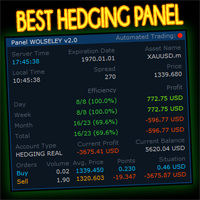
WOLSELEY's Trading Panel - BASIC - - Feel free to contact me at instagram   @walter_robos  or whatsapp/telegram +5592981173937 View your history in a structured and detailed manner, with efficiency rate and profit rate separated by day, week, month and total, as well as asset details, server time and positions&orders in progress. This panel was created looking on HEDGE-type accounts, but it can be used on NETTING-type accounts without any problems. In the PREMIUM version of this Panel you have
Smart UI Pro — インテリジェント手動トレードアシスタント Smart UI Pro は初心者からプロまで、すべてのトレーダー向けに設計された高機能支援ツールです。必要な機能をすべて1枚のコントロールパネルに集約し、モダンで美しく、使いやすく、高い効率を実現します。 主な機能 美しく使いやすいダッシュボード モダンなインターフェース、カラーテーマは自由にカスタマイズ可能 リアルタイム表示:Bid/Ask、残高、純資産、スプレッド、現地時刻 マルチ時間足シグナル M1 / M5 / M15 / M30 / H1 / H4 のトレンドを同時分析 RSI、Stochastic、MACD、CCI、ADX、WPR、ATR などから総合的に判定 チャート上に明確な売買矢印を表示し、意思決定をサポート フルオーダー管理 ワンクリックで新規注文・決済 ロット数、利確 TP、損切 SL を柔軟に調整 取引ごとのリスクを自動計算 スマートデュアルグリッドシステム レンジ相場・変動の大きい相場に最適 グリッド幅・ロット倍率を完全にカスタマイズ可能 最大段数制限で
A professional manual trading and position management panel for MetaTrader 5 with risk-based sizing, SL/TP protection, partial reduction, break even and trailing stop tools. Strategy Engine Trade Panel is a manual trading and position management utility for MetaTrader 5. It is designed to simplify order execution, risk sizing, position protection and account management directly from the chart. The product does not generate entry signals and does not open trades automatically without a user a
This QuickClose help you to close all orders having profit immediately with only ONE CLICK, its work is very fast. You can choose which symbol you want or close all symbols so it will helpful for you in your trading to manage trading faster. This EA can quick close all Buy and Sell Orders by a selected symbol or total, And delete all pending orders. This SymbolButton is designed for closing orders. There is available Manual and Automatic closing functions. Automatic closing function will close t
OneClickEA Controller is a chart management utility designed to work with the OneClickEA Windows Manager. The controller receives local commands from the Windows manager and performs scheduled EA template changes in MetaTrader 5. It also reports the connected trading account, broker server, chart symbol, timeframe and controller status. Main functions Detects the connected MetaTrader 5 account Generates a controller ID based on the broker and trading account Receives local schedule commands from
Limited Time Launch Special To welcome early adopters and accelerate feedback-driven development, we are offering the Founders Edition at an exclusive launch price for a limited number of licenses. Note: The price will scale up periodically as we approach our target user base. Secure your institutional advantage today. DR Multi Symbol MTF Volatility Scanner The Professional Intelligence Hub for Market Context Success in financial markets is not about luck; it is about having absolute context
️ MOONLIGHT TRADE SIGHT HUD v1.00 By Daniel Butogwa  See your profits & losses in real-time Stay focused on price — no need to switch windows Built for precision, built for speed, built for warriors ️ Features: Real-time Profit/Loss display Auto-updating on chart ️ Customizable corner placement Color-coded: Profit | Loss | ️ Neutral Saves your preferred layout Ultra-light, zero lag, sniper-approved Who is it for? Scalp Lords Order Block Hunter
Time saving and fast execution Whether you’re traveling or sleeping, always know that Telegram To MT5 performs the trades for you. In other words, Our   Telegram MT5 Signal Trader  will analyze the trading signals you receive on your selected Telegram channels and execute them to your Telegram to MT5 account. Reduce The Risk Telegram To Mt5   defines the whole experience of copying signals from   Telegram signal copier to MT5 platforms. Users not only can follow all instructions from the signal
概要 MetaTrader 5用のシンプルながらパワフルなトレードマネージャー。超高速の約定と堅牢なリスク管理を兼ね備えています。 機能 • 残高、日次損益、銘柄、スプレッドを表示する口座概要 • 取引ごとの口座リスク比率に基づいたロットサイズの自動計算 • 事前定義されたストップロスとリスク/リワード目標 • ストップロスをエントリーポイントに移動させるブレークイーブン切り替え機能 • アクティブポジションに対するトレーリングストップロス切り替え機能 • 素早いエントリーとエグジットのためのキーボードショートカット • 軽量でCPU使用率を低く抑えた最適化 • 表示/非表示切り替え機能付きのすっきりとしたインタラクティブパネル こんなトレーダーに最適 • 高速かつ正確な約定を重視するトレーダー • 体系的なリスク管理を行うトレーダー • シンプルで使いやすいツールを好むトレーダー 注意事項 • すべてのブローカーに対応 • すべての銘柄に対応 • MetaTrader 5専用 免責事項 すべての機能が正しく動作することを確認するため、必ずデモ口座で本ツ
You can see Binance Spot data instantly in Metatrader 5 and it allows you to use all the features that Metatrader has provided to you. You can access the data of all symbols listed on Binance Futures. Don't forget to set the timezone. Binance it's 00:00 UTC. You need to fix it according to your own country You need to install the free Binance Spot Symbol List plugin. https://www.mql5.com/tr/market/product/83507 After loading, it automatically downloads the data of the cryptos in the market obser
TradeManager Control Suite Manual trading with structured planning and controlled risk TradeManager Control Suite is a comprehensive trading panel for MetaTrader 5. It helps you prepare trades directly on the chart, calculate position size, place orders and manage open positions according to a plan defined in advance. You remain responsible for every entry. The application does not trade independently and does not use an automated trading strategy. It performs the calculations, sends the orde
VOLUME BUBBLES ORDERFLOW FOOTPRINT PROFESSIONAL Expert Advisor for MetaTrader 5 Complete Feature Documentation Introduction: Volume Bubbles OrderFlow Footprint Professional is an advanced order flow visualization tool designed for the MetaTrader 5 platform. It provides institutional-grade market analysis through real-time volume bubbles visualization, volume profiling, and sophisticated order flow analysis. This Expert Advisor transforms raw market data into actionable trading intelligence, hel
️ EquityShield is your automated risk management guardian for MetaTrader 5. If you've ever exceeded your daily loss limit, struggled to enforce your own trading rules during volatile markets, or wanted to automatically lock in profits when you hit your targets, EquityShield is built for you. This is not a trading strategy - it's a safety system that watches your account 24/7, automatically closes positions when your risk limits are breached, and helps you maintain consistent trading discipline
Buy Sell Multiple Panel - Execute Bulk Orders in a Single Click! Description Save time and seize market opportunities instantly. This powerful panel allows you to place multiple buy or sell orders simultaneously, each with custom lot sizes, take-profit, and stop-loss levels. Perfect for sophisticated entry strategies and managing complex trades efficiently. Key Features Bulk Order Execution: Open multiple market orders at once with just one click. Flexible Lot Sizing: Set individual lot sizes f
このプロダクトを購入した人は以下も購入しています
Trade Assistant MT5
Evgeniy Kravchenko
4.43 (216)
取引 ごとのリスクの 計算、新規注文 の 簡単 な 設置、部分的 な 決済機能 を 持 つ 注文管理、 7 種類 のトレーリングストップなど 、便利 な 機能 を 備 えています 。 追加の資料と説明書 インストール手順   -   アプリケーションの手順   ライン機能 チャート上にオープニングライン、ストップロス、テイクプロフィットを表示します。この機能により、新規注文を簡単に設定することができ、注文を出す前にその特徴を確認することができます。   リスク計算 リスク計算機能は、設定されたリスクとストップロス注文のサイズを考慮して、新規注文のボリュームを計算します。ストップロスの大きさを自由に設定できると同時に、設定したリスクを守ることができます。 Lot calc ボタン - リスク 計算 を 有効 / 無効 にします 。 Risk フィールドでは 、必要 なリスクの 値 を 0 から 100 までのパーセンテージまたは 預金通貨 で 設定 します 。 設定」 タブで 、 リスク 計算 の 種類 を 選択 します :「 $ 通貨」、「 % 残高」、「 % エクイティ 」、「
Trade Manager EAへようこそ。これは、取引をより直感的、正確、そして効率的にするために設計された究極の リスク管理ツール です。これは単なるオーダー実行ツールではなく、包括的な取引計画、ポジション管理、リスク管理のためのソリューションです。初心者から上級者、迅速な実行を必要とするスキャルパーまで、Trade Manager EAはあらゆるニーズに対応し、為替、指数、商品、暗号通貨などさまざまな市場で柔軟に対応します。 Trade Manager EAを使用すると、複雑な計算が過去のものになります。市場を分析し、エントリーポイント、ストップロス、テイクプロフィットのレベルをチャート上のラインでマークし、リスクを設定するだけで、Trade Managerが最適なポジションサイズを即座に計算し、SLとTPをピップ、ポイント、口座通貨でリアルタイムに表示します。すべての取引が簡単かつ効果的に管理されます。 主な機能: ポジションサイズ計算機 :定義されたリスクに基づいて取引サイズを瞬時に決定します。 簡単な取引計画 :エントリー、ストップロス、テイクプロフィットを設定するためのド
Telegram to MT5 Multi-Channel Copier   は、 Telegram と Discord チャンネルのトレードシグナルを MetaTrader 5 へ自動コピーします。ボット不要、ブラウザ拡張不要、手動コピー不要。Telegram や Discord にシグナルが届くと、EA が数秒であなたのターミナルに注文を出します。 さらに、チャンネルをコピーする前に、内蔵バックテスターでそのチャンネルがあなたの口座でどう動いたかを確認できます。 製品は 2 つのコンポーネントで構成されます:Telegram チャンネルを監視する Windows アプリと、MT5 ターミナルでシグナルを執行する本 EA です。MT4 版もあります   こちら . セットアップガイドとアプリのダウンロード:   https://www.mql5.com/en/blogs/post/768988 Telegramのシグナルチャンネルをバックテストする方法 をご覧ください。 現在の価格は今後値上げされます。 仕組み アプリはあなた自身の Telegram アカウントで接続するため、フォロ
Farmed Hedge Yield Farming | All Markets (Manual - Hybrid - Semi/Automated EA) VERIFIED TRADING RESULTS - Farmed Hedge Yield Axi Copy:  https://www.mql5.com/en/signals/2356376 - Farmed Hedge Yield Exn Copy:   https://www.mql5.com/en/signals/2356404 - Farmed Hedge Yield V Copy:  https://www.mql5.com/en/signals/2357156 IMPORTANT NOTICE: FarmedHedge is a MANUAL-FOCUSED TRADING UTILITY ,not a fully automated EA. Results shown on this Signal include manual trades and overall strategic management.
自分の取引ルールで Telegram のシグナルをコピー Telegram to MT5 Signal Trader は、Telegram の公開・非公開チャンネルやグループから、テキスト形式の取引シグナルを MetaTrader 5 へ自動でコピーします。1つのデスクトップアプリで複数の配信者と MT5 口座を管理し、 配信者ごとにリスクと取引設定を個別に指定 できます。 シグナルのコピーに Telegram ボットや API 設定は必要ありません。 電話番号または QR コードでご自身の Telegram アカウントにログインし、すでに参加しているチャンネルやグループを選ぶだけです。ボットの作成や、Telegram API トークン、API ID、API hash の入力は不要です。 ポジションサイズを選び、複数の利確水準に分けて決済し、建値へのストップ移動やトレーリングストップを自動化できます。配信者のシグナルを受け取りながら、実際の取引方法は自分で管理できます。 本製品は、この MT5 エキスパートアドバイザ(EA)と、必須の Windows 連携アプリで構成されます。 インス
================================================================================ POC BREAKOUT - V20.72. Full Professional Grade Toolkit ================================================================================ POC Breakout is a full MetaTrader 5 trading dashboard for discretionary traders who want breakout signals, Point of Control (POC) context, volume profiles, order flow, market structure, news, alerts, and advanced trade planning in one professional workspace. Attached directly to you
TradePanel MT5
Alfiya Fazylova
4.88 (170)
Trade Panelは多機能なトレーディングアシスタントです。アプリには手動取引用の50以上のトレーディング機能が搭載されており、ほとんどの取引作業を自動化することができます。 アプリの説明書: https://www.mql5.com/en/blogs/post/756482 デモ口座用アプリの試用版: https://www.mql5.com/en/blogs/post/750865 アプリのインストール方法: https://www.mql5.com/en/blogs/post/756239 アプリをビジュアルモードでテストする方法: https://www.mql5.com/en/blogs/post/770277 VPSのMetaTraderにアプリをインストールする方法: https://www.mql5.com/en/blogs/post/770190 取引。 ワンクリックで取引操作を行うことができます: リスクを自動計算して指値注文やポジションを開く。 複数の注文やポジションをワンクリックで開く。 注文のグリッドを開く。 保留中の注文やポジションをグループごとに閉じる
News Trade EA MT5
Konstantin Kulikov
4.55 (11)
僕自身が数年間使っている便利なロボットをご紹介します。半自動モードでも完全自動モードでもお使いいただけます。 >>> Chat <<< 当プログラムは経済指標カレンダーで発表されるニュースをもとにした取引の柔軟な設定が可能です。戦略テスターでは確認不可です。実際の取引のみです。端末の設定メニューを開いて許可URLリストにニュースサイトを追加する必要があります。サービス > 設定 > エキスパート・アドバイザーをクリックしてください。”次のURLの WebRequestを許可する:"にチェックを入れてください。次のURLを追加してください(空白は削除します): https://  nfs.faireconomy.media 最新の設定アーカイブをダウンロードしてください: https://www.mql5.com/en/blogs/post/747929 シグナルモニタリング: https://www.mql5.com/en/signals/author/test-standart 当該エキスパート・アドバイザーのためのカスタマイズ設定セットを作る場合は、ブログの全パラメータの説明
Master Your Trading Discipline   Stop losing your hard-earned gains to overtrading and emotional decisions. The Discipline Tool is your ultimate trading assistant, ensuring strict risk management in real-time. Key Protection Features: Advanced Drawdown Defense : Automatically halts trading if your daily drawdown exceeds a preset threshold (percentage or dollar amount). Real-Time Equity Lock : Safeguard profits by referencing peak equity, ensuring drawdown stays within control. Hard Profit Target
Power Candles Strategy Scanner - 自動最適化型マルチシンボル設定ファインダー パワーキャンドル・ストラテジー・スキャナーは 、パワーキャンドル・インジケーターを駆動するのと全く同じ自己最適化エンジンを、マーケットウォッチに登録されているすべての銘柄に対して並行して実行します。1つのパネルで、現在統計的に取引可能な銘柄、各銘柄で勝率の高い戦略、最適なストップロス/テイクプロフィットの組み合わせが表示され、新たなシグナルが発生した瞬間に通知が届きます。 このツールは、Stein Investmentsのエコシステムの一部です。  18種類以上のツールをすべて閲覧し、AIを活用したセットアップの推奨を受け取り、  https://stein.investments でコミュニティに参加しましょう 市場動向を網羅。銘柄ごとに3,000件以上の自動最適化。2種類のアラート。ワンクリックでチャートを切り替えて即座にアクション。 なぜこれが必要なのか 多くのマルチ銘柄スキャナーは、 価格の動き (ボラティリティ、変動率、銘柄ごとのRSI)を表示するだけです。それ
The product will copy all telegram signal to MT5 ( which you are member) , also it can work as remote copier.  Easy to set up, copy order instant, can work with almost signal formats, image signal,  s upport to translate other language to English Work with all type of channel or group, even channel have "Restrict Saving Content", work with  multi channel, multi MT5 Work as remote copier: with signal have ticket number, it will copy exactly via ticket number. Support to backtest signal. How to s
EASY Insight AIO – スマートで手間いらずな取引のオールインワンソリューション 概要 数秒で市場全体——FX、ゴールド、暗号資産、指数、さらには株式まで——を、手作業のチャート確認や複雑なセットアップ・インジケーター導入なしにスキャンできたらどうでしょうか? EASY Insight AIO はAIトレードのための究極のプラグ&プレイ型エクスポートツールです。市場全体のスナップショットを、クリーンなCSVファイルで一括出力。ChatGPT、Claude、Gemini、Perplexityなど、さまざまなAIプラットフォームで即座に解析できます。 ウィンドウの切り替えやグラフのごちゃごちゃしたオーバーレイはもう不要。自動エクスポートされる純粋で構造化されたインサイトだけで、無駄なチャート監視に悩まされず、スマートなデータ主導の判断に集中できます。 なぜEASY Insight AIOなのか? 本当のオールインワン • セットアップ不要、インジケーターのインストール不要、チャートへのオーバーレイ不要。インストールして起動し、エクスポートするだけです。 マルチアセット対
Trade Indicator Assistant   is a powerful MT5 utility designed to turn indicators into automated trading systems. Its main feature is the ability to automatically detect an indicator’s   BUY and SELL signal buffers , without requiring you to know the buffer numbers, search through indicator settings, or modify the indicator source code. Bonus Indicator:   After purchasing Trade Indicator Assistant, contact me to receive   Trade Signal Pro   completely free as a bonus indicator. [Download Demo V
Grid Manual MT5
Alfiya Fazylova
4.73 (22)
「Grid Manual」は、注文のグリッドを操作するための取引パネルです。 ユーティリティはユニバーサルで、柔軟な設定と直感的なインターフェイスを備えています。 それは、損失を平均化する方向だけでなく、利益を増やす方向でも注文のグリッドで機能します。 トレーダーは注文のグリッドを作成して維持する必要はありません。 すべてが「Grid Manual」によって行われます。 注文を開くだけで十分であり、「Grid Manual」は注文のグリッドを自動的に作成し、非常に閉じるまでそれに付随します。 完全な説明とデモバージョン ここ。 ユーティリティの主な機能と機能 ユーティリティは、モバイル端末から開かれた注文を含め、あらゆる方法で開かれた注文を処理します。 「制限」と「停止」の2種類のグリッドで機能します。 グリッド間隔の計算には、固定と動的(ATRインジケーターに基づく)の2つの方法で機能します。 オープンオーダーグリッドの設定を変更できます。 チャート上の各注文グリッドの損益分岐点を表示します。 各注文グリッドの利益率を表示します。 ワンクリックでグリッドから収益性の高い注文を閉じるこ
The Patch It never opens a trade. It walks behind the ones that did. Every open position, every pending order — checked twice a second for the one thing that's easy to forget: a stop, a target. Found bare, it doesn't ask. It writes the missing number in, measured in points from wherever the position began, and moves on to the next. No strategy, no opinion on direction. Just the quiet assumption that nothing should ever sit on the market unprotected — not because someone decided it shouldn't,
Floor Watch
Syed Tauqeer Hussain Shah
Floor Watch One number, watched every thirty seconds: how far equity has fallen since the day began — or since its highest point, if it's told to trail the peak instead of the open. Cross the line and it doesn't argue. Every open position closes, every pending order vanishes, and anything that slips through afterward gets shut the moment it appears. Not asked. Removed. The floor holds until the clock turns 5 AM Pakistan time — then, and only then, does the day start over. One rule. No except
RETAILBERG FOOTPRINT CHART PRO — Order-Flow Workspace for MetaTrader 5 Version 7.00  |  Professional System  |  31 tools  |  One chart A full 150-page illustrated User Manual is included. Please read the full manual to understand this feature packed footprint chart elements and ui. https://www.mql5.com/en/blogs/post/777982 DEMO / STRATEGY TESTER — PLEASE READ FIRST
一度の購入で、現在提供中および今後リリースする私のすべての MT4・MT5 インジケーターを追加料金なしで受け取れます。 購入後、受け取り方法について私にお問い合わせください。 10 件の購入ごとに 50$ ずつ、最大 999$ まで値上げする予定です。購入手続き時に Market に表示される価格が適用されます。 信頼するインジケーターをそのままに。周辺の取引作業を自動化。 あなたのシグナル。あなたのルール。あなたの取引執行。 信頼する MT5 インジケーターはあるのに、チャートの監視、シグナル待ち、ロット計算、発注、各ポジションの管理を手作業で行っていませんか? Stratiora Signal Engine MT5 は、これらの作業をつなぎます。対応する買い・売りバッファのシグナルを、エントリー、取引量計算、Stop Loss、Take Profit、フィルター、ポジション管理、口座保護までの自動処理に変換できます。 インジケーターや取引アイデアを変えるたびに別の EA を依頼する代わりに、柔軟な一つのエンジンで各シグナルの取引方法を決められます。 あなたのシグナル。あなたのル
EA Overfitter
Stephen J Martret
5 (1)
That backtest looks great. But will it still be making money tomorrow, next week, next month? EA Overfitter re-runs your EA on 100 price histories it has never seen. One score tells you if the edge is real. A backtest tells you what an EA did on one price history — the one that happened to occur. What you cannot tell from it is how much of that result was the strategy and how much was the particular path. EA Overfitter answers that. It builds up to 100 synthetic price histories your EA has n
Premium Trade Manager - コーチ内蔵型トレードパネル Premium Trade Manager は、AIトレーディングコーチをあなたのチャートの中に置き、その下に完全な執行エンジンを備えたツールです。いつも通りにトレードをセットアップし、あなた専任のAIトレーディングコーチ Max にそのセットアップをそのまま読み取らせて、発注前に率直な見解を伝えてもらいましょう。ストップの幅が規律あるアプローチに合っているか、リスクサイズは適切か、高影響のニュースイベントが数分後に迫っていないか、プロップファームの制限に近づいていないか。その下には、クリックの後をすべて処理するエンジンが備わっています。ワンクリックのリスクサイズ計算による発注、チャート上でドラッグして組み立て、発注後も動かせるプラン、最大4段階の分割利確、7種類のトレール方式、リアルタイムのプロップファームコンプライアンス、ニュースガード、そしてコストを自ら採点するスプレッド機能。判断はあなたが下す。Max がもう一度確認する。後のことはすべてパネルが担う。 購入前に実際に触れて試せます。 ブラウザ上でライブ
YuClusters
Yury Kulikov
4.93 (43)
Attention: You can view the program operation in the free version  YuClusters DEMO .  YuClusters is a professional market analysis system. The trader has unique opportunities to analyze the flow of orders, trade volumes, price movements using various charts, profiles, indicators, and graphical objects. YuClusters operates on data based on Time&Sales or ticks information, depending on what is available in the quotes of a financial instrument. YuClusters allows you to build graphs by combining da
Quant AI Agents are independent trading Expert Advisors. Instead of trading using a fixed strategy like other conventional EAs, Quant AI Agents   is a   multi-agent AI trading framework   that turns natural-language strategy prompts into live.  WANT THE SAME RESULTS AS MY LIVE SIGNAL?   Use the exact same brokers I do:   IC MARKETS , IC TRADING   .  Unlike the centralized stock market, Forex has no single, unified price feed.  Every broker sources liquidity from different providers, creating un
Daily Trading Limiter
AL MOOSAWI ABDULLAH JAFFER BAQER
5 (8)
• Please test the product in the Strategy Tester before purchasing to understand how it works. • If you face any issues, contact me via private message—I’m always available to help. • After purchase, send me a screenshot of your order to receive a FREE EA as a gift. Daily Trading Limiter — the rule you cannot break Every trader knows the number. Three trades. Two percent. One bad day and stop. And every trader has watched themselves take the fourth trade anyway. The problem was never knowing th
FUTURES ORDERFLOW FOOTPRINT CHART Professional OrderFlow EA for MetaTrader 5 Version 1.01| Professional tool for real traders | Institutional-Grade Visualization STRATEGY TESTER USERS - PLEASE SELECT EVERY REAL TICK WHEN TESTING AND YOU HAVE DOWNLOADED HISTORICAL DATA. IF YOU SEE A WAITING SCREEN AND IT IS NOT DOWNLOADING, IT MEANS YOU HAVE LOW HISTORICAL DATA. TRY 1 MIN AND 5 MIN FIRST ON 1 DAY DATA. ONE DAY DATA SHOULD BE THE NEWEST AND MOST CURRENT DATE. PLEASE WAIT UNTIL THE MARKET HAS ROL
Trading Chaos Expert
Hennadii Stanilevych
5 (11)
This software has no equals in the world and represents a universal trade "console" covering trading signals, automated market entry, setting of Stop Loss and Take Profit, as well as Trailing Profit for multiple trades at the same time in a single open window. Intuitive control of the Expert Advisor in "three clicks" ensures a comprehensive use of all its functions on different computers, including tablets PCs. Interacting with additional signal indicators that mark the chart to give a real mark
Copy your MT5 trades to Interactive Brokers You keep using MT5. Every order you open or close is sent to your IB account. In real time. No coding. No changes to your strategy or EA. Try it first Rent 1 month: $30. Test on a live or paper account. What it does Real-time copying: same direction, reverse, or one side only. Map any MT5 symbol to any IB symbol. Set a lot ratio for each. Forex, Futures, Stocks, CFDs, Metals and Crypto. Position sync: both accounts checked, any difference fixed. Optio
Quant Panel
Kevin Craig E Gittins
Quant Panel is a strategy analysis utility for MetaTrader 5. It helps traders review several Expert Advisors or trading strategies running on the same account. The panel groups closed positions by Expert Advisor comment or magic number and calculates each strategy's results separately. You can compare strategy performance, review individual drawdowns and export detailed reports from one dashboard. Independent strategy analysis Each strategy has its own virtual starting balance and closed-trade b
EA Slipstream
Stephen J Martret
5 (1)
Your backtest filled every order at the price it asked for. Your account does not. EA Slipstream measures what execution costs your EA, using your own fills, slippages and spreads to show you the true performance of your EA. A backtest prices every trade at the level the EA named. In live trading a pending order fills at whatever price is available when it triggers, a stop closes wherever the market is when it is hit, and the spread at that moment is whatever the account was quoting. The differ
MT5 用 Dynamic Fibonacci Grid Dashboard の最新バージョンを紹介します。 数多くの新機能を搭載したこの新しいダッシュボードは、トレード体験を一新し、市場や価格アクションをまったく新しい視点から見ることができます。複数のタイムフレームと複数のシンボルを同時に分析することで、新たな可能性を発見できます。手動トレードやポジション管理のための使いやすいインターフェース、そしてあらかじめ設定された自動売買戦略を適用するための拡張機能を備えています。さらに、DFGはストラテジーテスター内でトレーディングシミュレーターとして完全に機能し、過去データを使用してさまざまな市場環境を再現できます。ビジュアルモードで手動トレードを練習したり、高速モードで自動売買戦略をテストしたりすることが可能です。 主な特徴 • Dynamic Fibonacci Bands の概念に基づく、複数タイムフレームおよび複数シンボルの高度なテクニカル分析。 リアルタイム市場監視ダッシュボードにより、これまでにない効率性を体験できます。M1、M5、M15、H1 のチャートから得られる複雑な
作者のその他のプロダクト
One chart. Many markets. 23 strategies. Tests that charge you every cost, and a reason for every trade. Prop-firm ready   No martingale   No grid   No averaging   100% native MQL5, no DLLs Early adopter price: 209 USD One-time purchase · All future updates included · No subscription This introductory price is temporary and will go up as the product develops. Why Pentad EA Most trading robots look perfect in a backtest, until spread, swap and slippage arrive. Pentad EA works the other
Every market you follow. Seen at once. In plain words. 26 indicators on seven timeframes, each judged against six months of its own history. Unusual readings flagged   Plain-English summaries   100% native MQL5, no DLLs   No web requests   Light enough for a VPS Early adopter price: 79 USD One-time purchase · All future updates included · No subscription This introductory price is temporary and will increase. Why Panoptic Most traders keep ten charts open, add the same indicators aga
Replay the past. Trade it by hand. Learn what really works. Your broker's own history, candle by candle, with real spread, commission and swap. Multi-timeframe sync   Prop-firm rules   Journal and HTML report   Never sends real orders   100% native MQL5, no DLLs Early adopter price: 69 USD One-time purchase · All future updates included · No subscription This introductory price is temporary and will increase. Why ChronoReplay Practising on live markets is slow and expensive, and the
Every EA on your account. Scored with evidence. Guarded where it matters. A public risk score for each robot, the trades that prove it, and protection aimed at the EA causing the risk. Martingale, grid and averaging detected   Prop-firm loss limits on equity   Never opens a trade   100% native MQL5, no DLLs   No web requests Early adopter price: 69 USD One-time purchase · All future updates included · No subscription Or rent it: 6 months 30 USD · 1 year 45 USD This introductory price
Your prop firm has a daily limit. DayLock stops your trading before you reach it. A referee for your funded account: it closes everything at a safety margin above the firm's limit, then blocks new trades until the firm's own reset. 19 prop-firm presets you can adjust   Lot calculator: know the size before you trade   Reset on the firm's clock, with EU and US daylight saving   Covers manual trades and every EA   Never opens a trade   100% native MQL5, no DLLs Early adopter price: 49
News widens the spread. Kairos waits until it is back. One chart guards the whole terminal: a lock before a release, and it only lifts when the live spread has returned to normal, not when a timer runs out. One chart for every symbol and every EA   Waits for the market, not the clock   Position size 100% → 50% → 0% instead of only on/off   Anomaly detection without a calendar event   Broker rollover and triple-swap warning   Never opens a trade   100% native MQL5, no DLLs, no web
In Greek, orama means what is seen. Orama shows you the whole market at once, and what in it really moves. Every symbol in your Market Watch, grouped in eight asset classes, as one map on your chart in 2D, 2.5D and free 3D. See which classes lead, which symbols move against their own usual pace, and which of them are already in your book. One click opens the chart. Market Landscape, Relative Strength Wall and Class Correlation   2D, 2.5D and free 3D for every view   Forex, indices, metals
フィルタ:
レビューなし
レビューに返信