Quantora SMT Intelligence Pro MT5
- 指标
- 版本: 1.37
- 激活: 12
Quantora SMT Intelligence Pro
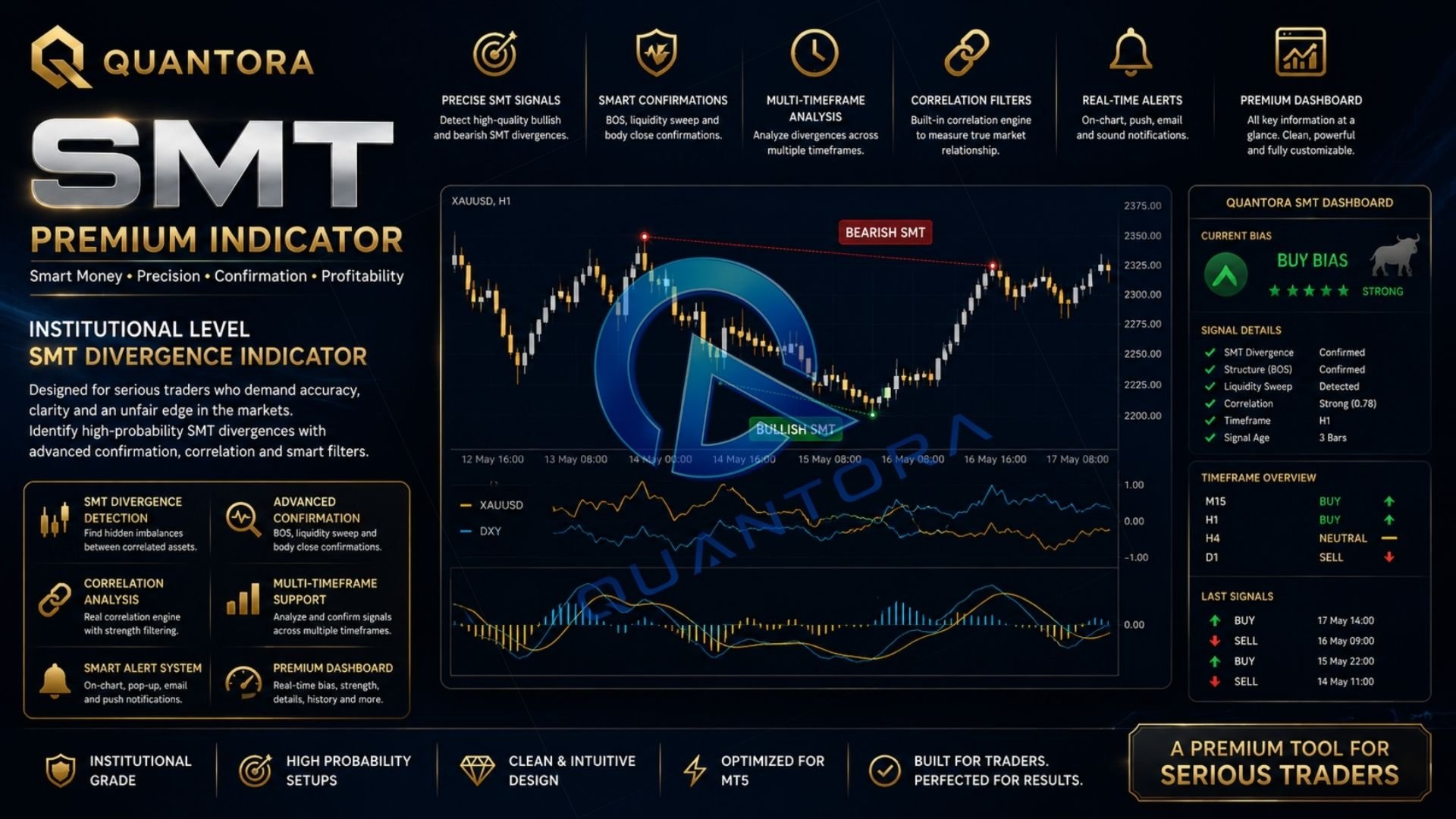
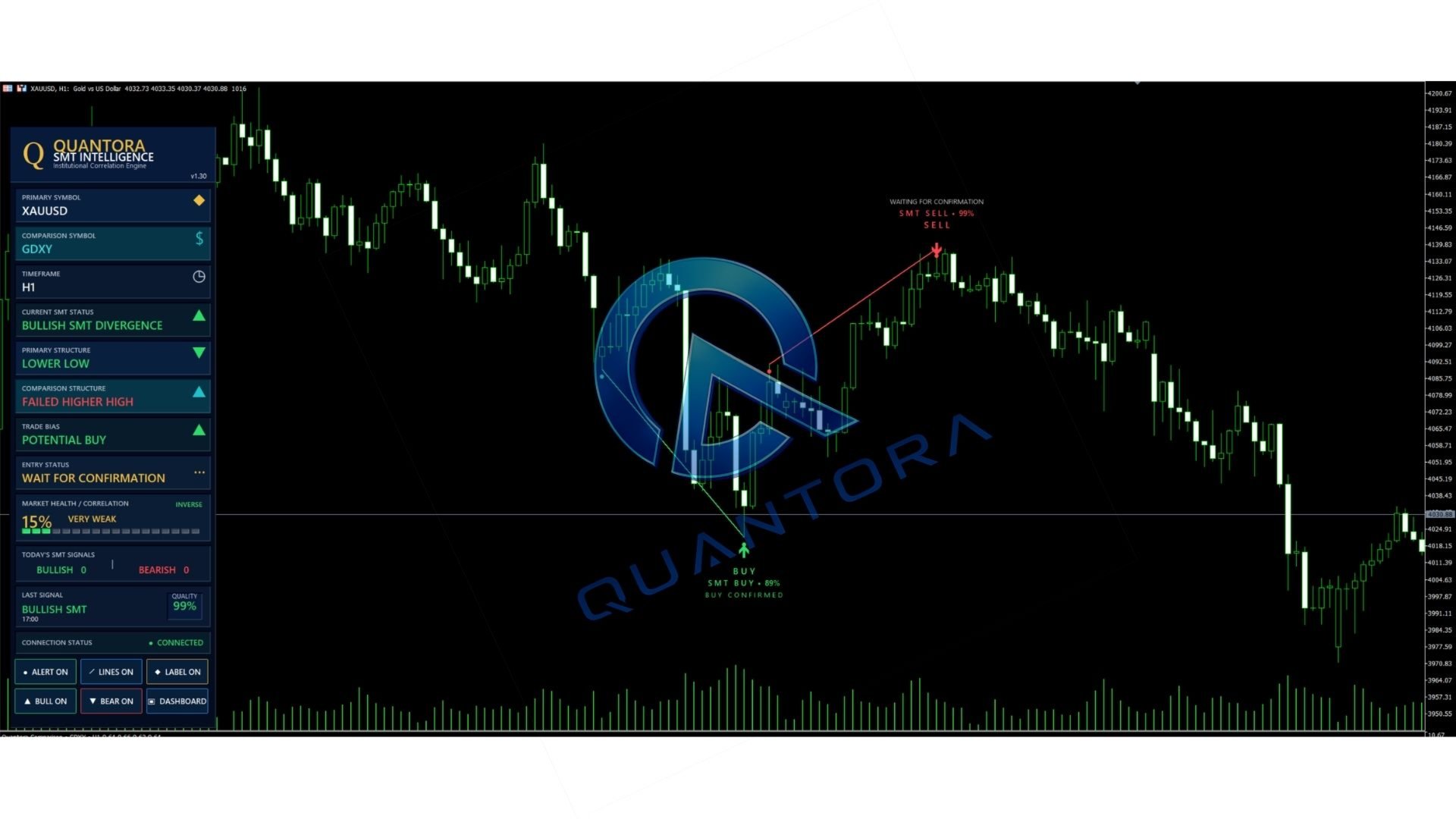
Quantora SMT Intelligence Pro is a MetaTrader 5 indicator designed to detect Smart Money Technique divergence between correlated financial instruments. It combines SMT analysis, swing structure, correlation data and confirmation logic in a clear professional interface.
The indicator compares the current chart symbol with a related market and identifies situations where the two instruments form conflicting highs or lows. These divergences may help traders recognize possible liquidity events, market imbalance and changes in short-term directional bias.
Main Features
- Bullish and bearish SMT divergence detection
- Automatic comparison symbol detection
- Manual and preset comparison modes
- Direct and inverse correlation support
- Swing high and swing low analysis
- Built-in confirmation system
- Signal quality percentage
- Historical SMT signal display
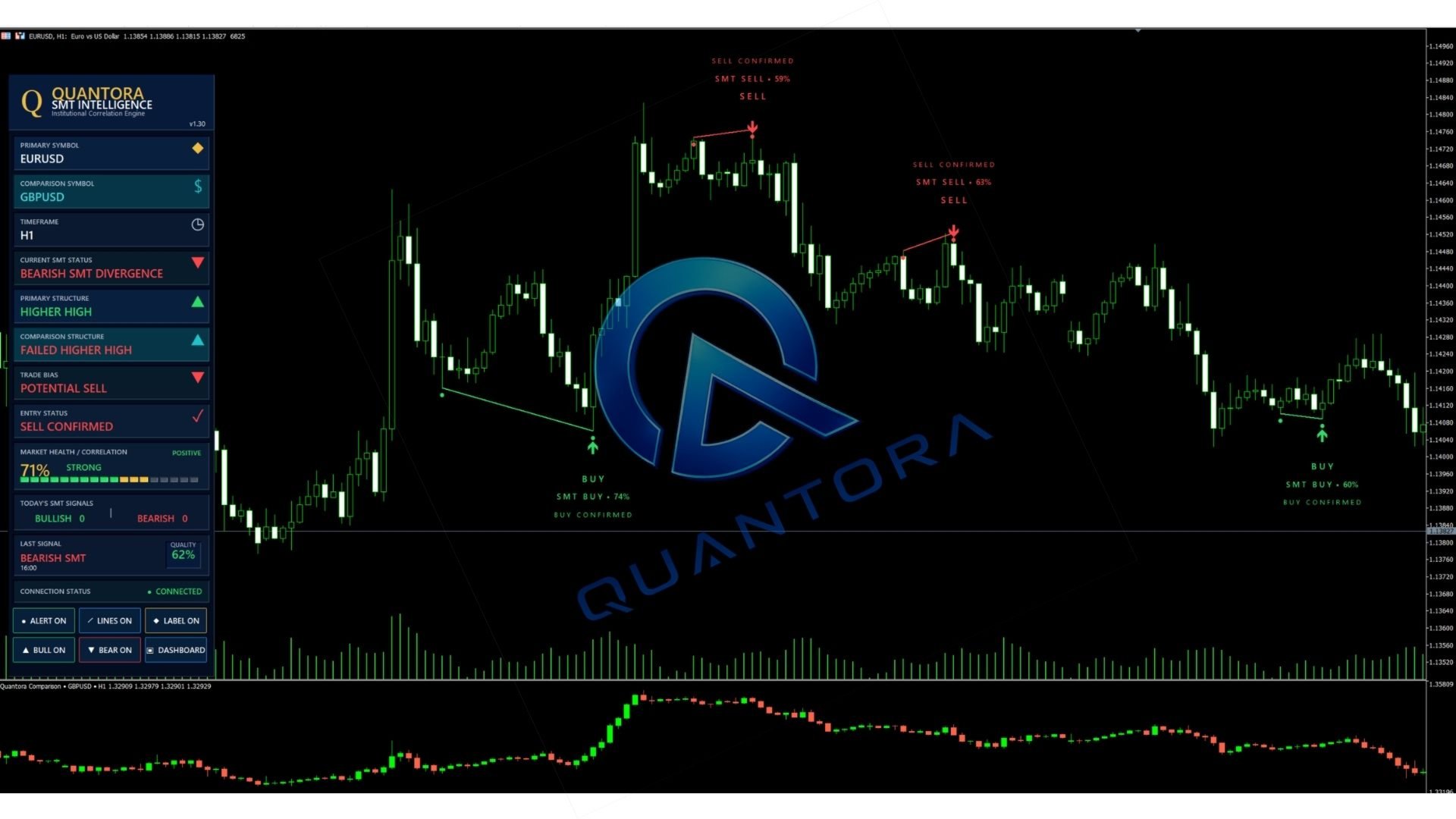
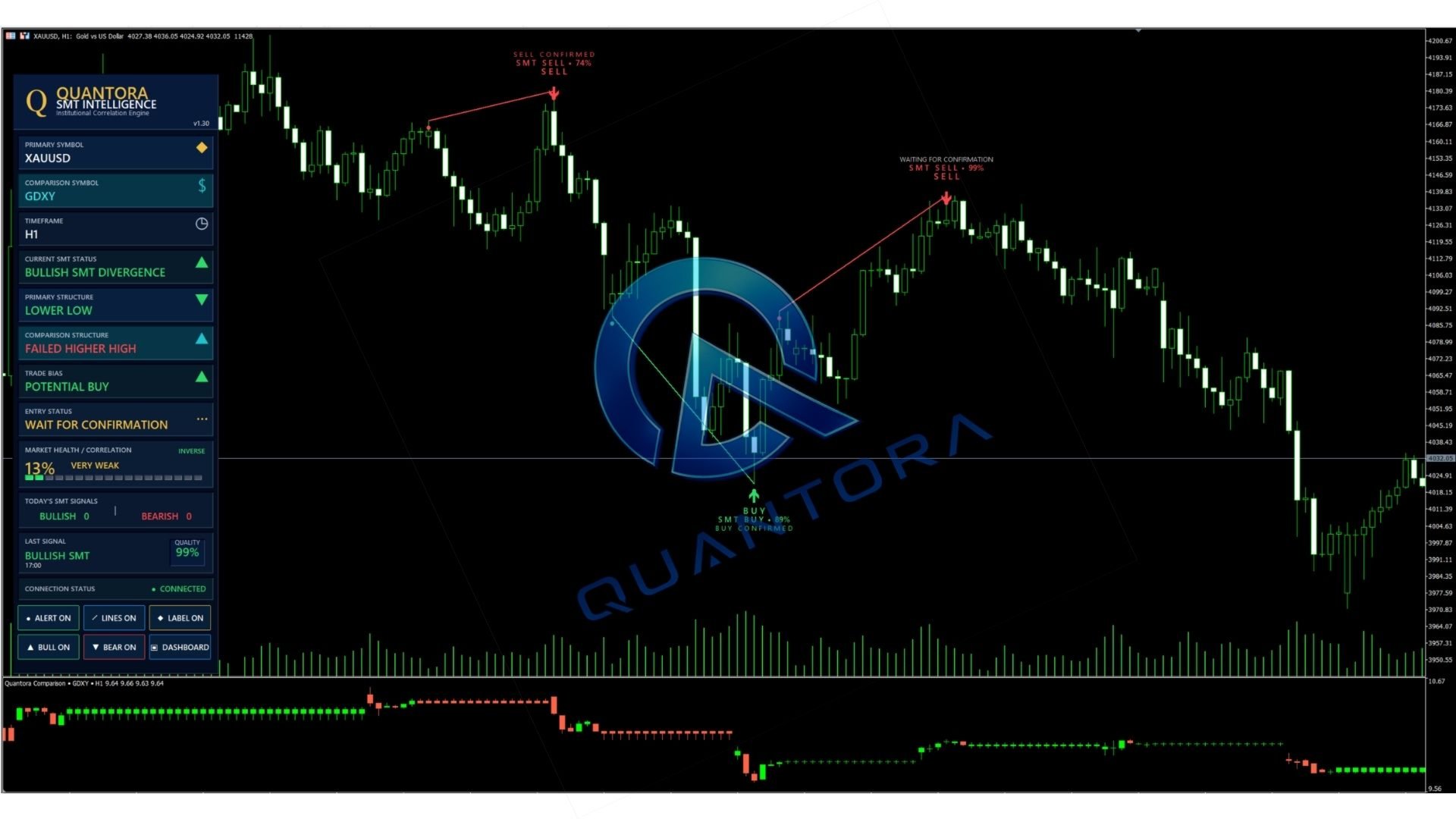
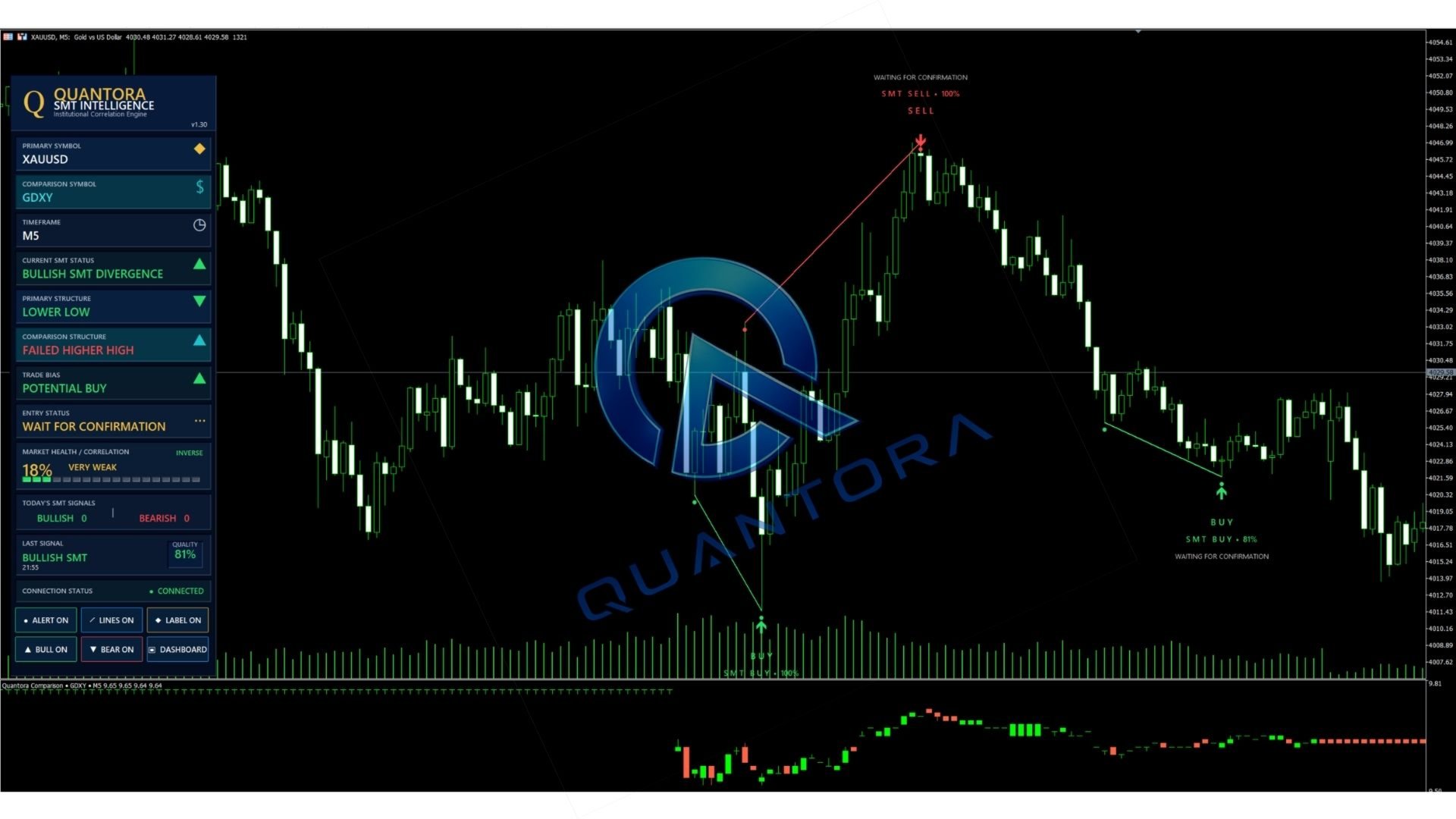
- Comparison chart in a separate indicator window
- Professional information dashboard
- Popup, sound, push and email alerts
- Customizable chart labels and divergence lines
How the Indicator Works
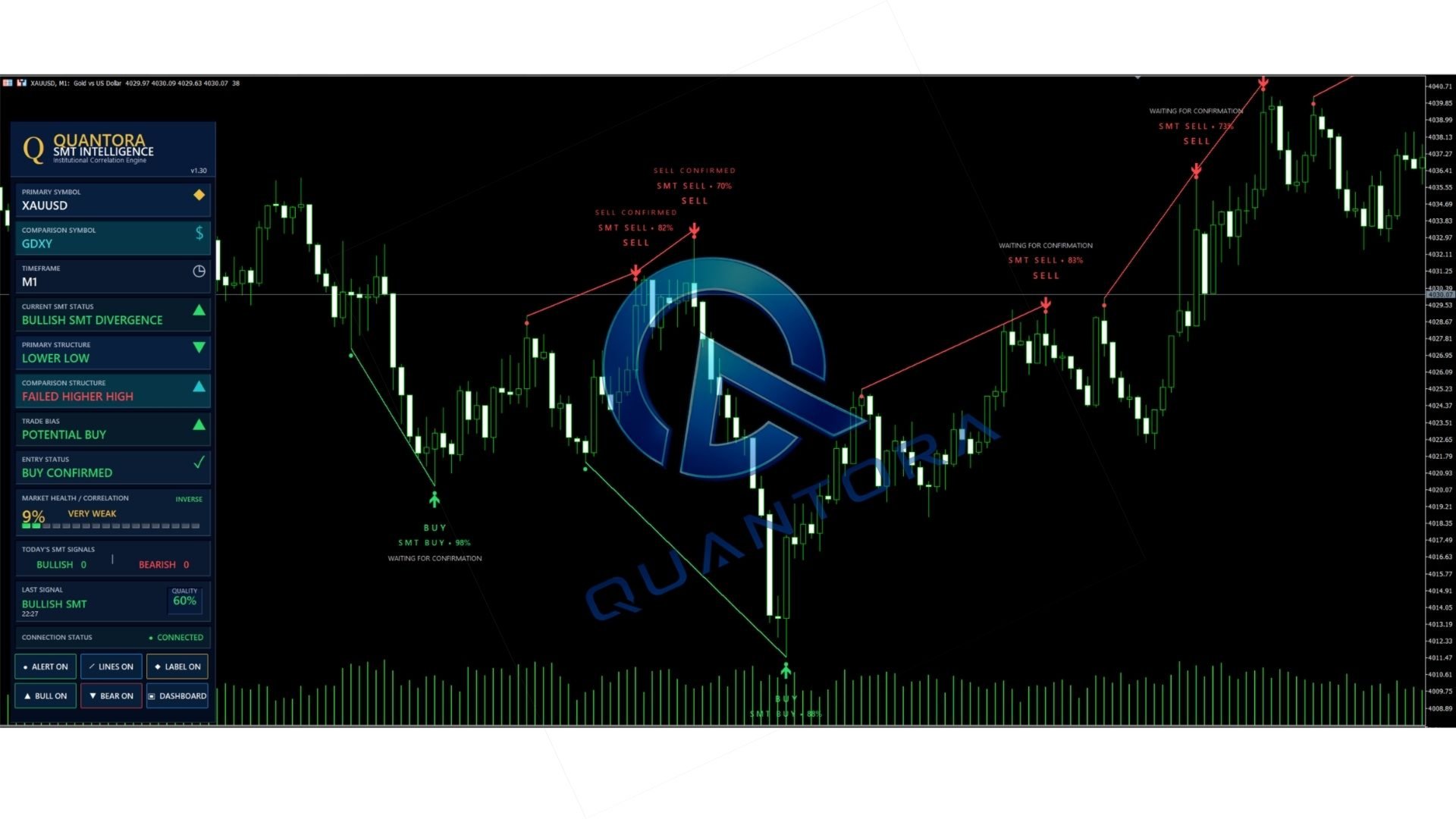
The indicator analyzes swing points on the primary symbol and the selected comparison symbol. An SMT setup is detected when one market forms a new high or low while the related market does not confirm the same movement.
After detecting a potential SMT setup, the indicator can wait for an additional confirmation before displaying a confirmed entry signal. Depending on the selected mode, confirmation can be based on market structure or candle behavior.
The signal process is displayed in three stages:
- SMT setup detected
- Waiting for confirmation
- Buy confirmed or Sell confirmed
Comparison Modes
The indicator includes three symbol selection modes:
- Auto: Automatically searches for a suitable related symbol.
- Preset: Uses a predefined comparison pair.
- Manual: Allows the trader to enter a broker-specific symbol name.
Automatic suffix detection is included to support broker symbol variations such as .cash, .pro, .m, _i and similar naming formats.
Example Comparison Pairs
- XAUUSD and DXY
- BTCUSD and ETHUSD
- NAS100 and US500
- EURUSD and GBPUSD
- AUDUSD and NZDUSD
Available symbols depend on the instruments provided by the broker. When an automatic match is not available, the comparison symbol can be entered manually.
Supported Markets
- Forex currency pairs
- Gold and other metals
- Stock market indices
- Cryptocurrency CFDs
- Other correlated instruments available in MetaTrader 5
Recommended Timeframes
The indicator is primarily designed for higher-quality swing analysis on H1, H4 and D1 charts.
Lower timeframes contain more market noise and may produce fewer valid confirmations. For this reason, H1 and higher timeframes are recommended for the clearest SMT structures.
Confirmation System
The confirmation engine includes the following selectable modes:
- Break of Structure
- Candle confirmation
- Break of Structure or Candle confirmation
The maximum confirmation period and minimum candle body percentage can be adjusted through the indicator inputs.
Professional Dashboard
The dashboard provides a compact overview of the current analysis, including:
- Primary symbol
- Comparison symbol
- Current timeframe
- Current SMT status
- Trade bias
- Entry confirmation status
- Primary market structure
- Comparison market structure
- Correlation value
- Signal quality
- Latest detected signal
- Bullish and bearish signal statistics
- Symbol connection status
Chart Controls
The indicator includes chart buttons that allow the trader to show or hide:
- Alerts
- Divergence lines
- Signal labels
- Bullish signals
- Bearish signals
- Dashboard
Historical Analysis
Historical SMT signals can be displayed directly on the chart. The number of bars analyzed, maximum signal age, visible signals and comparison chart history can be adjusted through the input settings.
The default configuration is prepared to provide extended historical visibility on hourly charts while maintaining reasonable terminal performance.
Alert Options
- MetaTrader popup alert
- Sound alert
- Mobile push notification
- Email notification
- One alert per signal option
Alerts can be configured to trigger only after an SMT setup receives confirmation.
Important Usage Notes
- Add both the primary and comparison symbols to Market Watch.
- Make sure sufficient historical data is available for both instruments.
- Use the manual symbol option when the broker uses an unusual symbol name.
- For the clearest analysis, use H1, H4 or D1 charts.
- Signals should be evaluated together with risk management and the trader's own analysis.
Installation
- Install the indicator through MetaTrader 5.
- Open the preferred chart.
- Add the required comparison symbol to Market Watch.
- Attach Quantora SMT Intelligence Pro to the chart.
- Select Auto, Preset or Manual comparison mode.
- Adjust the confirmation and display settings if required.
Suggested Default Use
- Platform: MetaTrader 5
- Recommended timeframe: H1 or higher
- Historical signals: Enabled
- Closed candle analysis: Enabled
- Confirmation mode: Break of Structure
- Alerts on confirmed signals: Enabled
Disclaimer
This indicator is an analytical tool and does not execute trades automatically. It does not guarantee trading results. Market conditions can change, and every signal should be evaluated together with appropriate risk management and independent trading analysis.