Quantora TwinTrigger XAU
- 专家
- 版本: 1.7
- 激活: 20

Quantora TwinTrigger XAU
Automated Gold Trading with On-Chart Control
Quantora TwinTrigger XAU is an automated Expert Advisor for XAUUSD on MetaTrader 5. It combines a rule-based execution system, flexible lot management and automated position handling in an interactive trading dashboard.
Choose your lot mode, select a preset and manage the EA's settings directly from your chart. TwinTrigger handles order placement and position management according to its internal trading rules and your selected configuration.
Key Features
- Gold-focused operation: developed for XAUUSD trading on MetaTrader 5.
- Fixed and Automatic lots: choose manual volume or Stop-Loss-based automatic sizing.
- Six sizing presets: Very Low, Low, Medium, High, Very High and Extreme.
- Automatic lot limits: preset-specific volume ceilings help limit order size.
- Position management: initial broker-side Stop Loss and configurable trailing.
- Trading schedule: adjustable operating hours based on broker server time.
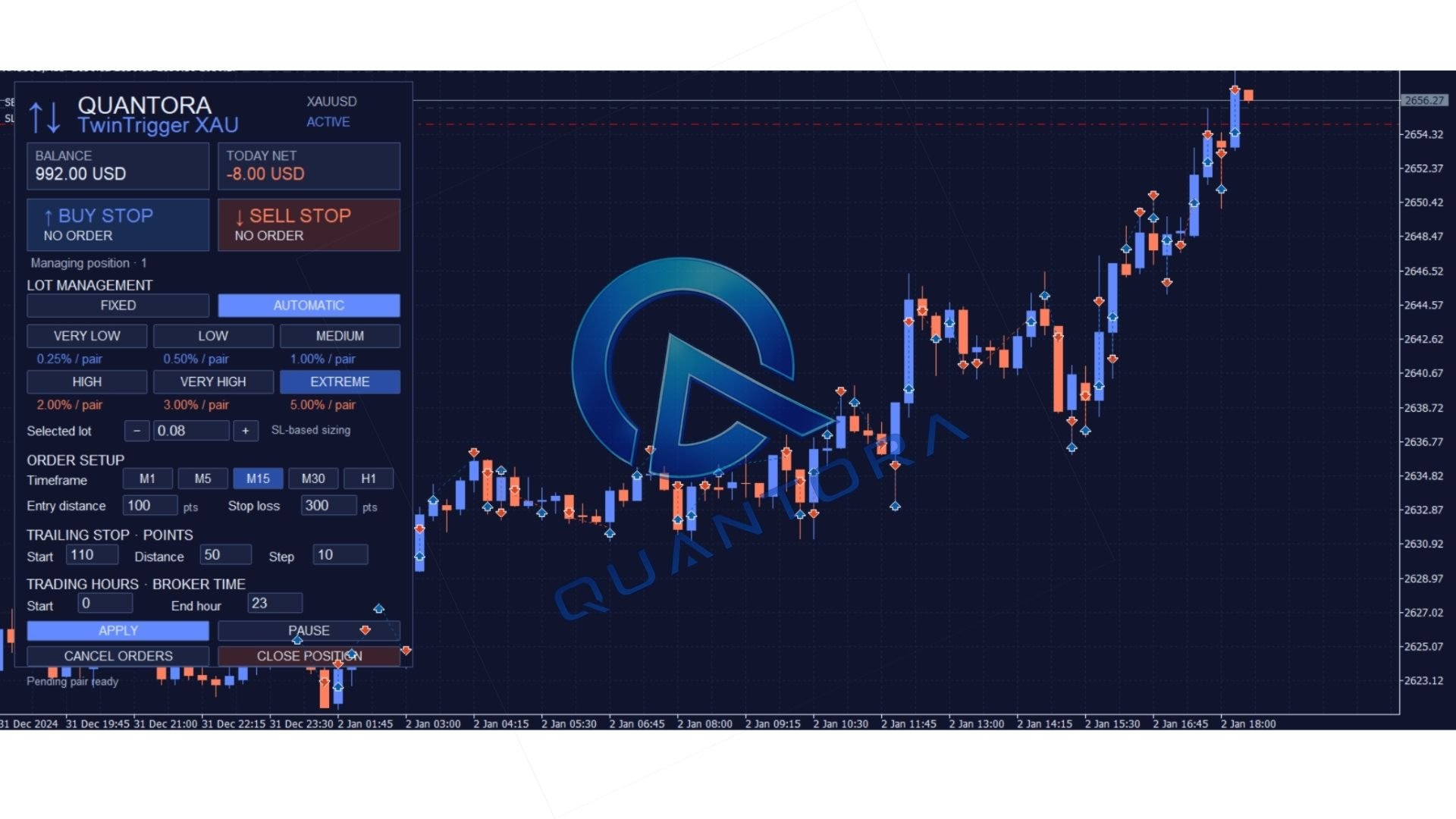
- Interactive dashboard: monitor status and access trading controls from one panel.
Flexible Lot Management
Use Fixed mode to specify your preferred volume, or Automatic mode to calculate order sizes from account balance, Stop Loss distance and the selected preset. The six presets adjust sizing while retaining the same core strategy.
Automatic volume ceilings vary by preset and do not apply to Fixed mode. For Very Low and Low, an optional minimum-lot fallback is enabled by default. It can use the broker's minimum lot even when this exceeds the selected risk budget; this option can be disabled.
Automated Trade Management
TwinTrigger manages orders and positions using predefined rules. Each pending order is submitted with an initial Stop Loss, and trailing adjustments follow favorable price movement when the configured conditions are met. This version uses Stop Loss and trailing exits rather than a fixed Take Profit.
The EA does not use martingale escalation or grid-based recovery. Order cancellation depends on terminal connectivity and broker execution; rapid market movement can result in both entry orders being triggered before cancellation is completed.
Interactive Dashboard
View account balance, daily results, order status and the selected lot configuration. Adjust sizing presets, order settings, timeframe and trading hours directly from the chart.
Dedicated controls let you apply settings, pause or resume entries, cancel pending orders and request position closure. Pausing entries leaves trailing management active while the EA remains operational.
Getting Started
- Platform: MetaTrader 5.
- Instrument: XAUUSD / Gold.
- Default order timeframe: M15.
- Default configuration: Automatic lots with Very Low preset.
- Recommended: reliable connectivity and a VPS for continuous operation.
Review your broker's symbol specifications and test your selected settings before live use. Keep MetaTrader 5 and the EA running for trailing updates and pending-order management.
Testing and Support
Explore the Market demo in the MetaTrader 5 Strategy Tester. Use real ticks where available and realistic trading costs. For setup assistance, contact Quantora through MQL5 messages or the product comments.
Explore the Quantora collection
Risk notice: Trading involves risk of loss. Preset names and volume limits do not guarantee a maximum loss. Backtests are historical simulations, and past performance does not guarantee future results.