TM TradeManager
- 实用工具
- 版本: 1.2
- 激活: 5

TM TradeManager – The Copilot EA for Manual and Automated Trading
Short Description
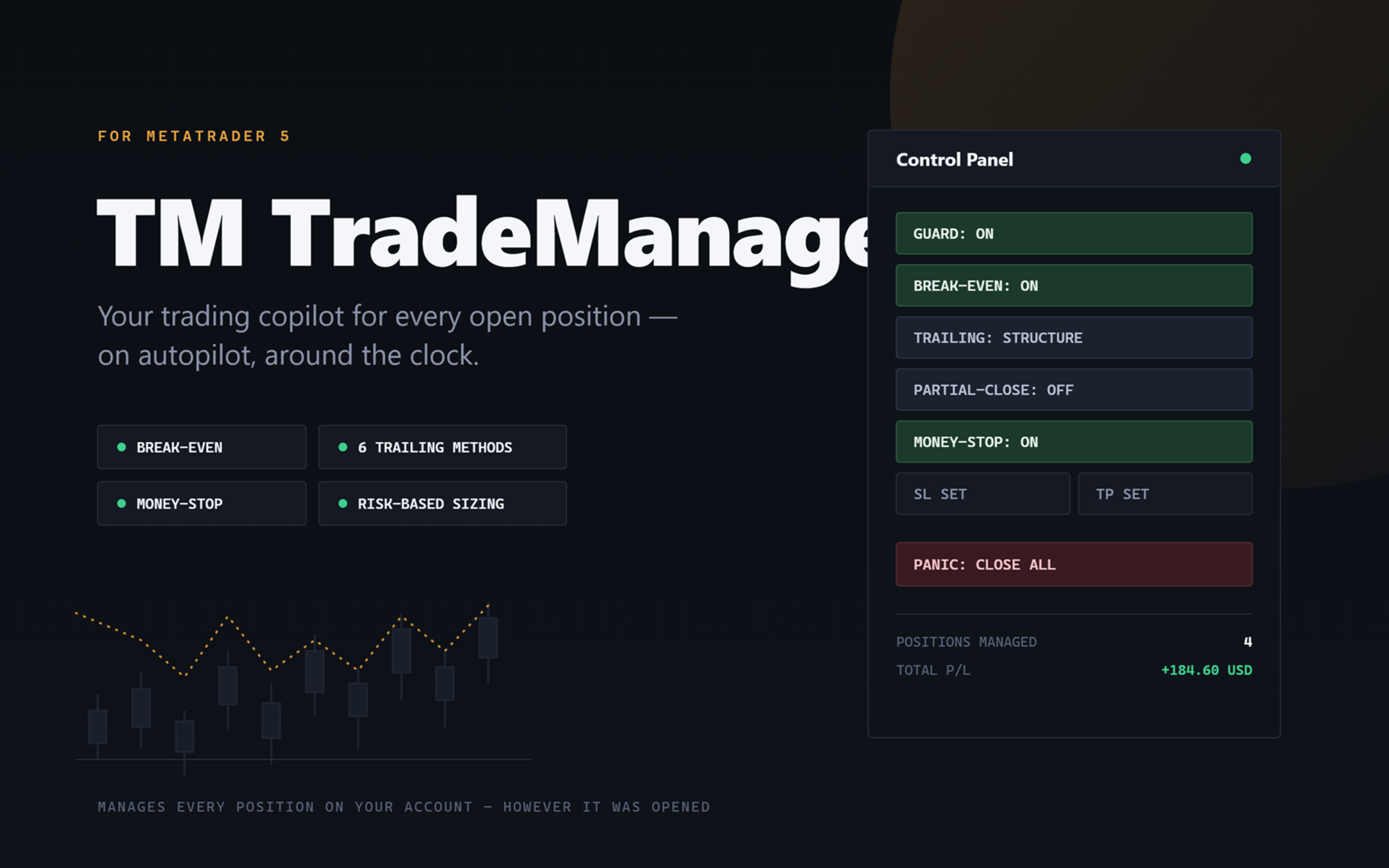
TM TradeManager is not a signal provider and not a scalper that opens trades on its own – it's your **safety net and cockpit** for every position on your account. Whether you trade manually, run another strategy, or open a trade from your phone on the go: as soon as TradeManager is running on a chart, it automatically takes care of break-even, trailing stop and – if you want – staged partial closing. On top of that comes a clean control panel right in the chart, letting you toggle break-even, trailing mode, partial-close and even quick trading with a click, without ever opening the properties dialog.
Why TM TradeManager?
Most traders don't lose because of bad entries, but because of missing or inconsistent trade management: the stop gets moved too late, break-even is forgotten, or you simply aren't at your screen when it matters. TM TradeManager runs around the clock on your VPS or terminal and takes over exactly that discipline – consistently, without emotion, without you having to watch constantly.
**The key point:** the EA manages **every position on your account**, no matter where or how it was opened. Open a trade on the go via the MT5 mobile app, and on the next tick it's automatically picked up and managed by the TradeManager on your VPS – without you having to touch the EA at all.
Feature Overview
**Break-Even**
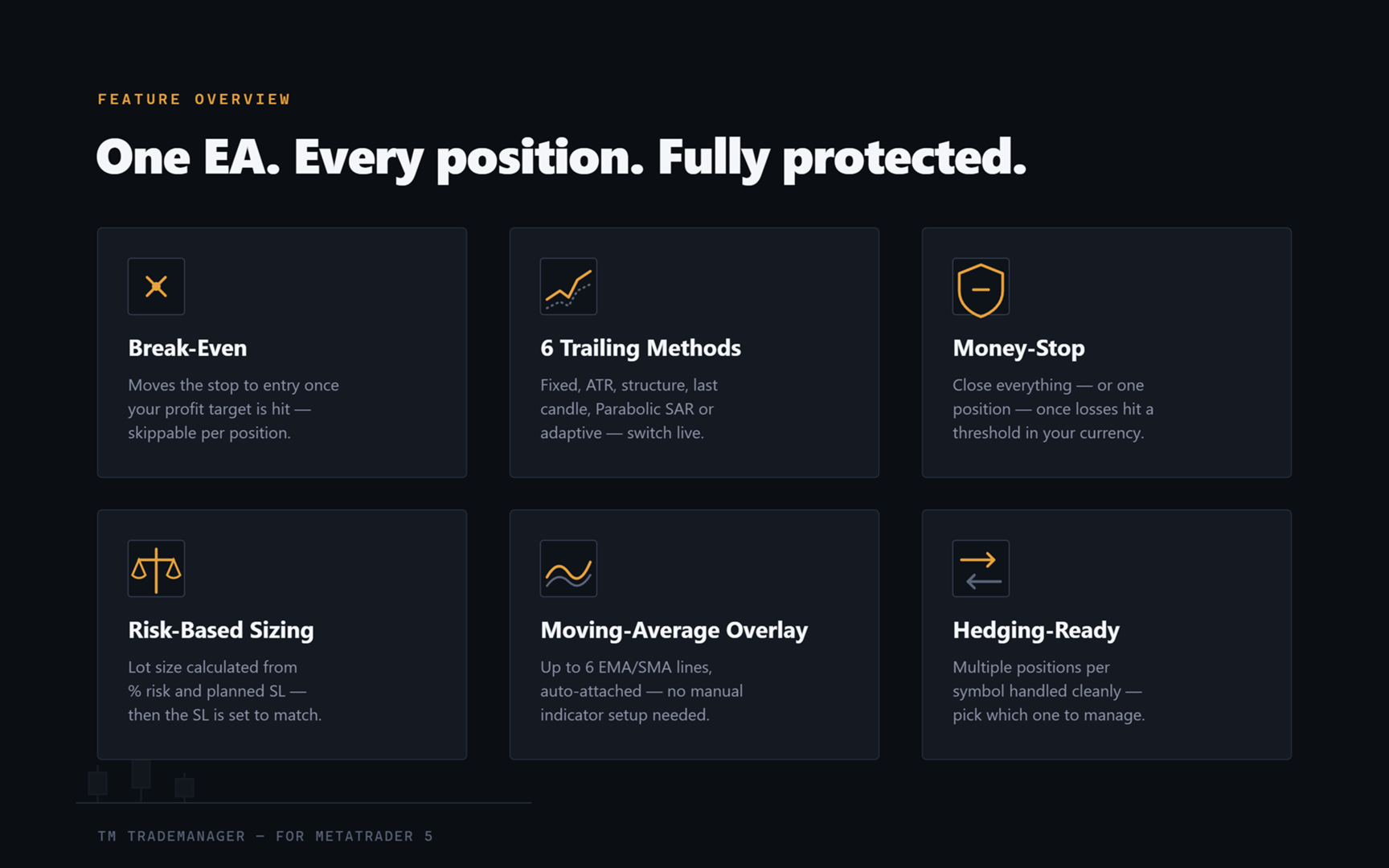
Automatically moves the stop-loss to the entry price (plus a buffer for spread/commission) once a configurable profit threshold is reached. Can also be disabled for a single, individual position (e.g. for layer/grid positions that are deliberately meant to run without break-even).
**Trailing Stop – 6 selectable methods**
- Fixed points distance
- ATR-based (automatically adapts to volatility)
- Structure (swing high/low of the last N candles)
- Last candle (high/low of the most recently closed candle)
- Parabolic SAR
- Adaptive (trailing distance automatically shrinks as profit grows, additionally backed by structure)
The mode can be switched live with a single click in the panel at any time, without restarting the EA – and without an unwanted new stop being set "out of thin air" the moment you switch: TradeManager provably waits for genuine new price movement before it acts for the first time after a mode change.
**Staged Partial-Close (optional)**
Up to three partial-exit stages, triggered either by a fixed points distance or R-multiples, with a freely configurable percentage of the original volume per stage.
**Money-Stop – automatic loss limitation in account currency, on two levels**
Two additional, independently switchable safety nets – an intuitive alternative to a classic price-based stop-loss:
- **Global:** as soon as the **total loss across all open, managed positions** reaches a threshold you define (a fixed amount, or a percentage of balance or optionally equity), TradeManager automatically closes all affected positions.
- **Per position:** closes exactly one position as soon as its own loss reaches an amount you define in account currency – independent of any price-based SL that may be set. This lets you think about risk directly in euros/dollars instead of price distance.
Both run independently of the regular on/off switch – so they stay active even while you've paused regular management.
**Draggable SL/TP Lines with Live P/L**
For every position, SL and TP are shown as draggable lines right in the chart, including a real-time profit/loss display in your account currency (calculated instrument-accurately via MT5's native `OrderCalcProfit` function – works correctly for gold, indices, and cross-currency pairs, not just simple forex pairs). Label position is freely configurable so it doesn't overlap the control panel.
**Control Panel Right in the Chart**
- On/off switch for the entire automatic management ("Guard")
- Break-even, trailing mode and partial-close switchable with a click
- Set or remove SL/TP directly – even with multiple simultaneous positions on the same symbol (hedging accounts are fully supported, including position selection)
- Panic button with two-click confirmation: closes all managed positions instantly if you want
- Freely selectable chart corner for the panel
**Quick-Trade Buttons with Risk-Based Position Sizing**
Up to 5 freely configurable volume presets plus Buy/Sell buttons right in the panel – open positions without ever opening the order dialog. An info line shows live what "100 points" mean in real money for the current symbol and volume – handy when switching between instruments with different contract sizes.
With one click you can also switch to **automatic, risk-based position-size calculation**: instead of picking a fixed volume preset, TradeManager calculates the right lot size itself – from your desired risk in % of balance (or equity) and your planned stop-loss distance. When opening via Buy/Sell, the stop-loss is automatically set at the calculated distance, so the calculated risk is actually honored. The calculation is instrument-accurate via tick value/tick size – so it works correctly for gold, indices and cross-currency pairs, not just plain forex pairs.
**Moving Average Overlay**
An automatically attached, separate indicator module draws up to 6 moving averages directly in the chart – period, color and method (EMA/SMA/SMMA/LWMA) freely configurable per line. It's attached by TradeManager itself, you never have to drag anything from the Navigator manually. Individual lines (e.g. an extra SMA) can be toggled on/off from the panel with one click. This module is deliberately built to be extensible – additional overlays (e.g. SuperTrend or other indicators) can be added on request; custom special requests possible for a small surcharge.
**Built Broker-Robust**
- Automatically detects the order filling mode supported by your broker (prevents rejected orders caused by wrong settings)
- Automatically respects the minimum SL/TP distance required by your broker (stops/freeze level)
- Works on both netting and hedging accounts
Who Is This For?
- Traders who want to consistently protect their positions but can't sit at the screen around the clock
- Users who sometimes trade spontaneously from their phone and still want reliable management running in the background
- Anyone who prefers one clean chart panel instead of several separate tools/indicators
Planned Extensions
TM TradeManager is under continuous development. Planned for an upcoming version:
- **Telegram control** – status queries and selected commands (e.g. panic-close, toggling Guard/Break-Even) conveniently via Telegram message, in addition to the in-chart control panel.
- **English EA interface** – panel labels, input fields and chart/log messages are currently in German; an English-language version of the program itself is in preparation. Further interface languages on request.
Buyers receive feature updates as part of regular product maintenance.
Important Notice
TM TradeManager is a **management tool**, not an automated trading system and not a signal provider. It does not open positions on its own (unless you use the optional quick-trade buttons yourself) and does not replace a trading strategy of your own. As with any automated tool: test thoroughly on a demo account first, adapt the settings to the respective symbol and your own risk tolerance before using it live. Trading leveraged products carries a significant risk of loss.
System Requirements
- MetaTrader 5
- Recommended: continuous operation on a VPS for 24/7 management
- Includes two files: the TradeManager itself (Experts folder) and the optional MA-overlay module (Indicators folder) – installation instructions included