PinMetrics MT4

  • 指标
  • Liam Alex Thomas Webb
    Liam Alex Thomas Webb
    嘿,我是Liam——是的,我不小心把我的中间名填进了名字框里(我知道,这是个经典失误)。
    我是一名交易者、程序员和数据爱好者,过去几年我一直在设计自己的工具来提升我的交易优势。经过在真实市场中的测试后,我决定与其他认真对待交易的交易者分享一些最有用的指标。我的交易方法结合了价格行为、统计概率和市场结构,因此我发布的指标也反映了这种组合。无论是基于模式的概率还是数据支持的预期统计,我关注的是真正有效的东西——而不是炒作或过于花哨的视觉效果。
    这里所有的指标都是100%原创——没有重新打包的代码或回收的脚本。
    这些都是我为自己的策略打造并不断完善的真实工具。
  • 版本: 1.0
  • 激活: 10
PinMetrics – MT4

Pin Bar Size Statistics Dashboard | Wick Ratio Analysis | Performance Metrics

Stop guessing which pin bars work. Let the data reveal the edge. 🎯

📖 Overview

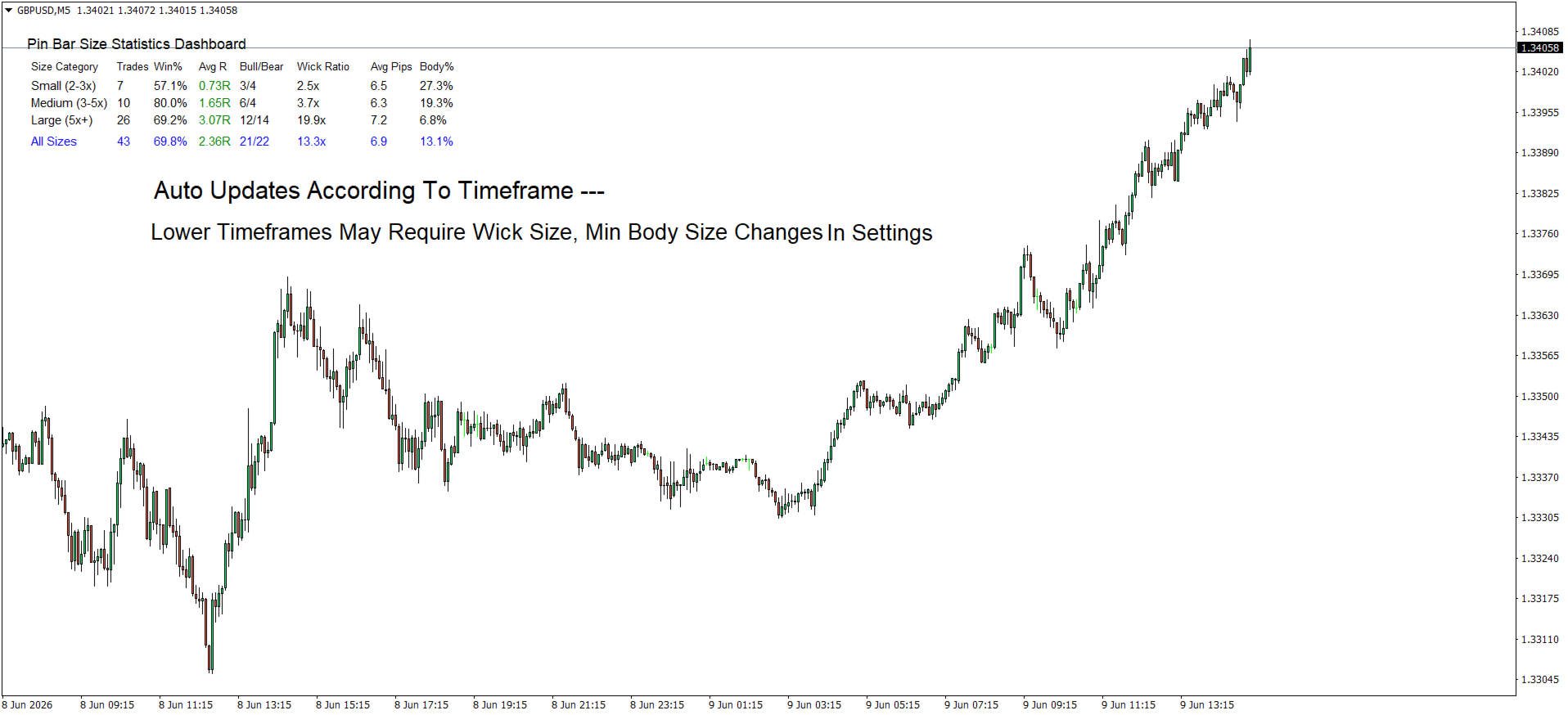
PinMetrics is a professional MetaTrader 5 indicator that automatically detects and analyzes pin bar patterns, categorizing them by wick-to-body ratio. It provides comprehensive performance statistics for each size category, helping traders identify which pin bar patterns offer the most reliable trading opportunities.

Not all pin bars are created equal. PinMetrics tells you exactly which size category has the highest win rate and best R-multiple on your current pair and timeframe.

✨ Key Features

Feature Benefit
Size-Based Classification Automatically sorts pin bars into Small (2-3x), Medium (3-5x), and Large (5x+) based on wick-to-body ratio
Real-Time Statistics Dashboard Displays Trades, Win %, Avg R, Bull/Bear ratio, Wick Ratio, Avg Pips, and Body % for each category
Direction Detection Automatically identifies bullish (hammer) vs bearish (shooting star) pin bars
Volume Confirmation Option Optionally require higher volume on pin bars – stronger rejection signals
Risk Management Integration Configure risk percentage per trade for position sizing context
Adjustable Thresholds Customize wick ratio boundaries, min bar size, and detection sensitivity
Clean Dashboard Layout Professional table format with color-coded R-multiples (green for positive, red for negative)
"All Sizes" Summary Row Overall performance across all detected patterns
Auto-Detection Scans up to 1000 bars and updates automatically on each new bar

📊 Dashboard Breakdown

Column Description
Size Category Small (2-3x) / Medium (3-5x) / Large (5x+)
Trades Number of pin bars detected in this category
Win % Percentage of patterns that resulted in profitable moves
Avg R Average risk multiple (green for positive, red for negative)
Bull/Bear Bullish pin bars vs bearish pin bars
Wick Ratio Average wick length relative to body (e.g., 4.2x)
Avg Pips Average total bar size in pips
Body % Average body as % of total range (lower = cleaner rejection)

🔍 Pin Bar Detection Criteria

Condition Requirement
Small body Body occupies ≤33% of total bar range
Long wick Dominant wick comprises ≥60% of total range
Direction Long lower wick = Bullish (Hammer) / Long upper wick = Bearish (Shooting Star)
Minimum size Configurable minimum bar size in pips (default: 10 pips)
Volume confirmation Optional – requires higher volume than previous bar

📈 Size Classification System

Category Wick Ratio Description Typical Performance
Small 2–3x Moderate wick extension Baseline win rate
Medium 3–5x Significant wick extension Higher win rate & R
Large 5x+ Extreme wick extension Highest win rate & R-multiple

Why Larger Wick Ratios Perform Better

Factor Small (2-3x) Medium (3-5x) Large (5x+)
Rejection force Moderate Strong Extreme
Stop loss distance Tighter Moderate Wider
Risk-reward potential 1.5-2.5R 2-4R 3-6R
Typical win rate 50-60% 55-65% 60-70%
Best timeframe Lower (M15-H1) Higher (H1-H4) Highest (H4-Daily)

⚙️ Input Parameters (MT5)

Dashboard Settings

Parameter Default Description
DashboardX 20 Horizontal position (pixels from left edge)
DashboardY 30 Vertical position (pixels from top edge)
DashboardColor White Dashboard background color
TextColor Black Text color for dashboard content
FontSize 9 Base font size

Pin Bar Pattern Settings

Parameter Default Description
SmallWickRatio 2.0 Small pin bar threshold (wick ≥2× body)
MediumWickRatio 3.0 Medium pin bar threshold (wick ≥3× body)
LargeWickRatio 5.0 Large pin bar threshold (wick ≥5× body)
MaxBodyRatio 0.33 Maximum body as % of total range (33%)
MinWickPercentage 0.60 Minimum dominant wick as % of total range (60%)
RequireVolumeConfirmation false Require higher volume on pin bar
MinPinBarSizePips 10.0 Minimum pin bar total size in pips

Risk Management

Parameter Default Description
RiskPercentage 1.0 Risk per trade as % of account balance
MaxHistoryBars 1000 Maximum bars to analyze

🎯 How to Use PinMetrics

Step 1: Attach to Chart

Drag PinMetrics onto any MT5 chart (recommended: H1, H4, or Daily).

Step 2: Let It Scan

The indicator automatically scans up to 1000 bars and categorizes every pin bar it finds.

Step 3: Read the Dashboard

Look for the category with the highest win rate and best Avg R:

  •  Large (5x+) category showing 66% win rate and +2.10R? → Prioritize those setups.

  • ⚠️ Small (2-3x) category showing 45% win rate? → Be selective or avoid.

Step 4: Trade with Context

Strongest pin bars occur when:

  • Forming at key support/resistance levels

  • Following a strong trend (counter-trend pin bars)

  • Aligned with higher timeframe bias

  • Accompanied by volume spikes

📈 Practical Trading Applications

Entry

  • Bullish pin bar at support → Buy on break of the pin bar's high

  • Bearish pin bar at resistance → Sell on break of the pin bar's low

Stop Loss

Place stop loss beyond the pin bar's extreme (the wick tip).

Take Profit Targets

  • 1st target – Recent swing high/low

  • 2nd target – Next support/resistance level

  • 3rd target – 2× risk amount (minimum for valid setup)

Position Sizing

text

Risk Amount = Account Balance × (RiskPercentage / 100) Position Size = Risk Amount ÷ Stop Loss Distance (in pips × pip value)

⚠️ False Signal Warning Signs

Sign Why It's Weak
Pin bar in middle of a range No clear rejection level
Very small total range (<10 pips) Not enough momentum
Equal wicks on both sides Indecision, not rejection
Low volume (if confirmation enabled) May be random noise
Against higher timeframe trend Lower probability of follow-through

🐛 Troubleshooting

Problem Solution
No pin bars detected Lower  MinPinBarSizePips  or check chart timeframe (H1+ recommended)
Dashboard not showing Adjust  DashboardX  /  DashboardY  values
Volume confirmation too strict Set  RequireVolumeConfirmation = false
Too many/few patterns Adjust  MaxBodyRatio  or  MinWickPercentage
Small timeframe noise Switch to H1, H4, or Daily for cleaner patterns

📦 Installation (MT5)

  1. Download  PinMetrics.mq5  or  .ex5

  2. In MT5: File → Open Data Folder → MQL5 → Indicators

  3. Copy the file into the Indicators folder

  4. Restart MT5 or right-click in Navigator → Refresh

  5. Drag PinMetrics onto your chart

📄 License

This indicator is provided for educational and personal trading use only. Redistribution or commercial use without permission is prohibited.

PinMetrics – Measure. Analyze. Trade with data. 🎯


作者的更多信息
Auto SR Zones
Liam Alex Thomas Webb
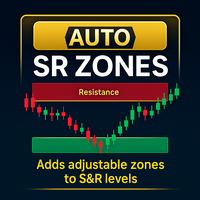
支持/阻力区 - MetaTrader 5 产品概览 概览 支持/阻力区 是一个为 MetaTrader 5 (MT5) 设计的直观指标,通过在图表上的水平线周围自动创建可自定义的区域来增强技术分析。这些区域由用户指定的点数距离定义,视觉上突出关键的支持和阻力区域,帮助交易者快速识别关键价格范围和潜在反转点。 主要功能 动态区域创建 :自动在水平线周围生成区域,可调整点数距离(默认:10点)以定义区域宽度。 支持和阻力识别 :根据当前价格相对于水平线的位置对区域进行颜色编码(支持:LimeGreen,阻力:Tomato),便于快速视觉识别。 可自定义外观 :可调整区域透明度(0-255)、颜色以及可选的支持/阻力标签,包括可配置的字体大小和颜色。 水平线过滤 :可选地通过用户定义的前缀过滤水平线,允许为特定线选择性地创建区域。 调试信息 :在 MT5 专家选项卡中提供可选的调试输出,用于故障排除和监控指标性能。 无缝 MT5 集成 :完全兼容 MetaTrader 5,确保流畅的性能和简单的设置。 性能优化 :轻量级设计,对 MT5 图表性能影响极小。 优势 增强价格水平分析 :清晰定
FREE
Smart Bar Timer
Liam Alex Thomas Webb
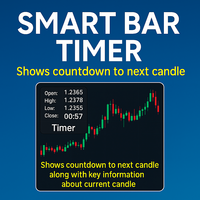
增强型K线计时器 是一个多功能且可定制的MetaTrader 5 (MT5) 指标,实时提供当前K线的信息,包括下一根K线的倒计时、K线细节、成交量和点差。指标显示在用户指定的图表窗口角落,提供多行或单行格式,允许交易者一目了然地监控关键市场数据,提升决策效率和交易效率。 主要功能 实时K线计时器 :显示下一根K线的倒计时(小时、分钟及可选的秒数),支持自定义文本颜色、字体大小和字体类型。 K线信息 :显示当前K线的方向(看涨/看跌)、K线大小(以点计)、实体大小、上下影线大小和价格变化百分比,并根据K线方向使用颜色编码文本。 成交量和点差数据 :可选显示当前K线的成交量(以百万或千为单位)和点差,提供关键市场背景信息。 灵活的显示选项 :可在详细的多行布局或紧凑的单行格式之间选择,支持调整行间距和定位。 无缝MT5集成 :完全兼容MetaTrader 5,确保简单设置和优化的性能,不影响平台速度。 可定制设置 :配置计时器颜色、看涨/看跌颜色、字体、显示角落、与角落的距离,以及秒数、K线信息、成交量和点差的显示开关。 优势 全面的市场洞察 :将K线计时、K线分析、成交量和点差数据整合
FREE
Clean Chart Toggle
Liam Alex Thomas Webb
5 (1)
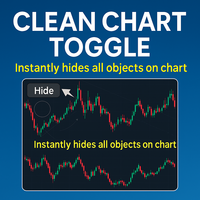
清晰图表切换 是一个用户友好的指标,专为提升 MetaTrader 5 (MT5) 图表体验而设计,通过简单的方式管理图表上指标和对象的可见性。只需位于图表窗口左上角的单个按钮,用户即可立即隐藏或显示所有指标和绘图对象,减少杂乱,提升对价格走势或特定分析需求的专注。 主要功能 一键切换按钮:位于 MT5 图表窗口左上角的按钮,允许用户通过一次点击快速隐藏或显示所有指标和绘图对象。 可自定义可见性:在显示所有指标和对象或清除图表以获得简洁视图之间切换,非常适合专注于原始价格数据。 无缝 MT5 集成:完全兼容 MetaTrader 5,确保在平台内轻松设置和流畅性能。 用户友好设计:直观的界面,最小化设置,适合所有经验水平的交易者。 性能优化:轻量高效,确保不影响 MT5 图表性能或平台速度。 优势 提升图表清晰度:快速整理 MT5 图表,专注于关键价格走势,避免多个指标或绘图的干扰。 节省时间:无需手动隐藏或显示单个指标,简化 MT5 中的工作流程。 改善决策:清晰的图表视图帮助交易者专注于关键价格走势,提升分析和交易决策。 多用途使用:适合使用 MT5 的短线交易者、日内交易者和长期
FREE
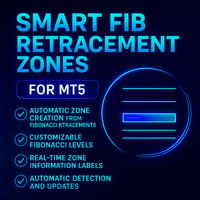
# Smart Fib Retracement Zones For MT5 指标 Smart Fib Retracement Zones For MT5 指标是您在 MetaTrader 5 平台上的终极伴侣,可即时可视化关键的斐波那契回撤数据——就在您需要的区域,实时呈现。 该工具自动在您的斐波那契回撤区域上叠加可操作的数据,例如级别分类、点差距离、回撤百分比和区域强度——清晰地显示在每个区域内。无论您是进行日内剥头皮交易,还是分析日线图上的关键斐波那契水平,该指标都能将标准的斐波那契回撤转化为智能区域——即时提升您图表的信息价值。 ## 功能一览 ### 自动从斐波那契回撤创建区域 - 从关键斐波那契水平(23.6%、38.2%、50%、61.8%、78.6%)即时生成区域。 - 自动检测波段高点和低点,创建精确的回撤区域。 ### 可定制的斐波那契水平 - 配置要显示和监控的斐波那契水平。 - 调整区域厚度和边界以匹配您的交易风格。 ### 实时区域信息标签 - 斐波那契水平百分比(38.2%、61.8% 等) - 当前价格的实时点差距离 - 基于历史价格反应的区域
CleanChartToggle
Liam Alex Thomas Webb
Clean Chart Toggle – MQL5 One-Click Chart Clutter Remover | Instant Clean Mode One click. Zero clutter. Instant clarity.   Overview Clean Chart Toggle   is a simple yet powerful MetaTrader 5 utility indicator that instantly hides all chart clutter with a single click. Perfect for traders who need a clean workspace for analysis, screenshots, or presentations, this indicator toggles between normal and clean chart modes with visual feedback and customizable controls. Stop wasting time manuall
FREE
Smart SR Levels Pro
Liam Alex Thomas Webb
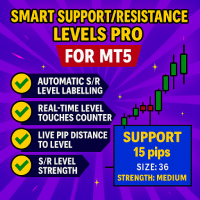
MetaTrader 5增强型支撑/阻力水平信息指标 欢迎体验增强型支撑/阻力水平信息指标,这将是您图表上的终极伴侣,实时可视化重要的支撑/阻力(S/R)信息。这一MT5工具会自动为您的水平线标注关键的S/R指标——支撑/阻力分类、触碰次数、实时点差距离、水平强度和历史年龄——所有信息一目了然,简洁地显示在每个水平下方。 这款工具由交易者为交易者设计,将您手动放置的水平线转化为一个信息丰富的可操作显示界面,旨在几秒钟内优化您的交易流程并提升决策效率。 功能概览 增强型S/R信息指标配备了智能功能,帮助您充满信心地交易: 自动化水平信息 立即识别所有OBJ_HLINE水平线,并自动将其分类为支撑或阻力水平——无需手动标记。 详细水平指标 每条线上显示价格触碰次数、当前价格的实时点差距离(实时更新!)、强度评分和水平年龄——让您快速了解市场行为。 实时数据 水平信息随实时价格动态更新,采用优化的刷新间隔,确保图表性能平稳。 完全可定制的视觉效果 个性化您的显示选项:调整标签字体、文本大小、颜色,以及手动或自动偏移位置(根据支撑/阻力在线条上方或下方)。 广泛兼容性 在MetaTr
Smart SD Rectangle Tool
Liam Alex Thomas Webb
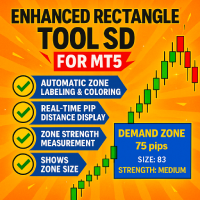
智能供需矩形工具指标是您在MT5上的终极伙伴,可即时可视化关键供需数据——就在您需要的区域,实时呈现。 该工具会自动在您的区域上覆盖丰富、可操作的数据,例如区域分类、点差距离、强度和区域大小——整洁地定位在每个区域内部。无需杂乱,无需猜测——只有清晰、动态的洞察力来支持您的决策。 为交易者打造,精准驱动。 无论您是进行日内超短线交易还是分析日线图上的关键区域,该指标都能将您手动绘制的区域瞬间转变为智能区域——立即提升图表的信息价值,而不干扰您的工作流程。 功能一览 自动水平检测 即时识别图表上的所有区域。 无需手动标记,即可将其分类为供需区域。 丰富、实时指标 显示: • 区域大小 • 当前价格的实时点差距离 • 区域强度评分 • 区域存在时间(区域年龄) 实时更新 数据随价格变动实时刷新。 智能刷新间隔确保即使在较低时间框架下,图表性能依然流畅。 可定制显示 调整标签字体、大小、颜色和定位。 智能自动标签:包含手动覆盖选项 跨市场适用 兼容MetaTrader 5上的所有外汇对、主要商品和加密货币工具。 交易者为何喜爱它 一站式区域洞察:一目了然查看供需标识、
Candle Pattern Odds
Liam Alex Thomas Webb
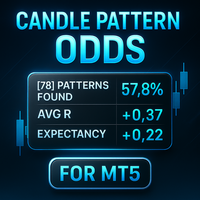
以下是将您提供的文本翻译成中文的内容: --- **K线形态概率仪表板** K线形态概率仪表板是一个直观的指标,用于分析和展示关键K线形态的实时统计数据。该工具可检测如吞没形态、特性变化(CHOCH)、失衡、针形K线和内包K线等形态,并在图表上以可定制的仪表板形式展示其性能指标。交易者可以深入了解形态的可靠性、胜率和风险回报比,使其成为数据驱动交易策略的必备工具。 **主要功能** - **形态检测**:根据用户可配置的设置,自动识别五种关键K线形态(吞没形态、特性变化、失衡、针形K线、内包K线)。 - **交互式仪表板**:在MT5图表上以清晰、可定制的面板展示实时统计数据,包括总交易次数、胜率、平均R倍数和期望值。 - **风险管理整合**:根据用户定义的账户余额百分比计算风险,确保交易中的风险管理一致性。 - **可定制设置**:调整仪表板位置、颜色、字体大小和形态检测参数,以适应个人交易偏好。 - **性能优化**:轻量高效,对MT5图表性能或平台速度影响极小。 - **历史分析**:分析用户定义的历史K线数量(默认:1000),提供全面的形态性能数据。 **优势
筛选:
无评论
回复评论