Candle Time End and Spread MT5

5
Super simple, convenient, useful tool.
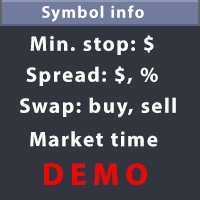
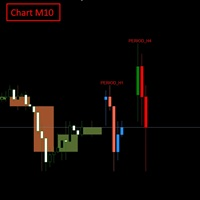
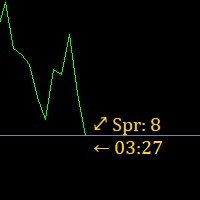
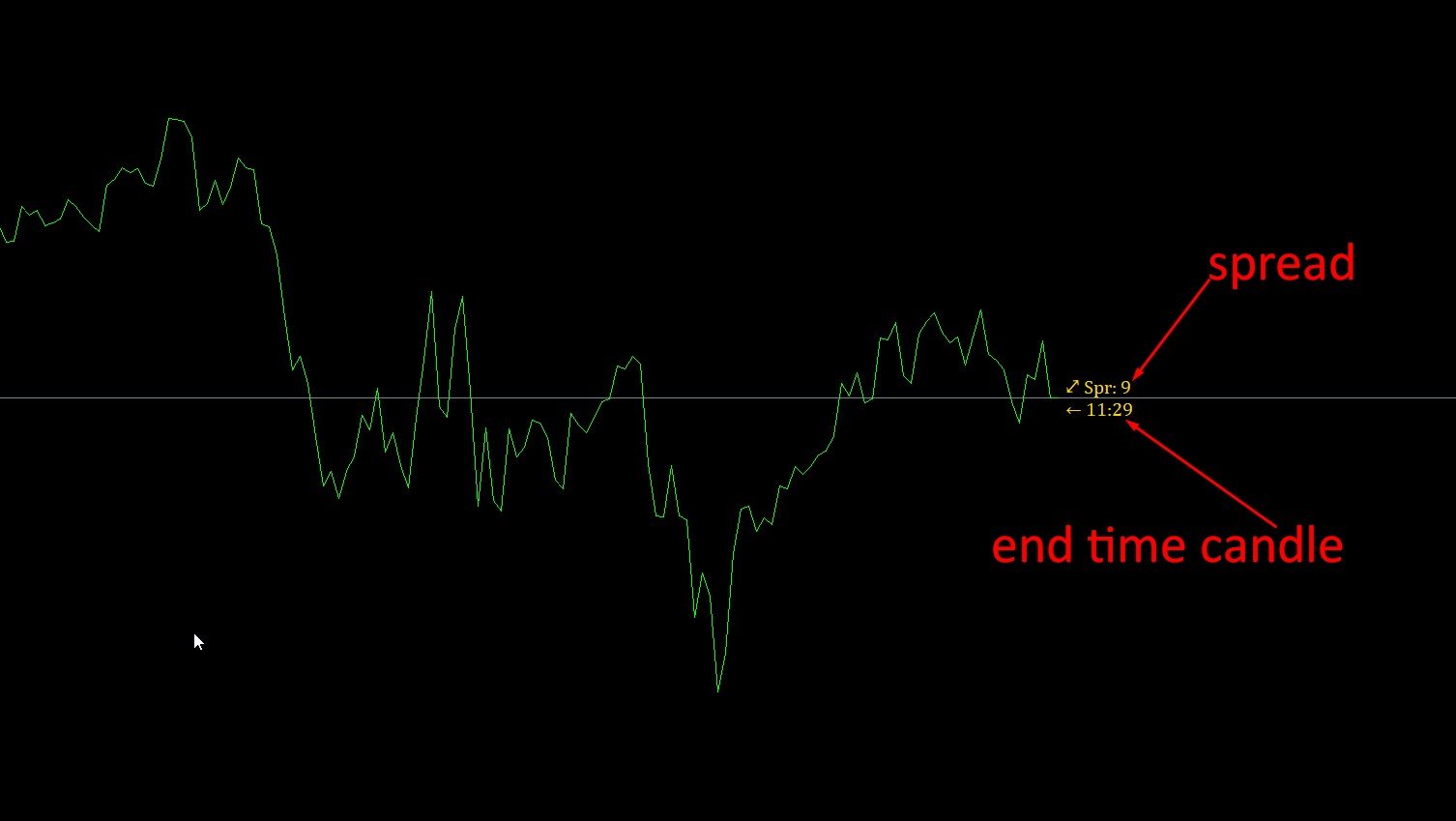
Allows displaying the end time of a candle (standard) and expanding the symbol's spread in real time.

The countdown tool is smooth, not jerky or slow like some other tools

Useful tool for professional traders specializing in short-term and long-term trading.

Contact author or user guide: https://www.mql5.com/en/channels/metool_trading
评分 7
Ocean
789
Ocean 2024.12.12 10:58 
 

Best tool for candle time and spread. the fastest support!!!

Marcos Otaviano Alves
117
Marcos Otaviano Alves 2024.12.12 04:54 
 

Is this tool expired?

tjbabs
26
tjbabs 2024.06.01 15:21 
 

Is there any other better than this show yourself let know

推荐产品
EW Close All – 一键全平。全部关闭 。 EW Close All 是一款轻量级、多语言 EA 专家顾问,只需点击一次按钮,即可瞬间关闭所有持仓并取消全部挂单。 关闭所有已开仓位   取消所有挂单   适用于任意交易品种和任意时间周期   多语言界面   干净、快速、可靠 完美适用于快速离场、风险控制或每日收盘前的清理工作。 保持绝对掌控 —— 用 EW Close All 几秒钟内关闭一切! EW Close All – 一键全平。全部关闭 。 EW Close All   是一款轻量级、多语言 EA 专家顾问,只需点击一次按钮,即可瞬间关闭所有持仓并取消全部挂单。 关闭所有已开仓位   取消所有挂单   适用于任意交易品种和任意时间周期   多语言界面   干净、快速、可靠 完美适用于快速离场、风险控制或每日收盘前的清理工作。 保持绝对掌控 —— 用 EW Close All 几秒钟内关闭一切!
FREE
SellMarket
Pietro Caporale
Simple script for Sell by Market Execution on all financial instruments. Inputs Volume - default: 0.10 Deviation - default: 10 points Stoploss - default: 50 points Takeprofit - default: 50 points Comment - default: Order by Market Confirm - default: false Inputs Details Type Order Sell Order is preset. Deviation Maximum deviation from quoted price in points. Stoploss & Takeprofit In points value, be careful that this value will be added to minimum stop allowed by the broker. For example if you
FREE
BuyMarket
Pietro Caporale
Simple script for Buy by Market Execution on all financial instruments. Inputs Volume - default: 0.10 Deviation - default: 10 points Stoploss - default: 50 points Takeprofit - default: 50 points Comment - default: Order by Market Confirm - default: false Inputs Details Type Order Buy Order is preset. Deviation Maximum deviation from quoted price in points. Stoploss & Takeprofit In points value, be careful that this value will be added to minimum stop allowed by the broker. For example if you s
FREE
MyFXRoom EA — Smart Position Size Calculator & Trade Execution Tool Overview MyFXRoom EA is a professional semi-automated trading tool designed to remove the guesswork and manual calculation from trade execution. Built for serious traders who manage their own entries and exits but want precision, speed, and consistency in every trade — without the complexity of a fully automated system. The EA does one thing exceptionally well: it calculates the correct position size for your exact risk toleran

FREE
Symbol Cost Monitor 是一款面向 MetaTrader 5 的专业分析工具,旨在帮助交易者同时快速监控多个交易品种的交易成本。 点差和隔夜利息会直接影响最终交易结果。对于剥头皮交易、日内高频交易、持仓数天以及同时交易多个品种的交易者而言,这一点尤其重要。MetaTrader 5 的标准界面无法在同一个窗口中方便地比较这些参数,因此交易者通常需要逐个打开品种规格并手动查看相关信息。 Symbol Cost Monitor 会收集所选交易品种的关键数据,并将其显示在图表上的紧凑型面板中。该工具可以帮助您快速识别点差较高的品种、比较隔夜利息、监控交易条件的变化,并在开仓前评估潜在交易成本。 面板会实时更新数据,并且可以监控 Market Watch 中的全部交易品种,也可以只监控用户自定义的品种列表。颜色提示能够帮助您快速发现交易条件恶化,而警报功能则可以在点差超过设定水平时及时提醒您。 主要功能: 同时监控多个交易品种,显示 Bid 和 Ask 价格,显示当前、最小和最大点差,显示 Swap Long 和 Swap Short,显示隔夜利息计算模式,显示三倍隔夜利息日,显
FREE
Defence Zone Engine Gold Professional XAUUSD Support & Resistance Analysis Using Market Structure, Supply & Demand and Timeframe-Aware Zone Refinement Overview Defence Zone Engine Gold is a professional market structure analysis tool designed . Defence Zone Engine Gold is a professional XAUUSD chart utility designed specifically for XAUUSD (Gold) to automatically identify, validate, refine, filter and rank support and resistance zones using market structure, supply and demand concepts, confidenc
FREE
Session panel
Timo Mario Hoffmann
Session Panel for MT5 Session Panel is a free MT5 indicator that gives you a fast and convenient live overview of the major trading sessions directly from the chart. Monitor Tokyo, London, and New York session times, see which session is currently active, track countdowns to the next session, and view session overlap information in one compact dashboard. Built for traders who want better market timing, clearer session awareness, and a cleaner chart workflow in live market conditions. Session Pan
FREE
Time Panel:  Server Time, Local Time and Open and closed clocks for TOKYO, London and New York. Time Panel + Horizontal Bar: Server/Local + Main markets Sessions Example: TIMES    SERVER HH:MM:SS    LOCAL HH:MM:SS   TOKYO    OPEN    00:00 - 09:00 UTC   cls 02:34:15   LONDON    CLOSED  08:00 - 17:00 UTC   opn 05:12:33   NEW YORK OPEN    13:00 - 22:00 UTC   cls 07:45:22 https://t.me/Tonic_Trades_Signals
FREE
介绍 EA AccountTrailingStop MT5,一种先进的 Expert Advisor,旨在通过自动管理和保护您在 MetaTrader 5 上的利润来增强您的交易策略。此工具非常适合新手和专业交易者,为各种交易环境中的动态利润锁定提供强大的解决方案。 使用 EA AccountTrailingStop MT5,用户体验到显著的优势,例如在有利市场条件下提高利润保留率和减少手动监控时间。在 forex、指数和加密货币领域,交易者们注意到他们的整体盈利能力显著提高,使得这个 EA 成为任何希望优化交易表现的人的重要资产。 MQL产品安装指南 | 在 MT4/MT5 上更新已购买的MQL产品 | 常见故障排除指南 | 常规设置/输入指南 | 回测和设置文件 主要特点 动态利润跟踪:自动跟踪和追踪总账户利润,确保在当前利润低于最后一个峰值时平仓。 可自定义的追踪止损:根据您的利润水平设置追踪止损参数,允许量身定制的风险管理。 魔法数字支持:按特定魔法数字过滤交易或应用于所有交易,增强与各种交易策略的兼容性。 止损/止盈管理:可配置的止损和止盈设置确保在任何市场中有效控制风险。
FREE
Quick Style MT5
Maxim Polishchuk
4.75 (12)
The Quick Style utility is designed for facilitation and acceleration of working with the properties of graphical objects. Left-click a graphical object while holding the Shift key to open the quick access window for configuring the object properties. In the window, you can change the color, style and line width with one click, including those of other graphical objects. All changes are displayed immediately. To close the Quick Style , simply click the free space on the chart. The utility is eas
FREE
AQ RiskOptimizer MT5
HIT HYPERTECH INNOVATIONS LTD
4 (1)
Risk Optimizer is the absolute solution for applying risk management on your account. Bad risk management is the main reason that causes traders to lose money. Risk Optimizer calculates and suggests the correct lot size for each position according to your personal, customized risk profile. You can give directly your preferred risk as percentage (%) for each position or you can trust our algorithms to calculate and optimize according to your risk category selection. But it is not only that! Selec
FREE
脚本分析设定时间段内的市场观察中的所有交易品种。 结果显示在“专家”选项卡和指定文件中。 为了便于查看和编辑,结果显示在csv文件中。 皮尔逊公式用于计算。 一对相关系数值接近 1 意味着这些对移动几乎相同。 接近 -1 的值意味着对以相同的方式移动。 这个工具对于那些由于其他货币对的变动而使用对冲的人来说非常有用。 参数: glubanal - 酒吧中的分析深度 InpFileName - 输出文件名 InpDirectoryName - 输出目录 precision - 提高精度(使用OHLC而不是O),增加了计算的精度,但在计算过程中加载更多的处理器和网络 spreadmax - 计算最大传播最大传播最大传播最大传播最大传播最大传播最大传播最大传播最大传播最大传播最大传播最大传播最大传播最大传播最大传播 ValuesSeparator - 接收值的值分隔符分隔符字符 ShadowFinder -确定滞后/前导阴影的条形数量。 如果为负值,则表示阴影应位于主线对之前。 AverageMethod -根据Pearson公式计算对应关系的平均方法
ChartControl
Serhii Kovalenko
ChartControl 是一款轻量级的实用型指标,用于快速手动切换图表。它允许你通过键盘快捷键在当前图表上切换 交易品种 和 周期 —— 非常适合快速扫盘,无需鼠标点击。 本产品仅以 EX5(已编译) 形式发布。 主要功能 通过 Market Watch(市场报价) 列表快速切换品种 按预设周期集合快速切换周期(M1…MN1) 占用资源极低(无计算、无绘图) 当你用鼠标/菜单手动切换品种或周期时自动同步 快捷键 A — 上一个品种(Market Watch) D — 下一个品种(Market Watch) W — 下一个周期(更大) S — 上一个周期(更小) 周期顺序: M1 → M5 → M15 → M30 → H1 → H4 → D1 → W1 → MN1 使用方法 将指标加载到任意图表 点击一次图表以确保图表处于焦点 使用 A / D / W / S 切换品种/周期 说明 品种切换仅基于当前 Market Watch 中可见的品种。 若 Market Watch 为空,指标将使用当前图表品种。 兼容性 MetaTrader 5,所有经纪商,任意图表。
FREE
This utility displays the information required for making trades on each opened chart. For example: spread value, swap value; triple swap day; session closing time; ATR of the symbol by Gerchik; total profit/loss for the current symbol; the number of trades made earlier; the percentage change in the quotes of 6 selected instruments; and much more. The spread value is always shown. The rest of the information is displayed depending on the settings: Show total orders at the moment (long, short) .
FREE
Posh Sessions MT5
Theresia Yovitha Herwanda
Posh Sessions is indicator which displays sessions in broker time or your local time. You can set up to 5 sessions, assign name, start time, end time and color of each session. There is session's range to help you make a chart analysis. Settings for a session: Show:    To show or not the session on chart Title:   The title/name of the session Timezone:   Select between broker or local time to implement the session's period Start time:   The session start time End time:   The session end time Co
FREE
Golden Breakout Pro
Billy Gunawan Sumardi
GOLDEN BREAKOUT PRO MT5 Precision Gold Trading EA for Smart Traders Live Signal Golden Breakout Pro MT5 is a powerful Expert Advisor designed to capture high-probability breakout movements in the market — especially on   XAUUSD (Gold) . Built with a focus on   precision, stability, and risk control , this EA is not about overtrading. It is about entering the market   only when it matters most .   KEY FEATURES   Advanced Breakout Strategy Trades only when price breaks significant lev

FREE
Fast Order Panel
Devscode Desenvolvimento de Softwares LTDA
5 (1)
MetaTrader 5 手动交易执行面板 该工具旨在简化并加快 MetaTrader 5 中的手动交易操作,提供一个直观、实用的图表交易面板,用于订单执行和仓位管理。 该面板的设计理念参考了 Profit Chart 平台中常见的下单界面布局,并针对 MetaTrader 5 环境进行了适配,为习惯此类操作方式的交易者提供熟悉的交易体验。 Features 市价买入 / 市价卖出 一键快速发送市价订单。 Buy Stop / Sell Stop 挂单 快速设置带止损参数的挂单。 快速手数选择 预设交易量按钮,提高下单效率。 止损偏移设置 以点数形式轻松设置止损距离。 反向开仓 自动反转当前持仓方向。 取消挂单 一键取消当前品种的所有挂单。 平仓(Flatten) 立即关闭当前品种的所有持仓。 取消订单 + 平仓 紧急功能,用于同时取消订单并关闭持仓。 Trade Information Panel 面板实时显示以下交易信息: 当前浮动盈亏 当日盈亏 平均结果 总结果 Intended Use 适用于: 手动交易者 剥头皮交易者 日内交易者 股票、期货、指数和外汇交易(取决于经纪商)
FREE
Account Info AS 是一款功能強大的 MetaTrader 5 資訊腳本,可將您交易帳戶的完整資訊直接顯示在圖表上。該腳本提供帳戶分析、風險管理和交易決策所需的所有數據。 主要功能 完整財務資訊 帳戶類型(模擬/真實/競賽) 餘額、淨值和保證金 可用保證金(現金和百分比) 保證金水平 當前盈虧 風險管理 追繳保證金和強制平倉水平 目前交易品種1手保證金計算 熱門交易品種的保證金 交易資訊 持倉(數量、方向、總獲利) 按類型列出的掛單 目前交易品種資訊: 手數(最小/最大/步長) 點差(點) 隔夜利息 科技數據 目前伺服器時間 公司和伺服器名稱 帳號和客戶資訊 設定 該腳本有三個簡單的參數: Line_spacing - 在資料之間新增空行,以提高清晰度和可讀性 ShowAllSymbolsInfo - 顯示熱門交易品種(例如 EURUSD、 GBPUSD、XAUUSD 等) 顯示時間(秒)- 訊息顯示時間(0 = 不自動清除) 使用方法 將腳本拖放到 MetaTrader 5 的任意圖表上 如有必要,請在彈出視窗中調整
FREE
RRPP Script
Mikhail Ostashov
RRPP Script A script for placing a pending order prepared by the Risk Ratio Trade Panel indicator. Reads the entry price, Take Profit, Stop Loss and lot size directly from the indicator lines on the chart. Requirements The Risk Ratio Trade Panel indicator must be attached to the chart and the panel must be open before running the script. How it works Attach the Risk Ratio Trade Panel indicator to the chart, open the panel and set the Entry, TP and SL lines to the desired levels. Then run RRPP Sc
FREE
Overview The script displays information about the trade account: Information about the trade account: Account - account number and type (Real, Contest or Demo); Name - name of the account owner; Company - name of a company that provide the access to trading; Server - trade server name; Connection State - connection state; Trade Allowed - shows whether trading is allowed on the account at the moment; Experts Allowed - shows whether it is allowed to trade using Expert Advisors; Balance - account

FREE
All-in-One MT5 Trading Panel EA Take full control of your trades directly from the chart using this intuitive and efficient MetaTrader 5 Expert Advisor. Built for precision, speed, and simplicity, this EA provides a fully integrated trading panel to manage your positions without navigating multiple menus. Key Features Instant Order Execution Place trades instantly with six predefined buttons: BUY 0.5 – Open a buy position with 0.5 lot BUY 1.0 – Open a buy position with 1.0 lot BUY 2.0 – Open a
FREE
Bybit BTC Scalper
STANTON ROUX
3.9 (10)
BTC Scalper - Automated RSI Breakout Strategy for BTCUSD Unlock the power of automated trading with BTC Scalper! This expert advisor is a fully autonomous trading strategy, designed to capitalize on fast-moving BTCUSD markets. It leverages a potent combination of RSI Breakouts and two Exponential Moving Averages (EMA) to find high-probability trade entries, ensuring optimal confluence for success. Key Features: Fully Automated Trading : Set it, forget it, and let BTC Scalper handle your trades 2
FREE
Unified Panel v5: Your Personal Command Center in MetaTrader 5 Tired of Missing Opportunities? Take Full Control of the Market! Every trader knows the pain: Fatigue from Waiting: You spend hours staring at the monitor, switching between dozens of charts and timeframes in search of the perfect setup. You get distracted for a moment—and the best opportunity is gone. Fear of a Margin Call: You have several positions open, possibly on different instruments or in a "lock". How do you know where the
FREE
Forget about enabling templates when you launch the window. Auto Template Master Service  is a professional utility tool that runs as a system service in MetaTrader 5, and it will do it for you. Unlike traditional indicators or expert advisors (EAs), the program runs in the background of the entire terminal and doesn't require you to add it to each window individually. As soon as you open a new chart of any instrument (Forex, Stocks, Crypto), the service immediately detects the new window and a
Simple spread update script for updating your backtesting data and getting them as close as possible to your broker trading spread. This step is often overlooked but very important to do if you want to have reliable backtests. Import downloaded data into your MT5 (e.g. dukascopy data), load specific period of ticks (usual time of your trading) and compare the provided spread with your broker at your trading time. To update the spread, load custom symbol to your market watch, open chart window a
FREE
Click Trading
Jawad Tauheed
5 (2)
One Click Trading – Auto TP SL Developer TraderLinkz Version 1.00 Category Utility What it does Adds missing TP and SL to your manual trades and pending orders Sets them once per ticket Lets you move TP and SL afterward Works on hedging and netting accounts Scans on every tick and reacts on trade events Why you want it You place faster entries You get consistent risk and exit targets You reduce fat finger errors You keep full manual control Quick start Attach the EA to any chart Keep TP and SL e
FREE
这款专为MetaTrader 5设计的EA(Expert Advisor),能够在加载后自动关闭所有图表,并立即从当前图表中自行移除。它适合那些希望快速清理所有图表,并避免手动关闭每个图表的用户。 功能特点: 一次性清理: 加载后立即关闭所有打开的图表。 自动移除: 执行完毕后,EA自动从当前图表中移除,无需手动操作。 快速高效: 适用于快速清理交易环境,特别适合在需要快速重置或结束交易日的情境。 使用说明: 只需将此EA添加到任何一个图表上,它将自动执行关闭所有图表的操作并自行移除。使用前,请确保已保存所有重要的图表数据和设置。 风险提示: 请谨慎使用此EA,以防不小心关闭重要图表。 适用于MetaTrader 5平台。 技术支持: 如有任何技术问题或需求,请联系我以获得帮助。
FREE
Daily P/L Risk Management is a MetaTrader 5 utility that watches your account's daily profit and loss and acts automatically when a limit is hit. It tracks both realized and unrealized P/L and can close positions, disable trading or alert you. It is a practical safety net for prop-firm challenges and disciplined day trading. Features Daily loss and profit limits, set by money amount or percent of balance/equity. Combined P/L tracking: counts both closed-trade (realized) and open-position (unreal
FREE
Shved Position Pips Label   is a professional utility indicator for MetaTrader 5 that displays the real-time floating profit or loss of all your active positions directly on the chart. No more switching to the "Trade" tab at the bottom of the terminal — all crucial information about your running trades is positioned right in front of your eyes next to the current price line! Key Advantages: Smooth Price-Anchored Alignment:   The labels are anchored to the last bar and smoothly slide vertically f
该产品的买家也购买
Trade Assistant MT5
Evgeniy Kravchenko
4.41 (215)
它有助于计算每笔交易的风险,容易安装新的订单,具有部分关闭功能的订单管理, 7 种类型的追踪止损和其他有用的功能。   附加材料和说明 安装说明   -   应用程序说明   -   模拟账户应用程序的试用版 线条功能  - 在图表上显示开仓线、止损线、止盈线。 有了这个功能,就可以很容易地设置一个新的订单,并在开仓前看到它的附加特性。   风险管理  - 风险计算功能在考虑到设定的风险和止损单的大小的情况下,计算新订单的成交量。它允许你设置任何大小的止损,同时观察设定的风险。 批量计算按钮 - 启用 / 禁用风险计算。 在 " 风险 " 一栏中设置必要的风险值,从 0 到 100 的百分比或存款的货币。 在 " 设置 " 选项卡上选择风险计算的变量: $ 货币, % 余额, % 资产, % 自由保证金, % 自定义, %AB 前一天, %AB 前一周, %AB 前一个月。   R/TP 和 R/SL - 设置止盈和止损的关系。 这允许你设置相对于损失的利润大小。 例如, 1 : 1 - 这决定了 TP = SL 的大小。 2 : 1 - 这意味着 TP 是 SL 的两倍。 RR -
欢迎来到 Trade Manager EA——这是一个终极风险管理工具,旨在使交易变得更直观、精准和高效。它不仅仅是一个下单工具,而是一个用于无缝交易计划、仓位管理和风险控制的全面解决方案。不论您是新手交易员、资深交易员,还是需要快速执行的剥头皮交易员,Trade Manager EA 都可以满足您的需求,适用于外汇、指数、大宗商品、加密货币等各种市场。 借助 Trade Manager EA,复杂的计算已成过去。只需分析市场,在图表上用水平线标记入场、止损和止盈,设置您的风险水平,Trade Manager 就会立即计算出理想的头寸规模,并实时显示以点、账户货币计价的止损和止盈。每笔交易都得以轻松管理。 主要功能: 头寸规模计算器 :根据定义的风险瞬间确定交易规模。 简单的交易计划 :在图表上用可拖动的水平线直接计划交易,设置入场、止损和止盈。 实时显示 SL 和 TP :以账户货币、点或分显示止损和止盈,便于分析。 高级保护工具 盈亏平衡选项 : 基本盈亏平衡 :当您的交易达到设定水平时自动保护利润。 多级盈亏平衡 :设置多达 4 个级别以逐步保护利润。 尾随止损选项 : 基本尾随
Local Trade Copier EA MT5
Juvenille Emperor Limited
4.97 (144)
通过 Local Trade Copier EA MT5 获得非常快速的交易复制体验。它的简单1分钟设置,使您可以在同一台Windows计算机或Windows VPS上在多个MetaTrader终端之间复制交易,具有闪电般快速的复制速度,低于0.5秒。 无论您是初学者还是专业交易者, Local Trade Copier EA MT5 都提供了广泛的选项,可根据您的特定需求进行自定义。对于任何希望增加利润潜力的人来说,这都是终极解决方案。 今天就尝试一下,看看为什么它是市场上最快、最简单的贸易复印机! 提示: 您可以在您的模拟账户中下载并试用 Local Trade Copier EA MT5 模拟版: 这里 将下载的免费演示文件粘贴到您的 MT5 >> 文件 >> 打开数据文件夹 >> MQL5 >> 专家文件夹并重新启动您的终端。  免费演示版本每次可在 4 小时内发挥全部功能,仅限演示帐户。 要重置试用期,请转至 MT5 >> 工具 >> 全局变量 >> Control + A >> 删除。 请仅在非关键模拟账户上执行此操作,不要在挑战道具公司账户中执行此操作。 如果您无法
================================================================================ POC BREAKOUT - V20.72. Full Professional Grade Toolkit ================================================================================ POC Breakout is a full MetaTrader 5 trading dashboard for discretionary traders who want breakout signals, Point of Control (POC) context, volume profiles, order flow, market structure, news, alerts, and advanced trade planning in one professional workspace. Attached directly to you
TradePanel MT5
Alfiya Fazylova
4.88 (166)
交易面板是一款多功能交易助手。该应用包含超过50种手动交易功能,并允许您自动执行大多数交易任务。 在购买之前,您可以在演示账户上测试演示版本。下载用于演示账户的试用版应用程序: https://www.mql5.com/zh/blogs/post/762579 。 完整说明 这里 。 贸易. 只需单击一下即可执行交易操作: 打開掛單和頭寸,並自動計算風險。 一鍵打開多個訂單和頭寸。 打開訂單網格。 按組別關閉掛單和頭寸。 反轉頭寸方向(關閉買入>打開賣出,關閉賣出>打開買入)。 鎖定頭寸(通過開啟缺少的頭寸,使買入和賣出頭寸的數量相等)。 一鍵部分關閉所有頭寸。 將所有頭寸的止盈和止損設置在同一價格水平。 將所有頭寸的止損設置在盈虧平衡水平。 開倉時,可使用以下功能: 在多個訂單或倉位之間分配計算出的數量(在單擊一次時開啟多個訂單和倉位)。 在開啟訂單前在圖表上可視化交易水平。 僅在當前點差不超過設定值時才開啟倉位。 止盈和止損之間的自動比例。 虛擬止損和止盈。 自動將止損和止盈的大小增加為當前點差的大小。 基於ATR指標讀數計算止盈和止損。 設置掛單的到期日期。 為掛單設置追蹤(掛單
测试版发布 Telegram to MT5 Signal Trader 即将进入正式的 Alpha 版本。一些功能仍在开发中,您可能会遇到一些小错误。如果您遇到问题,请反馈,您的意见将帮助我们改进软件。 Telegram to MT5 Signal Trader 是一款强大的工具,能够将 Telegram 频道或群组的交易信号自动复制到您的 MetaTrader 5 账户。 支持公开和私人频道,可将多个信号提供者连接至一个或多个 MT5 账户。软件优化、高效、稳定,精准控制每笔复制交易。 界面简洁,仪表盘美观,图表交互性佳,导航直观。您可以管理多个信号账户,自定义每个提供者的设置,并实时监控所有操作。 系统需求 由于 MQL 限制,EA 需要配合 PC 端应用与 Telegram 通信。 安装程序可通过官方 安装指南 获取。 核心功能 多提供者支持: 从多渠道复制信号至多个 MT5 帐户 高级信号识别: 关键词、模式和标签全面自定义 逐提供者控制: 可启用/禁用特定信号类型、平仓策略等 灵活风险管理: 固定手数、固定金额、余额/权益百分比、部分平仓设置 可定制 SL/TP: 覆盖信号
Farmed Hedge Yield Farming | All Markets (Manual - Hybrid - Semi/Automated EA) MULTI-ASSET SUPPORT Trade any asset available on your broker - Forex: Major, Minor, Exotic pairs - Crypto: BTC, ETH, XRP, SOL, BNB - Stocks: Apple, Tesla, Amazon, Google, etc. - Commodities: Gold, Silver, Oil, Gas - Indices: US30, NAS100, SPX500, DAX40 - Any CFD your broker offers VERIFIED TRADING RESULTS - Farmed Hedge Yield Axi Copy:  https://www.mql5.com/en/signals/2356376 - Farmed Hedge Yield Exn Copy:   https:/
Exp COPYLOT CLIENT for MT5
Vladislav Andruschenko
3.97 (35)
适用于 MetaTrader 5 的专业交易复制器 快速、专业、稳定可靠的 交易复制器 ,适用于 MetaTrader 。 COPYLOT 可在 MT4 和 MT5 终端之间复制 Forex 交易,并支持 Hedge 和 Netting 账户。 COPYLOT 的 MT5 版本支持: - MT5 Hedge → MT5 Hedge - MT5 Hedge → MT5 Netting - MT5 Netting → MT5 Hedge - MT5 Netting → MT5 Netting - MT4 → MT5 Hedge - MT4 → MT5 Netting MT4 版本 完整说明 + DEMO + PDF 如何购买 如何安装 如何获取日志文件 如何测试和优化 Expforex 的所有产品 您也可以将交易复制到 MT4 终端(MT4 → MT4,MT5 → MT4): COPYLOT CLIENT for MT4 COPYLOT 是一款专业的交易和持仓复制器,可同时与 2、3 甚至 10 个终端协同工作。 支持从 模拟账户和投资者账户 复制,也支持同时在多个终端上运行。 您可以使
Anchor Trade Manager
Kalinskie Gilliam
5 (6)
Anchor: The EA Manager Your EAs manage their own trades. Anchor manages the account around them. Anchor gives you one place to control your EAs, manage risk and decide when trading is allowed. Any EA, any vendor, any broker or symbol. No source-code changes required. The Problem Most EAs only know what they are doing. They cannot see when another EA is already trading, when several EAs open and are stacking risk or when the account has reached your loss limit. Even using just one EA, it may not
HINN MagicEntry Extra
ALGOFLOW OÜ
4.71 (17)
LIMITED SUMMER SALE -40% !   ONLY $30 insead of $50!  Maximum real discount!  ONLY UNTIL 08/22 HINN MAGIC ENTRY – the ultimate tool for entry and position management! Place orders by selecting a level directly on the chart! full description   ::  demo-version  :: 60-sec-video-description Key features: - Market, limit, and pending orders - Automatic lot size calculation - Automatic spread and commission accounting - Unlimited partitial take-profits  - Breakeven and trailing stop-loss and take-p
Telegram to MT5 Multi-Channel Copier 可自动将您 Telegram 频道中的交易信号直接复制到 MetaTrader 5。无需机器人,无需浏览器扩展,无需手动复制。您在 Telegram 上收到信号,EA 会在几秒钟内在您的终端上开仓。 本产品包含两个组件:一个监听您 Telegram 频道的 Windows 应用程序,以及在您的 MT5 终端上执行信号的 EA。同时也提供 MT4 版本。 设置指南和应用程序下载: https://www.mql5.com/en/blogs/post/768988 工作原理 Windows 应用程序使用您自己的 API 凭据连接到 Telegram,而不是机器人。这意味着它可以读取您订阅的任何频道、群组或话题,包括私人和 VIP 频道。检测到信号后,它会进行解析并发送给 EA。EA 根据您的经纪商解析交易品种名称,基于您的风险设置计算手数,然后开仓。 整个过程都是自动的。您无需守在电脑前。 打开应用程序并登录 Telegram(仅第一次)。 选择要监听的频道或话题。 按下 Start。EA 会处理其余的一切。 支持的
Footprint Chart Pro — Professional OrderFlow EA for MetaTrader 5 Version 6.34 | Professional tool for real traders | Institutional-Grade Visualization DEMO USERS - PLEASE SELECT EVERY TICK / REAL TICK WHEN TESTING AND YOU HAVE DOWNLOADED HISTORICAL DATA. IF YOU SEE A WAITING SCREEN AND IT IS NOT DOWNLOADING, IT MEANS YOU HAVE LOW HISTORICAL DATA. TRY 1 MIN AND 5 MIN FIRST ON 1 DAY DATA. ONE DAY DATA SHOULD BE THE NEWEST AND MOST CURRENT DATE. PLEASE WAIT UNTIL THE MARKET HAS ROLLED OVER PERIOD.
Trade copier MT5
Alfiya Fazylova
4.57 (51)
Trade Copier 是一种专业实用程序,旨在复制和同步交易账户之间的交易。 复制发生从供应商的帐户/终端到收件人的帐户/终端,安装在同一台计算机或 vps 上。 促销活动 - 如果您已经购买了“Trade copier MT5”,您可以免费获取“Trade copier MT4”(用于 MT4 > MT5 和 MT4 < MT5 的复制)。欲了解更多详细条款,请通过私人消息与我们联系! 在购买之前,您可以在演示帐户上测试演示版本。 演示 这里 。 完整说明 这里 。 主要功能和优点: 支持复制MT5>MT5、MT4>MT5、MT5>MT4,包括МТ5 netting账户。 供应商和收件人模式在同一产品中实现。 简单直观的界面,允许您直接从图表中实时控制复制。 连接中断或终端重新启动时不会丢失设置和位置。 允许您选择要复制的符号,也可以替换接收者的符号,例如 EURUSD> USDJPY。 支持回拷贝。 能够仅复制某些订单。 允许您设置开仓交易价格的最大差异和最大时间延迟。 正确复制部分订单关闭的执行。 计算复制手数的几种方法。 同步止盈和止损。有几种方法可以计算它们的位置。 支持
Premium Trade Manager - 内置交易导师的图表面板 Premium Trade Manager 将一位交易导师嵌入您的图表,并在其下搭载完整的执行引擎。像往常一样建立交易,然后让您的 AI 交易导师 Max 读取这笔具体的交易,结合您的实时账户给出直接判断,再由您决定是否下单:止损是否符合纪律化交易的要求、风险规模是否合理、高影响新闻事件是否即将发布、您是否接近资金盘限额。其下是完整的执行引擎,负责点击之后的一切:一键按风险下单、您在图表上拖动规划且交易进行中仍可随时调整的计划、最多四个分批止盈级别、七种移动止损方式、实时资金盘合规检查、新闻屏蔽保护,以及对自身成本进行评级的点差功能。决策由您做出。Max 给出第二次审视。面板负责此后的一切。 购买前先亲手体验。 直接在浏览器中点击实时面板,这是在购买前感受其工作方式的最快途径。 stein.investments/products/premium-trade-manager Max 是您的一对一 AI 交易导师,他直接内置于面板之中。  他了解您的账户、您的设置和您的规则,用您自己的语言回答,并在每笔交易下单前进
Power Candles 策略扫描器——自优化多符号设置查找器 Power Candles策略扫描器 采用与Power Candles指标相同的自优化引擎,可同时扫描您“市场观察”中的所有交易品种。一个面板即可显示当前哪些品种在统计上具备交易价值、每种策略的最佳应用方向、最优止损/止盈组合,并在新信号触发时立即向您发送提醒。 本工具是 Stein Investments 生态系统的一部分 - 18+ 款工具,加上 Max,您的一对一 AI 交易导师。  随时在线,深入了解每一款指标,在您需要梳理思路的那一刻就在那里。  立即认识他: https://stein.investments 您的全面市场监控。每个交易品种超过3,000次自动优化。2种警报类型。一键切换图表并采取行动。 为何您需要此工具 大多数多标的扫描器仅展示价格 波动 。每只股票的波动率、百分比变化、RSI。您仍需自行摸索正确的策略、合适的止损位以及理想的入场阈值。Power Candles策略扫描器针对每只股票自动解答这些问题,仅在数学验证过的交易设置中触发实际入场信号时才会向您发出提示。这就是全部卖点。 自动
Trade Dashboard MT5
Fatemeh Ameri
4.95 (132)
疲于复杂的订单下达和手动计算?Trade Dashboard 是您的解决方案。凭借其用户友好的界面,订单下达变得轻而易举,只需点击一下,您就可以开设交易、设置止损和止盈水平、管理交易手数,并计算风险回报比,让您只需专注于您的策略。告别手动计算,使用 Trade Dashboard 简化您的交易体验。 立即下载演示版本 。 您可以在这里找到仪表盘功能和特性的详细信息 。 加入 Telegram 频道 。 购买后请给我发消息以获取支持。如果您需要添加更多功能,可以在产品的评论区留下您的想法,我愿意听取任何建议,希望您能在使用我的产品时获得最佳体验 。 这是 MT4 版本。 风险管理:使用 Trade Dashboard,可以将您的风险设置为账户余额或权益的百分比,或将风险设置为总金额。在图表上直观地定义您的止损,让工具准确计算每个货币对的适当手数。该工具还可以根据您期望的风险回报比自动设置止盈水平。它甚至可以在手数计算中涵盖佣金和点差费用。此外,您的止损和止盈可以转变为虚拟水平,隐藏于经纪商。通过 Trade Dashboard 的高级风险管理功能,掌控风险,保护您的资本。 交易线
Adam FTMO MT5
Vyacheslav Izvarin
5 (2)
ADAM EA Special Version for FTMO Please use ShowInfo= false for backtesting ! Our 1st EA created using ChatGPT technology Trade only GOOD and checked PROP FIRMS  Default parameters for Challenge $100,000 Tested on EURUSD and GBPUSD only  Use 15MIN Time Frame Close all deals and Auto-trading  before Weekend at 12:00 GMT+3  Friday For Prop Firms MUST use special Protector  https://www.mql5.com/en/market/product/94362 --------------------------------------------------------------------------------
Telegram To MT5 Ultra
Mirel Daniel Gheonu
5 (3)
Telegram To MT5 — 信号复制器 将您的 Telegram 频道中的交易信号变成真实的 MT5 订单 — 自动执行,可用于任意数量的账户,风险与规则完全由您掌控。 Telegram To MT5 将您已在 Telegram 关注的 VIP / 信号频道连接到您的 MetaTrader 5 终端。一个免费的配套桌面应用读取消息(即使是禁止机器人的频道),而本 EA 在您的账户上执行这些信号 — 应用您自己的风险设置、品种映射、止盈处理、交易时段与新闻过滤。 它是一个信号复制器,而非黑箱策略:由您决定信任哪些频道,以及每笔交易如何计算手数和管理。 分步设置与配套应用安装指南 工作原理 [您的 Telegram 频道] -> [配套桌面应用] -> [MT5 + 本 EA] -> 订单 配套桌面应用(免费,已包含)使用您的 Telegram 账户登录并监视您所选择的频道。即使是禁止机器人的 VIP 频道也能正常工作,它通过一个私有、加密的本地桥接转发每条消息。 本 EA 挂在一个图表上,在 MT5 接收这些信号,并按照您的规则开仓 / 管理交易。 应用与 EA 之间的连接是位于
YuClusters
Yury Kulikov
4.93 (43)
Attention: You can view the program operation in the free version  YuClusters DEMO .  YuClusters is a professional market analysis system. The trader has unique opportunities to analyze the flow of orders, trade volumes, price movements using various charts, profiles, indicators, and graphical objects. YuClusters operates on data based on Time&Sales or ticks information, depending on what is available in the quotes of a financial instrument. YuClusters allows you to build graphs by combining da
Welcome to ENTRY IN THE ZONE WITH SMC MULTI TIMEFRAME Entry In The Zone and SMC Multi Timeframe is a real-time market analysis tool based on Smart Money Concepts (SMC), designed to analyze market structure, price direction, and key trading zones. It supports both Single-Timeframe Analysis and Multi-Timeframe Analysis, providing a clearer view of the overall market structure across multiple timeframes, with real-time BUY / SELL signals that do not repaint. It is designed to help filter trading op
EA Auditor
Stephen J Martret
5 (4)
EA Auditor is an independent analysis tool for traders evaluating Expert Advisors and trading signals on MetaTrader 5. It audits backtest reports, reviews posted developer signals, and cross-verifies the two against each other to help traders assess strategies before committing capital. The MQL5 market offers a wide range of Expert Advisors from many developers, with varying approaches, quality, and transparency. EA Auditor provides a consistent, data-driven framework for reviewing them, answer
The product will copy all telegram signal to MT5 ( which you are member) , also it can work as remote copier.  Easy to set up, copy order instant, can work with almost signal formats, image signal,  s upport to translate other language to English Work with all type of channel or group, even channel have "Restrict Saving Content", work with  multi channel, multi MT5 Work as remote copier: with signal have ticket number, it will copy exactly via ticket number. Support to backtest signal. How to s
Timeless Charts
Samuel Manoel De Souza
5 (7)
Timeless Charts is an all-in-one trading utility for professional traders. It combines custom chart types such as Seconds Charts and Renko with advanced order flow analysis using Footprints , Clusters , Volume Profiles , VWAP studies, and anchored analysis tools for deeper market insight. Trading and position management are handled directly from the chart through an integrated trade management panel , while Market Replay and Virtual Accounts provide environments for practicing trading skills and
工作演示版下载 Copy Cat More (跟单猫) MT5 交易跟单器 (Trade Copier) 是一款本地交易跟单器,也是一套完整的风险管理与执行框架,专为当今的交易挑战而设计。从自营公司 (prop firm) 挑战到个人投资组合管理,它凭借稳健的执行、资金保护、灵活的配置和先进的交易处理的结合,适应各种情况。 该跟单器同时支持主控端 (Master,发送方) 与受控端 (Slave,接收方) 两种模式,可实时同步市价单与挂单、交易修改、部分平仓以及对锁平仓 (Close By) 操作。它兼容模拟与真实账户、交易或投资者登录,并通过持久化交易记忆 (Persistent Trade Memory) 系统确保恢复——即使 EA、终端或 VPS 重启也不例外。可借助唯一 ID 同时管理多个主控端与受控端,跨经纪商差异则通过前缀/后缀调整或自定义品种映射自动处理。 试用版:  先试用看看 : 你可以下载并体验  Copy Cat More (跟单猫) 交易跟单器 MT5 试用版,通过 此链接 。 下载后,请将演示文件放入你的终端文件夹: MT5 » 文件 » 打开数据文件夹
Trade Command Center
Nguyen Thanh Trieu
5 (2)
附加材料和说明 安装说明 - 用于模拟账户的应用程序试用版 ; 官方信息 官方频道 卖家个人资料 Trade Command Center — 专业交易执行与实时 Risk Guard 控制面板 Trade Command Center 是一款面向 MetaTrader 5 的高性能直观交易执行、手数计算器及风险管理工具。它专为需要严格风险控制、资金保护以及实时回撤监控的自主交易者而设计,完美适配具有每日/最大回撤限制的资金账户或实盘投资组合。 通过单张图表上的五个专用功能模块,该面板提供机构级风险控制、自动化持仓管理和精准订单规划,且无需外部 DLL 或 network 连接。 界面与模块架构 控制面板由五个专用选项卡组成,便于无缝导航并优化图表空间管理: 选项卡 / 模块 核心功能 屏幕操作与指标显示 TRADE 直观视觉规划、基于风险的动态手数计算、UTC 交易时间管理。 拖拽式参数线、实时 R:R 计算器、一键下单。 ARMOR 高级保护设置、全局与单笔保本(BE)、多级止盈、移动止损。 ATR 波动率、Fractal 波段高低点、Parabolic SAR、K线
MetaTrader 5 专业交易面板 —— 图表与键盘一键交易的高效控制中心 一款面向主动交易者的专业 Trading Panel,可让您比标准 MetaTrader 操作方式更快、更直观地完成开仓、平仓、修改、管理与控制。 这不是一个普通的小工具,而是一个为高频手动操作、仓位管理、挂单控制与利润管理而设计的完整交易工作台。 通过这套面板,您可以直接在图表上一键执行交易,通过键盘快速触发核心操作,并借助自动参数计算、图形提示、信息标签以及可视化管理功能,大幅减少重复性操作,让整个交易流程更加流畅、高效且专业。 使用我们的交易面板,您可以直接从图表上一键下单,执行交易操作的速度可比标准 MetaTrader 控件快约 30 倍。 全新高级版本现已推出: 使用 VirtualTradePad PRO SE 升级您的交易流程 — 适用于 MetaTrader 5 和 MetaTrader 4 的新一代专业交易面板。 MT4 版本 | 完整说明 + DEMO + PDF | 如何购买 | 如何安装 | 如何获取日志文件 | 如何测试与优化 | Expforex 的所有产品 为什么交易者会
用我们先进的 Telegram Bridge EA 提升您的交易信号 是时候用专业且视觉上吸引人的实时交易更新来吸引您的受众了。 联系我查看演示并获取试用版本 我们在用户友好功能上进行了大量投资,为客户和提供商创造独特的体验。  SIGNAL BRIDGE 能够为所有业务场景提供 100% 复制器友好的信号,即使在其他 EA 挣扎的情况下也能绕过 Metatrader 逻辑! 我们的 Telegram Bridge EA 自动将信号、图表截图和详细的绩效报告直接发送到您的 Telegram 群组——无需您动一根手指。 查看 功能输入详细说明手册点击这里! 主要功能和优势 全面的交易数据 决定在每条消息中显示什么:点数、入场价格、止损、止盈、手数,甚至风险和风险回报比。让您的追随者完全透明。 发送新订单、更新止损止盈、从设置中自定义保本点,发送 100% 复制器友好的部分平仓  超酷图表附件功能 包含每笔交易的截图,显示您的入场点、止损/止盈和整体市场背景。非常适合在每次更新中建立信任和清晰度。 选择图表模板,自定义交易颜色,决定缩放  决定附加位置:所有交易、仅挂单、仅市价单
Seconds Chart MT5
Boris Sedov
4.61 (18)
秒级图表 (Seconds Chart) - 一款专为 MetaTrader 5 设计的独特工具,用于创建秒级时间框架的图表。 通过 秒级图表 ,您可以构建以秒为单位的时间框架图表,获得标准分钟或小时图表无法提供的极致灵活性和分析精度。例如,时间框架 S15 表示每根蜡烛图持续15秒。您可以使用任何支持自定义交易品种的指标和EA交易系统。操作它们就像在标准图表上交易一样方便。 与标准工具不同, 秒级图表 让您能够在超短时间框架下进行高精度交易,无延迟干扰。 免费演示版: Seconds Chart v2.29 Demo.ex5 下载免费演示版,亲自体验: 功能齐全 - 所有功能均可使用 24小时测试 - 足够评估准确性和便利性 仅限模拟账户 - 大多数经纪商均可轻松开立 仅限GBPCAD图表 - 大多数终端均可使用 这些限制仅适用于演示版。完整版适用于任何账户类型(真实、演示、竞赛)和任何图表(XAUUSD、EURUSD 等),无任何限制。 如何安装演示版 通过上方链接下载演示文件 打开MetaTrader -> 文件 -> 打开数据文件夹 -> MQL5 -> Experts 将下
Quant AI Agents
Ho Tuan Thang
5 (1)
Quant AI Agents are independent trading Expert Advisors. Instead of trading using a fixed strategy like other conventional EAs, Quant AI Agents   is a   multi-agent AI trading framework   that turns natural-language strategy prompts into live.  WANT THE SAME RESULTS AS MY LIVE SIGNAL?   Use the exact same brokers I do:   IC MARKETS , IC TRADING   .  Unlike the centralized stock market, Forex has no single, unified price feed.  Every broker sources liquidity from different providers, creating un
VirtualTradePad PRO SE MT5 — MetaTrader 5 专业交易控制中心 VirtualTradePad PRO SE 是一款基于图表的高级交易面板,也是适用于 MetaTrader 5 的交易管理工作区。它专为希望获得更快执行、更清晰持仓控制、结构化交易管理、可视化价位规划,以及直接在图表上完成专业交易流程的交易者而设计。 这不仅仅是一个 BUY / SELL 面板。PRO SE 将手动交易、挂单、持仓管理、部分平仓、篮子利润/亏损控制、加仓均价层级、ATM 规则、信号监控、实时市场信息、策略测试器 (Strategy Tester) 流程以及面向 VPS 的运行方式整合到一个互相关联的界面中。 MT4 版本 | 完整说明和截图 | 如何购买 | 如何安装 | 如何获取日志文件 | 如何测试与优化 | Expforex 的所有产品 为什么交易者会选择这套面板 图表一键交易 ,并支持键盘快速操作 快速完成开仓、平仓、修改、反转、锁仓与部分平仓 深度控制仓位、挂单、总利润与风控逻辑 自动参数计算,减少手动输入与重复劳动 为什么 PRO SE 比标准手动交易更高
作者的更多信息
FULL PRODUCT DESCRIPTION Multi-Timeframe Candle Overlay Pro lets you view higher-timeframe candles directly on your current chart with absolute accuracy. When trading lower timeframes like M1–M15, understanding what the H1–H4 candles are forming is a major advantage: you avoid counter-trend entries, read market context faster, and trade with more confidence. The indicator supports up to 2 higher timeframes, drawing full OHLC candles with precise positioning—no misalignment, no distortion. C
FREE
Input Description The indicator provides flexible options to display trading history directly on the chart, including: Days to show Profit Displays only trades executed within the last X days from the current time. Font Size Allows selecting the font size used to display trade information on the chart. Show Volume Enables or disables the display of trade volume for each position. Show Currency Enables or disables the display of the currency unit for profit values. Color for Win Trade Sets t
FREE
Free until ... The MACD Indicator is a MetaTrader 5 tool that helps traders analyze market trends and momentum. It shows three components in a separate window below the price chart: the MACD Line, Signal Line, and Histogram. What It Shows: MACD Line (Blue): Tracks the difference between a fast and slow moving average. Signal Line (Orange): A smoothed average of the MACD Line. Histogram (Bars): Shows the gap between MACD and Signal Lines with colors: Dark Green : Rising momentum above zero. Lig
FREE
CandleAvg Pro: Advanced MT5 Indicator for Smarter Trading Visualize dynamic moving averages directly overlaid on candlesticks with precision. Key Features: Customizable MA periods (SMA/EMA) for trend spotting. Color-coded signals: Green for bullish, red for bearish crossovers. Real-time alerts on breakouts and reversals. Compatible with all timeframes and pairs. Boost your edge – spot entries/exits faster. Only $49!
FREE
This indicator is designed to automatically identify and highlight Mother Bars and their corresponding Child Bars on a price chart using rectangles. A Mother Bar is defined as a significant candlestick that encompasses smaller candlesticks (Child Bars) within its range, commonly used in Price Action trading strategies. The indicator draws rectangles around the Mother Bar and the subsequent Child Bars, providing a clear visual representation for traders to spot potential patterns. Key features: A
FREE
Supports displaying up to 4 trading sessions with fully adjustable start and end times. Each session can be customized individually with unique colors and visual styles. Users can choose between drawing rectangles or filling areas, while the indicator clearly displays each session’s price range for better market insight. Free to use until the end of 2025. The paid version will be available starting from 2026.
FREE
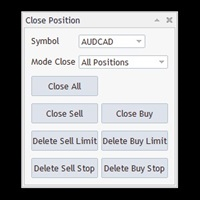
Free until the end of the year. Close All With Just One Click MT5:  https://www.mql5.com/en/market/product/110006 Close orders with just one click, quickly and neatly. Supported order types: Market order, limit order, stop order Note: This software is very fast, there is no warning every time you press the button, please use caution when using, or use it proficiently in a demo account first, I am not responsible for any loss caused by the software being activated. misactivated
Free until the end of the year. Customer support : https://t.me/MeToolTrading The free version will be published at the end of 2024. Close All With Just One Click MT4:  https://www.mql5.com/en/market/product/110795 Close orders with just one click, quickly and neatly. Supported order types: Market order, limit order, stop order . Note: This software is very fast, there is no warning every time you press the button, please use caution when using, or use it proficiently in a demo account firs
Trading algorithm : Place virtual orders. After reaching a certain number of virtual orders, a real order will be placed. The total profit of the buy or sell order chain will be closed together. Default parameters work best for the AUDCAD currency pair, please only use default parameters for this currency pair. Volume mode : Please use the default Mode 1. Parameters can be adjusted to suit other currency pairs, this may be risky, you should consider it before using it. See the attached backtest
Tool Auto Modify SLTP – Protect Your Trades, Optimize Your Strategy In trading, risk is always present. Just one forgotten SL/TP can turn a promising trade into a loss. Even experienced traders occasionally make mistakes. That’s why Tool Auto Modify SLTP was created – to keep you protected and let you focus on your strategy. Key Features: Manage Orders for All Symbols: Monitor and adjust SL/TP for all your trading pairs. Three Flexible Risk Modes: Point-Based: Set fixed SL/TP distances. Account
筛选:
Nguyễn Văn Mạnh
58
Nguyễn Văn Mạnh 2025.05.01 11:35 
 

用户没有留下任何评级信息

masoud123
14
masoud123 2025.03.19 17:14 
 

用户没有留下任何评级信息

[删除] 2025.01.29 03:17 
 

用户没有留下任何评级信息

Ocean
789
Ocean 2024.12.12 10:58 
 

Best tool for candle time and spread. the fastest support!!!

Marcos Otaviano Alves
117
Marcos Otaviano Alves 2024.12.12 04:54 
 

Is this tool expired?

Tran Van Luc
4140
来自开发人员的回复 Tran Van Luc 2024.12.12 06:36
always free
ten5510
14
ten5510 2024.11.14 15:00 
 

用户没有留下任何评级信息

tjbabs
26
tjbabs 2024.06.01 15:21 
 

Is there any other better than this show yourself let know

回复评论