Gea Snipter GBPUSD mt4

  • 实用工具
  • Mauricio Valbuena
    Mauricio Valbuena
    I am passionate about the financial and business world, with solid experience as a professional trader. My dedication to developing innovative strategies in the financial markets has been key to my success as an entrepreneur. Additionally, my skill as a developer allows me to create advanced
  • 版本: 1.0
  • 激活: 5

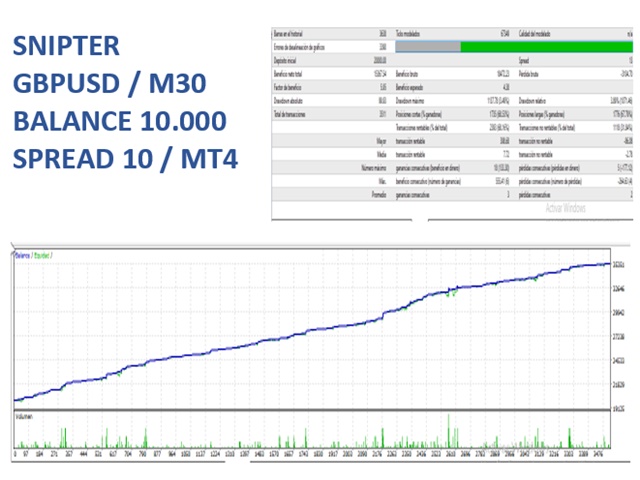
Here is a powerful trading tool that will allow you to trade manually or automatically in any market, but is especially useful in markets with high volatility and liquidity.


This system has two EAs (Expert Advisors): one for Buy and one for Sell, which work independently. The operation is based on the hedging strategy and the increase in lots based on the Fibonacci sequence, which will allow you to always add the two previous lots: 1, 2, 3, 5, 8, 13...


You decide how you want to trade: you can start the cycles manually or automatically, depending on the strategy you are using. In manual mode, you can control the buttons on the screen, while in automatic mode, the bot will make its inputs based on divergences, which can be controlled by a single parameter: the indicator periods.


And that's not all, the expert has three totally independent and adjustable closing systems according to your needs, which will allow you to operate with greater security and confidence in the financial market.


Do not miss the opportunity to improve your trading operations. Find out how this expert can help you trade more efficiently and profitably in the financial market!"

Features

  1. This expert has separate bots for Buy and Sell, which can be adjusted in the system parameters.

    • // Automatic trading Buy

    • // Automatic trading Sell

  2. The hedge has both a lot multiplier and a trade distance multiplier to reduce risk.

    • // Lots

    • // Distance between trades pips (0 = off)

    • // Grid multiplier  (1 = off)       

    • // Maximum number of trades

  3. It has closing buttons that will allow you to easily exit the market at any time you want.

  4. It has a lines button that will allow you to control the bot in a more efficient and personalized way. Find out how this expert can help you improve your trading operations and reduce risk in the financial market!

  5. Also, these buttons not only allow you to exit the market easily, but also allow you to use the bot in the strategy tester. With this feature, you will be able to automate your trading strategy and let the expert trade for you, without having to worry about anything else!


  1. This expert is not only versatile in terms of the markets you can trade, but also has different time frames that can be analyzed simultaneously. In this way, you will be able to obtain a complete and detailed vision of the financial market and make more informed and accurate trading decisions.

  2. This expert not only allows you to control the maximum number of orders and the maximum volume allowed, but also limits the daily risk and the risk per trade. In addition, he has a maximum stop loss for all orders, which allows you to manage and limit the risk of your trading operations effectively. With these risk control features, you will be able to operate with greater peace of mind and confidence in the financial market.

  3. This system not only offers you different risk control options, but also has three different closing systems that allow you to alternate and optimize your trading results. The system automatically adjusts to your specific trading needs and goals.

  4. It has a very complete risk control panel that will allow you to manage your trading operations more effectively. This control panel will show you important statistics such as your daily, weekly and monthly earnings, maximum risk and maximum drawdown, among other relevant data. With this information, you will be able to make more informed decisions and better control your risks in the financial market.


Parameters

// Contact:  to inform contact details


// Automatic trading Buy:     Activate automatic Buy system

// Automatic trading Sell:     Activate automatic Sell system


// Start time: Trading start time

// End time: Trading end time

// Maximum spread: Maximum spread allowed

// Lots:                                 Set the volume for cycle start


// Active Autolots: Enable automatic volume calculation on balance - true / false

// Autolots % : percentage of balance to invest %

// Active hedge: Activate the coverage system more than one operation simultaneously true false

// Multiply on loss: Volume increase multiplier when the price is at a loss

// Multiply on profit: Volume increase multiplier when the price is at a profit


// Distance between trades pips (0 = off):    Set the minimum price distance between each trade

// Grid multiplier  (1 = off):    multiplier to increase the minimum price distance between each trade


// Activate alternate orders: activate embedded orders buy - sell - buy ........

// Timeframe Range: timeframe for range filter

// Periods Range: parameters for range filter


// Timeframes  Bars: signal interval timeframe

// Timeframes  Levels: levels timeframe

// Periods levels: Levels periods

// Multiply_Atr: Atr multiplier

// Sens: Offset levels


END OF TREND CLOSURE

// Past candles count: N candles

// Min pips range between_candles:  pips between candles

// Trend_Quality (between 1 and 9): slope trend


// Start N orders: number of orders to activate

// closing profit: profit between pair of orders

// Activate impulse system: Activate impulse system true false


input string _4 = "T R A D I N G  D A Y S";

input bool Monday = true; configuration of trading days

input bool Tuesday = true; configuration of trading days

input bool Wednesday = true; configuration of trading days

input bool Thursday = true; configuration of trading days

input bool Friday = false; configuration of trading days

input bool Saturday = false; configuration of trading days

input bool Sunday = false; configuration of trading days


"xxxxxxxxxxxxxxxxxx"; // RISK MANAGEMENT

// maximun loss daily   (0 = off):   maximum risk of the day, and is given in the trading currency

/ N days to reset: number of days to reset the system

// Minimum funds:   minimum funds allowed to deactivate the bot

// Fixed Stop loss: stop loss

// Maximum number of trades:  Set the maximum allowed number of trades


// Volume upper limit: Maximum volume allowed

// Active End stop: Activate fixed closing time 

// End stop trades: fixed closing time ej 20:00

// Slippage: difference between the expected price of an operation and the real price at which the operation is executed


// Magic Number:      magic number

推荐产品
Telegram Sender Osw MT4
William Oswaldo Mayorga Urduy
用户手册:Telegram Sender Osw Telegram Sender Osw 是一款智能交易系统 (EA),旨在自动将 MetaTrader 交易信号发送到 Telegram。它非常适合信号提供商和账户管理,能够即时、专业地发送关键数据(价格、止损、止盈、成交量)。 1. 参数配置 常规和连接 启用 EA:激活(true)或暂停(false)系统。 机器人令牌:从 @BotFather 获取的字母数字代码。 聊天 ID:目标频道、群组或私聊的标识符。 发送子群组/主题 ID:仅当您的 Telegram 群组使用“主题”功能时才启用此选项。 发送逻辑(类型:发送) 自动:检测到任何新仓位或指令后立即发送。 按钮:仅当手动按下图表上的“发送 Telegram”按钮时才发送。 自定义设置(Telegram 文本消息) 使用系统会自动替换的标签:[SYMBOL]、[TYPE]、[PRICE]、[SL]、[TP] 和 [VOLUME]。 2. Telegram 设置(分步指南) A. 获取机器人令牌 在 Telegram 中,搜索 @BotFather
MQL5 博客: https://www.mql5.com/en/blogs/post/761446 MT4 版本: https://www.mql5.com/en/market/product/136790 MT5 版本: https://www.mql5.com/en/market/product/136791 Time Wizard 是一款专业的交易助手,专为需要在简洁的控制面板上实现速度、时机和执行控制的交易者而设计。 这款智能交易系统 (EA) 专为事件驱动交易、定时执行和快速半自动订单管理而设计。它允许您提前准备订单、定义精确的执行时间、设置分层挂单、通过止损和止盈管理风险,并通过图表上的简洁界面监控所有信息。 无论您是围绕经济事件、开盘、突破点还是您自己的自定义计划进行交易,Time Wizard 都能帮助您以结构化和纪律性的方式执行交易。 主要功能 1. 基于时间的订单执行 设置具体的执行日期和时间,EA 即可在需要时精准下单。 此功能非常适合: 新闻交易 突破交易设置 预先计划的市场执行 定时下单 2. 挂单阶梯 创建多层挂单,层间距和
Short Description A professional MT4 trade management utility for managing open trades, risk, trailing stop, break-even, partial close, daily loss guard and trade history directly from the chart. Full Description Smart Trade Manager Dashboard MT4 is a professional trade management panel built for traders who want faster control, clearer account visibility and stronger risk discipline directly from the chart. It is not a signal system and it does not open trades automatically. The dashboard focus
Automated Timeframe cycling with Symbols centered.  Force every timeframe onto one clock window, so the story you see on Daily is the same story you are slicing on H4, H1, and M1.  Traders usually flip timeframes and lose the span. A Daily chart shows a few weeks, then M15 shows a few hours, and the eye treats them as different markets. TASSERACT locks the window to N bars of the highest enabled timeframe — default 10 Daily — and maps every lower timeframe to that same stretch. You stay inside o
FREE
在此下载适用于 Demo 账户的免费全功能版本: [博客链接] Line Trade Manager 是一款高级可视化交易工具,专为需要完全掌控订单执行(execution)与 risk management(风险管理)的手动交易者打造。无需再面对繁琐的订单窗口(order window)和手动计算,你可以直接在图表(chart)上用简洁的交互式线条管理复杂的交易逻辑。基于 “Set & Forget”(设置后即忘)的理念,它能帮您提前规划每一种行情场景 —— 彻底告别情绪化交易,也无需一直盯盘。 全面的多线综合管理 Entry、SL 与 Multiple TP: 轻松设置入场价(execution price),并通过 TP1、TP2、TP3 线条实现精准的分批止盈。 保本线(Break Even / BE Line): 内置点差与手续费补偿(commission compensation),可视化锁定利润,实现真正的零风险交易(zero-risk trade)。 动态移动止损线(Active Trailing SL Line): 在你预设的位置直观监控并触发移动止损逻辑(trail
Semi Automated EA for working as your trading assistant. Overview Trading planner will make you act like professional traders in real markets. Before entering markets, they make a plan for their trades, screening out all opportunities in all time frames. Trading Planner can be used for all Time Frames (M1 ~ MN). Simply draw trendline as a trend and Support/Resistance . At this version , market opportunities will be taken by trendline using strategy of 1, 2, 3 . Simply draw the trendline by defin
This MT4 Expert Advisor (EA) is a   multi - timeframe trend - based trading assistant   with visualized UI and automated trading logic. Its core functions are as follows: Trend Analysis & Visualization Analyzes market trends by integrating multiple technical indicators including EMA (21/55), ADX (14), MACD (12/26/9), RSI (14) and volume data across different timeframes. Generates Chinese - language trend comments (e.g., "Bullish momentum surges" or "Bearish dominance prevails") and displays the
OB FVG Trade Copier: Unified Master & Slave EA Version: 2.00 Type: Trade Copier / Risk Management Utility Compatibility: MetaTrader 4 & MetaTrader 5 (Cross-compatible codebase) Overview The OB FVG Trade Copier is a professional-grade, unified trade copying system designed to mirror trades between Master and Slave accounts seamlessly. Built with a unified architecture, a single EA file serves as both the sender (Master) and receiver (Slave) simply by toggling the EA Mode in the settings. It uti
FREE
Hello Traders! Version 3.0 of the script has been released!  What's new?  Thanks to your suggestions I have inserted these changes to the tool: 1 - Data input are now date picker, it will be easier and faster to set the data export period; 2 - A message box will check that there is not a file with the same name in your folder; 3 - Error message to check that data insert are correct. If you like this product, take a look to the FULL INTERFACE!   MT4 To Excel Interface This script is a very usefu
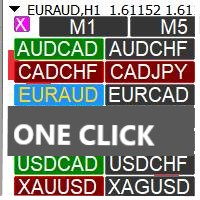
Heaven Assistant: Simplify Your MT4 Management Simplify the management of the MetaTrader 4 (MT4) platform with the Heaven Assistant . This Expert Advisor (EA) is a robust tool that allows you to control and customize your trading environment in an efficient and user-friendly manner. Key Features: Multiple Pairs Opening: Quick access to most currency pairs, both major and minor, plus exotic pairs. The ability to open indices, metals, and cryptocurrencies with a single click. Template Change: Easi
Sniper Trend Fusion
Ilham Hijrah Saputra
5 (1)
Sniper Trend Fusion This indicator is a powerful all-in-one trading tool designed to simplify chart analysis and improve decision-making. It combines multiple proven techniques into a single system, helping traders identify trend direction, volatility, key price levels, and market structure without clutter. Instead of switching between multiple indicators, everything you need is integrated into one smooth and efficient interface. Key Advantages All-in-One System Combines trend, volatility, sup
FREE
本版本仅支持 单个订单 交易 手数 <1 0 的订单,如果 单个订单 交易 手数 >1 0 ,请订阅更高版本   本 EA 并非主动盈利,只利用交易时间增加交易次数达到节省掉期费用的目的。 工作原理:本 EA 在当日交易截止前,会生成 \MQL4\Experts\Orderhis_today.csv 文件用于记录当天已开仓的信息,生成 \MQL4\Experts\Orderhis.csv 文件用于记录运行本 EA 后所有的需要平仓的开仓信息,对需支付掉期费用的已开仓订单进行平仓,然后在交易次日开盘后读取 Orderhis_today.csv 补回前日已关闭的仓位,这样避免产生掉期费用。 1、 注意市场交易时间。市场报价 - 相应品种 - 规格,查看交易时间,根据券商的交易时间调整 EA 参数 2、 本 EA 仅平仓已开仓订单,对于 limit 和 stop 的挂单不做处理 免责声明: 1、 由于交易商、网络等不可控的原因过多,所以本产品不保证每个订单的交易都可以成功。 2、 挂单补仓价格由使用者通过设定回补价差参数自行调整   预期节省测算 以掉期 -9.4 测算,总交易量达 1 手
NAS100 Auto Sl And TP
Moustapha Boulouz
5 (2)
介绍适用于 MT4 的 NAS100 Auto SL 和 TP Maker: 有了我们的 NAS100 Auto SL 和 TP Maker,再也不会错过止损和止盈的设置,这是交易者在 MetaTrader 4 上浏览纳斯达克 100 市场时不可或缺的助手。该工具专为寻求自动管理止损和止盈水平的无缝解决方案的用户而设计。 主要功能 轻松实现自动化: 自动监控无止损和/或止盈的纳斯达克 100 指数交易。 根据用户配置设置动态调整水平。 订单类型的多样性: 兼容纳斯达克 100 指数的市价订单和挂单。 支持 MetaTrader 4 中的各种订单类型。 定制配置: 用户友好的参数设置允许自定义跟踪偏好和止损/止盈水平。 范围灵活: 可选择为其运行的特定 NAS100 工具或所有交易工具设置止损和止盈。 快速执行: 确保快速设置所需的 StopLoss 和/或 TakeProfit 值,无需等待新的 tick 即可迅速响应。 MetaTrader 4 兼容性: 与 MetaTrader 4 中的所有订单类型兼容,实现无缝集成。 使用 NAS100 Auto SL 和 TP Maker 增
FREE
Virtual Exchange Reserve Equity Monitor In an environment where exchanges offer increasingly high leverage ratios, it is all the more important for traders to tightly regulate their level of equity .  This software is designed to be run in the background on any virtual private server that can run Meta Trader 4/5.  It implements basic equity control functions ahead of the broker---allowing users to set their own equity trailing stop, an equity limit to lock-in a certain profit margin, and a unive
FREE
Clock ET
Andrew Tsujiguchi
在图表上显示简洁的美国东部时间(ET)时钟,自动与美股交易时间同步。每秒更新。 Full description: ClockET — 轻量级指标,直接在图表上显示当前的美国东部时间(ET)日期和时间,让您始终准确掌握美股交易时段的进度 — 无需手动计算时区。 图表显示内容 • 实时时钟 — 显示星期、月份、日期和ET时间,每秒更新(例如 "Thu Jul 24  07:36:45 ET") • 居中标签 — 显示在图表底部,图表调整大小时自动重新居中 • 自动夏令时检测 — 根据美国官方夏令时规则(3月第二个星期日至11月第一个星期日)自动在EDT(UTC-4)和EST(UTC-5)之间切换 — 无需每年手动调整两次 设置 • 字体大小、字体颜色、字体名称 — 自定义时钟外观 • Y轴偏移 — 距图表底部的垂直位置 • Auto DST — 启用/禁用自动EDT/EST检测 • 手动ET偏移 — 可选的固定UTC偏移量,仅在禁用Auto DST时使用 支持平台 • MetaTrader 5 (ClockET.mq5) • MetaTrader 4 (ClockET.m
FREE
This tool works on MT4. The connection to the IQ option box program is established. With this software, IQ Optiona opens orders in selected time periods. The IQ option box program is required. First, the connection to the IQ option box is established. Then you can trade by sending a trading order by adding MT4. IQ O BOX Free Connection Software Download Link. https://drive.google.com/open?id=1xW6ynCwtdbGL4_GFzXU7penZAvTwYaWP
Expert Advisor for MT4 Useful utility MUST have for all traders.  With 1 click button, you're able to close all your open positions. Its come with a warning pop up notification when you click to close all your trades, to avoid an accident press the button. Just press 'Yes' to confirm or 'No' to cancel it. The expert will close all your open positions no matter what pairs you currently open or directions. Just attach the expert on 1 of your chart, and you're good to go.
Multiple Orders
Opengates Success International
5 (1)
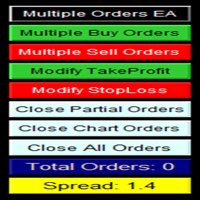
多单实用工具 多单实用工具的设计目的是让交易者在价格出现小幅波动时,就能轻松获利,而不必等待价格走很长的距离才能实现目标。 该工具可以同时在同一货币对、同一方向上开启多个订单,数量由用户设定,或由您的经纪商允许的最大数量决定。 它的理念是:与其追逐 100–200 点(这在短时间内可能难以实现,甚至不现实),不如在同一时间开启多个订单,并设定一个较短的止盈目标。例如,交易者可以开启 5 笔或更多订单,并设定 20–25 点作为止盈目标,这个目标会自动应用到所有订单。实现 25 点比追求更大幅度的波动容易得多,但结果却可以相同:例如 5 笔订单,每笔 25 点,总计等于 125 点,而价格只需移动 25 点即可。 虽然该工具易于使用,但在入场之前必须对市场走势和价格的未来方向进行准确分析,否则可能会造成较大的回撤。除非您选择 1:1 或 1:2 的止损与止盈比例,否则一定要设置止损,以避免风险——这就是所谓的交易纪律(交易无止损是非常不好的习惯!)。 为了降低风险,该工具内置了保本功能(默认设置):当价格比开仓价上涨 10 点时,系统会自动将所有订单的止损调整到开仓价之后 5 点的位置。
该指标显示全球交易所的交易时间。帮助您了解当前哪些市场最活跃 查看我的  #1 Pro  Utility : 66+ 功能,包括此工具  |   联系我  如有任何问题 帮助选择当前波动最大的交易品种; 对日内交易者特别有用; 1) 在 1H 及以下时间框架 上使用时:线条将对应图表上实际的K线位置,移动图表时,交易时段的线条 会随图表一起移动 。 2) 在 4H 及以上时间框架 上使用时:将显示交易时段的 静态图表 ,垂直线 会在一天中移动 ,指示当前哪些市场活跃。(由于比例尺的原因)。 安装指标后,建议关闭网格 (CTRL+G) 并关闭对象描述 (F8>通用>显示对象描述)。 输入设置: 重要:   为使指标正常工作,需在初始设置中设置   经纪商时间与格林尼治标准时间的时差: 经纪商时间可在“市场报价”窗口顶部查看 (视图 > 市场报价 [或 CTRL+M])。 例如,如果经纪商时间现在是 16:30:00,而格林尼治标准时间是 14:30:00,参数值应为 [2] (相差2小时)。 如果时差为负,请勿忘记在数字前添加负号 (如果经纪商时间现在是 13:20:00,而格林尼
Profit Loss Symbols Dashboard Dashboard displays all manually entered pairs in settings and shows their profit loss information. One click to navigate between all pairs on one chart. Dashboard can be hide or displayed. Green Colour: Symbol(s) in Profit Red Colour: Symbol(s) in Loss Blue Colour: Current Chart Yellow Colour: Timeframe Selected TRY HAWA GOLD WITH 80% WIN RATE MT4 VERSION: https://www.mql5.com/en/market/product/58832 MT5 VERSIION: https://www.mql5.com/en/market/product/59276 Pleas
FREE
TimeFilter simple 4
Andrej Nikitin
1 (1)
The indicator is an inter-week hourly filter. When executing trading operations, the indicator allows considering time features of each trading session. Permissive and restrictive filter intervals are set in string form. The used format is [first day]-[last day]:[first hour]-[last hour]. See the screenshots for examples. Parameters: Good Time for trade - intervals when trading is allowed. Bad Time for trade - intervals when trading is forbidden. time filter shift (hours) - hourly shift. percenta
The Order Manager Script is a user-friendly designed panel on your chart that can help you to manage your opened orders by using its special tools. It calculates the breakeven price for Buy or Sell orders and can close all Buy or Sell orders instantly or in their breakeven price plus some profits (as your selection) in less than couple of seconds. Also it can close all orders in profit or all orders in loss in your account instantly. -Sometimes you opened several Buy orders (or several Sell orde
This EA is designed to transmit charts to Telegram, as illustrated in the example image. It provides the capability to send charts according to the selected timeframe directly to Telegram. A sample channel is included for demonstration purposes. After installation, please select your own channel or any other preferred option. Please note that this sample channel may be removed without prior notice. The indicator shown in the image is for demonstration purposes only.
Market Monitor
Rodrigo Rethka Goncalves
Market Monitor – Smart Asset Performance Dashboard for MT4 Turn your MetaTrader 4 into a professional trading intelligence center! Market Monitor is a powerful monitoring tool that displays, in real time, the most relevant performance metrics of each symbol being traded — helping you make faster, smarter, and more strategic decisions. What Does This Indicator Do? Market Monitor scans all open and historical orders, consolidates the data by symbol, and displays everything in visual pa
Program for automatic placement of stop loss and take profit orders. Values are calculated as points distance from open price. BreakEven option is also included. all options could be applied to BUY, SELL separately or together. Enter values ​​in points in the fields on the right side of the menu and press dedicated button to aplly your settings. If in doubt, The instruction is displayed in the tooltip.
FREE
SC MTF Rsi MT4
Krisztian Kenedi
5 (1)
具有多时间框架支持、可自定义视觉信号和可配置警报系统的相对强弱指数(RSI)指标。 自由职业编程服务、更新和其他TrueTL产品可在我的 MQL5主页 获取。 非常欢迎您的反馈和评价! 什么是RSI? 相对强弱指数(RSI)是一种动量振荡器,用于测量价格变化的速度和幅度。该指标在0到100之间振荡,比较在指定期间内近期涨幅与近期跌幅的大小。 RSI主要用于识别超买和超卖状态。高读数表示超买状态,而低读数表示超卖状态。交易者还会关注RSI与价格走势之间的背离,这可能预示着潜在的趋势反转。 功能特点: 带箭头和垂直线的视觉信号标记 三个独立信号缓冲区,带可配置触发器(方向变化、水平交叉、峰值/谷值、极端区域) 具有时间范围过滤的可配置警报功能(电子邮件、推送、声音、弹窗) 带插值方法的多时间框架(MTF)功能 多种绘图和颜色模式(直方图/线条,简单/方向/水平基础着色) 带可选中间水平的可调超买/超卖水平 用于Expert Advisor(EA)集成的自定义指标调用(iCustom)缓冲区访问 输入参数: 基本设置: RSI参数: 周期(默认:14)、应用价格、K线位移偏移量。 多时
FREE
The Five Minutes indicator is a ready TRADING SYSTEM for binary options. The system is designed specifically for the EURUSD M5 currency market with at least 80% payout and for trades who operate on the web-terminals and the MetaTrader 4 platform. This is a counter-trend system, i.e. it expects the price of traded asset to reverse. Signals of the system are not redrawn, they appear once the formation of the previous bar is completed, and are equipped with a sound notification. For decision-making
Daily Trading Dashboard – MT4 Indicator A compact and efficient tool that displays your daily trading statistics directly on the chart. Designed for traders who need a clear overview of their performance without switching screens. Key Features Real-time calculation of today’s profit/loss (with green/red color coding) Display of trade count and total trading volume Lightweight 280×160 px panel with clean blue design Automatic updates every few seconds Optional filtering by Magic Number or Comment
FREE
The Arrow Scalper
Fawwaz Abdulmantaser Salim Albaker
1 (2)
Dear Friend..  I share with you this simple Expert Adviser .. it is full automatic  this Expert Adviser following the trend of the pair you install on or any stocks or indices , it is works like that: - when the trend on H4 chart show a start of up trend the expert will wait till the 15M & 1H charts show an up trend the EA will open a buy order directly , and do the same for down trend and open a sell order the buy or sell  order lot size and take profit and stop loss will measured manually  by
FREE
点差成本信息   点差产生的交易成本是制定交易盈亏比时的一个重要指标。点差成本信息对短线交易者尤其是超短线交易者尤为重要。本工具可以在不同的账户类型(美元账户、欧元账户等等)下,输出平台报价中所有外汇货币对(包括黄金XAU、白银XAG)的点差成本。 计算方法及原理 见文章: 外汇货币对的交易成本 Part1 外汇货币对的交易成本 Part2 外汇货币对的交易成本 Part3 外汇货币对的交易成本 Part4 参数 Lots  - 设置计算点差成本的交易手数,默认为1.0。 如何使用 使用此工具前需将MT4的市场报价设置为“显示全部”,具体操作见下图; 输出的路径为“ MT4路径\MQL4\Files\SpreadCostData ”,文件名称是当前日期,输出成功后会在MT4 - 终端 - EA一栏显示成功输出信息,输出路径及文件名称见下图; 输出内容的第一列是货币对名称,第二列是点差(点数),第三列是交易 Lots 手的点差成本(点差成本以账户货币计价),具体内容见下图。 完全版 所有数据在面板上实时更新,下载地址: https://www.mql5.com/zh/market
FREE
该产品的买家也购买
面板 FFx 隐藏管理 轻松帮助您在图表上直接管理您的订单。下面描述所有特征: 止盈, 止损和尾随停止均隐藏 每笔交易在图表上都有自己的指示线 可按您的需要拖拽任何线来改变止盈/止损 当止盈 #1 到达,自动将止损位移到盈亏平衡位置的选项 选择止盈/止损类型的选项 (通过点数或价格) 选择尾随停止类型的选项 (通过点数, MA, 分形, PSAR 或 ATR) 定义哪些订单您希望在当前图表上进行管理 (所有订单或特定单号) 最大化 / 最小化面板按钮 在图表上将面板拖拽到任意位置 显示交易信息的选项 如何使用它? (参看以下截图) 选择您希望管理的订单 (所有或特定的) 设置您的目标, 止损和尾随停止 … 之后点击 “放置”。它们都独立工作,这样您就只需设置一次。 如果您希望删除一个止盈, 止损或尾随停止, 选择正确的订单 … 然后点击 “删除” 当您选择设置 “所有当前符号”, 则 “当前设置”显示在面板里。这些设置将自动用于所有新开订单。若要重置/删除这些设置, 点击 “重置所有”。 如果 “显示交易信息”被选中, 一个新的小表格显示在面板之下, 包括每笔订单及其当前的目标和尾随停
FFx Risk Calculator panel will help you to calculate very easily your trades size, SL or the risk directly on the chart. All features are described below: Option to select which parameter to calculate: Risk, Stop Loss or Lot Size The panel will show if the lot size is allowed according to the current account free margin Button to maximize/minimize the panel Drag and Drop the panel anywhere on the chart How to use it? Select the parameter you want to be calculated. It will be based on the 2 other
FFx Watcher PRO
Eric Venturi-Bloxs
The FFx Watcher PRO is a dashboard displaying on a single chart the current direction of up to 15 standard indicators and up to 9 timeframes. It has 2 different modes: 1. Watcher mode: Multi Indicators User is able to select up to 15 indicators to be displayed User is able to select up to 9 timeframes to be displayed 2. Watcher mode: Multi Pairs User is able to select any number of pairs/symbols User is able to select up to 9 timeframes to be displayed This mode uses one of the standard indicat

Pairs Trade
Oleg Pechenezhskiy
The Pairs Trade indicator is a utility for semi-automatic pair trading. It allows combining the charts of two arbitrary instruments, even if the schedules of their trading sessions are different. It displays a spread chart in the form of a histogram with an overlaying moving average. It calculates the swap that will be charged for the synthetic position (in the deposit currency). It is possible to set a level for automatic opening of a synthetic position on the spread chart (analogous to the 'se
This Stacker EA will: Automatically set Stop loss on a new order Automatically set Take profit on a new order Stack (or open up to 4 additional orders at the same time) when a new order is placed, the SL/TP can be preset individually for each order. Provides a transparent replacement for the standard 1-click trading buttons in MetaTrader 4 (1 click still works and SL/TP will automatically be set as well as Stacking). Automatically calculate lot order size according to preset risk management perc
Crypto Market Pro
Daniil Kurmyshev
5 (1)
New opportunities for analyzing cryptocurrency in the usual MetaTrader 4. For example : We select the symbol of the cryptocurrency and attach any indicators, Expert Advisors or scripts. Startup Mode View cryptocurrency; Data collection. Capabilities Work as with a standard currency chart; Automatic update of open charts; Selection of individual cryptocurrency for updating; Selection of individual timeframes for updating; Work on the desired timeframes; Open charts do not affect the work of Cry
斐波那契折返和扩展画线工具 适用于MT4平台的斐波那契折返和扩展画线工具,非常适合于利用帝纳波利点位交易法和黄金分割交易的交易者 主要功能: 1.可以直接画线多组斐波那契折返,重要折返点之间的关系一目了然 2.可以画出斐波那契扩展 3.画线的斐波那契折返和扩展均可左右移动方便观察,有数值显示 4.图表显示非常清爽 5.可通过数字键切换周期 功能键: 1.按 [ 画折返,按需画折返,最多可画8组 2.按 ] 画扩展 3.按 \ 删除当前周期下的所有扩展和折返 4.移动、删除折返和扩展 (1)点击第一组折返的F5线条, 点击1次(变成黄色),按键盘上的Delete可删除该焦点的折返。 点击2次(恢复颜色),可以移动折返到合适的位置 (2)点击COP的线条 点击1次(变成黄色),按键盘上的Delete可该组折返 点击2次(恢复颜色),可以移动扩展到合适的位置 5.修改折返和扩展: (1)选择焦点F或反弹点数字(F或反弹点字体变大,变成黄色),移动鼠标。 (2)选择ABC三点中的某一个(字体变大,变成黄色),移动鼠标。 如何使用可以看相关视频
Советник риск-менеджер с огромным арсеналом возможностей защиты вашего депозита. Для инвесторов, которые решили передать капитал в доверительное управление. Когда у трейдера нет доступа к настройкам - нивелирует торговые риски. А также для трейдеров, которые осознали необходимость стороннего контроля за их торговлей для улучшения торговых результатов.  Для максимальных результатов - должен стоять на отдельном VPS сервере и у трейдера не должно быть возможности менять настройки в торговый период.
Grid Hero War Pad
Chock Hwee Ng
3.4 (5)
Grid Hero War Pad is a  GRAPHICAL MANUAL TRADER version of the original Grid Hero EA, designed and created for ADVANCED TRADERS who are experienced in plotting their own market entries. It is coded using ADVANCED GRAPHICAL INTERFACE programming, that combines the power of discretionary trading with Grid Hero algorithm in the form of a graphical console with button-click easy execution. It allows you to execute trades manually using Market Orders and Pending Orders, and then automatically uses th
MirrorEA
Eugenio Bravetti
The new version of  MirrorSoftware 2021  has been completely rewriten and optimized.  This version requires to be loaded only on a single chart because  it can detect all actions on every symbol and not only the actions of symbol where it is loaded. Even the  graphics and the configuration mode  have been completely redesigned. The MirrorSoftware is composed of two components (all components are required to work):  MirrorController  (free indicator): This component must be loaded into the MASTER
Open charts
Maksim Slovakov
Скрипт открывает графики по всем инструментам находящимся в окне "Обзор рынка" и по желанию может задать для всех графиков один шаблон. Так-же можно удалить все графике открытые в терминале Мт4. В скрипте имеются следующие настройки: "Таймфрейм" по умолчанию M30;             (Можно поставить свой: M1, M5, M15, M30, H1, H4, D1, W1, MN.) "Задержка" по умолчанию "0";                  (Задержка перед открытием следующего графика в миллисекундах.) "Шаблон" по умолчанию "True";                (True=пр
Quantized Trend
Oleg Pechenezhskiy
This utility automatically draws the trend channel on the price chart. For the time interval from the specified date to the current bar, the drawn channel is almost optimal. Placing the beginning of the channel at a more distant historical price extremum, you get a visualization of a longer-term trend. Channel slope is not a continuous value, but takes one of discrete values (in AxB format, where A is the number of price points (points), and B is the number of timeframes). This program works ONL


Forex Market View Dashboard and CSM
Opengates Success International
5 (1)
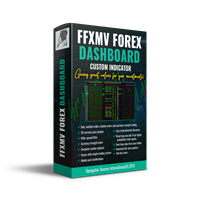
FFXMV Dashboard + CSM is a custom indicator combined with Currency Strength Meter . It is created to give the Traders a full view of what is going on in the market. It uses a real time data to access the market and display every bit of information needed to make a successful trading. Before attaching this Indicator to your window chart, go to your MT4's Market Watch panel and HIDE all the Currency pairs you don't need or trade and leave the rest there. The reason is that FFMV Dashboard will DISP
NewsReady
Joel Protusada
NewsReady is a semi-automated Expert Advisor that uses a smart straddle methods It needs to be set in charts 2 to 10 minutes before Economic Data release with a red-flag impact on currencies related to the news. Then it run pending orders in specified number of minutes indicated in the time-period parameter. After the specified time, it will stop trading and will remove all pending orders. Important You can not backtest this tool because it is semi-automated and can only be set and run a few min


Advanced Smart Renko and Heiken Ashi Candle Trader is ONE STOP SOLUTION based semi/fully - automated multi-currency EA carefully engineered for traders to enter the trade based on their Analysis or in fully automated mode for scalping, trend trading, candle breakout trades and also automated news trading with inbuilt trade management solution.    Advantages    No grid / Martingale Works on Classic Renko, Renko Heiken Ashi charts and classic Heiken Ashi charts    Features Multi-Currency Ma

Binary expert
Dmitriy Konogorov
Expert for a binary options on mt4, he have  two built-in a indicators and many different settings. The expert has one a level of martingale, but it is recommended to use it on  the instruments with a yield of 85 percent. it can be used simultaneously on a variety of currency instruments. All settings have already been made, but you can also configure them yourself . Currency for do trading is a Russian ruble. Good trading to everyone.
This program is created by algorithm which economy based logic in the trading market. 1. The program able to work with all of currency and trading items  2. Take profit and loss are basically handled by EA program Recommendation: EUR_USD is the most preferred. Please use this program only for MT4. LOT should be managed depends on own deposit. Otherwise, high risk will be driven(e.g 0.1~0.2 lot is recommended when the deposit is 10,000 dollar)
1.   记录每一个Tick交易的价格数据。     数据文件内容:“Tick时间”、“ASK价格”、“BID价格”、“SPREAD价差”、“Tick报价数量”。 2.   同时,生成一个1分钟周期的报价数据文件。     1min数据文件内容:“ASK时间”、“ ASK OPEN价格 ”、“ASK HIGH 价格”、“ASK LOW 价格”、“ASK CLOSE 价格”、 “ BID 时间”、“BID OPEN价格 ”、“ BID HIGH 价格”、“ BID LOW 价格”、“ BID CLOSE 价格”、 “Tick报价数量”。 3. 每天将所有报价数据保存在一个文件中,方便使用者进行数据分析和数据整理。 4.这个EA程序,任何时刻加载到MT4图标中,就可以直接开始价格数据的记录。确保记录下市场中出现的每一个报价。 5.文件存储位置:MQL4/Files/
Утилита-риск-менеджер для защиты вашего депозита от полной потери денег. Если вы инвестор и решили передать деньги в доверительное управление, вам нужен Trade Control. Так трейдер не нарушит свои же правила риск-менеджмента и не сольет все ваши деньги. Для этого Trade Control должен находится на вашем VPS. И у управляющего трейдера не должно быть доступа к настройкам данной улититы. В момент слабости, трейдер не сможет увеличить заложенные в торговлю риски. И не потеряет ваш депозит за один неуд
L   H E D G E R   S C A L P E R    A fully automated Expert Advisor that uses counter-trend scalping, managed semi-martingale strategy and lock hedging to execute a complete trading scheme from entry analysis to risk-calculated money management to exit analysis plan execution.         V E R Y  I M P O R T A N T    You can use only ECN type of account. Otherwise, it's a disaster. You can use only the GBPJPY currency pair. Open and attach with 1 chart only. Use a minimum of $5
P Y R A M I D   E X P E R T    This Forex utility is a complex exit strategy and order management tool that executes four trading methods; scalping, pyramid style, hedging, and scaling method to close trades with a profit.           V E R Y  I M P O R T A N T     This is not a stand alone expert advisor. Use it with your own volatility-based strategy. Once you found the currency pair to trade, you can just attach this tool to the chart of the chosen pair and it will do the
Tool sends trades when open and close with chart to telegram channel.  Tool can send multiple charts and magic numbers and pairs from a single chart. Send information of all type of orders: Opened (including Pending Orders), closed tiggered, and modified orders. Telegram Setup instruction Open your Telegram APP and search for "BotFather". Type  /start  and click/type  /newbot  to create a new bot. Give your bot a nickname and username (e.g., nickname: Bestnavisignal and username: Bestnavisignal
The EA Protection Filter ( MT5 version here ) provides a news filter as well as a stock market crash filter, which can be used in combination with other EAs. Therefore, it serves as an additional protective layer for other EAs that do provide such filters.  During backtest analysis of my own night scalpers, which already use a stock market crash filter, I noticed that the historic drawdown,  especially during stock market crash phases like 2007-2008, was reduced significantly by using such a fil
FiboPlusWaves
Sergey Malysh
5 (1)
FiboPlusWave Series products Ready-made trading system based on Elliott waves and Fibonacci retracement levels . It is simple and affordable. Display of the marking of Elliott waves (main or alternative option) on the chart. Construction of horizontal levels, support and resistance lines, a channel. Superposition of Fibonacci levels on waves 1, 3, 5, A Alert system (on-screen, E-Mail, Push notifications).    Features: without delving into the Elliott wave theory, you can immediately open one of
AntiMartingale-Execution is a pyramidal Money Management system capable of increasing positions as equity increases using the positive margin of the transaction. It is possible to set the capital for each operation, the operating and maximum margins and the target level to be reached. Once the general trade settings have been made, it is possible to preview the grid of operations that will be activated by pressing the BUY / SELL button. If necessary, it is also possible to close all operations
Monitor floating profit of trades and close half of the lot size when profit reach target. Can monitor either all trades in whole account or by specified magic number. Can set amount of slippage and spread tolerance. Can set retry times and sleep seconds if split order was rejected Can set max split order times. Able to close trades after split when floating profit goes down and near 0, to prevent lose.
A   rocket   (from   Italian :   rocchetto ,   lit. 'bobbin/spool') [nb 1] [1]   is a   projectile   that   spacecraft ,   aircraft   or other   vehicles   use to obtain   thrust   from a   rocket engine . Rocket engine exhaust is formed entirely from   propellant   carried within the rocket. [2]   Rocket engines work by   action and reaction   and push rockets forward simply by expelling their exhaust in the opposite direction at high speed, and can therefore work in the   vacuum   of space. In
Программа работает на сочетании двух индикаторов.   Set _ Lot = 0.01 – значение объема лота Set _ TP = 100 – значение тейкпрофит в пунктах Set _ SL = 100 – значение стоплосс в пунктах Up _ Limit _ CCI = 100 – верхний предел CCI Down _ Limit _ CCI = -100 – нижний предел CCI Delta _ CCI = 25 – отклонение CCI от первой свечи Set _ Time _ Frame _ CCI = 15 – значение таймфрейма для расчета CCI Set _ Period _ CCI = 14 – значение периода для расчета CCI Set _ Price _ CCI = 0 – тип цены, по которому вед
News Trade EA MT4
Konstantin Kulikov
4.38 (16)
在此向大家介绍一款我本人使用多年的机器人。该产品支持半自动和全自动交易模式。 >>> Chat <<< 本程序包含基于经济日历新闻的灵活交易设置功能。不支持策略测试器检验。仅可进行实际操作。需在终端设置允许URL 列表中添加新闻网站。点击服务 > 设置 > 智能交易系统。选中“允许WebRequest对下列URL发出请求:”。添加下列(删除空格):https://  nfs.faireconomy.media 下載最新的設定檔: https://www.mql5.com/en/blogs/post/747929 訊號監控: https://www.mql5.com/en/signals/author/test-standart 请参考博客中各类参数说明自行实现个性化设置   : https://www.mql5.com/en/blogs/post/748545   。 主要默认设置说明 单一图表英镑/GBP(英镑美元/GBPUSD、欧元英镑/EURGBP、英镑日元/GBPJPY、英镑加拿大元/GBPCAD、英镑澳大利亚元/GBPAUD、英镑瑞士法郎/GBPCHF)货币对操作。英镑/
The utility allows you to open, monitor and manage open positions on the forex market and only on instruments in which it is possible to create triangulations or those instruments that share the same currency in the numerator or denominator: ex: EURSUSD --- GBPUSD --- EURGBP The help of operational lines and valuable information on the panel allow the trader to manage trades more easily. Recommended for novice and experienced traders. External variables CrossSymbol = choose the cross on which
作者的更多信息
Ind Gap detector mt4
Mauricio Valbuena
4.5 (4)
GAP DETECTOR FVG in trading refers to "Fair Value Gap", . It is a concept used in technical analysis to identify areas on a price chart where there is a discrepancy or gap between supply and demand. These gaps can occur due to rapid movements in price, usually as a result of important news or economic events, and are usually filled later as the market stabilizes. The GAP DETECTOR indicator is designed to identify fair value gaps (FVG) on the price chart and filter them using volatility to dete
FREE
Ind Dochian Chanel mt4
Mauricio Valbuena
5 (3)
The Donchian channel is an indicator that takes a series of user-defined periods and calculates the upper and lower bands. Draw two lines on the graph according to the Donchian channel formula. This straightforward formula is based on: The top line is the highest price for the last periods n The bottom line is the lowest price for the last periods n Trend systems follow periods when support and resistance levels are broken. in this case when the price breaks the upper line or the lower line o
FREE
Precision Candle Timer
Mauricio Valbuena
5 (1)
Precision Candle Timer is a must-have visual indicator that accurately displays the remaining time of the current candle on your chart. Perfect for traders who need precise timing for entries and exits , especially in scalping , day trading , or candle-formation-based strategies. Designed to be fully customizable, you can easily change its position, color, font, and size to match your trading layout. It adds clarity, control, and responsiveness to your trading routine. Key Features: Precise t
FREE
Ind Super trend mt4
Mauricio Valbuena
This indicator shows us the trend or direction of the market and a possible stop loss This indicator works with two parameters, period and multiplier. Buy and sell signals are generated when the indicator crosses the closing price and it changes color. This indicator is used in all types of markets such as stocks, futures, forex, cryptos, additionally it can be used in different time periods: hours, daily, weekly, etc. It is recommended not to use it while the market is sideways, this can be
FREE
TREND SHOOTER   Without alerts It is a trend indicator based on moving averages that very efficiently calculates changes in market direction. This has the ability to anticipate changes of direction very early. FEATURES This indicator particularly draws two moving averages that are used only to show color changes. they can wear these moving stockings as they wish as they do not affect the color change behavior bullish blue color bearish red color where the line is interrupted it is not reco
FREE
BreakEven PRO line
Mauricio Valbuena
BreakEven PRO line – Instantly visualize your breakeven point Have you ever wondered exactly where your open trades would reach breakeven — no profit, no loss? BreakEven PRO line is a visual indicator created for traders managing multiple positions. It automatically displays a horizontal line at the average breakeven price for your open BUY and SELL orders, clearly labeled with the live value on your chart. Perfect for hedging strategies , risk management , or simply maintaining precise control
FREE
Geminis EA
Mauricio Valbuena
el Asesor Experto usa una combinación de estrategias que se ejecutan dependiendo del comportamiento del mercado y adaptándose a las condiciones del mismo, ya sea en rango o en tendencia.. el algoritmo calcula niveles dinámicos de soporte o resistencia dependiendo sea el caso y al combinarlos con la estrategia de fibonacci + scalping logra muy buenos rendimientos. INSTRUMENTO RECOMENDADO  GBPNZD,  EURNZD,  GBPUSD,  EURUSD, NZDCAD TIMEFRAME     M1,  M5 o M15 (recomendado) RECOMIENDO VERIFICAR NI
El Asesor Experto que utiliza la estrategia de acorralar el precio con una operación pendiente a una distancia determinada del primer trade, a medida que se ejecuta la orden pendiente el EA crea otra orden pendiente por mayor valor hasta localizar el sentido del mercado. Está diseñado para operaciones  semi manuales . es decir, el usuario debe abrir la primera operación y de forma automática el EA asume el control y crea la siguiente orden pendiente. de igual forma monitorea el profit para que
This Expert Advisor is a tool designed to assist traders in their operations and thus help them reduce risk, its basic operation is to place a pending pending order at a certain distance, replacing the stop loss. This pending order is responsible for closing the current order and opening a new one in the direction of the market, until achieving a specific profit. the control panel is designed to monitor the amount of pending orders that have been executed as well as calculate the recovery pro
Trading assistant that offers advanced management of your trades with optimization features. It automatically calculates the risk per trade, makes it easy to set up new orders, and offers advanced management tools such as automatic trade closing in 5 different ways. It also has other useful features that will improve your control and decision making. And best of all, you can use it in the strategy tester to perfect your tactics before trading live! Our trading assistant is a trading tool that
Here is a powerful trading tool that will allow you to trade manually or automatically in any market, but is especially useful in markets with high volatility and liquidity. This system has two EAs (Expert Advisors): one for Buy and one for Sell, which work independently. The operation is based on the hedging strategy and the increase in lots based on the Fibonacci sequence, which will allow you to always add the two previous lots: 1, 2, 3, 5, 8, 13... You decide how you want to trade: you ca
TREND SHOOTER   With alerts It is a trend indicator based on moving averages that very efficiently calculates changes in market direction. This has the ability to anticipate changes of direction very early. FEATURES This indicator particularly draws two moving averages that are used only to show color changes. they can wear these moving stockings as they wish as they do not affect the color change behavior bullish blue color bearish red color where the line is interrupted it is not recommen
GAP DETECTOR FVG in trading refers to "Fair Value Gap", . It is a concept used in technical analysis to identify areas on a price chart where there is a discrepancy or gap between supply and demand. These gaps can occur due to rapid movements in price, usually as a result of important news or economic events, and are usually filled later as the market stabilizes. The GAP DETECTOR indicator is designed to identify fair value gaps (FVG) on the price chart and filter them using volatility to det
Trading assistant that offers advanced management of your trades with optimization features. It automatically calculates the risk per trade, makes it easy to set up new orders, and offers advanced management tools such as automatic trade closing in 5 different ways. It also has other useful features that will improve your control and decision making. And best of all, you can use it in the strategy tester to perfect your tactics before trading live! Our trading assistant is a trading tool that
Here is a powerful trading tool that will allow you to trade manually or automatically in any market, but is especially useful in markets with high volatility and liquidity. This system has two EAs (Expert Advisors): one for Buy and one for Sell, which work independently. The operation is based on the hedging strategy and the increase in lots based on the Fibonacci sequence, which will allow you to always add the two previous lots: 1, 2, 3, 5, 8, 13... You decide how you want to trade: you ca
筛选:
无评论
回复评论