PatternGuard VWAP Trader
- Uzmanlar
- Sürüm: 1.12
- Etkinleştirmeler: 5

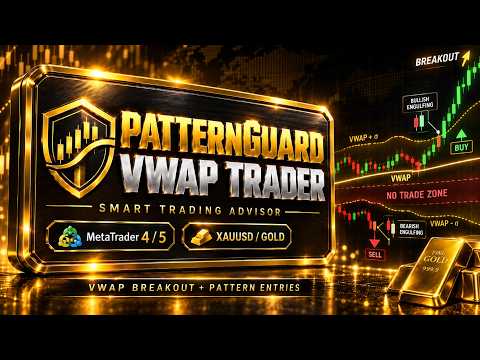
PatternGuard VWAP Trader — Author's Smart Trading Advisor for VWAP Breakout and Pattern-Based Entries
PatternGuard VWAP Trader is a professional Expert Advisor for MetaTrader 5 designed to identify trading opportunities after price exits a dynamic NO TRADE zone based on VWAP and volatility bands.
The main idea of the system is simple and effective: avoid trading inside uncertain, low-quality market zones and look for entries only when price breaks out of consolidation, confirms direction with candlestick patterns, and aligns with the current trend.
This approach helps reduce unnecessary trades during noisy market conditions and focuses on moments when the market shows stronger directional potential.
PatternGuard VWAP Trader can work on all trading pairs and instruments available in MetaTrader 5, including forex pairs, metals, indices, commodities, and CFD symbols. However, the recommended setup is XAUUSD on the M15 timeframe, where the strategy logic may perform especially well due to the strong volatility and movement structure of gold.
InpShowVisuals = false — disable chart visualization to speed up backtesting. Set to true to display the EA’s visual elements on the chart.
Key Advantages of PatternGuard VWAP Trader
VWAP-Based NO TRADE Zone
The EA builds a dynamic NO TRADE zone using VWAP and volatility-based bands. When price stays inside this zone, the market is considered uncertain or range-bound. The advisor avoids opening trades in this area and waits for a breakout.
This helps filter weak signals, market noise, and low-probability entries.
Entry After Breakout from Market Uncertainty
PatternGuard VWAP Trader does not enter randomly. It waits until price leaves the NO TRADE zone and only then checks for valid trade confirmation. This makes the strategy more selective and disciplined.
Candlestick Pattern Confirmation
The advisor uses a set of classic and momentum-based Price Action patterns to confirm trade entries. These include:
-
Bullish and Bearish Engulfing;
-
Harami;
-
Hammer and Hanging Man;
-
Inverted Hammer;
-
Morning Star and Evening Star;
-
Piercing Line and Dark Cloud Cover;
-
Range Expansion Bar;
-
Liquidity Sweep;
-
Body Dominance.
Each pattern group can be enabled or disabled in the settings, allowing the trader to customize the strategy logic.
Trend Filter
The EA uses a moving average filter to determine market direction. Long trades are filtered by bullish trend conditions, while short trades are filtered by bearish trend conditions.
Available moving average types:
-
SMA;
-
EMA.
The moving average period can be adjusted in the settings.
Flexible Risk Management
PatternGuard VWAP Trader includes built-in risk management. Position size can be calculated based on a selected risk percentage of account equity.
Available risk and exit settings include:
-
risk per trade in percent;
-
fixed Take Profit and Stop Loss;
-
mandatory Stop Loss;
-
separate protective Stop Loss percentage;
-
percentage-based trailing stop;
-
trailing offset;
-
option to disable standard TP/SL when trailing is active.
Mandatory Protective Stop Loss
The EA includes a mandatory Stop Loss function. This is especially important for volatile instruments such as XAUUSD. Even when trailing stop logic is used, the position can still be protected by an additional safety Stop Loss level.
Percentage-Based Trailing Stop
PatternGuard VWAP Trader can manage open positions with a percentage-based trailing stop. This allows the EA to follow strong price movements and gives profitable trades more room to develop.
This feature can be useful when price breaks out of consolidation and continues moving in the same direction.
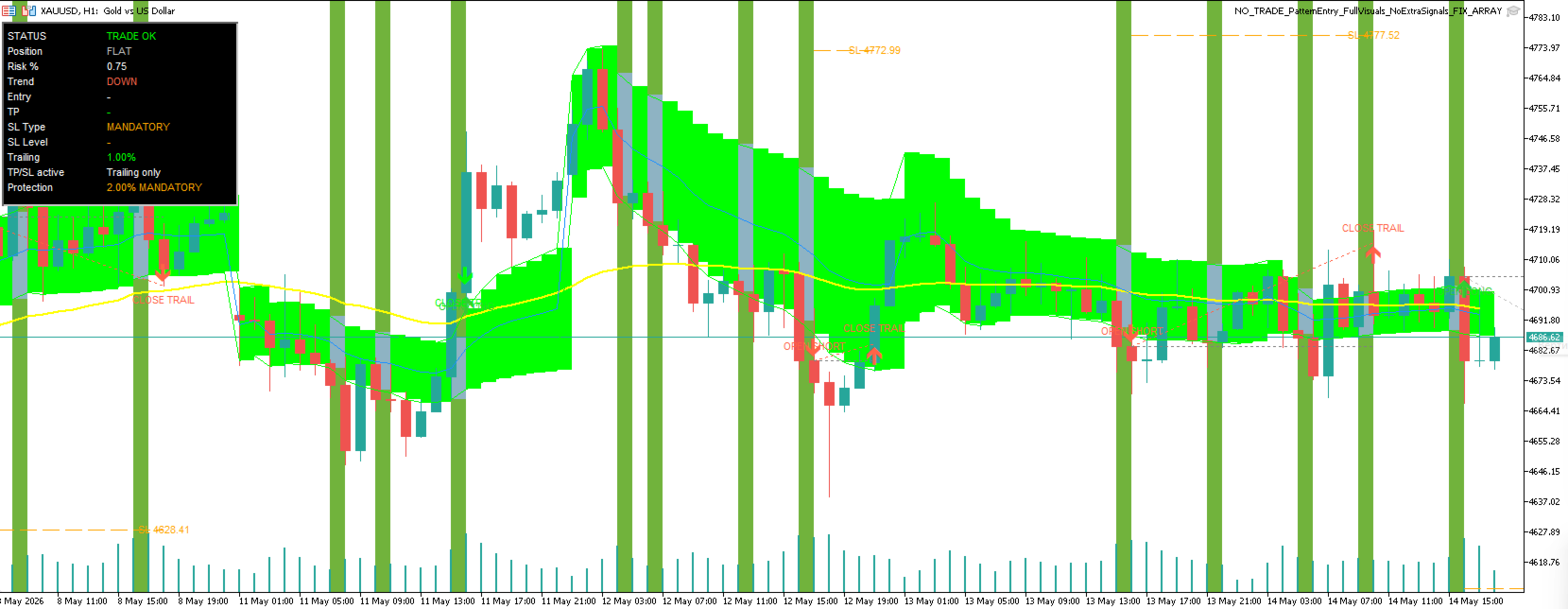
Chart Visualization
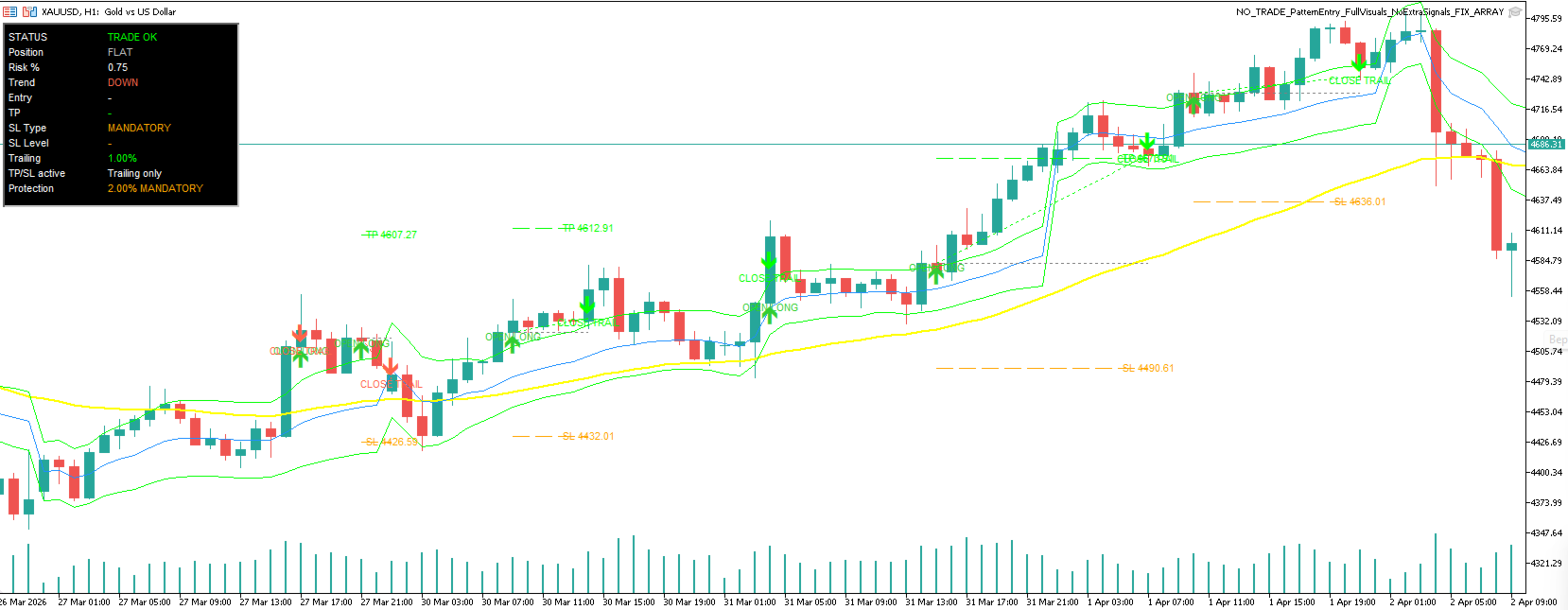
The advisor includes detailed chart visualization, making the strategy easier to monitor and understand.
It can display:
-
VWAP line;
-
NO TRADE zone;
-
upper and lower bands;
-
trend moving average;
-
Long and Short signals;
-
trade opening marks;
-
trade closing marks;
-
Entry lines;
-
Take Profit lines;
-
Stop Loss lines;
-
information panel.
This visual structure helps the trader see where signals appear, how entries are formed, and where risk and exit levels are located.
Automatic Chart Cleanup
When the Expert Advisor is removed from the chart, all its visual objects are automatically deleted. This keeps the chart clean and prevents unnecessary graphical elements from remaining after the EA is removed.
High Customization
PatternGuard VWAP Trader can be adapted to different trading symbols, timeframes, volatility conditions, and broker environments. The user can adjust VWAP zone settings, moving average filter, candlestick patterns, risk percentage, Stop Loss, Take Profit, and trailing stop parameters.
Recommended Market and Timeframe
PatternGuard VWAP Trader works on all trading pairs and instruments available in MetaTrader 5.
Recommended setup:
XAUUSD, M15 timeframe
Gold on the 1-hour timeframe is the preferred market for this EA because it often provides sufficient volatility, clear price movement, and strong breakout behavior after consolidation zones.
Important Before Live Trading
Before using PatternGuard VWAP Trader on a real account, it is strongly recommended to complete the following steps:
1. Run optimization in the MetaTrader 5 Strategy Tester.
Optimize the EA settings for your chosen symbol, timeframe, spread, account type, and broker conditions.
2. Test the optimized settings on historical data.
Analyze drawdown, trade frequency, profit factor, stability, and behavior during both trending and ranging markets.
3. Test the EA on a demo account first.
Before using real money, always test the advisor in live market conditions on a demo account.
It is important to understand that PatternGuard VWAP Trader, like any trading Expert Advisor, does not guarantee profit.
PatternGuard VWAP Trader is not a “one-click profit” system. It is a flexible trading tool that requires proper optimization, testing, and risk control. With careful preparation, it can become a strong component of a systematic trading approach.