Sar Manager MT4
- Göstergeler
- Sürüm: 1.1

SAR Manager
SAR Manager, standart Parabolic SAR algoritmasına dayanan MetaTrader 4 için geliştirilmiş bir sinyal göstergesidir. Gösterge, SAR yönündeki değişiklikleri algılar, sanal BUY ve SELL sinyalleri oluşturur, Stop Loss ve Take Profit seviyelerini hesaplar ve ilgili tüm bilgileri doğrudan grafik üzerinde görüntüler.
Ürün, piyasa analizi ve manuel işlem desteği için tasarlanmıştır. Gerçek işlem emirlerini açmaz, değiştirmez veya kapatmaz.
Sinyal Hesaplama
Parabolic SAR noktaları fiyatın üzerindeki konumdan fiyatın altındaki konuma geçtiğinde BUY sinyali onaylanır. SAR noktaları fiyatın altındaki konumdan fiyatın üzerindeki konuma geçtiğinde SELL sinyali onaylanır.
Yeni bir sinyal yalnızca mum kapandıktan sonra hesaplanır. Hâlen oluşmakta olan mevcut mum, giriş sinyalini onaylamak için kullanılmaz. Sanal giriş fiyatı, SAR yönündeki değişiklik onaylandıktan sonraki mumun açılış fiyatına göre belirlenir.
Gösterge aynı anda yalnızca bir sanal pozisyonu takip eder. Pozisyon aktif kaldığı sürece yeni giriş sinyalleri oluşturulmaz. Stop Loss veya Take Profit seviyesine ulaşıldığında, ters yönde bir Parabolic SAR sinyali oluştuğunda ya da fiyat boşluğu belirlenen seviyelerden birini geçtiğinde pozisyon kapatılır.
Stop Loss ve Take Profit
Stop Loss ve Take Profit mesafeleri MetaTrader puanı cinsinden belirtilir. BUY sinyali için Stop Loss, sanal giriş fiyatının altına; Take Profit ise üzerine yerleştirilir. SELL sinyali için bunun tersi uygulanır.
Değerler pip yerine puan cinsinden belirtilir. Gerçek fiyat mesafesi, seçilen işlem aracının puan büyüklüğüne bağlıdır.
Geçmiş veriler üzerinde yapılan hesaplamalarda Stop Loss ve Take Profit aynı mumun fiyat aralığında bulunabilir. Mum verileri, hangi seviyeye önce ulaşıldığını göstermez. Bu durumu işlemek için Same Bar Policy parametresi sunulmuştur. Kullanıcı Stop Loss First veya Take Profit First seçeneğini belirleyebilir. Varsayılan olarak Stop Loss First kullanılır.
Grafik Gösterimi
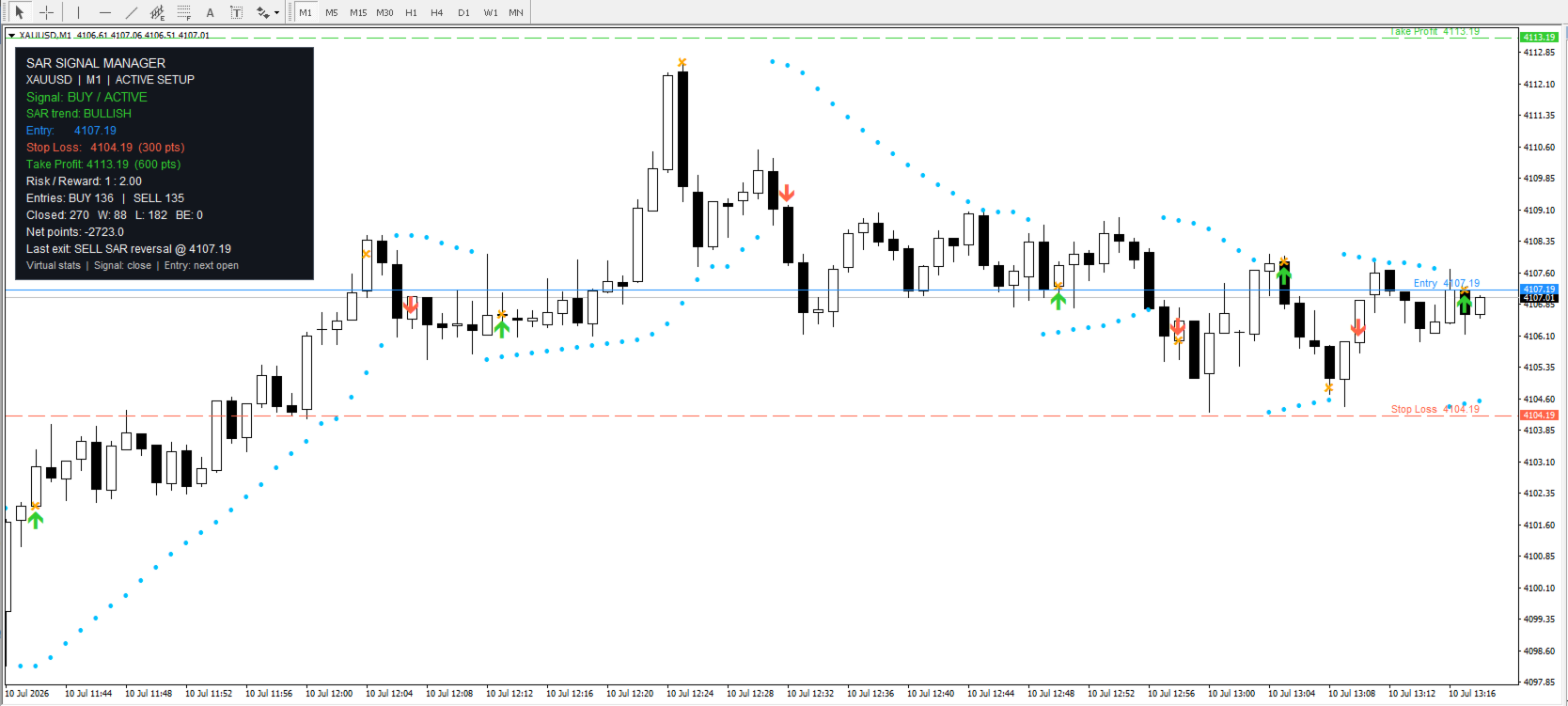
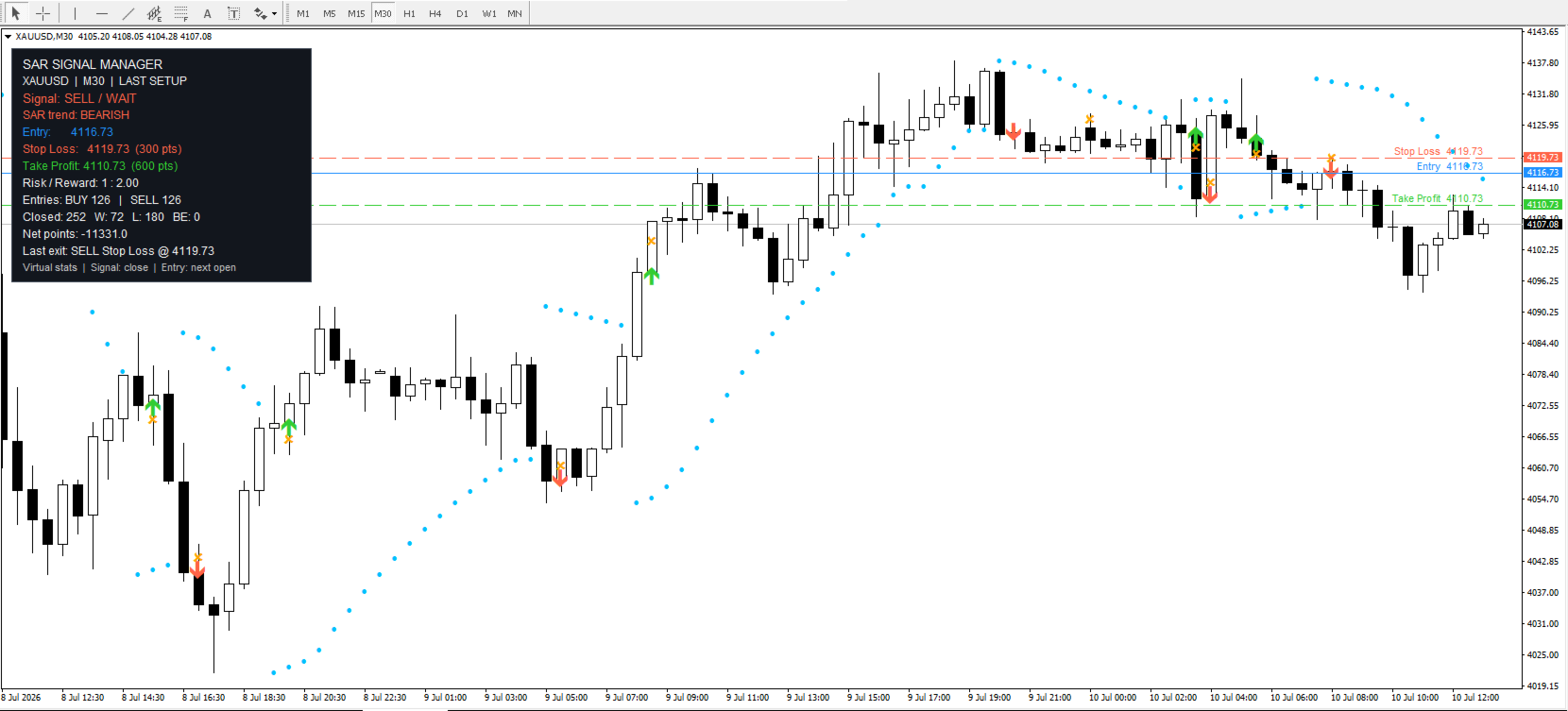
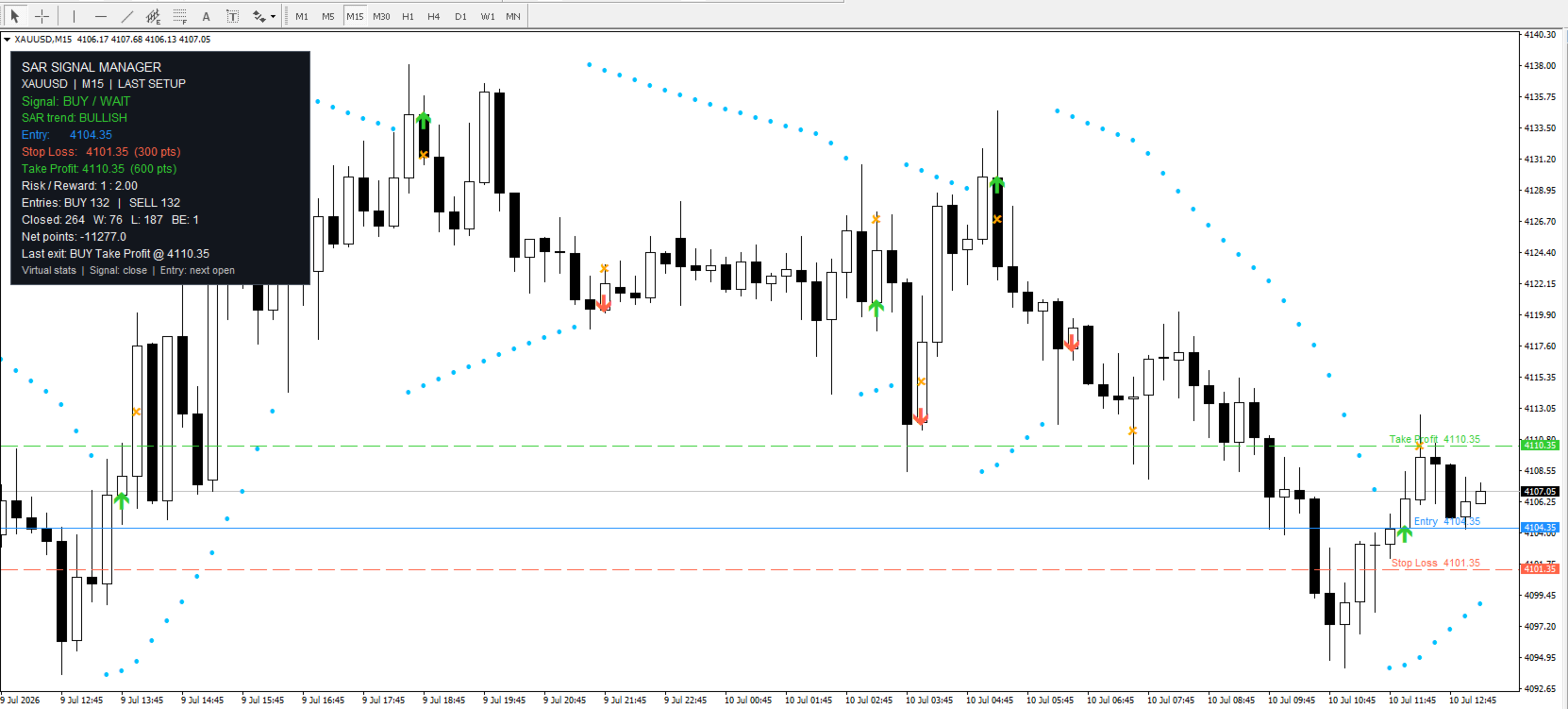
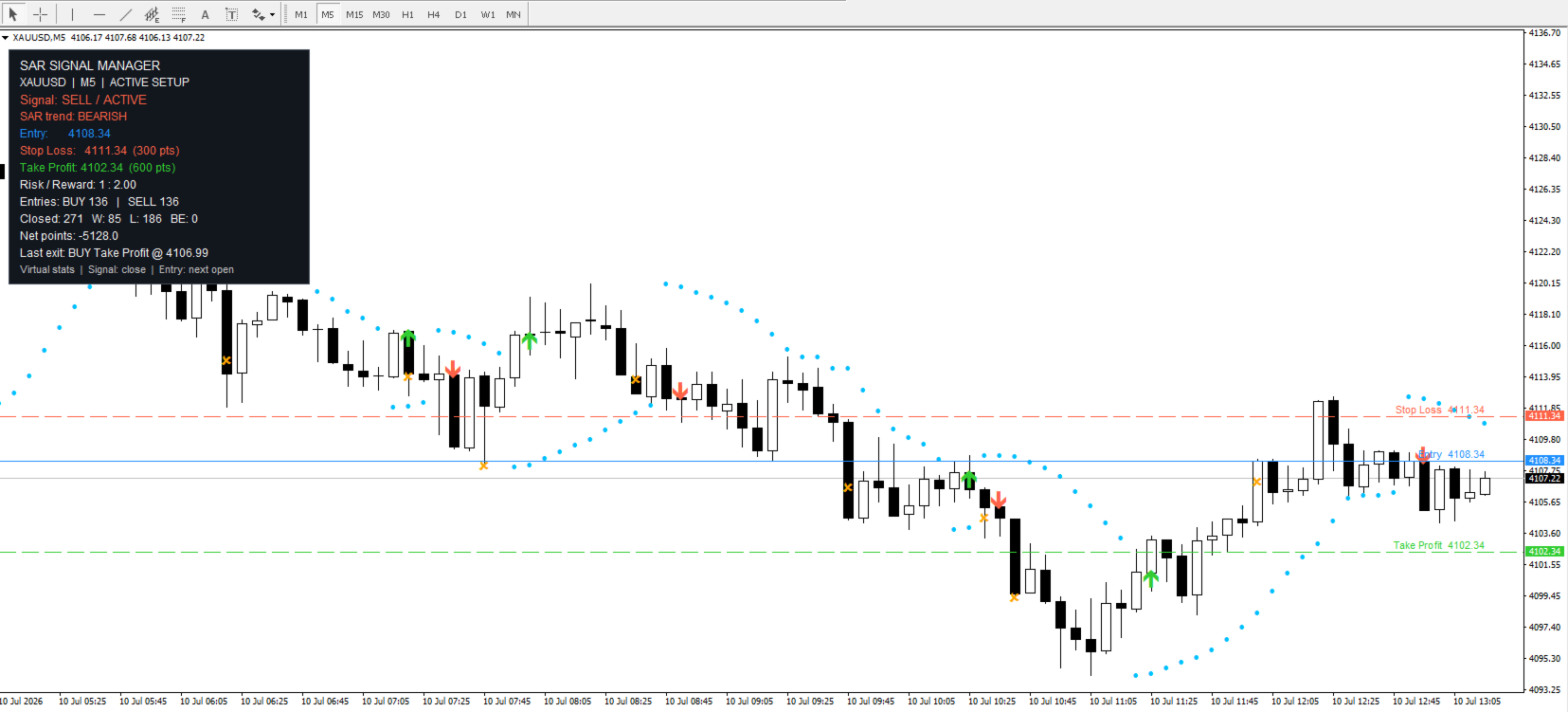
SAR Manager; Parabolic SAR noktalarını, sanal BUY ve SELL giriş oklarını, pozisyon çıkış işaretlerini ve Entry, Stop Loss ile Take Profit yatay çizgilerini görüntüler. Seviye adları ve bunlara karşılık gelen fiyatlar da grafik üzerinde gösterilebilir.
Aktif bir sanal pozisyon bulunduğunda çizgiler otomatik olarak görüntülenir. Pozisyon kapatıldıktan sonra son seviyeler, seçilen ayarlara bağlı olarak korunabilir veya kaldırılabilir. Sinyallerin, çizgilerin, metinlerin ve diğer grafik öğelerinin renkleri değiştirilebilir.
Gösterge tarafından işlenecek geçmiş mum sayısı giriş parametrelerinde belirlenir. Geçmiş derinliğinin artırılması daha fazla önceki sinyalin görüntülenmesini sağlar, ancak ek hesaplama süresi gerektirebilir.
Bilgi Paneli
Gösterge, grafik üzerinde bir bilgi paneli görüntüler. Panelde mevcut sembol ve zaman dilimi, aktif sinyal, sanal pozisyon durumu ve mevcut Parabolic SAR yönü gösterilir.
Aktif bir sinyal bulunduğunda panelde Entry fiyatı, Stop Loss, Take Profit ve hesaplanan risk-getiri oranı görüntülenir. İstatistik bölümünde sanal BUY ve SELL girişlerinin sayısı, kârlı, zararlı ve başabaş kapanışlar, puan cinsinden toplam sanal sonuç ve son çıkış hakkındaki bilgiler gösterilir.
İstatistikler yalnızca gösterge tarafından yüklenen ve işlenen geçmiş veriler üzerinden hesaplanır. Geçmiş mum sayısı değiştirildiğinde panelde görüntülenen değerler de değişebilir.
Bildirimler
Gösterge, yeni bir sanal giriş oluştuğunda veya sanal pozisyon kapatıldığında bildirim gönderebilir. Giriş ve çıkış bildirimleri ayrı ayrı etkinleştirilebilir.
Desteklenen bildirim yöntemleri arasında standart MetaTrader açılır pencere uyarıları, mobil push bildirimleri, e-posta mesajları ve sesli uyarılar bulunur. Push ve e-posta işlevleri kullanılmadan önce işlem terminalinde yapılandırılmalıdır.
Gösterge bir grafiğe ilk kez eklendiğinde önceki geçmiş sinyaller için bildirim göndermez. Aynı olay için tekrarlanan bildirimleri önlemek amacıyla her yeni giriş veya çıkış yalnızca bir kez işlenir.
Giriş Parametreleri
Gösterge ayarları mantıksal gruplara ayrılmıştır. Parabolic SAR parametreleri, sanal Stop Loss ve Take Profit mesafeleri, geçmiş hesaplama derinliği ve aynı geçmiş mum içindeki seviyelerin işlenme sırası için ayrı gruplar bulunur.
Ek gruplarda bildirim ayarları, çizgi ve işaret görüntüleme seçenekleri, son seviyelerin korunması ve panel ile grafik nesnelerinin renkleri yer alır. Parametreler, gösterge başlatılmadan önce veya çalışırken gösterge özelliklerinden değiştirilebilir.
Göstergenin Kullanımı
SAR Manager’ı istediğiniz grafiğe ekleyin ve Parabolic SAR parametrelerini ayarlayın. Ardından Stop Loss ve Take Profit mesafelerini puan cinsinden belirtin, geçmiş derinliğini seçin ve grafik görüntüleme ayarlarını düzenleyin.
Yeni bir sinyal onaylandıktan sonra gösterge sinyal yönünü, sanal Entry fiyatını ve hesaplanan seviyeleri görüntüler. Pozisyonun sonraki durumu, çıkış nedeni ve güncellenmiş istatistikler grafik üzerinde ve bilgi panelinde gösterilir.